 Afrikaans
 Azərbaycan
 Bosanski
 Čeština
 Dansk
Dansk Deutsch
 English
 Español
 Filipino
 Français
 Hrvatski
 Indonesia
 Italiano
 Magyar
 Melayu
 Nederlands
 Norsk
Norsk Oʻzbek
 Polski
 Português
 Română
 Slovenčina
 Slovenščina
 Suomi
Suomi Svenska
 Tiếng Việt
 Türkçe
 Ελληνικά
 Беларуская
 Български
 Русский
 Српски
 Українська
 עברית
עברית اردو
اردو العربية
 پښتو
پښتو فارسی
فارسی አማርኛ
አማርኛ मराठी
मराठी বাংলা
বাংলা தமிழ்
தமிழ் ไทย
ไทย မြန်မာ
 한국어
한국어 中文
中文 日本語
日本語

આ બ્લોગ લેખમાં Windows વિભાગમાં એડવાન્સ ડિસ્ક મેનેજમેન્ટ અને Storage Spacesની વિશિષ્ટ સમજ આપી છે. એડવાન્સ ડિસ્ક મેનેજમેન્ટ એટલે શું, તેના ફાયદા, Storage Spacesનો અર્થ અને વાપરવા માટેની વિશિષ્ટ રીતો તથા સફળ ડિસ્ક મેનેજમેન્ટ માટે જરૂરી સુચનો – આવી બધાં પાસાંઓ step-by-step સમજાવ્યાં છે. સાથે, સામાન્ય ભૂલો અને તેમના સહેલા ઉકેલો, જરૂરી ટૂલ્સ અને આવતા ટેકનોલોજીક ટ્રેન્ડ્સ પણ આવરી લીધાં છે. આખરે, ખુશાલ ઉપયોગી પગલાં સાથે, Windows ઓપરેટિંગ સિસ્ટમમાં તમારી ડિસ્ક મેનેજમેન્ટ વધુ સ્થિર, સુરક્ષિત અને કાર્યક્ષમ બનવી સહાય—ચલીએ શરુ કરીએ!
Windowsમાં એડવાન્સ ડિસ્ક મેનેજમેન્ટ શું છે?
Windowsમાં એડવાન્સ ડિસ્ક મેનેજમેન્ટનો અર્થ છે માત્ર ડિફોલ્ટ ડિવાઇસ મેનેજમેન્ટ અથવા પાર્ટીશન હેઠળ અટકાતી સપાટ સિમ્પલ કાર્યોથી આગળ વધવું – એટલે કે સ્ટોરેજ, રિસ્ક અને વ્યાપકતા બંનેમાં ઇનોવેટિવ રીતે નિયંત્રણ. મોટા ડેટા-અરે અથવા પર્ફોર્મન્સ માટેની વિશિષ્ટ જરૂરિયાતો ધરાવતા, તથા ડેટા સુરક્ષા મહત્વપુર્ણ ગણતા યુઝર્સ/બિઝનેસ માટે આવું મેનેજમેન્ટ અનિવાર્ય છે. તેમાં ડાયનેમિક ડિસ્ક, RAID રૂપરેખા, વર્ચ્યુઅલ ડિસ્ક (VHD/VHDX), Storage Spaces, ડિસ્ક ક્વોટા, ડિફ્રેગમેન્ટેશન વગેરેનો સમાવેશ થાય છે.
આ એડવાન્સ ડિસ્ક મેનેજમેન્ટ વાપરી આપ શ્વાસ-સંચાલન, કામગીરી, અને તમામ સ્ટોરેજને વધુ સક્ષમ રીતે વાપરી શકો છો. આ સાથે, business continuity (ઓપરેશન નક્કીતા) અને ડેટા ઈન્ટેગ્રિટી જાળવણીમાં પણ બેનફિટ મળે છે. ડાયનેમિક પાર્પસ માટે, આપ source પસંદ કરી નવી ભરતી, પુનઃઆકાર અને સ્ટોરેજ re-allocation કરી શકો છો.
એડવાન્સ ડિસ્ક મેનેજમેન્ટના મુખ્ય પાયાં:
- ડાયનેમિક ડિસ્ક: ફરિયાદી પાર્ટીશન નિયંત્રણ, સીધું છેક વિસ્તારવા, re-size અથવા ઘણી અન્ય ડિસ્ક જોડવાની today’s demand માટે.
- RAID રૂપરેખા: કાર્યવાહક, પુરાતનના સંચય માટે અને પર્ફોર્મન્સ વધારવા માટે.
- Virtual Disks (VHD/VHDX): તમામ ફિઝિકલ ડિસ્કના virtual જૂથ બનાવવા, ખાસ virtual machine, બેકઅપ/testing સ્ટેજમાં ઉપયોગી.
- Storage Spaces: અનેક ફિઝિકલ ડિસ્કને એક logic-કડીમાં બાંધવી, સૌથી વધારે expandible અને resilient storage pool બનાવવી.
- Disk Quota: User-wise space limitation, resource sharing માટે.
- Disk Defragmentation: scattered ફાઈલ્સ one place લાવવા, thereby disk speed improvise.
નીચેનાં ટેબલમાં એડવાન્સ ડિસ્ક મેનેજમેન્ટના મુખ્ય ફીચર્સનું સરખામણું:
| ફીચર | વર્ણન | ફાયદા |
|---|---|---|
| ડાયનેમિક ડિસ્ક | સિમ્પલ ડિસ્ક કરતા વધારે flexibility: વિસ્તૃત, re-size, અનેક ડિસ્ક પર volume spread. | લવચીકતા, re-sizing સરળ, multi-disk management. |
| RAID રૂપરેખા | મલટી-ડિસ્ક પર data spread: redundancy, speed. RAID 0/1/5/10 અરજી વિવિધ use-case માટે. | Protection From Disks Failure, Speedup (esp. RAID 0), business continuity. |
| સ્ટોરેજ સ્પેસ | અનેક ડિસ્કના pool construction, simple/mirror/parity વિસ્તાર select. Windows built-in tool. | Expandable storage, resilient data, solution for mixed disks. |
| Virtual Disks (VHD/VHDX) | રસપ્રદ virtual drives, backup/testing/VM માટે ideal. | Portable, simple backup, isolation, optimal resource. |
Windowsમાં એડવાન્સ ડિસ્ક મેનેજમેન્ટના આધારે, તમે તમારું storage best exploit, data protection enhance અને overall Windows speed optimize કરી શકો છો – ખરા અર્થમાં power user-level ટેકનોલોજી!
Windows એડવાન્સ ડિસ્ક મેનેજમેન્ટના ફાયદા
Windows એડવાન્સ ડિસ્ક મેનેજમેન્ટ સામાન્ય પાર્ટિશન/ફોર્મેટ પ્રક્રિયાથી અનેક પાયા સુધી આગળ જાય છે. તેના feature-setમાં storage efficiency, speed, data safety અને reliability જેવી ગુણાત્મક વધારાઓ સામેલ છે. Hardware resource proper utilization, data-loss minimize અને system stability માટે એડવાન્સ મેનેજમેન્ટ must-have છે.
સૌથી મોટો ફાયદો એ છે કે, storage space dynamically grow/shrink કરવા માટે Storage Spaces જેવી તમે મુક્તિથી કામ કરી શકો છો. Example તરીકે, આપણે ઘણી physical disksને એક logic drive poolમાં ફેરવી, જરૂરિયાત મુજબ વધારવા—એ છે કદનું scalability. RAID implementationથી data backup/backup through redundancy, disk failure સામે તૈયાર રહેવું સૌથી વેલ્યુયુક્ત છે.
Disk Managementમથી મળતા ફાયદા:
- Data safety better.
- Storage utilization optimize.
- System speed & stability improve.
- Hardware efficiency growth.
- Backup/restore risk minimize.
- Dynamic storage management.
- Permit RAID redundancy.
અગ્રગત્યમાં data security સુનિશ્ચિત કરવા માટે – RAID 1/mirroring, RAID 5 parity, disk encryptions વગેરે ઉપયોગી છે: એક drive ઑફલાઈને જતું હોય, data નો backup શક્ય. Sensitive files/Business critical info ના unauthorized accessથી બચવા disk encryptions (BitLocker etc.) પસંદ કરો – આ તો data safety guideline છે.
| ફીચર | વર્ણન | ફાયદા |
|---|---|---|
| RAID Array | Multi-drive redundancy | Reduces data-loss risk, enhances reliability. |
| સ્ટોરેજ સ્પેસ | Multi-drive logic pool | Dynamic re-size, flexible expansion. |
| Disk Encryption | Unauthorized data access protection | Confidentiality & privacy. |
| Dynamic Disk Management | Partitioning/re-sizing made easy | Optimal space utilization, avoids waste. |
Windowsીએ એડવાન્સ ડિસ્ક મેનેજમેન્ટ, monitoring tools, disk performance improve, disk errors detect & clean-up utilities સહ, total optimization લાવે છે – apps run speed બિલકુલ વધારવામાં મૃત્યુથ. Long term storage strategy અને stability ખાસ નજીકથી ટોચે રાખો.
Storage Spaces શું છે અને શું કામ આવે છે?
Windows એડવાન્સ ડિસ્ક મેનેજમેન્ટનું સૌથી અનોખું સાધન Storage Spaces: અનેક physical drives જોઈને એક storage pool બનાવો, data redundancy માટે. Enterprise કે small businessમાં hardware RAIDના અડચણ વગર સામાન્ય user-friendly redundancy મળે – ખાસ beginners માટે simple solution.
Storage Spacesના poolમાં વિવિધ drive type (HDD, SSD) મિક્ષ કરી – frequently used data SSD પર, long-term storage HDD પર. Data safety માટે redundancy-mirror/parity વાહકી: drive failure પૉઇન્ટ આવે છતાં data backed-up. એProfessionals & families માટે તો flawless tool.
Storage Spaces પાયાં:
- Flexible Storage: Diverse disks mix, size/type worry-free.
- Data Redundancy: Single/double parity mirrors – fringe safety.
- User-Friendly Setup: Simple UI, easy configuration.
- Speed + Capacity: SSD/HDD combo for best balance.
- Expandable Space: Add drives as needs grow.
નીચે Storage Spacesના redundancy variantsનું સરખામણું:
| Redundancy Type | વર્ણન | ફાયદા | Shortcomings |
|---|---|---|---|
| Simple | Single copy only | High space efficiency | Drive failure = data-loss risk |
| Two-way Mirror | Dual copies | Higher protection | Half usable space only |
| Three-way Mirror | Triple data copies | Extreme security | Third of drive usable |
| Parity | Parity-based backup | Balanced efficiency + safety | Slower write speed |
Storage Spaces વાપરવાની રૂટિન: disk combine → storage pool create → logic space select → redundancy type choose → start using as normal drive. Built-in Windows feature છે: external tool installની જરૂર નથી.
Storage Spaces દ્વારા એડવાન્સ ડિસ્ક મેનેજમેન્ટ
Windows એડવાન્સ managementમાં Storage Spaces એ સિસ્ટમ, user અને small business માટે ઘટતી પહેલી પસંદ. એકથી-use-case pool, flexible redundancy, scalability, safety – બધાં features pool managementથી. Especially freelancers, server admins માટે absolutely perfect.
Storage Spaces Features Table:
| Feature | Simple | Mirror | Parity |
|---|---|---|---|
| Redundancy | No | Yes (2-3 way) | Yes (single/double) |
| Performance | High | મધ્યમ | Low |
| Use-case | Temporary files | Important docs | Archive storage |
| Min disk | 1 | 2 or 5 (for 3-way) | 3/7 (single/double) |
Storage Spaces redundancy by choice – Mirror optionમાં, real-time copies ready: disk crash? Data still available. Parity means efficiency જો write speed જરુર કમ. Perfect backup plan choose કરવો અત્યંત જરૂરી છે – Storage Spaces hardware failure માટે backup layer છે, but standalone backup solution તરીકે નહીં.
Storage Spaces Setup Steps:
- Control Panel → Storage Spaces
- Create new pool/space
- Select disks → Create pool
- Name it + assign drive letter
- Redundancy select (Simple/Mirror/Parity)
- Size set → Create space
Right backup setting, regular disk-health monitoring extremely essential; Storage Spaces growth છે—keep adding drives! Businesses/vendors backing up huge data find it a blessing.
Storage Spaces અને બેકઅપનું સંબંધ
Windows એડવાન્સ managementમાં Storage Spacesનું રોલ મિત્ર અને સુકૂન બંને – data multiple drives spread સારી રીતે બેકઅપ layered. આગળ, Storage Spaces backing layer છે, એટલાનું standalone backup solution નહીં; regular backup must. Drives failure safety, plus software bugs/virus accidental delete safety combo જરુર રાખો.
Storage Spaces + backup = Total security. Virtual disk regularmente harici/hybrid backup (external/cloud) ready – dual-layer security, best data-loss resilience.
Backup Options Comparison:
- Complete Backup: All files, utmost security – slow process.
- Incremental Backup: Only changed files, fast, but restore complex.
- Differential Backup: Since last complete backup, quicker restore.
- Cloud Backup: Remote storage, disaster-proof, anywhere access.
- Hybrid Backup: Combine local+cloud, fast recovery, disaster shield.
Storage Spaces = hardware redundancy. Software backup = viruses/human error shield. Combo means business continuity assured. Regular backupství windows users માટે life-saving.
Backup schedule create, redundancy choose and regularly monitor Storage Spaces – complete security achieved.
ડિસ્ક મેનેજમેન્ટ માટે ટોચના ટિપ્સ
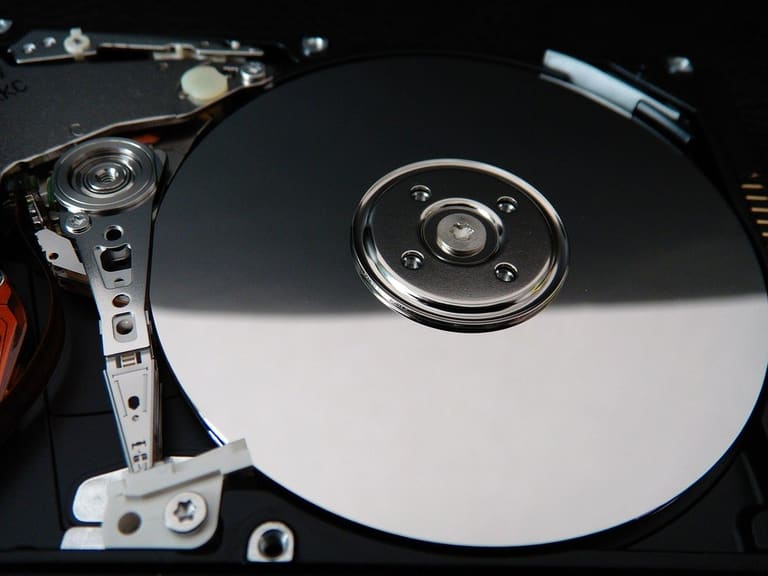
Windows એડવાન્સ ડિસ્ક મેનેજમેન્ટમાં ટોચના સુચનો: performance optimize, security enhance, future growth ready રાખવું અત્યંત જરૂરી. Successful disk managementમાં proactive steps આવરે છે – today's need, tomorrow's expansion.
Disk health check – most vital. Errors detect, remove (chkdsk). Regular defragmentation – speed up. Tools overview:
| Tool/Method | Details | Frequency |
|---|---|---|
| CHKDSK | Error scan and fix | Monthly |
| S.M.A.R.T. Monitoring | Live health tracking | Always |
| Defragmentation | Fragment files re-join | Quarterly |
| Disk Cleanup | Delete temporary/junk files | Monthly |
Success Disk Tips:
- Regular backup: Data loss-risk free.
- Space monitoring: avoid full disks, timely expansion.
- Partition right: OS-data separation – better security/easy restore.
- Updated drivers: Speed up/compatibility guaranteed.
- Security software: Antivirus for malware protection.
- Smart Storage Use: Fast drives for frequent data, slow for archives – cost optimize.
Techniques, tools, automation (scheduled tasks/monitoring) વાપરી disk management streamline કરો. Proactive measures – issues before data loss: best future safety net!
સાંભળે નહીં, કરેલા ભૂલો અને ઉકેલો
Windows એડવાન્સ disk management સમયે કેટલાક ordinary mistakes—technology lacking, negligence, or misconfiguration—પ્રતિબિંબે છે. Awareness & readiness એ data-loss, instability દાખલવામાં અતિલીડીક નેસેસિસરી છે.
Common mistakes table: issues & easy solutions બરાબર સરખાવો.
| Problem | Plausible Causes | Easy Solutions |
|---|---|---|
| Low Disk space | Junk files, bloated recycle bin, temp files | Delete junk, empty recycle bin, use disk clean-up. |
| Corrupt File-system | Sudden outage, wrong disk ops, virus | Run chkdsk, restore Windows, scan antivirus. |
| Disk not detected | Drive failure, cable loose, outdated driver | Check cables, update drivers, hardware testing. |
| RAID misconfig | Wrong RAID, disk mismatch, poor setup | Check RAID config, use compatible disks, consult expert. |
Advanced setup (RAID, Storage Spaces) – each step careful planning essential, else stability & security risk jump. Common mistakes diagnosed:
- Wrong Disk Choosen: Wrong Storage Spaces selection = data-loss-risk; check twice.
- Insufficient backups: Missed schedules = significant loss; backup plan implement.
- Wrong RAID selection: Not fit per need = speed down/data-loss risk; select wisely.
- Driver update ignore: Compatibility/speed suffer; update regularly.
- Health-monitoring missed: Earlier errors missed, fatal trouble; use monitoring tools.
- Over fragmentation: Slow speed; periodic defragment must.
Consistent strategy + maintenance = top stability, speed, security achieved. મહત્વપૂર્ણ છે proactive approach!
સાફલ્ય નિવાસક ડિસ્ક મેનેજમેન્ટ માટે જરૂરી ટૂલ્સ
Windows એડવાન્સ disk management: speed, security, utility અહીં કોઈ ટૂલ વિના શક્ય નથી. Built-in tools થી third-party software, right selection & efficient use only brings optimize result.
Disk partitioning, backup & recovery needs per tool select; beginners-friendly UI vs. pro-level advanced features – choice unlimited.
- Disk Management (diskmgmt.msc): Built-in Windows, partition, format, drive assign.
- Command Prompt (Diskpart): Scripting, advanced automation, power-user.
- Storage Spaces: Multiple drives pool, redundancy.
- Third-party Partition Tools (EaseUS Partition Master, MiniTool Partition Wizard): Advanced partition, easy UI.
- Defrag Tool: Speed up via file merge.
- Backup Software (Acronis True Image, Macrium Reflect): High-value backup & recovery.
Tools comparison table:
| Tool Name | Main features | Best for |
|---|---|---|
| Disk Management (diskmgmt.msc) | Partition, format, assign drive | Basic tasks/new disks |
| Command Prompt (Diskpart) | Advanced scripts/partition | Pro-users/automation |
| સ્ટોરેજ સ્પેસ | Pool creation/redundancy | Secure expansion |
| Third-party partitioner's | Advanced UI tools | Complex scenarios/ease |
Built-in Windows tools básico, third-party offers specialized power. Needs+skill balance – right tool select.
આવતીકાલના ડિસ્ક મેનેજમેન્ટ ટ્રેન્ડ્સ
Windows એડવાન્સ disk management ના નવા trend અને innovations. Cloud integration, AI-optimized speed, advanced security – disk management now smarter, safer, greener. This section Trends shaping Windows experience: cloud, AI, security, energy savings.
Future disk management – auto problem diagnosis, auto-optimization, sustainability. Professionals, businesses gain most. SSD/NVMe widespread use – tools must align. Virtualization/containerization, even more flexibility/scaling.
| Trend | Description | Benefit |
|---|---|---|
| Cloud Integration | Link disk tools with cloud | Easier backup/recovery/access |
| AI Optimization | Algorithms auto speed-up disks | Faster access, efficiency jump |
| Enhanced Security | Encryption/access control harden | Better protection |
| Energy Saving | Low power storage solutions | Cost down, eco-friendly |
Data storage changes rapidly; SSD, NVMe, cloud, virtualization – tool adaptivity paramount. Businesses blending container/Kubernetes/Docker – disk pooling even more vital! Smart AI-backed tools predict problems.
નવા ટેકનોલોજી કોર્નર
SSD widespread – speed, low-latency, defragmentation lesser. NVMe: blazing fast, ultimate for AI/analytics. Right management, right tool – maximal speed.
વિક્સીત ઉપયોગ સ્થિતિ
Disk management office PCs, servers, cloud, datacenters – everywhere relevant. Big Data, AI, HPC – speed+expandability life-line. Backup/recovery plans adapts per usage scenario.
2024 અને બાદનાં ટ્રેન્ડ્સ:
- AI-powered disk management
- Cloud storage integration boom
- Encryption/security evolution
- Energy saving technologies
- Adoption of NVMe/ultra-speed drives
- Virtual/containerized disk pooling
Windows એડવાન્સ disk management: continuously smarter, safer, greener; follow trends = outperform peers! Maximize security, speed, sustainability.
અંત અને અમલનાં પગલાં
Windows એડવાન્સ disk management + Storage Spaces = data secured, space optimized, speed boosted! This guide enables best management, minimizes data loss. Storage Spaces’ flexibility/resilience = ideal for modern needs.
| Step | Explanation | Recommended Tools |
|---|---|---|
| Disk analysis | Check disk status/performance | CrystalDiskInfo, HD Tune |
| Storage Spaces setup | Create/configure per need | Windows UI |
| Backup planning | Schedule regular backups | Windows Backup, external drives |
| Performance monitoring | Track/optimize disk speed | Task Manager, Resource Monitor |
Routine checks + backup + healthy disk maintenance = longevity, zero-loss. Keep strategy updated, check disk health frequently!
Implement these steps:
- Analyse drives: Review disk resource status.
- Explore Storage Spaces: Leverage all redundancy/scalability.
- Plan backups: Schedule regular backup.
- Monitor performance: Track, tune for speed.
- Stay updated: Follow disk management news.
Follow steps, grow your disk management expertise, achieve top security and performance! Disk management continuity is key! Success guaranteed.
Security is a continuous process—not just a product. Always stay alert.
For further troubleshooting or in-depth info, utilize online resources & forums. Windows official docs, Microsoft support, – equip yourself with knowledge + right tools, disk management gets simple!
વારંવાર પુછાતા પ્રશ્નો
Windows તંત્રમાં નવા છું – ‘એડવાન્સ’ disk management શું લાગે છે અને મોટે ભાગે simple management કેમ પૂરતું નથી?
Simple management = partitioning, formatting. Advanced = grow/shrink, RAID configuration, virtual drives, Storage Spaces. Simple ample for one disk, but performance boosts/scalability/security needs advanced.
Storage Spaces એ કારણ માટે RAID કરતાં વધુ ફાયદાકારક છે? શૂન્ય hardware cost/complexity?
Storage Spaces built-in Windows tool, no external hardware/software needed. Flexible, easy UI. Pool diverse drives. Capacity expansion. Lower cost. RAID = hardware/software, complex setup.
Storage Spaces ચાલી રહી છે, failure સમયે data safety કેવી રીતે રાખવાનું?
Choose Parity/Mirror redundancy – Parity = space optimized; Mirror = instant restore. Monitor Storage Spaces regularly, heed warnings. Routine external/cloud backup = ultimate safety.
Storage Spacesમાં speed વધારવા શું કરવું? SSD/HDD mix નું અસર?
SSD tier as cache = speed for frequent-access. Mix HDD/SSD possible, structure right = optimal speed. SSDs for hot-data/archive HDD = cost+speed balance.
Disk managementમાં સામાન્ય ભૂલ કઈ અને શુ ટાળવું?
Partition mismatch, missed backup, unmonitored health, wrongly chosen Storage Spaces level. Tailor partition, schedule backup, health check, right redundancy setup.
Windows disk management માટે third-party tools શું? Paid vs free?
Default tool okay, advanced for extra. Paid: Acronis Disk Director, EaseUS Partition Master, Paragon Hard Disk Manager. Free: AOMEI Partition Assistant Standard Edition, MiniTool Partition Wizard Free Edition. Features: partition, clone, recovery.
Future disk management trends કઈ બાજુ જઈ રહ્યા છે?
Speed, density, intelligence grow: NVMe SSD common, cloud integration up, AI-backed management. Even quantum storage may come. Track updates, optimize your system.
Storage Spaces VM (virtual machine) માટે વાપરવું સારું? Reliability/speed?
Yes, Storage Spaces for VM – SSDs = speed boost, Mirror/Parity = security. Server resource (CPU, RAM) enough required.