 Afrikaans
 Azərbaycan
 Bosanski
 Čeština
 Dansk
Dansk Deutsch
 English
 Español
 Filipino
 Français
 Hrvatski
 Indonesia
 Italiano
 Magyar
 Melayu
 Nederlands
 Norsk
Norsk Oʻzbek
 Polski
 Português
 Română
 Slovenčina
 Slovenščina
 Suomi
Suomi Svenska
 Tiếng Việt
 Türkçe
 Ελληνικά
 Беларуская
 Български
 Русский
 Српски
 Українська
 עברית
עברית اردو
اردو العربية
 پښتو
پښتو فارسی
فارسی አማርኛ
አማርኛ मराठी
मराठी বাংলা
বাংলা தமிழ்
தமிழ் ไทย
ไทย မြန်မာ
 한국어
한국어 中文
中文 日本語
日本語

ഈ ബ്ലോഗ് ഉപദേശമാര്ക്കിൽ, WordPress സൈറ്റുകളുടെ കമാൻഡ് ലൈൻ മാനേജ്മെന്റിന് ഉപയോഗിക്കുന്ന WP-CLI എന്ന ആപ്പ് ലിനക്സ് സേവനത്തിനുള്ള ശക്തമായ, ദീർഘവായനയിൽ തന്നെ Malayalam ഓഡിയോയിൽ കൈവരുന്നാണ്. WP-CLI ഉപയോഗിച്ച് WordPress ക്യോമാട്സ്, ഇൻസ്റ്റലേഷൻ ആവശ്യമുള്ള ഘടകങ്ങൾ, ശ്രദ്ധിക്കേണ്ട നിർദ്ദേശങ്ങൾ എന്നീ സന്ദർശത്തിലൂടെ മറ്റു കോമഡുകളുടെ കാര്യവും സുരക്ഷ വീഡിയോ ടിപ്സുകളും വിശദീകരിക്കുന്നു. മികച്ച പ്രയോഗ ഉപാധികൾ, സാധാരണയുള്ള പിഴവുകൾ, പരിഹാര നിർദേശങ്ങൾ, WP-CLI ആധുനിക മാനേജ്മെന്റ് ആപ്തക്കളിൽ പ്രയോജനങ്ങൾ വിശദമായും സാവധാനം ഉപദേശിക്കുന്നു. WP-CLI ലിനക്സ് പുരോഗമനവും WordPress ഡെവലപ്പ്മെന്റ്, പിന്തുണയുള്ള മൂന്ന് ഒട്ടുമിച്ച് വികാസന മാർഗങ്ങൾ പഠിപ്പിക്കുന്നു. ഈ മലയാളം റെഹബ്ദം, WP-CLI ഉപയോഗിച്ച് WordPress സൈറ്റുകൾ കൂടുതൽ വേഗവും സുരക്ഷിതവും മാനേജു ചെയ്യാൻ ആഗ്രഹിക്കുന്നവർക്കു വിഭിന്നമായൊരു മാർഗ്ഗതലമാണ്.
WP-CLI വഴി WordPress കമാൻഡ് ലൈൻ മാനേജ്മെന്റിന്റെ അടിസ്ഥാനങ്ങൾ
WordPress, വെബ്സൈറ്റ് നിർമ്മിക്കാൻ ഏറ്റവും പ്രചാരമുള്ള പ്ലാറ്റ്ഫോമാണ്. എന്നാൽ അതിന്റെ അഡ്മിൻ ഡാഷ്ബോർഡ് വഴി നടത്തുന്ന പ്രതിദിന പ്രവര്ത്തനങ്ങള് ചിലപ്പോള് സമയം പതിയുകയും ബുദ്ധിമുട്ടുള്ളതാവാം. ഇതിന്റെ പരിഹാരമാകുന്നു WP-CLI. WP-CLI, WordPress സൈറ്റ് കമാൻഡ് ലൈൻ രീത്യയിൽ നിയന്ത്രിക്കാൻ സഹായിക്കുന്ന ദൃഢമായ ഒരു Linux utility tool ആണ്. ഇതിലൂടെ WordPress സൈറ്റിൽ നിർബന്ധമായ എല്ലാ പ്രധാന പ്രവർത്തനങ്ങളും വളരെ വേഗത്ത്, കാര്യക്ഷമതയോടെ, automation-ൽ ചെയ്യാൻ കഴിയും.
WP-CLI ഉപയോഗിക്കുമ്പോൾ അതിന്റെ മതിയായ സാധ്യതകള് വഴി WordPressയുടെ plugin, theme എന്നിവയുടെ install, update, activate, delete എന്നിവയ്ക്ക് നിരവധിക്കൊണ്ടും, ഉപയോഗക്കാരുടെ ഉപയോക്തൃ role management, database optimization, WordPress core update തുടങ്ങി എല്ലാ പ്രധാന admin automation-കൾ നിർവഹിക്കാൻ കഴിയും. ഈ ചെയ്തികൾ admin UI-യിൽ കയറാതെയോ, വെറും കോമട്ടുകൾ ഉപയോഗിച്ചാണ് നടത്തുന്നത്.
- WP-CLI ഇന്റെ ഉപകാരങ്ങൾ
- വേഗത്തിലയും കാര്യക്ഷമതയോടെയും admin പ്രവർത്തനം
- Automation: വഴിയില്ലാത്ത repetitive tasks schedule ചെയ്യാനുള്ള കഴിവ്
- മുഴുവൻ multisite മുതൽ batch update വരെയും admin control
- Developer നാടോടി: വികസനത്തിന് ഏറ്റവും customization-friendly
- Scripting: നിശ്ചയമായ custom scripts & alias-കൾ schedule ചെയ്യാം
- Server resource വഴി അംഗം കൂടുതൽ സ്വല്പമാകുന്നു
WP-CLI ആരംഭിക്കാൻ നിങ്ങൾ ആദ്യം system requirements ശരിയായി match ചെയ്യണം. കൃത്യമായ setup-ഉം permission-ഉം after installation, WordPress site-ന്റെ കമാന്ഡ് ലൈൻ management ന്റെ പ്രാരംഭം കുറഞ്ഞ സമയത്തിനുള്ളിൽ initiate ചെയ്യാം. കൂടുതൽ സൈറ്റുകൾ വകുലമായി schedule ചെയ്യാൻ നല്ലൊരു വഴി മാത്രമല്ല; ഓരോ action-ഉം സഹായകരമായ automation-ഉം വരുന്നു.
| കമാൻഡ് | വിവരണം | ഉദാഹരണ ഉപയോഗം |
|---|---|---|
| wp plugin install | പുതിയ plugin install ചെയ്യുന്നു | wp plugin install akismet |
| wp plugin activate | Plugin activate ചെയ്യുന്നു | wp plugin activate akismet |
| wp core update | WordPress core update ചെയ്യുന്നു | wp core update |
| wp user create | പുതിയ user എഡ്ഡ്ട് ചെയ്യുന്നു | wp user create --user_login=newuser --user_pass=password --user_email=email@example.com |
WP-CLI, WordPress management നാളെ പ്രധാന കോമടുകൾ മാത്രം അല്ല. customization-ഉം, scripting-ഉം വഴി bulk operations schedule ചെയ്യാനോ, ക്ലയന്റിന്റെ ആവശ്യങ്ങൾ match ചെയ്യാനുള്ള scripts നിർമിക്കാനോ പറ്റിയുള്ള ആണ്. പക്ഷേ, WP-CLI നല്ല admin tool ആയെങ്കിലും, പ്രയോജനം ചെയ്യുമ്പോൾ നീക്കം ചെയ്ത കോമനുകൾ വളരെ ശ്രദ്ധയോടെ മാത്രം input ചെയ്യണം.
WP-CLI ഉപയോഗിച്ച് ആരംഭിക്കാൻ ആവശ്യമായ ഘടകങ്ങൾ
WP-CLI ഉപയോഗിച്ച് WordPress-നെ command-line management തുടങ്ങുന്നതിന് system-ready ആയത് അനിവാര്യമാണ്. ബുദ്ധിമുട്ടുള്ള അല്ലെങ്കിൽ നമ്പർ match ചെയ്യാത്ത environment-ൽ setup ചെയ്യാൻ ശ്രമിക്കുമ്പോൾ errors & conflicts ഉണ്ടാകാം. അതുകൊണ്ട് installation ചെയ്യുമ്പോൾ അത്തരം environmental compatibility checks നടത്തേണ്ടത് നിർബന്ധം.
ഒരു VPS അല്ലെങ്കിൽ shared hosting-ൽ, PHP 5.6 അല്ലെങ്കിൽ അതില് മുകളില് version install ചെയ്തിരിക്കണം. WordPress, PHP-യിൽ run ചെയ്യുന്നതിനു WP-CLI ഒപ്പം dependant ആണ്. PHP version know ചെയ്യാൻ php -v Linux കമാൻഡ് run ചെയ്യാം. പാതി version ആണ് ശരിയാവാത്തത്, hosting provider-നെ update ചെയ്യാൻ നിരന്തരം സന്ദർശിക്കുക.
SSH access ആയി sunuvനേല് കമാൻഡുകൾ run ചെയ്യാനുള്ള കഴിവ് ഉണ്ടായിരിക്കണം. WP-CLI, server command-line-ൽ run ചെയ്യുന്നതായി SSH access നിർബന്ധം. SSH access ഇല്ലാത്ത hosting plans-ൽ, provider-നെ ഇവിടം enable ചെയ്യാൻ demand ചെയ്യണം.
WordPress-installation ശരിയായി configure ചെയ്തതും, site, പ്രവശ്യമായി run ചെയ്യുന്നതും കൂടി match ചെയ്യണം. WP-CLI, WordPress installation-നെ target ചെയ്ത് admin automation ചെയ്യുന്നതിനാൽ, faulty setup-ഉം conflicts-ഉം തടങ്കിക്കാം. യഥാസമയം site front-end, admin-dashboard check ചെയ്യുന്നടെ fault checks നിർവഹിക്കണം.
WP-CLI run ചെയ്യാൻ ആവശ്യമായ വാതിലുകൾ താഴെ സാരപ്പെട്ടിരിക്കുന്നു:
| ആവശ്യകത | വിവരണം | പ്രാധാന്യ രേഖ |
|---|---|---|
| PHP Version | PHP 5.6 അല്ലെങ്കിൽ അതിലെ കാണും | ഉയർന്നത് |
| SSH Access | Server ആയ് SSH way connect ചെയ്യാവത് | ഉയർന്നത് |
| WordPress Installation | ശരിവിധം configure & run ചെയ്ത ഒരു WordPress site | ഉയർന്നത് |
| Command-Line Awareness | താഴെയുള്ള admin commands run ചെയ്യാനുള്ള ചെറിയ literacy | പൊതുവായി |
ഇവയുടെ ശരിയായ match ചെയ്ത ശേഷം WP-CLI installation തുടങ്ങി below steps follow ചെയ്യാം:
- WP-CLI download ചെയ്യുക: Latest version, WP-CLI official website നിന്ന് എടുക്കുക.
- WP-CLI upload ചെയ്യുക: നീക്കം ചെയ്ത WP-CLI file server യിൽ യഥാർഥ directory te upload ചെയ്യുക.
- Executable permission പോരുന്നുണ്ട്: Linux command-line ൽ chmod ഉപയോഗിച്ചുള്ള permission ചേർക്കുക.
- PATH variable integration: WP-CLI command global access ലഭിക്കാൻ PATH ൽ ചേർക്കുന്നു.
- WP-CLI installation validate ചെയ്യുക:
wp --inforun ചെയ്യുകയോ അതിന്റെ output ശരിയാണോ check ചെയ്യുക.
ഇവ follow ചെയ്തതോടെ, WP-CLI കമാൻഡുകൾ run ചെയ്യാൻ WordPress site-admin immediate access ലഭിക്കും. installation step-കൾ ശരിയായി match ചെയ്തു തുടങ്ങിയാൽ, performance-ടെ അംഗം ഉറപ്പാകും.
WP-CLI ഉപയോഗിക്കുമ്പോൾ ശ്രദ്ധിക്കേണ്ടത്
WP-CLI management അധിക വേഗതയും സൗകര്യവും നൽകുമ്പോൾ പല admin action-ഉൽ അന്യമായതും, risks-ഉം ഉണ്ട്. ഉദ്യോഗസ്ഥ പ്രവർത്തനം കമാൻഡ്-ൽ run ചെയ്യുമ്പോൾ തെറ്റ് വരുന്ന കൊടുങ്കാറ്റുകൾ അതിജീവിക്കുന്നതിന് മുൻപ് നന്നായി plan ചെയ്യേണ്ടത് നിർബന്ധം.
WP-CLI, safemode-ൽ run ചെയ്യുമ്പോൾ backup നിർബന്ധമാണ്. പ്രത്യേകിച്ചും, വലിയ code-automation/അറ്റവട്ട admin changes run ചെയ്യാനാണ് ഏകദേശം backup നിർബന്ധം. database & server files backup-ഉം, restore script-ഉം, ചെറുതും admin action-ഉം save ചെയ്യും.
- ശ്രദ്ധിക്കേണ്ടതിൽ മിഞിരിപ്
- WordPress ഡയരക്ടറിയിൽ മാത്രം command run ചെയ്യണം
- Major admin actions മുമ്പ് backup പ്രവർത്തനങ്ങൾ നിർബന്ധം
- Commands syntax-ൻ ഫലപ്രദമായി match ചെയ്യണം
- Delete/update command-നോട് duplicate TA ക്രമീകരണം
- WordPress production ടെസ്റ്റ് ചെയ്യാതെ, test environment ൽ run ചെയ്യുന്നത് best practice ആണ്
- WP-CLI, WordPress രണ്ടാം version മതിയുതിൽ update ചെയ്യണം
WP-CLI command syntax, uppercase, lowercase, parameters, flags-ൽ match ചെയ്യണം. command run കിട്ടിയ എല്ലാ documentation-ഉം, sample-ഉം, read-only mode checks ഉം verify ചെയ്യണം.
| പ്രധാന സർക്കാർ | വിവരണം | പ്രാധാന്യ രേഖ |
|---|---|---|
| Backup ചെയ്യുക | Major admin actions run ചെയ്യുന്നതിന് മുൻപ് backup | ഉയർന്നത് |
| Syntax | Commandകൾ ശരി match ചെയ്യുക | ഉയർന്നത് |
| Correct Directory | Command run ചെയ്യേണ്ട WordPress directory match ചെയ്യണം | പൊതുവായി |
| Test Environment | Live site run ചെയ്യാതെ, test environment ൽ check ചെയ്യണം | ഉയർന്നത് |
WP-CLI, server security match ചെയ്തു run ചെയ്യുമ്പോൾ, shared hosting കളിൽ, unauthorized access പറ്റാതെ നിലനിൽക്കണം. WordPress, WP-CLI ആവശ്യം update ചെയ്തിരിക്കണം. updates fail ആവെയുള്ള admin risks പുതുമയുടെ നിർഭാഗ്യങ്ങളാണ്.
WP-CLI വഴി WordPress മാനേജ്മെന്റിന്റെ അടിസ്ഥാന കോമടുകൾ
WP-CLI, WordPress admin-നുള്ള command-line കൺട്രോൾ നല്കുന്നു. പ്രധാന admin tasks, database maintenance, theme/plugin install, activate, user creation, user role edit, batch multisite updates, കൂടുതൽ വേഗമുള്ള troubleshooting, automation scheduling എന്നിവ command-line യിൽ കുറച്ചു സെക്കന്റിൽ run ചെയ്യാം.
WP-CLI, multisite/plugin dev-അംഗം ചെയ്യുന്ന sysadmin/ developer-കർക്കു productivity-ഉം team coordination-ഉം നൽകുന്നു. ഒറ്റ command കൊണ്ട് multisite updates ന്നൈറ്റിഡും, batch database optimizations run ചെയ്യാം. CLI interface, troubleshooting easy-ഉം, error detect productivity-ഉം നൽകുന്നു.
WP-CLI run ചെയ്യാൻ ഭാഗമായി നൽകിയിട്ടുണ്ട് ശരിയായ അനുബന്ധ command-പൊതുക്കിയ table:
| പ്രവർത്തനം | WP-CLI കോമട് | വിവരണം |
|---|---|---|
| WordPress version check ചെയ്യുക | wp core version |
Core version എന്ന output കാണാം |
| Database info check ചെയ്യുക | wp db info |
DB name, username, charset output ചെയ്യും |
| Theme list കാണുക | wp theme list |
Installed themes പ്രകടം |
| Plugin list കാണുക | wp plugin list |
Installed plugins പ്രകടം |
- പല കമാൻഡുകൾ
wp core update: WordPress core update ചെയ്യണംwp plugin install: plugin install ചെയ്യൂwp theme activate: theme activate നിർവഹിക്കുകwp user create --user_login= --user_pass= --user_email=: user creationwp db export .sql: db backup export ചെയ്യണംwp search-replace 'old-text' 'new-text': db search & replace run ചെയ്യുകWP-CLI നിങ്ങൾ admin-ഉം, security auditing ഉം, performance tuning, scripting, batch workflow scheduling, multisite sync തുടങ്ങും advanced admin tasks schedule ചെയ്യുന്നു. സ്വന്തം alias-ഉം, automation scripts ഉം productivity skills പാലിക്കുക.
ഉപയോക്തൃ മാനേജ്മെന്റ്
WP-CLI ഉപയോഗിച്ച്, user creation, user role edit, password reset, batch user workflow, admin permission management command-line-ൽ productivity-ഉം accuracy-ഉം. ഒരു command കൊണ്ട് author നിന്നു editor role കിട്ടിയ് admin control match ചെയ്യാം.
Eklenti മാനേജ്മെന്റ്
WordPress plugins, WP-CLI command-line-ൽ വെച്ച plugin install, activate/deactivate, update, uninstall productivity-ഉം batch multisite-ഉം run ചെയ്യാം. മൂന്നാം പോപ്ര യുള്ള security/plugin bug-ഉൽ, multisite deactivate/uninstall single command-ൽ run ചെയ്യാം.
“WP-CLI-ൽ command-line admin, site owners, developers-നുള്ള efficiency tool ആണ്. workflow productivity-ഉം automation-ഉം കമാൻഡ്-ൽ run ചെയ്യുമ്പോൾ സൈറ്റ് കഥാപാത്രം match ചെയ്യുന്നു.”
WP-CLI കോമടുകൾ ക്രമീകരിച്ച സൈറ്റ് മാനേജ്മെന്റിന്റെ ഇന്ന്
WordPress site management, WP-CLI command-line usability-ഉം workflow optimization productivity-ഉം time-saving-ഉം. multisite admin-ഉം, automation-ഉം, scripting-ഉം അഭ്യസിക്കാൻ best practice-ഉം
WP-CLI, database backup, restore, optimization, batch operation, query analysis, error-debug productivity-ഉം, multisite database-ഉം അത്യന്തം schedule ചെയ്യാം. command-line-യിൽ SQL query run ചെയ്യാനോ, API integration automation-ഉം productivity-ഉം.
- Theme/plugin update, activate, uninstall, batch multisite-ഉം run ചെയ്യുക
- User creation, permission update, batch workflow
- DB backup, restore, optimization, migration, batch command-line കൊണ്ട് run ചെയ്യുക
- WordPress core upgrade, batch workflow scripting run schedule ചെയ്യുക
- Custom scripts, alias, automation, multisite productivity
WP-CLI, dev, sysadmin, multisite workflow productivity, site migration, API integration, DB sync, automation script, deployment productivity സുഗമം. multisite-ൽ, testing, production, staging, sync productivity match ചെയ്യാം.
| പ്രവൃത്തിമേത് | WP-CLI കോമട് | വിവരണം |
|---|---|---|
| WordPress Core Update | wp core update |
Core update-ഉം, batch multisite-ഉം run ചെയ്യാം |
| Plugin Activate | wp plugin activate <plugin-name> |
Plugin activate, batch workflow multisite പറ്റിയു |
| Theme Install | wp theme install <theme-name> |
Theme install, multisite productivity |
| DB Backup | wp db export <filename>.sql |
DB backup, automation productivity |
WP-CLI, cron job, custom automation scripts, batch schedule productivity, multisite deploy, DB backup, performance optimize, plugin/theme update, workflow productivity, admin resource cadence, scripting, automation productivity.
WordPress Eklentികൾ WP-CLI വഴി നിയന്ത്രിക്കുക
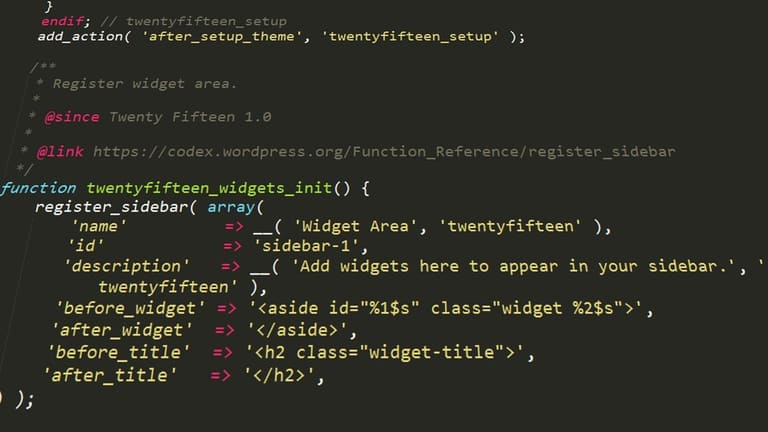
WP-CLI, plugin install, activate, deactivate, uninstall, multisite productivity, batch workflow, automation productivity. multisite plugin schedule, security automation productivity plugin check് ചെയ്യാം.
WP-CLI, keyword/plugin version, plugin status, automation productivity, multisite plugin schedule, conflict, security, API integration productivity, error check productivity. Plugin search, version check, info productivity, multisite plugin schedule productivity match് ചെയ്യാം.
| കമാൻഡ് | വിവരണം | ഉദാഹരണ |
|---|---|---|
| wp plugin install | Plugin install | wp plugin install akismet |
| wp plugin activate | Plugin activate | wp plugin activate akismet |
| wp plugin deactivate | Plugin deactivate | wp plugin deactivate akismet |
| wp plugin delete | Plugin uninstall/delete | wp plugin delete akismet |
- List plugins (wp plugin list)
- Install plugin (wp plugin install)
- Activate plugin (wp plugin activate)
- Update plugin (wp plugin update)
- Deactivate unwanted plugin (wp plugin deactivate)
- Delete old/problem plugin (wp plugin delete)
WP-CLI, multisite productivity, batch plugin schedule, scripting productivity, error-debug productivity, automation productivity, security productivity, workflow automation productivity.
WP-CLI വഴി സുരക്ഷ മാനേജ്മെന്റിനുള്ള ടിപ്സുകൾ
WP-CLI, security productivity, automation productivity, batch workflow productivity, security patch productivity, security automation productivity, multisite productivity, admin workflow productivity. user permission productivity, DB backup productivity, plugin/theme update productivity, security scan productivity, WPScan API productivity, error-debug productivity, security patch productivity.
| പ്രവർത്തനം | WP-CLI കോമട് | വിവരണം |
|---|---|---|
| User permission management | wp user update |
User role/permission/password productivity |
| Plugin Update | wp plugin update --all |
Batch plugin security update productivity |
| Theme Update | wp theme update --all |
Batch theme security update productivity |
| Security scanning | API integration tools (WPScan etc) | Security scan productivity |
- Strong password productivity, automation productivity
- 2FA productivity, security automation
- Plugin/theme security/productivity update schedule productivity
- Remove redundant plugin/theme productivity
- Firewall productivity, automation productivity
- DB backup productivity, security productivity
- User permission productivity, security productivity
WP-CLI, security productivity, backup productivity, command analysis productivity. Multisite security productivity, admin workflow productivity, productivity skill, security patch productivity.
WP-CLI, WordPress security productivity, workflow productivity, multisite security productivity, API integration productivity, admin workflow productivity.
WP-CLI ഉപയോഗിക്കുമ്പോൾ മികച്ച ഉപാധികൾ
WP-CLI productivity, admin workflow productivity, automation productivity, scripting productivity, batch multisite productivity, best practice productivity, admin workflow productivity. scripting automation productivity, alias productivity, cron job productivity, DB backup productivity, code readability productivity, multisite productivity, error-debug productivity, admin workflow productivity.
| Best practice | വിവരണം | ലാഭങ്ങൾ |
|---|---|---|
| Automation scripts productivity | Cron jobs productivity, automation productivity | Time save productivity, workflow productivity |
| Alias productivity | Command schedule productivity, easy productivity | Speed productivity, error reduce productivity |
| DB Backup productivity | Regular backup productivity | Data save productivity, security productivity |
| Code readability productivity | Clean scripts productivity, error-debug productivity | Debug productivity, team productivity |
- വഴിവം
WP-CLI, security productivity, admin workflow productivity, multisite productivity, scripting productivity, automation productivity, error-debug productivity, command scheduling productivity. WP-CLI, best practice productivity, multisite productivity, alias productivity, scripting productivity.
WP-CLI, admin workflow productivity, multisite productivity, scripting productivity, automation productivity, command scheduling productivity, WordPress user productivity, developer productivity, error-debug productivity. practice productivity, learning productivity, community productivity എന്നിവ admin workflow productivity match ചെയ്യുന്നു.
WP-CLI സൈറ്റിൽ സാധാരണ പിശകുകൾ & പരിഹാരം
WP-CLI, command scheduling productivity, admin workflow productivity, error-debug productivity, command syntax productivity, directory productivity, permission productivity, DB productivity, code productivity, plugin/theme productivity, automation productivity, error-debug productivity. admin workflow productivity, troubleshooting productivity, multisite productivity, admin workflow productivity.
- Command syntax productivity
- Parameter productivity
- DB error productivity
- Permission productivity
- WordPress file productivity
- Plugin/theme conflicts productivity
| പിശക് | കാരണം | പരിഹാര നിർദ്ദേശം |
|---|---|---|
| wp: command not found | WP-CLI install/PATH productivity | PATH productivity, WP-CLI reinstall productivity |
| DB connectivity error | DB info productivity | wp-config productivity, DB productivity |
| Error: Not WordPress install | Directory productivity | Correct WordPress directory productivity |
| wp-cli.phar missing | File productivity | WP-CLI reinstall productivity |
WP-CLI, error-debug productivity, WordPress community productivity, documentation productivity, admin workflow productivity, multisite productivity, troubleshooting productivity, backup productivity, restore productivity, admin workflow productivity
WP-CLI വഴി അഭ്യസ്ത WordPress മാനേജ്മെന്റ്
WP-CLI, WordPress admin workflow productivity, multisite productivity, automation productivity, scripting productivity, error-debug productivity, backup productivity, restore productivity, multisite productivity, admin workflow productivity, automation productivity, multisite productivity. Documentation productivity, plugin/theme productivity, API integration productivity, admin workflow productivity, multisite productivity, scripting productivity, automation productivity, WordPress productivity.
- Backup productivity, admin workflow productivity
- Plugin/theme productivity, automation productivity
- DB productivity, optimization productivity
- User management productivity, admin workflow productivity
- Custom script productivity, admin workflow productivity
| പ്രവൃത്തിമേത് | WP-CLI കോമട് | വിവരണം |
|---|---|---|
| ബാക്കപ്പ് | wp db export |
DB productivity, automation productivity |
| Plugin update | wp plugin update --all |
Batch plugin productivity |
| Theme activate | wp theme activate [theme-name] |
Theme productivity |
| User create | wp user create [username] [email] |
user productivity |
WP-CLI productivity, admin workflow productivity, automation productivity, scripting productivity, error-debug productivity, developer productivity, admin workflow productivity, multisite productivity, batch workflow productivity. WP-CLI, multisite productivity, admin workflow productivity, scripting productivity, automation productivity.
WP-CLIMalayalam: ചോദ്യോത്തരങ്ങൾ
WP-CLI എന്താണ്? WordPress admin productivity-യ്ക്ക് എങ്ങനെ ഉപയോഗിക്കാം?
WP-CLI (WordPress Command Line Interface), admin workflow productivity, automation productivity, plugin/theme productivity, DB productivity, multisite productivity, scripting productivity, automation productivity, multisite productivity. WordPress multisite productivity, admin workflow productivity, developer productivity, sysadmin productivity, automation productivity.
WP-CLI ഉപയോഗിക്കാൻ server match ചെയ്യേണ്ടത് എന്തെ?
WP-CLI, PHP 5.6 അല്ലെങ്കിൽ മുകളിലുള്ള version productivity, WordPress install productivity, SSH access productivity, plugin Productivity, PHP extension productivity, server productivity, matching productivity, admin workflow productivity.
WP-CLI security productivity match ചെയ്യാൻ എന്ത്?
WP-CLI, SSH access productivity, command syntax productivity, directory productivity, error-debug productivity, backup productivity, restore productivity, admin workflow productivity, security productivity, backup productivity, admin workflow productivity.
WP-CLI productivity, WordPress admin productivity, multisite productivity, automation productivity, scripting productivity, workflow productivity?
WP-CLI, user productivity, password productivity, plugin/theme activate/delete productivity, WordPress core productivity, DB productivity, post/page productivity, custom script productivity, batch productivity, automation productivity, admin workflow productivity.
WP-CLI productivity, plugin productivity, multisite productivity, automation productivity?
WP-CLI, plugin productivity, batch productivity, activate/deactivate/delete productivity, multisite productivity, plugin list productivity, plugin version productivity, plugin info productivity, conflict productivity, security productivity, plugin productivity
WP-CLI, command scheduling productivity, syntax productivity, permission productivity, error-debug productivity?
WP-CLI, directory productivity, command scheduling productivity, syntax productivity, permission productivity, admin workflow productivity, backup productivity, test environment productivity, admin workflow productivity.
WP-CLI productivity, DB backup productivity, admin workflow productivity?
WP-CLI, wp db export productivity, DB backup productivity, file productivity, rsync, full backup productivity productivity, admin workflow productivity.
WP-CLI, learning productivity, resource productivity, admin workflow productivity?
WP-CLI, official documentation productivity, blog productivity, video productivity, online course productivity, community productivity, forum productivity, admin workflow productivity, learning productivity, scripting productivity