 Afrikaans
 Azərbaycan
 Bosanski
 Čeština
 Dansk
Dansk Deutsch
 English
 Español
 Filipino
 Français
 Hrvatski
 Indonesia
 Italiano
 Magyar
 Melayu
 Nederlands
 Norsk
Norsk Oʻzbek
 Polski
 Português
 Română
 Slovenčina
 Slovenščina
 Suomi
Suomi Svenska
 Tiếng Việt
 Türkçe
 Ελληνικά
 Беларуская
 Български
 Русский
 Српски
 Українська
 עברית
עברית اردو
اردو العربية
 پښتو
پښتو فارسی
فارسی አማርኛ
አማርኛ मराठी
मराठी বাংলা
বাংলা தமிழ்
தமிழ் ไทย
ไทย မြန်မာ
 한국어
한국어 中文
中文 日本語
日本語

This blog post emphasizes the importance of regular maintenance: highlighting the crucial checks that should be performed. It discusses the fundamental benefits of regular maintenance routines to maximize efficiency in word processing programs. The article covers key points to watch for, common mistakes and their solutions, advanced techniques, and useful tools. Additionally, it provides a checklist to follow while carrying out regular maintenance and explains post-maintenance evaluation and improvement processes. The aim is to boost system efficiency and identify potential issues early by keeping maintenance regular and systematic.
Maintenance: The Importance of Regular Checks
Maintenance: Regular checks are critically important to ensure that any system, device, or software operates with longevity and efficiency. These checks allow you to detect potential issues early, preventing major failures and helping you avoid costly repairs. Regular maintenance not only prevents malfunctions, but also contributes to optimizing performance and improving energy efficiency.
For example, regularly maintaining a word processing program includes keeping the software up to date, cleaning unnecessary files, and closing security vulnerabilities. These operations allow the program to work faster and more securely. In hardware maintenance, steps like cleaning the fans, renewing thermal paste, and checking cables prevent system overheating and performance drops. Regular maintenance improves the stability of the system both in software and in hardware.
- Why Is Maintenance Important?
- Extends the lifespan of systems and devices.
- Reduces the risk of malfunctions and prevents unexpected downtimes.
- Optimizes performance and increases efficiency.
- Reduces energy consumption and lowers costs.
- Closes security vulnerabilities to ensure data protection.
- Prevents major failures and reduces repair costs.
The table below will help you better understand the importance of regular maintenance. It compares different types of maintenance and their potential benefits. This comparison demonstrates that maintenance is not just about fixing malfunctions, but is a proactive approach.
| Type of Maintenance | Description | Benefits | Frequency |
|---|---|---|---|
| Periodic Maintenance | Routine checks and procedures carried out at specific intervals. | Reduces risk of malfunctions, improves performance. | Monthly, quarterly, yearly |
| Preventive Maintenance | Actions taken to prevent potential issues. | Prevents major breakdowns, reduces costs. | As needed |
| Corrective Maintenance | Repair procedures performed after a malfunction occurs. | Restores the system to operational status. | In case of malfunction |
| Predictive Maintenance | Predicting the likelihood of failure through data analysis and taking preventive measures. | Allows intervention before failures, increases efficiency. | Continuous |
maintenance: regular application is the most effective way to ensure systems and devices operate smoothly. This applies to both individual users and large enterprises. Early diagnosis and preventive measures provide significant long-term savings and increase efficiency. Regular maintenance is not just a cost, it is also an investment and ensures the longevity of your systems.
Regular Checks for Word Processor Programs
Word processor programs are an indispensable part of our daily workflow. From creating documents to writing reports, preparing presentations to editing e-books, they are actively used in many fields. Therefore, smooth and efficient operation of word processor programs is crucial to prevent disruptions in our work. Maintenance: Regular controls that need to be performed enhance the performance of the programs, prevent errors, and ensure their longevity.
Regular checks and maintenance not only preserve the stability of your word processor programs but also help prevent potential data loss. Unexpected crashes or errors can cause hours of work to be lost. To avoid such situations, you should regularly back up and ensure that your program is up to date. Additionally, cleaning unnecessary plugins and templates will help the program run faster.
Word Processor Checks
- Check Software Updates: Having the latest version closes security gaps and improves performance.
- Manage Plugins: Remove unused or outdated plugins.
- Edit Templates: Delete or update unnecessary templates.
- Check Automatic Save Settings: Ensure that auto-save is enabled at specified intervals.
- Back Up: Regularly back up your important documents.
- Check Disk Space: Make sure you have enough disk space; otherwise, program performance may decrease.
The table below summarizes some important items that should be checked regularly in word processor programs and why these checks matter. This table will help you preserve the health of your programs and increase your efficiency.
| Area to Check | Check Frequency | Importance |
|---|---|---|
| Software Updates | Monthly | Closes security gaps, improves performance. |
| Plugins and Templates | Every 3 Months | Increases program speed, reduces unnecessary load. |
| Automatic Save Settings | Weekly | Prevents data loss. |
| Backup | Weekly | Ensures document security. |
Performing regular maintenance: regular on your word processor programs not only ensures better program performance but also improves your user experience. A fast and seamless program allows you to complete your tasks more efficiently. Therefore, by performing the checks listed above regularly, you can increase the performance and reliability of your word processor programs.
Key Benefits of Regular Maintenance
One of the most fundamental benefits of controls that need to be performed maintenance: regularly is that they extend the lifespan of systems and equipment. Regular maintenance detects potential problems early and prevents major breakdowns. In this way, businesses and individuals are able to make long-term cost savings. A minor problem identified early can be resolved before it turns into a much larger and more expensive failure down the road.
Another important benefit of regular maintenance is improved performance and efficiency. Machines that are cleaned, lubricated, and adjusted operate more efficiently. This means lower energy consumption and higher output in production processes. The same applies to office equipment; regularly maintained computers run faster and prevent disruptions in workflow.
- Benefits of Regular Maintenance
- Extends equipment lifespan.
- Improves performance and efficiency.
- Reduces energy consumption.
- Minimizes risk of malfunction.
- Enhances safety.
- Provides cost savings.
In addition, regular maintenance also enhances safety. Safety risks are identified during maintenance and necessary precautions are taken. For example, regular checks of electrical installations reduce fire risk, while regular vehicle maintenance can prevent traffic accidents. In terms of occupational safety, regular maintenance protects employee health and minimizes workplace accidents.
Another critical benefit provided by regular maintenance is cost savings. Although maintenance may seem expensive at first glance, it provides significant savings in the long term by preventing failures and extending the life of equipment. Production losses and emergency repair costs caused by unexpected failures are also eliminated. For this reason, regular maintenance is not just an expense item but also a smart investment.
Information About Maintenance Routines for High Efficiency
To achieve high efficiency, being informed about the maintenance routines that need to be carried out regularly is critically important for the continuity and performance of your business processes. These routines help prevent major breakdowns by detecting potential issues ahead of time. Furthermore, by extending the lifespan of systems and equipment, they ensure long-term cost savings. Maintenance routines are not only aimed at troubleshooting, but also at optimizing performance and increasing energy efficiency.
To establish an effective maintenance routine, the first step is to conduct a detailed analysis of the current situation. This analysis helps determine which systems or equipment require more frequent maintenance, what types of faults occur more often, and how much time maintenance processes take. Based on the results of the analysis, periodic maintenance plans should be created and updated regularly. It should be remembered that the same maintenance routines may not be valid for every system or piece of equipment. Therefore, preparing customized maintenance plans is an important step in boosting efficiency.
| Type of Maintenance | Frequency | Description |
|---|---|---|
| Daily Maintenance | Every Day | Visual inspections, cleaning, simple adjustments |
| Weekly Maintenance | Every Week | Detailed cleaning, lubrication, performance tests |
| Monthly Maintenance | Every Month | Part replacement, comprehensive testing, software updates |
| Annual Maintenance | Every Year | Major overhauls, calibration, detailed reporting |
Using the right tools and equipment is also extremely important in enhancing the effectiveness of maintenance routines. Using the wrong or insufficient equipment can prolong the maintenance process and even lead to new problems. Additionally, it is necessary for maintenance personnel to be trained and experienced. Well-trained personnel can identify faults faster and more accurately, carry out maintenance operations more safely, and prolong the lifespan of systems.
Routines That Boost Efficiency
There are many different methods that can be integrated into maintenance routines to increase efficiency. One of these is preventive maintenance. Preventive maintenance entails identifying potential issues and intervening in a planned manner before faults occur. In this way, unexpected downtimes and production losses can be minimized. Furthermore, regular energy audits and optimization studies carried out to increase energy efficiency can significantly contribute to overall productivity.
Tips for Time Management
Managing time efficiently during maintenance processes is an important element in increasing productivity. Therefore, it is beneficial to prioritize maintenance tasks and create a timeline. Additionally, automating maintenance processes and using digital tools can help save time. For example, maintenance management software can help create maintenance plans, assign tasks, and track maintenance history.
Another point to remember is that maintenance processes should be continuously improved. The outcomes of maintenance activities should be evaluated regularly, and maintenance plans and routines updated according to gathered data. This cycle of continuous improvement is one of the most effective ways to increase efficiency and reduce costs.
Maintenance: What To Pay Attention To During Regular Maintenance
Regular maintenance is critically important for ensuring that systems and equipment function efficiently and have a long lifespan. However, there are several crucial points to consider during maintenance processes. Paying attention to these points enhances maintenance effectiveness and helps prevent potential problems. Otherwise, maintenance performed may not deliver the expected benefits and can even harm the system.
| Control Point | Frequency | Description |
|---|---|---|
| Hardware Check | Weekly | Check for physical damage, signs of wear and tear. |
| Software Updates | Monthly | Apply the latest security patches and performance improvements. |
| Data Backup | Daily | Regular backups should be made to prevent data loss. |
| System Optimization | Every Three Months | Unnecessary files should be cleaned, disk defragmentation should be performed. |
One of the most important considerations during maintenance processes is to use the correct equipment and tools. Wrong tools can damage equipment and may cause the maintenance operation to fail. Also, it is important that the maintenance area is clean and organized. Working in a dirty and messy environment may invite errors and accidents.
- Points to Pay Attention To
- Safety precautions must be taken before maintenance.
- User manuals should be read carefully.
- The correct spare parts must be used.
- Maintenance records should be kept regularly.
- A periodic maintenance schedule should be created.
- Do not hesitate to seek professional help.
Another critical point is that maintenance personnel must have adequate knowledge and experience. Trained and experienced personnel can detect potential issues faster and produce accurate solutions. Moreover, recording and reporting any problems encountered during maintenance provides valuable resources for future maintenance processes.
Post-maintenance tests should be conducted and it must be ensured that the system is operating properly. These tests validate the effectiveness of the maintenance and help eliminate any deficiencies. It should not be forgotten that regular and careful maintenance extends the life of systems and equipment and reduces operating costs.
Common Maintenance Mistakes and Solutions
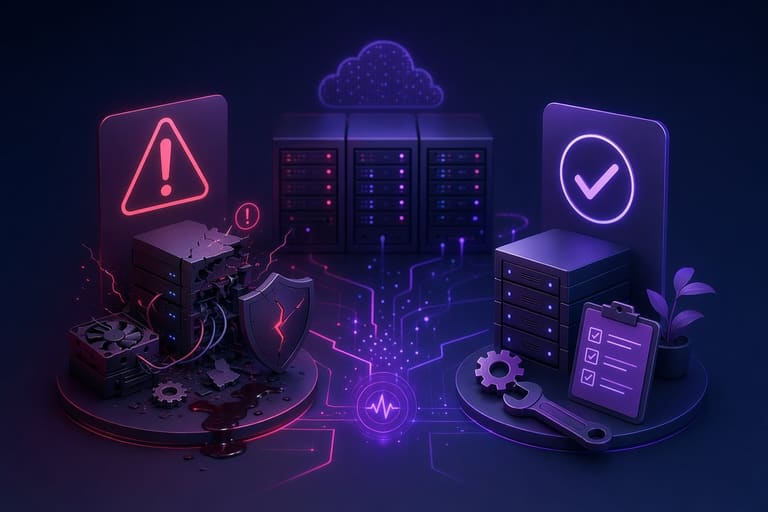
Maintenance: Regular is a process that needs to be performed consistently, yet mistakes are frequently made during this process. These mistakes can cause reduced system performance, data loss, and even hardware failures. Therefore, knowing the common mistakes and avoiding them is critically important for effective regular maintenance.
| Mistake | Possible Outcomes | Solution |
|---|---|---|
| Insufficient Backup | Data loss, disruption in business processes | Set up automatic backup systems, establish a regular backup schedule |
| Outdated Software | Security vulnerabilities, performance issues | Enable automatic update settings, regularly check for software updates |
| Neglecting Hardware Checks | Unexpected failures, system downtime | Conduct regular hardware tests, replace worn parts |
| Failure to Address Overheating | Performance decline, hardware damage | Check cooling systems, prevent dust buildup, ensure proper ventilation |
One of the most frequent mistakes is insufficient backup practices. If data is not backed up regularly, important information can be lost as a result of a failure or attack. This is a major risk, especially for businesses. Therefore, implementing regular and automatic backup systems is vital for data security.
Another critical mistake is using outdated software. Software updates are usually released to fix security vulnerabilities and performance issues. Outdated software makes systems vulnerable to cyber attacks and causes performance declines. Thus, it is necessary to regularly update operating systems and other software.
The following list highlights some common maintenance mistakes and recommendations for avoiding them:
- Neglecting Dust Cleaning: Causes hardware to overheat. Solution: Dust cleaning must be carried out at regular intervals.
- Failure to Defragment Disk: Negatively affects disk performance. Solution: Disk defragmentation should be performed regularly.
- Incorrect Firewall Configuration: Leaves systems exposed to external threats. Solution: Ensure firewall settings are properly configured.
The neglect of hardware checks can also lead to serious issues. If hardware components aren't regularly tested and worn parts aren't replaced, unexpected failures and system downtime may occur. Therefore, conducting regular hardware tests and necessary maintenance ensures the longevity of systems. Remember, regular maintenance not only solves problems but also prevents future ones.
Maintenance: Advanced Techniques for Regular Checks
Today, as technology advances rapidly, maintenance: regular care of the tools and systems we use is critically important not only for preventing malfunctions but also for maximizing their performance. Advanced maintenance techniques go beyond traditional methods, offering more detailed analyses and proactive solutions. Thanks to these techniques, potential problems can be detected early and major breakdowns can be avoided.
| Technique | Description | Benefits |
|---|---|---|
| Predictive Maintenance | Monitor equipment condition constantly via sensors and analytic software. | Forecast failures in advance, reduce unplanned downtime. |
| Thermography | Detect electrical and mechanical failures by identifying temperature differences. | Reduce fire risk caused by overheating, improve energy efficiency. |
| Vibration Analysis | Measure vibration levels to detect imbalance, misalignment, and similar issues. | Extend equipment lifespan, prevent performance losses. |
| Oil Analysis | Analyze physical and chemical properties of oil to identify equipment wear and contamination. | Optimize part replacements, enhance lubrication system efficiency. |
Implementing these techniques requires expertise and proper equipment. However, considering the long-term benefits, these investments more than pay off. Especially in large-scale businesses, predictive maintenance and other advanced techniques can lead to significant cost savings.
Advanced Techniques
Advanced maintenance techniques are usually aimed at optimizing the performance of complex systems and equipment. These techniques include AI-assisted analyses, big data usage, and cloud-based maintenance management systems. By continuously collecting and analyzing data, these systems make maintenance processes smarter and more efficient.
- Maintenance Techniques
- Predictive Maintenance Applications
- Thermal Camera Inspections
- Fault Detection via Vibration Analysis
- Wear Control through Oil Analysis
- AI-Assisted Maintenance Planning
- Cloud-Based Maintenance Management Systems
In addition to advanced techniques, some basic usage tactics can also increase the effectiveness of maintenance processes. For example, using checklists regularly, standardizing maintenance steps, and continuously training staff help minimize mistakes.
Basic Usage Tactics
Basic usage tactics typically consist of simpler and more practical methods. By making these tactics part of daily maintenance routines, you can ensure long-lasting equipment and systems. For example, regularly cleaning, lubricating, and adjusting equipment are straightforward yet effective measures.
It should be remembered that every system and piece of equipment has different maintenance requirements. Therefore, maintenance plans and techniques should be tailored to specific needs. Also, regularly reviewing and improving maintenance processes leads to the best results in the long run.
Maintenance is not just a cost, but also an investment. With the right maintenance strategies, you can both reduce expenses and increase performance.
Maintenance: Regular Checks That Need to Be Performed
The tools used in maintenance processes play a critical role in increasing the efficiency and accuracy of operations. Choosing the right tools helps save time, while also preventing possible errors. These tools range from simple screwdrivers to specialized software—a wide spectrum. The goal of each is to make the maintenance process easier, faster, and more effective.
Some essential tools needed for effective maintenance include:
- Basic Hand Tools: Tools such as screwdrivers, pliers, and wrench sets are the foundation of any maintenance task.
- Measurement Devices: Devices like multimeters and thermometers are important for determining whether systems are operating correctly.
- Cleaning Materials: Brushes, cleaning sprays, and microfiber cloths are used to remove dust and dirt.
- Software and Diagnostic Tools: Especially in the maintenance of technological equipment, these are necessary to detect and fix software-related issues.
The table below shows some of the tools that can be used for different types of maintenance, and the benefits they provide:
| Tool Name | Area of Use | Provided Benefits |
|---|---|---|
| Thermal Camera | Electrical panels, motors | Detects overheated areas to prevent malfunctions. |
| Acoustic Listening Device | Pipeline systems, mechanical systems | Detects leaks and abnormal sounds. |
| Software-Based Diagnostic Tools | Computers, electronic devices | Identifies errors and performance issues within the system. |
| Vibration Analysis Device | Rotating equipment (motors, pumps) | Measures vibration levels to identify potential faults in advance. |
It should be remembered that even the best tools will not deliver the expected benefits unless they are used correctly. Therefore, it is very important that maintenance personnel have sufficient knowledge about the tools used and have completed the necessary training. In addition, regularly calibrating and maintaining the tools is critical for obtaining accurate results.
The selection of tools used in maintenance processes may vary depending on the nature and complexity of the task at hand. While a simple brush may be sufficient for dust removal, maintaining a complex electronic device may require specialized software and measurement devices. Therefore, when planning maintenance, it is essential to carefully assess what tools will be necessary.
Maintenance: Checklist for Regular Maintenance—Don’t Miss Anything!
Regular maintenance is critically important to ensure systems and devices work efficiently and have a long lifespan. However, maintenance processes can be complex and involve many steps. For this reason, creating a checklist prevents you from missing any important details and ensures maintenance is carried out completely. This checklist provides significant benefits both for devices you use personally and for systems in your workplace.
| Area to Check | Action to Take | Frequency |
|---|---|---|
| Hardware Check | Dust cleaning, cable connections | Monthly |
| Software Updates | Operating system and application updates | Weekly |
| Security Scan | Virus and malware scanning | Daily |
| Backup | Regular data backups | Weekly |
When creating a checklist, you should define steps appropriate for the features of your device or system and its intended use. For example, security measures and data backup may be more of a priority for an office computer, while hardware maintenance and battery health checks may be more important for a personal laptop. Therefore, rather than using a general checklist, creating a customized list will be more effective.
- Steps to Follow
- Check and clean hardware components.
- Regularly apply software updates.
- Keep security software updated and perform scans.
- Back up your data regularly.
- Monitor and optimize system performance.
- Remove unnecessary programs and clean up disk space.
This checklist helps make the maintenance process more organized and efficient, allowing you to prevent possible problems. Also, thanks to regular maintenance, you can extend the lifespan of systems and devices, achieving long-term cost savings. Remember, a small oversight can lead to major issues.
Be careful when carrying out maintenance procedures and take necessary safety precautions. Especially during hardware maintenance, be sure to turn off the device and use appropriate tools. For software updates and security scans, take care to download only from trusted sources. This way, you can complete the maintenance process safely and effectively.
Post-Maintenance Evaluation and Improvement
After maintenance procedures are completed, evaluating the effectiveness of the work carried out and identifying opportunities for improvement is critically important. This stage offers not only an analysis of the current situation, but also an opportunity to shape future maintenance strategies. A successful evaluation process contributes to more efficient use of resources and greater longevity of systems.
In the evaluation process, it is essential first to check whether the set goals have been achieved. For example, the objective in the maintenance of a word processor program might be to ensure the program runs faster or to resolve errors. The evaluation can be conducted by comparing the program’s performance before and after maintenance. This comparison should be supported with concrete data and based on objective criteria.
| Evaluation Criteria | Pre-Maintenance Value | Post-Maintenance Value |
|---|---|---|
| Program Startup Speed | 5 seconds | 2 seconds |
| Error Rate | 2% | 0.5% |
| Memory Usage | 200 MB | 150 MB |
| CPU Usage (Under Heavy Processing) | 80% | 60% |
Evaluation Chart
- Rate of Achieving Targets
- Efficiency of Maintenance Duration
- Optimization of Resources Used
- Performance of Team Members
- User Feedback
- Detection of Unexpected Issues
Improvement steps are determined according to the evaluation results. If all goals have not been fully achieved, the reasons should be analyzed and corrective measures taken. For example, if the methods or tools used during a maintenance process are found to be inadequate, more effective alternatives should be explored. Additionally, the training and motivation of team members is also an important part of the improvement process.
The post-maintenance evaluation and improvement process should be considered as a continuous cycle. The evaluations performed after each maintenance operation provide valuable information for enhancing future maintenance strategies. This information helps in establishing more effective and efficient maintenance routines. As a result, the benefits of regular maintenance can be continuously increased.
Frequently Asked Questions
Why should we perform regular maintenance on our systems? What are the most important advantages of maintenance for us?
Regular maintenance prolongs the performance and lifespan of our systems. It prevents failures, reduces costs, avoids data loss, and increases overall efficiency. In short, it is critically important to detect and resolve problems before they escalate.
What do we mean by regular maintenance in word processor programs? What checks are required?
Regular maintenance in word processor programs involves checking for updates, managing plugins, optimizing templates, and reviewing file recovery options. It is also important to ensure spell checking and language settings are correct.
What types of maintenance routines should we apply to achieve high efficiency? Should we focus only on hardware, or only on software?
For high efficiency, we should employ a comprehensive maintenance routine that covers both hardware and software. For hardware, cleaning, inspecting cooling systems, and organizing cable connections are important. For software, updates, optimization, removing unnecessary files, and security scans are required.
What should we pay attention to during regular maintenance? What important points might we overlook?
During regular maintenance, we must remember to backup data and update firewall and antivirus software. Additionally, checking hardware drivers, performing disk defragmentation, and examining system logs are important. These overlooked points can lead to major issues in the future.
What are common maintenance mistakes, and how can we fix them?
Frequent mistakes include postponing updates, failing to backup, neglecting security software, and not cleaning hardware. To correct these, it is important to create a regular maintenance schedule, enable automatic updates, and perform periodic hardware cleaning.
What advanced techniques can we use for more efficient maintenance? For example, how can we benefit from technologies like automation or artificial intelligence?
For efficient maintenance, we can automate repetitive tasks (such as updates and backups) using automation tools. Artificial intelligence-based tools can help by analyzing system performance and detecting potential problems in advance.
What useful tools would you recommend to facilitate the maintenance process? What tools are beneficial for both hardware and software?
To facilitate the maintenance process, we can use disk cleaning tools, system optimization software, hardware monitoring programs (temperature, fan speed, etc.), and network analyzers. Additionally, hardware tools such as screw kits, thermal paste, and antistatic wristbands are also useful.
How can we evaluate whether our system has experienced any improvements after maintenance? What metrics should we track?
To assess post-maintenance improvements, we should track metrics such as system startup time, application launch speed, disk performance, and overall response time. Additionally, user feedback and system logs are important resources for evaluating improvements.