 Afrikaans
 Azərbaycan
 Bosanski
 Čeština
 Dansk
Dansk Deutsch
 English
 Español
 Filipino
 Français
 Hrvatski
 Indonesia
 Italiano
 Magyar
 Melayu
 Nederlands
 Norsk
Norsk Oʻzbek
 Polski
 Português
 Română
 Slovenčina
 Slovenščina
 Suomi
Suomi Svenska
 Tiếng Việt
 Türkçe
 Ελληνικά
 Беларуская
 Български
 Русский
 Српски
 Українська
 עברית
עברית اردو
اردو العربية
 پښتو
پښتو فارسی
فارسی አማርኛ
አማርኛ मराठी
मराठी বাংলা
বাংলা தமிழ்
தமிழ் ไทย
ไทย မြန်မာ
 한국어
한국어 中文
中文 日本語
日本語

இந்த வலைப்பதிவு, சீரான பராமரிப்பு மற்றும் கட்டுப்பாடுகளை முறையாக செய்வதன் அவசியத்தை வலியுறுத்துகிறது. Varnish, Redis, Nginx, Apache, WordPress, cPanel, WHM, Plesk, MySQL, MariaDB, PostgreSQL, Docker, Kubernetes, Linux, Ubuntu, CDN, DNS, SSL, TLS, HTTP, HTTPS, SSH, FTP, PHP, SiteLock, Cloudflare, Let's Encrypt, IPv4/IPv6, RAID, SSD, NVMe போன்ற பயன்பாடுகளில் அதிக செயல்திறனை பெற, சீரான பராமரிப்பு முறைகள் மற்றும் அவற்றின் பயன்கள் பற்றி எடுத்துக்காட்டப்படுகிறது. விதிவிலக்காக, கவனிக்கவேண்டியவை, பொதுவாக ஏற்படும் தவறுகள், advanced maintenance பாவனைகள், பயன்பாடுள்ள கருவிகள் பற்றியும் விளக்கப்பட்டுள்ளதுடன், பராமரிப்பிற்கான சிறந்த செய்திகளை வழங்கும் கட்டுப்பாட்டு பட்டியலும், பராமரிப்பு பிறகு மதிப்பீடு மற்றும் மேம்படுத்தும் வழிமுறைகளும் விரிவாக பகிரப்படுகிறது. நோக்கு — சீரான பராமரிப்பினால் உங்கள் செருகல்கள், இணையதளம், கணினி மற்றும் வலைத்தளங்கள் சிறப்பாக இயங்கும், சாத்தியமான பிரச்சனைகளை முன்னமே கண்டறிய முடியும்.
சீரான பராமரிப்பு: கட்டுப்பாடுகள் செய்ய வேண்டிய முக்கியத்துவம்
சீரான பராமரிப்பு கட்டுப்பாடுகள், எந்தவொரு இணையதளம், கணினி, அல்லது மென்பொருளும் நீண்டகாலம் தொடர்ந்து சிறப்பாக செயல்பட வேண்டிய அத்தியாவசியம். உங்கள் இணையதளம், வீட்டில் Ubuntu laptop, WordPress blog அல்லது office RAID/NVMe server எந்தவை இருந்தும்; இவை வழக்கமாக செய்யப்படும் பராமரிப்பு மூலம், பிரச்சனைகள் பெரிதாக மாறினால் பணம், நேரம், வாழ்நிலை இழக்கும் நிலையில் தட்டுப்படும். சீரான பராமரிப்பு மட்டும் பிரச்சனைகளை தடுக்கவில்லை; அதேபோல் சக்தியைச் சேமிக்கவும், செயல்திறனை அதிகரிக்கவும் உதவுகிறது.
புதுமை: Word, LibreOffice, Google Docs போன்ற வர்ட்பிராசசர் முழுமையான வேலைக்காக பராமரிப்பு அத்தியாவசியம். பயனப்படும் மென்பொருள் பின்னர் update செய்யவேண்டும், தேவையற்ற files செயற்கை நிர்வாகம்து உங்களுக்கு விரும்பும் வேகத்தை தரும். SSD server fan, thermal paste, cable management போன்ற hardware-இல் கவனிப்பு, overheating தடுக்கும். சீரான பராமரிப்பு – software, hardware இரண்டும் – இணையவசதி, இயங்கும் வசதி, நிரம்பும் நிலை மிகச்சிறந்ததாக இருக்க உதவும்.
-
பராமரிப்பின் முக்கியத்துவம்?
- யந்திரம்/சாதனங்கள் կյանքம் அதிகமாகும்
- பிரச்சனை வாய்ப்பு குறையும், பணத் தடங்கல் குறைந்து விடும்
- செயல்திறன் அதிகமாகும், வேகம் சிறந்தது!
- சக்தி செலவினம் குறைந்து, bill-சேமிப்பு
- SSL/HTTPS போன்ற பாதுகாப்பு updates, தகவல் பாதுகாப்பும் உறுதி
- பெரிய பழுதுகளுக்கு முன் தடுப்புச் செயற்பாடுகள், புரோட்டக்டிவ் approach
இந்த புத்தக அட்டவணை, இந்த நிகழ்வுகளை (periodic, preventive, corrective, predictive maintenance) மற்றும் அவற்றின் விருப்ப பலன்களை வழங்குகிறது. அதாவது, proactive maintenance என்பது "பிரச்சனை விழுந்த பிறகு" சரிசெய்யும் விட, "முன்னமே" பாதுகாப்பு!
| பராமரிப்பு வகை | விளக்கம் | பயன்கள் | முறை |
|---|---|---|---|
| காலமுறைகள் பராமரிப்பு | போதிய இடைவெளியில் செய்யப்படும் வாராந்த் தவிர்க்கும் நடவடிக்கைகள் | பழுதுகளுக்கு முன் தடுப்பு, செயல் அதிகரிப்பு | மாதம், 3 மாதம், வருடம் |
| தடுப்பு பராமரிப்பு | பிரச்சனை வருவதை விட முடியாமல் செய்யும் நடவடிக்கைகள் | பெரிய பழுதுகளுக்கு முன் தடுப்பு, சேமிப்பு | ஆவசியப்படும்போது |
| சரிசெய்தல் பராமரிப்பு | பெரிய பிரச்சனை வந்த பிறகு செய்தல் | சிஸ்டம் மீண்டும் இயங்கும் | பழுது நேரம் |
| பழுது கணிப்பாய் பராமரிப்பு | முன்னர் data-வழிக் கணிப்பான கணிப்பு | பிரச்சனை வந்த பிறகு முன்னே மாற்றும், செயல் அதிகம் | நிரம்பும் |
சீரான பராமரிப்பு எனில், உங்கள் systems/server-கள் விரும்பும் நிலையில் இயங்க, வீட்டில் அல்லது company-யில் அவசியம். தெரியாத முறையில் முன்னோட்டம் எடுத்து பிழைகள், risks, costly repair-கள் தவிர்க்க இயலும். பராமரிப்பு – அனைத்து நிலையில் மிகச்சிறந்த முதலீடு, வேண்டிய விஷயம்!
வர்ட்பிராசசர் பயன்பாட்டுக்கான பெண்மொழி பராமரிப்பு
Word, LibreOffice, Google Docs, Zoho Writer, WPS Writer — day-to-day office, student, business workflow-இல் இவை தவிர்க்க முடியாதது. Document, report, eBook, presentation, draft எல்லா நிலைமைகளும் seamless-ஆ இருக்க system எனச் செய்வதற்கான பராமரிப்பு முக்கியம். சீரான பராமரிப்பு முறைகளால் program-பிரச்சனை, crash, function-lag, virus, data-loss தவிர்க்க இயலும்.
பெரும்பாலான data-loss அல்லது unexpected crash, save இல்லாமல் நடந்தால்தான் — இதைத் தடுப்பதற்காக, schedule backup, updates, unnecessary plugin clean-up, template optimization, etc. பின்பற்ற வேண்டும். சரிவரோடு program versions — latest-ஆ இருக்க, unwanted extensions drop செய்ய, performance மிக வெகு.
வர்ட்பிராசசர் பராமரிப்பு முறைகள்
- Software Updates: Latest version install-insafety, performance-க்கு சேமிப்பு
- Plugins தேவையானவை மட்டும்: தேவை இல்லாதவும் outdated-வுமாக உள்ள plugins/kullanılmayan eklenti; remove
- Template Optimization: Need-பட template மட்டும், களைந்தால் memory/boot time நேயமாகும்
- Autosave Settings: Autosave turned-on, accidents/crash-போது data recovery easy
- Backup: Regular backup with cloud/SSD/local disk, document safety in case of problems
- Disk Health: SSD/NVMe சிதைவு, disk space check-இல் program lag-தடுப்பு
இருப்பாக, அனைத்து documents, plugins, autosave, backup – குறைந்து productivity, reliability மிகவும் அதிகமாகாது. கட்டுப்பாடும், மேம்பேற்றும் இந்த checklist-ங்கள் மிகவும் பிரதானம்.
| பராமரிக்க வேண்டிய பகுதி | முறை | முக்கியம் |
|---|---|---|
| Software Updates | மாதம் | Security, speed boost |
| Plugins/Templates | 3 மாதம் | Unwanted burden reduce, performance spike |
| Autosave Settings | வாரம் | Crash-போது data loss-க்கு stop |
| பதிவேற்பு | வாரம் | Document safety |
வர்ட்பிராசசர் program-களின் சீரான பராமரிப்பு, பயன்படுத்தும் user-க்கு seamless experience, zero crash, speed boost-ஆ எளிதாகும். ஆனது, checklist-ஐ ஒவ்வொரு வாரமும் பின்பற்றினால் productivity, reliability, security, save-your-work கிடைக்கும்.
சீரான பராமரிப்பின் அடிக்கும் பலன்கள்
சீரான பராமரிப்பு மூலம், எந்த இயந்திரம்/சாதனமும் "சாம்பார் விசைப்படும்" என்பதால், பழுதுகளுக்கு முன்பே தடுக்கும். Early-stage diagnosis, subsequent repair-ஐ தடுக்க மிகவும் சிறந்தது. Time, money, user-confidence-எல்லாம் save. சின்ன தவறு ஒரு service call-உடன் கண்டிப்பாக "பெரிய" சமாளவுமாகும்.
செயல்திறன் அதிகரிக்கும் — cleaned equipment, lubricated hardware, regularly updated OS/software, optimized RAM/CPU — productivity spike, energy-saving, accidental shutdowns ஆகாது. Office laptops, desktops, servers — preventive maintenance productivity plus; battery-life boost, lag-ம் குறையும்.
- முக்கிய பலன்கள்
- ஒரு system/device உசாதி அதிகம்
- Speed/efficiency அதிகமாகும்
- Energy-use குறையும்
- முன்னே பார்த்து பெரிய பிரச்சனைகள் எளிதாக சேமிப்பு
- அச்சத்திற்கான security (firewall, antivirus, SSL)
- Bill & maintenance cost-கள் down
Security: Safety-யில் பயப்பட வேண்டாம் — electrical wiring periodic inspection fire-risk, vehicle maintenance accident-prevention, office/server cyber-attack மாண்பை குறைக்கும். Safety-யாக preventive maintenance வர்த்தகத்தில் "important".
மூலம், பராமரிப்பு நிதி சேர்த்து முதலீடு — big breakdown, emergency repair, downtime, unplanned cost இல்லாமல், small investment-ஆ சாதன வாழ்க்கையை உயர்த்தலாம்.
உயர் செயல்திறனுக்கான பராமரிப்பு வழிமுறைகள்
Server, websites, desktops, laptops, office hardware — எந்த device-ஐயும் சீரான பராமரிப்பு முறைகள் productivity maximize-பண்ண வேண்டும். Routine checklist, early-warning tools, problem anticipation — longevity, reliability, cost-savings கிடைக்கும். Maintenance is not just fixing, but optimizing!
Routine தேர்வு எப்படி? Infra-level analysis — which system/server needs frequent maintenance, breakdown pattern, time estimation, care-plan structure. Custom-allocated routines, system-by-system, suitable plan for each hardware/software. Uniform checklist-யில் அதைச் சேர்க்க உங்கள் efficiency மற்றும் cost effectiveness உயரும்.
| பராமரிப்பு வகை | முறை | விளக்கம் |
|---|---|---|
| Daily Maintenance | Daily | Surface cleaning, cable/fan check, quick-boot test |
| Weekly Maintenance | Weekly | Deep clean, hardware lubrication, performance test |
| Monthly Maintenance | Monthly | Part-replacement, full diagnosis, software update |
| Annual Maintenance | Yearly | Major overhaul, calibration, reporting |
Maintenance productivity increase செய்ய "சரியான tools, gear" என்பதை புத்திசாக தேர்வு செய்ய வேண்டும். Unsuitable equipment, wrong software, technician skill deficiency – result-delay & new issues. Trained staff, best tools, strong methodology – efficiency maximum.
செயல்திறனை அதிகரிக்கும் நடைமுறைகள்
"Prevention உங்கள் அளவை;" proactive maintenance routines — unexpected downtime, sudden shutdown, productivity loss — எல்லாவற்றையும் control. Energy audits, power optimization, scheduled cleaning, regular updates, proper backup — efficiency up.
நேரம்-கட்டுப்பாட்டு நுட்பங்கள்
Maintenance time management — checklist priority, digital scheduling software (e.g. Trello, Todoist), automation tools (say, cPanel script, cron jobs) — save your time. Routine evaluation, data-driven feedback, revised checklist — productivity key.
சீரான பராமரிப்பில் கவனிக்க வேண்டியவை
Maintenance-இல், right tool, right procedure, right environment — failure வந்தால், unwanted repair/expense. Mistakes avoid: toolkit quality, reference manuals, safety protocols, backup inventory-all checked!
| கவனிக்க வேண்டிய பகுதி | முறை | விளக்கம் |
|---|---|---|
| Hardware Check | வாரம் | Physical damage, wear/tear assessment |
| Software Updates | மாதம் | Latest patch & speed boost |
| Data Backup | Daily | Information loss prevention |
| System Optimization | 3 மாதம் | Unwanted files clean, disk optimization |
-
முக்கியமானவை:
- Safety measures before maintenance
- Manual reference
- Correct spare parts
- Record keeping
- Routine calendar
- Professional help wherever needed
Skilled staff is key. Maintenance log, incident report, regular training — all are compulsory. Never compromise safety or process excellence!
Testing before & after repair, checklists, report compilation — ensure ‘parfait’ status. Small concern can lead to big fix cost, beware!
பராமரிப்பில் சாதாரணமாக நிகழும் தவறுகள் மற்றும் தீர்வுகள்
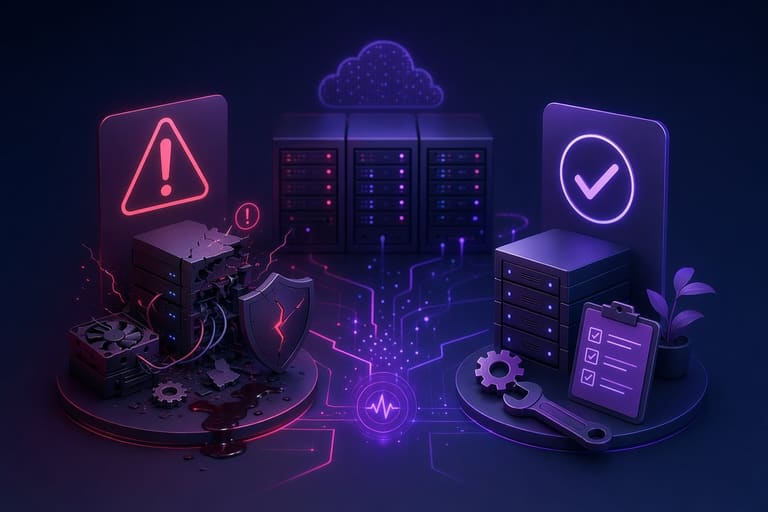
சீரான பராமரிப்பு எனினும், எந்த system-ஐயும் அனுபவம் இல்லாமல், overconfident-ஆ செயற்படும்போது – data loss, crash, lag, hardware failure ஏற்படும். Failure prevention = checklist + experience + knowledge!
| தவறு | பிரச்சனைகள் | Solution |
|---|---|---|
| Backup Ilakkam | File loss, delay, downtime | Schedule backup, cloud sync |
| Outdated Software | Security risk, performance drop | Auto updates, regular software check |
| Hardware Neglect | Sudden breakdown, downtime | Scheduled hardware checks, replace worn parts |
| Heating ignorance | Slowdown, failure | Cooling system check, cleaning, airflow |
Backup not scheduled = data lost! Business, personal, finance – all can be ruined. Automation tools (Cloudflare, cPanel backup), schedule (cron jobs) = save your day!
Outdated software = hacker entry, lag, vulnerability. WordPress, Ubuntu, PHP, MySQL – patch always updates available; act before a breach!
- Negligent Cleaning: Dusty equipment = overheat & failure; solution: brush, compressed air, routine cleaning
- No Disk Defragment: Slow performance; solution: periodic SSD optimization, Windows/Mac defrag
- Firewall Misconfiguration: Security risk; solution: proper firewall set-up (cPanel, UFW, Cloudflare etc.)
Hardware checks flop → major failures. Regular check/care = longevity, reliability, low repair bill. Prevention best defense!
சீரான பராமரிப்பிற்கான மேம்பட்ட நுட்பங்கள்
Technology மாறுகிறது: Traditional hardware/server methods outdated, predictive analysis, performance tools (Docker, Kubernetes, Varnish, Redis) – early-stage diagnostics, uptime increase, security hardening ஆக வேண்டும்.
| நுட்பம் | விளக்கம் | பயன்கள் |
|---|---|---|
| Predictive Maintenance | Sensor-based continuous monitoring | Breakdown avoidance, scheduled repair |
| Thermography/Infrared | Heat map analysis, find hotspots | Fire risk, overheating points clear |
| Vibration Analysis | Frequency check, motor imbalance check | Efficiency, failure avoidance, asset longevity |
| Oil Analysis | Lubricant quality test | Parts exchange prediction, energy save |
இந்த techniques high-investment-ஆ இருந்தாலும், server, datacenter, office-level-இல்; long-term efficiency money-saving. Trained staff, right equipment, correct software — maximum value.
உயர் அரசியல் நுட்பங்கள்
AI-powered diagnostic, big-data, cloud management (Docker, Kubernetes, cPanel) — logs, automated testing, self-healing, maintenance reports: you get reliability, performance, zero downtime.
- நுட்ப சேவை வகைகள்
- Predictive maintenance systems
- Thermal imaging (hardware health)
- Vibration monitoring (motors/pumps)
- Oil testing (machine health)
- AI-powered scheduling
- Cloud-based tools (monitor, automate)
Basic checklist tactics: standardization, routine log, regular staff training – zero mistake policy!
அடிப்படை பயன்பாடுகள்
Simple methods: scheduled cleaning, lubrication (motor/pump), cable/fan checks, software updates. Each system/server has unique care routine, tailor-fitted checklist, regular review, revision: continuous improvement is key.
Maintenance is not expense, but investment: right strategies, optimized tools, skilled staff – get cost-reduction & performance boost!
சீரான பராமரிப்பிற்கு தேவையான கட்டுப்பாடுகள்
Maintenance toolbox: from screwdriver to advanced software — each step gives fast, mistake-free, quality maintenance. Routine is king! Basic toolkit: screwdriver, pliers, cleaning brush, diagnostic software, compressed air, calibration devices – all essential as per need.
- Basic Tools: screwdriver, pliers, wrench
- Measuring Devices: multimeter, thermometer
- Cleaning: brush, microfiber cloth, spray
- Software Tools: diagnostic, log analysis, error-finding
| Tool | Use | Benefit |
|---|---|---|
| Thermal Camera | Power circuits, motors | Hot-spot detection |
| Acoustic device | Pipe, system | Leak/noise detection |
| Software diagnostics | Computer, server | Error & lag detection |
| Vibration sensor | Motor, pump | Failure prediction, performance |
Tools right-ஆ இருந்தால்தான் maximum efficiency. Proper staff training, equipment calibration, log maintenance – none to be missed!
Plan smart — simple cleaning for laptop, advanced diagnostics for server. Planning based on device specs & usage — best outcomes!
சீரான பராமரிப்பில் "பட்டியலா" கண்டிப்பாக தேவை!
Complex routine-இல் checklist essential, especially in business/office server. Track-list/table — step missed, fix missed! “Prevention is better than cure.”
| Check Area | Action | Interval |
|---|---|---|
| Hardware | Dust clean, cable check | மாதம் |
| Software Update | OS, application update | வாரம் |
| Security | Virus scan | Daily |
| பதிவேற்பு | Routine file backup | வாரம் |
Checklist must be customized. Laptop, desktop, office server — security & performance priorities differ; device-based approach better than generic list!
- Checklist Steps
- Hardware cleaning
- Software updates
- Security updates & scans
- Data backup
- Performance monitoring
- Unwanted software remove, disk clean
Checklist – lost step = lost productivity, risk of failure. Small neglect, big repair bill! Strict routine = long-life, cost saving.
Safety above all. Power-off equipment before hardware, only trusted software for download/updates. Routine maintenance + checklist = best results!
பராமரிப்பு பிறகு மதிப்பீடு & மேம்படுத்தல்
After maintenance: Evaluate effectiveness, spot improvement opportunities. Data comparison, KPI analysis, user feedback – all necessary. Performance logs, checklist adherence, downtime index – metrics for improvement.
| Criteria | Before | After |
|---|---|---|
| Startup speed | 5 sec | 2 sec |
| Error ratio | 2% | 0.5% |
| RAM usage | 200 MB | 150 MB |
| CPU load | 80% | 60% |
- Goal achievement
- Efficiency of process
- Resource optimization
- Staff skill improvement
- User feedback monitoring
- Unexpected issues tracked
If outcome suboptimal: root cause analysis, solution, alternative tool/method, staff re-training. Continuous feedback loop — ongoing quality.
அடிக்கடி கேள்விகள்
நாம் எப்போதும் பராமரிப்பு செய்தால் என்ன மாற்றங்கள்? எந்த பெரிய புரிவும்?
Performance uplift, longevity, cost-saving, data safety, productivity boost, confidence increase. Proactive = Peace of mind!
Word/Office processor-களில் routine maintenance-இல் என்ன செய்ய வேண்டும்?
Update check, plugin review, template optimization, autosave & backup confirmation, spell/dictionary setting confirmation.
Maximum efficiency-க்கு என்ன routine maintenance structure?
Hardware: cleaning, airflow, cable check; Software: update, optimize, unwanted files delete, security scan.
Checklist செம்மாக செய்ய key points?
Backup, firewall, antivirus updates, driver check, disk optimization, log review — all critical!
Common mistakes & fixes?
Delayed update, no backup, ignored antivirus, hardware neglected — structured routine, automation, regular cleaning cure!
Advanced maintenance with automation/AI possible?
Automation: scheduled update/backup, cron jobs, AI: performance analytics, failure prediction.
Useful tools for both hardware/software maintenance?
Disk cleaner, optimization suite, hardware monitor, network analyzer, screw kit, thermal paste, anti-static wrist band etc.
Post-maintenance performance evaluation metrics?
Startup speed, app response, disk benchmark, error log, user feedback, downtime index — all essential.