 Afrikaans
 Azərbaycan
 Bosanski
 Čeština
 Dansk
Dansk Deutsch
 English
 Español
 Filipino
 Français
 Hrvatski
 Indonesia
 Italiano
 Magyar
 Melayu
 Nederlands
 Norsk
Norsk Oʻzbek
 Polski
 Português
 Română
 Slovenčina
 Slovenščina
 Suomi
Suomi Svenska
 Tiếng Việt
 Türkçe
 Ελληνικά
 Беларуская
 Български
 Русский
 Српски
 Українська
 עברית
עברית اردو
اردو العربية
 پښتو
پښتو فارسی
فارسی አማርኛ
አማርኛ मराठी
मराठी বাংলা
বাংলা தமிழ்
தமிழ் ไทย
ไทย မြန်မာ
 한국어
한국어 中文
中文 日本語
日本語

ဒီဘလော့အကြောင်း အဓိကအားဖြင့် Server၊ Software များအတွက် စနစ်တကျ ပြုလုပ်သင့်တဲ့ Maintenance လုပ်ငန်းစဉ်တွေအရေးကြီးမှုကို ရှင်းပြထားပါတယ်။ Web hosting, business IT အတွက် efficiency တိုးရန်၊ data loss မဖြစ်စေရန် နှင့် performance optimal ဖြစ်အောင် ကြိုတင်ကြည့်ရှုသင့်တဲ့ အသေးစိတ်အချက်အလက်များ၊ မကြာခဏ ဖြစ်မြောက်တဲ့အလွဲများနဲ့ ဖြေရှင်းနည်းများ၊ နည်းပညာသစ်နဲ့ အသုံးဝင် tools တွေနဲ့ approach ဖော်ပြထားပါတယ်။ အထို့အပြင် စနစ်တကျ Maintenance လုပ်နေချိန် Follow List တစ်ခုအနေနဲ့ checklist လည်း ပေးထားပြီး၊ လုပ်ပြီးတဲ့အခါ Evaluation & Improvement လုပ်နည်းနဲ့ လေ့လာနည်းကို ချပြထားပါတယ်။ အဓိကရည်ရွယ်ချက်ကတော့ အောက်စီလောတောင် Server၊ software နဲ့ related systems များကို long lifespan နဲ့ smooth run ဖြစ်အောင် Maintenance ကို continuous တွင် ပြုလုပ်ရန် ဖြစ်ပါတယ်။
Servers & Software အတွက် Regular Maintenance ပြုလုပ်ခြင်း အရေးကြီးမှု
စနစ်တကျ Maintenance (Bakımı: düzenli) ဆိုတာ servers, software, device များ အားလုံးကို ရာသက်ပန်နဲ့ stable run ဖြစ်စေရန် အရေးကြီးဆုံး အရာတစ်ခုပါ။ Regular maintenance checks တွေက hardware/software glitches, crash တွေကို advance သိပြီး မကြာခဏ လုံးဝပျက်စီးတာမဖြစ်အောင် ပြုလုပ်နိုင်ပါတယ်။ Maintenance လုပ်ပြီး performance boost, energy saving, cost saving ပိုမြန်မြန်တက်နိုင်ပါတယ်။
ဥပမာ — Word processing application တွေ, လုပ်ရင်း update check, junk file clean, virus scan, backups အပါအဝင် သာမန် maintenance schedule တဖြစ်ဖြစ် ဆောင်ရွက်ရင် security အဆင့်မြင့်နဲ့ fast run ဖြစ်နိုင်ပါတယ်။ Hardware maintenance လုပ်တော့ fan, cooling system, cabling, SSD/RAID checks တွေ အစရှိတဲ့ step-by-step actions နဲ့ overheating, performance drop ပိုရှောင်ရမ်းနိုင်ပါတယ်။ Software-hardware နှစ်မျိုးစလုံးမှာ stability & efficiency တိုးပေးပါတယ်။
- System lifespan တော်တော်တိုးပေးနိုင်တယ်
- Unexpected server downtime, hardware crash တွေ minimize ဖြစ်တယ်
- Performance boost — resource utilization ကောင်းတယ်
- Energy bill reduce (efficient hardware/software operation)
- Security vulnerabilities lockdown, data protect
- Repair cost (unexpected) တွေ ဆိုးမများနေတာ
Maintenance အရေးကြီးတဲ့အချက်
ဒီအောက်ပါ table က ဖြည့်စွမ်းနိုင်တဲ့ maintenance types နဲ့ proactiveness details, benefit compare များကို ဖော်ပြထားပါတယ် :
| Maintenance Type | အသေးစိတ် | Benefit | Frequency |
|---|---|---|---|
| Periodic Maintenance | Time schedule-based hardware/software checks | Arızaları minimize ၊ stable run ၊ performance boost | Monthly, quarterly, annual |
| Preventive Maintenance | Potential အန္တရာယ်များ advance solution deploy | Big crash မဖြစ်စေရန် ၊ cost minimize | As needed |
| Corrective Maintenance | Fault/performance drop ဖြစ်သွားလောက်ရင် မျက်စိ repair | System ကို restore | Case by case |
| Predictive Maintenance | Data monitoring & analytics နဲ့ မနေရင် လုပ်မြန် | Before damage: intervention, optimized | Continuous |
စနစ်တကျ Maintenance (bakımı: düzenli) ကို follow ဆိုရင် system/device များ run time-long ဖြစ်သလို၊ enterprise scale စွမ်းဆောင်နိုင်ပါတယ်။ Early detect, cost save, performance တိုး — Regular Maintenance က investment တစ်ခုပေါ့။
Application Maintenance Checklist
Business application တွေ (word processor, spreadsheet, web hosting panel — cPanel, Plesk, WHM...) ဟာ daily workflow မှာ မခွဲနိုင်တဲ့ အစိတ်အပိုင်း တစ်ခုပါ။ Backup restore, update, error fixing မှာ Maintenance schedule follow လုပ်ဆို system reliability, performance ဆင်းနေတာမရှိဘူး။
Checklist follow လုပ်ဆောင်ခြင်းက data loss, unexpected crash, malware entry prevention, speed boost အတွက် လွယ်ကူထိုး ဖော်ပြထားပါတယ် — Backup, update, plugin review, template/extension clean, storage optimization နဲအပြီး Schedule လုပ်ပေးနေတာဖြစ်ပါတယ်။
Applications Maintenance Controls
- Check for Software Updates: Security patch, feature boosters, bug fix တို့ နောက်ဆုံး version check
- Plugin/Extension Review: Not-in-use, outdated plugins/extensions တွေကို remove
- Template Clean-up: Junk template တွေ delete or update
- Autosave Setting Check: Backup files autosave feature enable
- Regular Backups: Every key document/file backup routine make
- Disk Storage Health: Disk space usage monitor — low storage: performance drop
အောက်ပါ table — Maintenance schedule, reason နဲ့ priority check-list များကို compare ပြထားလို့ မသက်မဖက်ကျရှုနိုင်ပါတယ်:
| Check List | Frequency | Importance |
|---|---|---|
| Software Updates | Monthly | Security lockdown, performance boost |
| Plugin/Template Optimization | Quarterly (3 months) | Speed boost, resource efficiency |
| Autosave Setting Check | Weekly | Prevent data loss |
| Backup | Weekly | Document/data safety |
Application maintenance follow လုပ်ခြင်းဟာ user experience, workflow efficiency တိုးပေးပါတယ်။ Checklist တွေ regular follow လုပ် porting, work efficiency တိုးစေပါတယ်။
စနစ်တကျ Maintenance ပြုလုပ်ခြင်း၏ အထူးအကျိုးအရှိဆုံးအချက်များ
Maintenance schedule လုပ်ဆို hardware/software lifespan တိုး၊ downgrade ရော repair cost တွေ မလိုအပ်ဘူး။ Minor error advance detect, fix ဖြင့် big crash မဖြစ်မီ solution Apply ပေးနိုင်ပါတယ်။ Enterprise scale efficiency က save ဖြစ်ပါ့မယ်။
Performance ကိုတိုးမယ်ဆို အလုပ်ရုံ computers, servers, office equipment တွေ regular clean, optimize, update လုပ်ဖြင့် speed boost ဖြစ်နိုင်ပါတယ်။ Energy consumption တောင့်တမီနဲ့ productivity increment ဆဘာရောင်းရောင်းတွေ။
- လစဉ် Maintenance Benefit
- Hardware lifespan တိုး
- Performance maximized
- Energy cost save
- Downtime risk minimize
- Data, operation security boost
- Repair cost save
ထောက်ခံအားထက် Safety — Maintenance လုပ်ရင်း hazard detect, remedy action လုပ်မှ safe operation ဖြစ်နိုင်တယ်။ Example: server room electrical check, RAID status review, cooling system check, fire protection optimize, traffic/accident minimize for office device.
Cost-saving critical point — Maintenance investment ဟာ operation cost, urgent repair fee, business loss တွေ save ပြီး long run ကျိန်သန့်လုပ်ပါတယ်။ Maintenance = smart business investment.
Efficiency ပိုစွမ်းတဲ့ Maintenance Routine အကြောင်းအရာ
High-tech operation efficiency ရလာဖို့ maintenance routine/plan တည်ဆောက်နိုင်ဖို့ data analysis လိုပါတယ်။ Most used, error-prone, time-consuming system/device detect ပြီး maintenance schedule တစ်ခု Build လုပ်နိုင်ပါတယ်။ Customized plan best efficiency.
| Routine | Frequency | အသေးစိတ် |
|---|---|---|
| Daily | Everyday | Quick checkup, clean, little adjustment (fan, SSD temp, RAID status) |
| Weekly | Weekly | Deep clean, lubrication, performance benchmarking |
| Monthly | Monthly | Part replacement, advanced software update, hardware diagnostic |
| Yearly | Annual | Major hardware overhaul, calibration, detailed reporting |
Maintenance routine မှာ proper tool usage (digital diagnostic, cleaning, software analysis) နဲ့ trained staff လိုပါတယ်။ Wrong tool, untrained staff/technician — DAMAGE risk, time loss မဖြစ်သင့်။
ဆောင်ရွက်တော့ Verimliliği တိုးတဲ့ Routine နည်းလမ်း
Routine action တွေမှာ Preventive maintenance bestကိုတော့ software-side (update, backup schedule, malware scan), hardware-side (fan cleaning, cable check), system-side (log file review, RAID, SSD health check) တို့ integrate လုပ်ပြီး efficiency တိုးနိုင်ပါတယ်။
Time Management Tips for Maintenance
Time efficiency မရှိ Maintenance schedule က ချက်ချင်း business downtime create နေတာ။
- Task prioritize, calendar/automation tool use
- Maintenance software (like WHM, cPanel task scheduler) use
- Standardized maintenance template follow
- Periodic review, improvement loop routine maintain
စနစ်တကျ Maintenance ချိန် အထူးသတိပြုရန်
Efficiency, device lifespan, security တို့တိုးရန် အရေးကြီးပါတယ်။ Maintenance လုပ်တဲ့အခါ — Check list, proper tool use, area cleanliness, component compatibility, equipment calibration နဲ့ trained staff policy follow လုပ်ဖို့လိုပါတယ်။
| Check Point | Frequency | Description |
|---|---|---|
| Hardware Inspection | Weekly | Physically inspect for damage, rust, wear |
| Software Updates | Monthly | Patch, version upgrade, security fix apply |
| Data Backup | Daily | Database, file content backup.JSON schedule |
| System Optimization | Quarterly | Junk clean, defragmentation, performance tuning |
- Pre-maintenance safety procedures
- Follow operation manual/document
- Correct sparepart, version compatibility
- Maintenance record/document archive
- Scheduled maintenance calendar
- Seek professional support when uncertain
Attention Points
Maintenance team experience အရေးကြီးပါတယ်။ Issue detect, solution provide rapid ဖြစ်နိုင်ပါတယ်။ Record log/archive future troubleshooting ပိုမြန်မြန်ဖြစ်ပါတယ်။ After maintenance test, performance improvement confirm လုပ်ဖို့လည်း လိုပါတယ်။
Common Maintenance Mistakes & Solutions
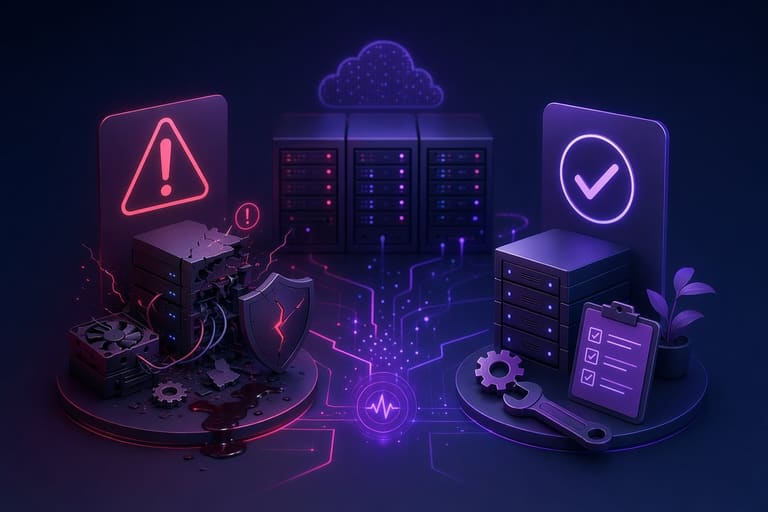
Consistent maintenance မရှိလျှင် server/device/software ချက်ချင်း performance drop, data risk, hardware breakdown ဖြစ်နိုင်ပါတယ်။ Common mistakes, error prevention ကို မိမိ system တိုင်းမှာ catch & fix လုပ်နိုင်ဖို့ table ဖော်ပြထားပါတယ်။
| Mistake | Consequence | Solution |
|---|---|---|
| Inadequate Backup | Data loss, process disruption | Automated backup software use, backup scheduling policy |
| Outdated Software | Security holes, sluggish performance | Auto-update enable, regular manual update check |
| Hardware Neglect | Unexpected breakdown, downtime | Regular diagnostic test, replace worn parts |
| Neglect Overheat | Device failure, performance drop | Fan/thermal system maintenance, regular dust clean |
- Dust clean neglect — Overheat, hardware damage; Solution: periodic cleaning
- Disk defragment miss — Slow read/write performance; Solution: Scheduled defrag
- Firewall misconfiguration — open to attack; Solution: Review firewall settings
Hardware inspection omission — major performance drop & downtime ဖြစ်နိုင်ပါတယ်။ Regular hardware test, update, calibration followမှ long lifespan တွေ့ရမှာပါ။ Maintenance သာ မမြန်မမြန်နဲ့ — future failure prevention ကျဉ်းမဲ့ပါ။
Advanced Maintenance Techniques
Modern system/device အတွက် growing technology နဲ့ maintenance routine တိုးဖို့ traditional method ကတော့ efficiency နည်းပါလျှင်။ Predictive analytics, sensor monitoring, software tool use, advanced diagnostic, automation/AI integration တို့နဲ့ proactive maintenance plan construct လုပ်နိုင်ပါတယ်။
| Technique | Description | Benefit |
|---|---|---|
| Predictive Maintenance | Sensor/data log, advanced analytics check | Failure forecast, downtime reduction |
| Thermography | Thermal camera detect abnormal overheating | Fire hazard, hardware failure prevent |
| Vibration Analysis | Motor, pump vibration monitoring | Lifespan increase, performance boost |
| Oil Quality Analysis | Oil/grease check for wear & contamination | Hardware optimization, maintenance cost save |
အသုံးပြုဖို့ specialist, proper gadgets/tool လိုပါတယ်။ Major enterprise/server cluster တွေမှာ data-driven maintenance efficiency များ တိုးနေတာပါ။
Advanced Tips & Tools
AI-driven maintenance, cloud-based tool, advanced analytics like Docker, Kubernetes management, Varnish Cache optimize, Redis diagnostic, Nginx/Apache log analysis — efficiency အထူးမြင့်လို့ system health တစ်ကယ် boost လုပ်နိုင်ပါတယ်။
- Predictive Maintenance Software
- Thermal Camera Inspection
- Vibration Analysis Tool
- Oil/Grease Quality Diagnostic
- AI-assisted Scheduling/Forecasting
- Cloud-based Maintenance Dashboard
Gadget/tool list:
Basic Usage Tactics
Simple routine action တွေဆို regular cleaning, performance tune, schedule record, trained staff, discipline follow ဆိုပြီး system/device တွေ long lifespan ဖြစ်ပေါ်တယ်။
Customized maintenance plan follow, periodic improvement, feedback loop routine က efficiency boost and long run success ကို guarantee ပါ။
Must-do Maintenance Controls
Maintenance tool/device ပိုစွမ်းလိုတယ် ဆိုလျှင် standard screwdriver, multimeter, dust cleaning equipment, software diagnostic tool, hardware monitor tool, RAID/SSD status checker, network monitor, cloud backup tool, Varnish Cache, Redis diagnostic, SiteLock, Cloudflare system check အပါအဝင် data security & efficiency tools တွေကို combine နှင့် proper education လုပ်ရပါတယ်။
- Hand Tools: Screwdriver, pliers, wrench set
- Measurement Tools: Multimeter, thermometer, sound sensor
- Cleaning Tools: Brush, cleaning spray, microfiber cloth
- Software Diagnostic: OS/software diagnostic tools, log analyzer
| Tool | Application | Benefit |
|---|---|---|
| Thermal Camera | Power/control cabinet, engine check | Overheating prevention |
| Acoustic Leak Detector | Pipe, mechanical leak & abnormal noise | Early leakage/fault detection |
| Software Diagnostic Tool | Server, PC, laptop | Error, performance bottleneck detect |
| Vibration Analyzer | Pump, motor | Lifespan, efficiency increase |
Tool usage knowledge, staff training, calibration policy follow လုပ်မှ tool benefit maximized ဖြစ်တယ်။ Maintenance plan မှာ tool compatibility, purpose assessment မရှိဘူးဆို efficiency နေလို့ရလားမသိပါဘူး။
Maintenance Checklist: Anything Missing?
Maintenance process တစ်ခွင့်အခြေ long lifespan, optimized performance တွေရဖို့ — checklist follow policy လိုပါတယ်။ Every device/system များအတွက် customized checklist one-to-one လုပ်မှာပါ။
| Check Point | Action | Frequency |
|---|---|---|
| Hardware Inspection | Dust clean, cable review | Monthly |
| Software Update | OS, software app update | Weekly |
| Security Scan | Virus/malware scan | Daily |
| Backup | Data backup routine | Weekly |
- Hardware check/clean
- Software update
- Security scan
- Backup scheduling
- Performance benchmarking
- Remove unused apps/data
Checklist:
Checklist follow လုပ်လို့ efficiency maximize, downtime minimize, hardware lifespan အထူးမြင့်ပါတယ်။ Maintenance process လုပ်ချိန် proper safety-check policy follow, appliance power off, tool compatibility လုပ်ဖို့လိုပါတယ်။ Software update/scanning မှာ trusted source only download, update, scan process safe သို့တိုင်အောင် လုပ်ပါ။
Maintenance After Action Review & Improvement
Maintenance process တင်ပြီးတဲ့အခါ efficiency check, improvement analysis — future maintenance plan boost policy follow လိုပါတယ်။ Concrete result analysis — speed boost, error minimize, user feedback review, performance data compare policy follow ဖြစ်ပါတယ်။
| Evaluation Criteria | Before Maintenance | After Maintenance |
|---|---|---|
| App Launch Speed | 5 seconds | 2 seconds |
| Error Rate | 2% | 0.5% |
| Memory Used | 200 MB | 150 MB |
| CPU Loaded | 80% | 60% |
- Goal meet percentage
- Time management efficiency
- Resource optimization
- Team performance
- User feedback
- Unexpected issue detection
Improvement cycle မှာ error detect, solution enhance, staff skill update process boost လုပ်ပါ။ After maintenance evaluation, future maintenance policy အမြဲတမ်း တိုးတက်လာပါတယ်။
FAQ
Server, software, hardware maintenance တစ်စွဲတစ်စင် ထိတွေ့လုပ်သင့်တဲ့အချက်၊ Benefit အရေးကြီးဆုံးအရာကဘာလဲ?
System/device lifespan ထပ်တိုးပါတယ်။ Performance efficiency maximize, downtime minimize, security protect, cost save, future error prevention ဖြစ်ပါတယ်။
Word processor, spreadsheet application maintenance process ကျတော့ ဘာတွေ checklist လုပ်သင့်လဲ?
Update check, plugin/extension review, template clean, autosave enable, backup schedule, security scan, error report check လုပ်သူမှ optimum performance ရပေးပါတယ်။
Efficiency maximized maintenance routine တစ်ခုဆို hardware-side maintenance လုပ်လား၊ software-side maintenanceလား?
Both hardware & software maintenance mix. Hardware: cooling, cabling, cleaning, SSD health check. Software: update, optimize, junk clean, security scan.
Routine maintenance tasks မှာ ဘာတွေကို အထူးသတိပြုသင့်လဲ? Gaps ရှိတဲ့ point များကဘာလဲ?
Backup, firewall update, antivirus update, hardware calibration, disk defragment, log review ဆောင်ရွက်ပါ။
Common maintenance mistakes များနဲ့ fix solution များ ဘာတွေပါ?
Auto-update skip, backup skip, security software သွားမလုပ်, hardware cleaning skip — fix: schedule, auto-update, regular clean, security routine enhance.
Modern maintenance efficiency enhance နည်းပညာတွေစိတ်ဝင်စားပါတယ်။ Automation/AI-based tools ဖြစ်သလား?
Automation/AI tool — auto-update, backup routine scheduling, AI-based monitoring, predictive maintenance software (Server, Redis, Varnish, Kubernetes, Docker management tool) efficiency boost လုပ်နုတ်ဆုံးပါတယ်။
Maintenance tool/device recommend ပြည့်စုံစွာ ပြောပါ — hardware/software ပြင်ပြပါ။
Disk cleaning tool, system optimizer software, hardware monitor (fan, temp, SSD health, RAID check), network analyzer, hand tool set, thermal compound, antistatic wristband — efficiency maximize.
After maintenance process efficiency, improvement check policy ကို performance metrics တစ်ခုခု follow လုပ်သင့်ပါသလား?
System startup time, app launch speed, disk performance, response time ဖြစ်ပါတယ်။ User feedback, log file check, performance table compare လုပ်ပြီး improvement policy တိုးပါတယ်။