 Afrikaans
 Azərbaycan
 Bosanski
 Čeština
 Dansk
Dansk Deutsch
 English
 Español
 Filipino
 Français
 Hrvatski
 Indonesia
 Italiano
 Magyar
 Melayu
 Nederlands
 Norsk
Norsk Oʻzbek
 Polski
 Português
 Română
 Slovenčina
 Slovenščina
 Suomi
Suomi Svenska
 Tiếng Việt
 Türkçe
 Ελληνικά
 Беларуская
 Български
 Русский
 Српски
 Українська
 עברית
עברית اردو
اردو العربية
 پښتو
پښتو فارسی
فارسی አማርኛ
አማርኛ मराठी
मराठी বাংলা
বাংলা தமிழ்
தமிழ் ไทย
ไทย မြန်မာ
 한국어
한국어 中文
中文 日本語
日本語


This blog post takes an in-depth look at the powerful TensorFlow.js API, a tool for browser-based machine learning. We start by addressing the question, “What is TensorFlow.js API?” and then move on to discuss the selection of the right tools for machine learning projects, the advantages offered by the API, and its application in software development. The article details how machine learning models can be created and trained with TensorFlow.js API, especially focusing on its potential in visual recognition applications and key considerations to keep in mind. Tips for successful implementations are provided, along with a discussion of the future potential of this technology. In short, the TensorFlow.js API opens the door to machine learning for web developers, paving the way for innovative applications.
What is TensorFlow.js API? Basics
TensorFlow.js API is a robust library that enables JavaScript developers to create and run machine learning models in their browsers and in Node.js environments. Developed by Google, this API facilitates the integration of deep learning capabilities into web applications, allowing for more interactive and intelligent user experiences. By shifting machine learning processes traditionally executed on the server-side to the client-side, it enhances user privacy and reduces latency.
The TensorFlow.js API offers two primary methods: using a pre-trained model or building a new model from scratch. Using a pre-trained model is ideal for developers who want to quickly integrate models specialized in a particular domain. On the other hand, creating a model from scratch is more suitable for those looking to develop tailored solutions to meet specific needs. In either case, the TensorFlow.js API provides the necessary tools and flexibility.
Key Features of TensorFlow.js API
- High-performance computing with GPU acceleration
- Direct model training and inference in the browser
- Easy integration of pre-trained models
- Node.js support for server-side usage
- Flexible and intuitive API design
One of the significant advantages of TensorFlow.js API is that web developers can build machine learning projects using a language they're already familiar with—JavaScript. This reduces the learning curve for new developers entering the machine learning field and enables faster prototyping. Additionally, the open-source nature of the TensorFlow.js API ensures ongoing support from a large community and continuous development.
The TensorFlow.js API acts as a gateway to the world of machine learning for web developers. By providing a simple and effective way of employing AI capabilities in browser-based applications, it increases the potential to create smarter and more personalized user experiences. Whether you are developing applications for image classification, natural language processing, or predictive analytics, the TensorFlow.js API supplies you with the tools you need.
Machine Learning: Selecting the Right Tools
Before embarking on browser-based machine learning projects with TensorFlow.js API, selecting the right tools is crucial for your success. The tools used in machine learning projects vary based on multiple factors such as dataset size, model complexity, and targeted platform. Therefore, it is essential to carefully assess your project requirements and choose appropriate tools accordingly. Selecting the right tools accelerates the development process, increases performance, and leads to better results.
| Tool | Description | Use Cases |
|---|---|---|
| TensorFlow.js | A JavaScript library for developing machine learning models in the browser and Node.js environment. | Web applications, interactive demos, rapid prototyping. |
| TensorFlow | A comprehensive machine learning platform developed by Google. | Complex models, large datasets, applications requiring high performance. |
| Keras | A high-level neural network library providing a user-friendly API that works on top of TensorFlow. | Rapid model development, prototyping, educational projects. |
| Scikit-learn | A Python library offering various machine learning algorithms and tools. | Tasks such as classification, regression, clustering. |
When choosing tools for machine learning projects, there are some critical steps to consider. First, you should clearly define your project's objectives and requirements. Determine what type of data you will work with, on which platforms the model will be used, and what performance targets you want to achieve. These steps will help guide you in selecting the right tools. For instance, if you are developing a browser-based application, the TensorFlow.js API may be the most suitable option for you.
Steps for Selecting Machine Learning Tools
- Define the project's goals and requirements.
- Assess the size and complexity of the dataset.
- Identify targeted platforms (browser, server, mobile).
- Analyze performance requirements (speed, accuracy).
- Research available tools and libraries.
- Consider the learning curve and community support for the tools.
Additionally, the size and complexity of your dataset play a vital role in tool selection. Larger and more complex datasets require more powerful and scalable tools, while smaller and simpler datasets may be adequately addressed by lighter and easier-to-use tools. The TensorFlow.js API is optimized for browser-based applications and offers various techniques to enhance performance. Finally, the community support and documentation for the tools you choose are also crucial. Good community support can help you resolve issues you encounter and learn new things.
Keep in mind that selecting the right tools is not just a technical decision but also a strategic one that directly impacts your project's success. Therefore, by conducting careful assessments and selecting the most suitable tools for your project's needs, you can develop more successful machine learning projects.
Advantages of TensorFlow.js API
The TensorFlow.js API offers a range of significant advantages for developing browser-based machine learning projects. This API harnesses the power of the JavaScript ecosystem, allowing developers to build and train machine learning models in an environment they are already comfortable with. This eliminates the need for additional infrastructure on the server side, accelerates the development process, and reduces costs.
Specifically designed for web developers, the TensorFlow.js API can be easily integrated into existing web projects. Its user-friendly interfaces and comprehensive documentation make it accessible even to beginners. Additionally, the ability of the TensorFlow.js API to operate across different platforms (browsers, Node.js, etc.) ensures a wider audience for your projects.
- Advantages of Using TensorFlow.js API
- Rapid Prototyping: The ability to create and test models directly in the browser.
- Low Cost: Running machine learning applications without needing server-side resources.
- Platform Independence: Functionality across browsers, Node.js, and other JavaScript-supported environments.
- Easy Integration: Integration into existing web projects made simple.
- Wide Community Support: An active developer community and comprehensive documentation.
- Data Privacy: Processing data in the browser eliminates the need to send sensitive data to a server.
Another significant advantage of the TensorFlow.js API is its enhancement of data privacy. Processing data directly in the browser prevents sensitive data from being transmitted to servers, which is particularly important for applications where protecting personal data is critical. For example, in projects within the health, finance, or education sectors, this feature of the TensorFlow.js API offers substantial benefits.
The TensorFlow.js API provides various tools and techniques to optimize the performance of machine learning models. Features like GPU acceleration, model compression, and batching help ensure that models operate faster and more efficiently. This enhances the user experience and enables more complex machine learning tasks to be performed in the browser.
Application Development with TensorFlow.js API
The TensorFlow.js API allows web developers to create, train, and utilize machine learning models directly in their browsers. This API integrates seamlessly with the JavaScript ecosystem, allowing you to perform complex machine learning tasks directly on the client side without needing server resources. This enables the development of fast and interactive applications that enhance user experience. For example, you can easily integrate features such as real-time facial recognition, sentiment analysis, or intelligent recommendation systems into your browser-based applications.
| Feature | Description | Benefits |
|---|---|---|
| Model Training | Training models directly in the browser | Data privacy, low latency |
| Model Usage | Using pre-trained models | Rapid prototyping, easy integration |
| Hardware Acceleration | Performance improvement with GPU support | Quick processing, better user experience |
| JavaScript Integration | Easy integration into existing web projects | Low learning curve, access to a wider audience |
There are crucial steps to consider during the application development process with TensorFlow.js API. First, you must determine your project's requirements and select an appropriate machine learning model. Next, data sets need to be collected and cleaned for training. After the training process, you can integrate the model into the browser and create an interface for users to interact with. Attention to performance optimization is also vital to ensure that your application runs swiftly and efficiently.
Application Development Stages
- Identifying project requirements.
- Selecting the appropriate machine learning model.
- Gathering and cleaning data sets.
- Training the model.
- Integrating the model into the browser.
- Creating the user interface.
- Optimizing performance.
The TensorFlow.js API provides flexibility and convenience for developers, but can also present challenges. Particularly when dealing with large datasets or training complex models, performance issues may arise. Therefore, utilizing GPU acceleration and applying model optimization techniques is essential. Additionally, pay attention to browser compatibility and security issues. By considering all these factors, you can develop powerful and effective web applications with the TensorFlow.js API.
Example Projects
Projects that can be developed using the TensorFlow.js API are quite diverse. For instance, you can create real-time object detection applications, handwriting recognition systems, or music generation projects. These projects can be both fun and educational, providing a great opportunity to showcase the potential of the TensorFlow.js API.
Success Stories
Many companies and developers have successfully developed applications using the TensorFlow.js API. For example, some companies have created automated response systems to improve customer service, while others have developed AI models to expedite disease diagnosis in the healthcare sector. These success stories demonstrate how powerful and effective the TensorFlow.js API can be.
Machine Learning Models with TensorFlow.js API
The TensorFlow.js API offers broad model support for developing browser-based machine learning applications. These models can be pre-trained and ready to use, trained from scratch with your data, or fine-tuned on existing models. This flexibility allows developers to create solutions tailored to various needs and projects.
| Model Type | Description | Example Use Cases |
|---|---|---|
| Linear Regression | Used to predict linear relationships between data points. | Sales forecasting, price analysis |
| Logistic Regression | Ideal for predicting probabilities and solving classification problems. | Spam filtering, disease diagnosis |
| Deep Neural Networks (DNN) | Utilize multilayer networks to learn complex data patterns. | Image recognition, natural language processing |
| Convolutional Neural Networks (CNN) | Specifically designed for processing image data. | Object detection, image classification |
Thanks to the models supported by the TensorFlow.js API, you can easily integrate machine learning capabilities into your web applications. For example, by utilizing a pre-trained image recognition model, you can analyze images uploaded by users and identify the objects they contain. This can be applied in various applications such as providing product recommendations on e-commerce sites or filtering content on social media platforms.
Models You Can Use
- MobileNet: A lightweight image recognition model optimized for mobile devices.
- PoseNet: Used to detect the pose of the human body in real-time.
- BodyPix: Segments people in images at the pixel level.
- SpeechCommands: Recognizes simple voice commands.
- KNN Classifier: Performs classification using the K-Nearest Neighbors algorithm.
Furthermore, the TensorFlow.js API allows you to fine-tune existing models with your specialized datasets through transfer learning. This enables better results with less data and helps you create models optimized for your specific applications. For example, you can re-train a pre-trained object detection model to recognize a specific product category.
TensorFlow.js provides web developers with the ability to create and use powerful machine learning models that run directly in the browser without the need for server infrastructure.
The TensorFlow.js API is both accessible and powerful for both newcomers and experienced machine learning experts. With various model options and flexible training methods, you can present innovative and intelligent features in your web applications.
Training Process with TensorFlow.js API
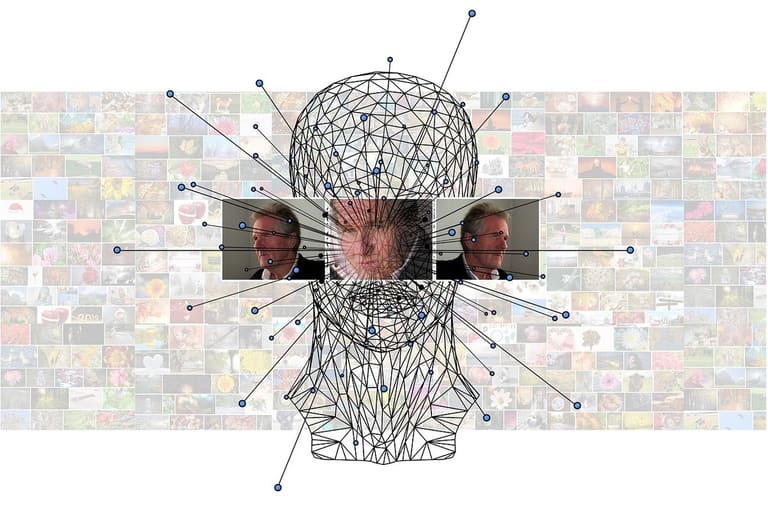
Training machine learning models in the browser using the TensorFlow.js API offers unique advantages compared to traditional server-based methods. This process allows for data to be processed directly on the client side, reducing latency and enhancing user privacy. The training process encompasses various stages ranging from data preparation to model optimization. Each stage has a direct impact on the accuracy and performance of the model, so it should be carefully planned and executed.
Data preparation is one of the most critical steps in the training process. At this stage, the dataset to be used must be cleaned, transformed, and normalized. Inconsistencies or missing values in the dataset can lead to incorrect learning and erroneous results for the model. Data normalization helps to ensure that features on different scales are within the same range, speeding up the training process and improving the model's performance.
| Step | Description | Key Points |
|---|---|---|
| Data Collection | Gathering the relevant dataset. | Reliability of the data source, diversity of data. |
| Data Cleaning | Correcting missing or erroneous data. | Extractors, transformers, loaders (ETL) tools. |
| Data Normalization | Scaling data to a specific range. | Min-Max scaling, Z-score normalization. |
| Data Splitting | Dividing the data into training, validation, and test sets. | 70% training, 15% validation, 15% test ratio. |
Building and training the model has become considerably easier thanks to the high-level tools offered by the TensorFlow.js API. Steps like defining layers, selecting activation functions, and identifying optimization algorithms can be easily accomplished with the user-friendly interface of the API. During training, monitoring the model’s performance and making necessary adjustments is crucial to prevent issues like overfitting or underfitting.
Steps in the Training Process
- Preparing and preprocessing the dataset.
- Defining the model architecture (layers, activation functions).
- Compiling the model (optimization algorithm, loss function).
- Training the model with training data.
- Evaluating the model’s performance with validation data.
- Optimizing the model (hyperparameter tuning).
- Measuring the final performance of the model with test data.
At the end of the training process, the model's performance is evaluated using various metrics. Metrics such as accuracy, precision, recall, and F1 score help us understand how well the model performs. If the model’s performance is not satisfactory, it may be necessary to review the dataset, adjust the model architecture, or fine-tune the training parameters. This iterative process continues until the model meets the desired performance.
The trained model needs to be saved in an appropriate format for use in the browser. The TensorFlow.js API allows the model to be saved in either JSON format or as a binary format that can be loaded directly in the browser. Thus, the machine learning applications developed can run on users' devices without requiring any additional setup and can make real-time predictions.
Visual Recognition Applications with TensorFlow.js API
The TensorFlow.js API provides robust tools for developing visual recognition applications in browser-based machine learning projects. With this API, you can perform various visual recognition tasks by utilizing pre-trained models or training your custom models. For example, you can detect objects in an image, create facial recognition systems, or classify different types of images. Visual recognition is widely used across various fields, from security systems to healthcare and from retail to entertainment, and TensorFlow.js enhances accessibility by enabling these applications to run in the browser.
When developing visual recognition applications, you can leverage the different model types offered by TensorFlow.js. Pre-built models are ideal for general object recognition tasks and allow for a quick start. However, if you seek more precise results for a specific domain, training a custom model with your dataset may be a better option. Model training enables the model to learn specific features using labeled datasets. This process may take some time, but the results are often much more satisfying. Furthermore, by using transfer learning techniques, you can take a model trained on a large dataset and fine-tune it with your small dataset to achieve faster and more effective results.
Example Visual Recognition Applications
- Object Detection: Identifying and labeling different objects in images.
- Facial Recognition: Detecting human faces and identifying them.
- Image Classification: Categorizing images into specific groups (e.g., cats, dogs, cars).
- Emotion Analysis: Analyzing emotional expressions on human faces.
- License Plate Recognition: Automatically recognizing vehicle license plates.
- Product Recognition: Visually identifying products in the retail sector.
While developing visual recognition applications with the TensorFlow.js API, there are several important considerations. First, the model's performance and accuracy are crucial factors. The model needs to provide accurate results that meet the application requirements. Additionally, the model's size and processing speed are important. In browser-based applications, the model needs to load and execute quickly, directly influencing the user experience. Therefore, employing model optimization and compression techniques to enhance performance is vital. Finally, attention must be paid to privacy and security concerns. Ensuring secure processing and storage of user data is critical for the application's reliability.
Visual recognition applications developed with TensorFlow.js can reach a broad audience due to their browser-based nature and platform independence. This offers significant advantages, especially for mobile devices and computers with limited processing power. Furthermore, since data processing occurs locally rather than on cloud-based solutions, it provides a faster and more secure experience. These advantages make TensorFlow.js an appealing choice for developing visual recognition applications.
Considerations when Using TensorFlow.js API
When utilizing the TensorFlow.js API, there are many important factors to consider for your project's success. These factors cover a wide range, including model performance, browser compatibility, data security, and user experience. Attending to these points is crucial for developing a successful application and will help minimize potential issues. Below are some critical considerations to keep in mind.
Optimizing your model directly impacts your application’s speed and efficiency. Smaller and faster models perform better in the browser. Therefore, it is essential to apply optimization techniques while training and converting your model. Additionally, leveraging technologies such as WebGL can enhance performance by effectively utilizing browser hardware acceleration. Reducing model complexity and avoiding unnecessary layers are also significant parts of the optimization process.
Points to Consider
- Optimize model size.
- Test for browser compatibility.
- Ensure data privacy and security.
- Focus on user experience.
- Regularly monitor and improve performance.
Data privacy and security is one of the top issues to be mindful of when using the TensorFlow.js API. In browser-based applications, data is typically processed on the client side. Therefore, you may need to take extra precautions to ensure the security of sensitive data. Encrypting data, preventing unauthorized access, and securing data processing protocols can help you gain users' trust. Additionally, being transparent about your data collection and usage policies is important.
User experience is vital for the success of your application. To ensure that users can easily navigate and interact with your application, keep the interface simple and clear. Implementing feedback mechanisms to understand user experiences and continually making improvements keeps your application user-friendly. Furthermore, providing a consistent experience across different devices and browsers is essential, as it helps your application reach a wider audience.
Problems and Solutions When Using TensorFlow.js API
| Problem | Description | Proposed Solution |
|---|---|---|
| Low Performance | The model runs slowly or causes browser freezes. | Model optimization, utilizing WebGL, prefer smaller models. |
| Browser Compatibility | The application behaves differently across browsers. | Conduct browser tests, write compatible code, use polyfills. |
| Data Security | Risks of sensitive data being processed on the client side. | Data encryption, preventing unauthorized access, secure data processing policies. |
| User Experience | Complex interfaces, challenging interactions. | Simple and clear interface design, feedback mechanisms, user testing. |
Tips for Successful Applications
Developing successful browser-based machine learning applications using the TensorFlow.js API requires careful planning and the application of the right strategies. In this section, we will explore some essential tips and tricks that will help ensure your projects' success. Attention to these recommendations is crucial for overcoming challenges that might arise during application development and achieving the best results.
A critical step in creating a successful TensorFlow.js API application is data preparation. Providing clean and well-organized data suitable for your model directly affects the model's accuracy and performance. Carefully review your dataset, correct any missing or erroneous data, and use data augmentation techniques to expand your dataset if necessary. These steps allow your model to learn better and generalize effectively.
Being diligent in model selection and the training process is also important. Choose the model that best suits your needs, and carefully monitor the training process. Use regularization techniques to prevent overfitting and continuously evaluate your model with validation data. You can explore different optimization algorithms and tune hyperparameters to enhance the model's performance. The TensorFlow.js API provides flexibility in these areas.
Focusing on the user experience is another important part of a successful application. Ensure that your application is fast, user-friendly, and accessible. Providing visual feedback helps users understand how the model operates. Comprehensive testing to confirm seamless functionality across different devices and browsers ensures user satisfaction and enhances the outreach of your application.
Tips for Success
- Improve Data Quality: Use clean and well-prepared data for your model's success.
- Select the Correct Model: Determine the machine learning model best suited to your needs.
- Optimize Hyperparameters: Tune hyperparameters to improve your model's performance.
- Utilize Regularization Techniques: Implement regularization methods to prevent overfitting.
- Focus on User Experience: Ensure your application is user-friendly and fast.
- Test Across Different Browsers: Verify that your application functions smoothly across various browsers.
Tips for Developing with TensorFlow.js API
| Medicine | Description | Importance |
|---|---|---|
| Data Preparation | Provide clean and well-organized data suitable for your model. | High |
| Model Selection | Select the model that best suits your needs. | High |
| Training Process | Carefully monitor and evaluate the model's training. | High |
| User Experience | Ensure your application is user-friendly and accessible. | Medium |
Conclusion and Next Steps
This article thoroughly examined how the TensorFlow.js API can be utilized in browser-based machine learning projects. TensorFlow.js provides developers with tools to create and implement machine learning models using JavaScript, presenting a powerful alternative to traditional server-based approaches. This enables the direct processing of user data within the browser, yielding advantages in both speed and privacy.
Applications developed with TensorFlow.js can easily operate across various platforms (websites, mobile apps, desktop applications). This flexibility enables developers to reach a broad audience while providing a consistent user experience across different devices. TensorFlow.js holds significant potential, especially in areas like visual recognition, natural language processing, and data analytics.
| Field | Examples of TensorFlow.js Applications | Potential Benefits |
|---|---|---|
| Health | Medical image analysis, disease diagnosis | Rapid diagnosis, personalized treatment |
| Education | Student performance prediction, personalized learning | Improving learning processes, increasing student success |
| Finance | Fraud detection, risk analysis | Preventing loss, better investment decisions |
| Retail | Customer behavior analysis, personalized recommendations | Increasing sales, ensuring customer satisfaction |
Next Steps:
- Deep Dive: Explore the various layers and optimization techniques offered by the TensorFlow.js library more closely.
- Project Development: Start with a simple machine learning project and transition to more complex models as you gain experience.
- Community Engagement: Engage with the TensorFlow.js community by interacting with other developers, sharing knowledge, and contributing to open source projects.
- Best Practices: Research and apply best practices in model training, optimization, and deployment in your projects.
- New Technologies: Stay updated on browser-based technologies like WebAssembly (WASM) and WebGPU to evaluate their potential for enhancing TensorFlow.js performance.
- Model Conversion: Learn how to make models of different formats compatible with TensorFlow.js so you can utilize existing models in the browser.
The TensorFlow.js API makes machine learning accessible to web developers, paving the way for the next generation of smart and interactive web applications. Learning and utilizing this technology will provide developers with a competitive advantage and enhance their potential for innovation.
Frequently Asked Questions
What fundamental knowledge do I need to start using TensorFlow.js API?
Having foundational knowledge of JavaScript is essential to start using the TensorFlow.js API. Additionally, being familiar with machine learning concepts will help you understand the basic building blocks such as tensors, models, and layers. You can also practice by exploring beginner-level sample projects and following basic tutorials.
What are the key advantages of TensorFlow.js API compared to other machine learning tools?
The most significant advantage of the TensorFlow.js API is that it allows you to run machine learning models directly in the browser or Node.js environments. This enables you to develop fast and effective machine learning applications on the client side without needing server-side infrastructure. Furthermore, it also provides advantages in terms of user privacy and low latency.
What types of applications can I develop using TensorFlow.js API?
TensorFlow.js API can be utilized for developing applications in areas such as visual recognition, natural language processing, audio analysis, motion prediction, and much more. For example, you can implement facial recognition through a webcam, text classification, music recommendation systems, or artificial intelligence in games.
How can I create and train a machine learning model with TensorFlow.js API?
To create a machine learning model with TensorFlow.js API, you first need to define the layers and configure the model. Then, you can train the model using your training data. The training process is done iteratively using optimization algorithms to enhance performance.
What are the core steps for a visual recognition application developed with TensorFlow.js API?
The core steps for a visual recognition application developed with TensorFlow.js API are: 1) Collecting and preprocessing image data, 2) Building a model or utilizing a pre-trained model, 3) Training the model with image data, 4) Testing the trained model with new images, and 5) Presenting the results to the user.
What performance issues might I encounter using TensorFlow.js API, and how can I solve them?
Performance issues you may encounter while using TensorFlow.js API include large model sizes, slow training times, and high resource consumption. To resolve these issues, techniques such as model optimization, data preprocessing, GPU acceleration, and considering browser compatibility can be used.
Can you provide examples of successful applications developed with TensorFlow.js API?
Yes, many successful applications have been developed using TensorFlow.js API.