 Afrikaans
 Azərbaycan
 Bosanski
 Čeština
 Dansk
Dansk Deutsch
 English
 Español
 Filipino
 Français
 Hrvatski
 Indonesia
 Italiano
 Magyar
 Melayu
 Nederlands
 Norsk
Norsk Oʻzbek
 Polski
 Português
 Română
 Slovenčina
 Slovenščina
 Suomi
Suomi Svenska
 Tiếng Việt
 Türkçe
 Ελληνικά
 Беларуская
 Български
 Русский
 Српски
 Українська
 עברית
עברית اردو
اردو العربية
 پښتو
پښتو فارسی
فارسی አማርኛ
አማርኛ मराठी
मराठी বাংলা
বাংলা தமிழ்
தமிழ் ไทย
ไทย မြန်မာ
 한국어
한국어 中文
中文 日本語
日本語

ഈ ബ്ലോഗ് എഴുതിയിരിക്കുന്നത്, ബ്രൗസറിൽ തന്നെ മകീൻ ലേണിംഗിന്റെ ശക്തമായ ടൂൾ ആയ TensorFlow.js API നെ വിശദമായി കാണിക്കുന്നതാണ്. TensorFlow.js API എന്താണ്? എന്നതിൽ നിന്നും, മകീൻ ലേണിംഗ് പദ്ധതികൾക്കായുള്ള ശരിയായ ടൂളുകൾ തിരഞ്ഞെടുക്കുന്നതിലും, API നൽകുന്ന ആനുകൂല്യങ്ങളിലുമായി, റിയൽ പ്രായോഗികപിക്കൽ ആർപ്പുകൾ വികസിപ്പിക്കാനുള്ള വിവിധ ഘടകങ്ങൾക്കും ഈ പോസ്റ്റിൽ പ്രധാനമായും ശ്രദ്ധ കേന്ദ്രീകരിക്കുന്നത്. TensorFlow.js API ഉപയോഗിച്ച് എങ്ങനെ മകീൻ ലേണിംഗ് മോഡലുകൾ നിർമ്മിക്കുകയും, പ്രയോജനപ്രദമായ രീതിയിൽ പരിശീലിപ്പിക്കുകയും ചെയ്യാം എന്നത്; പ്രത്യേകിച്ച് ദൃശ്യ ശേഖരണ അപ്ലിക്കേഷനുകളിൽ ഇതിൻ്റെ സാധ്യതയും ശ്രദ്ധിക്കേണ്ട കാര്യങ്ങളും വിശദമായി അവതരിപ്പിക്കുന്നു. വിജയകരമായ പ്രയോഗങ്ങൾക്കുള്ള ടിപ്സ് ഉൾപ്പെടെ, ഈ സാങ്കേതികതയുടെ ഭാവിയിലേക്കുള്ള സാധ്യതകളും ഇവിടെ ഉൾപ്പെടുത്തിയിട്ടുണ്ട്. ചുരുക്കം പറയാൻ, TensorFlow.js API വെബ് ഡവലപ്പർമാർക്ക് എ ആരും പ്രാപ്യമായ മകീൻ ലേണിംഗ് നൽകുന്നു, പുതു തലമുറയിലുള്ള ഇന്റർആക്ടീവ് വെബ് ആപ്പ്ലിക്കേഷനുകൾക്ക് വഴി തുറക്കുന്നു.
TensorFlow.js API എന്താണ്? അടിസ്ഥാന വിവരങ്ങൾ
TensorFlow.js API ആണോ, JavaScript ഡെവലപ്പർമാർക്ക് ബ്രൗസറിലും Node.jsപോലുള്ള സർവർലേസായ ഇടങ്ങളിൽ മകീൻ ലേണിംഗ് മോഡലുകൾ നിർമ്മിച്ച്, പ്രയോഗിക്കാമെന്നതിന്റെ ശക്തമായ ലൈബ്രേറി. Google ആണും ഈ API വികസിപ്പിച്ചിരിക്കുന്നത്, ദീർഘലേണിംഗ് കഴിവുകൾ വെബ് ആപ്പുകളിലേക്കു എളുപ്പത്തിൽ ഉൾക്കൊള്ളിച്ചു, കൂടുതൽ ഇന്റർആക്ടീവ്, ബുദ്ധിമാനായ യൂസർ അനുഭവങ്ങൾ സൃഷ്ടിക്കാൻ സഹായിക്കും. മഹത്തായ കാര്യം, മകീൻ ലേണിംഗ് യഥാരൂപം സർവ്വറിൽ ചെയ്യാറുള്ള കാര്യങ്ങൾ ഇപ്പോൾ ക്ലയന്റ് ബ്രൗസറിലാവുന്നതുകൊണ്ട്, യൂസർ പ്രൈവസി മെച്ചപ്പെടുകയും, latency കുറയുകയും ചെയ്യുന്നു.
ഇത് രണ്ടായിര് പ്രധാന മാർഗങ്ങൾ നൽകുന്നു: എഴുത്തിൽപോലുള്ള റെഡി model-ഉപയോഗം; അല്ലെങ്കിൽ പൂർണ്ണമായും നമുക്ക് വേണ്ട രീതിയിൽ പുതിയ model നിർമ്മിക്കൽ. നേരത്തെ ട്രെയ്ന് ചെയ്ത model ഉറ്റ്സാഹിച്ചുള്ള ഷോർട്ട്ക്കട്ട് ഇന്റഗ്രേഷൻ വേണമെങ്കിലും, വ്യക്തമായ ആവശ്യത്തിനായി പ്രത്യേക പേഴ്സണലൈസ്ഡ് model തയാറാക്കും. രണ്ടിലും TensorFlow.js API ഉത്തമ പ്രോഗ്രാമറിംഗും യുവ്വളിപ്പും നൽകുന്നു.
TensorFlow.js API-യുടെ അടിസ്ഥാന പ്രത്യേകതകൾ
- GPU എക്സലറേഷനിലൂടെ വേഗതയും മികച്ച കണക്കടിയും
- ബ്രൗസറിൽ തന്നെ model ട്രെയിനിംഗും inference-ഉം
- റെഡി model-ങ്ങൾ എളുപ്പത്തിൽ ഇൻ്റഗ്രേറ്റ് ചെയ്യാവുന്നതും
- Node.js സപ്പോർട്ട്, സർവർലേസും
- ഫ്ലെക്സിബിൾ, ഇന്റ്യൂട്ടീവ് API ഡിസൈനും
API-യുടെ ഏറ്റവും വലിയ സൗകര്യം, വെബ്ിലും JavaScript-ലുമുള്ള പരിചയമുള്ള ഡെവലപ്പർമാർക്ക്, ബ്രൗസറിൽ തന്നെ മകീൻ ലേണിംഗും ചെയ്യാമെന്നത്. അതിലൂടെ, newcomers ന് കോഡിംഗ് കാർവുമില്ലാതെ, വേഗം പ്രോട്ടോ ടൈപ്പ് ചെയ്യാം. കൂടാതെ, TensorFlow.js API open-source ആണുതന്നെ, വലിയ community support-ഉം, updates ഉം നൽകുന്നു.
TensorFlow.js API വെബ് ഡെവലപ്പർമാർക്ക് മകീൻ ലേണിംഗിനെ സീമയും പ്രാപ്യവുമാക്കിയിട്ടുണ്ട്. ബ്രൗസർ apps-ലിൽ പുത്തൻ AI കഴിവുകൾ എളുപ്പം ഉൾക്കൊള്ളാവുന്നതാണ്, അതിലൂടെ; smarter, personalized, realtime user experience ലഭ്യമാണ്. ട്രേഡിഷണൽ image classification, NLP, prediction analytics, ആകട്ടെ മനുഷ്യപ്രവൃത്തി ഇവയിൽ TensorFlow.js APIയെന്ന ലോക്കൽ tool ഉണ്ട്.
മകീൻ ലേണിംഗിന് ശരിയായ ടൂൾ തെറ്റെെടുക്കുക
TensorFlow.js API ഉപയോഗിച്ച് ബ്രൗസർ-അടിസ്ഥാന മകീൻ ലേണിംഗ് തുടക്കം ചെയ്യുമ്പോൾ, ശരിയായ tool തെരഞ്ഞെടുപ്പ് കല്പനാപരവും ഭാവിയിലെ വിജയത്തിനും അത്യന്തം പ്രധാനമാണ്. tool തെരഞ്ഞെടുപ്പ് ഡാറ്റ സെറ്റിന്റെ വലിപ്പവും, model-ന്റെ കോംപ്ലക്സിറ്റിയും, യഥാർത്ഥ platform (web/mobile/server) എന്നതിൽപ്പെടെ എല്ലാ പ്രധാന deciding factor കളെ ആശ്രയിക്കുന്നു. അതുകൊണ്ട് പരിചയപ്പെടുത്തുന്ന പദ്ധതി, ആവശ്യങ്ങൾ മനസ്സിലാക്കി ആണുള്ള tool തെരഞ്ഞെടുപ്പ്. ശരിയായ tool വേഗം outcome നേടാനും, performance മെച്ചപ്പെടുത്താനും സഹായിക്കും.
| Tool | വിവരണം | Use-Case |
|---|---|---|
| TensorFlow.js | JavaScript ഉപയോഗിച്ച് browser & Node.js-ൽ machine learning model ഡെവലപ്പ് ചെയ്യുന്നു | Webapp, live demo, prototyping |
| TensorFlow | Google develop ചെയ്ത സവിശേഷ ML framework | Big data, complex deep learning, cloud/enterprise apps |
| Keras | TensorFlow സംയോജിപ്പിച്ച സിമ്പിൾ neural network API | quick-prototyping, educational apps |
| Scikit-learn | Python ML library with classic algorithms | Classification, regression, clustering, analytics |
ML tools തിരഞ്ഞെടുക്കുമ്പോൾ, ചുവടെയുള്ള ഘടകങ്ങൾ വരത്തിൽ ശ്രദ്ധിച്ച് പ്രവർത്തിക്കുക. ആദ്യം, objectives & requirements നിർവചിക്കുക. ആ പ്രവർത്തനങ്ങൾ, data type, platform, speed/accuracy need, എന്നിവെത്രയും early തീരുമാനിക്കുക. Web browser-focused ആപ്പുകൾക്കായി TensorFlow.js API ഏറ്റവും അനുയോജ്യമാണ്.
Machine Learning Tools തെരഞ്ഞെടുക്കുന്ന steps
- പദ്ധതിയുടെ ലക്ഷ്യവും ആവശ്യവും നിർവചിക്കുക
- ഡാറ്റയുടെ വലിപ്പവും കോംപ്ലക്സ് nature-ഉം താരതമ്യപ്പെടുത്തുക
- target platform (browser/server/mobile) ക്ലിയർ ചെയ്യുക
- Performance needs (speed/accuracy) ശരികെടുക്കുക
- വിവിധ available tool/library-കൾ sidebar ചെയ്യുക
- Learning curve, community help-ഉം റിവ്യൂ ചെയ്യുക
ഡാറ്റയുടെ വലിപ്പം ഒന്നേയാ, complexity ഉള്ള project ഉണ്ടെങ്കില്̈ scalable tool ഉപയോഗിക്കുക. Browser-centric job-കൾക്ക് TensorFlow.js API നല്ല ഫിറ്റ്. Community & documentation നിങ്ങളവകാശിക്കുന്ന support fast troubleshooting-നും latest learning-കുമാണ്.
ഉണരുക: tool തിരഞ്ഞെടുപ്പ് ഒരു ടെക്നിക്കൽ മാത്രം അല്ല, നിങ്ങളുടെ project outcome അപരാധിക്കുന്ന സ്റ്റ്രാറ്റജിക് move ആയിരിക്കും. നിഷ്ണാണ്ടമായി ലാഭകരമായ tool വേർതിരിച്ച് ഉപയോഗിക്കൂ, ML projects-ലും നല്ല result കിട്ടുക.
TensorFlow.js API-യുടെ ആനുകൂല്യങ്ങൾ
TensorFlow.js API browser-ML ഡെവലപ്പ്മെന്റിലേക്ക് വലിയ ആനുകൂല്യങ്ങൾ നൽകുന്നുണ്ട്. JavaScript ecosystem full potential-ഉം ഉപയോഗിച്ച്, പണിയാവുന്നതും train ചെയ്യാവുന്നതും — server-side infra വേണമെന്നില്ല; thus, projects-ൽ speed അല്ലെങ്കിൽ development cost കുറഞ്ഞു.
Web devs-നായി, TensorFlow.js API existing web project-കളിൽ seamless integration-ഉം, easy API interface-ഉം നൽകുന്നു. Newbies-കുമൊക്കെ access-friendly documentation/support ഉണ്ട്. Platform versatility: browser, Node.js — cross compatibility പ്രകാരം, wider audience.
- API-യുടെ പ്രധാന നേട്ടങ്ങൾ:
- Prototyping: ബ്രൗസറിൽ model build-test, immediate feedback
- Low Cost: No need for server infra — client-side inference
- Cross platform: JS supported browser, Node, mobile
- Easy integration: Existing web apps seamless upgrade
- Community support: vibrant ecosystem
- Data Privacy: Local processing, sensitive info save
API-യുടെ വേറൊരു സുവിശേഷം — data privacy. Client-side data process ചെയ്യുന്നത്, personal info servers-ൽ പൊയ്ക്കില്ല; so finance, health, ed-tech app-ലിൽ ഭ്രൂഷം ആദായം.
Performance optimize ചെയ്യാനുള്ള tools: GPU acceleration, model compression, quantization. Faster, smoother user experience + browser-ൽ deep ML jobs viable.
ആപ്പ്ലിക്കേഷനുകൾ വികസിപ്പിക്കുമ്പോൾ TensorFlow.js API എങ്ങനെ ഉപയോഗിക്കണം
TensorFlow.js API വെബ് ഡെവലപ്പർമാർക്ക് browser-ലിൽ ML models easy create, train, utilize ചെയ്യാനുള്ള ചൂടുള്ള tool ആണ് API. JavaScript-ഇന്റഗ്രേഷൻകൊണ്ട്, server-side dependency ഇല്ലാതെ, browser-ൽ തന്നെ real-time AI വെച്ച user-focused projects. Real-time face detection, sentiment analytics, മുടിക്കൽ മാസം recommendation — ആക്കാം; ഈ API-യുടെ ആപ്ലിക്കേഷനിൽ ഇൻഡഗ്നേസ്.
| ഫീച്ചർ | വിവരണം | ആനുകൂല്യങ്ങൾ |
|---|---|---|
| Model training | Browser-ൽ സംഭവിക്കുന്ന training | Privacy, low latency |
| Pre-trained models | Ready model import/use | Rapid prototyping, seamless deployment |
| Hardware accelerators | GPU support | Speed, UX boost |
| JavaScript Integration | Current web project-ൽ direct add | Easy learning, mass-outreach |
Development workflow:
- Project requirements chart ചെയ്യുക
- ML model election
- Data collection/cleaning
- Training
- Browser integration
- UI design
- Performance tuning
API ഉപയോഗിച്ചാൽ, flexibility & simplicity — with challenges too. Heavy dataset/complex model train-ൽ performance issues, GPU acceleration turn-on, model tweak. Browser support & security ഖൈുമുന ഗുരുതരമാണ്. ഇതൊക്കെ ചെലിഞ്ഞു, TensorFlow.js API ഉപയോഗിച്ച webapps powerfully build ചെയ്യാം.
ഉദാഹരണങ്ങൾ
TensorFlow.js API-കൊണ്ടു വികസിപ്പിക്കുന്ന പ്രേയവ്: real-time object detection, handwriting recognition, music generation, creative web-apps. Education, demo-purpose, experiment, fun-അപ്ലിക്കേഷനുകൾക്ക് ഇത് ideal.
വിജയകഥകൾ
Enterprises/developers, TensorFlow.js API വച്ച് success-story projects build ചെയ്തിട്ടുണ്ട്. Customer service bots, healthcare predictions, recommendation engine, e-learning tools അക്കാണു. API-യുടെ practical power, use-cases കൊണ്ട് ഒഴിവ് ഇറക്കി.
TensorFlow.js API-യിലൂടെ ML മോഡൽ കൈവയ്ക്കൽ
TensorFlow.js API ML web app-ലിൽ diverse model support ഉണ്ട്. Pre-trained model-load, custom model-train, fine-tune; flexibility. Different vertical-ൽ best solution തന്നെ.
| Model Type | വിവരണം | Use-Case |
|---|---|---|
| Linear Regression | വിവരങ്ങൾ തമ്മിലുള്ള സാവരുകളെ predict ചെയ്യുന്നു | Sales forecasting, price analysis |
| Logistic Regression | Probability-based classification | Spam detection, health diagnostics |
| Deep Neural Network (DNN) | Complex patterns, multi-layered learning | Image recognition, NLP |
| CNN | Specially for image വിശകലനം | Object detection, image category |
API support-many: pre-trained image classifier model, image uploads analyser, product recommend, content filter, e-commerce, social platform-ൽ integration.
Common Models
- MobileNet: Mobile-specific, lightweight image classifier
- PoseNet: human pose detection, real-time
- BodyPix: image people segmentation
- SpeechCommands: micro audio recognition
- KNN Classifier: K-nearest-neighbour algorithm for partition/clustering
Transfer learning API-യിൽ custom dataset-പ്രവൃത്തി ഉണ്ട്, i.e. available model fine-tune. Better result, less-data, targeted optimization. Example: object detection model fine-tune for branded product-image.
TensorFlow.js: web devs-ന് server ഓത്തിവെയാണ്, browser-ൽ ML model handle ചെയ്യാം.
API-യിലൂടെ both beginners, expert(er) ൽഎ തുറന്ന് ML സ്ഥാനത്തേക്ക് അനായാസം എത്താം. Model variety, training method — browser apps-ൽ innovate-ചെയ്യാം.
TensorFlow.js API-വഴി ട്രെയിനിംഗ് workflow
TensorFlow.js API ഉപയോഗിച്ച് browser-ML model train ചെയ്യുമ്പോൾ, server-training-ഫോർമാറ്റുമായി താരതമ്യപ്പെട്ടാൽ ഒട്ടും വഴിത്തരങ്ങൾക്കോടുകൂടി. Data client-side, latency minimize, privacy ഭദരപാടായി. Step-by-step: data prep to optimization — model quality & performance-ൽ direct impact. Each layer കൃത്യതയോടെ structure ചെയ്യുക.
Data pre-processing/training-ന്റെ പ്രധാന വേളയാണ്. Data clean, convert, normalize — mistakes model-loose-learning, wrong result. Normalization — common-range, speed-boost, accuracy-improvement.
| Step | വിവരണം | Key point |
|---|---|---|
| Data collection | Relevant data gather | Trustworthy source, diversity |
| Data cleaning | Missing/incorrect info correct | ETL tools: extraction, transform, load |
| Normalization | Feature-range conversion | Min-Max, z-score scaling |
| Data splitting | Train/validation/test partitions | 70% train, 15% validate, 15% test |
Model architecture/formation, layer select, activation define, optimizer pick; all simplified by API. Monitoring performance, tuning — avoid overfit/underfit, perfect model.
Training steps
- Data prepping & pre-processing
- Model architecture — layers, activation
- Model compile — optimizer, loss
- Train with training set
- Validate via validation set
- Optimize — hyper-parameter tune
- Final test with test set
End of training, model metrics: Accuracy, Precision, Recall, F1-score — quality measure. Performance less, retry with data, arch tweak, parameter adjust. Iterative cycle — ideal result വരെ.
Trained model save — JSON/binary format; TensorFlow.js API allows browser direct-load — no install or setup, direct prediction-user experience.
TensorFlow.js API-കൊണ്ടു ദൃശ്യ ശേഖരണ അപ്ലിക്കേഷൻ
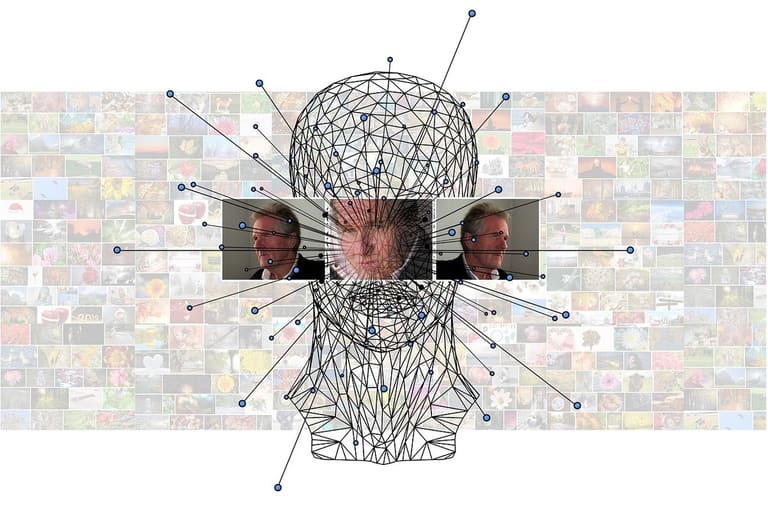
TensorFlow.js API browser-ML-ൽ visual recognition-ഉം develop ചെയ്യാൻ പുരോഗമമായ tools നൽകുന്നു. Pre-trained/Custom models — object detection, face recognition, image classification — ഡൊമെയ്ന് മുഴുവനും അളവിൽ. Security, healthcare, retail, entertainment — widespread, browser-based deployment; API increases accessibility.
Model pick: Ready-models — generic task; custom (trained) model — domain-special result. Training with labeled data, feature-learn. Transfer learning — huge-model-tune with small-dataset — quick, relevant output.
Sample Visual Recognition Application
- Object detection: Image objects label
- Face recognition: Identify people bio-data
- Image classification: Categorize photo (cat/dog/car)
- Emotion analysis: Facial expression sentiment
- License plate detection: Automated vehicle plate
- Product identification: Retail segment visual
Focus: model performance, accuracy, speed — browser loading time & inference speed user experience influence. Model compress/optimize for client speed. Security/privacy — user trust vital.
Browser-apps, TensorFlow.js-യിലൂടെ, platform independientes — mobile, low-power desktop benefit. Cloud vs local: speed & security favour local.
TensorFlow.js API ഉപയോഗിക്കുമ്പോൾ ശ്രദ്ധിക്കേണ്ട കാര്യങ്ങൾ
TensorFlow.js API ഉപയോഗിക്കപ്പെടുമ്പോൾ, success-critical factors — model performance, browser compatibility, data security, UX — ഉപേക്ഷിക്കരുത്. Wise practice less trouble-risk. Below are top things to focus:
Model optimize — speed, efficiency influence. Small/fast models for browser-UI. Use WebGL acceleration. Remove unneeded complexity — simple layer architecture.
Important tips
- Model size optimize
- Browser compatibility check
- Data privacy/security confirm
- User experience priority
- Monitor, improve performance regularly
Security/privacy: Client-side data — sensitive info extra care. Encrypt, access control, secure process-policy. Privacy policy transparency also key.
UX critical: Simple, clear UI, feedback system, continuous improvement; test in multiple device/browser.
Common issues & solutions:
| Issue | വിവരണം | Solution |
|---|---|---|
| Performance lag | Slow model or browser freezing | Optimize, use WebGL, small model |
| Browser compatibility | Different browser behaviour | Test, use compatible code/polyfill |
| Data security | Sensitive data client-processed | Encrypt, access control, secure policy |
| UX issue | Complex UI, difficult interactions | Simple UI, feedback, user testing |
വിജയകരമായ ML ബ്രൗസർ അപ്ലിക്കേഷൻ development-ൽ ടിപ്സ്
TensorFlow.js API ഉപയോഗിച്ച് perfect ML browser app ഉരവാക്കാൻ deep planning, right strategies അനിവാര്യമാണ്. Helpful tips, hurdles saling & best outcome below:
Data preparation core step. Clean, repair, augment — quality direct impact. Model accurate generalization, data-variety important.
Model select/train caution: right model, continuous validation with test data, regularize/optimize to avoid overfit — API flexibility. Tune optimizer/parameter for better result.
UX: Fast, frictionless, accessible app. Feedback mechanism, user-understanding enhance, device/browser wise testing — mass adoption.
Success Tips
- Data quality: Clean, well-prep data
- Model select: Fit-for-purpose ML model
- Hyper-parameter tuning: Optimized result
- Regularization: Prevent overfit
- Focus UX: User friendly, fast UI
- Browser testing: Multi-browser consistency
API-ഉപയോഗം development tips:
| Tip | വിവരണം | Importance |
|---|---|---|
| Data Preparation | Clean data for model | High |
| Model Selection | Purpose-fit മോഡൽ | High |
| Training process | Continuous validation | High |
| UX focus | Friendly, accessible UI | ഇടത്തരം |
ഉപസംഹാരം & ഭാവിയുടെ വഴികൾ
ഈ പോസ്റ്റിൽ, TensorFlow.js API browser-ML projects-ൽ best-practice, workflow, tools, integration ഉം ആഴപ്പെടുത്തിയാണ് ചിത്രം നൽകിയത്. JavaScript ML model development & deployment — server-centralized approaches-നു മാത്രം അന്യാധാനം; faster, privacy-oriented, realtime apps achieve ചെയ്യാം.
TensorFlow.js developed-apps web, mobile, desktop — cross platform adaptability. Wider audience & uniform UX. Especially image recognition, NLP, analytics vertical-ൽ API-നു ഭാവി നിറഞ്ഞു.
| Area | Sample Apps | Value |
|---|---|---|
| Healthcare | Medical image analytics, diagnosis | Fast diagnosis, personalized care |
| Education | Student performance prediction, personalized learning | Better learning outcome |
| Finance | Fraud detect, risk analyze | Loss prevent, better decide |
| Retail | Customer analytics, recommendation | Sales up, more satisfied client |
Future Steps:
- Deep dive: Explore API layers, optimization techniques
- Project build: Start small, scale up models
- Community connect: Contribute, learn via TensorFlow.js community
- Best practices: Study/train/deploy ML best practices
- Next-gen tech: Watch WebAssembly, WebGPU for ML acceleration
- Model conversion: Existing models browser-compatible with conversion tools
TensorFlow.js API makes ML web developer-accessible, unlocks smart, interactive web-apps; learn/master — competitive advantage, inventive potential!
പതിവ് ചോദ്യങ്ങൾ
TensorFlow.js API തുടക്കം ചെയ്യാൻ എന്ത് അടിസ്ഥാന അറിവ് വേരു?
ആദ്യം JavaScript ബസിക്ക്സ് മനസിലാക്കുക. Machinery learning, tensor, model, layer പോലുള്ള base concepts-ൽ ചൈയ്ക്കുക. Simple sample projects, tutorials — practically follow ചെയ്യൂ.
API-യുടെ മറ്റു ML tools-നേക്കാൾ ഏറ്റവും വലിയ ആനുകൂല്യങ്ങൾ എന്ത്?
Browser-ലായോ Node.js-ലായോ ML model കൈവയ്ക്കാം; server-side infra ഇല്ലാതെ user-നു direct realtime ML experience. Privacy, speed, infrastructure-less development; API-യുടെ major benefit.
API-ഉപയോഗിച്ച് ഇങ്ങനെയുള്ള ആപ്ലിക്കേഷൻ വർഗ്ഗങ്ങൾ എന്തെല്ലാം?
Image classifier, speech analysis, text categorization, recommender systems, AI-enabled games-പോലുള്ള web/mobile apps.
API-ഉപയോഗിച്ച് model train/craft എങ്ങിനെയാണ്?
Layer-architecture, activation pick, training data feed; iterative train, optimizer fine-tune — performance boost.
Visual recognition app-ലിൽ base steps എന്ത്?
Image-data collection/pre-process, model-build/load pre-trained, training, testing, result-user-display.
Performance problem-ഉം output-improve എങ്ങനെ?
Large model size, slow train, high resource consume — compress, data cleaning/pre-process, GPU enable, browser compatibility — all help.
Successful API project examples?
Google Teachable Machine; web-games, art projects — API live use-case plenty.
API-വികസനം & ML career advice?
Model optimization, broad browser-support, hardware acceleration. ML basics + API mastering, practice, open-source contribution, conference participation — career-progress priorities.