 Afrikaans
 Azərbaycan
 Bosanski
 Čeština
 Dansk
Dansk Deutsch
 English
 Español
 Filipino
 Français
 Hrvatski
 Indonesia
 Italiano
 Magyar
 Melayu
 Nederlands
 Norsk
Norsk Oʻzbek
 Polski
 Português
 Română
 Slovenčina
 Slovenščina
 Suomi
Suomi Svenska
 Tiếng Việt
 Türkçe
 Ελληνικά
 Беларуская
 Български
 Русский
 Српски
 Українська
 עברית
עברית اردو
اردو العربية
 پښتو
پښتو فارسی
فارسی አማርኛ
አማርኛ मराठी
मराठी বাংলা
বাংলা தமிழ்
தமிழ் ไทย
ไทย မြန်မာ
 한국어
한국어 中文
中文 日本語
日本語

WordPress ውስጥ የጽሑፍ ትራንስፎርም የድር ጣቢያዎ እቃውን ከአንድ ቦታ ወደ ሌላ ማንቀሳቀስ የበለጠ አስፈላጊ ሂደት ነው። ይህ የትውልድ መንደር አንጻር, ጣቢያ ማስተናገድ፣ የቅዱስ ማስታወቂያ ወይም ከልምድ ምህዳር ወደ ሕይወታዊ ማህደር የአስተማማኝ መረጃ መቀበል በርካታ የሚከሰቱ ምክንያቶች ሊኖሩ ይችላሉ። WordPress Import/Export መሣሪያዎች ይህንን ሂደት ደህና የሚያደርጉ የተሰራ ችሎታዎች እንደሆኑ ይጠቀሙ። በጠቅላላ, ለትርፍ አስፈላጊውን ጽሑፎች፣ ገጾች፣ አስተያየቶች፣ የተለያዩ የይዘት መስኮች፣ ካተጎሪዎችና ታጎቶችን XML ፎርማት በሚያስችል ይቀበሉ።
ከ ይዘት ትራንስፎርም መክፈቻ በፊት, የሚደረገውን ሂደት ፦ የጣቢያው ቆሻሻንና በፍፁም አስፈላጊነቱን በመንቀሳቀስ አስተዳደር ያድርጉ። ምን ይዘት ሚታሰር? ንቁ መሣሪያ ዝናቡ ነው? የሚቀጥዩት ጣቢያ ከዝናቡ ትክክለኛ ድጋፍ አለው? እነዚህ ጥያቄዎች ምስክር የሚሆኑ ረገድ ናቸው። የትክክል አስተዳደር አይኖርም በሚባለው ጊዜ የውሁዱ ጥፋት ወይም የጣቢያው አሳያ ልክ የትርፍ አገልግሎትን በደብድቡ ይከሰታል።
የአስፈላጊ አካላዎች መግለጫ
- የሚታሰሩትን ይዘት በጥንቃቄ ይመርምሩ።
- ተገቢ የ import/export መሣሪያውን ይምረጡ።
- የጣቢያውን ድሴት ይዘት ይቅጥሉ።
- ትራንስፎርም በ test አካባቢ ይያዙ።
- የሚያስፈልጉ ሞዴል ኦፕቲሞሊዎችን ያዙ።
በሂደቱ መካከል የሚጠብቁት አዲስ ኪነ ነገር የmedia ፋይሎች የማስተናገድ አቅም ነው። WordPress Import/Export መሣሪያዎች ኮንቴኑ አሰናክት በፋይሎች የቀደመውን ስልስል ያስተናግዳሉ፤ ግን አሉል ገደብ ያለው media ይኖራል አንዳንድ ጊዜ። ይህ ቀና አካላው በ FTP ወይም በሌላ ነገር በእጅ መቅረፍ የተሻለ ሁኔታ ነው።
ሂደቱ ከተጨማሪ ይደርሳል በጣቢያው አሳያ ይዘት ከሚስጠው ከተማረ፡፡ የ WordPress Import/Export ደህና እንዳስተማማኝ የሚያድርግ ያስችላል።
WordPress ለይዘት ትራንስፎርም ያስፈላጊዎት መሣሪያዎች
WordPress Import/Export ትራንስፎርም ሲደርስ ሊያገዙት ባለው ምፅአት ተወዳጅ መሣሪያዎች አሉ። ይህ የሚያደርጉት የ content migration ሂደቱን ቀላል ያደርጉት በቀላሉ የሚስቀመጡት የሚስተናፉት የተወዳጅ መሣሪያዎች ናቸው። እነዚህ መሣሪያዎችን በትክክል በመምረጥ, የአዲሱ ይዘት ውዱም በበለጠ ደህና ማዳከም እና ዘመናዊ ይዘትን በፍጥነት ማንቀሳቀስ ይችላሉ።
- የሚፈለጉ መሣሪያዎች ዝርዝር
- WordPress Import/Export Plugin (በአጠቃቋም ነው)
- All-in-One WP Migration (ለትልቅ site መንቀሳቀስ)
- Duplicator (አገልግሎትን እና site cloning)
- BackupBuddy (የድሴት backup እና restore)
- WP Database Backup (ለ database backup ብቻ)
- XML Files (ለእጅ content transfer)
በ WordPress ትራንስፎርም ሂደት ተወዳጅ import/export plugins, እጅን manual methods ወይም የራስ ባለሙያ software ማንበብ ይችላሉ። ይህ አምስት የተፈጠሩ የሚስተናፉት መሣሪያዎችን የሚፈልጉት ቀላል ያደርጉት በጥቃቅነቱ ታምቃም ነው። ሆኖም፣ ከሚጠየቁ አካላት ይዘት የበለጠ የተሻለ መሣሪያዎች አሉ።
| መሣሪያው ስም | መግለጫ | ተግባር ቦታ |
|---|---|---|
| WordPress Import/Export Plugin | የ WordPress የተዘጋጀ የ content አቅርቦት መሣሪያ | ጽሑፎች፣ ገጾች፣ ካተጎሪዎችና ታጎቶች |
| All-in-One WP Migration | ድር ጣቢያዎችን ሙሉ በሙሉ ማንቀሳቀስ | ትልቅ site, database transfer |
| Duplicator | site cloning እና migration ሲደርስ የተፈጠሩ | Test ከ live migration, backup |
| BackupBuddy | የተከበረ backup እና restore ችሎታ ይሰጣል | Full backup, disaster recovery |
እያንዳንዱ መሣሪያ የተለያዩ መንገዶችና መጠናከሪዎች ያሉበት አምስት የተሻለ ይዘት ወይም ጣቢያውን በማስተናገድ ፈላል ይችላሉ። All-in-One WP Migration በትልቅ site migration ላይ የትሌ, ነገር ግን በአኒቲ የተከበረ version አሉል የ backup የ limitation አልባት። Duplicatorም በ site cloning ቴክኒክ እጅግ ትልቅ የተቻለ ነገር ግን የተፈጠሩ የተማሪ ሙያ ሲደርስ ያልቀር ችሎታ አልወጣ። ለሁሉም ውዱም በትክክል ምርጫ አቅርቦት ይደርሳል።
ሲሞሩ የሚያዲቡ ጣቢያው ቁስ፣ ይዘት ዝናቡና ቴክኒክ ችሎታ ግንዛቤ ከወዲያው ብዙ ነገር የሚስበር ቄሮ አለ። ለተሞሮ አውት የወትምጠናከራቸው መሣሪያውን ቆማኝ ይጠብቁ። የጣቢያውን plugin compatibility እና የ WordPress version የሚስበር አስፈላጊ ቆም። የሚከተሉት ያልኩ ሞዴል ይቀናበር።
WordPress Import/Export በይዘት አውስት
WordPress Import/Export ችሎታ የዩዘት ይዘት አንዱ WordPress በሌላ ይል መያዣ ከፍተኛው ቀላል ነገር ነው። ባለፈው በምህዳር migration, backup ወይም test ማኅደር ማቀናበር በሚያገለግል መጠናከሪዎች ያስተካከላሉ። አንዳንድ ናፋሽ plugin ሳይኖሩ, የ WordPress እሴአት በጸደቀኝ ይዘት አውስት በ XML ይቀይሩ ይችላሉ።
ይህ ለትናንሽና መካከለኛ የጣቢያ ብዛት ስለሚያገለግል ነገር ይልቅ ተገቢ ነው። አንዳንድ XML ዎች ማካተል ፡፡ ጽሑፍ፣ ገጽ፣ የይዘት type፣ ካተጎሪ፣ ታጎቶች፣ አስተያየት ያስተካከላሉ።
| የይዘት አይነት | መግለጫ | ማኅበረው አይነቶች |
|---|---|---|
| ጽሑፎች | Blog post፣ article | አይደለም |
| ገጾች | Static page | አይደለም |
| Media | Images, videos, audio | አስተፋፋ |
| አስተያየት | Comment | አይደለም |
የማንቀሳቀስ መንገዶች
- Source WordPress ላይ admin login ያድርጉ።
- Tools ሞቄ የ Export Option ይጠቀሙ።
- ፈለጉትን ይዘት በ Export ይምረጡ (All Content, Posts, Pages).
- Export ነው ፡፡ XML file download አድርጉ።
- Target WordPress ላይ admin login ይደርሱ።
- Tools ሞቄ Import ይቀጥሉ።
- WordPress from the list ይምረጡ፣ Now Install እና Activate።
- Choose file ይጠቀሙ፣ የ download ያስታከቡ XML አገባበር።
- Author mapping, media importing ያስተካክሉ።
ነገር ግን, ይህ ችሎታ ውስጥ limitation አለው። Theme configuration፣ plugin dataና special fields ከይዘት የሚያገለግሉ አይኖሩም። ለትልቅ የ modal sites ባለሙያ plugin ወይም advanced process በመጠቀም አይኖሯቸውም። ነገር ግን, የትናንሽ content transfer ለ Import/Export የተከበረ function ነው።
WordPress Import/Export መሣሪያዎች የ content migration እንዲስቀመጡ የተሻለ ትክክለኛ መሣሪያዎችን የድር ጣቢያ አስተዳደሩ ውክልናን ያቀርባሉ። ትልቅ ጣቢያዎች ውስጥ advanced methods ይጠቀሙ፣ ግን ለውክልና የ WordPress small & medium sites መሣሪያዎች የማስተናገድ የመንገድ የተቻለ ነው።
WordPress ይዘት ትራንስፎርም ከመያዣ በፊት የሚWarning ቁስተናዎች
WordPress Import/Export ሂደት በአውት። የ contents migration ሃይል በተፈጠሩት ትክክለኛ የሚስበር ቅዱስ ነገር ነው። ይዘት ትራንስፎርም ውስጥ የተሻለ እና የተፈጠሩት ብዙ ትክክለኛ የ አካላት ጥያቄዎች አሉ።
የትክክል backup ማድረግ ጭፍጨፋ የሚስበር አስፈላጊ የሚቀናበር መሣሪያዎችን ይጠቀሙ። ትራንስፎርም በ ሞዴል ከውስጥ የሚስበር የአዲሱ ጣቢያ በ compatibility አስረዳድን። Themeና plugin updates compatibility ከ WordPress version የሚቺወጣ ቅዱስ ናቸው።
| ሊወሰኑት ነገሮች | መግለጫ | መቻል ፈነጠለት |
|---|---|---|
| ቅድመ መደብ | ውሁዱን ያስተናፉ። | Backup፤ ያስተናፉ። |
| Update | WordPress፣ theme፣ plugin በዘመናዊ version የተደሰበ ነገር | Latest ምርጫዎችን ያላቸው ይጠብቁ። |
| Compatibility | ትራንስፎርም መሣሪያዎችች ከጣቢያው የማስማማኝ ነገር | Test ቦታ compatibility ያድርጉ። |
| SEO Settings | SEO ስብስ ውስጥ የሚስበር ነገሮች | Permalinkና meta ያስተካክሉ። |
ትራንስፎርም አካባቢ በ Test ማህደር ደህና ይትክክሉ። ይህ ይዘት ተስተካክላል እና አስተያየቱን ትክክለኛ ያስተናግዱ። Broken linkና missing media የ User experience እና SEOን ወደኋላ የሚመልስ ነገር ነው።
- የማንቀሳቀስ ሊወሰኑት አጠናፊነቶች
- Full backup ያድርጉ፣ content ትራንስፎርም በፊት።
- Test environment ይጠቀሙ።
- Permalinksን ያስተካክሉ።
- All media files የቀደመውን እና የረመተውን ቅርብ ያስተካክሉ።
- Plugin የ compatibility አድርጉ።
- SSL certificate ይስተካክሉ።
SEO ቅርቦችን ያቀርቡ፤ permalinksን፣ meta descriptionን ያስተካክሉ። URL redirect (301 redirect) በፊትዎድ የተለያዩ URLስ ይዞ ድርሳትን ይስተካክሉ። WordPress Import/Export የተደሰበ ውዱም እየተደረገ አስተዳደሩ ነው።
WordPress ይዘት ትራንስፎርም በትክክል በሳቢማኝ እና ሰፊ ያሁኑትን ያደርጉ፣ውዱም የሚስበር የሚሳካ ፍተሻ ነገር አይትዘውም። እንዲሁም ተሞክረኛ ስለ ሆኑ የአስተዳደር ድጋፍ ሳይገፍጉ።
በ አውስት ማስተናገድ ከሚደረጉት ፍላጎቶች እና መፍትሄዎች
WordPress Import/Export ውክልና በድምቦች አካላት ጣቢያ ያተጎረበው በ ነገር ወቅት big data, incompatible plugins/themes, server resource shortage አስተዳደር የሚያደርጉ የተሻለ የተፈጠሩት ሂደቶችን ነው። ትክክል አስተዳደር በየአዎቹ መሣሪያ የጣቢያ ቅዱስነቱን በማመልከት ከህጅዎን።
- ችግኝና መፍትሔ
- Large file size: Large XML file፣ server timeout። File split የፍናት ድርሻ ወይም server configuration optimization ይችላሉ።
- Plugin incompatibility: Some plugins disrupt export/import። Identify plugin behind issue, disable others።
- አይደለም ውሁድ: Data loss/corruption possible። Regular backup፣ post-transfer validation።
- Server errors: Resource shortage (RAM/CPU) hinders migration። Upgrade server specs ወይም migration method change።
- Character encoding: UTF-8 mismatch causes content distortion። Configure database and files with UTF-8 only.
አገጬ የትራንስፎርም ሂደት የ media ቅርበት ፋይሎች procrastination እና mishandling የተቻለ ቅዱስነት ነው። Large media library ይዘት በ migration ጊዜ media plugin አቅርቦት ይረዳል። Media optimization የዘመናዊ site performance ኦፕቲሞሊዎች የታወቀ የሚስበር ነገር አይቆምም።
| Challenge | Root Cause | Solution |
|---|---|---|
| Import failure | Large size, timeouts, plugin incompatibility | Split files, optimize server, disable plugins |
| Missing media | File path error, permissions, transfer faults | Path correction, fix permissions, media transfer plugins |
| Character encoding errors | Charset mismatch, UTF-8 config absent | Set UTF-8 everywhere, database config check |
| Broken links | Site structure change, faulty redirects | Fix redirects, update links, verify permalinks |
አብዛኛውን በ WordPress content migration, large-complex site ላይ expert support እጅግ ይችላሉ። Professional migration, post-move support የትክክል ኦፕቲሞሊዎችን ይከትሉ። Migration ስራ የምርኮኝ አላባባት የሚስበር አይቆምም።
Post-migration full functionality test፤፤ forms, plugins, linksየጣቢያው አካላትን ያስተካክሉ። Early troubleshooting ከአጠቃቀም ቆይታ ይከሰታሉ።
በሙሉ WordPress Export/Import ሂደቶች
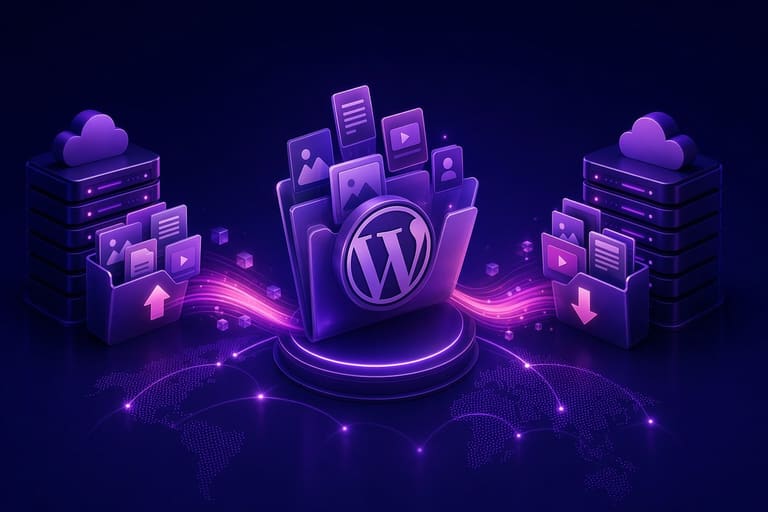
WordPress Import/Export ሂደት, siteዎን contentን ማንቀሳቀስ ወይም backup አውስት በተቻለ ቅዱስ። ለ site migration, backup፣ development sync የበለጠ ስፍራ አላቸው። ፍላጎቱን plugin ያደርጉ፣ advanced usersም manual migration ይችላሉ።
Migration process የፍላጎቱን ትክክለኛነት፣ backup፣ ግብዓትን maintain ያስቻሉ። Wrong migrationን site ወደሚስበር አቅምን ይወድቃሉ።
| Process | Description | Use Case |
|---|---|---|
| Export | WordPress data (posts, pages, media, etc.) export | Backup, migration, content sharing |
| Import | Exported data import to another site | Migration, restore, merge |
| Plugins | Tools for easier, feature-rich migration | Advanced backup, custom data transfer |
| Manual | Database/file transfer for expert users | Customization, large sites, unique cases |
WordPress tools የ ትክክለኛ የ ተሻለ አንፃፃፀ migration ቀላል ያደርጉት።
Export ሂደቶች
Exportን የሚያስተናግዱት XML file ውስጥ posts, pages, comments, custom fields, categories, tags የሚኖሩ። Selectively export posts, pages፣ etc የተቻለ ይህ አምስት migration ይደረጋሉ።
- Process የተፈጠሩት አስተካክል
- Speed: Export በ site size የሚስበር ረቃ እቃ
- Data integrity: Proper system reduces loss risk
- Ease: Built-in tool is user-friendly
- Customization: Advanced manual migration possible
- Plugins: Automation for better performance
Import ሂደቶች
Import ሂደት, exported XML file ያስተናግዱ WordPress siteዎችን። Content restore / migration የቻለ። Media files proper mapping በትክክል ያስተካክሉ። Media download/import option tick፦ Faster, less error.
WordPress Import/Export tools simplify migration and backup for all site owners.
በ WordPress Backup እና Restore ችሎታ
WordPress Import/Export tool, content migration እና backup/restore እንደ ልዩ ግንዛቤ የሚኖሩት መሣሪያዎች ናቸው። Site security, data loss prevention, regular backup በምክንያት አስፈላጊ ነገር። Tools ወደ backup፤ restore፤ partial data፣ full siteድሴት።
Backup, especially large siteዎች, mission-critical። Security breach, server fault, accidental overwrite– backup restores your site rapidly. Tools are user-friendly, even for tech novices.
- Backup Steps
- WordPress ውስጥ login ያድርጉ።
- Tools menu Export option ይጠቀሙ።
- Select desired export scope.
- Download .xml file.
- Store backup file securely.
Restore is as crucial as backup. Use WordPress import tool, upload .xml backup. Accurate mapping occurs automatically, fast site recovery.
| Tool Name | Features | Ease | Cost |
|---|---|---|---|
| WordPress Import/Export | Simple backup/import, XML export/import | High | Free |
| UpdraftPlus | Automated backup, cloud storage, restore | መካከለኛ | Free/Paid |
| BackupBuddy | Complete backup, transfer, customization | መካከለኛ | Paid |
| Duplicator | Site cloning, migration, backup | መካከለኛ | Free/Paid |
Regular backup is essential. WordPress Import/Export simplifies routine backup, risk mitigation. Store backups in multiple locations: local PC, external disk, cloud. In an emergency, rapid restore is possible.
Routine backup/restore testing is important. With WordPress Import/Export, site security is guaranteed; data loss risk minimized.
WordPress ውስጥ አስፈላጊ Advanced Content Migration ችሎታ
WordPress content migration አይደለም always simple Import/Export plugin. Large-complex sites, custom data structures, performance issues demand advanced techniques. Below, we focus beyond standard plugins, for optimization, precision, and performance.
Advanced techniques require more technical skill: database manipulation, custom scripts, API integration. For example, e-commerce sites: product migration, orders, user accounts—often need specialty scripts and advanced handling. SEO preservation, search ranking maintenance also deserve focus.
Sample table for advanced WordPress Import/Export methods:
| Technique | Description | When to Use | Required Skills |
|---|---|---|---|
| Direct database transfer | Copying database between servers | Large sites, custom DB layouts | DB management, SQL knowledge |
| WP-CLI usage | WordPress command-line migration | Tech-savvy users, batch content transfer | CLI, WP-CLI commands |
| Custom scripting | PHP, Python script for content migration | Custom data, complex scenarios | Programming (PHP, Python, etc) |
| REST API integration | Migration via WordPress REST API | Cross-platform data sync | API knowledge, HTTP protocol |
Advanced techniques boost flexibility, speed, reliability. But always backup; test in a sandbox before production. One mistake, total loss!
- Technique Comparison
- Direct DB transfer: fast, risky, demands DB expertise.
- WP-CLI: command-line efficient, tech skill needed.
- Custom scripting: full control, programming expertise required.
- REST API: flexible, cross-platform, more integration options.
- Third-party plugins: easy, but limited customization.
Security is non-negotiable. Protect DB passwords, API keys, sensitive credentials. Run migration over encrypted protocol (SSL) for data safety.
WordPress ውስጥ ለመጀመሪያው ተጠቃሚ የተሻለ ምክር
WordPress ለመጀመሪያው ተጠቃሚ ፈጣን-ውክልና በገርማ ነገሮች ይመሳሰሉ። WordPress Import/Export መሣሪያዎችን በመጠቀምና ምክር በመከታተል የተሻለ ማስተናገድ የሚቻለው ነገር ነው።
Theme selection: Visual appeal + functionality. Patience, steady progress!
Key plugins: Numerous free/paid plugins. Boost site functionality, SEO, security. Avoid plugin overload (site speed drops!) Install only what you need.
- Best Practice Checklist
- Configure core WordPress settings
- Select theme that suits your site purpose
- Install essential plugins, update regularly
- Create SEO-friendly content
- Routinely check site speed
- Take security precautions, backup often
Content creation: SEO (Search Engine Optimization) is vital. Research keywords, optimize for target audience. Catchy titles, proper meta, clean URLs—magnify your site’s listing in search engines. Unique content: traffic magnet.
Site security/backup: Strong passwords, security plugins, latest WordPress version. Routine backup. In case of issue, rapid restore ensures no loss.
የጽሑፍ ትራንስፎርም ሪካፕ እና ምክንያቶች
ፍላጎቱን የ WordPress content migrationዎችን ማስተላለፍ በተሻለ ዕድል ተመልከቱ። WordPress Import/Export tool usage, plugin optimization, advanced migration scenarios—all addressed herein. Data loss prevention strategies, migration optimization tips—now, practical action awaits.
Action steps for improved migration:
- Site audit: Assess content, structure, volume, strategy before migration.
- Choose tool: Select migration method most suited for your scenario.
- Backup: Always backup before migration. Recovery ensured!
- Test environment: Practice migration in sandbox/test site to spot issues.
- Content optimization: After migration, optimize images, internal links.
- SEO preservation: Permalinks, redirects (301) to avoid SEO loss.
Comparison of tools/methods:
| Tool/Method | Pros | Cons | Use Cases |
|---|---|---|---|
| WordPress Import/Export | Simple, easy, free | Limited features, not for big sites | Small-medium sites, basic migration |
| All-in-One WP Migration | Easy UI, big sites supported, backup | Free version file size limited, premium features paid | Medium-large sites, full migration |
| Duplicator | Site cloning, advanced backup, technical | Complex for beginners, manual config needed | Advanced users, cloning, server change |
| Manual DB Transfer | Full control, customizable, technical | Time-consuming, error-prone, experience needed | Advanced, custom, large-scale migrations |
Each site’s migration needs vary. Tailor above steps and tools to your context. Be patient; consult experts if needed. Successful migration boosts site performance and improves user experience.
Post-migration, test full site functions (forms, e-commerce, etc). Content migration is just the beginning! Optimize theme, SEO, and create a great new site environment for your users.
ብዙ የተጠየቁ ጥያቄዎች
WordPress ውስጥ content import/export አስፈላጊ ነው? ምን ዓይነት ዋጋ አለ?
Content import/exportም አስፈላጊ ነው፣ migration (server change), production, backup, sharing, loss avoidance—all needs satisfied.
የ WordPress ውስጥ አየት የትኛው ይዘት ማንቀሳቀስ/ማስተናገድ ይችላሉ?
Posts, pages, comments, custom fields, categories, tags, menus, optionally media. But theme, plugin configs rarely transferred; extra steps required.
Content transfer—common issues & solutions?
Missing media, broken links, encoding errors, file size too big. Workaround: manual media transfer, Search & Replace plugin to fix URLs, proper encoding (UTF-8), split big files.
XML file migration precautions?
Check file integrity, monitor file size vs server upload limit. Backup before import! Check error logs post-import, validate data.
Backup vs restore—what’s the difference? How does migration relate?
Backup: copy of site, for disaster recovery. Restore: put site back—using backup. Migration uses backup/import mechanics for moving between sites.
Free vs paid import/export plugins—main differences?
Free: basic, limited features. Paid: advanced customization, priority support, big site compatibility.
Domain change—what else should I update?
Update permalinks, DNS, SSL, Search Console address. If omitted, SEO drops.
Speed/migration improvement tips?
Chunk transfer, optimize media, server resources, disable caching. Reduce site traffic during migration.