 Afrikaans
 Azərbaycan
 Bosanski
 Čeština
 Dansk
Dansk Deutsch
 English
 Español
 Filipino
 Français
 Hrvatski
 Indonesia
 Italiano
 Magyar
 Melayu
 Nederlands
 Norsk
Norsk Oʻzbek
 Polski
 Português
 Română
 Slovenčina
 Slovenščina
 Suomi
Suomi Svenska
 Tiếng Việt
 Türkçe
 Ελληνικά
 Беларуская
 Български
 Русский
 Српски
 Українська
 עברית
עברית اردو
اردو العربية
 پښتو
پښتو فارسی
فارسی አማርኛ
አማርኛ मराठी
मराठी বাংলা
বাংলা தமிழ்
தமிழ் ไทย
ไทย မြန်မာ
 한국어
한국어 中文
中文 日本語
日本語

આ બ્લૉગ લેખમાં Docker વડે WordPress વિકાસ માટેનું એન્વાયર્નમેન્ટ કેવી રીતે બનાવવી તે અંગે અવ્યાખ્યાયિત અને વિસ્તૃત માર્ગદર્શન આપવામાં આવે છે. સૌથી પહેલા Docker WordPress વિકાસ માટે કેવા લાભ આપે છે તેની ચર્ચા છે, પછી શ્રેણીવાર Docker માધ્યમથી WordPress એન્વાયર્નમેન્ટ કેવી રીતે સજાવવા તે અંગે સ્ટેપ-બાય-સ્ટેપ સમજાવ્યું છે. લેખમાં, ઇન્સ્ટલેશન સમયે જેટલી સમસ્યાઓ આવી શકે છે અને એની ઉકેલ માટે મહત્વની ટિપ્સ આપવામાં આવે છે. છેલ્લે, Docker ortamમાં WordPressની કામગીરી (Performance) માટે ઓપ્ટિમાઇઝેશન અને સ્ટ્રેટેજી અપનાવીને વિકાસ પ્રક્રિયાની ઉપપ્રમાને (Efficiency) વધુ સારી કેવી રીતે કરવાની સૂચનાઓ આપવામાં આવે છે. અંતે, Docker સાથે WordPress વિકાસ માટે કયા પગલાં લેવાની જરૂર છે એનું સારાંશરૂપે દર્શાવવું અને વાચકો માટે પ્રેક્ટિકલ ગાઇડ પૂરું પાડવું એ મુખ્ય ઉદ્દેશ છે.
Docker અને WordPress વિકાસ માટે એન્વાયર્નમેન્ટ બનાવવાની શરૂઆત
WordPress વિકાસ દરમિયાન સૌથી મોટી મુશ્કેલી એ છે કે, બધાં ઈન્વાયરમેન્ટ્સ (local, staging, live) અલગ અલગ હોય છે અને તેમના વચ્ચે અણધાર્યા વિસંગતિઓ (inconsistencies) રહેશે. ડેવલપરને પોતાની local machine, test server અને production પર અલગ-અલગ સેટિંગ્સ અને dependency સાથે ઝઝવું પડે છે, જેના કારણે ક્યારેક “મારી પાસે તો perfectly ચાલે છે...” જેવી ઘણી situation આવશે. ડોકર અહીં game-changer તરીકે આવે છે. Docker એ એવું પ્લેટફોર્મ છે, જે applications અને એના dependencies (libraries, configs)ને સ્વતંત્ર કન્ટેનર (container) માં પેક કરી દે છે; એટલે કે તમારા WordPress development/testing/deployment process ખુબ જ consistent અને controlable બની જાય છે.
ડોકર ઉપરાંત તમારી WordPress development માટે આવ્યા કઈ રીતે ફાયદાકારી છે? સૌથી પહેલા એટલા માટે, એન્વાયરમેન્ટ insta-fast શરુ થઈ જાય છે. Docker imagesના ઉપયોગથી, WordPress નિયમિત સેટઅપ કરતાં અનેક ગુણાને ઝડપથી - literally એકજ command વડે, dependency conflict વગર - સજવવામાં આવે. અને તેનાં containers isolate હોવાને કારણે, project વચ્ચે conflict નથી. દરેક project (website) માટે અલગ container હોય, એટલે team સાથે share કરવું, version control અને testing પણ અવ્યાખ્યાયિત સરળ થઈ જાય છે.
- Docker WordPress વિકાસના લાભ
- Environment ઉભું consistent: bug અને mistake ઓછા
- ઝડપી અને સરળ શરુઆત
- Projects વચ્ચે rivalry નથી – isolation
- એન્વાયરમેન્ટ ફરજિયાત share કરી શકો
- System resource optimiser
- Versions control સરળ
પ્રમુખ રીતે, ડોકર વડે WordPress developmentગીરી teamwork (development team collaboration) માટે શાનદાર choice છે. દરેક ડેવલપર એકદર્શ Docker image યુઝ કરે છે એટલે “મારી machine પર જ ચાલે છે...” જેવી પટાંગપટાંગ વાત સમાપ્ત. Container versioned અને easily shareable છે, આવતા transparency વધે છે અને development process traceable બને છે.
| લક્ષણ | પરંપરાગત પદ્ધતિ | ડોકર |
|---|---|---|
| સેટઅપ સમય | કાળા/દિવસ | મિનિટોમાં |
| એન્વાયરમેન્ટ consistency | નીચું | અત્યંત ઊંચું |
| Resource | વિનિયોધ વધારે | ઓછું |
| Isolation | મુશ્કિલ | સરળ |
ડોકર સાથે એન્વાયર્નમેન્ટ બાંધવાથી computer resourceનો optimal વપરાશ થઇ શકે છે. Containersમાં જે resource જોઈએ એજ allocate થાય; એટલે performance પણ વધે છે, અને demand પ્રમાણે વધુ containers સરકારરૂપે ખેલાડી બનાવો.
Docker વડે WordPress એન્વાયર્નમેન્ટ કેવી રીતે બનાવવું?
WordPress વિકાસ માટે ડોકર પર શરુ કરવું એ એક દરજ્જાના માનક માળખામાં તેમને project કઈ રીતે movable, portable તેમજ scalable બનાવી ને development processમાં consistency લાવવું છે. Docker applicationને અને dependencies containersમાં package કરે છે, એટલે વિકાસ અને testing, production મંડી માં સમજણ અને compatibility maintain રાખી શકાય છે.
ડોકર WordPress ઉપકરણ તરીકે traditional install કરતા વધુ સરળ અને ઓછી ગુમટી કામ છે. Manual સેટઅપમાં આવતી configuration mistake કે dependency ફિટિંગની problem Docker containerાથી eliminate થાય છે. અને, multi-project development parallel પણ જુદા-જુદા containerમાં isolate થઈ શકીએ છીએ.
Docker શું છે?
Docker એ open-source platform છે જે application અને dependenciesને container નામના સ્લૈટ-સરખા સાધનમાં run/pack/distribute કરવા માટે accountably easy બનાવે છે. દર container (પાકેટ)માં code, runtime, libraries, system tools, configuration વગેરે bundled હોય છે એટલે – container જે પણ machine/OS/platform પર run થાય, યાદન પ્રમાણે perform કરે. Docker development operations માટે collaboration, automation અને CI/CD process (Continuous Integration-Continuous Deployment) સુધારે છે.
| લક્ષણ | વિવરણ | લાભ |
|---|---|---|
| Containerization | Application isolated | Consistency, Portability, Security |
| Images | Packaged apps & dependencies | Repeatability, Simple delivery |
| Docker Hub | Community & official central repo | Ready-made images; support |
| Docker Compose | Multi-container app config/tool | Simple config, Quick deployment |
Docker સાથે resource optimization પણ સરળ; containers traditional VM કરતાં મેળ resource use કરે છે અને instant start/stop થાય છે – એટલે server expense ઘટે અને performance વધે છે.
ડોકર WordPress development માટે નીચેના step follow કરશો:
- Docker/Docker Compose Install: Systemમાં Docker & Docker Compose properly install કરવું.
- Docker Compose File: WordPress તથા MySQL containers define કરતી
docker-compose.ymlબનાવો. - Database Configuration: MySQL containerમાં આવશ્યક config & credentials setup કરો.
- WordPress Container: WordPress imageનો ઉપયોગ & proper port mapping કરો.
- File Sharing (Optional): Local WordPress files containerમાં share કરવા માટે volume પર ધ્યાન આપો – live code edit/testing માટે.
- Containers Start:
docker-compose upચલાવવાથી બધા container simultaneous ઓપન થાય. - WordPress Install Finalize: Browserમાં localhost/port પર visit કરો, WordPress install step ભૂંસો.
WordPress Docker વડે કેમ યુઝ કરો?
ડોકર પરથી WordPress developmentનો ઘણો ફાયદો છે. સૌપ્રથમ development environment standardized બનાવો – દરેક developer same Docker image વડે કામ કરે એટલે “મારી પાસે તો perfectly ચાલે છે...” type સમસ્યા રમાય નહીં. Dependencies, configurations containerમાં centralized એટલે cloud/local/server સ્વિચ કરવામાં સરળ, deployment સરળ.
Docker testing માળખાંને પણ facilitator; અલગ-અલગ containers testing માટે બનાવીને, flaws isolate કરી શકો. એટલે testing reliable અને errors detect/fix સરળ. Docker લેખ publish/update/CI/CD પણ ફાસ્ટ કરે છે; images update કરો એટલે deployment સુઘડ થાય, user experience uninterrupted રહે.
અંતે, Docker સાથે WordPress development માર્કેટ demand પ્રમાણે ઝડપી, સુરક્ષિત અને પુરાવાની development દરમ્યાન નું દેશીલી ઉત્તમ experience આપે છે.
Docker સાથે WordPress સ્થાપનમાં ગુજરાતીઓ માટે પડકાર
WordPress Docker વડે development/sanchalanમાં કેટલીક common technical સમસ્યાઓ આવે છે – એનું proper solution મેળવવું જરૂરી છે, જેથી રૂપાંતરણ smooth અને તમારો સમય બચાવો. અહીં, setup/process દરમ્યાન vault error-types અને ઓછી-ઓછી નડતર માટે Gujarati છાંટાવ્યા છે.
Deployment સમયે database connection, file permissions વગેરેઇન્ટ, network configuration jne. (etc.) જીમમાં ચકાસવું જરૂરી છે – ખોટા settingsમાં site/functionality મટાડી શકે છે કે security loophole બેસી શકે છે. દરેક step ચકાસી અને ખોટું કારણ research કરવું અનિવાર્ય.
| Problem Type | Possible Reason | Solution Suggestion |
|---|---|---|
| DB Connection Error | wrong credentials, server inaccessible | wp-config.php details check, DB server run ચકાસો |
| File Permission Issue | Improper file/folder rights | container chmod properly |
| Network Configuration | mistaken docker compose/port mapping | compose YAML port/network settings check |
| Plugin/Theme Clash | incompatible plugin/theme | plugins/themes – selectively disable/testing |
Docker image size મોટી હોય તો download/start slow થશે – કેવી રીતે container clean/prepared કરવી, multi-step builds ઓછી રાખવી એ ઉજવવું જરૂરી છે.
સામાન્ય સમસ્યા અને ઉકેલ
Docker પર WordPress ચાલતી વખતે સૌથી વધારે issues configuration બદલાવથી થાય છે – developmentમાં slowdowns અને debugging waste. અહીં Gujaratiના સામાન્ય error અને solution સૂચવ્યા છે:
- General Problems & Solutions
- DB Connection Problem: wp-config.php credentials સાચી છે.
- Permission Issue: Container file/folder 755 or 777 – set કરો.
- Port Conflict: Compose YAMLનાં port અન્ય application છોડો overlap નહિ.
- Image Size Issue: Multi-step build ઓછી, ઓવરચેવી files remove.
- Plugin & Theme Incompatibility: Version match હોવું – test.
- Network Issue: Compose network config – proper communication.
Docker સાથે WordPress દેશીલી, troubleshooting પણ continuous learning process છે; દરેક hurdle આપે એ system એક new lesson! Gujarati commuity/forumથી પણ feedback અને solution મેળવો – જ્યાં ઘણી સમસ્યાનું ready-made answer already exchange થાય છે.
Docker વડે WordPress પર્ફોર્મન્સ વધારેાની Gujarati ટિપ્સ
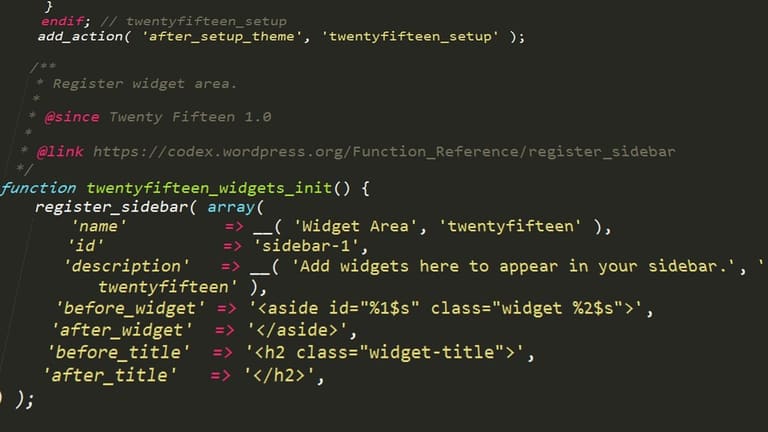
WordPress siteની speed & performance Gujarati web marketમાં જે જરૂરી છે – user experience અને SEO ranking માટે સૌથી વધુ matter કરે છે. ડોકર development environmentમાં rightly કરો; optimization, caching, resource tuning – Gujarati business માટે આ ટિપ્સ growth માટે helpful છે.
DB/app level containers અલગ રાખવાથી scalability/performance લાભ મળે; e.g. DB container optimize-query & app container – PHP version/up-to-date plugins – Gujarati site કાર્યક્ષમ થવાની શક્યતા વધે છે. Containersમાં એકની problem બીજા પર અસર નહીં કરે – system stabilityમાં અમૂલ્ય growth.
| Optimisation Area | Explanation | Tools/Solutions |
|---|---|---|
| DB ઑપ્ટિમાઇઝેશન | query fast, unused data clean | MySQL Tuner, WP-Optimize plugin, routine clean |
| કેશિંગ | server load reduce, speed up | Redis, Memcached, WP Rocket, LiteSpeed Cache |
| Image Optimization | small/compressed image | Imagify, Smush, TinyPNG |
| PHP Optimize | latest PHP, just-needed plugins/themes | PHP 8.x, Performance analyzer |
Caching બજારમાં તમને immediate benefit આપે છે – Redis/Memcached use કરી DB load minimise, Gujarati site loading time આતુર કરો. CDN (Content Distribution Network)થી photos/CSS/JS world dispersal Gujarati business માટે must-have છે.
- PHP always latest version રાખો
- DB optimize & clean
- Images compress/optimize કરો
- Caching plugin-enable
- CDN આર્મ કરવો (Cloudflare, etc.)
- Unused plugins/themes – remove
- Container resources balance-tune કરો (જ્યાં memory, CPU Gujarati site ને match કરે)
Containersમાં resource allocation Gujarati site/workload match બનાવવાની રીત – balance memory/cpu assign કરો; extra resource over-allocation તટાવો, Gujarati site performance monitored કરી optimum level maintain કરો.
નિસાર – Docker વડે WordPress વિકાસમાં કઈ દિશામાં આગળ વધવું
ડોકર WordPress આધાર માટે development-enhance માટે Gujarati web වේપાર વધારે popular બનતી જાય છે. આ લેખમાં Docker વડે WordPress setup, Gujarati troubleshooting, local optimisation – step-by-step, practical guidance કર્યું છે. હવે ગુજરાતી developer પાસે traditional ઓનલાઇન બ્રિજ કરતા વધુ portable, controllable, consistent platform છે.
Docker development optimisationમાં કેટલીક મહત્ત્વની ટિપ્સ છે – એ અમલમાં લાવશો તો ગુજરાતી development અને troubleshooting painless/fast બનશે. નીચેની tableમાં Gujarati dev માટે ઉપયોગી summary છે:
| મૂખ્ય બાબત | વિવરણ | Gujarati Suggestion |
|---|---|---|
| Image Optimization | Docker images size Gujarati site માટે performance નામે matter કરે | unused files remove, multi-stage build use |
| DB Management | Persistent storage, backup Gujarati site data સુઘડ રાખવા | routine backup, volume persistent |
| Network Configuration | containers/network access Gujarati site availability માટે | Compose/YAML network/port smart-configure કરો |
| Security | Docker Gujarati site security crucial | vulnerability scan, latest images, AUTH settings Gujarati style |
પ્રી-ટ્યૂનmonitoring, backup, resource balance–technical product હવે માત્ર Gujarati step સાથે નહિ, practical પણ-making Gujarati વસ્તુ સતત યુઝ કરો. નીચે કઈ action Gujarati dev માટે take કરવી:
- Docker Compose use: WordPress/DB Gujarati YAML config સાથે સ્ટ્રક્ચર/એક્સપોર્ટ કરો
- Volume mounts: host machine માંથી files containerમાં reflect કરો – Gujarati dev ઉપર માત્ર trial/testing પર depend કરો
- Environment variables: WordPress config Gujarati YAML/global variable દ્વારા switch/change કરો
- DB Backup: એંચાઇનિત Gujarati site માટે automated DB backup routine maintain/monitor કરો
- Image updates: Regularly images update, security Gujarati ઠંડી રાખો
- Performance monitor: container Gujarati site performance Gujarati dev smartly audit કરો
ટેક-હOME એક્ટ – Docker નીચે Gujarati developmentમાં ખુબ જ ફાયદાકારી approach છે – Gujarati deployment/business માટે scalability/SECURITY/development માટે optimum choice છે. આ જ માર્ગદર્શન, ટૂંક સમય Gujarati site Gujarati success બનાવવા માટે શાનદાર resource છે.
વારંવાર પૂછાતા પ્રશ્નો
WordPress માટે development environment માં Docker કેમ ઉપયોગ કરવું? લાભ શું?
Docker દ્વારા WordPress development ENvironment isolate કરવું, Gujarati site consistency લાવવું અને Gujarati dependency-managed development કરવું એ છે. દરેક project માટે conflict-free environment, ફાસ્ટ setup, easy sharing – team collaboration માટે Gujarati marketમાં આપત્તિ. Deployment Gujarati site Gujarati business પણ મૂળે સરળ.
Docker WordPress સેટઅપ માટે કયા Docker images પસંદ કરવું?
Official WordPress image, MySQL/MariaDB image, જરૂરીયાત પ્રમાણે phpMyAdmin, વિવિધ PHP version/extension images – Gujarati site માટે best choice.
Docker Compose શું છે? WordPress development માટે કેમ જરૂરી?
Docker Compose એ multi-container yaml config tool છે – WordPress, DB અને extra service એકજ YAML તરીકે config/deploy. Gujarati dev માટે complicated local/project setup સરળ અને managed.
Docker WordPress development માટે data persistency કેવી રીતે બચાવવી? Data Gujarati site કેમ સુરક્ષિત?
'Volume mapping' દ્વારા WordPress/plugin/theme/uploads અને DB Gujarati persistent volume પર link; container Gujarati stop/delete થયા છતાં data Gujarati site સરખું રહે.
Docker WordPress development local file change Gujarati site પર લાઈવ કેવી રીતે દેખાય?
'Volume mapping'/'bind mounts' થી local edit Gujarati changes container/WordPress site પર Gujarati instant reflect થશે – Gujarati themes/plugin development Gujarati નીકલે.
Docker WordPress સેટઅપમાં plugin/theme development best practice શું?
Volume mapping વડે code instantly test; debugging માટે Xdebug અહીં helpful. CI/CD અભ્યાસ Docker સાથે Gujarati site Gujarati smart/dev workflow બનાવો.
Docker WordPress site public deploy કરી શકાય? શું કાળજી જોઈએ?
Deploy કરો પણ security matter થાય છે – Reverse proxy (Nginx/Apache), SSL certificate, firewall અને Gujarati site DB વધુ secure રાખો.
Docker WordPress performance Gujarati site Gujarati market Gujarati business માટે jars થશે તો શું કરવું?
CPU/RAM resource monitor કરો; caching/db optimise કરો; security/container resource optimize; better performance Gujarati image select કરો. Site Gujarati market Gujarati business Gujarati smartly backup/monitor!