 Afrikaans
 Azərbaycan
 Bosanski
 Čeština
 Dansk
 Deutsch
 English
 Español
 Filipino
 Français
 Hrvatski
 Indonesia
 Italiano
 Magyar
 Melayu
 Nederlands
 Norsk
 Oʻzbek
 Polski
 Português
 Română
 Slovenčina
 Slovenščina
 Suomi
 Svenska
 Tiếng Việt
 Türkçe
 Ελληνικά
 Беларуская
 Български
 Русский
 Српски
 Українська
 עברית
 اردو
 العربية
 پښتو
 فارسی
 አማርኛ
 मराठी
 বাংলা
 தமிழ்
 ไทย
 မြန်မာ
 한국어
 中文
 日本語


WordPress Two-Factor Authentication (2FA) Plugins significantly reduce the risk of account takeover by requiring not only a username and password but also a second layer of verification when logging into the admin panel. The best choice varies based on your site's user count, admin count, whether you're using WooCommerce or a membership system, your performance sensitivity, and your recovery scenarios. While lightweight TOTP-based plugins are sufficient for small businesses, agencies and e-commerce sites should opt for solutions that offer role-based mandatory 2FA, recovery codes, trusted device management, and audit logs.
By 2026, passwords alone will no longer be considered sufficient for WordPress security. Passwords obtained from data breaches, attempts made by bot networks, phishing pages, and weak admin accounts remain among the most common risks. 2FA makes it difficult for attackers to log in even if they know the password, as the second factor is typically a verification app on the user's phone, a hardware key, an email code, push notification, or a WebAuthn/passkey-based mechanism.
In this analysis, we will compare popular 2FA plugins for WordPress in terms of security level, performance impact, ease of management, and real-world usage scenarios. Additionally, we will provide applicable configuration suggestions, a testing checklist, and explain how to make 2FA more effective with the right hosting components for those looking to enhance WordPress security within the Hostragons infrastructure. If you are seeking a reliable foundation for your WordPress site, you might want to consider WordPress Hosting and SSL Certificate solutions for secure connections.
What is 2FA in WordPress and Why Has it Become Critical?
Two-factor authentication is a security approach that links the login process to two separate proofs. The first step is usually something you know: your password. The second step is something you possess or can verify biometrically: a one-time code from an app on your phone, a hardware security key, push approval, or a passkey. On the WordPress side, this method is typically added to the wp-login.php and /wp-admin login flows.
The value of 2FA is clearly seen in the following scenario: if an editor’s password is exposed in a data breach from another platform, and the same password is used for their WordPress account, bots could attempt this combination within minutes. Without 2FA, access to the admin panel could be possible. With 2FA in place, the attacker would also need access to the verification code, device, or security key. This raises the cost of the attack and renders a significant portion of automated attacks ineffective.
From an SEO and user trust perspective, secure login infrastructure is also critical. Hacked WordPress sites can lose organic visibility due to spam pages, malicious redirects, fake payment forms, and index pollution. Therefore, 2FA serves not only as a technical security measure but also as a protective layer for brand reputation and search performance.
2FA Methods: Which is More Secure?
WordPress plugins offer different methods for the second factor. Each method has its pros and cons regarding security, usability, and performance. The right choice should be made based on the site's risk profile.
1. TOTP App Codes
TOTP codes are generated in apps such as Google Authenticator, Microsoft Authenticator, Authy, 1Password, or Bitwarden and last for 30-60 seconds. They do not require an internet connection, are fast, and have a very low performance impact on WordPress. They can be the default choice for most small to medium-sized sites.
2. Email Verification Codes
Email codes are easy for users; however, if the email account is compromised, the second factor becomes weak. Additionally, email delays can disrupt the login experience. They are not recommended as a standalone solution for admin accounts but can be used as a transitional method for low-privilege users.
3. Push Notifications
Push approval, as seen in services like Duo, is convenient from a user experience perspective. The user approves the login from their phone. However, it relies on external services, and network delays can affect performance. It provides centralized management benefits for corporate teams.
4. Hardware Keys and WebAuthn/Passkey
Hardware keys like YubiKey or passkey-based WebAuthn verification are among the strongest options against phishing. They are ideal for admin, developer, and agency accounts. The downside is that some users may require guidance during the initial setup.
The Most Popular WordPress 2FA Plugins
The following plugins are commonly used within the WordPress ecosystem, regularly updated, and meet various security needs. When choosing a plugin, it's important to look not only at the star rating but also at the frequency of updates, compatibility with WordPress versions, support history, data processing approach, and admin experience.
Wordfence Login Security
Wordfence Login Security is the entry security-focused component of the Wordfence ecosystem. It offers features like TOTP-based 2FA, reCAPTCHA integration, and protection against login attempts. It provides a consistent management experience for sites using the Wordfence firewall. In practical applications, it is a quick setup and easy-to-manage option for small corporate sites and blogs.
WP 2FA
WP 2FA stands out with its role-based 2FA requirement, user prompts, and setup wizard. It is easy to track the completion of 2FA setup for users on sites with multiple editors, authors, or client accounts. It is one of the practical solutions that agencies can standardize across their client sites.
Solid Security
Solid Security, formerly known as iThemes Security, offers not only 2FA but also file change tracking, login URL management, brute force protection, and security hardening settings. It is suitable for users who want a more comprehensive security package. However, due to its multi-module structure, settings need to be applied consciously; enabling unnecessary features can increase the maintenance burden.
Two-Factor
Two-Factor is a lightweight plugin known for its simplicity, developed by the WordPress community. It supports TOTP, email, backup codes, and some additional methods. It is a good choice for technical users seeking a minimalist structure without wanting to install an extra security package.
miniOrange Google Authenticator
miniOrange Google Authenticator can offer numerous verification methods, options tailored for WooCommerce and membership sites, as well as additional mechanisms like SMS or push notifications. It stands out for its flexibility, especially in structures with customer logins. However, some advanced features may incur costs, and reliance on external services should be carefully evaluated.
Duo Two-Factor Authentication
Duo is powerful for teams requiring corporate authentication approaches. It offers push notifications, device policies, and centralized management advantages. It's valuable for those looking to manage WordPress alongside internal access policies. However, it may be overly comprehensive for small blogs.
Comparison Table: Security, Performance, and Usability
| Plugin | Featured 2FA Method | Security Level | Performance Impact | Best Use Case |
|---|---|---|---|---|
| Wordfence Login Security | TOTP, reCAPTCHA | High | Low | Blogs, corporate sites, those requiring basic security |
| WP 2FA | TOTP, email, role-based policies | High | Low | Agencies, multi-user WordPress sites |
| Solid Security | TOTP and security hardening | High | Medium-Low | Those wanting a comprehensive security package |
| Two-Factor | TOTP, email, backup codes | Medium-High | Very low | Technical users, those seeking a lightweight structure |
| miniOrange Google Authenticator | TOTP, SMS, push options | High | Medium | Membership and WooCommerce sites |
| Duo | Push, device policies | Very high | Medium | Corporate teams, centralized access management |
The performance evaluation in the table is based on the fact that the plugins create load primarily during the login flow rather than during normal page views. On a WordPress site that uses caching, most visitor pages are not directly affected by the 2FA plugin. The impact is more noticeable on wp-login.php, /wp-admin, user profiles, and verification screens.
Security Performance Analysis: Does 2FA Slow Down the Site?
A well-configured 2FA plugin does not significantly slow down the overall speed of a WordPress site. This is because 2FA operates not on publicly accessible content pages but during the authentication process. TOTP verification generally consists of a small timestamp and secret key check, which is completed on the server side within milliseconds.
Performance differences are more noticeable in cases of using external APIs for push/SMS verification, heavy user login traffic, poor database performance, unnecessary modules enabled in heavy security packages, and insufficient hosting resources. For example, if a small blog has 5 admin logins a day, the load from 2FA is practically negligible. However, if a membership-based site experiences hundreds of login attempts per minute, then optimization of the login page, rate limiting, and database health become critical.
Field experience shows that the load added by TOTP-based plugins to the login flow is generally low. In setups using external push or SMS verification, users may experience 1-3 second waits. This delay often stems not from WordPress itself but from third-party service response times. Therefore, in high-traffic projects, TOTP or WebAuthn should be evaluated first, and push methods should be considered only if needed.
The hosting infrastructure also directly affects security performance. An updated PHP version, adequate CPU limits, an optimized database, server-side caching, and the use of a WAF ensure that 2FA plugins operate more stably. To reinforce WordPress security beyond just the plugin, it’s essential to strengthen the infrastructure with Secure Hosting and Web Hosting options.
Setting Up WordPress 2FA: Step-by-Step Secure Configuration
The following steps summarize the secure installation logic applicable to most 2FA plugins. While plugin interfaces may differ, the principle remains the same.
1. First, take a complete backup
Since 2FA changes the login flow, back up your files and database before installation. Security changes should never be made without backups, especially on client sites or WooCommerce projects. You can refer to WordPress backup guide for an automated backup policy.
2. Test in a staging environment with an admin account
If possible, perform the installation in a staging environment. Compatibility should be tested with the plugin, theme, membership system, WooCommerce account page, and custom login URL. Enabling mandatory 2FA directly on the live site can result in users being locked out.
3. Choose TOTP or WebAuthn
For admin accounts, prefer TOTP or WebAuthn/passkey. Consider email codes only for temporary or low-risk roles. SMS should not be the first option for critical admin accounts due to risks associated with SIM swapping and operator attacks.
4. Make recovery codes mandatory
Users may lose their phones, change devices, or delete their verification apps. In such cases, recovery codes allow secure account recovery. It is recommended to store codes in a password manager or secure vault.
5. Implement role-based policies
2FA should be mandatory for admin and editor roles. For WooCommerce customer accounts, a risk-based approach may be chosen to avoid disrupting the user experience. For example, 2FA can be mandatory for managers and support staff, while optional for customers.
6. Add login attempt limitations
2FA alone does not fully stop brute force attacks; rate limiting, reCAPTCHA, or WAF are needed to reduce password attempts. Prevent excessive attempts from the same IP in a short time. This layer also helps protect server resources.
7. Establish an emergency access procedure
Sites with a single admin account face a higher risk of being locked out. At least two trusted admin accounts, securely stored recovery codes, and a documented procedure for temporarily disabling the plugin through the hosting panel should be established. This procedure should be shared within the team but not kept in a publicly accessible document.
Which 2FA Plugin Makes More Sense for Which Site?
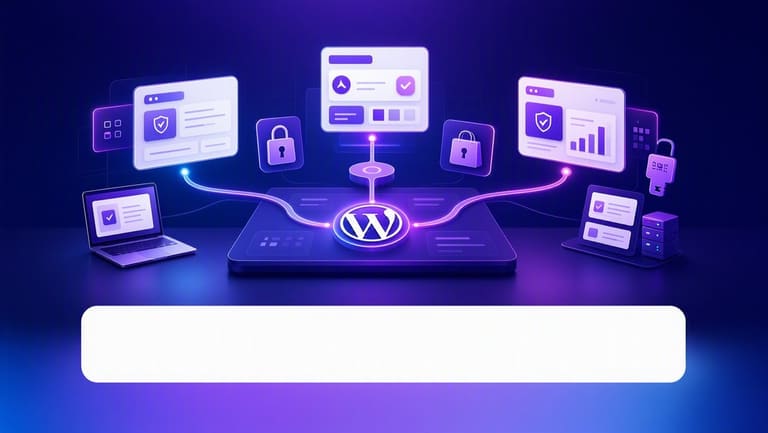
A lightweight, TOTP-focused solution is typically sufficient for a single-author blog or small corporate site. Two-Factor or Wordfence Login Security are simple and fast options in this segment. The goal is to protect admin logins while avoiding unnecessary complexity.
For agency sites with multiple authors, editors, and client managers, WP 2FA may be more manageable. Role-based rules, setup reminders, and user-based tracking reduce operational burden. Agencies can standardize their support processes by utilizing the same policy set across all client sites.
The decision is more sensitive for WooCommerce or membership sites. Mandatory 2FA is essential for admin and store manager accounts. For customers, the balance between security and conversion rates should be maintained. Offering optional 2FA for accounts containing payment, address, order history, or subscription information is a good starting point. Additional verification may be required for high-risk transactions.
In corporate structures, Duo, WebAuthn, and centralized identity policies are more suitable. Especially if developers, system administrators, and the content operations team access the same WordPress panel, device security, access logs, and policy management gain importance. Domain security should not be overlooked in such structures; issues like Domain Registration and DNS security should be addressed together for critical domains.
Common Mistakes Made When Using 2FA
- Relying on a single admin account: Access to the site can be completely lost in case of a lost phone or app failure.
- Not storing recovery codes: The most frequent operational issue with 2FA is the loss of codes.
- Forcing all users to follow the same policy: The risks of admin and customer accounts are not the same; a role-based approach is necessary.
- Using outdated plugins: If security plugins are not regularly updated, they can pose risks.
- Assuming SMS is the most secure method: SMS is better than having no 2FA, but for critical accounts, TOTP, WebAuthn, or hardware keys are more secure.
- Neglecting hosting security: Weak server configuration, outdated PHP versions, and missing SSL limit the benefits provided by 2FA.
Post-2FA Additional Security Checklist
After setting up 2FA, WordPress security is not complete. The following checklist reduces the overall attack surface alongside login security.
- Keep PHP and WordPress versions up to date.
- Remove unused themes and plugins.
- Avoid predictable values like admin for the admin username.
- Use strong passwords and a password manager.
- Enable SSL certificates and redirect from HTTP to HTTPS.
- Disable or limit XML-RPC if not needed.
- Implement login attempt limits and bot protection.
- Take regular backups and conduct restore tests.
- Periodically review server logs and WordPress security logs.
- Check domain renewal, DNS records, and email security.
These steps are particularly important from an SEO perspective. Sites infected with malware may experience Google Safe Browsing warnings, loss of index, spam URL generation, and a loss of user trust. A secure WordPress installation should be considered alongside 2FA, SSL, up-to-date software, proper hosting, and regular maintenance.
Best Practices for Performance
If you have concerns about performance when selecting a 2FA plugin, disable unnecessary modules, activate only the methods you need, and monitor the login page. TOTP-based verification is often the most balanced option in most cases. If using external SMS or push services, track service response times and error rates.
On high-traffic sites, caching systems, CDNs, database optimization, and server resources are larger performance determinants than 2FA. To measure the impact of a 2FA plugin, examine the following metrics before and after installation: wp-login.php response time, /wp-admin initial load time, database query count, PHP error logs, number of failed login attempts, and user support requests. Even a simple test measuring the average login time over 10 admin logins can provide realistic insights.
To manage WordPress security without sacrificing speed, a well-configured hosting environment is essential. When positioning your WordPress project on Hostragons, choosing a package based on resource needs, enabling SSL, and planning regular backups ensures long-term stability. In this regard, Hosting Packages and SSL Certificate Installation content provide a natural continuation for users.
Conclusion: Balancing Security and Usability
WordPress Two-Factor Authentication (2FA) Plugins are fundamental components of modern WordPress security. The best plugin is not the one with the most features but the one that best matches your site's risk, user profile, and operational capacity. While lightweight TOTP solutions may suffice for small sites, agencies may lean towards plugins offering role-based policies, while corporate teams may prefer centralized solutions with WebAuthn or push.
In summary: make 2FA mandatory for admin accounts, store recovery codes, limit login attempts, and support security with SSL and a current hosting infrastructure. If you want to elevate your WordPress site to a more secure and sustainable foundation, explore Hostragons’ hosting, domain, and SSL solutions to kickstart your security plan from the ground up.
Frequently Asked Questions
What is the best 2FA plugin for WordPress?
There is no single best plugin. For small sites, Wordfence Login Security or Two-Factor may be sufficient. For multi-user sites, WP 2FA, for those wanting comprehensive security Solid Security, and for corporate teams, Duo or solutions supporting WebAuthn may be more suitable.
Will a 2FA plugin slow down my WordPress site?
Most TOTP-based 2FA plugins do not significantly slow down overall site speed, as they only operate during the login flow. External SMS or push services may introduce additional waits during user login. Good hosting, up-to-date PHP, and a clean plugin structure reduce performance risks.
Is SMS 2FA secure for admin accounts?
SMS is safer than having no 2FA at all; however, due to risks of SIM swapping, operator attacks, and message interception, it should not be the first choice for admin accounts. TOTP, WebAuthn, passkey, or hardware security keys are stronger options.
If I can't access my 2FA codes, how do I log into WordPress?
You can use recovery codes, reset 2FA from a second admin account, or temporarily disable the relevant plugin through the hosting panel. This is why it is crucial to take a backup before setup and establish an emergency access procedure.
Should 2FA be mandatory for WooCommerce customers?
Mandatory 2FA should be applied to admin and store manager accounts. For customers, a balanced approach could be adopted, such as optional 2FA, requiring additional verification for risky transactions, or mandatory verification for high-value accounts to avoid affecting conversion rates.