 Afrikaans
 Azərbaycan
 Bosanski
 Čeština
 Dansk
Dansk Deutsch
 English
 Español
 Filipino
 Français
 Hrvatski
 Indonesia
 Italiano
 Magyar
 Melayu
 Nederlands
 Norsk
Norsk Oʻzbek
 Polski
 Português
 Română
 Slovenčina
 Slovenščina
 Suomi
Suomi Svenska
 Tiếng Việt
 Türkçe
 Ελληνικά
 Беларуская
 Български
 Русский
 Српски
 Українська
 עברית
עברית اردو
اردو العربية
 پښتو
پښتو فارسی
فارسی አማርኛ
አማርኛ मराठी
मराठी বাংলা
বাংলা தமிழ்
தமிழ் ไทย
ไทย မြန်မာ
 한국어
한국어 中文
中文 日本語
日本語

WHMCS modules bring payment collection, renewal price updates, customer operations, and cloud server resource control together in one dashboard. In the Hostragons catalog, there are five payment-and-operations focused modules plus five standalone integrations for OVHcloud, AWS Lightsail, Contabo, Microsoft Azure, and Google Cloud infrastructure. This guide compares what all ten modules do, where their boundaries stop, and which use cases they fit best.
Choosing a module is not just about checking feature boxes. You also need to account for the WHMCS version in use, the provider account, API permissions, operating system, billing model, and your pre-production test plan. These integrations do not replace a WHMCS license, a cloud provider account, or the relevant payment processor account. Provider usage, network, licensing, and tax charges are billed separately.
What do WHMCS modules make easier?
The WHMCS core manages the customer, order, invoice, and service lifecycle. Modules connect that core to a specific workflow. A payment gateway can send an invoice to an external checkout page and pass the verified result back to WHMCS. An operations module can apply bulk balance or price updates. A server module can provision a virtual machine tied to an order and expose customer-facing management actions that are allowed for that service.
This distinction matters: no single module does everything. For example, Paddle and Mollie modules focus on payment flows, the Customer Balance Manager handles administrative credit tasks, and cloud integrations focus only on the resources of their respective providers. Breaking your needs into three buckets — “payments,” “customer operations,” and “server automation” — makes it much easier to choose the right product.
Quick comparison of 10 WHMCS modules
| Module | Main use | Required external account | Price at publication |
|---|---|---|---|
| Automatic Price Update | Update recurring service, addon, and domain prices | Not required | One-time 99 USD |
| Paddle Payment Gateway | One-time and subscription payments | Paddle Billing | One-time 99 USD |
| Mollie Payment Gateway | Supported payment methods through Mollie | Mollie | One-time 99 USD |
| Domain Transfer Between Customers | Controlled domain handoff between WHMCS customers | Not required | One-time 99 USD |
| Customer Balance Manager | Bulk customer credit management | Not required | One-time 99 USD |
| OVHcloud VPS & Dedicated | OVHcloud server lifecycle integration | OVHcloud | One-time 99 USD |
| AWS Lightsail | Lightsail server provisioning and management | AWS | One-time 99 USD |
| Contabo Cloud | Contabo VPS and VDS management | Contabo | One-time 99 USD |
| Microsoft Azure VM | Azure virtual machine lifecycle | Microsoft Azure | One-time 99 USD |
| Google Cloud Compute Engine | Linux-based Compute Engine resources | Google Cloud | One-time 99 USD |
The prices in the table reflect the list prices visible at the time this article was published; they are not a permanent price guarantee. Before purchasing, always rely on the current scope, licensing, and pricing details shown on the product page.
Payment and business operations modules
Automatic Price Update
When recurring prices change over time, active or suspended services created earlier may remain on outdated renewal fees. The Automatic Price Update module is used to recalculate service, addon, and domain renewal amounts according to the current WHMCS pricing. It can be run once or connected to a scheduled cron flow.
This module is especially useful for businesses that do not want to edit large numbers of records one by one after exchange rate or tariff changes. You can review implementation examples in the WHMCS automated price update module guide. Still, before making bulk changes, you should take a database backup, test on a limited customer group, and review the invoices that will be generated.
Paddle Payment Gateway
The Paddle Billing V3 integration starts one-time and subscription payments for WHMCS invoices through Paddle Checkout. It verifies HMAC-SHA256-signed webhook notifications; the recurring payment notice is matched to the relevant invoice through the subscription ID. In other words, instead of trusting the browser redirect result, the signed server-to-server notification is processed.
The module does not provide a Paddle account or commercial eligibility approval. Your business still needs to complete the Paddle account setup, product definitions, currency selection, and webhook configuration. For setup details, see the Paddle payments for WHMCS content, and before going live, test successful, failed, canceled, and recurring payment scenarios separately in a staging environment.
Mollie Payment Gateway
The Mollie module connects payment methods enabled in the Mollie account — such as iDEAL, card, PayPal, Apple Pay, Bancontact, SOFORT, and bank transfer — to WHMCS invoices. Webhook callbacks pass payment status updates into WHMCS; method-specific behavior is also supported, such as bank selection in the iDEAL flow and due-date handling for bank transfers.
Payment availability depends on the country, currency, Mollie account, and the methods enabled for that account. So the phrase “15 methods” does not mean every account will have all of them turned on. Along with the WHMCS Mollie module guide, the permissions in the Mollie dashboard and the webhook endpoint should be verified before launch.
Domain Transfer Between Customers
This module creates a controlled process for transferring a domain name from one WHMCS customer account to another. The request is initiated from the client area and confirmed through a one-time link sent to the recipient’s email address. Token validation, IP logging, configurable expiry time, and status tracking create a more traceable flow than a manual handoff.
The process here is different from a classic registrar-to-registrar domain transfer: it changes ownership within the same WHMCS installation. For registrar transfer lock, EPP code, or external account move procedures, the rules of the relevant registrar still apply.
Customer Balance Manager
The Customer Balance Manager focuses on the need to filter customer credits and perform bulk actions in the WHMCS admin area. Customers can be searched by name, company, email, currency, and balance status; selected accounts can be credited in bulk or reset to zero. Actions are tracked with admin notes and activity logs.
Because credit balances directly affect financial records, administrator roles should be limited, the selected customer list should be reviewed before running the action, and large bulk changes should only be applied after a backup has been taken.
Cloud server automation modules
Cloud modules act as the bridge between WHMCS order/service records and provider APIs. You can see how the core service lifecycle works in the Automated hosting account creation with WHMCS guide. The management options shown to the customer depend on the provider API behavior, product settings, and the permissions your business grants. These modules are independent integrations; they are not products developed by the cloud providers themselves and do not imply any partnership statement.
OVHcloud VPS & Dedicated
The OVHcloud integration connects VPS and Dedicated services to WHMCS. On the VPS side, lifecycle and reinstall actions can be managed with customer-facing self-service controls where allowed. The Dedicated scope is intended for assigning existing server inventory and handling controlled operations; it should not be assumed to automate the purchase of brand-new physical servers. Suspension, termination, and any action that can lead to data loss require operator control.
AWS Lightsail
The AWS Lightsail module links server provisioning, power actions, static IPv4, firewall, and snapshot workflows to a WHMCS service. Access details for Linux and Windows resources are handled according to the platform’s own rules. This module is focused on Lightsail resources only; it is not a general AWS service catalog.
Provider identity, region, instance name, and the associated static IP should be stored as service-specific data. API keys are not included inside the distribution ZIP; during setup, the customer configures the required permissions in their own AWS account.
Contabo Cloud
The Contabo Cloud module provides connectivity for provisioning, power actions, reinstall, password reset, and snapshot management on Contabo VPS and VDS resources. Correctly matching the resource ID with the WHMCS service, reconciling repeated provisioning requests against the same resource, and verifying ownership in destructive operations are all critical.
A Contabo account, API access, and provider usage fees are also required. You should not assume that package upgrades, reverse DNS, browser-based VNC, or every provider-side feature are included in the module’s scope; always rely on the current feature list on the product page.
Microsoft Azure VM
The Microsoft Azure VM module connects virtual machine provisioning, power actions, deallocate, resizing, disk, snapshot, and firewall management to WHMCS. Resource group and virtual machine tags are used to confirm service ownership. A delete action should not be considered complete until the Azure asynchronous job result has been checked and the resource is actually removed.
Catalog and pricing setup for paid add-on resources such as Azure disks and snapshots remains the responsibility of the business. The options shown to the customer should be limited to the scope that has been configured and tested.
Google Cloud Compute Engine
The Google Cloud module links provisioning, power actions, machine type changes, and service-scoped network rule management for Linux-based Compute Engine virtual machines. The resource name, region, and service tags are stored as persistent identifiers; lifecycle operations are executed only after those ownership details are verified.
The scope of the current 2.0.0 release is Linux workloads. You should not plan as if Windows or RDP support is included. The Google Cloud project, service account, quota, network, and billing settings are provided by the business.
Which WHMCS module should you choose?
- If you want to move older renewal prices onto the current catalog, consider the Automatic Price Update module.
- If you want to collect payments through Paddle Checkout or Mollie, choose the relevant payment gateway module.
- If you need a domain handoff between customers in the same WHMCS installation, use the Domain Transfer Between Customers module.
- If you manage credit transactions across many customer accounts, the Customer Balance Manager is the right fit.
- If you want to connect a VPS, VDS, or VM service to a provider API, choose only the cloud server module for the provider you actually use.
If you host VPS or VDS on your own infrastructure, plan the Virtual Server product structure together with your WHMCS automation. In multi-provider setups, bringing each integration online with a separate API account, a separate test product, and, where possible, separate low-privilege credentials reduces the room for mistakes.
Purchase, download, and installation flow
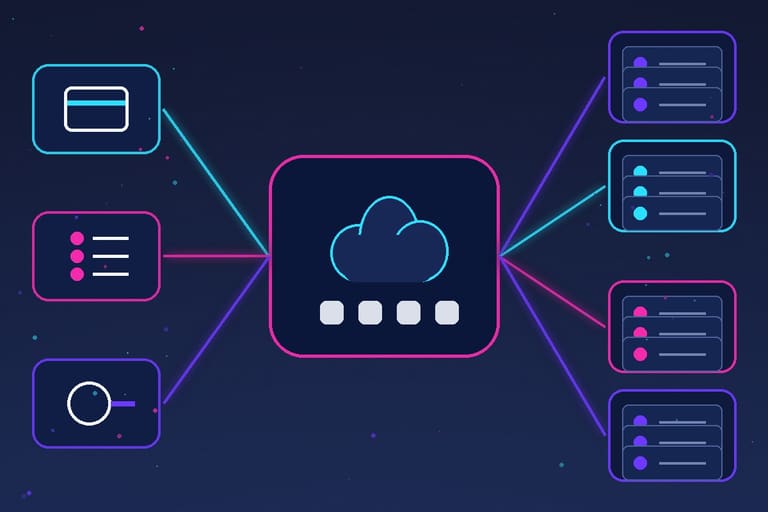
- Check the module that fits your needs and review the current scope on the live product page.
- Complete the order and pay the invoice in the WHMCS client area.
- After WHMCS confirms payment, the official Auto Release flow marks the related service as Active.
- Only the download for the purchased product becomes visible in the client area for the account with the Active service.
- Verify the ZIP archive, read the installation documentation, and upload the files to a test WHMCS environment.
- Enter the provider or payment processor API details into the relevant configuration fields after installation.
- Go live only after testing successful and failed transactions, webhook delivery, timeout handling, retry behavior, and termination scenarios.
Download files are not served from a public web directory. The product-service relationship and the Active service status determine download access in the client area. The current license terms and installation documents on the order screen always override this summary.
License, provider costs, and security boundaries
Module files are delivered as unencrypted source code; that does not mean “open source” or a free right of redistribution. Usage, modification, and redistribution rights are governed by the purchased license agreement and should be tracked per product and installation using a WHMCS license management approach. Provider API keys, real customer records, live resource IDs, or Hostragons operational data are not included in the distribution packages.
The principle of least privilege should be applied during installation. Where possible, give the module only the API actions it actually needs, rotate webhook secrets regularly, restrict WHMCS administrator roles, and mask sensitive data in logs. Before production, use a separate test account or a low-cost test resource. In cancelation and termination tests, verify not only the provider API response but also that the resource has truly been removed and no paid add-on resources remain behind.
When selling a Cloud Server service, include not only the virtual machine itself in your cost calculation, but also disk, snapshot, IP, traffic, licensing, and regional price differences. Module automation may reduce operational time, but it does not remove provider quota, account approval, or billing responsibility.
Short checklist before installation
- Read the latest product documentation for your WHMCS and PHP version.
- Take a database backup and a file backup.
- Give the external API user only the permissions that are actually required.
- Create a test product, a test customer, and a low-risk provider resource.
- Check that repeated CreateAccount calls do not create a second resource.
- Verify suspension, unsuspension, termination, and reinstall results in the provider dashboard.
- For payment modules, test signed webhooks, wrong amounts, duplicate notifications, and refund scenarios.
- After going live, closely monitor the first orders and error logs.
Frequently Asked Questions
What is a WHMCS module?
A WHMCS module adds a specific workflow such as payments, customer operations, or server management to WHMCS. It does not replace the WHMCS license or the external provider account.
Which cloud providers are supported?
There are separate modules for OVHcloud VPS and Dedicated, AWS Lightsail, Contabo VPS/VDS, Microsoft Azure VM, and Linux-based Google Cloud Compute Engine.
Are the cloud provider account and usage fees included in the price?
No. Provider account, subscription, resource usage, network, licensing, and tax fees are billed separately by the provider.
Are API credentials included in the module package?
No. Module ZIP files do not contain provider credentials or live customer data. Required information is entered into the appropriate WHMCS configuration fields after installation.
How do I download the purchased module?
After payment is confirmed by WHMCS and the related service becomes Active, the client area shows download access only for the purchased product.
Are the module source files encrypted?
The module files are delivered as unencrypted source code. Usage, customization, and redistribution rights are subject to the terms of the purchased license.
Choose the module that fits your WHMCS workflow
Compare the scope, current price, and license terms of the module you need for payments, customer operations, or cloud server automation. Review Browse WHMCS modules and prepare your pre-production test plan together with the installation documentation.