 Afrikaans
 Azərbaycan
 Bosanski
 Čeština
 Dansk
Dansk Deutsch
 English
 Español
 Filipino
 Français
 Hrvatski
 Indonesia
 Italiano
 Magyar
 Melayu
 Nederlands
 Norsk
Norsk Oʻzbek
 Polski
 Português
 Română
 Slovenčina
 Slovenščina
 Suomi
Suomi Svenska
 Tiếng Việt
 Türkçe
 Ελληνικά
 Беларуская
 Български
 Русский
 Српски
 Українська
 עברית
עברית اردو
اردو العربية
 پښتو
پښتو فارسی
فارسی አማርኛ
አማርኛ मराठी
मराठी বাংলা
বাংলা தமிழ்
தமிழ் ไทย
ไทย မြန်မာ
 한국어
한국어 中文
中文 日本語
日本語

This comprehensive guide walks you through hosting your website on Amazon EC2 step by step. First, we'll explore what Amazon EC2 is, its fundamental features, and the benefits it offers. Next, we'll provide a detailed explanation of the website setup process on Amazon EC2. We'll also dedicate a section to security concerns, highlighting important points to keep in mind. Finally, we will share practical tips to ensure a successful hosting experience with Amazon EC2. This guide is an ideal starting point for anyone looking to explore cloud-based hosting solutions.
What is Amazon EC2? Basics and Features
Amazon EC2 (Elastic Compute Cloud) is a cloud-based virtual server service provided by Amazon Web Services (AWS). It enables businesses and developers to utilize the processing power they need whenever they require and in whatever quantity. This eliminates the necessity of setting up and managing physical server infrastructure, reduces costs, and enhances scalability.
Amazon EC2 allows users to run applications using different operating systems (Windows, Linux, etc.), software, and tools. This flexibility makes it easier to create solutions that fit various needs and projects. For instance, a website, an application server, or a data processing platform can be easily set up and managed on Amazon EC2.
Key Features of Amazon EC2:
- Scalability: You can instantly increase or decrease the processing power you need.
- Variety of Instance Types: Choose from different types of instances with various CPU, memory, and storage options.
- Flexibility: You can use different operating systems, software, and tools.
- Security: Leverage AWS's security infrastructure to protect your data.
- Cost Effectiveness: You pay only for the resources you use.
Another significant advantage of using Amazon EC2 is its various payment models. You can optimize your costs by selecting the payment model that best fits your needs and budget. For instance, you can achieve significant savings by choosing Reserved Instances for a server you plan to use continuously. For unexpected spikes in traffic, using On-Demand Instances may be more sensible.
| Instance Type | CPU | Memory (GB) | Typical Use Cases |
|---|---|---|---|
| t2.micro | 1 vCPU | 1 | Small websites, development environments |
| t3.medium | 2 vCPU | 4 | Medium-sized websites, application servers |
| m5.large | 2 vCPU | 8 | Database servers, large-scale applications |
| c5.xlarge | 4 vCPU | 8 | High-performance applications, game servers |
Amazon EC2 offers advantages such as flexibility, scalability, and cost-effectiveness, making it an ideal solution for various projects like websites, applications, and data processing platforms. By selecting the right instance type and payment model, you can achieve a successful hosting experience with Amazon EC2.
Benefits of Hosting on Amazon EC2
There are many advantages to using Amazon EC2 for hosting your website. It provides more control, flexibility, and scalability compared to traditional hosting methods. Especially in situations where traffic levels fluctuate, the dynamic resource management of EC2 ensures your website always performs at its best. Additionally, it offers advanced security options to protect your data.
Amazon EC2 offers diverse types of virtual servers (instances) for various needs. This means you can select the one that best meets your website's requirements. For example, if you have an e-commerce site that requires heavy processing power, you might opt for a high-performance instance type. Conversely, a simpler blog may only need a more cost-effective option.
| Advantage | Description | Benefit |
|---|---|---|
| Scalability | Automatically increases resources as traffic grows. | Ensures your website remains fast and accessible at all times. |
| Flexibility | Offers various instance types and configuration options. | Allows you to create the server environment that best fits your needs. |
| Security | Provides advanced firewalls and access control mechanisms. | Enhances the security of your data and website. |
| Cost Effectiveness | You only pay for the resources you use. | Helps avoid unnecessary costs. |
Another significant advantage of using Amazon EC2 is cost control. With traditional hosting services, you often pay a fixed fee; however, with EC2, you only pay for the resources you consume. This can lead to considerable savings, especially during low-traffic periods. Moreover, you can further reduce costs with options like Reserved Instances or Spot Instances.
Different Hosting Options
Many different options are available for hosting your website. Options include shared hosting, VPS (Virtual Private Server) hosting, and dedicated hosting. Shared hosting is the most basic option, where multiple websites share the same server. VPS hosting offers more resources and control but still shares the server with others. Dedicated hosting provides a server solely for you but is the most costly option. Amazon EC2, in comparison, offers greater flexibility and scalability, making it ideal for growing and dynamic websites.
Cost Comparison with Amazon EC2
It's crucial to compare the costs of Amazon EC2 with other hosting options. Shared hosting is usually the cheapest option, but it has limitations in terms of performance and security. VPS hosting is more expensive, but it offers more resources. Dedicated hosting is the most expensive, providing the highest performance. Amazon EC2, thanks to its flexibility and scalability, can start with costs similar to VPS hosting and can easily scale to reach dedicated hosting levels as your needs grow. Additionally, with the pay-as-you-go model of Amazon EC2, you can optimize your costs by only paying for the resources you use.
There are several important steps to consider when using Amazon EC2. These steps will help you control your costs and ensure the security of your website.
- Steps to Consider When Using Amazon EC2
- Select the Right Instance Type: Choosing an instance type that suits your website needs is key to optimizing performance and reducing costs.
- Configure Security Group Rules Correctly: Ensure only the necessary ports are open.
- Establish a Backup Strategy: Regular backups are critical to prevent data loss.
- Monitor Resource Usage: Use tools like CloudWatch to regularly monitor your resource usage and shut down unnecessary resources.
- Utilize Auto Scaling: Automatically adjust resources based on traffic levels to optimize costs.
- Pay Attention to Region Selection: Selecting a region closest to your target audience reduces latency and enhances performance.
Amazon EC2 is a powerful, flexible, and scalable solution for website hosting. When properly configured and managed, it offers significant advantages over traditional hosting methods. However, it is important to note that it requires technical knowledge and careful planning.
How to Set Up a Website on Amazon EC2?
Hosting your website on Amazon EC2 offers a scalable and reliable solution. In this section, we will examine how to set up a website on Amazon EC2 step by step. Basically, you will create an EC2 instance, install web server software (e.g., Apache or Nginx), upload your website files, and configure security settings. Each step must be carefully planned and executed to ensure your website operates smoothly.
Before starting the installation process, you need to decide which operating system (e.g., Linux, Windows) to use, the web server software you prefer, and the requirements of your website. These decisions will directly influence the instance type and configuration. For example, if you anticipate high traffic, it is important to select a more powerful instance type.
| Step | Description | Important Notes |
|---|---|---|
| 1. Create EC2 Instance | Launch an instance from the Amazon EC2 console. | Selecting the right AMI (Amazon Machine Image) is critical. |
| 2. Install Web Server | Install a web server like Apache or Nginx. | Configure firewall settings appropriately. |
| 3. Set Up Database (If Needed) | Install a database like MySQL or PostgreSQL. | Pay attention to database security. |
| 4. Upload Website Files | Transfer your website files to the instance. | Use secure methods like FTP or SCP. |
The steps below will further clarify the installation process of your website. By carefully following each step, you can successfully host your website on Amazon EC2. Remember that each website has unique requirements, so it is essential to customize these steps according to your specific needs.
Required Tools
To set up your website on Amazon EC2, you will need a few essential tools. These include an SSH client (e.g., PuTTY or Terminal), a file transfer tool (e.g., FileZilla or Cyberduck), and a text editor (e.g., Notepad++ or Visual Studio Code). Additionally, make sure you have an AWS account and sufficient permissions to manage your EC2 instance.
Installation Process
Before starting the installation process, it is important to create a plan and gather all necessary information. This encompasses everything from which operating system you will use to what web server you will install and which files your website will include. Once you have your plan in place, you can begin the installation process by following the steps below.
- Website Setup Steps
- Launch an Amazon EC2 instance.
- Select your desired operating system and instance type.
- Install your web server software (Apache, Nginx, etc.).
- Upload your website files to the EC2 instance.
- Configure the database connection (if necessary).
- Point your domain name to your EC2 instance.
- Configure firewall and SSL certificate settings.
After completing these steps, it is important to test your website to ensure it runs smoothly on Amazon EC2. Make sure your website displays correctly across different browsers and devices. Additionally, regularly update and monitor its performance and security to address any vulnerabilities.
Security Considerations for Amazon EC2: What You Should Watch Out For
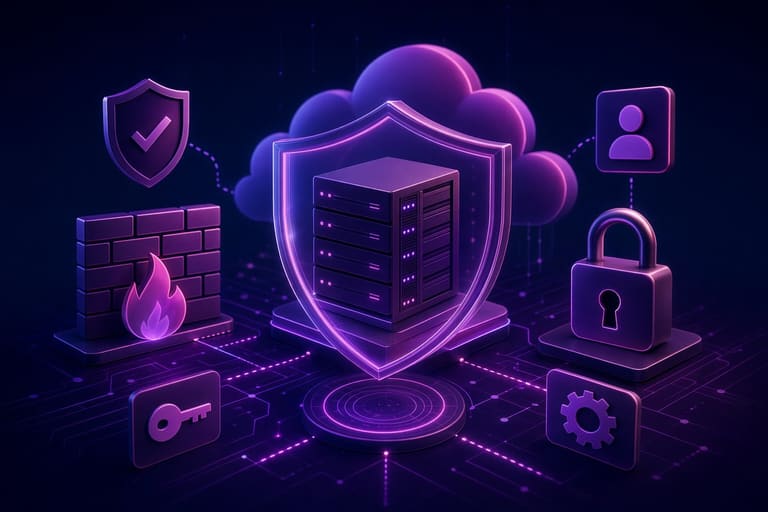
Amazon EC2 is a popular hosting solution for websites and applications due to its flexibility and scalability. However, one of the responsibilities that come with this power is security. Ensuring security in a cloud environment is critical for preventing data loss, blocking unauthorized access, and maintaining system uptime. This section will focus on the essential points to consider for keeping your Amazon EC2 environment secure.
Security goes beyond just technical issues; it requires continuous attention and regular updates. A misconfigured firewall or outdated software can open the door to potential attacks. Therefore, adopting a proactive approach to security and following best practices while using Amazon EC2 is crucial.
| Security Check | Description | Importance |
|---|---|---|
| Security Groups | Virtual firewalls that control inbound and outbound traffic | High |
| IAM Roles | Provides EC2 instances permission to access specific AWS resources | High |
| Key Management | Securely storing and managing SSH keys | High |
| Software Updates | Regularly updating operating systems and applications | Medium |
Here are some basic measures you can take to enhance the security of your Amazon EC2 environment. These measures will form your first line of defense against potential threats and will help make your systems more secure.
- Security Measures
- Configure Security Groups Correctly: Allow only necessary ports and close unnecessary ones.
- Use IAM Roles: Use roles to grant permissions to your EC2 instances for accessing AWS resources.
- Enable Multi-Factor Authentication (MFA): Make access to your AWS account more secure.
- Take Regular Backups: Regularly back up your data and store it in a different location.
- Scan for Vulnerabilities: Regularly scan your EC2 instances for security vulnerabilities.
- Keep Software Updated: Regularly update your operating system and applications with the latest security patches.
Remember, security is not just a product but an ongoing process. Therefore, it is essential to conduct regular security checks, monitor logs, and be prepared for new threats. Moreover, effectively utilizing the security tools and services provided by Amazon EC2 can significantly enhance your security as well.
Basic Security Tips
It's important to consider some basic security tips to keep your Amazon EC2 environment safe. These tips will help you reduce potential risks by taking simple yet effective precautions. For example, regularly reviewing your firewall settings and allowing only necessary ports can prevent unauthorized access attempts.
Additionally, using strong and unique passwords, regularly changing them, and adding layers of security like multi-factor authentication are vital. These precautions will help ensure the safety of your accounts and data. Here's an important quote:
Security is as strong as the weakest link in the chain. Therefore, regularly review and update all your security measures.
Conclusion: Tips for a Successful Hosting Experience with Amazon EC2
Amazon EC2 provides a powerful and flexible solution for hosting your website. However, if this power and flexibility are not utilized properly, it can lead to a complex and costly experience. Therefore, careful planning when using Amazon EC2, not neglecting security measures, and continuously monitoring performance are of paramount importance. With the right strategies, Amazon EC2 can offer you a scalable, reliable, and cost-effective hosting solution.
| Medicine | Description | Importance |
|---|---|---|
| Select the Right Instance Type | Choose an instance with CPU, memory, and storage capacity suitable for your website needs. | High |
| Enable Firewalls | Restrict access to your instance using security groups and only open necessary ports. | High |
| Make Regular Backups | Regularly back up your data and store it in a different location. | High |
| Monitor Performance | Use tools like CloudWatch to monitor metrics such as CPU usage, memory consumption, and network traffic. | Medium |
Keep in mind that Amazon EC2 is a platform that requires continuous learning and adaptation. Keeping up with innovations, trying different instance types, and continuously optimizing your infrastructure will lead you to success. Additionally, you can utilize community forums and documentation to find solutions to the issues you encounter.
- Steps for Success
- Correct Planning: Identify your needs and choose an EC2 instance type that suits them.
- Security Assurance: Configure your security groups correctly and conduct regular security scans.
- Use Automation: Automate your installation and configuration processes with Infrastructure as Code (IaC) tools.
- Backup Strategy: Regularly back up your data and test your recovery plan.
- Performance Monitoring: Continuously monitor your system performance with tools like CloudWatch.
- Cost Optimization: Shut down unused resources and consider cost-saving options like Reserved Instances or Spot Instances.
Make continuous efforts to leverage all the possibilities provided by Amazon EC2 to enhance your website's performance and security. We wish you success!
Frequently Asked Questions
What exactly is Amazon EC2 and what purposes can it be used for?
Amazon EC2 is a virtual server service offered by Amazon Web Services (AWS). Besides hosting websites, it can be used for application development, creating testing environments, big data analysis, and many other processes. Its flexibility and scalability enable it to meet various needs.
What makes Amazon EC2 more advantageous compared to other hosting solutions?
EC2 offers more control and customization options than other hosting solutions. You can adjust server resources (CPU, RAM, storage) according to your needs and choose your own operating system and software. Additionally, you can benefit from the rich ecosystem offered by AWS.
What technical knowledge is required to set up a website on EC2?
Basic server management knowledge (e.g., operating system commands, SSH), installation and configuration of web servers (e.g., Apache, Nginx), and the ability to upload/manage website files are necessary. Of course, knowledge about the website platform you are using (WordPress, Joomla, etc.) is also important.
How much does it cost to host a website on Amazon EC2?
The cost depends on the type of EC2 instance you choose (CPU, RAM), storage space, bandwidth, and usage duration. AWS offers different pricing models (e.g., on-demand, reserved instances, spot instances) suitable for various budgets. You can use AWS's cost estimation tools to determine your estimated expenses.
How can I keep my EC2 instance secure?
It’s important to use strong passwords, properly configure firewalls (Security Groups), regularly perform security updates, and utilize tools like AWS Identity and Access Management (IAM) to prevent unauthorized access. Additionally, data backup and disaster recovery strategies should also be considered.
Is it hard to install a CMS like WordPress on EC2? Is there a simpler way?
While some basic server management knowledge is required, installing WordPress on EC2 is not very difficult. Preconfigured WordPress AMIs (Amazon Machine Images) are available in the AWS Marketplace, making the installation process considerably easier.
How can I scale my EC2 server when my website traffic increases?
You can use EC2 Auto Scaling and Elastic Load Balancing (ELB) services to automatically create new EC2 instances when your website traffic increases and distribute the traffic among those instances. This way, your website becomes resilient to high traffic.
What recommendations do you have for beginners hosting a website on EC2?
Start with a small EC2 instance and scale it as your needs grow. Take advantage of AWS's free tier. Monitor server performance with AWS CloudWatch. Don’t forget to make regular backups. Utilize AWS’s documentation and community forums for learning. Follow basic security principles and configure your firewalls correctly.