 Afrikaans
 Azərbaycan
 Bosanski
 Čeština
 Dansk
Dansk Deutsch
 English
 Español
 Filipino
 Français
 Hrvatski
 Indonesia
 Italiano
 Magyar
 Melayu
 Nederlands
 Norsk
Norsk Oʻzbek
 Polski
 Português
 Română
 Slovenčina
 Slovenščina
 Suomi
Suomi Svenska
 Tiếng Việt
 Türkçe
 Ελληνικά
 Беларуская
 Български
 Русский
 Српски
 Українська
 עברית
עברית اردو
اردو العربية
 پښتو
پښتو فارسی
فارسی አማርኛ
አማርኛ मराठी
मराठी বাংলা
বাংলা தமிழ்
தமிழ் ไทย
ไทย မြန်မာ
 한국어
한국어 中文
中文 日本語
日本語

This blog post emphasizes the importance of keeping your website secure while providing a comprehensive introduction to web security with SiteLock. The article explains why website security scanning is critical, detailing the core features offered by SiteLock and the benefits it provides to users. It explores protection against malware, strategies to prevent data breaches, and their impact on user experience. Additionally, it discusses the costs of using SiteLock and return on investment, as well as tracking website statistics. Ultimately, it outlines how to achieve a safer web experience with SiteLock.
Introduction to Web Security with SiteLock
With the widespread use of the internet today, website security has become more important than ever. Factors like personal data protection, the security of financial transactions, and reputation management necessitate protecting websites from vulnerabilities. Here, SiteLock offers a comprehensive security solution, protecting your website from malware, hacking attempts, and other cyber threats.
There are various methods to ensure your website’s security, yet utilizing SiteLock allows you to save time while achieving more effective protection through its integrated solutions. SiteLock continuously monitors your website’s security through features like automated security scans, malware removal, firewalls, and a Content Delivery Network (CDN), responding promptly to potential threats.
- Advantages of Using SiteLock
- 24/7 monitoring of your website, providing ongoing protection from potential threats.
- Automatic malware scanning for detecting and removing harmful content.
- Blocking unauthorized access with a firewall.
- Improving website speed and user experience through a CDN.
- Implementing preventative measures for data breaches to protect customer information.
- Being perceived as a trustworthy site by search engines, thus improving SEO performance.
By enhancing your website's security with SiteLock, you can also instill confidence in your users. A secure website encourages visitors to stay longer on the site, engage more, and return again, contributing to your business growth and bolstered reputation. Additionally, by complying with regulatory requirements through SiteLock, you can fulfill your legal obligations.
When it comes to securing your website, adopting a proactive approach and leveraging reliable security solutions like SiteLock will reduce costs in the long run and protect your business's reputation. Remember, security is not just a product, but an ongoing process, and SiteLock will support you throughout this journey.
Why is Website Security Scanning Important?
Website security scanning is vital for businesses and individuals in today's digital world. The constant rise and complexity of online threats can leave websites vulnerable. Regular and comprehensive security scans play a crucial role in identifying and rectifying potential risks in advance. Security scans conducted by SiteLock help you manage your website's safety proactively.
Through security scans, you can identify weaknesses, malware, and other vulnerabilities in your website. This prevents hackers from accessing your site and stealing sensitive information. Securing critical data, such as customer credit card information on e-commerce sites, is crucial in avoiding reputational damage and legal issues.
Crucial Factors for Data Protection
- Vulnerability scanning
- Malware detection and removal
- Implementation of up-to-date security protocols
- Data encryption methods
- Regular backup and recovery plans
- Access control and authorization
- Firewall configuration
Furthermore, security scans not only detect existing threats but also prepare you for future attacks. The data acquired from these scans will aid you in enhancing your security strategies, making your website safer. With SiteLock, this process becomes seamless, thanks to its automatic scanning and reporting features that keep you secure continuously.
| Factor | Description | Importance |
|---|---|---|
| Data Protection | Protecting sensitive data from unauthorized access. | High |
| Reputation Management | A secure website boosts customer trust. | High |
| Legal Compliance | Adhering to regulations such as GDPR. | High |
| Operational Continuity | Preventing interruptions caused by attacks. | Medium |
The security of your website is important not only for you but also for your visitors. A secure website enables users to share their personal information without hesitation, providing them with a secure online experience. The confidence fostered by SiteLock allows visitors to stay longer and revisit your site, which is crucial for your website's success and growth.
Essential Features Provided by SiteLock
With SiteLock, you gain an extensive security solution for your website. This solution goes beyond being merely a firewall, offering continuous monitoring, threat protection, and performance optimization for your website. SiteLock provides a range of core features designed to protect your website from malware, hacking attacks, and other online threats.
| Feature | Description | Benefits |
|---|---|---|
| Daily Scanning | Regularly scans your website for malware. | Early detection of potential threats allows for quick intervention. |
| Web Application Firewall (WAF) | Filters incoming traffic to your website, blocking malicious requests. | Protects your website from common attacks such as SQL injection and XSS. |
| Automated Repair | Automatically fixes identified vulnerabilities. | Reduces the need for manual intervention and ensures continuous protection. |
| CDN Integration | Distributes your website's content across various servers, boosting speed. | Provides faster loading times and better user experience. |
The security acquired with SiteLock not only offers technical protection but also helps maintain your reputation. A data breach or hacking incident can undermine customer trust and damage your brand image. SiteLock helps prevent these events, protecting your business's reputation and enhancing customer confidence.
Live Scanning
The live scanning feature of SiteLock allows for continuous monitoring of your website and instant alerts to potential threats. This feature enables the early detection and neutralization of malware, viruses, and other harmful content before they infect your site. Live scanning allows you to proactively manage your website's security.
- Daily Malware Scanning
- Automated Vulnerability Scanning
- File Change Monitoring
- Spam Blacklist Monitoring
- Database Scanning
- SSL Certificate Check
Automated Repair
The automated repair feature of SiteLock ensures that identified vulnerabilities and malware are automatically cleaned up. This feature helps keep your website updated and secure. Automated repair reduces the need for manual intervention, minimizing the time and effort you spend on securing your website.
With these features offered by SiteLock, you can easily protect your website and effectively shield against online threats. This is a crucial step for the sustainability and success of your business.
Benefits of Using SiteLock
Utilizing SiteLock to secure your website comes with various significant benefits. Firstly, by preserving your website's reputation, it helps boost customer trust. Demonstrating the security of a website encourages visitors to stay longer and increases the likelihood of purchases. Furthermore, SiteLock helps you prevent potential issues like data breaches and malware attacks, ensuring operational continuity.
Through the security scans provided by SiteLock, you can identify vulnerabilities on your website and take timely action. This allows you to thwart potential attacks before they happen. Additionally, using SiteLock reduces the risk of being blacklisted by search engines. Being blacklisted can cause your website to become invisible in search results, leading to a loss of traffic.
| Benefit | Description | Impact |
|---|---|---|
| Reputation Protection | Boosts customer trust by ensuring the security of the website. | Higher conversion rates and customer loyalty. |
| Continuous Security Scanning | Regularly scans and identifies vulnerabilities on the website. | Proactive protection against potential attacks. |
| Blacklist Prevention | Prevents the website from being blacklisted by search engines. | Prevents declines in search engine ranking and web traffic. |
| Data Breach Protection | Prevents theft and misuse of sensitive data. | Avoids legal issues and financial losses. |
Another key benefit of SiteLock is its contribution to PCI compliance. If your website processes credit card payments, you must comply with PCI standards. SiteLock aids you in this compliance process, providing a secure payment environment and facilitating adherence to legal requirements. Lastly, SiteLock can enhance your website's performance. Through security scans and optimization tools, SiteLock ensures that your website operates faster and smoother, enhancing user experience.
Protecting your website with SiteLock is not merely a security measure; it also represents a vital investment for the sustainability and success of your business.
Protection Against Malware with SiteLock
Today, websites face various malware threats. These threats can not only negatively impact your website's performance but also lead to reputational damage and data breaches. With SiteLock, you can strengthen your website against such threats and provide a secure environment. Malware typically infiltrates systems through vulnerabilities to steal sensitive information, make websites unusable, or harm visitors.
SiteLock regularly scans your website to detect and clean malware. This ensures ongoing protection for your website’s security and prevents potential attacks. With its automated scanning features, vulnerabilities in your website are identified and necessary actions are taken without any manual intervention. This is a significant advantage, particularly for users with limited technical knowledge.
Protection Technologies
Technologies that SiteLock employs to provide protection against malware include:
- Effective Solutions Against Malware
- Deep Scanning: Scans all the files and databases of your website to detect hidden malware.
- Automatic Cleanup: Automatically cleans detected malware and restores your website to its former secure state.
- Daily Security Reports: Delivers regular updates on your website's security status, informing you about potential threats.
- Firewall: Analyzes incoming traffic to your website, preventing malicious requests and mitigating potential attacks.
- SSL Certificate: Encrypts the traffic to your website, ensuring the security of users’ sensitive information.
- CDN (Content Delivery Network): Increases your website's speed while providing protection against DDoS attacks.
In the following table, the different plans offered by SiteLock and their essential features are compared. This comparison will help you choose the plan best suited to your needs.
| Plan Name | Basic Features | Additional Features | Price |
|---|---|---|---|
| SiteLock Lite | Daily malware scanning, automatic cleanup | Basic security reports | Budget-friendly |
| SiteLock Basic | Includes Lite features + firewall (WAF) | Advanced security reports, reputation management | Mid-tier |
| SiteLock Professional | Includes Basic features + SSL certificate | Accelerated scanning, priority support | High-tier |
| SiteLock Premium | Includes Professional features + CDN | DDoS protection, expert consultation | Highest-tier |
SiteLock not only helps detect malware but also protects your website's reputation. A website harmed by malware can be blacklisted by search engines, significantly diminishing your site's traffic. With SiteLock, you can be assured of your website being clean and secure, maintaining its ranking in search engines and instilling confidence in potential customers.
Protecting your website against malware with SiteLock is not just a technical necessity, but also critically important for the sustainability of your business. A secure website enhances customer trust, protects brand reputation, and saves costs in the long term. Therefore, investing in a reliable security solution like SiteLock represents one of the best steps you can take for the future of your website and business.
Strategies for Preventing Data Breaches with SiteLock
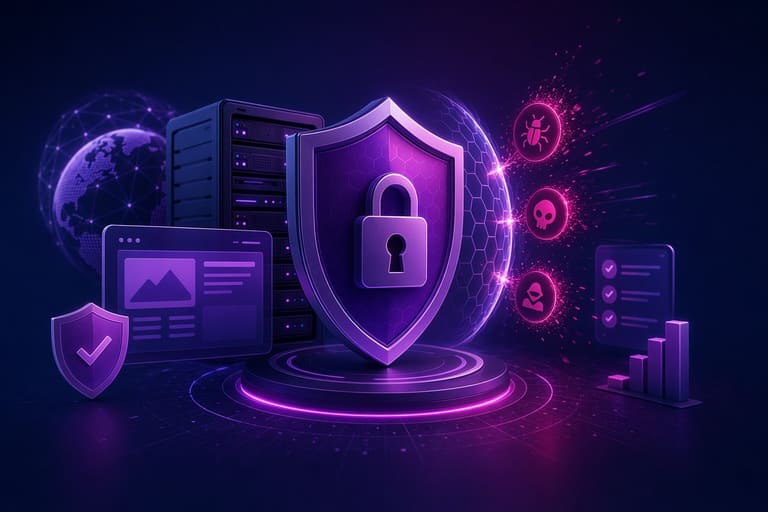
Data breaches can have serious repercussions for businesses and website owners. Loss of customer trust, damaged reputation, and financial losses are just a few potential outcomes of data breaches. With SiteLock, you can bolster your website's security and minimize such risks. An effective security strategy requires proactive measures and preparedness against potential threats.
SiteLock offers a variety of tools and features aimed at preventing data breaches. These include regular security scans, malware removal, firewall protection, and SSL certificate management. With these features in place, your website is continuously monitored and protected against potential threats. Establishing a strong security posture prepares you for future possible attacks as well.
- Ways to Prevent Data Breaches
- Use strong and unique passwords.
- Regularly update your website and its plugins.
- Implement SSL certificates for data encryption.
- Utilize firewalls to block unauthorized access.
- Conduct regular security scans to identify vulnerabilities.
- Train your staff on security protocols.
The table below summarizes the key advantages and features that SiteLock offers for preventing data breaches:
| Feature | Description | Benefit |
|---|---|---|
| Daily Security Scans | Automatically scans your website for malware. | Early detection enables quick response. |
| Web Application Firewall (WAF) | Filters incoming traffic to your website, blocking malicious requests. | Prevents unauthorized access and DDoS attacks. |
| Malware Cleanup | Automatically cleans detected malware. | Ensures website security and performance. |
| SSL Certificate | Encrypts data transmission between your website and visitors. | Protects against data theft and boosts reliability. |
When developing an effective data breach prevention strategy, it is important to not only focus on technological solutions but also to consider staff training, security policies, and regular audits. SiteLock guides you through these processes by providing comprehensive security solutions. By taking data security seriously, you can protect your business’s reputation and customer trust.
Costs and ROI of Using SiteLock
It is important to assess the costs and potential returns of investing in SiteLock for securing your website. The different plans offered by SiteLock are available at varying prices depending on your website’s size and needs. When evaluating these costs, consider not just the initial investment but also long-term benefits and potential risks.
| Plan Name | Average Monthly Cost | Basic Features | Suitable Website Size |
|---|---|---|---|
| SiteLock Lite | $5 – $10 | Basic security scanning, malware cleanup | Small websites, blogs |
| SiteLock Basic | $15 – $25 | Advanced scanning, firewall, CDN | Medium-sized business websites |
| SiteLock Professional | $30 – $50 | Comprehensive scanning, DDoS protection, SSL certificate | Large-scale e-commerce sites |
| SiteLock Enterprise | Custom Pricing | Custom solutions, priority support | High-traffic, mission-critical websites |
When conducting a Cost and Return Analysis, consider the following key points:
- The Cost of Potential Breaches: A security breach can lead to loss of reputation, diminished customer trust, and legal issues.
- The Importance of Uptime: SiteLock ensures continual accessibility of your site, preventing loss of revenue.
- Search Engine Ranking: Google and other search engines rank secure sites higher.
- Customer Confidence: A secure website makes customers feel more comfortable sharing their personal information.
- Competitive Advantage: A secure website provides a significant edge over competitors.
Investing in your website's security reaps benefits that not only reduce costs but also assist in growing your business and protecting your reputation. The security provided by SiteLock will yield substantial long-term benefits. Remember, cybersecurity measures are not just a cost, but an investment in the future.
Securing your website with SiteLock is a strategic decision that must be made with careful consideration of costs and potential returns. By choosing the right plan and keeping security measures up to date, you can protect your website against various threats and establish a successful online presence.
User Experience and SiteLock Integration
The security of your website directly impacts the user experience (UX). When a website visitor encounters an insecure site, they quickly leave, which harms your brand’s reputation. Ensuring your website's security with SiteLock boosts user confidence, providing them with a more positive experience. A secure website allows users to share personal information or make purchases without hesitation, positively affecting your conversion rates.
Ways to Enhance User Experience
- Provide a secure connection by using SSL certificates.
- Optimize your website’s speed.
- Utilize a mobile-responsive design.
- Provide intuitive and user-friendly navigation.
- Offer clear and accessible contact information.
- Regularly update content.
A website integrated with SiteLock appears more professional and trustworthy to users. With security scanning and malware removal features, users feel safer as they navigate your site. This leads to increased user engagement, with visitors spending more time on your site and connecting with your brand more deeply.
| Feature | Impact of SiteLock | Effect on User Experience |
|---|---|---|
| Security Scanning | Detects and cleans malware | Ensures safe navigation for users |
| SSL Certificate | Provides data encryption | Protects users’ personal information |
| Web Application Firewall (WAF) | Prevents cyber attacks | Ensures continual accessibility of the website |
| CDN (Content Delivery Network) | Boosts website speed | Ensures users have a fast and seamless experience |
Enhancing your website's security with SiteLock significantly improves the user experience. A secure website earns users’ trust, strengthens your brand reputation, and boosts your conversion rates. In the long run, this leads to significant returns on investment for your business.
Tracking Website Statistics with SiteLock
Ensuring your website's security not only prevents malware but also helps you understand your website's performance and visitor behaviors. With SiteLock, tracking website statistics provides valuable insights into your site’s overall health. These insights will help you identify areas for improvement, optimize your marketing strategies, and enhance user experience.
The statistics available through SiteLock include critical metrics such as website traffic, visitor demographics, most popular pages, and conversion rates. These data will assist you in understanding your website's strengths and weaknesses. For instance, identifying pages with high traffic but low conversion rates can help you improve the content or design of these pages.
| Statistic Type | Description | Importance |
|---|---|---|
| Traffic Sources | Where your visitors are coming from (search engines, social media, direct traffic, etc.) | Indicates which channels to focus on for optimizing marketing strategies. |
| Visitor Demographics | Visitor information such as age, gender, and location | Important for developing content and advertising strategies targeted at your audience. |
| Most Popular Pages | Pages receiving the most visits | Indicates which content is most engaging for visitors. |
| Bounce Rate | The rate at which visitors leave after viewing only one page | May indicate the need for improvements in page content or design. |
Tracking statistics with SiteLock can also reveal security threats and vulnerabilities on your website. For example, an unusual spike in traffic to a specific page or suspicious activities may indicate an attempted attack. In such cases, you can leverage SiteLock's security features to quickly take action and protect your site.
- Steps for Tracking Statistics
- Log in to your SiteLock account.
- Go to the Statistics or Analytics section from the dashboard.
- Select the metrics you want to track (traffic, visitor demographics, conversion rates, etc.).
- Configure data collection and reporting settings.
- Regularly check and analyze your statistics.
- Make necessary improvements to your website based on the data you obtain.
Tracking website statistics with SiteLock is a critical step not only for ensuring security but also for boosting performance and enhancing user experience. The data you collect allows you to make informed decisions and continuously improve your website.
Conclusion: Secure Web Experience with SiteLock
The security of your website is one of the cornerstones of your online success, and ensuring this with SiteLock has become much easier. This article has detailed how SiteLock's comprehensive security solutions can make your website safer. From security scans to malware cleanup, strategies to prevent data breaches to enhancing user experiences, SiteLock offers a full protective shield for your website.
| Feature | Description | Benefits |
|---|---|---|
| Daily Scanning | Regularly scans your website for malware. | Enables early detection and quick intervention. |
| Automated Cleanup | Automatically cleans malware. | Reduces the need for manual intervention, saving time. |
| Firewall | Protects your website from unauthorized access. | Prevents data breaches and attacks. |
| CDN Integration | Improves your website's speed and performance. | Enhances user experience and boosts SEO rankings. |
Key Takeaways
- With SiteLock, you can proactively manage your website’s security.
- Daily scans and automated cleanup provide ongoing protection against malware.
- Increase security and improve performance with the firewall and CDN integration.
- Implement strategies to prevent data breaches, keeping customer data safe.
- Utilize SiteLock's reporting tools to continuously monitor your website's security status.
Remember, a website's security is not just a technical necessity but also a way to maintain your brand's reputation and gain customer trust. By keeping your website secure with SiteLock, you can offer your customers a safe online experience and stay ahead in the competition. You’ll reap the rewards of increased customer satisfaction and a more secure online presence.
Ensuring the security of your website with SiteLock is a wise investment for your business. Offering comprehensive features and a user-friendly interface, it’s an ideal solution for website owners at any level. Take your website's security seriously and create a safer online presence with SiteLock.
Frequently Asked Questions
What exactly is SiteLock and what security solutions does it offer for my website?
SiteLock is a cloud-based security solution that protects websites from malware, hacking attempts, and other cyber threats. It provides various features such as website security scanning, firewalls, CDN (Content Delivery Network), and malware cleanup to enhance your website's security and performance.
I regularly back up my website. Do I still need SiteLock? How does backup security complement it?
Website backups are critical for preventing data loss; however, they can also restore malware if there's a security breach. SiteLock proactively detects and blocks malware, ensuring your backups remain clean and secure. Together, these two methods create a comprehensive security strategy.
What does SiteLock's firewall do and how does it protect my website?
SiteLock’s firewall analyzes incoming traffic to your website, blocking potential threats and malicious requests. This makes your website more resilient to attacks and helps protect your sensitive data.
What are the main differences between SiteLock's different plans, and which plan is best for me?
SiteLock offers various plans suited for different website needs. Plans typically differ based on the number of pages scanned, firewall features, CDN performance, and the frequency of malware cleanup. Assess your needs and budget to select the best plan for you. A more basic plan may suffice for small websites, while larger, complex sites may require a more comprehensive plan.
How does SiteLock affect my website's SEO (Search Engine Optimization) performance?
By securing your website, SiteLock positively influences your SEO performance. Search engines, like Google, rank secure and trustworthy websites higher. Additionally, SiteLock’s CDN increases your website's speed, which is an important SEO factor. Since malware and hacking attempts can negatively impact your SEO, SiteLock mitigates these risks, protecting your SEO performance.
How easy is it to integrate SiteLock into my website? Do I need technical knowledge?
Integrating SiteLock into your website is generally quite simple. Most hosting providers offer user-friendly tools and instructions for SiteLock integration. You can carry out the setup easily without needing technical knowledge. If needed, SiteLock's customer support team is also available for assistance.
Which types of websites is SiteLock best suited for? Are there specific advantages for e-commerce sites?
SiteLock is suitable for all types of websites; however, it is especially important for e-commerce sites that handle sensitive data and process payments. E-commerce sites benefit from SiteLock's PCI compliance, protection of customer data, and provision of a secure shopping environment.
What is SiteLock's customer support like? How can I get help if I encounter an issue?
SiteLock typically provides comprehensive customer support services that are accessible 24/7. You can receive support via phone, email, or live chat. Assistance is available for technical issues, setup support, or plan upgrades. The customer support team is ready to help you find swift and effective solutions to your concerns.