 Afrikaans
 Azərbaycan
 Bosanski
 Čeština
 Dansk
Dansk Deutsch
 English
 Español
 Filipino
 Français
 Hrvatski
 Indonesia
 Italiano
 Magyar
 Melayu
 Nederlands
 Norsk
Norsk Oʻzbek
 Polski
 Português
 Română
 Slovenčina
 Slovenščina
 Suomi
Suomi Svenska
 Tiếng Việt
 Türkçe
 Ελληνικά
 Беларуская
 Български
 Русский
 Српски
 Українська
 עברית
עברית اردو
اردو العربية
 پښتو
پښتو فارسی
فارسی አማርኛ
አማርኛ मराठी
मराठी বাংলা
বাংলা தமிழ்
தமிழ் ไทย
ไทย မြန်မာ
 한국어
한국어 中文
中文 日本語
日本語

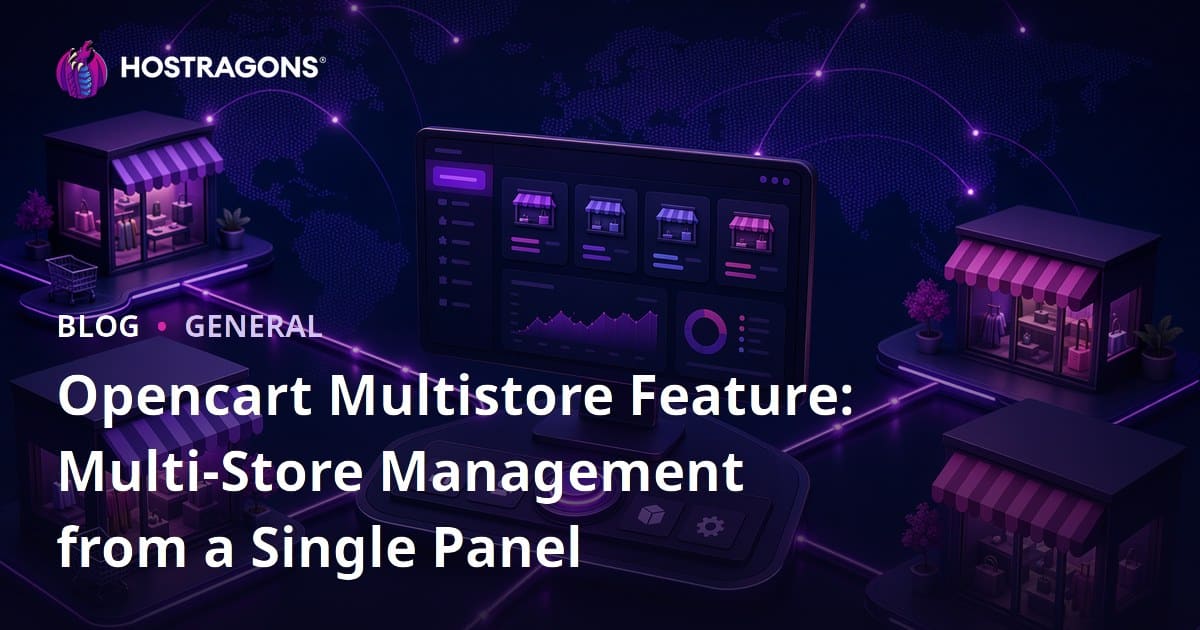
The Opencart Multistore feature allows businesses to manage multiple e-commerce stores from a single admin panel. This blog post provides a detailed explanation of what Opencart Multistore is, how it works, and the requirements it meets. Additionally, it touches on the drawbacks of this feature while highlighting tips to ease multi-store management, ways to enhance user experience, and the importance of competitor analysis. As we recommend tools and software that will help strengthen your e-commerce strategies, we also draw attention to the application opportunities you can achieve through this feature. Ultimately, this article explores ways to optimize your e-commerce operations with Opencart Multistore.
Introduction to Multi-Store Management
As competition in the e-commerce world increases, businesses are developing diverse strategies for growth and entering new markets. One of these strategies is to use the Opencart Multistore feature to manage multiple stores from a single dashboard. Multi-store management offers significant advantages such as improving brand recognition, reaching different customer segments, and ensuring operational efficiency.
The Opencart Multistore is an ideal solution for businesses that want to create separate stores for different product categories or target audiences. For example, a clothing company can open separate stores for men’s and women’s apparel or create stores that offer campaigns specific to customers in different geographical regions. This approach allows each store to maintain its brand identity and marketing strategy while enabling easy management of all operations from a centralized panel.
| Feature | Description | Advantages |
|---|---|---|
| Centralized Management | Management of all stores from a single panel | Time-saving, ease of operation |
| Diverse Brands | Different brand identities for each store | Targeted audience approach |
| Custom Pricing | Different pricing strategies for each store | Competitive advantage, increased profitability |
| Inventory Management | Central tracking of all store inventories | Stock control, efficiency |
While growing your e-commerce site with Opencart Multistore, you can analyze the performance of each store separately and optimize your strategies accordingly. This enables you to make more informed decisions and use your resources in the most efficient way. Therefore, multi-store management is not just an option for e-commerce businesses; it is also a crucial tool for gaining competitive advantage and achieving sustainable growth.
- Advantages of Multi-Store Management
- Increased brand recognition
- Access to different customer segments
- Operational efficiency
- Development of targeted marketing strategies
- Simplified inventory management
- Expansion to different geographical regions
One of the significant benefits of multi-store management is the ability to create customized marketing campaigns for each store. This allows you to offer specific deals and discounts to different customer groups, thereby increasing your conversion rates. Additionally, ensuring that each store has its unique SEO strategies also enhances its visibility in search engines, increasing your potential for organic traffic.
What is Opencart Multistore and How Does it Work?
The Opencart Multistore feature is a powerful tool that allows you to manage multiple e-commerce stores from a single installation of Opencart. With this feature, you can create separate stores targeting different product categories, brands, or audiences and easily control each of them through a single admin panel. This advantage is significant, especially for businesses with a broad range of products or those wanting to appeal to different markets. You can define distinct designs, payment methods, and shipping options for each store, thus optimizing customer experience for each one.
The backbone of Opencart Multistore relies on each store having its own database or prefix. This allows the products, customers, orders, and other data of each store to be kept separate from one another. However, managing all these stores from a single panel saves you time and enhances operational efficiency. For instance, when you update a product’s price or description, you can apply that change to whichever stores you choose.
| Feature | Description | Benefits |
|---|---|---|
| Single Panel Management | Ability to manage all stores from a single interface. | Time-saving, easy management. |
| Separate Databases | Separate database or prefix for each store. | Data security, performance optimization. |
| Customizable Designs | Different theme and design options for each store. | Brand identity creation, improving customer experience. |
| Diverse Payment and Shipping Options | Defining different payment and shipping methods for each store. | Increased customer satisfaction, compliance with market needs. |
Opencart Multistore is also an ideal solution for businesses wishing to sell in different languages or currencies. By setting different language settings for each store, you can provide localized experiences to customers in various countries. Likewise, by defining different currencies for every store, you can simplify payment processes for your customers. This offers a great advantage for businesses looking to expand internationally.
Key Features
One fundamental advantage offered by the Opencart Multistore feature is its flexibility. While you can manage each store independently, you can also share common resources (like product images or descriptions). This is particularly helpful for stock management. Additionally, you can monitor the performance of each store separately, determine which one is more successful, and adjust your strategies accordingly.
Use Cases
The Opencart Multistore can be used in various e-commerce scenarios. For instance, a clothing store may create separate stores for women’s and men’s apparel or an electronics store may establish separate stores for different brands. Furthermore, a business could set up different stores for wholesale and retail sales. This flexibility makes Opencart Multistore a versatile solution.
Here are the steps to follow when setting up Opencart Multistore:
- Opencart Installation: First, install the latest version of Opencart on your server.
- Login to Admin Panel: After the installation is complete, log in to the admin panel.
- Add Store: Navigate to System > Stores > Add Store and enter the required information (name, URL, meta description, etc.) for your new store.
- Configure Settings: Set up themes, languages, currencies, and other settings for each store.
- Assign Products: Allocate products to their respective stores. A product can be displayed in multiple stores.
- Determine Categories: Create different categories for each store or assign existing categories.
- Test and Optimize: Test your stores and make necessary adjustments to enhance customer experience.
The Opencart Multistore feature provides significant ease and flexibility for e-commerce businesses. Managing multiple stores from a single panel boosts operational efficiency and facilitates catering to various markets or target audiences. This feature is an indispensable tool for businesses aiming for growth and looking to implement diverse e-commerce strategies.
Requirements for Opencart Multistore
Before you begin utilizing the Opencart Multistore feature, you need to ensure that your system and infrastructure have the capability to support this multi-store structure. This includes both technical requirements and practical preparations. The essential components you will need range from server requirements to software compatibility. Remember, starting on the right foot will minimize any potential issues you may encounter later.
First and foremost, it is crucial that your Opencart installation and server possess the capacity to support the multistore feature. The server's CPU power, RAM, and disk space must be sufficient to ensure that multiple stores can run smoothly at the same time. Additionally, having an updated version of Opencart reduces the risk of security vulnerabilities while enabling you to utilize the latest features. If you are using an outdated version, consider upgrading it as soon as possible.
| Requirement | Minimum Value | Recommended Value |
|---|---|---|
| Opencart Version | 3.x | 4.x (Latest) |
| PHP Version | 7.2 | 8.0 or Higher |
| RAM | 2 GB | 4 GB or Higher |
| Disk Space | 20 GB | 50 GB or Higher (Depending on the Number of Stores) |
Moreover, configuring SSL certificates for each store individually is critical for customer security. Each store must have its unique domain name, and each of those domain names must be secured with SSL. This protects your customers' personal and financial information. Additionally, having a dedicated email address and contact information for each store enhances brand recognition and streamlines customer support processes.
- Practical Requirements
- A separate domain name for each store
- SSL certificate (for each domain)
- Distinct email addresses and contact information
- Integration of different payment methods (if necessary)
- A unique product and category structure for each store
To effectively manage the Opencart Multistore, you may need a team or consultant with technical expertise. Especially gaining professional support for installation, configuration, and troubleshooting potential issues can help streamline the process and avoid costly mistakes. Regular data backup and security measures are also vital to prevent data loss.
Disadvantages of Opencart Multistore
While the Opencart Multistore feature offers the convenience of managing multiple stores from a single panel, it can also come with certain disadvantages. These drawbacks may become more pronounced, especially in large and complex e-commerce operations. Resource management, customization challenges, and potential security vulnerabilities are important issues to be mindful of.
The following table summarizes the potential disadvantages of the Opencart Multistore feature and their possible impacts:
| Disadvantage | Possible Impact | Solution Suggestion |
|---|---|---|
| Resource Consumption | Decreased server performance, slow loading times | Optimized hosting solutions, use of CDN |
| Customization Challenges | Compatibility issues with different themes and modules for each store | Professional developer support, selection of compatible modules |
| Security Vulnerabilities | Risk of all stores being affected from a single point | Strong security measures, regular security audits |
| Management Complexity | Confusion in product, inventory, and order management | Thorough training, process optimization |
Points to Consider
- Individual SEO strategies should be developed for each store.
- Consistency of product and category structures across stores should be maintained.
- Each store’s payment and shipping options should be checked for appropriateness.
- Customer service processes should be coordinated across stores.
- Server resource adequacy should be monitored regularly.
It is crucial to remember that each store has its unique needs when using the Opencart Multistore. While using a common management panel may simplify certain areas, each store needs to be optimized individually. Otherwise, performance problems and declines in user experience may occur.
Particularly, attention must be paid to security while using the Opencart Multistore. Since multiple stores are managed through a single system, a security vulnerability can impact all stores. Thus, implementing robust security measures and conducting regular security checks are essential.
Tips for Multi-Store Management
Using the Opencart Multistore feature to manage multiple stores effectively is a process that requires attention and care. It is essential to recognize that each store has its specific needs and target audiences. Successful multi-store management necessitates strategic planning, effective marketing, and a customer-focused approach.
| Medicine | Description | Importance |
|---|---|---|
| Define Target Audience | Clearly define the target audience for each store. | High |
| Create Brand Identity | Create a consistent and unique brand identity for each store. | High |
| Product Categorization | Categorize products according to each store's target audience. | Medium |
| Marketing Strategies | Create special marketing campaigns for each store. | High |
To achieve success in multi-store management, regularly monitoring and analyzing the performance of each store is critical. Understanding which products sell more, which marketing campaigns are more effective, and in which stores customers spend more time will help optimize your strategies. In light of these analyses, you can efficiently allocate resources and support the growth of each store.
Tips for Successful Management
- Understand the Target Audience: Analyze the target audience of each store in detail.
- Maintain Brand Consistency: Preserve your brand identity across all your stores.
- Personalized Marketing: Develop tailored marketing strategies for each store.
- Inventory Management: Effectively manage your inventory to prevent stock issues.
- Customer Feedback: Continuously improve by considering customer feedback.
- Performance Monitoring: Regularly observe and analyze the performance of each store.
Moreover, you can experiment with various methods to improve the user experience. For example, making the website of each store user-friendly, offering fast and reliable shipping options, and providing effective customer service support will enhance customer satisfaction. Customer satisfaction is among the most important factors for long-term success, thus continuous improvement efforts are essential.
Remember, to maximize the efficiency gained through the Opencart Multistore feature, be open to continuous learning and development. Keeping up with innovations in the sector, analyzing competitors, and understanding customer expectations will help you consistently update your multi-store management strategies. Successful multi-store management requires not only technical knowledge but also strategic thinking and a willingness to learn continuously.
Ways to Improve User Experience

Managing multiple stores with the Opencart Multistore feature presents an excellent opportunity to enhance the user experience. Each store must appeal to its unique audience, necessitating a personalized experience. Improving the user experience directly impacts customer satisfaction and loyalty. Therefore, adopting a user-friendly approach in each of your stores is crucial.
To enhance user experience, you first need to understand the target audience of each store and offer a design and content that aligns with it. For example, a store aimed at younger audiences might adopt a more dynamic and visually focused design, while a store catering to a more mature crowd may opt for a simpler and more informative design. Moreover, ensuring that product descriptions are detailed and clear helps users access accurate information. Furthermore, offering a fast and reliable payment system positively affects users' shopping experience.
Recommended Strategies
- Create separate user personas for each store.
- Use mobile-responsive designs.
- Ensure fast loading times (perform page optimizations).
- Boost the visibility of your stores through search engine optimization (SEO).
- Consider user feedback and continually improve.
- Establish a clear and easy-to-understand navigation structure.
Additionally, it is crucial to design an intuitive interface so that users can easily navigate your stores. Making the search bar easily accessible, organizing categories logically, and offering product filtering options enable users to get to desired products more efficiently. Customer service is also a critical part of the user experience. Providing quick and effective responses to inquiries, resolving issues, and keeping users informed will enhance customer satisfaction. Remember, a satisfied customer is your brand's best ambassador.
| Method of Increasing User Experience | Description | Importance |
|---|---|---|
| Personalized Content | Presenting products and content based on user interests. | Increases customer loyalty. |
| Mobile Optimization | The store functions smoothly on mobile devices. | Critical due to the increasing number of mobile users. |
| Fast Loading Times | Pages load quickly. | Increases the time users spend on the site. |
| Easy Navigation | Users can easily browse the site. | Ensures easy access to desired products. |
It’s important to continuously measure and analyze the user experience. By using tools like Google Analytics, you can track user behaviors, identify which pages get the most visits, which products attract the most interest, and pinpoint where users experience issues. Based on this data, you can improve and continuously enhance user experience. By considering user feedback, you can make your stores more user-centric.
Importance of Competitor Analysis
Success in e-commerce extends beyond merely offering quality products or executing effective marketing strategies. Understanding your competitors and their strategies is crucial in this highly competitive environment. While managing multiple stores with the Opencart Multistore feature, conducting separate competitor analyses for each store allows you to better adapt to market dynamics.
Competitor analysis helps you understand the overall structure of the market, identify trends and opportunities. Through this analysis, you can identify your competitors' strengths and weaknesses and shape your business model accordingly. For example, by examining which products your competitors are most successful with, what marketing channels they are utilizing, and how they handle customer feedback, you can optimize your own strategies.
Steps for Conducting Competitor Analysis
- Identify Competitors: Identify your main competitors in the market and potential new competitors.
- Data Collection: Review your competitors' websites, social media accounts, pricing strategies, and customer reviews.
- SWOT Analysis: Conduct a SWOT analysis identifying your competitors’ strengths, weaknesses, opportunities, and threats.
- Comparison: Compare your own business model, products, and marketing strategies with those of your competitors.
- Monitor Trends: Keep an eye on overall trends in the market and how your competitors respond to them.
- Strategy Development: Based on the data obtained, develop strategies that provide competitive advantage.
By conducting competitor analysis for each store managed with Opencart Multistore, you can better appeal to the target audiences of your stores. For instance, while one of your stores may focus on a specific niche market, another might cater to a broader audience. Therefore, since each store’s competitive environment will be different, separate analyses allow you to develop specific strategies for each store.
Competitor analysis is a crucial part of increasing your success while using the Opencart Multistore feature to manage multiple stores. By analyzing your competitors, you can adapt to market dynamics better, optimize your business model, and gain a competitive edge.
Strengthening Your E-commerce Strategies with Opencart Multistore
The Opencart Multistore feature grants e-commerce businesses the flexibility and control needed to gain a competitive edge in the market. By creating customized stores for different target audiences, product categories, or brands, you can enhance customer satisfaction and optimize sales. This strategy presents a significant opportunity for businesses that possess a broad product line or wish to enter various markets.
| Strategy | Description | Benefits |
|---|---|---|
| Niche Market Focus | Creating stores targeting specific products or audiences. | Higher conversion rates, improved SEO performance. |
| Brand Differentiation | Managing separate stores for different brands. | Strengthening brand image, better audience targeting. |
| Geographic Targeting | Creating specific stores for customers in different regions. | Providing products that meet local market needs, logistics optimization. |
| Promotion and Discount Management | Offering customized promotions and discounts for each store. | Increasing sales, strengthening customer loyalty. |
Strategies for Success
- Conduct Market Research: Determine your target audience's needs and expectations.
- Prioritize SEO Optimization: Perform keyword research for each store and optimize your content.
- Ensure Mobile Compatibility: Make it easy for your customers to shop comfortably from their mobile devices.
- Utilize Social Media Integration: Increase brand awareness by integrating your stores with social media platforms.
- Evaluate Customer Feedback: Continuously develop your stores by taking customer comments into account.
While strengthening your e-commerce strategies with Opencart Multistore, you should not neglect data analysis. By consistently monitoring the performance of each store, you can identify which strategies are more effective and make appropriate adjustments. Adopting a data-driven approach will guide you in understanding customer behavior, effectively reaching your products to the right audience, and optimizing your marketing campaigns.
To make the most of the opportunities presented by the Opencart Multistore feature, being open to continuous learning and innovation is vital. The e-commerce world is constantly changing and evolving, and staying ahead of new trends will give you a significant edge over your competitors. By maintaining a customer-centric approach, coupled with regular improvement and optimization efforts, you can elevate your e-commerce strategies with Opencart Multistore to their highest potential.
Recommended Tools and Software
There are various tools and software that can facilitate your work and improve efficiency while using the Opencart Multistore feature. These tools may help you optimize store management, improve your marketing strategies, and enhance customer experience. Choosing the right tools can help you overcome challenges you may face during multi-store management.
Below is a comparison of some essential tools and software you can use for managing your Opencart Multistore. These tools can help you make your e-commerce operations more efficient.
| Tool/Software | Description | Features |
|---|---|---|
| Google Analytics | Used to track your website traffic and user behaviors. | Real-time data, custom reports, conversion tracking |
| Mailchimp | Used to create and manage email marketing campaigns. | Automation, segmentation, A/B testing |
| SEMrush | Used for SEO and competitor analysis. | Keyword research, site audit, ranking tracking |
| Trello | Used for project and task management. | Card-based interface, collaboration, customizable workflows |
Some tools you can use for effective Opencart Multistore management include:
- Google Analytics: For tracking and analyzing the performance of your websites.
- Mailchimp: For managing and automating your email marketing campaigns.
- SEMrush: For enhancing your SEO strategies and analyzing your competitors.
- Trello: For organizing and tracking your projects and tasks.
- Hootsuite: For managing your social media accounts and planning content.
- LiveChat: For improving your customer service and providing instant support.
These tools save you time while managing the Opencart Multistore and help you make more informed decisions. By evaluating the advantages each tool offers, you can select the ones that best meet the needs of your business. Remember, using the right tools is a vital part of your e-commerce success.
Conclusion and Application Opportunities
The Opencart Multistore feature stands out with its versatile advantages for e-commerce businesses. The ability to manage multiple stores from a single panel not only increases operational efficiency but also provides an opportunity to develop specific strategies tailored to various target audiences and product categories. This feature is particularly ideal for large-scale businesses and those looking to target different niche markets.
Measures to Take and Implementation Steps
- Planning and Strategy Development: Define the target audience and product strategy for each store.
- Select Domain and Hosting: Choose suitable domain names and reliable hosting services for each store.
- Customize Theme and Design: Use unique themes and designs aligning with the brand identity of each store.
- Product Categorization and Management: Correctly categorize products for each store and regularly track inventory.
- Integrate Payment and Shipping: Integrate appropriate payment methods and shipping options for each store.
- SEO Optimization: Configure the SEO settings of each store individually to increase visibility in search engines.
One of the biggest advantages of using Opencart Multistore is the ability to monitor and manage the performance of all stores through a centralized management panel. This allows you to track sales, customer behaviors, and the effectiveness of marketing campaigns separately, and to optimize your strategies based on the gathered data. Particularly for businesses aiming to expand into different markets, this feature provides significant competitive advantages.
| Feature | Description | Benefits |
|---|---|---|
| Centralized Management | Management of all stores from a single panel | Time-saving, operational efficiency |
| Target Audience-Specific Strategies | Different marketing strategies for each store | Increased sales, customer satisfaction |
| Brand Identity Creation | Unique designs for each store | Strong brand image, customer loyalty |
| Inventory Management | Stock tracking for all stores | Fewer stock errors, efficient inventory management |
However, when using the Opencart Multistore feature, there are some points to pay attention to. It's vital to remember that each store requires its unique SEO strategy, marketing plan, and customer service approach. Additionally, the technical infrastructure and security of each store must be ensured individually. Therefore, conducting thorough planning and allocating necessary resources before transitioning to multi-store management is of utmost importance.
The Opencart Multistore feature offers significant opportunities for e-commerce businesses. With the right strategies and careful management, businesses can grow in different markets, expand their customer base, and gain competitive advantages. Hence, multi-store management is a critical option for businesses that aspire to succeed in the e-commerce landscape.
Frequently Asked Questions
What should I consider before starting to use Opencart Multistore?
Before setting up Opencart Multistore, ensure that your hosting infrastructure is sufficient. Confirm that SSL certificates are correctly configured for each store. Additionally, defining a separate business plan and target audience for each store will improve your chances of success.
What types of e-commerce business models can I implement with Opencart Multistore?
Opencart Multistore supports various business models such as focusing on niche markets, managing different brands, segregating B2B and B2C sales, or creating different stores based on geographical areas. For instance, one store may focus solely on women's clothing while another sells electronics.
How much technical knowledge do I need for multistore setup? Should I seek help from an expert?
While the basic setup of Opencart and its Multistore feature is relatively user-friendly, technical knowledge may be required for domain redirection, SSL setup, and resolving potential theme/plugin compatibility issues. If you lack experience in these areas, seeking help from an expert can speed up the installation process and help avoid mistakes.
What should I pay attention to regarding SEO while using Opencart Multistore?
It is crucial to develop separate SEO strategies for each store. Ensure that the meta descriptions, title tags, URL structures, and content are unique and relevant for each store. Avoid using the same content in multiple stores and create separate sitemaps for each store.
Can I offer different payment methods in different stores using Opencart Multistore?
Yes, Opencart Multistore allows you to configure different payment methods for each store. This enables you to offer payment options that align with the target audience and geographical location of each store. For instance, one store might only accept credit card payments, while another offers cash on delivery.
How can I track the performance of each store separately while using the multistore feature?
You can use Opencart’s reporting tools or integrate external analytics tools like Google Analytics to track the performance of each store separately. By monitoring metrics such as sales statistics, traffic sources, conversion rates, and customer behaviors, you can identify the strengths and weaknesses of each store and develop strategies accordingly.
What security vulnerabilities might I face with Opencart Multistore, and how can I mitigate them?
The most common security vulnerabilities include SQL injection, XSS attacks, and unauthorized access. Keeping Opencart and your plugins up to date, using strong passwords, employing firewalls, and conducting regular backups are primary measures to take against such attacks.