 Afrikaans
 Azərbaycan
 Bosanski
 Čeština
 Dansk
Dansk Deutsch
 English
 Español
 Filipino
 Français
 Hrvatski
 Indonesia
 Italiano
 Magyar
 Melayu
 Nederlands
 Norsk
Norsk Oʻzbek
 Polski
 Português
 Română
 Slovenčina
 Slovenščina
 Suomi
Suomi Svenska
 Tiếng Việt
 Türkçe
 Ελληνικά
 Беларуская
 Български
 Русский
 Српски
 Українська
 עברית
עברית اردو
اردو العربية
 پښتو
پښتو فارسی
فارسی አማርኛ
አማርኛ मराठी
मराठी বাংলা
বাংলা தமிழ்
தமிழ் ไทย
ไทย မြန်မာ
 한국어
한국어 中文
中文 日本語
日本語

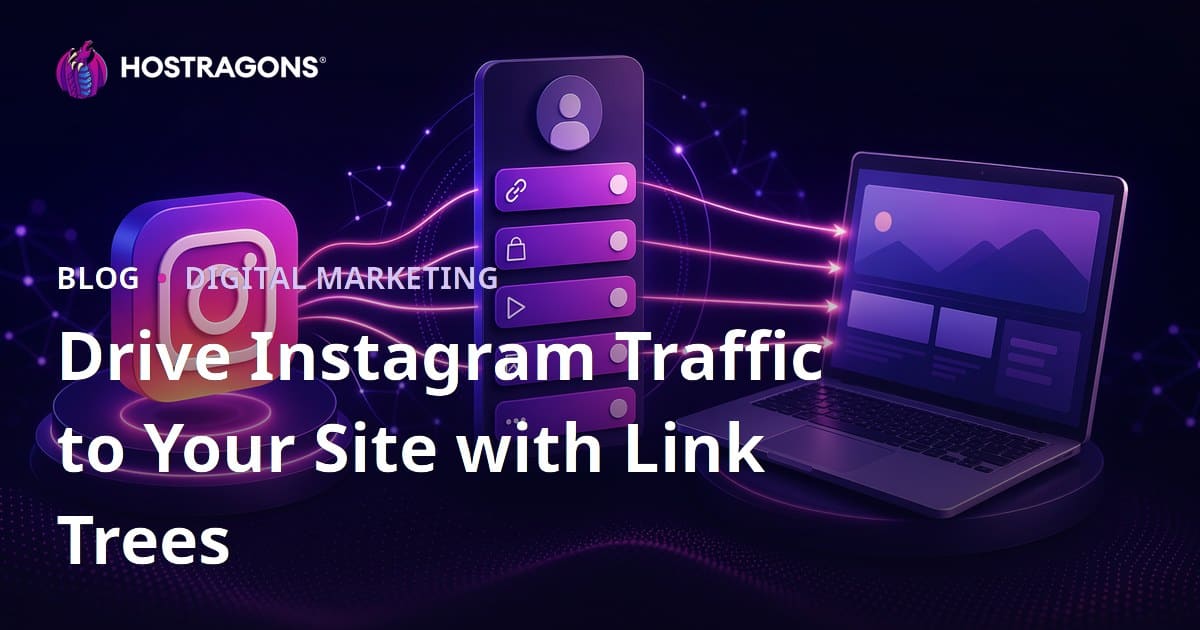
Link trees are mini landing pages used to distribute the single link in an Instagram profile to multiple destinations. When set up correctly, alternatives to Linktree not only redirect followers to different links; they also increase website traffic, make campaigns measurable, drive qualified visitors to sales pages, and strengthen the brand's digital presence without relying on third-party platforms. The best approach is to host the link tree on your own domain or a subdirectory of your website, design the links in order of priority, and analyze each click using UTM tags.
Why Are Link Trees Critical for Instagram Traffic?
While Instagram is a powerful platform for content discovery, it still has a limited structure for external links. There is only one main link in the profile bio; story, ad, and shopping features do not perform equally for every account. Therefore, brands, content creators, e-commerce sites, consultants, and local businesses must efficiently distribute Instagram traffic through a single link.
Link trees offer a practical solution to this need. However, in the 2026 SEO and user experience standards, a simple page consisting only of buttons is not sufficient. The page must load quickly, appear flawless on mobile, be published on a reliable domain, be measurable, accessible, and align with brand identity. Especially in the era of AI-supported search results and Google AI Overviews, it has become increasingly important for brands to provide consistent, crawlable, and trustworthy content on their own websites.
Let’s consider an example: a boutique coffee brand with 80,000 followers on Instagram that only provides a link to its homepage in its bio may leave visitors struggling to find the menu, promotions, blog posts, or subscription forms. The same brand can divide visitors into several targets using a link tree they create on their site: new coffee beans, subscription package, nearest store, brewing guide, wholesale application, and email newsletter. Thus, a single link transforms into a measurable traffic distribution hub.
Should You Use Linktree or Create Your Own Link Tree?
Linktree, Beacons, Taplink, and similar tools are convenient for quick starts. However, in terms of SEO, brand trust, data ownership, and conversion optimization in the long run, link trees hosted on your own website can be more strategic. This way, traffic does not remain on a third-party page; it goes directly to your domain. This enhances both the quality of analytics and brand authority.
| Criteria | Ready-made Linktree-like Tools | Your Own Link Tree on Your Website |
|---|---|---|
| Setup Speed | Very fast, can be launched in minutes. | Requires some planning but provides a permanent infrastructure. |
| Brand Trust | The domain name often belongs to a third-party brand. | Your own domain is used, increasing the perception of trust. |
| SEO Impact | SEO value mostly goes to the third-party area. | Traffic and user signals accumulate on your site. |
| Analytics | May be limited to the data provided by the platform. | Full measurement can be done with GA4, Search Console, CRM, and ad pixels. |
| Design Flexibility | May be limited by templates. | Custom and fast pages can be designed to fit brand identity. |
| Cost | Starts free, advanced features cost money. | There are hosting and domain costs; more ownership in the long run. |
To set up your own link tree, you can use WordPress, a custom HTML page, no-code site builders, or create a custom landing page on your existing website. A reliable hosting provider, SSL certificate, and fast server response time play a critical role in technical infrastructure. At this point, you can evaluate Hosting Packages for publishing your page on your own domain, Domain Lookup for selecting a suitable address for your brand, and SSL Certificate for ensuring a secure connection.
What Should the Ideal Link Tree Structure Look Like?
A successful link tree is not a random list of added links. It is a mini conversion funnel that is sorted according to user intent, enabling quick decision-making, and aligns with brand goals. Users coming from Instagram are usually on mobile devices, have limited attention, and want to find their way within the first 5 seconds. Therefore, the page should be simple, clear, and focused on priority goals.
1. Use a Short and Memorable URL
The best URL structure is often something like domain.com/instagram, domain.com/bio, or domain.com/link. Avoid addresses that contain special characters, are too long, or are overly complex. If you are running different campaigns, you can create temporary pages like domain.com/instagram-campaign. Using your own domain reduces the user's concerns about fake links and increases brand trust.
2. Place the Most Important Link First
Links at the top of the link tree typically receive higher clicks. Based on experience, the first three links account for a significant portion of total clicks. Therefore, position the highest value targets, such as campaign pages, product launches, appointment forms, or quote request pages, at the top. Move lower-priority links to the bottom of the page.
3. Write Clear Benefits for Each Link
Instead of vague phrases like "Check it out" or "Click here," tell the user what they will gain. For example, action-oriented texts like "Discover New Season Products," "Get a Free Quote," "Choose Your Hosting Package in 3 Minutes," or "Read the Coffee Brewing Guide" perform better. Button texts should be short but clearly reflect intent.
Step-by-Step Guide to Setting Up Your Own Link Tree
Step 1: Define Your Goals
First, clarify what you expect from the traffic coming from Instagram. Is your goal sales, appointments, email subscriptions, blog traffic, app downloads, or brand awareness? While it may seem appealing to add a separate link for each goal, too many options can create decision fatigue. An ideal start is to have 5 to 8 main links. Even e-commerce sites with extensive catalogs can achieve better results by offering 3 main redirects on the first screen.
Step 2: Create the Page on Your Site
If you are using WordPress, you can open a custom page and add buttons, short descriptions, and visuals using a page builder or block editor. If you are using custom software, a simple HTML, CSS, and JavaScript page may be sufficient. The important thing is to have the page load with a first response time close to 1 second, and it should not appear complicated, even if scrolling is required on mobile. If you are having issues with speed, resources like Web Hosting Performance Optimization and WordPress acceleration guide can be considered as internal links.
Step 3: Establish Visual Hierarchy
Use a hierarchy of profile photo or logo, short value proposition, the most important buttons, social proof, and secondary links. For example, for a consulting brand, the first block could feature the area of expertise and a booking button. Following that could be success stories, blog posts, email newsletters, and contact forms. Avoid low-contrast text on dark backgrounds; buttons should be easily clickable with a finger.
Step 4: Measure with UTM Tags
To accurately analyze traffic coming from the Instagram bio link, add UTM parameters to each target URL. A sample structure might look like: utm_source=instagram, utm_medium=bio, utm_campaign=2026_launch. If you are testing different buttons, you can add distinctions like utm_content=first_button or utm_content=blog_guide. This data allows you to see which link generates sales, forms, or memberships in Google Analytics 4.
Step 5: Set Up Conversion Tracking
Merely tracking page views is not enough. Keep track of button clicks, form submissions, phone calls, WhatsApp clicks, adding to cart, and purchases. For example, if a page receives 10,000 visits from Instagram, and the first button gets a 22% click rate, the second button a 7% click rate, and the sales conversion rate is 1.4%, it becomes clear which link is generating revenue. This way, you develop the link tree based on data rather than intuition.
Step 6: Make It Crawlable for SEO
Although the link tree page may be prepared solely for social media traffic, it should still comply with basic SEO rules. The page should include a descriptive H1, a short meta description, a few sentences about the brand, meaningful link texts, and fast-loading visuals. Do not use unnecessary noindex tags, but if the campaign is very temporary or aimed at a specific audience, consider your indexing strategy separately. It is important for the page to be included in the sitemap, supported by internal links, and not produce 404 errors.
Step 7: Add Trust and Privacy Elements
Users look for trust signals before making payments, reservations, or filling out forms. Secure connections via SSL, clear contact information, GDPR disclosure texts, links to return or service conditions, and real social proof can increase conversions. Especially for e-commerce sites, it is beneficial to provide a secure shopping message before directing users to the payment page. For SSL usage, you can refer to What is SSL Certificate.
Step 8: Improve with A/B Testing
The link tree is not a one-and-done page. Button order, colors, short descriptions, campaign titles, visuals, and CTA texts should be regularly tested. For instance, you can use the first button as "Explore the New Collection" for two weeks, and then switch it to "Exclusive Discount for Instagram Followers" for the next two weeks, measuring the difference in clicks and sales. If your traffic is low, run the test for a longer period; making decisions too early can be misleading.
Link Tree Examples for Different Business Models
Example Structure for an E-commerce Site
A link tree order for an e-commerce brand might look like this: promotional products, bestsellers, new arrivals, shipping and return information, size chart, blog guide, customer reviews, and support line. The aim here is to direct high-intent users directly to product or category pages while providing reassurance to undecided users. To ensure your product pages load quickly, E-commerce Hosting infrastructure can be evaluated.
Example Structure for a Service Business
For service-oriented businesses like agencies, clinics, law firms, educational consultants, or software companies, booking and quote requests may be prioritized. The suggested structure: get a free consultation, review services, success stories, frequently asked questions, blog posts, WhatsApp contact, and location information. In this structure, trust elements, certifications, and expertise signals should be more visible.
Example Structure for Content Creators or Personal Brands
For content creators, the link tree should connect to revenue and community goals rather than just listing social media accounts. For example, links can include the latest YouTube video, email newsletter, digital product, training program, podcast episode, sponsorship file, and media kit. In personal brands, a short expertise sentence and the use of a professional domain significantly enhance trust.
Common Mistakes in Link Tree Design
The most common mistake is overcrowding the link tree. Adding 20 or 30 links makes it difficult for users to make decisions. The second mistake is showing all links as equally important. However, not every campaign has the same commercial value. The third mistake is changing the design without measuring. If changes in colors or order are not based on data, they can decrease performance instead of increasing it.
- Using overly long button texts reduces readability on mobile screens.
- Free third-party domain names can weaken brand trust.
- Not using UTM makes traffic sources ambiguous.
- Heavy visuals and unnecessary scripts can slow down page speed.
- Pages without SSL create trust issues for users.
- Outdated campaign links lead to wasted clicks.
To avoid these mistakes, conduct a link tree audit at least once a month. Test all links from a mobile device, check for broken links, update campaign dates, and review analytics reports. Even small adjustments can make a significant difference in the overall conversion rate.
KPIs to Track for Measuring Performance
The success of link trees is not measured solely by visitor numbers. If 5,000 visits from Instagram lead to a low conversion rate, a structure that generates more sales with 1,500 visitors is more successful. Therefore, both traffic and conversion metrics should be evaluated together.
- Page Views: Shows how many people came from the Instagram bio link.
- Button Click Rate: Measures how much interest each link generates relative to total visitors.
- First Button Click Rate: Tests the visibility of your most important campaign.
- Conversion Rate: Measures ultimate goals like forms, sales, memberships, or appointments.
- Revenue or Lead Value: Shows the actual contribution of the link tree to the business.
- Bounce Rate: Indicates whether the visitor left without clicking any links.
As a practical benchmark for starting, a simple and well-designed link tree should expect a total button click rate of 30% to 60%. Of course, industry, traffic quality, campaign appeal, and brand awareness affect these rates. Regular measurements to create your own reference values is the healthiest approach.
Strategic Advantages in Terms of SEO, Brand Authority, and Data Ownership
One of the most significant advantages of setting up a link tree on your own website is data ownership. Since traffic comes directly to your site, you can analyze user behavior in more detail. Additionally, visitors interact with your brand's domain, which provides long-term trust and memorability. While traffic from ready-made tools can be practical, the signals accumulated on your domain become more valuable as the brand grows.
From an SEO perspective, a link tree page may not be a significant source of organic traffic by itself. However, with the right internal links, it can direct user flow to your blog posts, category pages, products, and guide content. This increases user engagement and contributes to more visits to important pages on your site. For instance, a reel content you share on Instagram can drive traffic to a relevant blog guide via the bio link. If there are natural links to product or service pages within this guide, a stronger conversion path is established.
Technical Infrastructure: Speed, Security, and Consistency
Instagram users typically come from mobile connections. If your page takes longer than 3 seconds to load, you may experience significant user loss. Therefore, a lightweight theme, optimized visuals, caching, CDN, and quality hosting infrastructure are essential. Since traffic can spike suddenly, especially during campaign periods, monitor your server resources. After a viral reel, thousands of users may click your link simultaneously; if the page crashes, it results in lost campaign budget and opportunities.
On the security side, SSL, updated software, strong admin passwords, two-step verification, and regular backups are fundamental requirements. If you are using WordPress, limit the number of plugins and do not neglect updates. For reliable infrastructure, WordPress Hosting and information on regular backups can be used as natural links.
Linking Your Tree to Instagram Content Strategy
For the link tree to be effective, it needs to work in harmony with Instagram content. If you mention a free guide in a reel, the first link in the link tree should lead to that guide. If you are announcing a new product in a story, a campaign button should be visible on the bio page. If users do not see a consistent experience when transitioning from content to page, they may leave without clicking.
You can establish a weekly routine. Update campaign buttons on Mondays, check analytics data on Wednesdays, and move the best-performing links to the top on Fridays. At the end of the month, report which type of content drove traffic to which link. This simple process turns the link tree from a static page into an active marketing panel.
Frequently Asked Questions
What is a link tree?
A link tree is a mini landing page that directs to multiple pages through a single link. It is commonly used in Instagram bio links and takes users to different targets such as products, blogs, campaigns, contact forms, or appointment pages.
Is it better to set up a link tree on my own site instead of Linktree?
In the long run, for most brands, yes. A link tree set up on your own site enhances brand trust, allows you to own traffic data, helps accumulate SEO signals on your domain, and offers design flexibility.
How many links should be in a link tree?
Generally, 5 to 8 main links are an ideal starting point. If more links are needed, grouping, category headers, or seasonal campaign pages should be used. The goal is to provide options to the user without creating decision fatigue.
Does a link tree contribute to SEO?
It may not be a direct source of significant organic traffic; however, it can provide indirect SEO benefits by directing Instagram traffic to your site, linking to important internal pages, and increasing user engagement.
How is Instagram link tree performance measured?
It is measured using UTM tags, Google Analytics 4 event tracking, and conversion goals. Page views, button click rates, form submissions, sales, appointments, and revenue metrics should be regularly analyzed.
Conclusion: Transform Your Single Link into a Strategic Traffic Hub
Link trees are one of the most practical ways to transform the single bio link on Instagram into a multi-targeted, measurable, conversion-focused traffic hub. The most sustainable method is to set up this structure on your own domain, with a fast and secure hosting infrastructure. This way, you control the user experience and convert traffic data into lasting value for your brand. To start, a simple page, 5 essential links, UTM tracking, and monthly optimization are sufficient. When you're ready, strengthen your domain, hosting, and SSL infrastructure to transition your Instagram traffic to a more reliable web experience.