 Afrikaans
 Azərbaycan
 Bosanski
 Čeština
 Dansk
Dansk Deutsch
 English
 Español
 Filipino
 Français
 Hrvatski
 Indonesia
 Italiano
 Magyar
 Melayu
 Nederlands
 Norsk
Norsk Oʻzbek
 Polski
 Português
 Română
 Slovenčina
 Slovenščina
 Suomi
Suomi Svenska
 Tiếng Việt
 Türkçe
 Ελληνικά
 Беларуская
 Български
 Русский
 Српски
 Українська
 עברית
עברית اردو
اردو العربية
 پښتو
پښتو فارسی
فارسی አማርኛ
አማርኛ मराठी
मराठी বাংলা
বাংলা தமிழ்
தமிழ் ไทย
ไทย မြန်မာ
 한국어
한국어 中文
中文 日本語
日本語

Windows Terminal, Microsoft வழங்கும் நவீன கமாண்ட்-லைன் அனுபவத்தைத் தரும், டெவலப்பர்களுக்கும் சிஸ்டம் நிர்வாகிகளுக்கும் மறக்க முடியாத ஒரு கருவி. இந்த பதிவில் Windows Terminal என்றால் என்ன மற்றும் அது ஏன் முக்கியமானது என்பதை விளக்கும்; PowerShell 7 உடன் அதன் இணைப்பையும் விரிவாக அலசுகிறது. Windows Terminal-ஐ நிறுவும் படிகள், பணிப்பயிர் சூழலை தனிப்பயன் செய்வது, PowerShell 7-இல் கமாண்டுகளைச் சாலியாக பயன்படுத்தும் நடவடிக்கைகள், உறுப்பு போட்டி மற்றும் சிறந்த நடைமுறைகள், பிழைத் தணிக்கும் முறைகள், பயன்படுத்தும் அனுபவம் மற்றும் உங்கள் கருத்துகள் ஆகியவை முழுமையாக விவரிக்கப்படுகின்றன. இறுதியில், Windows Terminal தரும் நன்மைகள் வலியுறுத்தப்படுகின்றன, மற்றும் எதிர்கால வளர்ச்சி பற்றியும் தகவல் தரப்படுகிறது.
Windows Terminal என்றால் என்ன? ஏன் அது முக்கியம்?
Windows Terminal என்பது Microsoft உருவாக்கிய, பல வகையான கமாண்டு-லைன் கருவிகள் மற்றும் shells-க்கு முடிந்த அளவில் மைய இடைமுகம் தரும் நவீன terminal application ஆகும். பழைய Command Prompt அல்லது PowerShell மாதிரிகளில் இல்லாத பலசிறந்த வசதிகளை கொண்டுள்ளது — தடைகள், பல்க்காணிகள் (panels), தனிப்பயன் themes, shortcut keys, unicode ஆதரவு மற்றும் பல. இந்த நவீன terminal, பல கருவிகள் நேரடியாக ஒன்றின் மேல் ஒன்று வேலைபடுதலை ஏற்ற செய்துகொடுத்து, சளிக்க, சீரான developer-கள், system administrators-களுக்கு பணி துரிதமாக செய்கிறது.
Windows Terminal-ன் முக்கிய வசதிகள்
- Multi-tab interface: ஒரே window-ல் பல shell sessions இயக்கலாம்
- Panels: ஒரே window-யில் பல screen பகுதிகள் திறந்த கமாண்ட்-லைன் session-கள்
- பிருமையான theme & color schemes – தனிப்பயனாக்கத்துக்கு ஏற்கெனவே உள்ளது
- Keyboard shortcuts – பல கட்டளைகளை வேகமாக செயல் படுத்தலாம்
- Multiple shell support – (PowerShell, CMD, WSL, Azure Cloud Shell…)
- Unicode/UTF-8 characters – பிற மொழி, பிற சூழலில் flawless
Developer-க்களுக்கு Windows Terminal பல development tools மற்றும் environments, shell-களின் பக்கத்திலேயே swap பண்ணவைக்கும் convenience தரப்படுகிறது. உதாரணமாக, PowerShell session-இல் Windows admin பணிகளை செய்யும் போது, WSL-ல் Linux developing-க்கும் நீங்க ஒரே window-வில் தான். இந்த integration, உங்கள் development environment-க்கு பாரிஸ் அளவில் efficiency boost தருகிறது.
| வசதி | Windows Terminal | பழைய Command Prompt | PowerShell (பழைய) |
|---|---|---|---|
| Multi-Tab | உள்ளது | இல்லை | இல்லை |
| Panels | உள்ளது | இல்லை | இல்லை |
| Customization | அதிகமா | குறைவு | மிதம் |
| Multi-shell Support | உள்ளது | மிக குறைவு | உள்ளது |
Windows Terminal open-source project ஆக இருப்பதால், பல updates, features பிறகு பிறகு வந்து user feedback வந்து continuous improvise ஆகிறது. Microsoft-ன் இந்த modern approach, Windows Terminal-ஐ simple command-line tool-யை விட modern development platform-ஆக்கி upgrade பண்றது.
PowerShell 7 அறிமுகம்
PowerShell 7 என்பது Microsoft-ன் பிரபல command-line shell-பட்டியில் (PowerShell) மிக புதிய version. பழைய version-க்களில் இல்லாத performance upgrades, சில புதிய features, cross-platform support ஆகியவை இதில் உள்ளன. Windows Terminal உடன் தலைமையில், developers மற்றும் administrators-க்கு வேகமும் ஆற்றலும் கூடுதல் modern CLI அனுபவம் தருகிறது.
PowerShell 7, .NET Core-ல் உருவாக்கப்பட்டுள்ளது, அதனால் Windows, Linux மற்றும் macOS-ல் கூட இயங்கும். இது multi-platform crews-க்கு அகில அனுபவம் தருகிறது, ஏனெனில் scripts/tools அனைத்தையும் ஒரே code-ஆக எல்லாயிடமும் செயல்படுத்தலாம். PowerShell 7, பழைய PowerShell versions compatibility-ஐ காப்பாற்றும் போது, புதுமையான language features தருகிறது.
- PowerShell 7 முக்கிய அம்சங்கள்
- Cross-platform: Windows, Linux, macOS
- .NET Core integration
- Speed – முக்கியமான performance தருகிறது
- புதிய operators (?? என்று null-coalescing operator)
- Simplified error handling
- Background / Parallel jobs
PowerShell 7-இல் அதிகத்திலான performance, பெரும்பாலும் யாரும் திரும்பிப் போக இயலாத கட்டளைகள், பெரிய scriptsைக்கு நேரம் சேமிக்கிறது. Modern syntax, modules அனைத்தும் scripting-ஐ simple, readable-ஆக மாற்றுகிறது.
| அம்சம் | PowerShell 5.1 | PowerShell 7 |
|---|---|---|
| Run-time | .NET Framework | .NET Core |
| Platform Support | விண்டோஸ் | Windows, Linux, macOS |
| செயல்திறன் | நிட்டியமான | வழக்கத்துக்கு மேலானது |
| Error Handling | அடிப்படை | சாய்ந்த |
PowerShell 7 modular architecture கொண்டது – புதிதாக modules/features add பண்ணலாம். Modern scripting demands-க்கு அடைய, Windows Terminal-ஐ பல shell-களுடன் இவை perfectly integrate ஆகும்.
Windows Terminal நிறுவல்
Windows Terminal நிறுவுவது மிக எளிது. Microsoft Store-ல் search செய்து வந்து install பண்ணலாம், அல்லது GitHub-ல் download செய்து manual install செய்யலாம். இந்த நவீன terminal-ஐ வைத்துக் கொள்ளுவது, உங்க command-line usage-க்கு பெரும் மாற்றம் தரும்.
Install செய்வதற்கு முன், system requirements பார்த்திடுங்க. Windows Terminal – Windows 10 (1903 version or above), அல்லது Windows 11-க்கு support செய்கிறது. System eligibility பாக்காமல் install பண்ணம் போது பதவி பிரச்சனை வரும்.
Install Steps:
- Microsoft Store-ஐ open பண்ணுங்க
- Search box-ல் Windows Terminal-னை type பண்ணுங்க
- Result-இல் Windows Terminal-னை select செய்யவும்
- Install/Download click பண்ணி install செய்யவும்
- Install முடிந்ததும் Open click பண்ணி launch செய்யவும்
- Alternately, GitHub-ல் latest installer-ஐ download செய்து run செய்யவும்
Install முடிந்ததும், Windows Terminal உங்க default terminal-ஆக set ஆகும் (settings-ல் change பண்ணலாம்). Profile-ல் பல shells (PowerShell, CMD, WSL...) select பண்ணி swap பண்ணலாம்.
Installும், update-ம் பல variety of options-ல் செய்யலாம் – கெளவு comparison பாருங்கள்:
| Installation Method | Advantages | Disadvantages |
|---|---|---|
| Microsoft Store | Simple installation, auto-updates | Microsoft account must; rare compatibility issues |
| GitHub | Latest release, manual control | Manual update/installation; more tech skill |
| Package Manager (winget) | CLI install, auto-updates possible | Requires Command-line skill, not everywhere available |
| Manual Install | Full control, custom options | Time-consuming, technical skill needed |
Install போது issues வந்தால் official documentation அல்லது online forums/communities-ல் support available. பல வாய்ப்பில் restart/driver update பகுப்பாய்வு போதுமானது.
Windows Terminal தனிப்பயன் சூழல்
Windows Terminal simple command-line tool-யை விட, customization capabilities-ல் shine பண்ணுகிறது. Work space-ஐ personalize பண்ணுவது productivity-யை develop பண்ணும் முக்கிய step. இங்கே, Windows Terminal-னைக் கீறித் திறக்கும்; உங்கள் அபிலாசைக்கு fit செய்ய.
Windows Terminal நிறைய flexibility தருகிறது — unique profiles, color-schemes, font settings, backgrounds, ஒவ்வொரு task/usage-க்கு தனி profile-யை நிலைபடுத்தலாம். Developer-க்கு development shell, sysadmin-க்கு தனி shell கிரியேட் பண்ணலாம்.
| Feature | Description | Sample Value |
|---|---|---|
| Color Scheme | Terminal palette | One Half Dark |
| Font | Font for terminal text | Cascadia Code |
| Background Image | Custom backgrounds | %USERPROFILE%Picturesbackground.png |
| Opacity | Transparency level | 75 |
Another highlight — keyboard shortcuts (shortcuts). User புது shortcut define செய்து frequently used commands/functions-க்கு assign பண்ணலாம். Quick tab opening, profile switching, pane splitting-க்கு shortcuts helpful.
- Customization வரிகள்
- Profile configure/creating
- Color schemes editing
- Font/Size tuning
- Background image/color fix
- Shortcut keys re-mapping
- Tab title editing
தீம் மற்றும் நிற அமைப்புகள்
Windows Terminal-ல் theme/color-scheme ப்ளாகிங் விரைந்திருக்கிறது. Readymade themes plus custom color palette define செய்து, visual fatigue avoid பண்ணலாம். Especially long hours terminal-ல் job-பண்ணும் கட்டளிகளுக்கு perfect color palette pick பண்ணுவது “சிவப்பில் பசுமை” எனிற்று!
விசைப்பலகை குறுக்குவழிகள்
Keyboard shortcut, productivity-யை skyrocket பண்ணும் இக்கருவி. Default shortcuts available; custom shortcuts, your workflow-க்கு fit பண்ணி, repetitive commands-க்கு hotkey-யை attach பண்ணலாம். Especially lengthy scriptsமாதிரி, shortcut-யோடு நேர்ந்து போம்.
Customize-enabled Windows Terminal, உங்க unique working style-க்கு exact suit பண்ணும்; tiny tweaks பூம்பூ மெஜிக் பண்ணும், CLI-யை lushial experience-ஆ மாற்றும்.
PowerShell 7: கமாண்டுகளை வேகமாக பயன்படுத்துதல்
PowerShell 7 commands-க்கு instant access, shortcuts, auto-complete போன்ற வசதிகள் கூட, beginners/experts-க்கு முற்றிலும் streamlined workflow தருகிறது. Windows Terminal-இல் integration பண்ணும்போது, PowerShell 7 advantages முழுமையாக பிரகடனம். Auto completion, shortcuts, modules—all your scripting-customization reach-யை easy-யாக sculpt பண்ணலாம்.
PowerShell 7 advanced auto-complete (tab-completion), lengthy commands-போல, Tab key press பண்ணும் பொது, command/type complete ஆகும். Especially complex paths/commands-க்கு எளிது. Possible command option suggestions-ஐக்கும் instant-ஆ கண்டு பிடிக்கலாம்.
| Command | Description | Example |
|---|---|---|
| Get-Process | Running processes list | Get-Process | Where-Object {$_.CPU -gt 1} |
| Get-ChildItem | Files/folders enumerate | Get-ChildItem -Path C:Windows -Filter *.log |
| Test-Path | File/folder existence check | Test-Path -Path C:UsersPublicDocuments |
| Invoke-WebRequest | HTTP web requests | Invoke-WebRequest -Uri https://www.example.com |
PowerShell 7-இல் custom shortcuts define பண்ணி frequently used command chains-ஐ single call-யாக run பண்ணலாம் — repetitive tasks-க்கு இதில் நேரம் நிறைய save ஆகும்.
- பயனுள்ள கட்டளைகள்
- Get-Help: Commands பற்றி info பெற (help system)
- Set-Alias: Custom shortcuts, alias assignment
- Clear-Host: Console clear
- Get-History: Previously used commands-history
- Out-GridView: Interactive table view
- Measure-Object: Count/average/sum etc. of objects
Modules, PowerShell-னை extend செய்ய ஆட்கொள்கிறது. PowerShell Gallery-ல் browsing செய்து, Azure/AWS/cloud integration modules-ஐ add பண்ணலாம். Custom module-களை தொகுத்து, scripting නடம்-ஐ tailor பண்ணுங்க.
Windows Terminal: உறுப்பு போட்டி
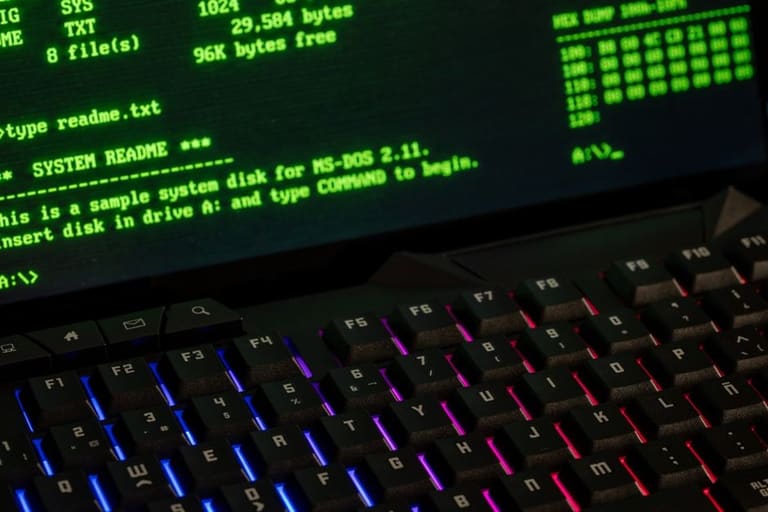
Windows Terminal, developers மற்றும் admins-க்கு tailor பண்ணப்பட்ட modern CLI-யாக, previous Command Prompt/PowerShell-வை விட்டும் நல்ல upgrades கொண்டிருக்கிறது. இப்பொழுதும் Windows Terminal-ம், அதன் main attractions மற்றும் மற்ற console-களுடன் comparison-ஐ insight-ஆ பார்க்கலாம்.
Comparison Points
- Multi-Tab Support: Single window-யில் அதிக session handle பண்ணலாம்
- Customizable UI: color/font/backgrounds, visual customization
- Tab/Window management: Rename, move or split tabs
- Keyboard Shortcuts: Frequently used actions-க்கு shortcuts
- Unicode/UTF-8: Multi-language support
- GPU acceleration: Fast rendering, better performance
Quick comparison table:
| Feature | Windows Terminal | Command Prompt (cmd.exe) | PowerShell (powershell.exe) |
|---|---|---|---|
| Multi-Tab Support | ஆம் | இல்லை | இல்லை |
| Custom UI | ஆம் | குறைவு | குறைவு |
| Unicode Support | ஆம் | குறைவு | ஆம் |
| GPU Acceleration | ஆம் | இல்லை | இல்லை |
Modern features-ஐ Windows Terminal-தான் வழங்குகிறது. Workspace neatly organize பண்ண, multi-tab/pane advantage, customizable UI-ோடு hours-க்கு comfortable terminal workspace பண்ணலாம்.
Overall, Windows Terminal modern-ஆமும் flexible-ஆக்கும் command-line experience-ஐ conversion பண்ணுகிறது, devs/sys admins-க்கு must-have ஆகிறது. அதன் நல்லி, productivity & workflow streamline-நை boost பண்ணும்.
சிறந்த நடைமுறைகள் மற்றும் குறிப்புகள்
Windows Terminal பயன்பாட்டையும் PowerShell 7 scripting-ஐ maximize பண்ண வேண்டுமானால், சில simple but effective tips-களை உங்க arsenal-இல் சேர்க்கலாம். மறுபடியும், newbies-க்கும் advanced-க்கும் work-க்கு efficiency-யை boost பண்ண these rules are golden.
Common troubleshooting table – issues, cause, solution:
| இடர் | எல்லை காரணம் | பரிசீலனை |
|---|---|---|
| Terminal open ஆகவில்லை | குறைவு system requirements, corrupt install | Requirements check, reinstall |
| Profile save ஆகவில்லை | Wrong config file, file permissions | Config file settings, Run as admin |
| PowerShell command failure | Wrong syntax, missing modules | Check syntax, install modules |
| Performance issues | Resource overuse, outdated drivers | Close unwanted tabs, update drivers |
Success Tips:
- Shortcuts-ஐ கத்துங்க: Windows Terminal shortcuts command-flow-ஐ turbo charge பண்ணும். Eg. Ctrl+Shift+T tab create-க்கு.
- Profiles personalize பண்ணுங்க: For task-based color/font/backgrounds, workspace make beautiful.
- Discover Modules: PowerShell 7 supports huge module library. Usage-specific modules browsing helpful.
- Update routine: Windows Terminal & PowerShell 7 update-பண்ணி latest security/features-ஐ இதழ் செய்ய வேண்டியது.
- Documentation read பண்ணாக்க: Microsoft official documents, new tips/tricks daily expand ஆயிரம் கிடைக்கும்.
- Community join பண்ணுங்க: Forums/communities discussions-ல் active participant-ஆ இருங்க, knowledge share/seek.
Remember — Windows Terminal & PowerShell 7 tools, constant evolution-ல். Your feedback & exploration, unimaginable productivity-க்கு வழிகாட்டும்.
நீங்க சம்பந்தப்பட்ட பயிற்சி செய்கிறீர்கள்; அத்துடன் தானுணரும் கற்றல் மட்டுமே உங்க script-அல்லும் shell-லும் தெளிவாகும்.
Windows Terminal: பிழைத் தணிப்பு
Windows Terminal இருக்கும் போது, PowerShell 7 integration error debugging-ஐ seamless-ஆக்கிறது. Code/test-இல் spotting & fixing mistakes, நேர்மை தளராத வீடுகளதே. இந்த topic-இல், Terminal திருத்தம், error spotting-techniques-ஐ காண்போம்.
| Error Type | Potential Cause | Fix Suggestion |
|---|---|---|
| Syntax error | Incorrect command, missing parameter | Careful syntax check, docs reference |
| File/Dir not found | Wrong address/path | Paths verify, existence confirm |
| Permission denied | Insufficient rights | Try run as admin, permissions check |
| Module load error | Missing/incompatible module | Install/update module; compatibility fix |
Debugging-இல் Windows Terminal colorized output & error text helpful. PowerShell 7 advanced error reporting, readable fixes-ஐ easy-யாக trace செய்யும்.
பிழை செய்திகள் புரிதல்
Error messages accurate reading, problem root identify பண்ண critical step. Windows Terminal/PowerShell 7 message classification — error nature/location/cause, perfect debug-ல் fingernail-தவிர நோக்கமாக.
- Debug Tips
- Read error messages deeply
- Use -ErrorAction Stop for script fail handling
- try-catch blocks for error capture/handling
- Write-Host or Write-Output for debug logs
- Step-by-step PowerShell debugger
- Log file analysis for root cause
Terminal error display customization — colors/notifications specific error types-இலையே instant spotting; fixing can be lightning fast.
Windows Terminal/PowerShell 7 eco-system continual improvements-இல், Microsoft regular bug and feature updates issue பண்ணும்; thereby debugging easier every release. Stay updated, learn tools — happy scripting!
பயனர் அனுபவம் & கருத்து
Windows Terminal & PowerShell 7 modern integration-easy tools-ஆக Microsoft improving பண்ணுவதை user feedback & experience major driving force. User opinions/workflow-ஐ accommodate பண்ண Microsoft back-end teams feedbacks collect/features roll out பண்ணுது. This approach, Windows Terminal modern CLI-யை reality-ஆ உருவாக்கும்.
| Feedback Source | Frequency | Processing |
|---|---|---|
| GitHub Issues | Daily | Team review & prioritize |
| Microsoft Feedback Center | Weekly | Data analyze, trends identify |
| Social Media | Daily | Monitor, document importance |
| User Surveys | Monthly | Collect, report |
User feedback Windows Terminal/PowerShell 7-க்கு value addition: GitHub issues, Feedback Center, social media, surveys — all are utilized to refine usability, detect bugs, highlight user wishes. Data analysis-ஐ build priorities & allocate resource accordingly.
- Feedback Value
- User satisfaction increase
- Usability improve
- New feature inspiration
- Bug spot/fix
- Development direction set
Feedback is not just defect-report. Suggestions > new feature-ஐ birth பண்ணும்; eg. pane split, tab management, customization—all user demand-driven innovations. Contribution-ஐ team-க்கு closer bond build பண்ணும்; product community success-ஆ வேலை செய்யும்.
Windows Terminal/PowerShell 7 success = user experience focus + sustained feedback loop. Microsoft constantly upgrades CLI for productivity & satisfaction — User participation = future roadmap-க்கு direction!
நிகர்வும் எதிர்கால படிகள்
இப்ப பதிவில், Windows Terminal மற்றும் PowerShell 7-ன் modern CLI பல தாடிகளை சூழலில் பார்த்தோம். அதன் multi-tab/panel, customization, PowerShell 7-ன் intelligent scripting niche சேர்க்கிறது; CLI-யை boring routine-யை விட super productivity tool ஆக மாற்றுகிறது.
Windows Terminal/PowerShell 7-ன் highlights:
- Tabs/Panels: Multitask shell sessions in one window.
- Customization: Theme/fonts/colors, workspace personalization
- Shell integration: PowerShell, CMD, Bash simultaneous operation
- Smart completion: PowerShell 7 autocomplete-பண்ணும்
- Cross-platform: PowerShell 7 supports Windows/Linux/macOS
Quick features table:
| Feature | Windows Terminal | PowerShell 7 |
|---|---|---|
| Purpose | Multi-shell modern terminal | Automation, config-management scripting |
| Highlights | Tabs, panels, customization | Cross-platform, smart completion, modules |
| Usage Area | Development, admin, CLI | Automation, scripting |
| Integration | Seamless shell/support | Perfect Windows Terminal fit |
Future updates-இல் Windows Terminal/PowerShell 7 – AI-based completion, advanced customization, cloud integration added செய்யும் வாய்ப்பு அதிகம். CLI tool-ஐ accessible & user-friendly-ஆக்கு, early adoption-ஐ ஏற்க தெளிவான நடவடிக்கைகள்:
- Windows Terminal install: Store/GitHub-latest version
- PowerShell 7 install: Official Microsoft site
- Core commands learn: PowerShell 7 basics
- Customization explore: Theme/profile settings tune
- Modules utilize: Script power-up
- Online resources follow: Docs/community
நேரடியாகச் செய்யும் பயிற்சி + சோதனை பயில்ச்சி = அபிருப்வுந் கற்றல்! Windows Terminal/PowerShell 7-யை கண்டிக்கென்கொள்ள; power scripting world-ல் பயணிமாறுங்கள்.
அடிக்கடி கேள்விகள்
Windows Terminal, பழைய command-line-யை விட என்ன விசேஷம்?
Multi-tabs, themes, customized settings; மாவட்ட shell-களை ஒரே window-யில்; Unicode support, speedy operation — இந்த modern experience-ஏ ஒழுங்குதல் reasons.
PowerShell 7, பழைய version-களை விட என்ன உறுப்பு கூட்டியது?
.NET Core integration; cross-platform; advanced performance; simplified error handling; new operators/modules; better VS Code integration.
Windows Terminal நிறுவ வாய்ப்பு மற்றும் system requirement?
Microsoft Store/GitHub install; Windows 10 (1903+) அல்லது Windows 11 must. Install easy; Store update automatic.
Windows Terminal-இல் tabs/panels efficiently manage பண்ண வழி?
Tab rename/change color; different profiles; panels split horizontal/vertical; shortcut keys instant swap செய்யுங்கள்.
PowerShell 7-யில் frequently used commands, shortcut-ஆ run செய்க?
Alias, custom shortcuts, functions, autocomplete, history — இந்த techniques rapid execution-க்கு.
Windows Terminal தனிப்பயன் makeover-க்கு?
Themes/colors/fonts/backgrounds/shortcuts – settings.json or UI-ல் edit பண்ண personal workspace create பண்ணலாம்.
PowerShell 7/Windows Terminal error spotting/troubleshoot?
PowerShell 7 advanced error messages; Terminal font/color-tune; try-catch blocks for detailed info; debug tools integration.
Community support & feedback submission எப்படி?
Online forums/Stack Overflow/GitHub discussions-ல் doubts/help/share; GitHub issues-ல் bug report/feature requests ஆக்கலாம்.