 Afrikaans
 Azərbaycan
 Bosanski
 Čeština
 Dansk
Dansk Deutsch
 English
 Español
 Filipino
 Français
 Hrvatski
 Indonesia
 Italiano
 Magyar
 Melayu
 Nederlands
 Norsk
Norsk Oʻzbek
 Polski
 Português
 Română
 Slovenčina
 Slovenščina
 Suomi
Suomi Svenska
 Tiếng Việt
 Türkçe
 Ελληνικά
 Беларуская
 Български
 Русский
 Српски
 Українська
 עברית
עברית اردو
اردو العربية
 پښتو
پښتو فارسی
فارسی አማርኛ
አማርኛ मराठी
मराठी বাংলা
বাংলা தமிழ்
தமிழ் ไทย
ไทย မြန်မာ
 한국어
한국어 中文
中文 日本語
日本語

Windows Terminal, ആധുനിക കമാൻഡ് ലൈൻ അനുഭവം ലഭ്യമാക്കുന്ന ഒരു ഉപകരണം കൂടിയാണ് ഡെവലപ്പർമാരും സിസ്റ്റം അഡ്മിനിസ്ട്രേറ്റർമാരും ഇപ്പോഴ്ബോൾ ഉപയോഗിക്കേണ്ടിയിരിക്കുന്നത്. ഈ ബ്ലോഗിൽ Windows Terminal എന്ന ഉപകരണം എന്താണെന്ന്, എന്തുകൊണ്ട് അതിന്റെ പ്രാധാന്യം കിലവാക്കുന്നു എന്നതും, PowerShell 7 എന്ന ഏറ്റവും പുതുതിൻറെ സന്ദർശനം, സ്ഥാപനവും, സംയോജനവും, പ്രത്യേകം വിശദമായി പരിശോധിക്കുന്നു. നിങ്ങളുടെ വർക്ക്സ്പെയ്സ് ഇഷ്ടാനുസൃതമാക്കുന്നത് മുതൽ PowerShell 7-ൽ കമാണ്ടുകൾ സൂക്ഷ്മമായി ഉപയോഗിക്കുക, ടിപ്സുകളും ഏറ്റവും നല്ല പ്രാക്ടീസുകളും, ട്യൂണിംഗും, യൂസർ അനുഭവവും, ഫീഡ്ബാക്കുകളും അടക്കം Windows Terminal-േയും അതോടെ PowerShell 7-നേയും മികച്ച രീതിയിൽ ഉപയോഗം ചെയ്യാമെന്നതിൽ ഏറ്റവും ഉദ്ദേശിക്കാവുന്നതാണ്. ദ്യയവായി, Windows Terminal-യുടെ ചിരകാല ആനുകൂല്യവും, ഭാവിയിൽ അപ്ഗ്രേഡുകൾ വരുമെന്നതും ഈ പോസ്റ്റിലൂടെ മുകളിൽ പറഞ്ഞിരിക്കുന്നു.
Windows Terminal എന്താണ്? എന്തിനാണ് അതിന്റെ പ്രാധാന്യം?
Windows Terminal എന്നത് Microsoft നിർമിച്ച, ഒറ്റ ഇടത്തിലും ഡെവലപ്പർമാർക്കും അഡ്മിനിസ്ട്രേറ്റർമാർക്കും ഇഷ്ടാനുസൃതവും ആധുനികമായ ഒരു കമാൻഡ് ലൈൻ പ്പള്സിനുള്ള സമയത്തും മനോഹരമായ UI-ഉം നൽകുന്നു. പഴയ Command Prompt, PowerShell പോലുള്ള കമാൻഡ് ഷെല്ലുകളിൽ നിന്നും വലിയ ഓഫീസിയളും ഉല്പാദനശേഷിയും, പൂര്ണ ഇഷ്ടാനുസൃത സൗകര്യവും, കീബോർഡ് ഷോർട്ട്കട്ടുകളും, സെക്റ്റ്റുകൾ, പാനലുകൾ എല്ലാം ഉപയോഗിക്കാൻ കഴിയും. പക്ഷേ വർക്ക്നിത്തമോഷം കൂട്ടാനും productivity കൂപ്പിനുമാണ് പുതിയ ഒരുത്തിഹിതം.
Windows Terminal-ന്റെ ആനുകൂല്യങ്ങൾ
- ടാബ് മാർഗം പല ഷെല്ലുകളും ഒരേ വിൻഡോയിൽ കൈകാര്യം ചെയ്യാം
- പാനൽ വേർതിരിയൽ: വികലമായൈ കാണൽ/ഉപയോഗം
- ഇഷ്ടാനുസൃതത: നാഴികക്കല്ല്(theme), കളർ സ്കീം, ഫോണ്ട് തുടങ്ങി വീണ്ടും മാറ്റുന്ന സൗകര്യങ്ങൾ
- കീബോർഡ് ഷോർട്ട്കട്ടുകളുടെ ആധാരം, നടപടിയും ഫീച്ചറുകളും വേഗത്തിൽ പോകാൻ
- Multiple Shell Support: PowerShell, CMD, WSL, Azure Cloud Shell തുടങ്ങിയവ ഒരേ പേപ്പറിലേയ്ക്ക്
- Unicode/UTF-8 Support: പല ഭാഷകളിലും എഴുത്തും, പ്രദർശിക്കുകയും സവിശേഷമായി പ്രവർത്തിക്കും
ഡെവലപ്പർമാർക്ക് Windows Terminal ഉപയോഗിച്ച് PowerShell വഴി സിസ്റ്റം അഭിനിവേശ prüfen ചെയ്യുമ്പോൾ, അതുപോലെ WSL-ൽ Ubuntu, Debian, Fedora കൊണ്ടും വേണമെങ്കിൽ Docker അല്ലെങ്കിൽ Kubernetes-ൽ Linux കോഡിഷണുകൾ എടുക്കാം. ഈ സംയോജനം workflow-യെ എളുപ്പത്തിൽ വേഗത്താൽ മാറ്റാം.
| വിശേഷത | Windows Terminal | പഴയതത് Command Prompt | PowerShell (പഴയ പതിപ്പ്) |
|---|---|---|---|
| Tab Interface | അവശ്യമായത് (Yes) | ഇല്ല | ഇല്ല |
| പാനലുകൾ | അവശ്യമായത് | ഇല്ല | ഇല്ല |
| Customization | ഉയർന്ന ഇഷ്ടാനുസൃതത | പരിമിതിതം | മധ്യനില |
| Multi-shell Support | അവശ്യമായത് | പരിമിതിതം | അവശ്യമായത് |
Windows Terminal സൗജന്യവും(open-source) ലോകത്തിൽ വളരെ ഉപഭോക്തൃമാതൃകയാണു. Microsoft ചാറ്റിൽയിലൂടെയും GitHub repo-യിലെ issues/requests ആയാലും feedback വെള്ളം ഓടുമൂ. അങ്ങനെ പുതിയ അനുഭവവും മുമ്പിൽ വന്നിരിക്കുന്നു.
PowerShell 7 പരിചയം
PowerShell 7, Microsoft-യുടെ scripting/cmdline tool-നെ (PowerShell) അടുത്ത തലമുറയിലേയ്ക്ക് മാറ്റിയപോ ആണ്. പഴയ വേർഷനുകളിൽ നിന്ന് കൂടുതൽ വേഗവും cross-platform സപ്പോർട്ടും വാഹനവൽതനം ആണിത്. Windows Terminal ൽ സംയോജനം സൃഷ്ടിക്കുമ്പോൾ, workflow അതുമാത്രം കൂടി വേഗത്തിൽ productivity വരും.
PowerShell 7, .NET Core-ിൽ അടിസ്ഥാനപ്പെടുന്നു. അതുമൂലം Windows, Linux, macOS-ൽ run ചെയ്യാം. ഏത് team-ഉം ഈ ഒരു വിദ്യാഭ്യാസം കൊണ്ട് ബാഷ്/PowerShell/WMI/Docker/Kubernetes-ൽ automation, script ഒപ്പം വിജയിക്കും. പഴയ PowerShell പതിപ്പുകളോടും കാര്യമായ backward compatibility ഉണ്ട്.
- PowerShell 7-ന്റെ പ്രധാന സവിശേഷതകൾ
- Cross-platform compatibility (Windows, Linux, macOS)
- .NET Core support
- Improvements in speed/performance
- New operators (example: null-coalescing "??")
- Hata management developments (simplified)
- Parallel processing, background job support
Speed/Performance തന്നെ ഏറ്റവും ശ്രദ്ധേയമാണ്: വലിയ സോഷ്യഴ്സുകൾ, scripts, ഡാറ്റാ പ്രോസസിംഗ് ആവശ്യങ്ങൾക്കുള്ള പുതുമ എന്നതിൽ. ലേഖനസംശയം, operators, modules, automation toolsets—all make scripting more readable & manageable.
| സവിശേഷത | PowerShell 5.1 | PowerShell 7 |
|---|---|---|
| Execution Framework | .NET Framework | .NET Core |
| Platform Support | വിൻഡോസ് | Windows, Linux, macOS |
| Performance | Standard | Improved |
| Error Handling | Basic | Advanced |
PowerShell 7 ആധികാരികമായി വലിയ കൂട്ട് റെഡിമെയ്സ്, modules കളിക്കുകയും, workflow സ്വാഗതം ചെയ്യാനുള്ള വ്യാപ്തി കൂട്ടുകയും ചെയ്യുന്നു. Windows Terminal Integration-ഉം workflow friction ഇല്ലാതെ productivity കൂടാൻ സഹകരിക്കുന്നു.
Windows Terminal ഇൻസ്റ്റാൾ ചെയ്യാം
Windows Terminal ഇൻസ്റ്റാൾ ചെയ്യുന്നത് വളരെ എളുപ്പവുമാണ്, Microsoft Store-ലൂ വേഗത്തിൽ ലഭ്യമാണ്. GitHub-ൽ നിന്നും ZIP/Fastlane MSI installers ഉപയോഗിച്ച് തന്നെ മറ്റു options ബ്ലോക്ക് ചെയ്യാം.
Installation-കു മുൻപ്, Windows Terminal-ന് വേണ്ട prerequisites Windows 10 (version 1903+) അല്ലെങ്കിൽ Windows 11 വേണം. OS-version കണോ; മാറ്റം വേണമെങ്കിൽ update ചെയ്യുക.
Installation Steps
- Open Microsoft Store
- Search "Windows Terminal"
- Select the app (official edition)
- Click "Install" and wait
- Finish, Open
- Alternatively, download GitHub .zip/.msix installer, manual install
ഇൻസ്റ്റാളിന് ശേഷം, Windows Terminal-നേ default shell app ആക്കി മാറ്റാം. Settings ല് profiles (PowerShell, CMD, WSL, Azure Cloud Shell തുടങ്ങിയവ) ഓരോ പ്രൊഫിലിലും നിയമിക്കുക.
ഇനിമേൽ, വിവിധ installer method-ങ്ങൾക്ക് pros/cons:
| Installer Type | Advantages | Disadvantages |
|---|---|---|
| Microsoft Store | നേരെയുമുള്ള, updates auto | Microsoft account/compatibility |
| GitHub | Latest version, manual control | Manual update/tech skills required |
| Winget (Package Manager) | CLI install/update, easy upgrades | CLI required, not everywhere enabled |
| Manual Installer | Full control/Customization | Time-consuming, technical |
Installation-related troubleshooting-ഉം ഔദ്യോഗിക ഡോക്യൂമെന്റേഷൻ-ലും forum-ലും കാണാം. (പല പ്രശ്നങ്ങൾ restart/drivers update അല്ലെങ്കിൽ simple setting അങ്ങനേ ഫിക്സ് ചെയ്യാം)
Windows Terminal-ൽ വർക്ക്സ്പെയ്സ് ഇഷ്ടാനുസൃതമാക്കാം
Windows Terminal-ന്റെ customization options-ം productivity-ഉം workflow-ഉം വർദ്ധിപ്പിക്കാൻ വരിച്ച ശക്തി നൽകുന്നു. ഏത് Shell Profile-യും theme/color/നിഴലുകൾ സൃഷ്ടിച്ച് മെച്ചപ്പെടുത്താം. സൗകര്യപ്രദമായ പേഴ്സണൽ ബ്രാൻഡ്/റേഷൻ പ്ലാറ്റ്ഫോം experience ആക്കാം.
Profile-ൽ, ഓരോ color scheme, font, background image, opacity-level assign ചെയ്ത് അമിതമായ ഫലങ്ങൾ ഉണ്ടാക്കാം. ചേരുന്ന tools/dev/ops-ന് പ്രത്യേക profiles-ഉം അതിലോലും പാൾ വയ്ക്കാം.
| Setting | Description | Sample Value |
|---|---|---|
| Color Scheme | Terminal palette style | One Half Dark |
| Font | Text-font assignment | Cascadia Code |
| Background Image | Add personal bg image | %USERPROFILE%Picturesbackground.png |
| Opacity | Transparency of window | 75 |
Shortcuts-നുള്ള Keybinding-നും productivity ബ്രൂസ്റ്റ് ചെയ്യാനുള്ള മാർഗം ക്രിയേറ്റ് ചെയ്യാം. New tab, profile change, panel-split, clipboard, copy-paste മുതലായതിൽ സ്വന്തം shortcuts assign ചെയ്യുന്നു.
- Customization Choices
- Profile creation/setup
- Theme/color palettes
- Font/size edit
- Background image/color set
- Keyboard shortcuts manage
- Rename tab titles
തീം, നിറം സെറ്റിംഗുകൾ
Windows Terminal-ൽ prebuilt themes/color-schemes-ഇലേ കഴിയും; അതല്ലാതെ, settings.json edit ചെയ്ത് നിഴൽ combinations (dark/light, high-contrast etc.) രേഖപ്പെടുത്താം. ഇടയിലൊക്കെ workflow-ഉം കൂടുതൽ pleasant-ഉം strain-less-ഉം ആവുന്നതുകൊണ്ട് colormix personalization നിർണായകമാണ്.
കീബോർഡ് ഷോർട്ട്കട്ടുകൾ
Keyboard shortcut learning productivity-കൂടാൻ, കണ്ടിരിക്കണ്ട അവശ്യമാണ്. Default shortcut-set overview വയ്ക്കാം; അതിനൊപ്പം നിങ്ങൾ നടത്തുന്ന action-കാ വിവിധ complex script/bash/PowerShell-command-കു custom shortcut വച്ചാൽ workflow friction ഇല്ല.
Shortcuts/keybinding options individual workflow-നുസരിച്ച് edit/change ചെയ്യാം. വളരെ ചെറിയ ഇന്റർവെൻഷൻ productivity skyrocket ചെയ്യും.
PowerShell 7-ൽ കമാൻഡുകൾ വേഗത്തിൽ ഉപയോഗിക്കാം
PowerShell 7-ൽ fast command completion, module-based enhancement, keybinding automation productivity-യുടെ തുടുത്തറ. Windows Terminal-ലും integration seamless ആണു; Tab completion, script shortcuts, modules gallery add ചെയ്യുന്നത് workflow-അമ്മായാലും friction കഴിയില്ല.
Tab completion feature-ഉം lengthy complex commands/path-കു typing തീർക്കാതിരിക്കാൻ Productivity Pillars-ആക്കുന്നു. Command/parameter suggestions learner-friendly മാത്രമല്ല, errors-reduce ചെയ്യാനും സഹായിക്കും.
| Command | Description | Sample Usage |
|---|---|---|
| Get-Process | Running processes list | Get-Process | Where-Object {$_.CPU -gt 1} |
| Get-ChildItem | Files/folders list | Get-ChildItem -Path C:\Windows -Filter *.log |
| Test-Path | Path/file exists check | Test-Path -Path C:\Users\Public\Documents |
| Invoke-WebRequest | HTTP requests/send | Invoke-WebRequest -Uri https://www.example.com |
Frequently-used command short-forms (aliases, functions, scripts) productivity-ളവാളണം; special repetitive task-കൾ speed-ൽ എൻ്റെ workflow.
- Useful PowerShell Commands
- Get-Help: Help/manual
- Set-Alias: Short forms for commands
- Clear-Host: Console clear
- Get-History: Previous commands list
- Out-GridView: Display data in interactive table
- Measure-Object: Count/summarize/filter data
Modules PowerShell functionality expand ചെയ്യാം. PowerShell Gallery-ഇലിനിൽ cloud-platforms/Azure/AWS-plugins-നുമുള്ള auto scripts/deployment-നുമുള്ള modules. Individual workflow-നുമാത്രം മെച്ചമാക്കാൻ module-add/PowerShell environment customize ചെയ്യാം.
Windows Terminal-ന്റെ പ്രത്യേകതകൾ തലക്കെട്ട്
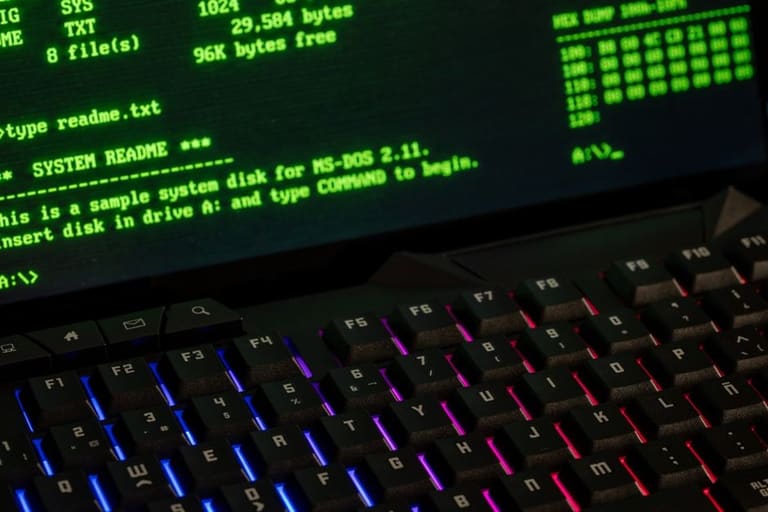
Windows Terminal, ദ്യയമിൽ workflows boost ചെയ്യാനും, productivity ഒഴുകാനുമുള്ള essential command-line tool. PowerShell-പോലുള്ള പഴയ konsole-കത്തും cmd.exe-പോലുള്ള tools-ഉം താരതമ്യത്തിലൂടെ Windows Terminal-ന്റെ സവിശേഷതകൾ.
Feature Comparison Points
- Multi-tab support: Multiple shell sessions one window
- Customizable UI: Theme/font/bg image/personal branding
- Tab/panel management: Rename, move, split, pop-out
- Keyboard shortcuts: Custom action/send shortcuts
- Unicode/UTF-8: Multilingual command/data display
- GPU acceleration: Fast text render/performance
Summary-table:
| Feature | Windows Terminal | Command Prompt (cmd.exe) | PowerShell (powershell.exe) |
|---|---|---|---|
| Multi-tab | Yes | No | No |
| Customizable UI | Yes | Limited | Limited |
| Unicode Support | Yes | Limited | Yes |
| GPU Acceleration | Yes | No | No |
Multi-tab/pane-വേണ്ടി ഒരേ window-many tasks/session management, desktop clutter reduce, workflow streamline അവസരം നൽകുന്നു. Custom UI, വർക്ക്ക് സ്പെയ്സ് നിജമാക്കാനുള്ള ഇഷ്ടാനുസൃത സെറ്റിംഗിൽ productivity മുൻപിൽ.
Windows Terminal-ന്റെ ആധുനിക features-ഉം flexibility-ഉം productivity/automation ലോകത്തിൽ must-have tool ആകുന്നു.
വഴിവഴികൾ/ടിപ്സുകൾ
Windows Terminal/PowerShell 7 workflow productivity കൂട്ടാനും, hassle-free automation-ഉം develop ചെയ്യാനുമുള്ള pro tips & tricks:
Common troubleshooting situations/proposed solutions:
| Issue | Possible Causes | Solution |
|---|---|---|
| Terminal Not Opening | OS-version low, Broken install | Check system requirements, reinstall |
| Profile settings not saving | Wrong config file, permission | Check settings.json, run as admin |
| PowerShell command not executing | Syntax error, module missing | Check syntax, install modules |
| Performance lag | Resource hog, outdated drivers | Close excess tabs, update drivers |
Success tips
- Learn shortcuts: Ctrl+Shift+T new tab, switch profile, pane split, etc
- Customize profile: Style your workspace for each task/project
- Discover modules: PowerShell Gallery-ൽ workflow-ഇനുകും modules add ചെയ്യൂ
- Update: Regularly update both tools for latest features/security
- Docs help: Microsoft documentation, official blog/
- Join community: GitHub/Forums-ൽ sharing, doubt clearing, bug reporting
നിരന്തരം പഠിക്കാനും, പ്രായോഗികമായി ഉപയോഗിച്ചും, അടുത്ത തലത്തിലേക്ക് workflow-യെ ആക്കാം!
വിദ്യാഭ്യസവും സ്ഥിരമായ പ്രയോഗവും—ചുടുകടക്കാൻ കാര്യമാണ്!
Windows Terminal-ൽ ഡീബഗിംഗ്
Windows Terminal, PowerShell 7 integration-ഉം debug/error/troubleshooting-ഉം workflow friction reduce ചെയ്യുന്നു. Coding/scripting, deployment, testing—all streamlined.
| Error Type | Probable Cause | Solution |
|---|---|---|
| Syntax Error | Wrong command, missing flag | Check carefully, help docs |
| File/Folder Not Found | Path wrong, folder missing | Check path, create folder if missing |
| Permission Error | Insufficient rights | Run as admin, check access |
| Module Load Error | Missing/incompatible module | Install/update module/compatibility |
Colorful error messages (output), PowerShell 7 advanced error management, root-cause analysis—all coding/debugging simplified. Detailed feedback/error-logging productivity improve ചെയ്യുന്നു.
Error മെസ്സേജുകൾ മനസിലാക്കാം
Error-messages read, comprehend, act — troubleshooting-ലഥിയിലെ പ്രധാന ഘടകം. Windows Terminal & PowerShell 7 detailed errors with context; code-location & solution.
- Debugging Tips
- Read error message carefully
- Use -ErrorAction Stop in script
- try-catch block for handling
- Write-Host/Write-Output for debugging output
- PowerShell debugging tools (step-wise analysis)
- Log files audit/root-cause analysis
Color-coding/custom notifications (settings.json edit), error alerts--workflow friction reduce ദ്യയമിൽ productivity കൂട്ടലും തടസ്സം ഇല്ലാതാക്കാനും.
PowerShell 7 & Windows Terminal ecosystem, GitHub, official docs, Update rolling-release-എന്ന workflow improvement mechanisms workflow troubleshooting/friction solutions നിരന്തരം വർദ്ധിപ്പിക്കുന്നു.
ഉപയോക്തൃതലവിഷമ്യ/ഫീഡ്ബാക്ക്
Windows Terminal & PowerShell 7 Microsoft-ന്റെ continuous-feedback development model-ൽ permanent improvement. User feedback/features/issues—GitHub/Microsoft Feedback Center/social/twitter, and surveys—continuous data analysis.
| Feedback Source | Frequency | Analysis Mode |
|---|---|---|
| GitHub Issues | Daily | Triaged, prioritized, actioned |
| Microsoft Feedback Center | Weekly | Trend analysis, report |
| Social Media | Daily | Engagement log & feature request extraction |
| Surveys | Monthly | In-depth user feedback, trend report |
Critical feature ideas (pane-split, tab-manage, customization options), bug-fix, workflow solutions—all sourced from user-feedback, GitHub issues, social media/official forums.
- Feedback impacts
- User happiness up
- Usability improvements
- Feature direction/new ideas
- Bug, deficiency identification
- Resource prioritization, targeted development
Continuous feedback-loop workflow friction-reduce/new feature launch-ഉം fast-track ചെയ്യും; user participation strengthens product loyalty.
Windows Terminal & PowerShell 7 continuous user-driven innovation-ഉം, feedback-അനുസരിച്ച് updates/features/workflow improvements rolling-release ആയി തുടരണം.
പരികലനം, ഭാവി മാർഗങ്ങൾ
ഈ പേജ് മൊത്തം, Windows Terminal & PowerShell 7 workflow productivity/results streamline/automation efficiency പരിശുദ്ധമായി പ്രമുഖം ആയി. Automation, customization, performance, cross-platform integration—all recipe for positive, enjoyable command-line experience.
Summary of advantages:
- Tabs & Panels: Session/task handle one window
- Customization: Theme/color/font/personal branding
- Multi-shell: PowerShell, CMD, Bash – simultaneous use
- Command completion: PowerShell 7-ിൽ smart command suggestion, error-reduce, fast-script
- Cross-platform: Windows/macOS/Linux workflow streamline
Tabular comparison:
| Feature | Windows Terminal | PowerShell 7 |
|---|---|---|
| Primary Function | Modern shell tool platform, multi-shell support | Advanced automation/script tool, cross-platform |
| Key Features | Tab, panel, customization | Command completion, modules, cross-platform |
| Use Cases | Development, system admin, command-line task | Automation, config management, scripting |
| Integration | Seamless shell integration | Perfect fit with Windows Terminal |
Future: Productivity boost/new features—AI-assisted suggestion, cloud integration, customization, workflow flexibility. Practice, experiment, explore—Learn to win!
Immediate Action Steps:
- Download/install Windows Terminal: Microsoft Store/GitHub latest version
- Download/install PowerShell 7: Official Microsoft website
- Learn PowerShell basics: Core command, scripting setup
- Explore customization: Windows Terminal theme/profile/personal brand
- Module power: PowerShell Gallery-ൽ modules/workflow build
- Online resources: Official docs, forums, blogs, community
Practice makes perfect—Workflow friction vanish, automation efficiency skyrocket—success guaranteed!
തെരഞ്ഞെടുത്ത ചോദ്യങ്ങൾ
Windows Terminal ഉപയോഗിക്കുന്നതിനുള്ള പരമ്പരാഗത കമാൻഡ് ലൈൻ അനുഭവത്തിൽ എത്രമാത്രം പഴയതിൽ നിന്നുള്ള സ്ഥാനപരിഷ്കാരം?
Windows Terminal—Multiple tab, customizable interface, shell (PowerShell/CMD/WSL) in one window, Unicode support, workflow streamline, performance enhancement—all blend productivity improvement.
PowerShell 7-ൽ പഴയ PowerShell-നേക്കാൾ എന്തൊക്കെ improvements?
PowerShell 7—.NET Core platform support, speed/efficiency, error-management advance, new operators, modules, VS Code integration, cross-platform work-anywhere model.
Windows Terminal installation steps/system requirements?
Official Microsoft Store/GitHub installer; Windows 10 1903+ or Windows 11 required; auto-update/MS Store; manual install/GitHub, Winget package manager supported.
Tab/panel productivity—best use-case?
Rename tabs, color/assign profiles, split/synchronize panels for parallel workload; keyboard shortcuts enable fast switch.
PowerShell 7 workflow efficiency—shortcut/automation tips?
Set-alias/command function/shortcut script, tab-completion, command history recall; reduce typing/error-auto-recovery, workflow streamline.
Windows Terminal customization/workspace personalization?
Settings.json/profile GUI — theme palette, font, background image/color, keyboard shortcut, tab name — workflow customized for each task/project.
Debug/error-troubleshooting tools—workflow friction reduce?
PowerShell 7 advanced error management, color-coded output, try-catch blocks, -ErrorAction Stop, log file routine—workflow streamlined, productivity improved.
Forum/community support/feed-back options?
GitHub issues/pr, Stack Overflow, forums, blog comments, feedback center—troubleshooting, bug-report, feature request, learn/share workflow.