 Afrikaans
 Azərbaycan
 Bosanski
 Čeština
 Dansk
Dansk Deutsch
 English
 Español
 Filipino
 Français
 Hrvatski
 Indonesia
 Italiano
 Magyar
 Melayu
 Nederlands
 Norsk
Norsk Oʻzbek
 Polski
 Português
 Română
 Slovenčina
 Slovenščina
 Suomi
Suomi Svenska
 Tiếng Việt
 Türkçe
 Ελληνικά
 Беларуская
 Български
 Русский
 Српски
 Українська
 עברית
עברית اردو
اردو العربية
 پښتو
پښتو فارسی
فارسی አማርኛ
አማርኛ मराठी
मराठी বাংলা
বাংলা தமிழ்
தமிழ் ไทย
ไทย မြန်မာ
 한국어
한국어 中文
中文 日本語
日本語

உங்கள் WordPress தளத்தை பாதுகாப்பாகவும், செலுத்தத் திறமையாகவும் தனிப்பயனாக்கும் சிறந்த வழி WordPress Child Theme பயன்படுத்துவதாகும். இந்த Tamil வலைப்பதிவில், WordPress Child Theme என்பது என்ன, ஏன் அவை முக்கியம், எப்படி உருவாக்குவது போன்ற தகவல்களை படிப்படியாகக் கற்றுக் கொள்வீர்கள். தனிப்பயனாக்கத் தேவைக்கு அடிப்படை அறிவுகளை அறிந்து, வகைப்படுத்தப்பட்ட child theme தனிப்பயனாக்க வாயில்களை ஆராயப் போகிறோம். Child Themeக் கட்டமைப்பின் பயன்கள், பிழை-நீக்குதல், SEO மேம்பாட்டு ஆலோசனைகள், வெற்றிகர child theme எடுத்துக்காட்டுகள் மற்றும் எதிர்கால web development trend-களையும் பார்த்துக்கொள்வோம். இந்த வழிகாட்டியை படிப்பதாலும் WordPress Child Theme மூலமாக உங்கள் தளத்தை பாதுகாப்பாக, விருப்பான முறையில் மேம்படுத்தும் நுட்பங்களைப் பயன்படுத்தலாம்.
WordPress Child Theme என்பது என்ன? ஏன் முக்கியம்?
WordPress Child Theme என்பது நீங்கள் பயன்படுத்தும் theme-இன் உயர்நிலை வடிவமாகும்; இது மேற்கு theme-ஐ (parent theme) நேரடியாக மாற்றாமல் தனிப்பயனாக்கத்தை சுரலாக செய்ய அனுமதிக்கிறது. Parent theme update செய்யும் போதும், உங்கள் child theme-இல் உள்ள மாற்றங்கள் காப்பாற்றப்படுவதால் உங்கள் design/functionality பாதிக்கப்படுவதைத் தடுக்கும்.
நேரடி theme edit-ல் உங்கள் customization-கள் update ஆகும்போது மாறிக்கொள்ளும் அல்லது போய்விடும். Child Theme முறையில், எல்லா personalization-களும் தனி folder-இல் பாதுகாப்பாக உருவாக்கப்படுவதால் site-கள் update ஆனாலும், வேலைக்கார customization-கள் வெறுமனே பாதுகாப்பாக இருக்கும்.
Child Theme-களின் முக்கிய பயன்கள்
- பாதுகாப்பான personalization: Parent theme edit செய்யாமல் தனிப்பயனாக்கம் செய்யலாம்.
- Update safe: Theme update இடைச்செரிவுகளுக்கு customization பாதிக்கப்படாது.
- Easy rollback: மாற்றங்களில் பிழை வந்தால் Oru button click-இல் parent theme-க்கு திரும்ப முடியும்.
- Organized code: Customization code தனி folder/fil-இல் இருப்பதால் code ஏற்பாடு சிறந்தது.
- Reuse: ஒரே child theme-ஐ பல site-களில் பயன்படுத்த முடியும்.
Parent Theme மற்றும் WordPress Child Theme குறித்த அடிப்படை வித்தியாசங்கள், பெரிய பயன்கள் இங்கே:
| பண்புகள் | Parent Theme | WordPress Child Theme |
|---|---|---|
| மேம்பாட்டு திருத்தங்கள் | நேரடியாக edit செய்யலாம் | நேரடி edit செய்ய முடியாது |
| Update impact | Update-இல் customization-கள் போய்விடும் | Update customization-க்கு பாதிப்பு இல்லை |
| Risk | உயர்ந்த Data loss அழுத்தம் | Data loss இல்லை |
| Customization source | Base design/functions | Extra design/functions |
WordPress Child Theme நீங்கள் வேளையாக design/functionality-ஐ மாற்ற விரும்பினாலும் – coding skill இருக்கிறவர்களோ இல்லாதவர்களோ – சிறந்த கருவியாக விளங்கும்.
WordPress Child Theme உருவாக்கும் படிகள்
WordPress child theme உருவாக்குவது எப்படி? Parent theme update பண்ணும்போதும், site-ஐ customize செய்ய உங்களில் theme structure-ஐ சீரான படிப்படியாக மாற்றவேண்டியது. கீழே படிப்படியாக child theme உருவாக்குவதற்கான வழிமுறைகள்:
Child Theme தயாரிப்பதற்கு முதலில் folder structure & style file உருவாக்க வேண்டும். இந்த படிகள், foundation எல்லாம் அமைக்க உதவும்.
- Step 1: Child Theme folder உருவாக்குங்கள்: WordPress installation (wp-content/themes/) போய் parent theme பெயருடன் '-child' suffix சேர்த்தே புதிய folder உருவாக்கவும் (ud. mytheme-child).
- Step 2: Style.css file உருவாக்கவும்: Folder-இல் style.css file உருவாக்கி, base style codes சேர்க்கலாம்.
- Step 3: Style.css file content edit: Text editor-இல் style.css file open செய்து, header comment-இல் Template row-ஐ parent theme folder name-க்கு update செய்யவும்.
- Step 4: functions.php (தேவைப்பட்டால்): Extra functions/edit செய்ய விரும்பினால் functions.php file-ஐ folder-இல் உருவாக்குங்கள்.
- Step 5: Theme activate செய்யுங்கள்: WordPress admin panel → Appearance → Themes → உங்களில் child theme activate செய்யவும்.
இவற்றை முடித்ததும், WordPress Child Theme உங்கள் site-ல் செயல்படும். Style.css-இல் கோடுகள் edit செய்வதோடு, functions.php-யில் function/function modification add செய்யலாம்.
| File Name | விளக்கம் | Sample Content |
|---|---|---|
| style.css | Child theme style file. |
/* Theme Name: Parent Theme Child Template: parent-theme */ |
| functions.php | Child theme functions file. |
<?php // Child theme function code here ?> |
| screenshot.png | Child theme snapshot (optional). | Preview image for your theme. |
| Other template files | Parent theme files copied/modified (optional) | Copied, customized template files. |
Child theme எல்லா மாற்றங்களும் பரிசோதித்து, ஜாப்பிய teste செய்து, பிழைகள் early-ஆ கண்டுபிடிக்க வேண்டும். Child theme safety-யாக css/functionality-இல் edit/rollback வழி தருகிறது.
தனிப்பயனாக்கத்திற்கு வேண்டிய அடிப்படை அறிவுகள்
WordPress Child Theme உருவாக்கிக்கொண்டதும், customization செய்ய வேண்டிய முன் பணிகள்/அறிவுகள் அவசியம். WordPress theme structure எப்படி function செய்கிறது என்பதை அறிந்து, customizing seamless-ஆ இருத்தல் சாவிதானம்.
HTML, CSS, PHP முக்கிய கருவிகள். HTML – content structure; CSS – visual style; PHP – dynamic functions. இந்த tech-களில் இரண்டு மொழி basic இருந்தால், customizations-ல் கட்டுப்பாடு கிடைக்கும்.
- தனிப்பயனாக்கக்கு அடிப்படை தேர்ச்சி
- HTML: Page structure, headings, layout.
- CSS: Colour, typography, layouts.
- PHP: Server-side, dynamic content, custom functions.
- WordPress Theme structure: File/folder arrangements.
- WordPress Hooks: Actions/filters – theme/plugin extensibility.
Hooks, Filters – theme/plugin-ல் intervention செய்ய தேவையான இடம். WordPress community-யில் பல resource உள்ளது. கோ போன்ற version control tool-கள் செய்வது எல்லா customization track-இல் பிழை செய்யப்பட்டு, ஒரிஜினல் code-க்கு திரும்ப அட்டியமாகும்.
| Technology | விளக்கம் | பயன்பாடுகள் |
|---|---|---|
| HTML | Page structure | Content layouts, headings |
| CSS | Visual styles | Colours, fonts, layout |
| PHP | Server functions | Database, custom features |
| WordPress Hooks | Extending theme behavior | Customization, plugin integration |
Version control (Git) சேர்: Change documentation, rollback facility, mistake-proofing, especially for complex customizations. இதன் மூலம் Child Theme-ல் safe customization அபரிமிதமாகும்.
WordPress Child Theme தனிப்பயனாக்க விருப்பங்கள்
WordPress Child Theme மாற்றங்கள் வரும் இடம்: விடகு design/color/font/layout/functionality – எல்லாம் child theme-இல். Web site personalization கோடிக்கடல் விருப்பத்துடன் child theme-ஐ custom செய்யலாம்.
Customization முன், site பெற்ற design/functionality தேவைகள், goal-களையும் முன்பக்க அமைத்து வைக்க, நல்ல வகைப்படுத்தல்/விவசாயம் பெறுவீர்கள். Brand color, readable font, page arrangement, experience-க்கு creative touch add செய்யலாம்.
| Customization Area | உரையாளர் | Sample Usage |
|---|---|---|
| Visual (CSS) | Colours, fonts, layouts – style.css | Brand relevant heading colours |
| Functionality (functions.php) | Extra features/widgets | Custom widget creation/edit |
| Template Files | Page/post layout edits | Blog post templates – add author/social share |
| ஜாவாஸ்கிரிப்ட் | Dynamic scripts | Animation/form behavior |
- Customization ideas
- Colour scheme alteration
- Font & typography customization
- Custom CSS addition
- Header/footer template changes
- Widget area creation
- JavaScript dynamic additions
- Plugin alteration behaviors
Child Theme-இல் limit இல்லை. ஆனால், customization safety-வை மறக்கக் கூடாது – backup, frequent testing, rollback ready வைத்திருங்கள்.
நிற மாற்றங்கள்
Colours site estética-யில் உக்கார்ந்த பங்கு. Child Theme-இல் style.css-ல் heading/bg/text colour-இல் brand-colour-க்கு modify செய்யலாம். Accessibility/readability எல்லாம் கவனிக்கவும்.
Font மற்றும் எழுத்தியல் அமைப்புகள்
Typography – readable, pleasant site key. Child Theme-இல் fonts/font-size/font-style-ஐ change, Google Fonts integration, neat appearance. Consistency – professionalism!
Child Theme பயன்கள்
WordPress Child Theme பயன்படுத்துவது – web site personalization-க்கு முழுமையான பாதுகாப்பு, productivity-யான development, risk-free updates க்கு வாய்ப்பு. Parent theme untouched – safe customization, multiple theme varieties – short & long term convenience.
- சிறந்த பயன்கள்
- Security: Parent theme file untouched, safety.
- Easy update: Theme update-இல் customization unaffected.
- Flexibility: Many project-க்கு differ Child theme.
- Organized code: Custom files – neat arrangement.
- Fast development: Parent feature inheritable – speed up work.
| Feature | Child Theme | Direct Parent Edit |
|---|---|---|
| Update safety | Customization retained | Customization lost |
| Code Management | Organized/Manageable | Messy/hard to manage |
| Debug | Quick/simple | Complex/slow |
| Flexibility | Multiple theme variant possible | Restricted |
Child theme – maintainability, safety, productivity – site success தொடர் தரும். Time/resource save, professional output அறிய child theme must!
பிழை-நீக்குதல்: Child Theme-ல் கவனிக்க வேண்டியவை
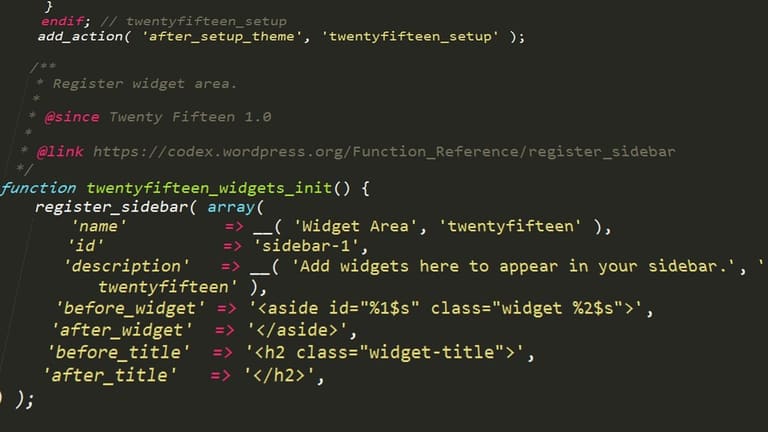
Child Theme-இல் development/customization-க்கு தாராளமாக பிழை வரலாம். சரியான debugging-யில், flawless experience தரலாம்.
| Issue | Possible Cause | Debug Solution |
|---|---|---|
| Style.css Load Error | Wrong file path/header mistake | Style.css right location, parent theme name check |
| Function Failure | functions.php syntax error | Syntax correction, proper function naming |
| Template Override fail | Wrong file name/location | Copy correct parent template, modify in child theme |
| White Screen of Death | PHP error/memory overflow | WP_DEBUG on, error source trace, increase memory |
Debug systematic approach essential; Error log, online resource, WordPress help forum, all utilize for error fix.
Debug steps
- WP_DEBUG enabled – precise error display
- Browser dev tool – JS/CSS error trace
- Latest code/plugin disable – issue root check
- Editor/IDE for syntax highlight
- WordPress error log review
- Child theme/file/database regular backup
Every bug = learning! Fixing, skill sharpen; security/frequent update practice compulsory.
Tough problems-க்கு skilled WordPress developer advice – time/resource save, project flawless!
WordPress Child Theme மூலம் SEO மேம்பாடு
WordPress Child Theme usage – site SEO performance boost-க்கு best path! Safety-யாய் customization செய்யும், SEO fix-ல் child theme உயிர்வளம். Theme update-இல் SEO change disappear-aagathu; site long-term Google ranking sustain-aagum.
| SEO Zone | Child Theme Advantage | Priority |
|---|---|---|
| Speed Optimization | Unwanted code remove/aggregate | High |
| Mobile-friendliness | Responsive tweaks | High |
| Schema Markup | Structured data addition | நடுத்தரம் |
| Meta tags | Unique title/desc optimize | High |
Child Theme-இல் SEO அதிவிரைவு update ஆக அனுமதிக்கிறது. Parent theme already SEO-good-nilama irundhaal, child theme SEO tweaks-இல் site speed/user experience bad-aagamal கவனி.
- SEO tips
Result trace: Google Analytics/Search Console reports – SEO progress measure, continuous improvement possible.
WordPress Child Theme – SEO growth path, long term online success guarantee!
வெற்றிகர Child Theme பயன்பாடுகள் – எடுத்துக்காட்டுகள்
WordPress Child Theme வெற்றிகர personalization-திற்கும், update unimpacted design/function-களுக்கும் சைகை. Designer+developer இல்லாமலும், site tailor-make செய்ய child theme முன்னிலை. Successful child theme-க்கான சில models:
| Project | Industry | Child Theme Goal |
|---|---|---|
| ABC Shop | E-commerce | Custom product filter/search add |
| XYZ Portfolio | Art & Design | Unique gallery/animation layouts |
| 123 Blog | வலைப்பதிவு | Typography/colour scheme optimize |
| LMN Firm | Corporate | Brand template customization |
- Child Theme model uses
E-commerce
E-commerce-ல் product page layout/discount banner/checkout customization child theme-இல் – sales/visitor experience விறுவிறுப்பாக!
Portfolio Sites
Portfolio-இல் design/animation/transition creativity child theme-இல்; potential client impress, professional image guarantee.
Child theme – design, performance, SEO – எண்ண வந்தாலும், update risk இல்லாமல், seamless growth இசைக்க உதவும்.
Child Theme மூலம் என்ன சாதனை?
Child Theme பயன்படுத்தினால், site design/function parent untouched-safe; theme update-இல் customization loss கேள்வி இல்லை. Control, protection, long term benefit தினம் கூர்பாராட்டு.
| Feature | விளக்கம் | Benefit |
|---|---|---|
| Safe customization | Parent untouched, design/function addition | Customization unaffected by update |
| Easy updates | Parent theme updates without issues | Site secure, compatibility ensured |
| Organized code | Separate folder for customization | Easy code manage/debug |
| SEO plus | SEO improvement easy | Better ranking, organic traffic |
- Practical tips
WordPress Child Theme - web development streamlined, burnout-less, productivity-maximized, performance-assured. Time/save, peace of mind.
Child Theme – tool; proper planning, discipline – dream site build possible!
Child Theme-க்கு எதிர்கால web trends
Child Theme – developer/designer அவசியம்; parent untouched customization-க்கு. No-code/low-code future இலக்கு – child theme more usability, automation, drag-n-drop tools gift வரும் காலம். AI integration – automatic customization suggestions possible.
- Future trends
WooCommerce popularity-யில், e-commerce child themes importance கூடும். Security instant update-ல் child theme prominent; modular/component-based child structure developer-designer-க்கு scalability, flexibility பரிசாகும்.
அடிக்கடி கேட்கப்படும் கேள்விகள்
WordPress parent theme edit-பட்ட changes update ஆகும் போது போய்விடுமா? Child theme எப்படி பாதுகாப்பாகும்?
ஆம், parent theme edit-பட்ட changes theme update-இல் erase-aagum. Child theme-இல் customizations safe-ஆ இருக்கவேண்டும், update நிகழ்ந்தாலும் unchanged.
Child theme உருவாக்க எவற்றை தேவை? அந்த file-களில் என்ன இருக்க வேண்டும்?
Mandatory – style.css file (theme info/header), functions.php (add/modify functions). Template files-இல் extra change தேவையாக add-செய்யலாம்.
Child theme-இல் parent function override செய்ய எப்படி?
Parent-இல் இருக்கும் function name child functions.php-இல் new function declare/definition, WordPress override-ஆட parent function behavior மாற்றலாம்.
Child theme – site speed-க்கு குறைவு போடுமா? Performance-அதன் impact?
Proper use-இல் speed issue இல்ல. Unnecessary code load avoid-செய்ய வேண்டும்; optimized code only use.
Child theme-இல் SEO எப்படி மேம்படுத்தலாம்?
Performance/mobile compatibility, header tags/title tags meta optimization, keyword-targeted content, image optimization, alt tags edit – Child theme-இல் செய்ய வேண்டும்.
Child theme-இல் பிழை-நீக்க எவ்வாறு? Debug tool என்ன?
WP_DEBUG mode enable; browser developer tool/Chrome DevTools use; error messages read-செய்; recent code/plugins disable; rollback check.
Ready-made theme வாங்கினேன், Child theme-ஆம் customize செய்வது என்ன பயன்?
Theme update-இல் customization safe, security layer, direct code untouched, only required customization done – Flexibility!
Child theme பயன்படுத்தாமல் நேரடியாக edit risk என்ன?
Theme update – all changes erased! Mistake in theme file – site crash/broken! Child theme safety assured, customizations safe.