 Afrikaans
 Azərbaycan
 Bosanski
 Čeština
 Dansk
Dansk Deutsch
 English
 Español
 Filipino
 Français
 Hrvatski
 Indonesia
 Italiano
 Magyar
 Melayu
 Nederlands
 Norsk
Norsk Oʻzbek
 Polski
 Português
 Română
 Slovenčina
 Slovenščina
 Suomi
Suomi Svenska
 Tiếng Việt
 Türkçe
 Ελληνικά
 Беларуская
 Български
 Русский
 Српски
 Українська
 עברית
עברית اردو
اردو العربية
 پښتو
پښتو فارسی
فارسی አማርኛ
አማርኛ मराठी
मराठी বাংলা
বাংলা தமிழ்
தமிழ் ไทย
ไทย မြန်မာ
 한국어
한국어 中文
中文 日本語
日本語

![WordPress Child Theme നിർമ്മാണവും സുരക്ഷിതമായ കസ്റ്റലൈസേഷവും [2024]](/cdn-cgi/image/format=auto,quality=78,width=1200,fit=scale-down/images/blog/ml/ഒരു-വേർഡ്പ്രസ്സ്-ചൈൽഡ്-ത.jpg)
WordPress സൈറ്റിന്റെ രൂപം മാറ്റുന്നതിനും സുരക്ഷിതമായി കസ്റ്റമൈസ് ചെയ്യുന്നതിനും മികച്ച മാർഗ്ഗം Child Theme ആണ്. ഈ ബ്ലോഗ് പേജിൽ, WordPress Child Theme എന്താണ്, അതിന്റെ പ്രാധാന്യം എന്താണ്, എങ്ങനെ Child Theme നിർമ്മിക്കാമെന്നതിനെ കുറിച്ചുള്ള ഓരോ ഘട്ടവും മനസ്സിലാക്കാം. പ്രാഥമികമായി വേണമെന്നുള്ള മറ്ച്ചേദനം, വിവിധ WordPress Child Theme കസ്റ്റം ചെയ്യുന്ന മാർഗ്ഗങ്ങൾ, Child Theme ഉപയോഗത്തിനുള്ള ആനുകൂല്യങ്ങൾ, ബഗ്ഗ് ഫിക്സിങ് & SEO ഓപ്റ്റിമൈസേഷനും Future Trend-ഉം ഉൾപ്പെടുന്നു. ഈ ഗൈഡിൽ നിന്ന് നിങ്ങൾക്ക് WordPress Child Theme വഴി നിങ്ങളുടെ സൈറ്റ് കൂടുതൽ വിശ്വാസ്യമായി വികസിപ്പിക്കുന്നതും, കസ്റ്റമൈസ് ചെയ്യുന്നതുമുള്ള വഴികൾ മനസ്സിലാക്കാം.
WordPress Child Theme എന്താണ്? എന്തുകൊണ്ട് ഉപയോഗിക്കാൻ നല്ലത്?
WordPress Child Theme എന്നത് ഒരു Parent Theme-നു മുകളിൽ നിർമ്മിക്കപ്പെടുന്ന, Parent Theme-ൽ മാറ്റം വരുത്താതെ കസ്റ്റമൈസ് ചെയ്യാൻ സഹായിക്കുന്ന ഒരു സഭ്യമായ Theme ആണ്. Parent Theme-ന്റെ updates/web changes-ൽ ബാധിക്കപ്പെടാതെ നിങ്ങളുടെ Design & Functionality എപ്പോഴും നിലനിൽക്കാൻ Child Theme സഹായിക്കുന്നു. Parent Theme-ന്റെ ഒരു “കീപ്പി” Copy പോലെ, പക്ഷേ ഈ copy നിങ്ങളുടെ changes മാത്രം പോലീസ് parent-ന്റെ files untouchedആണ്.
WordPress Child Theme എന്തുകൊണ്ടാണ് പ്രാധാന്യം? Parent Theme-ലേക്ക് നേരിട്ട് മാറ്റം കൊണ്ടുവരുമ്പോൾ, Theme updateചെയ്യുമ്പോൾ നിങ്ങൾ കസ്റ്റമൈസ് ചെയ്ത എല്ലാ data നഷ്ടമാകാൻ സാധ്യത ഉണ്ട്. ഇത് സമയ നഷ്ടവും വിഷമവും ഉണ്ടാക്കും. Child Theme സൊല്യൂഷനായി, നിങ്ങളുടെ തിരുമറ്പ്പുകൾ സുരക്ഷിതമായി പകര്ന്നുവയ്ക്കുന്നു, Parent Theme ഏതാണ്ട് updateചെയ്യുമ്പോഴും സന്തോഷം നൽകി താളാം.
Child Theme ഉളള ആനുകൂല്യങ്ങൾ
- സുരക്ഷിത കസ്റ്റമൈസേഷൻ: Parent Theme-ന്റെ files വിക്ഷേപിക്കാതെ കസ്റ്റമൈസ് ചെയ്യാവുന്നതാണ്.
- Update-സുരക്ഷ: Parent Theme updateചെയ്യുമ്പോൾ നിങ്ങളുടെ customizations നഷ്ടമാവില്ല.
- പ്രതിരോധസാധ്യത: customization error ആയാൽ, Parent Theme-ലേക്ക് തിരിച്ചു പോവാം.
- Clean Code: changes Child Theme-ൽ പ്രത്യേക Folder/File-ലാണ്, അതു കൊണ്ട് code clean ആകുന്നു.
- Reuse: ഒരേ Child Theme പല projects/sites-ലും ഉപയോഗിക്കുവാൻ സാധിക്കും.
Parent Theme vs Child Theme-ന്റെ പ്രധാന വ്യത്യാസങ്ങളും Child Theme ആനുകൂല്യങ്ങളും താഴെ:
| ഫീച്ചർ | Parent Theme | Child Theme |
|---|---|---|
| മാറ്റാത്തത് | Direct Changes ചെയ്യാം | Direct Change ഇല്ല, parent unaffected |
| Update Effect | Updates-ൽ customization നഷ്ടപ്പെടാം | Updates-ൽ customization affect ഇല്ല |
| Risk | High (Data loss) | Low (No data loss) |
| Customization Source | Base Design & Function | Extra Design & Function |
WordPress Child Theme-കളാണ് WordPress സൈറ്റിന്റെ ഡിസൈനും Functionality-ഉം safe, sustainable ആയി മാറ്റാൻ ഏറ്റവും നല്ല മാർഗ്ഗം. Coding അറിവ് ഇല്ലെങ്കിലും Child Theme-കൾ ഉപയോഗിക്കാൻ ക്ലേശമില്ല; വെബ് സൈറ്റിന്റെ രൂപം നിങ്ങൾക്ക് ഇഷ്ടമുള്ളതിൽ മാറ്റാവുന്ന ഒരു ശക്തമായ ഉപകരണമാണിത്.
WordPress Child Theme നിര്മ്മാണ ഘട്ടങ്ങൾ
WordPress Child Theme നിർമ്മിക്കുന്നത് Parent Theme-ന്റെ structure safe ആയി സംരക്ഷിക്കുമ്പോൾ changes/costumization ചെയ്യാൻ ഏറ്റവും നല്ല മാർഗ്ഗമാണ്. Theme updateചെയ്യുമ്പോഴും നിങ്ങളുടെ customizations നിലനിൽക്കുന്നു. ഈ process-നു ഓരോ ഘട്ടം:
WordPress Child Theme നിർമ്മിക്കുമ്പോൾ, ആദ്യം folder structure/design file ഉണ്ടാക്കണം. ഈ files Theme-ന്റെ foundation-ഉം customization-ഉം safe ആയി തരാം. പടിപടി ഈ steps:
- പതിപ്പ് 1: Child Theme Folder: wp-content/themes/-ലേക്ക് പോയി പുതിയ Folder ഉണ്ടാക്കുക, Parent Theme-ന്റെ പേര്+“-child” ഉപയോഗിക്കുക (ഉദാഹരണം: parenttheme-child).
- പതിപ്പ് 2: style.css: Child Theme Folder-ലേക്ക് style.css ഉണ്ടാക്കുക. ഈ file Child Theme-ന്റെ Main style data ഉള്ളതാണ്.
- പതിപ്പ് 3: style.css edit: style.css Text Editor-ൽ തുറന്ന് താഴെ കാണുന്ന Info ഉയർത്തുക.
Template: parent theme folder name (പ്രവൃത്തിചെയ്യുന്ന theme name). - പതിപ്പ് 4: functions.php (ആവശ്യനുസരണം): Extra function ഉളള Child Theme-ഇൽ functions.php ഉണ്ടാക്കാം, functionse add/change ചെയ്യാൻ.
- പതിപ്പ് 5: Active Child Theme: WordPress Admin→അടയാളം→Themes. ഉണ്ടാക്കിയ Child Theme കാണുകയും Activated നിർബ്ബന്ധിച്ചു കൊടുക്കുക.
ഇന്നിന്റേവ് ശേഷം Child Theme-നു style.css-ൽ ഏത് CSS changes ഉം Parent Theme-നു overriding ആയിരിക്കും. functions.php-ഉം custom function/adaptation add/change ചെയ്യാം.
| File Name | Description | Sample Content |
|---|---|---|
| style.css | Child Theme-ന്റെ style file |
/* Theme Name: ParentTheme Child Template: parenttheme */ |
| functions.php | Child Theme-ന്റെ function file |
<?php // Child Theme functions go here ?> |
| screenshot.png | Preview Image (ഓപ്ഷണൽ) | Child Theme preview screenshot |
| Other Template Files | Parent Theme-ലെ change ക്കുന്ന files (ഓപ്ഷണൽ) | Parent Theme File-ന്റെ changed copy |
Child Theme ഉറ്റു function ചെയ്യുമോ എന്ന് regular check & test ചെയ്യണം. WordPress Child Theme safe ആയി Design/Function improve ചെയ്യാനും നിലനിര്ത്താനും ഉത്തമമായ മാർഗ്ഗമാണ്.
കസ്റ്റമൈസേഷൻക്ക് ആവശ്യമുള്ള അടിസ്ഥാന അറിവ്
Child Theme നിർമ്മിച്ചു കസ്റ്റമൈസ് ചെയ്യാൻ, ചില ഉപമാന്യ അറിവ് നിർബ്ബന്ധമാണ്. WordPress Theme system, ഇങ്ങനെ function ചെയ്യുന്നു നിർവചനത്തിന് കടമയുണ്ട് — Theme-കളാണ് site-ന്റെ visual & function control ചെയ്യുന്ന file-കൾ. Child Theme Parent-നു മാറ്റം വരുത്താതെ, extra features ചൈയാൻ വഴിയാണ്.
Used Tools/Technologies-HTML, CSS, PHP ഇവയാണു WordPress-ൽ ThemeDevelop ചെയ്യാൻ ഉപയോഗിക്കുന്ന വിദ്യകൾ. HTML site content markup, CSS style, PHP dynamic function add/change, രൂപത്തിൽ പ്രധാന പങ്ക്. ഈ ഫണ്ടമെന്റൽസ് മനസ്സിലാക്കുമ്പോഴും കസ്റ്റമൈസേഷനു പിൻതുണ നൽകും.
- കസ്റ്റമൈസേഷനു വേണ്ട അറിവുകൾ
- HTML: Web Structure
- CSS: Style (color, font, layout)
- PHP: Server-side Dynamic Web Content
- WordPress Theme Structure: മനസ്സിലാക്കുക
- WordPress Hooks: Action/filter ഉപയോഗിച്ച് WordPress function changeചെയ്യാൻ
WordPress-ന്റെ hooks & filters ഈ process എളുപ്പം ചെയ്യുന്നു; Hook-കളാണ് WordPress-ന്റെ particular point-ലേക്ക് Theme/plugin-ൽ function add/change വരുത്താൻ വഴിയാക്കുന്നത്. Parent Theme file-ൽ മാറ്റം വരുത്താതെ function add/change ചെയ്യാം. Safe, effective customization-ക്കുള്ള Fundamental Skills നിർബ്ബന്ധമാണ്.
| Technology | Explanation | Usage |
|---|---|---|
| HTML | Page Structure | Content, Heading, Paragraph |
| CSS | Style Control | Color, Fonts, Layout, Animation |
| PHP | Dynamic Content | Database, User Interaction, Custom Functions |
| WordPress Hook | WordPress Function Modification | Theme/plugin customization, function addition |
Version Control (Git) ഉപയോഗിച്ചുചെയ്യുന്നതു കസ്റ്റമൈസ് ചെയ്യുമ്പോൾ changes track & revert ചെയ്യാൻ സഹായിക്കും. പ്രത്യേകിച്ച് complex customization-ൽ, code revert/undo കൂടെ error avoid ചെയ്യാൻ git helpful ആണ്. ഇതൊക്കെ മനസ്സിലാക്കി, WordPress Child Theme മോഡിഫൈ ചെയ്യാൻ നിങ്ങൾക്ക് തുടങ്ങി പോകാം.
WordPress Child Theme കസ്റ്റലൈസേഷൻ ഓപ്ഷനുകൾ
Child Theme Parent Theme-യുമായി പ്രശ്നമില്ലാതെ site look & function കോഡയൊക്കെ മാറ്റുന്ന ഒരു മൂല്യവത്തായ മാർഗ്ഗമാണ്. Child Theme-ൽ എന്തെല്ലാം നിങ്ങൾക്ക് ഒറ്റയടിയുള്ള മാറ്റങ്ങൾ മുതൽ complex change വരെ, creativityലും usabilityലും unlimited option ഉണ്ട്.
കസ്റ്റമൈസേഷനു മുമ്പ്, എവിടെ (color/typography/layout...) മാറ്റം വേണമെന്നത് plan ചെയ്യുമ്പോൾ targets, design/structure ആയി setചെയ്യാം. ഉദാഹരണമായി brand-നായി Color scheme, readabilityകൊപ്പം Font change, user experience improve ചെയ്യാൻ layout rework etc.
| Customization Area | Description | Example |
|---|---|---|
| CSS Style | Colors, Fonts, Layout etc. style.css change | Heading color match ചെയ്ത് |
| Functionality (functions.php) | Custom Function add/change site function improve | Custom/Changed widget |
| Template Files | Parent Template copy/change for page layout | Blog post template-ൽ Author info/share add |
| ജാവാസ്ക്രിപ്റ്റ് | Custom dynamic script add/change site enhance | Animation/custom form behaviour |
താഴെ Child Theme-ൽ നടത്തിയ കഴിവുള്ള option-കളുടെ list:
- Customization Options
- Color scheme change
- Font/typography editing
- Custom CSS add
- Template (header.php/footer.php) customization
- Custom widget area
- JavaScript dynamic/enhancements
- Plugin behaviour changes
Child Theme limitless customizability ഉണ്ട്; പക്ഷേ change ചെയ്യുമ്പോൾ care ഉപയോഗിക്കുക, regular backup save ചെയ്താൽ പ്രശ്നം വരുമ്പോൾ previous version easily restore ചെയ്യും. Regular test ചെയ്താൽ bugs/improvement detect/fix ചെയ്യാൻ കഴിയും.
നിറം മാറ്റങ്ങൾ
Color-കൾ site-ന്റെ mood-ഉം appeal-ഉം നിർവചിക്കുന്നു. Child Theme-ൽ style.css edit വഴി color scheme change/unbranding match ചെയ്യാം. Heading, background, text color എന്നിവ കുറാലയപ്പോ brandവുമാണ് readability improve ചെയ്യാനും കാരണം.
ഫോണ്ട് & ടിപ്പോഗ്രഫി സെറ്റിംഗുകൾ
Font Choice/Typography readability, style-ക്കു കാരണമാണ്. Child Theme-ൽ font change, size/weight/style alter, Google Fonts/Other web font വഴിയും easy font add ചെയ്യാം. Regular font ഒരു professional, trustworthy look നൽകും.
Child Theme ഉപയോഗിക്കുന്നതിന്റെ നേട്ടങ്ങൾ
WordPress Child Theme ഉപയോഗിക്കൽവഴി Web site-നു നാനാപരമായ concept, update/save & development streamline ചെയ്യാം. Parent Theme protected/unaffected ഇവിടെ, customization easy manage ചെയ്യാം.
Child Theme, Parent Theme security, integrity safe-ഉം customization easy manage-ഉം Guarantee ചെയ്യുന്നു. Parent Theme update-ചെയ്യുമ്പോൾ Child Theme unaffected/consistent look, feel & function ഉറപ്പാക്കുന്നു. Multiple child theme different projects/uses-ക്കായും create/use ചെയ്യാം.
- ആനുകൂല്യങ്ങൾ
- Security: Parent Theme-നു direct edit ഒഴിവാക്കി, bugs/security issues avoid ചെയ്യാം.
- Easy Update: Parent Theme update-ചെയ്യുമ്പോൾ Child Theme customizations affected ആവില്ല.
- Flexibility: Different projects/needs-കായി multiple child theme create ചെയ്യാം.
- Organization: Customizations separate folder/code management easy.
- വേഗത്തിലുള്ള Development: Child Theme inherits all Parent Theme features; faster customization.
Child Theme Core Advantage-കൾതാഴെയുള്ള comparison table-ൽ:
| Feature | Child Theme Usage | Parent Theme Direct Edit |
|---|---|---|
| Update Security | Customizations Remain Safe | Customizations Lost |
| Code Management | Organized, Manageable | Complex, Messy |
| Bug Fixing | Faster/Easier | Slow, Difficult |
| Flexibility | Multiple Child themes | Limited |
Child Theme long-term scalability/customization ൽ വളരെ helpful ആണ്. Parent Theme edit ചെയ്യാതെ change/reversion easy, version management possible. WordPress Child Theme web development projects-ൽ time/resource save ചെയ്യാനും professional result കിട്ടാനും വലിയ ഉപകരണം.
ബഗ് ഫിക്സിങ്: WordPress Child Theme-ൽ ശ്രദ്ധിക്കേണ്ട കാര്യങ്ങൾ
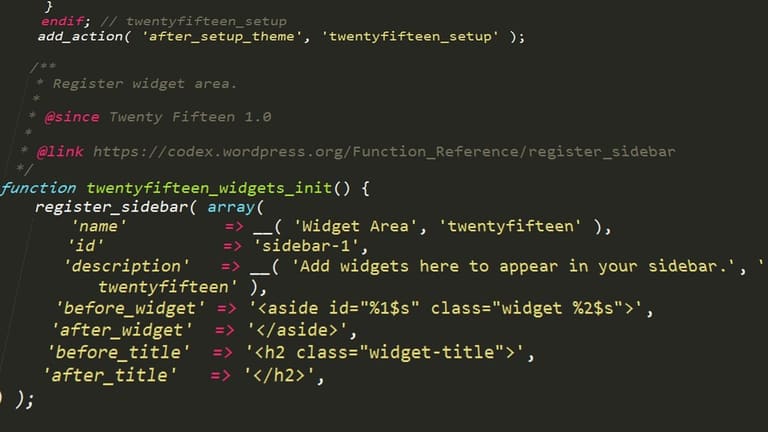
WordPress Child Theme create/customize ചെയ്യുമ്പോൾ, bugs inevitable ആണ്. പക്ഷേ systematic troubleshooting-വഴി easy resolve ചെയ്ത് user-നു seamless experience നൽകാം. Child Theme-ിൽ വാർത്ത bug/issue-കളും solution-കളും താഴെ:
Child Theme-യിലെ Common Bugs & Fixes| Bug Type | Possible Reason | Solution |
|---|---|---|
| Style.css load issue | Wrong location/missing parent theme info | style.css-ന്റെ directory, parent theme name correct ആണെന്ന് പരിശോധിക്കുക ചെയ്യുക. |
| Function not working | functions.php syntax error/bad function definition | functions.php review, errors fix; proper function definition ensure ചെയ്യുക. |
| Template override fail | Child Theme-ൽ correct template file name/location missed | Parent template file copy, Child Theme-ൽ precise edit |
| White Screen of Death | PHP error/memory limit exceeded | WordPress debugging mode;WP_DEBUG ON; error identify/fix; memory increase try |
Systematic debugging bug source detect ചെയ്യാൻ helpful ആണ്. Error message read, online solution/WordPress forum help use ചെയ്യാം.
ബഗ് ഫിക്സിങ് Steps
- WP_DEBUG mode enable; error detailed view
- Browser developer tools JavaScript/CSS errors check
- Latest code/plugin deactivate/restore check
- Code edit editor/IDE syntax error detection
- WordPress log files PHP errors trace
- Child Theme file/database backup keep; revert mistake easy
പ്രതികൂല bug-ൽ, skilled WordPress developer-നു consult ചെയ്യാൻ മടി വേണ്ട. Professional assistance save time/resource; project smooth progress.
WordPress Child Theme വഴി SEO ഓപ്റ്റിമൈസേഷൻ
WordPress Child Theme SEO performance improve ചെയ്യാൻ മികച്ച മാർഗ്ഗമാണ്. Parent Theme-ൽ direct edit avoid, child theme-ൽ safe/custom changes SEO optimized എളുപ്പം add ചെയ്യാം. Theme update-ൽ customizations safe, site പഠിത്വം/SEO consistent ആയിരിക്കും.
Child Theme coding skill ഉള്ളവർക്ക് extra benefit; skill ഇല്ലാത്തവർ plugin/easy tool ഉപയോഗിച്ച് SEO optimize ചെയ്യാം. SEO നമ്പര്ക്ക് effect only technical; user experience/engagement improve child theme-ൽ easy.
| SEO Area | Child Theme Benefit | Importance |
|---|---|---|
| Speed Optimization | Clean-up/Optimize code | High |
| Mobile Responsive | Responsive Design tweaks | High |
| Schema Markup | Custom schema code | ഇടത്തരം |
| Meta Tags | Unique/optimized title, description | High |
Child Theme SEO optimize ചെയ്യുമ്പോൾ, Parent Theme already SEO wise correct ആയത് check ചെയ്യണം. Child Theme-ൽ എല്ലാ changes-ഉം site speed/UX affect ചെയ്യാത്തതാണ് ensure ചെയ്യേണ്ടത്. Structured Data/Schema.org markup SEO benefit ഉണ്ട്.
SEO optimize-ചെയ്യാൻ Child Theme-ൽ follow ചെയ്യേണ്ട tip-കൾ:
- Speed Optimize: Unnecessary CSS/JS remove/combine ചെയ്യുക.
- Mobile Responsive: Responsive design Child Theme-ൽ improve ചെയ്യുക.
- Meta Tags: Every page unique/meta description add.
- Schema Markup: Product/article/events schema.org add.
- Internal Links: Relevant content connect-ചെയ്യുക; user site-ൽ stay increase.
- Image Optimize: Images compress; alt tag add.
Child Theme SEO change result regular review. Google Analytics/Search Console use statistics, maintain/improve SEO rank.
WordPress Child Theme, site-ന്റെ SEO performance improve ചെയ്യാനും success long-term ആയി കൈവരിക്കാനും ഉള്ള മികച്ച മാർഗ്ഗമാണ്.
ഉദാഹരണങ്ങൾ: WordPress Child Theme വിജയകരമായ ഉപയോഗങ്ങൾ
WordPress Child Theme Parent Theme-നെ direct touch ചെയ്യാതെ site look/function customize ചെയ്യാൻ helpful. Designers/developers-നു flexibility, theme update-പ്പോലേ personalization safe. Successful Child Theme use section-ൽ കുറേ sector/tools-ഉം:
| Project Name | Sector | Child Theme Goal |
|---|---|---|
| ABC Shop | E-ticaret | Custom product filter/advanced search |
| XYZ Portfolio | Arts/design | Unique gallery/animated feature create |
| 123 Blog | ബ്ലോഗ് | Font/color scheme customized for readability |
| LMN Company | Corporate | Brand-based custom page templates |
Various Child Theme success stories/sector-wise sample changes:
- Successful Examples
- E-ticaret സ്റ്റോറിൽ custom product page design
- Blog-ൽ different author profile/section
- Corporate site-ൽ custom service page
- Portfolio-ൽ attractive gallery design
- Event site-ൽ custom registration/calendar integration
WordPress Child Theme പ്രകാരം creativity, flexibility improve ചെയ്യുന്നു. Sector-wise targeted change Child Theme-ൽ unlimited potentials.
E-ticaret
E-ticaret site-ൽ Child Theme product page/payment option change/upscale-നു പ്രാമുഖ്യം. Category-wise layout/banner/discount customize ചെയ്യുന്ന Child Theme sales improve, UX enhance ചെയ്യാൻ helpful.
പോർട്ഫോളിയോ സൈറ്റുകൾ
Portfolio site-ങ്ങളുടെ visual appeal, designer creativity display-എന്ന child theme gallery, animation, transition easy add/change. Professional appeal, client impress, conversion increase child theme-ൽ സാധ്യമാണ്.
WordPress Child Theme Creativity, performance, SEO optimize unlimited potential നൽകുന്നു. Parent Theme update-പ്പേ customization safe എളുപ്പം feature/content add/change ഉപകാരപ്രദം.
WordPress Child Theme വഴി നിങ്ങൾ നേടുന്നത്?
WordPress Child Theme ഉപയോഗിച്ച് site design/function safe ഇഷ്ടപ്രകാരമായ മാറ്റം parent theme affected ആവാതെ എല്ലാവതും കൈവരിക്കും. Parent Theme ഒട്ടും update ചെയുമ്പോൾ even customizations affect ആവില്ല; control/security long-term solution.
| Feature | Description | Benefit |
|---|---|---|
| Safe Customization | Parent Theme untouched, design/function add/change | Updates affect ഇല്ല, customizations retained |
| Easy Update | Parent Theme update hassle free | Site secure/up-to-date compatibility ensured |
| Efficient Organization | Customization separate folder | Code clean/manageable, bug-fixing easy |
| SEO Compatibility | SEO features, meta/heading integrate | Better ranking, organic traffic increase |
WordPress Child Theme SEO optimization easy; description/title/meta etc. add/change, search rank improve.