 Afrikaans
 Azərbaycan
 Bosanski
 Čeština
 Dansk
Dansk Deutsch
 English
 Español
 Filipino
 Français
 Hrvatski
 Indonesia
 Italiano
 Magyar
 Melayu
 Nederlands
 Norsk
Norsk Oʻzbek
 Polski
 Português
 Română
 Slovenčina
 Slovenščina
 Suomi
Suomi Svenska
 Tiếng Việt
 Türkçe
 Ελληνικά
 Беларуская
 Български
 Русский
 Српски
 Українська
 עברית
עברית اردو
اردو العربية
 پښتو
پښتو فارسی
فارسی አማርኛ
አማርኛ मराठी
मराठी বাংলা
বাংলা தமிழ்
தமிழ் ไทย
ไทย မြန်မာ
 한국어
한국어 中文
中文 日本語
日本語

WordPress site ကို သင့်လိုအပ်မှုအတိုင်း ရှင်းလင်းပြီး အသုံးပြုနိုင်ဖို့ အကောင်းဆုံး နည်းလမ်းတစ်ခုက WordPress Child theme ကို အသုံးပြုခြင်းဖြစ်ပါတယ်။ ဒီ blog စာမျက်နှာမှာ WordPress Child theme ဆိုတာ ဘာလဲ၊ ဘာလိုအရေးကြီးသလဲ၊ ဘယ်လို တည်ဆောက်/အသုံးပြုရမယ်လဲ Step by Step လမ်းကြောင်းနဲ့ရှင်းပြသွားမယ်။ Customization လုပ်ဖို့ အခြေခံ ပညာရရှိစဉ်မှာ WordPress Child theme မှာ လုပ်လို့ရတဲ့ အမျိုးမျိုးသော အသွင်ပြောင်း/ဖန်တီးရေး နည်းလမ်းများကိုလည်း ရှင်းပြပါမယ်။ Child theme အသုံးပြုခြင်းဖျော်ဖြေမှု၊ Error များ Debug လုပ်နည်း၊ SEO optimization လုပ်ဖို့ ဦးစားပေးသတိထားစရာ ချို့ယွင်းချက်များအကြောင်းအပါဝင်၊ နောက်ဆုံးတော့ ဥပမာလေးများ၊ နာမည်ကြီး Child theme အသုံးပြုမှုများနဲ့ မကြာမီလာမယ့် Trend များကိုလည်း ချဉ်းကပ်သွားပါမယ်။ ဒီကိုယ်တွေ့ Guide နဲ့ WordPress Child theme ကို စိတ်ချစွာ သားသားမြမြ အရည်အချင်း မြင့်မားလာအောင် အသုံးပြုနိုင်ပါလိမ့်မယ်။
WordPress Child Theme ဆိုတာ ဘာလဲ? ဘာလို့ အရေးကြီးသလဲ?
WordPress Child theme ဆိုတာက သင့်ရဲ့ WordPress main theme ကို direct ပြောင်းလဲမှာမဟုတ်ပဲ၊ အခြေခံ (parent) theme မထိစေဘဲ ကိုယ်တိုင် သောအကြောင်းအရာနှင့် ဒီဇိုင်းများကို overlay လုပ်လို့ရတဲ့ sub-theme တစ်ခုပါ။ Main theme ကို update လုပ်တဲ့အခါ သင့်လက်ရှိ ပြောင်းလဲထားတဲ့ လုပ်ေဆာင္ချက်တွေရော၊ လှပမှုအတွက်ပါ အမြဲတမ်း tag လေးထားနိုင်ပါတယ်။ ဒီသုံးသပ်မှုဟာ တစ်ကားသင့်ရဲ့ main theme ကို clone လုပ်ထားသလိုဖြစ်သော်လည်း ဒီ clone က သင်ပြောင်းလဲလိုသမျှတင်တင်ထားသလို၊ main theme original file မရှိပြောင်းလဲသူ…မသန်စွမ်းသေးတဲ့အိုလားကြီးတစ်ယောက်လေ!
ဘယ်လို WordPress Child theme လိုအပ်သလဲ? Parent theme file ကို တိုက်ရိုက် ပြောင်းလဲပြေလို့ မရပါဘူး။ Parent theme ကို update လုပ်တဲ့အခါ သင့်လှပမှု၊ function, layout အပြောင်းလဲတွေ ကျန်မည်မဟုတ်ပါ။ Time, effort တစ်ပေါက်ကြီးလည်း လျှော့သွားနိုင်ပါတယ်။ WordPress Child theme ဟာ ဒီလို server-side ချို့ယွင်းအကြောင်းအရာတွေကို Jumper အနေနဲ့ သောက်မယ်။
Child Theme ရဲ့ အားသာချက်များ
- လုံခြုံမှု: Parent theme file မပြောင်းစရာပဲ Code, လှပမှု ပြောင်းလဲနိုင်သည်။
- Update လုပ်မိလျှင်: Parent theme update ဖြစ်လျှင် သင့် custom code ပြောင်းလဲမှုတွေ မပျောက်ပါ။
- Rollback ရလွယ်: ပြောင်းလဲမှုမှာ error ဖြစ်မယ်ဆို Parent theme ကို revert သွားနိုင်သည်။
- Code နတော်သွား: Custom code တွေကို separate file မှာ ထည့်ထားလို့ code ကို ပိုပြင်လွယ် & ကြည့်လွယ်
- Reuse လုပ်လို့ရ: တစ်ခုကို အမျိုးအစား site တွေမှာ ဘယ်လောက်အသုံးပြုလို့ရသလဲ ဆင်တူ Child theme လေးတွေနဲ့။
အောက်ပါ Table ဟာ Parent theme VS WordPress Child theme ၏ အားသာ/အားနည်းချက်တွေကို summarized လုပ်ပေးထားပါတယ်။
| အင်္ဂါရပ် | Parent Theme | WordPress Child Theme |
|---|---|---|
| ပြောင်းလဲနိုင်စွမ်း | Directly ပြောင်းလဲနိုင်သည် | Directly ပြောင်းလဲ၍မရသည် |
| Update ရဲ့ အကျိုးသက်ရောက်မှု | Update သော်လည်း custom code ပျောက်လိမ့်မည် | Update လုပ်ပါစေ Custom code ထိမည်မဟုတ် |
| Risk | မြင့် (Data loss/Fail) | နိမ့် (Data loss မရှိ) |
| Customization Origin | Original Design/Functionality | Add-on Design/Functionality |
WordPress Child theme မှာ code အခြေခံ လုပ်မလို့ မနက်ဖြစ်စဉ်မှာတင်၊ Template code ပြင်/Theme ဖန်တီး ခွေးစမ်းမှမဟုတ်ဘူး။ အသုံးပြုနည်း ရိုးရှင်းပါပဲ။
WordPress Child Theme တည်ဆောက်ခြင်း လမ်းလွှာ
WordPress child theme တည်ဆောက်ခြင်းဟာ Theme ကို ကြိုတင် ပြုလုပ်နည်း တစ်ခုပါ။ Parent theme structure ကို rear user တစ်ယောက်သာပိုင်သလို ပြောင်းလဲမှုလေးကို ကိုယ်ပိုင် Folder အထဲထဲ့ထားနိုင်ပါတယ်။ လုပ်ပုံလုပ်နည်းနောက်မလှမ်းတင် Step ဆင့်ဆင့်ရှင်းပြပါမယ်။
ထင်ရှားခြင်း/ဖန်တီးခြင်း အတွက် အခြေခံ Folder တစ်ခုနဲ့ style.css file တစ်ခု create လုပ်လိုက်ပါ။ ဒီအရာတွေက သင့် theme ကို foundation လေးတင်ပေးနေလို့ Custom code/Style အတွင်းမဟုတ်ပညှားပါတယ်။
- Step 1: Child Theme Folder တည်ဆောက်ခြင်း: wp-content/themes/ directory သို့ ဝင်ပြီး "ParentThemeName-child" ဆိုပြီး Folder အသစ်တစ်ခု တည်ဆောက်ပါ။
- Step 2: style.css File ကို ဖန်တီးပါ: Child theme folder ထဲ style.css ဆိုပြီး blank file create လုပ်ပါ။ Custom style တွေ ဒီမှာ ထည့်နိုင်ပါတယ်။
- Step 3: style.css ထဲမှာ Parent Theme define လုပ်ပါ: Template: parent-theme-name (Parent theme folder name) ကို must မှတ်ပါ။
- Step 4: functions.php File ဖန်တီးပါ (လိုအပ်လျှင်): Extra functionality / Parent theme ရဲ့ function များကို overwrite/edit သွားချင်တယ်ဆို functions.php ထပ်တိုးပါ။
- Step 5: Child Theme ကို Activate လုပ်ပါ: Admin Panel → Appearance → Themes မှာ Child theme ကို select ပြီး Activate လုပ်ပါ။
အပေါ် Step အတိုင်းလုပ်ပြီးလျှင် WordPress child theme သင့် site မှာ ရှင်းရှင်းလင်းလင်း သုံးနိုင်ပြီ။ style.css ထဲကို CSS code ကိုယ်တင်လိုသမျှထည့်နိုင်စဉ်မှာ Parent theme style overlay လုပ်ဖြစ်သွားပါလိမ့်မယ်။ functions.php သာလည်း custom functionality များ လိုအပ်လျှင် ထပ်ထည့်နိုင်ပါသည်။
| File Name | အသုံးအပ်မှု | Example Content |
|---|---|---|
| style.css | Child theme style file |
/* Theme Name: Parent Theme Child Template: parent-theme-name */ |
| functions.php | Child theme functionality file |
<?php // Child theme functions go here ?> |
| screenshot.png | Theme Preview (Optional) | Child theme preview image |
| Other Templates | Overwrite templates from parent theme (Optional) | Parent theme file copy → customized version in child theme folder |
Child theme code / style တွေနဲ့ ပြောင်းလဲမှု အခါခါ Backup, Test လုပ်ခြင်းကိုတော့ မမမတော့ မဖျက်ပါနဲ့။ သုံးနည်းအကျွမ်း ကောင်းသေ ကျယ်ဝင်ခံနိုင်၊ Theme performance သည်လည်း အနိုင်ကျော်စေပါလိမ့်မယ်။
Customization အတွက် အခြေခံ အသိပညာများ
Child theme ကို တည်ဆောက်ပြီး Customization လုပ်မယ်ဆိုရင် ပြန်ကောက်မထားမနဲ့ အခြေခံ knowledge လေးတွေ သိထားသင့်ပါတယ်။ WordPress theme structure ကိုနည်းနည်း သဘောပေါက်ဖို့အရေးပါ။ Theme တွေက site ရဲ့ layout နှင့် functionality ကို ပိုင်နက်စွမ်းစေသော်လည်း Child theme မှာ နည်းလမ်းများနှင့် parent theme ကို modify မလုပ်ပဲ ကြည့်ရှု/ထပ်ထည့်နိုင်ငံတကာအဖြစ်ကို ကူညီပေးနိုင်သည်။
အသုံးအာရုံ (Tool) များကြည့်ပါ — HTML, CSS, PHP ဆိုတာ WordPress theme development ရဲ့ အခြေခံသက်သပ်မှုပါ။ HTML က content structure, CSS က images/font/layout, PHP က dynamic content/functionality/logic ဖြစ်ပါတယ်။ ရင်းနီးနှိုင်းနိုင်လျှင် ပြောင်းလဲခြင်းမှာအရည်အချင်းပေးပါတယ်။
- သိထားသင့်သော သဘောတရား
- HTML : Web page structure
- CSS : Page design (colour/font/layout/animation)
- PHP : Dynamic content & logic (database/user function/custom code)
- WordPress theme structure : Theme file/folder တည်ရှိမှု
- WordPress hooks : Action/filter ထပ်ထည့်နိုင်ပြီး site functionality ပြောင်းလဲနိုင်သည်
WordPress hooks, filter & action တွေရဲ့ concept သတိပြုနိုင်လျှင် Parent theme file မပြန် edit ပဲ Site ရဲ့ behaviour/functionality ကို သိသာ သွားအောင်ပြင်နိုင်ပါတယ်။ Security/functionality အတွက် အခြေခံ knowledge တို့ကို သိထားပါ။
| နည်းပညာ | အကြောင်းအရာ | အသုံး/ရာထူး |
|---|---|---|
| HTML | Structure | Content layout, title, paragraph, etc. |
| CSS | Design/Style | Colour, font, layout, animation |
| PHP | Dynamic programming | Database, user logic, custom functions |
| WordPress Hooks | Change/Extend functionality | Theme/plugin customization, adding/removing functions |
Version Control System (Git) အသုံးပြုတတ်ခြင်း လည်း critical ပါ။ ပြုပြင်တာတွေ commit & revert လုပ်နိုင်ပြီး Error ဖြစ်မလား Backup ပြုလုပ်နိုင်ပါတယ်။ Customization error ကို original code ပြန် revert လုပ်တဲ့အခါ Git သုံးနိုင်ပါမယ်။
WordPress Child Theme အသွင်ပြောင်းရန် နည်းလမ်းများ
WordPress Child theme တစ်ခု အသုံးပြုခြင်းနဲ့ Parent theme ကို direct ပြောင်းမလုပ်ပဲ Site Layout, Colour, Functionality အလှညှာလေးတွေ ချိန်ညှိနိုင်ပါတယ်။ Eligible areas ကိုလည်း ရွေးချယ်နိုင်ပါတယ်။ Branding ကို Match လိုရင် Colour ချိန်၊ Font ဖြင့် readability ကြည့်၊ Layout ကို အသုံးပြုသူဆီသို့ပြောင်းလဲနိုင်ပါတယ်။
Target goals, area, scope ရှားစပ်လျှင် Customization လုပ်တာပါတွေသွားဖို့အလွန်အရေးပါတယ်။ ပုံမှန် colour theory၊ font selection/typography နဲ့ user experience ကို match လိုရင် ဘယ်လောက်မဆို personalize လုပ်နိုင်ပါတယ်။
| Customization Area | အကြောင်းအရာ | Example |
|---|---|---|
| Appearance (CSS) | Colour၊ font၊ layout၊ design ပြောင်းလဲနိုင်သည် | Title Colour ကို brand နဲ့ညီအောင် ပြောင်း |
| Functionality (functions.php) | Functionထပ်ထည့် (Add widget/Change widget) | New widget create / edit |
| Template File | Parent theme ကို copy လုပ် — Overwrite layout/design | Blog template ကို custom ပါ သာပြုလုပ်ရန် |
| JavaScript | Custom Script/Animation | Animation / Form behaviour ပြောင်း |
- အသွင်ပြောင်းနိုင်တဲ့ အရာများ
- Colour scheme ပြောင်းလဲခြင်း
- Font selection & typographic control
- Custom CSS ထပ်ထည့်ခြင်း
- Template file like header.php, footer.php customize
- Custom Widget Zone insert
- Javascript animation/interactivity
- Plugin behaviour change
Child theme မှာ ပြောင်းလဲနိုင်တဲ့ အရာတွေ မနည်းပါဘူး။ ပြင်ချိန်မှာ Backup မလုပ်လုံးပါနဲ့၊ Test လုပ်တတ်ပါ။ Error Protection/Recovery minded ဖြစ်စေပါတယ်။
Site Colour ဖောင်းပြောင်းနည်း
Colour စနစ်က Site look & feel အတွက် Key role ပါ။ Child theme style.css ထဲမှာ colour တွေကို override လုပ်ပီး သင့် brand နဲ့တက်နိုင်ပါတယ်။ စာသား/Background colour ကို readable & eye-catching ဖြစ်အောင် ကိုယ်တိုင် design ပြုလုပ်နိုင်ပါတယ်။
Font & Typography ပြောင်းလဲနည်း
Font selection ရဲ့ readability, beauty ဆိုင်ရာ အရေးမှာ critical ဖြစ်ပါတယ်။ Child theme မှာ Font type, size, weight, style နဲ့ typography အားလုံးကို ပြင်နိုင်ပါတယ်။ Google Fonts ကို import လုပ်ပီး custom font သုံးလို့လည်းရပါတယ်။ ဒီလို တစ်ဖားတည်း Font consistency ကိုတွဲမလို့ Professional Site အသွင်ပေါ်လာနိုင်ပါတယ်။
Child Theme အသုံးပြုခြင်း အားသာချက်များ
WordPress Child theme အသုံးပြုသည်ဆိုတာ Web site အတွက် အချက်အချာနဲ့ အားသာချက်အများကြီးရရှိစေပါတယ်။ Parent theme ကို dañ direct ပြောင်းမလုပ်ဘဲ Custom code/Style ကို Safe တင်နိုင်ပါတယ်။ Update လုပ်လျှိင် ပြောင်းလဲမှုမျာ ကောက်ရှိနိုင်ပါပဲ။
- အားသာချက်များ
- Security: Parent theme file ကို ပြောင်းမလုပ်၊ error & vulnerability မတိုး
- Update Safe: Custom code မပျောက်
- Flexibility: Projects အတွက် Child theme အမျိုးမျိုး generate လုပ်နိုင်
- Organization: Customization separate folder codes
- Fast Dev: Parent theme ကို inherit လုပ်လို့ rapid develop
အောက်ပါ table က Child theme vs Parent theme ကို ဆန့်ကျင်ဖြစ်နိုင်တဲ့ အထူးအားသာချက်များ လေးနေတာ။
| Feature | Child Theme | Direct Parent Theme Edit |
|---|---|---|
| Update Safe | Custom code remains | Customization lost on update |
| Code Manage | Separate folder, neat | Messy / hard to manage |
| Error Debug | Easy investigate | Hard, time-consuming |
| Flexibility | Multi theme variation OK | Limited |
Child theme အသုံးပြုခြင်းဟာ ရှေးခံပြီး Maintainable, Recoverable, Debuggable ဖြစ်စေပါတယ်။ Code separation နဲ့ Parent theme ကို untouched ဖြစ်ပေးတဲ့ကောင်းချက်ကို သတိထားအသုံးပြုပါ။
Error Debug လုပ်နည်း (Child Theme တွင်)
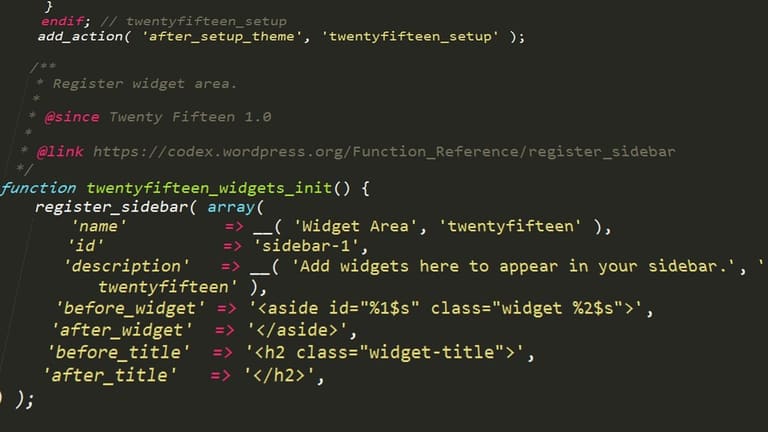
WordPress child theme ကို customize ချိန်မှာ Error/Issue များ မမျှ၊ တစ်စုံတစ်ရာ မှားဖွယ်ရာများ ခံရနိုင်ပါတယ်။ ဒီတွင် Common errors, bugfix တို့ကို ပြောပြပါမယ်။
| Error Type | Possible Cause | Fix / Solution |
|---|---|---|
| Style.css Not Loading | Wrong path/Parent theme name မမှန် | style.css location & Template name check |
| Functions Not Working | functions.php syntax / invalid function | Syntax check လုပ်၊ function naming ချမှတ် |
| Templates Not Overridden | File name / directory mismatch | Original template file copy → edit in child |
| White Screen Error | PHP error / memory overload | WP_DEBUG enable, log file check, increase memory limit |
Error တိုင်သူကို Systematic Debugging Method ကိုင်ကာ တင်နိုင်ပါတယ်။ Error message/WordPress forum/Documentation တွေကိုလည်း အသုံးပြုနိုင်ပါတယ်။
- WP_DEBUG mode Enable လုပ်မှ လှပကြောင် error ကို console ထုတ်ပြသည်။
- Developer tool/browser console နဲ့ JS/CSS error trace
- Recently added code/plugins တွေ temporary disable ပြီး bug locate
- Syntax error, coding mistake IDE/editor နဲ့ check
- Log file မှာ PHP error ဝင်ကြည့်
- Backup ပြုလုပ်ပြီးဘေးရှိပြင်အပ်ပါသည်
Error ဟာ learning opportunity ပါ။ Debug နဲ့ Recovery လုပ်နည်းမျာ ကိုက်ညီဖို့ WordPress community / forum ကိုတွဲလိုက်ပါ။
အလွန်ဖော်ပြ၍မရတဲ့ခံစားမှုတွေအတွက် Experienced WordPress developer တစ်ယောက်ကို support ဦးနိုင်ပါသည်။
Child Theme နဲ့ SEO Optimize လုပ်ခြင်း
WordPress Child theme အသုံးပြုပြီး Web Site ရဲ့ SEO ကို Optimize လုပ်မှာလည်း အခြားဘယ်နည်းလမ်းမျာလည်းပိုမိုအဆင်ပြေပါတယ်။ Parent theme ကို Directly Build မလုပ်ပဲ Custom meta, schema, responsive design လည်းမနည်းပြင်နိုင်ခဲ့ပါ။ Update လုပ်တဲ့အခါ ဘခြောက် SEO code ပျောက်မှာ မစိုးရိမ်ပါ။
| SEO Optimize Area | Child Theme ဖြင့် တိုးမြှင့် နည်း | Importance |
|---|---|---|
| Speed | Unused code Clean/Optimize | High |
| Mobile | Responsive CSS override | High |
| Schema | Custom schema code insert | အလယ်အလတ် |
| Meta | Title/Description Customize | High |
- Speed: CSS/JS minify & remove unused code
- Mobile: Responsive layout improvement
- Meta tag: Unique title/desc for each page
- Schema: schema.org markup for products/article/event
- Internal Link: Content interlink for UX
- Image: Compress images & define alt tag
Analytics/Google Search Console သုံးပြီး SEO performance ကို monitoring လုပ်ပါ။ SEO optimize လုပ်တဲ့အခါ code/UX မပျော့ မပြောင်းမနဲ့!
WordPress Child theme ဟာ SEO Optimize, Ranking Improvement, Long-term Site Growth အတွက် အမြင်လှမ်းနည်းလမ်းတစ်ခုပါ။
Child Theme အသုံးပြု၍ အောင်မြင်မှုများဥပမာ
WordPress child theme ကို template/direct main theme ပြောင်းလဲမှုအစား Customization, Functionality တိုးမြှင့်နိုင်ပါတယ်။ Industry-wise Case Studies/Examplesလည်းအများကြီး ရှိပါတယ်။
| Project Name | Sector | Child Theme Purpose |
|---|---|---|
| ABC Store | E-commerce | Product filter/functionality custom |
| XYZ Portfolio | Art/Design | Gallery Layout/Animation enhance |
| 123 Blog | ဘလော့ | Readable font/custom colour matching |
| LMN Company | Corporate | Brand-specific custom page templates |
- Case Examples
- E-commerce site: custom product page & checkout flow
- Blog site: author profile & unique styling
- Corporate site: custom landing/service page
- Portfolio site: creative gallery, effect
- Event site: custom registration/calendar integration
ဘယ်နည်းလမ်းနဲ့လည်း Child theme ကိုသုံးအောင် ကိုယ်တိုင် enhancement/flexibility ပြည့်စုံစေပါတယ်။ Industry-specific methods ကိုလည်း နောက်ဆက်တွဲလိုက်ပါမယ်။
E-commerce ကဏ္ဍ
E-commerce site တွေမှာ Child theme အထူးဝင်၊ Product page/checkout ပြောင်းလဲမှု၊ Category-wise layout build မိတာတွေ၊ banner/sidebar တိုးရတာတွေ User ရသနာတင်ပါတယ်။
Portfolio Site များ
Portfolio sites တွေရဲ့ visual uniqueness & creativity ကို child theme ပြင်လို့ extra gallery layout, animation/effect တိုးရပါတယ်။ Customer attraction နဲ့ professionalism ကိုလည်း တိုးမြှင့်နိုင်ပါတယ်။
WordPress Child theme သုံးပြီး site layout/functionality ကို update-proof, e-commerce/portfolio/UX ဖန်တီးမှု ဒေါသနဲ့ စိတ်ချစွာ ပြောင်းနိုင်ပါတယ်။
နိဂုံး: WordPress Child Theme နဲ့ မင်းရရှိနိုင်သော အရာများ
WordPress child theme သုံးခြင်းဟာ site design/function ကို Parent theme ကို untouched ဖြစ်အောင် လုံခြုံစွာ custom ပြုလုပ်နိုင်မှာပါ။ Theme update လုပ်တိုင်း custom code မပျောက်၊ Security/Performance/Functionality တိုးကုန်စေပါတယ်။
| Feature | Description | Benefits |
|---|---|---|
| Safe Custom | Parent untouched/Custom code overlay | Update-proof & safeguard |
| Easy Update | Parent theme update safe | Latest security/compatibility always |
| Organization | Code separated in child folder | Clean maintenance/debug |
| SEO | Easy meta/schema add-on | Better ranking & traffic |
- Backup regularly, don't neglect!
- Test customization in staging before live
- Keep code readable/commented
- Do SEO optimization + update
- Use caching/plugin for performance
- Track theme parent update & patch
WordPress child theme သုံးပြီး Site develop လုပ်တာက အချိန်/ကိုယ်ပိုင်ရှင်းသည့်ဆန်/လွယ်ကူသော်လည်း Organization & Security မဖျက်ပါနဲ့။ Planning, Good code, Testing, Learning Challenge တွေလည်း Success/Professional CMS ကို သိသာစေပါတယ်။
ခေတ်သစ် Trend: WordPress Child Theme အနာဂတ်
WordPress child theme က Web developer/designer အတွက် must-have tool တစ်ခုဖြစ်လာသည်။ No-code/Low-code trend များစိုးလာသည်။ Child theme tool/auto generator, AI integration က user needs ကို more easily matched/customize လုပ်နိုင်သွားလိမ့်မယ်။
- Future Trends
- Block-based theme rise: Gutenberg editor နဲ့ block system ဟာ child theme ထပ်ဖြစ်လာမှာ
- Drag-and-drop custom tool ပေါ်လာမယ်
- Mobile-first design, responsive child theme
- Advanced SEO-focused customization
- Accessibility standard compliance
E-commerce rise နဲ့ WooCommerce compatible child theme popularity ကြီးမားလာပါတယ်။ Security update အားသာချက်, Modular/component-based structure နဲ့ Developer/designer စိတ်တိုင်း auto customizable system ဖြစ်လာမှာပါ။
မေးလေ့ရှိသောမေးခွန်းများ (FAQ)
Parent theme ကို directly ပြောင်းလဲ့ခြင်းမှာ Custom code ပျောက်နိုင်မလား?
Update လုပ်တဲ့အခါ ပြောင်လဲမှု/Custom လှပချက်တွေ ပျောက်နိုင်ပါတယ်။ Child theme create လုပ်ပြီး Safe overlay လုပ်နိုင်ပါတယ်။
Child theme ဖန်တီးဖို့ style.css/functions.php file များ မရှိအပ်လား?
အခြေခံ style.css (Theme Name, Template: parent-name) & functions.php (Custom functionality) အသုံးအပ်ပါသည်။ Extra templates header.php/footer.php မလို့ပါ.
Parent theme function ကို child theme မှာ override/replace လုပ်ချင်တယ်ဆို ဘယ်လိုလုပ်နည်း?
functions.php တာ override/replace parent theme function name နဲ့ ချမှတ်ပါ။ WordPress ရဲ့ function loader တွင် child theme ရဲ့ code ထက် priority ခိုင်ပါတယ်။
Child theme သုံးခြင်း site performance ကို down မလား?
Proper coding ဖြစ်လျှင် performance ကိုသက်ရောက်မှုမရှိဘူး။ Custom code, optimize, minify လုပ်ပါ။
Child theme ကို SEO Optimize လုပ်ဖို့ ဘာတွေလုပ်သင့်သလဲ?
Responsive layout, title/meta tag correct, keyword research, image optimize, alt attribute တို့ကိုသတိထားရန်။
Error ဖြစ်နေတယ်။ Debug tool ဘယ်နှစ်ခုသုံးနိုင်မလဲ?
WP_DEBUG enable, browser dev tool, Chrome DevTools, Error log, code revert, backup restore ကို လုပ်နိုင်သည်။
Purchased theme ကို child theme ဖြင့် customization လုပ်နိုင်လား?
Update safe, security risk low, flexible control, main code untouched ဖြစ်စေပါတယ်။
Parent theme ကို direct file edit လုပ်တာ မထိုက်တန်တဲ့အချက်များ?
Update ပြုလျှင် custom code loss, site break, recovery ဒေါသနည်းပါ။ Child theme သုံးစွဲပြီး Safe customize လုပ်နိုင်ပါတယ်။