 Afrikaans
 Azərbaycan
 Bosanski
 Čeština
 Dansk
Dansk Deutsch
 English
 Español
 Filipino
 Français
 Hrvatski
 Indonesia
 Italiano
 Magyar
 Melayu
 Nederlands
 Norsk
Norsk Oʻzbek
 Polski
 Português
 Română
 Slovenčina
 Slovenščina
 Suomi
Suomi Svenska
 Tiếng Việt
 Türkçe
 Ελληνικά
 Беларуская
 Български
 Русский
 Српски
 Українська
 עברית
עברית اردو
اردو العربية
 پښتو
پښتو فارسی
فارسی አማርኛ
አማርኛ मराठी
मराठी বাংলা
বাংলা தமிழ்
தமிழ் ไทย
ไทย မြန်မာ
 한국어
한국어 中文
中文 日本語
日本語

આ બ્લોગ લેખ અંગે આજના સ્પર્ધાત્મક અને ટેકનોલોજી-આધારિત વ્યાપાર જગતમાં અત્યંત અગત્યની બની ગઈ મોબાઇલ ડિવાઇસ સુરક્ષા વિષય પર વિસ્તૃત ગાઈડ છે. અહીં móvel મારફતે સુરક્ષા સમજાવવી, આ શક્ય ખતરો માટે થોડા ચોંકાવનારા આંકડા, તથા આસાનીથી અમલમાં ઉતારી શકાય એવા પગલાં, તેમજ કર્મચારીઓની જાગૃતતા – બધું સરળ ભાષામાં તમને મળશે. સુરક્ષા એપ્સ, ડિઝાઇન સિદ્ધાંતો, સાયબર હુમલાની અસર, પાસવર્ડની મહત્તા, અને શિક્ષણ તેમજ પ્રેક્ટિકલ ટીપ્સ – તેના પર સાંકેતિક પ્રકાશ પાડવામાં આવ્યો છે. બિઝનેસ માટે મોબાઇલ ડિવાઇસને સુરક્ષિત રાખવા માંગો છો, તો આ લેખ એક દિશાદર્શક ગ્રંથ છે.
મોબાઇલ ડિવાઇસ સુરક્ષા શું છે? – મૂળ તત્વો
મોબાઇલ ડિવાઇસ સુરક્ષા એ સ્માર્ટફોન, ટેબ્લેટ તથા અન્ય પોર્ટેબલ ડિવાઇસને અનધિકૃત ઍક્સેસ, malware, તથા હાનિકારક સાયબર થ્રેટ્સથી બચાવવા માટેની રીત છે. તેમાં, વિભિન્ન પરત – ડિવાઇસ, નેટવર્ક, એપ્લિકેશન અને ડેટા – દરેક માટે સુરક્ષા પગલાં લેવામાં આવે છે. આજની દૂર્તિમાં, આ ડિવાઇસો આપણી વ્યક્તિગત અને વ્યાવસાયિક પ્રકિયાઓનું કેન્દ્ર બની ગયા છે – તેવું ડિવાઇસ સુરક્ષા અનિવાર્ય બની છે.
મોબાઇલ ડિવાઇસ સુરક્ષાનું મુખ્ય લક્ષ્ય,ગોપનીયતા, અખંડિતતા અને ઍક્સેસ – આ ત્રણને સુરક્ષિત રાખવું છે. ગોપનીયતા – સંવેદનશીલ માહિતી અનધિકૃત લોકો સુધી ની પહોચ અટકાવી છે; અખંડિતતા – ડેટામાં બદલાવ કે ભંગાવું રોકે છે; અને ઍક્સેસ – અરજીકર્તા જડેલ વ્યક્તિને જરૂરીયત સમયે અદ્યતન ડેટા આપી શકે છે. આ ત્રણ સ્તંભો અભેકું મોબાઇલ ડિવાઇસ સુરક્ષાના આંતરિક ભાગ છે.
| સુરક્ષા સ્તર | વર્ણન | મહત્તા |
|---|---|---|
| ડિવાઇસ સુરક્ષા | શારીરિક અને OS સુરક્ષા | ડિવાઇસ માટે અનધિત્કૃત ઍક્સેસ અટકાવવું |
| નેટવર્ક સુરક્ષા | Wi-Fi/મોબાઇલ નેટવર્ક સુરક્ષા | ડેટા ટ્રાંસફર સલામતી |
| એપ્લિકેશન સુરક્ષા | એપ્સ ના દિલની પરમિશનો અને સુરક્ષા | અપમૂળ અભેક એનશિક મેલ્વેર અટકાવવું |
| ડેટા સુરક્ષા | સંગ્રહ અને ટ્રાંસમિશન બંનેમાં ડેટા સલામતી | સંવેદનશીલ માહિતી સુરક્ષિત રાખવી |
એકલા ટેકનિકલ વિકલ્પો જ પૂરતા નથી. યૂઝર જાગૃતિ અને મોર્દશાત્ર પણ વચ્ચે(center) જરૂર છે: મજબૂત પાસવર્ડ બનાવો, ફોઈ વૈતરણ્યથી એપ્લિકેશન ન ડાઉનલોડ કરો, શંકાસ્પદ લિંક પર ક્લિક ન કરો – જેટલું યૂઝર સાવચેત એટલું હુડાં સુરક્ષા. ક્યારેક સૌથી મજબૂત સુરક્ષા પણ અવિચારે નષ્ટ થઈ શકે.
મોબાઇલ ડિવાઇસ સુરક્ષા – મુખ્ય તત્વો
- બળવાન પાસવર્ડ અને બાયોમેટ્રિક(authentication) વડે ઍક્સેસ
- નિયમિત updates & patches લેવી
- અપ્રમાણિત સ્રોતમાંથી એપ્લિકેશન ન ડાઉનલોડ કરવી
- Trustworthy mobile security software ઉપયોગ કરવો
- Public Wi-Fi જોડતી વખતે ખાસ સાવચેતી
- નિયમિત રીતે ડેટા બેકઅપ
મોબાઇલ સુરક્ષા અત્યંત જ ચાલુ પ્રક્રિયા છે. સાયબર વિલન ને નવી તક મળી રહી છે, અને નવા ફોલ આઉટસ અવારનવાર આવે છે; એટલે mobile-device-security-strategy ને અવર-પાવર audit! proactive approach રાખશો તો ફિક્કી સમસ્યા ન આવે.
મોબાઇલ ડિવાઇસ સુરક્ષા માટે અગત્યના આંકડા
આજના કાલમાં મોબાઇલ ડિવાઇસ તમારા વ્યવસાય માટે backbone બની ગયા છે. પણ તેમની વાપરાટ સાથે આ ડિવાઇસ વધારે જોખમ જેવા છે – અને આમ, mobile security માટે જાગૃતિ વધારવી અને પગલાં લેવી અનિવાર્ય છે. નીચેના સરળ આંકડાઓથી જે જોખમ છે તે કેટલું ખરાબ છે તેની સમજ આવે:
| આંકડા | ગુણ | સ્રોત |
|---|---|---|
| મોબાઇલ malware હુમલાઓમાં વધારો | દર વર્ષ ૫૦%+ | Symantec રીપોર્ટ |
| મોબાઇલથી data breach માટે average cost | $4.24 million | IBM Data Breach Report |
| કમર્શિયલ પાસવર્ડ પુનઃ વપરાશ દર | 65% | Verizon DBIR |
| Phishing રેટ – મોબાઇલમાં vs desktop | 3x desktop કરતાં વધુ | Proofpoint રીપોર્ટ |
મોબાઇલ ડિવાઇસ વિષે જોખમો
- ઝાડ Wi-Fi મારફતે data વિતરણ
- OS/એપ્સ – updates નહી હોવી
- અવર-તકાત પાસવર્ડ ઉપયોગ
- Phishing નીચે-માહિતી ગુમાવવી
- Malware – ડાઉનલોડ થઈ જાય
- ડેવિસ ગુમાવવું/ચોરી જવવું
- ડેટા એન્ક્રિપ્શન ન હોવું
આ આંકડા business-owners, employees અને individuals માટે સાજ કાલ important reminder છે – proactive security invest, મજબૂત પાસવર્ડ, up-to-date software, trusted apps, secure Wi-Fi – એટલું જ વધારું difference છે. વિગતે જોવું તો Mobile Device Management (MDM) જેવી centralized security સાથે અનેક પ્રમાણથી business-device સુરક્ષા વધે છે.
મોબાઇલ સુરક્ષા માટેજ છે, તો તમારું માત્ર કુટુંબની મિલકત જ નથી – સંપૂર્ણ brand image/વિશ્વાસ પણ અટકાવે છે. એક data breach, કસ્ટમર-trust તોડી નાખે, પત્ની દૂર્વ, કમ્પનીની દ્રષ્ટિ ઘટાડે – એટલે security seriously લો, and keep learning & updating!
મોબાઇલ ડિવાઇસને સુરક્ષિત રાખવાના પગલાં
મોબાઇલ ડિવાઇસ એ આપણા ખૂબ ગરી અસ્તિત્વ છે – business as well as personal data અહીં છે – એટલે security, antivirus install કરતા પણ વધુ સુધ્ધું, holistic strategy જરૂરી છે. યૂઝર-behavior થી software updates સુધી બધું તેના પર આધારિત છે.
પ્રથમ પગલું – mobile-device physical security: ગુમાવવાથી/ચોરીથી બચાવવો, screen-lock અને encryption સુયોજિત કરવું, tracking apps, Find My Device/Find My Phone enable – અને software update સાથે trusted-apps જ ડાઉનલોડ કરેવી. અનધિકૃત sources ઉપર click કયાં પણ ન જવું.
| સ્તર | વર્ણન | પગલાં |
|---|---|---|
| Physical security | ગુમાવવું/ચોરી – protection | Screen lock, tracking, remote erase |
| Software security | Malware, virus, etc. from apps | Antivirus, firewall |
| Network security | Wi-Fi overlays, unsafe networks | VPN, secure Wi-Fi only |
| Data security | Sensitive info – safety | Encryption, regular backup |
મોબાઇલ સુરક્ષા – awareness equally crucial. phishing, suspicious mails/SMS – never click unknown URLs; Social media/other accounts – કેટલીક માહિતી નહીં શેર કરો; wierd permissions< on apps – avoid! Because careless user undermines the strongest locks.
Critical Steps for Mobile Security:
- મજબૂત પાસવર્ડ: device/app માટે tough password, easily guessable નથી – letters, numbers, symbols ભેગા કરો.
- પાચીસ ડ્રાવ updates: OS/app નિમિત્ત updates patches install કરો – vulnerabilities repair કરો.
- ઉપલબ્ધ official store: Google Play Store/Apple App Store એવું – trusted apps જ ડાઉનલોડ કરો.
- Two-factor authentication: જ્યા પણ શક્ય હોય ત્યાં enable કરો.
- VPN: public Wi-Fi, open networks – use VPN.
- Backup: Device/business-critical data regular backup.
Proactive attractive keep learning, રણનીતિ સમયાનુસાર update, security expert guidance, Security blogs/forums< regularly read – તમારો mobile-device-security always ready!
મોબાઇલમાં સુરક્ષા સોફ્ટવેર
મોબાઇલ ડિવાઇસ સુરક્ષાના software – smartphones/tablets જે નીયંત્રણ-જીવનનો અખંડ ભાગ છે એટલે, malicious software, phishing attempts, cyber attacks – સામે મારા mobile/device તેમજ business-critical info માટે frontline security છે. આ software – malicious apps detect, unsafe Wi-Fi alert, બાગડોશ કરવામાં આવે તો remote erase – એવું આપે.
Security applications – basic antivirus to full security suite – web filtering, application control, data encryption – business માટે centralized management, device audit, compliance, etc. આપે.
| સુરક્ષા સોફ્ટવેર | ફીચર્સ | વો નો લક્ષ્ય |
|---|---|---|
| Norton Mobile Security | Antivirus, Wi-Fi security, phishing protection | Individuals |
| McAfee Mobile Security | Antivirus, theft-protection, safe web | Individuals |
| Bitdefender Mobile Security | Antivirus, privacy-check, VPN | Individual/Corporate |
| MobileIron | MDM, app security, data safe | Corporate |
Best security software select કરીએ ત્યારે – OS compatibility, use-case, need-based feature, budget – નહિ અને regular updates, decent vendor-selection – seriously consider કરો.
- Norton Mobile Security: Broad threat detection/prevention
- Bitdefender Mobile Security: Lightweight yet strong protection
- McAfee Mobile Security: Theft prevention and safe browsing
- Kaspersky Mobile Antivirus: User-friendly, effective scanning
- Avast Mobile Security: Free basic, paid upgrades for premium security
Correct security software choose and regularly update, mobile/device security enhance – but even then, cautiously use and smart habits must.
મોબાઇલ સુરક્ષામાં ડિઝાઇન સિદ્ધાંતો
Mobile security design principles – security-first approach – development level થી implement. Cleaner code, secure architecture – ટટ્ટાર mobile/device-app security base છે. Developers/designers security jiġu તળીય શુદ્ધ અને regular testing – feedback, audits essential.
Secure design – user-experience minimize without sacrifice. મુશ્કેલ security measures user turn-off કરે – તેથી seamless usability/safety integrate કરો. Regular updates and easy upgrade facility security loophole ના risk minimize કરે.
| Design Principle | Description | Importance |
|---|---|---|
| Minimum privilege | App gets necessary permissions only | Unauthorized access risk minimize |
| Defense in depth | Multiple security layers | One vulnerability doesn't ruin safety |
| Secure defaults | Initial settings = safe | User error chances minimize |
| Privacy by design | Data gathering/processing at every stage with privacy in mind | Personal info protection |
Design-phase – security-analysis/tests rigorously – loophole detection/removal. Security feedback integrate – “Security is not a feature, it is a default”. User trust and brand image maintain.
યૂઝર ઈન્ટરફેસ સુરક્ષા
UI security – user-data protection, anti-phishing, access control. Secure UI keeps user happy, app trustworthy.
Mobile-app design security tips
- Input validation: All user input validate/testing, code-injection stop
- Anti-phishing: User educate, suspicious links prompt reporting
- Session management: Secure session, login-duration limit
- Encryption: Sensitive-data always encrypted, secure protocols
- Permission management: Only needed app permissions
- User education: Security habits awareness
ડેટા સુરક્ષા વ્યૂહ
Data-protection strategy: encryption, backup, access-control, loss-prevention – technical plus user awareness. Device-loss/theft? Remote-erase/lock. Regular backup = always recoverable. Data-protection = mobile/device security foundation!
સાયબર હુમલો અને મોબાઇલ ડિવાઇસ સુરક્ષા
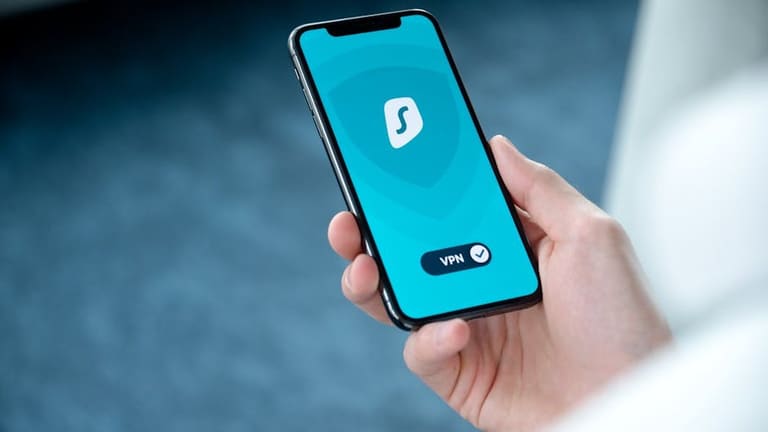
Business/private use – mobile/device everyday life-essential – but, cyber threat equally growing. Corporate devices/network – weak/mobile loopholes = giant risk! Cyber-attacker નબળાઈ દ્વારા mobile-device – steals sensitive-data, ransom malware, disrupts organisation.
| Cyber attack type | Details | Mobile/device impact |
|---|---|---|
| ફિશિંગ | Fake mails/alerts – steals identity info | Account hack, financial loss, identity theft |
| Malware | Viruses/trojans harm device | Data loss, reduced speed, spying |
| Ransomware | Encrypts data, extorts ransom | Locked-out, pay ransom, business disruption |
| Man-in-the-middle | Intercepts/changes communication | Sensitive-data theft, privacy violation |
Cyber-attacks prevent - strong password, regular updates, trusted resources only, never click unknown, MDM for business device central safety.
મોબાઇલ ડિવાઇસ પર અસરો
Cyber-attack – mobile/device: personal-data loss, financial impact for user; business – trust loss, customer doubt, legal trouble, ransom attack, organisation shutdown.
પ્રચલિત cyber-attack પ્રકાર
- Phishing: Identity fraud mails/web
- Malware: Viruses/trojans harming devices
- Ransomware: Data-encryption ransom-demand
- Man-in-the-middle: Communication theft
- DDoS: Server-outage by overload
- SQL Injection: Database-access abuse
Attack aftermath – compromised-data, bigger crime uses – investment in mobile/device security = future-proofing. Prevention saves massive cost!
મોબાઇલ પાસવર્ડ સુરક્ષા
Password security = primary pillar. Mobile/device holds private, financial info – simple/weak passwords breach risk. Smart/strict passwords = 100x safer device/business!
બહુ એક સરખા પાસવર્ડ, reuse – NO! Replace regularly (quarterly-minimum); enforce tough password-policy in team/corporate.
મજબૂત પાસવર્ડ બનાવવા સરળ તૈયારી:
- Strong password ≥ 12-character
- Mix capital, small, numbers, symbols
- No personal-data or obvious phrases
- No dictionary word/common phrases
- Each service/account unique password
- Update all passwords regularly (quarterly!)
- Secure offline/Password-manager
Multi-factor authentication (MFA) – password + OTP/biometrics – attackers-hit બ્રેક! Critical for business-device – always enable.
| Password security pillar | Description | Importance |
|---|---|---|
| Password length | ≥ 12-characters | Hard-crack, safety increase |
| Password complexity | Mix caps/numbers/symbols | Not guessable, robust |
| Password duplication | Every account unique | If breached, only one loss |
| MFA | Password + secondary authentication | Double safety, block unauthorized |
Educate team/users – password safety, training, awareness – maximum error-prone reduce. Mobile security depends on both technology and educated user!
મોબાઇલ ડિવાઇસ સુરક્ષામાં શિક્ષણ
વ્યક્તિગત/કમર્શિયલ – mobile-device security constantly update. Employee/user education = active defence! Courses, webinars, hands-on training – from basics to advanced-threats.
Certification, threat-detection, encrypted data management, incident-response – employees must learn all, especially business-device-users, regular awareness investment.
| Learning platform | Level | Topics | Certificate |
|---|---|---|---|
| Coursera | Beginner-Advanced | Network, mobile-app security, encryption | Yes |
| Udemy | Beginner-Intermediate | Android/iOS security, malware, penetration | Yes |
| SANS Institute | Intermediate-Advanced | Forensics, response, cyber-security management | Yes |
| Cybrary | Beginner-Advanced | Cybersecurity basics, ethical hacking, mobile | Yes |
Additional resources: official cyber-security authorities (website, guidelines), OWASP Mobile Security Project, NIST mobile guides, blog (Krebs on Security), industry news (Dark Reading).
- Cyber Security Authority (official site, manuals)
- OWASP Mobile Security Project (open source guide)
- NIST mobile security guidelines
- SANS Institute (training, certification)
- Krebs on Security (Brian Krebs’ blog)
- Dark Reading (news, analysis)
Mobile-device security evolves rapidly – keep learning, update, adopt proactive steps!
મોબાઇલ યુઝર્સ માટે સલામતી ટીપ્સ
Mobile/device everyday companion – convenience with risk! Safety habits essential: tough passwords, regular updates, download only from official stores, never click suspicious links; public Wi-Fi – always vigilant, remember remote-erase facility for loss/theft.
- Strong password/Biometrics: Fingerprint, Face-ID, complex password
- Regular OS/app update
- Google Play Store/Apple App Store only
- No unknown links in mail/SMS
- Public Wi-Fi? Use VPN only
- Enable remote-erase in loss/theft scenario
- Regular backup of key data
આ નીચે ટેબલમાં – mobile-device security – threats vs simple solution:
| Threat | Explanation | Defence |
|---|---|---|
| Malware | Virus/worm/trojan apps | Trusted antivirus, avoid untrusted apps |
| ફિશિંગ | Fake mails/sites – identity theft | Do not click suspicious mails, check URL |
| Network attacks | Public Wi-Fi abuse | VPN only, no unsafe networks |
| Physical theft | Device lost/stolen | Keep secure, enable remote-erase |
Mobile security continuous process – single step is not enough. Raise info-awareness, stay alert for threats, keep preventive measures current; safe-data ensures safe business!
મોબાઇલ સુરક્ષા – નિષ્કર્ષ અને સૂચનાઓ
Mobile-device security – essential both for business and individuals; rising cyber-threats – device-dominated business – security not a luxury, a necessity. Technical fix, plus user-awareness.
Strong habits, suspicious link-avoidance, password-protocols, educate/train employees regularly – companies must. Security awareness = better mobile security!
- Strong (complex) password, regular change
- Enable two-factor authentication
- Always updated OS/app
- Official app stores only
- Never click suspicious mails/links
- Device encryption
- VPN for open networks
Company-device-use-policy: clear guidelines – which apps, what safety – enforced mobile-device management (MDM) – central monitoring, periodic audit.
| Suggestion | Details | Priority |
|---|---|---|
| Security policy formulation | Clear usage-rules for devices | High |
| User training | Employee cyber-security awareness | High |
| MDM solutions | Central device security management | મધ્યમ |
| Periodic security audit | Identify/remedy vulnerabilities | મધ્યમ |
Mobile-device security requires multi-level, systematic approach. Technical, user habits, policy, and centralized management – act together for best defence!
વારંવાર પૂછાતા પ્રશ્નો
Business-device security – Company માટે કેમ જરૂરી?
Mobiles/devices offer anytime-anywhere business-data access – but more risk. Secure device: stops data-leak, protects brand, ensures legal-compliance.
Security breach cost – Company માટે કેટલું?
Lost-data, reputation damage, legal-penalty, downtime, customer trust erosion; ransom attack means direct financial hit.
Basic security steps for users?
Strong password, regular update, no untrusted apps, careful in public Wi-Fi, never click suspicious links, screen-lock and remote-erase enabled always.
Which mobile security software is best for business?
Mobile Threat Defence (MTD), Mobile Device Management (MDM), VPN, authentication apps – select as per company size, sector, need.
Mobile-security design – Key principles?
Minimum privilege, defence in depth, zero-trust model, data-encryption; regular update/fix of vulnerabilities necessary.
Common cyber-threats?
Ransomware, Phishing, Malware, Man-in-the-middle, Wi-Fi attacks are most prevalent.
Password safety – how to enhance?
Complex, regularly changed, unique passwords; enable 2FA; Password manager helpful.
Employee security education – What kind?
Phishing, safe Wi-Fi, password-protocol, safe app download, data privacy; simulated-attacks for awareness measurement.