 Afrikaans
 Azərbaycan
 Bosanski
 Čeština
 Dansk
Dansk Deutsch
 English
 Español
 Filipino
 Français
 Hrvatski
 Indonesia
 Italiano
 Magyar
 Melayu
 Nederlands
 Norsk
Norsk Oʻzbek
 Polski
 Português
 Română
 Slovenčina
 Slovenščina
 Suomi
Suomi Svenska
 Tiếng Việt
 Türkçe
 Ελληνικά
 Беларуская
 Български
 Русский
 Српски
 Українська
 עברית
עברית اردو
اردو العربية
 پښتو
پښتو فارسی
فارسی አማርኛ
አማርኛ मराठी
मराठी বাংলা
বাংলা தமிழ்
தமிழ் ไทย
ไทย မြန်မာ
 한국어
한국어 中文
中文 日本語
日本語

Ang artikulong ito ay nagbibigay ng masusing gabay sa seguridad ng mobile device para sa mga negosyo sa Pilipinas. Tatalakayin ang mahahalagang konsepto ng seguridad ng mobile, nakakagulat na estadistika sa cyber security, at mga hakbang para maprotektahan ang smartphones, tablets, at portable na device laban sa banta. Ipinapaliwanag dito ang papel ng security software, prinsipyo sa disenyo, epekto ng cyber attack, at ang kahalagahan ng matatag na password protection. May dagdag na tips para sa training ng empleyado, praktikal na mga security advice, at action items para sa mga negosyo upang manatiling ligtas ang mobile device. Isang komprehensibong reference na dapat basahin ng bawat organisasyon.
Ano ang Mobile Device Security? Pangunahing Konsepto
Mobile device security ay ang pagsiguradong ang smartphones, tablets, at iba pang portable device ay protektado laban sa hindi awtorisadong access, malware, at iba pang uri ng cyber threats. Kasama rito ang pagsalang ng mga hakbang para protektahan ang mismong device, ang data sa loob nito, at ang network na kinokonektahan. Sa panahon ngayon, kung kailan ang mobile ang kabuhayan at personal na gamit, ang proteksyon ng mobile device ay higit na mahalaga.
Main goal ng mobile device security: privacy, integrity, at availability.
- Privacy: Layuning maprotektahan ang sensitibong data laban sa hindi awtorisadong tao.
- Integrity: Pinipigilan ang alteration o corruption ng data.
- Availability: Tinitiyak na ang authorized user ay nakakakuha ng data kapag kinakailangan.
| Security Layer | Paliwanag | Kahalagahan |
|---|---|---|
| Device Security | Physical security at OS security ng device | Proteksyon laban sa unauthorized access |
| Network Security | Security para sa mga network (Wi-Fi, mobile networks) na kinokonektahan | Safe data transfer sa network |
| Application Security | App security at permissions | Pag-iwas sa malware at harmful apps |
| Data Security | Security ng stored at transmitted data sa device | Protection ng sensitive data |
Hindi lang teknikal ang mobile device security—kailangan ding ma-educate ang users. Mula sa tamang paglikha ng password, pag-iwas sa downloads mula sa unknown sources, hanggang sa pag-iwas mag-click ng suspicious links, malaki ang ambag ng users sa security ng device. Tandaan, kahit gaano katibay ang seguridad, pwede pa rin itong malusutan ng careless na user.
Pangunahing Aspekto ng Mobile Device Security
- Paggamit ng malakas na password at biometric authentication
- Pag-update ng device at apps
- Pag-iwas sa pag-download ng apps mula sa unknown sources
- Pag-install ng mapagkakatiwalaang security software
- Pag-iingat kapag kumokonekta sa public Wi-Fi
- Regular na pag-backup ng data
Ang mobile device security ay isang tuloy-tuloy na proseso. Paiba-iba ang cyber threats at lagi ring may bagong vulnerabilities. Kaya dapat regular na re-review at update ang security strategy. Sa proactive na approach, mapipigilan ang possible risks.
Mga Mahahalagang Estadistika sa Mobile Device Security
Ngayong ang mobile device ay bahagi na ng negosyo, kasama ng mas mataas na paggamit ay risk sa seguridad. Para mas tumimo ang kahalagahan ng security at pag-iingat, narito ang ilang mahalagang statistics. Ito ang basis ng pagbuo ng security strategies ng mga kumpanya at individuals.
Nasa ibaba ang table ng mga key statistics para maunawaan ang laki ng threat na kinakaharap natin. Ang data ay makakatulong magdesisyon sa tamang protection at policy.
| Estadistika | Value | Source |
|---|---|---|
| Pagtaas ng mobile malware attack | 50% bawat taon | Symantec Report |
| Average na halaga ng data breach dahil sa mobile device | $4.24 million | IBM Data Breach Cost Report |
| Percentage ng employees na reused ang password | 65% | Verizon Data Breach Investigation Report |
| Mobile device phishing click rate | 3x mas mataas kaysa desktop | Proofpoint Report |
Madalas overlooked ang vulnerabilities ng mobile device. Sa baba ang pinakakaraniwang security flaws at solusyong pwede gawin.
Security Flaws ng Mobile Device
- Transmission ng data sa insecure Wi-Fi
- Hindi updated OS at apps
- Mahihinang o default password
- Vulnerability sa phishing
- Pag-download ng malware
- Pagkawala o pagkakabenta ng device
- Hindi sapat na encryption ng data
Ipinapakita ng stats na mobile device security ay hindi optional. Kailangan proactive ang users, tulad ng pagpili ng strong passwords, regular update, pag-iwas sa unknown sources, at pagpili ng safe Wi-Fi. Para sa mga kumpanya, mahalaga ang Mobile Device Management (MDM) solutions para sa centralized security ng mga device ng negosyo.
Bukod sa financial loss, maaari ring masira ang reputasyon ng kumpanya kapag nagkaroon ng data breach. Ang customer trust ay maaring mawala, at ang brand ay mahirapan makabawi. Kaya dapat seryosohin at pagtuunan ng pansin ang mobile device security.
Mga Hakbang para sa Proteksyon ng Mobile Device
Ang mobile device ay naglalaman ng personal at business info. Kaya ang security nito ay napakahalaga. Hindi sapat ang antivirus—kailangan comprehensive security strategy: device settings, user behavior, security software, at policy updates.
Unang step sa mobile security ay siguraduhin ang physical protection. Kung mawala o manakaw ang device, dapat mahirap ito ma-access ng outsiders. Gamitin ang screen lock, encryption, at Find My Device apps. At tanging mula sa trusted app stores mag-download ng apps.
| Security Layer | Paglalarawan | Recommended Practice |
|---|---|---|
| Physical Security | Proteksyon laban sa pagkawala at pagnanakaw | Malakas na screen lock, device tracking |
| Software Security | Pag-iwas sa malware | Antivirus, firewall |
| Network Security | Proteksyon laban sa unsafe network | VPN, trusted Wi-Fi |
| Data Security | Security ng sensitive data | Encryption, regular na backup |
Hindi lang teknikal—mahalaga rin ang user awareness. Dapat mag-ingat sa phishing, iwasan mag-click ng unknown email/SMS links, at magpigil sa oversharing sa social media. Huwag magbigay ng unnecessary app permissions. Kahit secure ang system, maaring masira ito ng human error.
Mga dapat gawin nang regular para sa matatag na mobile device security:
- Gumamit ng strong passwords: Gumawa ng mahirap hulaan na passwords para sa device at mga app.
- I-update ang software: Regular na pag-update ay tumutupad sa vulnerabilities.
- Stick to official app stores: Iwasan ang unknown sources sa pag-download.
- I-activate ang two-factor authentication: Dagdag security sa accounts.
- Gumamit ng VPN: Encrypted internet traffic, lalo na sa public Wi-Fi.
- Regular backup: Mas maprotektahan ang data kapag nawala ang device.
Maging proactive at patuloy na matuto. Paiba-iba ang threats kaya dapat updated ang practices. Sundan ang advice ng security experts, magbasa ng security blogs, at sumali sa forums para laging alerto.
Security Software para sa Mobile Device
Dahil bahagi na ng araw-araw at negosyo ang mobile device, dumarami ang security threats. Kailangan ng security software para ma-detect ang malware, phishing, at iba pang cyber attack. Ang mga software na ito ay kayang mag-warn laban sa unsafe Wi-Fi, mag-track ng device na nawawala, at mag-perform ng remote wipe.
Iba-iba ang features ng mobile security software. May simple antivirus hanggang sa advanced suite—kasama ang web filtering, app control, at data encryption. Sa negosyo, lalo na, may feature na centralized management para sa device inventory at compliance checks.
| Security Software | Features | Target Users |
|---|---|---|
| Norton Mobile Security | Antivirus, Wi-Fi security, phishing protection | Individual users |
| McAfee Mobile Security | Antivirus, theft prevention, secure web browsing | Individual users |
| Bitdefender Mobile Security | Antivirus, account privacy, VPN | Individual at corporate users |
| MobileIron | Device management, app security, data protection | Corporate users |
Pinakamagandang Security Software ay depende sa OS, usage, at security needs. May libreng at paid option, dapat pumili ayon sa budget at pangangailangan. Siguraduhin na ang software ay galing sa legit provider at regular ang updates para top-level ang protection ng mobile device.
- Norton Mobile Security: Malawak ang threat detection.
- Bitdefender Mobile Security: Mapagaan ngunit powerful.
- McAfee Mobile Security: Theft protection at secure browsing.
- Kaspersky Mobile Antivirus: User-friendly at effective scanning.
- Avast Mobile Security: Basic protection para sa free, extra features sa paid.
Ang security software sa mobile ay unang depensa sa cyber threat. Pumili ng tama, i-update palagi, at i-combine sa good security habits. Wala pang software na 100% guarantee, kaya supplement with user awareness.
Mga Prinsipyo sa Disenyo para sa Security ng Mobile Device
Ang security ng mobile device ay dapat nagsisimula pa lang sa diseño ng device at apps. Ang mga principles na ito ay tumutulong mag-minimize ng vulnerabilities at magprotekta ng user data. Hindi lang software—dapat pati structure ng device at app ay may built-in security. Dapat magpakita ng conscious efforts sa developers, designers, at architects.
Napakahalaga ng seamless user experience—kapag sobrang komplikado ang security, baka hindi gamitin ang app. Kaya ang security ay dapat transparent, user-friendly, at nagsusulong ng regular update. Kung hindi, ang device at app ay vulnerable.
| Design Principle | Paliwanag | Kahalagahan |
|---|---|---|
| Least Privilege Principle | App ay meron lang dapat na permissions na kailangan | Minimize risk from unauthorized access |
| Defense in Depth | Multiple security layers | Hindi agad magkalat ang threat kapag may isang vulnerability |
| Secure Defaults | Ang default settings ay dapat secure | Binabawasan ang errors ng user |
| Privacy by Design | Priority sa user data privacy sa proseso ng data collection at handling | Secure personal data |
Sa disenyo, dapat may regular security testing at analysis. Ang feedback mula sa security expert ay isa sa mga pinakamagandang resource. Hindi lang ito simple feature—part ito ng pinaka-core ng disenyo. Resulta: mas mataas ang trust ng users at protektadong brand reputation.
User Interface Security
Ang security sa user interface ay tungkol sa proteksyon ng user sa pag-interact sa device/app. Importante ito para sa confidential data, anti-phishing, at safe access. Kapag secure ang UI, mas tiwala ang user at mas credible ang app.
Secure Principles sa Mobile App Design
- Input Validation: Palaging i-validate ang inputs para sa anti-injection attack.
- Anti-Phishing: Mag-educate ng users laban sa phishing at magpa-alert sa suspicious content.
- Session Security: Secure management ng sessions at time-bound logins.
- Data Encryption: Encrypt all sensitive data at gumamit ng secure communication protocols.
- Permission Management: I-check kung tama ang app permissions.
- User Education: Regular ang info campaign sa users sa safe usage.
Mga Estratehiya sa Data Protection
Data protection strategies ay tumutukoy sa methods para mapanatiling secure ang data sa mobile device. Kasama dito ang encryption, backups, access controls, at prevention ng data loss. Effective strategy ay nagpoprotekta ng personal at financial information ng user. Ang technical measures ay dapat nakatulong sa user awareness din.
Kapag nawala o nanakaw ang device, crucial ang remote wipe at lock features. Makakatulong din ang regular backup para ma-recover ang data. Ang strategy sa data protection ay dapat bahagi ng mobile device security practice.
Cyber Attack at Mobile Device Security
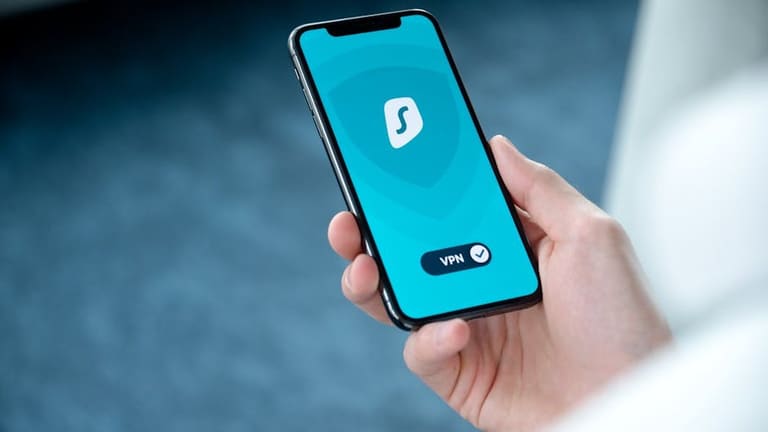
Habang everyday kinakailangan na ang mobile device para sa mga negosyo, tumataas din ang threat ng cyber attack. Lalo na kapag device ay konektado sa corporate network, risk na mag-leak ang company data. Cyber attackers ay tumatarget sa vulnerabilities at pwede mag-cause ng ransomware, breach ng confidential info, at devastate reputation.
Ang pag-unawa sa epekto ng cyber attack ay dapat gawain ng users at kumpanya. Narito ang mga klase ng cyber attack at effect sa mobile device.
| Uri ng Cyber Attack | Paliwanag | Epekto sa Mobile Device |
|---|---|---|
| Phishing (Oltang) | Sneaky emails/SMS para maagaw ang confidential info | Identity theft, account takeover, financial loss |
| Malware | Virus, worm, Trojan na harmful | Data loss, mabagal device, surveillance |
| Ransomware | Encryption ng data at extortion ng ransom | Data access loss, ransom demand, operasyon shutdown |
| Man-in-the-Middle | Wiretapping/altering ng network communication | Stolen data, broken privacy |
Para maiwasan ang attacks, mahalaga ang strong passwords, updated device/software, pag-iwas sa unknown apps, at hindi pag-click sa unknown links. Kung enterprise device, gumamit ng MDM para sa centralized security management.
Epekto sa Mobile Device
Ang cyber attack ay pwedeng magdulot ng loss ng personal data, financial loss, brand damage, at legal consequences. Para sa businesses, ang ransomware ay pwedeng magshutdown ng operations at magresulta sa malaking loss.
Mga Uri ng Cyber Attack
- Phishing: Fraud para maagaw ang info
- Malware: Harmful software
- Ransomware: Pag-encrypt ng data at extortion
- Man-in-the-Middle: Pag-aagaw ng information sa network
- DDoS: Pag-overload ng servers
- SQL Injection: Unauthorized access sa databases
Ang compromised data ay pwede ring magamit sa identity theft. Bawat pisikal, technical, at educational investment ay tipid sa cost ng cyber damages. Sa pro-active at layered security, layong mapaliit ang damage.
Password Security sa Mobile Device
Isa sa pillars ng mobile device security ay ang matatag na password. Ang smartphones/tablets ngayon ay naglalaman ng sensitive info—dapat talaga ang password ay mahirap i-crack. Kapag simple ang password, madaling masira at masira ang financial pati identity.
Iba’t ibang tips para sa password security. Sa una, huwag gamitin ang parehong password sa iba't ibang account. Kapag na-compromise ang isa, lahat delikado. Regular na palitan ang password, at isunod sa policy na strong ang construction. Sa enterprise device, i-require ang security standards pati employees.
Hakbang sa Strong Password
- Gumawa ng password na at least 12 characters
- Sama-samang gumamit ng upper/lowercase, numbers, at symbols
- Iwasan ang obvious info (birthday, pet names, etc.) sa password
- Huwag gumamit ng dictionary words o common phrases
- Iba't ibang password sa bawat account
- Regular na palitan—every 3 months recommended
- Mag-store sa secure vault o gumamit ng password manager
Multi-factor authentication (MFA) ay dagdag security. Kahit makuha ng hacker ang password, mahirap pa rin pasukin dahil may code o biometric pa. Sa business, MFA ay key para masiguradong secured ang confidential info.
| Aspekto ng Password Security | Paliwanag | Kahalagahan |
|---|---|---|
| Password Length | Minimum 12 characters | Lowers chances ng brute force |
| Password Complexity | Combination ng big/small letters, number & symbol | Mahirap hulaan |
| Password Uniqueness | Bawat account ay unique password | Isang breach, hindi lahat threatened |
| Multi-factor Authentication (MFA) | Extra authentication step | Adds barrier laban sa unauthorized access |
User awareness ay mahalaga—train workers, ituro ang tamang password policy, at paalala ng threat. Tuloy-tuloy na edukasyon ay panglaban sa human error. Hindi lang technology, kundi tamang asal sa paggamit.
Mga Educational Resources para sa Mobile Device Security
Ang mobile device security ay lumalaki ang halaga para sa kumpanya at individual. Para tumaas awareness, mag-invest sa training at educational materials. Magsimula sa basic security, patungo sa advanced skills gaya ng threat analysis. Ang knowledge ay unang defense sa cyber threat.
Maraming paraan para matuto—online courses, webinars, interactive modules, physical workshop. Sa ganitong training, matututunan ang anti-phishing, strong password creation, protection sa lost/stolen device, at malware prevention. Sa kumpanya, dapat laging nag-uupdate ng training program.
Sa table, makikita ang popular educational resources para sa iba’t ibang level at needs.
| Platform ng Training | Level ng Training | Content Area | May Certificate |
|---|---|---|---|
| Coursera | Beginner – Advanced | Network security, mobile app security, encryption | Oo |
| Udemy | Beginner – Intermediate | Android/iOS security, malware analysis, penetration testing | Oo |
| SANS Institute | Intermediate – Advanced | Digital forensic, incident response, cyber security management | Oo |
| Cybrary | Beginner – Advanced | Cyber security basics, ethical hacking, mobile security | Oo |
May iba pang resources: official security agencies’ guides, expert blogs, recordings ng conference, at industry reports. Laging updated sa tools at techniques ng app security review. Ito ang unang hakbang para masiguradong ang threat ay natutukoy bago pa lumaki.
Mga Resource at Training Platform
- National Cybersecurity Authority (Official sites at publications)
- OWASP Mobile Security Project (Open-source guide)
- NIST Mobile Security guidelines
- SANS Institute (Cybersecurity trainings & certification)
- Krebs on Security (Expert blog)
- Dark Reading (Industry news & analysis)
Tandaan: Ang mobile device security ay dynamic. Mag-invest sa learning at mag-adopt ng proactive security measures. Ang updating ng knowledge ay susi sa makabagong threats.
Security Tips para sa Mga Gumagamit ng Mobile Device
Tunay na bahagi na ng bawat araw ang mobile device—sa trabaho man o personal. Ngunit kasabay ng convenience ay ang risk. Dapat mag-ingat at mag-apply ng tamang security habits.
Simulan sa basic: gumamit ng strong password, i-update palagi ang device at apps, at iwasan ang download mula sa unknown sources. Sa public Wi-Fi, maging extra careful—gumamit ng VPN. Huwag mag-click ng unknown link/file.
Mga Security Tips
- Coded lock (password o biometric) sa device
- Regular update ng OS at apps
- Only download from official app stores (Google Play, Apple App Store)
- Wag basta-basta mag-click sa unknown email/SMS links
- Sa public Wi-Fi, gumamit ng VPN
- Enable remote wipe kung mawala ang device
- Backup ng data nang palagian
Nasa table, ang mismong threats at solusyon:
| Banta | Paliwanag | Solusyon |
|---|---|---|
| Malware | Virus, worm, Trojan | Gamitin ang trusted antivirus, wag download sa unknown |
| Phishing | Fake emails/websites para sa data theft | Wag mag-click ng suspicious emails, check URL |
| Network Attacks | Sa public Wi-Fi | Gamitin ang VPN, iwas sa insecure networks |
| Physical Theft | Nanakaw o nawala ang device | Secure storage, enable remote wipe |
Ang security ay tuloy-tuloy—hindi one-time, kundi continous adjustment. Palaging aware sa bagong threat, at mag-update ng security practices. Awareness ay susi sa pagprotekta ng sarili at negosyo.
Konklusyon at Rekomendasyon sa Mobile Device Security
Sa modernong mundo, napakahalaga ng mobile device security para sa negosyo at individual. Dumarami ang cyber threat kasabay ng mobile adoption sa business process. Kailangan ng concrete steps at strategy para sa proteksyon.
Hindi lang technical ang security—dapat din na educated ang user at regular na may training. Magsimula sa strong password, proper behavior, at policy compliance. Sa kumpanya, mag-invest sa regular education at communication sa employees.
Key Steps sa Mobile Device Security
- Strong Passwords: Gumawa ng complex at unique passwords, regular na pag-update.
- Two-Factor Authentication: Enable 2FA sa lahat ng puwedeng account.
- Update Software: Laging latest OS at apps ang installed.
- Samain lang ang official app stores: Iwasan ang sideload at unknown apps.
- Iwasan ang suspicious links: Huwag mag-click ng unknown email o SMS.
- Device encryption: Siguraduhing encrypted ang device storage.
- VPN: Ugaliin sa unsafe network—lalo sa public Wi-Fi.
Ang security policy ay dapat malinaw—ano ang dapat gawin, ano ang bawal, at paano mag-respond sa incident. MDM ay susi para sa centralized control ng device security sa malalaking kumpanya.
| Rekomendasyon | Paliwanag | Kahalagahan |
|---|---|---|
| Make Security Policies | Kinakailangan ang clear guidelines sa mobile device usage | Mataas |
| User Training | Regular education on cyber security | Mataas |
| MDM Solutions | Centralized device management | Kasalukuyan |
| Regular Security Audits | Pag-detect at pag-correct ng vulnerabilities | Kasalukuyan |
Ang mobile device security ay multi-faceted. Technical, educational, at policy-driven approach ang susi. Sundan ang recommendations para maging handa sa cyber threat.
Mga Madalas Itanong
Bakit mahalaga ang mobile device security sa workplace?
Mobile device ay access-to-business-data everywhere—pero mataas ang risk sa cyber attack. Protection ay critical para sa data, business reputation, at legal compliance.
Ano ang pwedeng maging gastos ng kumpanya kapag na-compromise ang mobile device?
Possible cost: lost data, damaged image, legal penalty, downtime, at galit ng customer. Sa ransomware, malaki ang maaaring ransom payout.
Anong basic steps ang dapat gawin ng users para sa mobile device security?
Gumamit ng strong password, i-update ang device, iwasan ang unknown apps, mag-ingat sa public Wi-Fi, at huwag mag-click sa suspicious links. Enable screen lock at remote wipe.
Anong uri ng security software ang ideal para sa business?
Pinakamainam ang MTD, MDM, VPN, at authentication apps—depende sa needs ng kumpanya. Piliin ayon sa laki, industry, at threat profile.
Sa disenyo ng security, anong key principles ang dapat sundan?
Least privilege, defense in depth, zero trust model, at data encryption. Dapat din ang regular update at mabilis na vulnerability patch.
Ano ang karaniwang uri ng cyber attack sa mobile device?
Ransomware, phishing, malware, man-in-the-middle, at Wi-Fi attacks ang usual na banta.
Tips para mas siguradong secure ang password sa mobile device?