 Afrikaans
 Azərbaycan
 Bosanski
 Čeština
 Dansk
Dansk Deutsch
 English
 Español
 Filipino
 Français
 Hrvatski
 Indonesia
 Italiano
 Magyar
 Melayu
 Nederlands
 Norsk
Norsk Oʻzbek
 Polski
 Português
 Română
 Slovenčina
 Slovenščina
 Suomi
Suomi Svenska
 Tiếng Việt
 Türkçe
 Ελληνικά
 Беларуская
 Български
 Русский
 Српски
 Українська
 עברית
עברית اردو
اردو العربية
 پښتو
پښتو فارسی
فارسی አማርኛ
አማርኛ मराठी
मराठी বাংলা
বাংলা தமிழ்
தமிழ் ไทย
ไทย မြန်မာ
 한국어
한국어 中文
中文 日本語
日本語

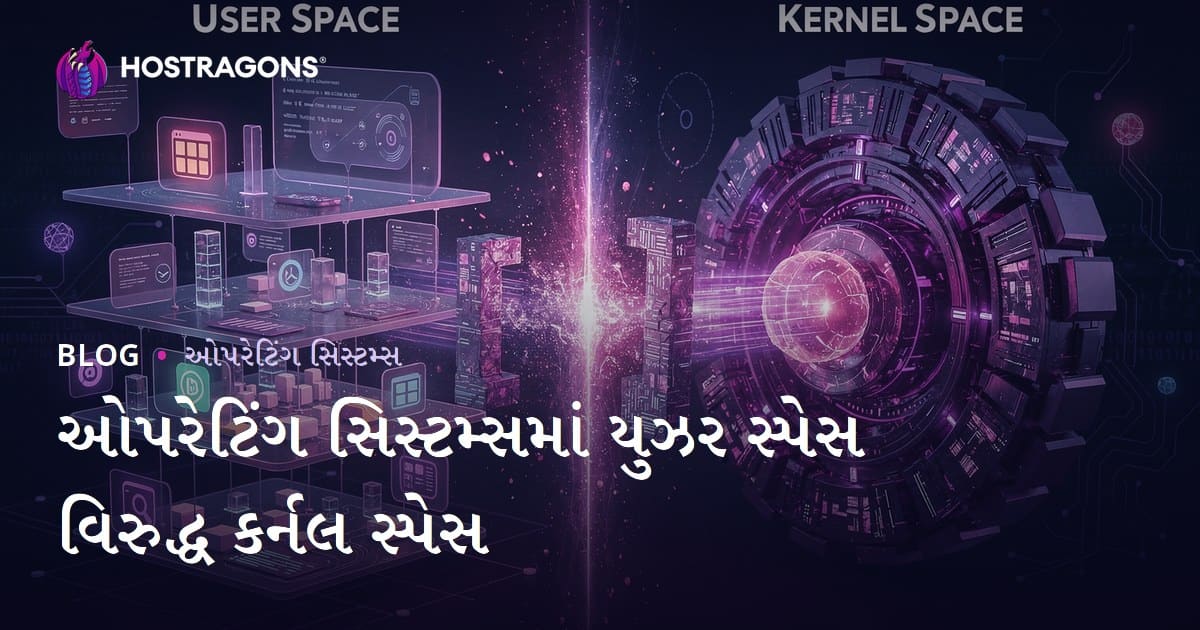
ઓપરેટિંગ સિસ્ટમમાં, સિસ્ટમ રિસોર્સ અને હાર્ડવેરની સુરક્ષિત ઍક્સેસ માટે યુઝર સ્પેસ અને કેર્નલ સ્પેસ તરીકે બે મૂળભૂત વિભાગો હોય છે. યુઝર સ્પેસ એ એપ્લિકેશનના ચલાવવા માટે મર્યાદિત અધિકાર ધરાવતો વિસ્તાર છે. કેર્નલ સ્પેસ એ હાર્ડવેર અને સમગ્ર સિસ્ટમ પર નિયંત્રણ ધરાવતો વધુ અધિકારી ધરાવતો વિસ્તાર છે. આ બંને સ્પેસ વચ્ચેના તફાવત સુરક્ષા, પ્રદર્શન અને સ્ટેબિલિટીના દ્રષ્ટિકોણથી એટલા જ મહત્વના છે. આ બ્લોગમાં એ બંને સ્પેસની દેખાવ, ફિચર્સ, તફાવતો અને તેમની વચ્ચેની સબંધની વિગતવાર ચર્ચા કરવામાં આવી છે. ઉપરાંત, સુરક્ષા, પરફોર્મન્સ, અને ટૂ-ડેટ ટ્રેન્ડ્સ જેવા વિષયો પણ સમાવેશ કર્યા છે. ઓપરેટિંગ સિસ્ટમમાં બંને જુદાં-જુદાં સ્પેસના આ નીયમોને સમજવી, તમારા સર્વર અને વેબસાઇટ માટે વધુ વ્હાલી અને સલામત કામગીરી માટે બહુ જ અગત્યની બાબત છે.
ઓપરેટિંગ સિસ્ટમમાં યુઝર સ્પેસ અને કેર્નલ સ્પેસ – મૂળભૂત પરિચય
ઓપરેટિંગ સિસ્ટમમાં, સિસ્ટમ સાધન અને હાર્ડવેર વ્યવસ્થાપન મુખ્યત્વે બે વિભાગોમાં વહેંચાયેલું છે: યુઝર સ્પેસ (user space) અને કેર્નલ સ્પેસ (kernel space). આ વિભાજનથી સિસ્ટમ સ્ટેબિલિટી અને સુરક્ષા સલામત રીતે રાખી શકાય છે. યુઝર સ્પેસ એ છે જ્યાં તમારી WordPress, PHP, MySQL જેવા એપ્લિકેશન ચાલે છે, પણ સમગ્ર સિસ્ટમ અથવા હાર્ડવેર પર સીધો કંટ્રોલ હોય તો એ કેર્નલ સ્પેસ પર જ ચાલે છે.
આ બંને વિભાગો વચ્ચે એક "ડિજીટલ દીવાલ" હોય છે. જેમ કે ફાયરવોલે અનધિકૃત અકસેસ અટકાવે છે, એમ જ યુઝર સ્પેસ એપ્લિકેશન કેર્નલ સ્પેસની રિસોર્સ, હાર્ડવેર કે સેન્ટ્રલ સાદનને ઍક્સેસ કરવા માંગે ત્યારે system call જૂની યુઝર ફીચર્સ તરફ અપીલ કરે છે (ઓપરેટિંગ સિસ્ટમના સંજ્ઞા પ્રમાણે). આ પદ્ધતિ શ્રેષ્ઠ સુરક્ષા પૂરું પાડે છે અને ખરાબ/buggy એપ્લિકેશનને આખા કમ્પ્યુટરને પતાવી નથી શકે.
-
યુઝર અને કેર્નલ સ્પેસની મુખ્ય વિશેષતાઓ:
- યુઝર સ્પેસ: એપ્લિકેશન (WordPress, Docker, PHP-CLI, વગેરે) મર્યાદિત અધિકારો સાથે ચાલે છે.
- કર્નલ સ્પેસ: ઓપરેટિંગ સિસ્ટમનું હૃદય – સર્વરનું પાવર, રિસોર્સ મેનેજમેન્ટ, સીધો હાર્ડવેર એક્સેસ.
- યુઝર એપ્લિકેશન સીધો કેર્નલ/હાર્ડવેર ઍક્સેસ નથી કરી શકે, system call દ્વારા પૂછવું પડે છે.
- કેર્નલ સ્પેસ : memory, storage, network, security, scheduling તેમજ દરેક રિસોર્સના master control હાંડે છે.
- memory handling, filesystem, network-stack જેવી કામગીરી માટે ચોક્કસરે કેર્નલ સ્પેસ જરૂરી છે.
- યુઝર-કેર્નલ વિભાજન, security breach અને system crashને દૂર કરે છે, સર્વર માટે stability સલામત આપે છે.
નીચલા ટેબલમાં, મુખ્ય તફાવતને ઑઝારી રીતે દર્શાવવામાં આવ્યું છે:
| ફીચર | યુઝર સ્પેસ | કેર્નલ સ્પેસ |
|---|---|---|
| ઍક્સેસ લેવલ | નીચું/મર્યાદિત | ઉચ્ચ/પૂરું અધિકાર |
| રનિંગ કોડ | એપ્લિકેશન, libraries | OS kernel, device drivers |
| હાર્ડવેર સીધો ઍક્સેસ | નહીં | હાં |
| error/crash effect | App crash | System crash (kernel panic) |
| resource handling | Limited | Full |
યુઝર અને કેર્નલ સ્પેસના operating-systemમાં ફરે એવી સમજાવવી, server hosting અથવા website performance/security સુલભ રાખવા માટે એવુ પાયાનું knowledge છે. તેઓ વચ્ચેની deal – "system calls" – દ્વારા stability, security અને efficiencyનો balance મળશે. તમે hosting, server, cloudflare તેમ WordPress માટે યોગ્ય સુલભતા, પણ સંપૂર્ણ સુરક્ષાસાથે એપ્લિકેશન ચલાવી શકો છો.
યુઝર સ્પેસ શું છે? કેવી રીતે કાર્ય કરે છે?
ઓપરેટિંગ સિસ્ટમમાં યુઝર સ્પેસ એ એપ્લિકેશન એમ કે પ્રોગ્રામો માટે નિરપેક્ષ સંગ્રહિતા એલાક છે, કે જે સીધા કેર્નલ કોડથી અલગ છે. અંહીં, system-callનો firewall છે – એટલે કે, malicious/buggy code આખી operating-systemને direct હાનિ પહોચાડે એ શક્ય નથી.
દરેક app પોતાના virtual address space (sandbox) માં ચાલે છે – બીજા apps અથવા kernelની memory touch કરી શકતું નથી. જ્યારે app network, storage, peripheral, filesystem જેવા resourceની demand કરે છે, ત્યારે "system call" તરીકે kernelને પૂછે છે. ઓપરેટિંગ સિસ્ટમ એ system callની security check કરીને યોગ્ય resource દર્શાવે છે, અથવા deny કરે છે.
| ફીચર | યુઝર સ્પેસ | કેર્નલ સ્પેસ |
|---|---|---|
| ઍક્સેસ લેવલ | મર્યાદિત | અનલિમિટેડ |
| રનિંગ કોડ | Apps, programs | OS kernel, drivers |
| error/crash effect | Local (એક એપ્લિકેશન માટે) | System-wide |
| performance | અનેક system calls હોવાથી ધીમી | Fast – direct hardware access |
યુઝર સ્પેસનો હેતુ છે – unsafe apps કરતાં system safe રહે, stability વધે; એક appનું bug કે crash આખા OSને effect ના કરે. Multi-user systems (cPanel, WHM, Docker Hosting)ની hostingમાં આ ખાસ અગત્યનું: દરેક customer/app પોતાના spaceમાં – બીજાને હાનિ નથી.
યુઝર સ્પેસ security એ web-hosting/server-level આનંદ અને મહત્વપૂર્ણ છે. Unauthorized access, hacking, malware, data leakથી system_safe રહે – એટલે યુઝર, admin અને developer, ત્રણેય મળવાથી – access permission, firewall, sandbox અને updates રાખવું અનિવાર્ય.
-
યુઝર સ્પેસ કેવી રીતે કાર્ય કરે?
- Application start થાય, user spaceમાં run થઈ રહ્યું છે
- Resource demand (filesystem, network, device) માટે system call કરે છે
- Request kernel space સુધી પહોંચે છે
- Kernel space security, permission validate કરે છે
- Permission right હોય – kernel appના resource allocate/return કરે છે
- App result process કરે છે
કર્નલ સ્પેસ – મુખ્ય ફિચર્સ
કર્નલ સ્પેસને, સર્વર કે કોઈ પણ OSનું "હૃદય" માનીએ – બધાં હાર્ડવેર, memory, resources, security management – kernel spaceની reach. યૂઝર space apps માટે foundation, permission અને executionનું પાયું.
કર્નલ spaceની uniqueness એ છે –પાવર, privilege, security તકલીફમાં પણ absolute access. User space દ્વારા system resource access કરવા permission check થઈ શકે છે; kernel space – scheduler, memory, I/O, device driver, firewall, security, system calls – બધાંમાં ultimate control.
-
કર્નલ spaceની મુખ્ય કામગીરી:
- પ્રોસેસ મેનેજમેન્ટ: All processes create/delete/track.
- મેમરી મેનેજમેન્ટ: Allocation/free, virtual-mapping.
- filesystem મેનેજમેન્ટ: All files/directories access.
- device drivers: Hardware interaction (network, disk, USB).
- system calls: User space apps – kernel services access.
- interrupt/control: Hardware/software interrupts/management.
કર્નલ ખૂબ security-sensitive છે; Unauthorized code kernel spaceમાં ઘૂસી જાય – તો ઇમેજિન, સર્વર/Hosting/Website વ્હાલાંમાં કાચા-કાચા બાયપાસ. એથી kernel code writing/testing/deploymentમાં utmost care lêવી.
| ફીચર | વર્ણન | અગત્ય |
|---|---|---|
| Direct hardware access | Processor, memory, disk, device – absolutely handle | Resource efficient management |
| Privilege Level | Highest – root/full control | Security & Stability |
| System call interface | User app – kernel service handshake | Permission/security mechanism |
| Resource management | All CPU, RAM, I/O allocation | Performance optimization & Allocation |
કર્નલ security – hosting, VPS, cloud, baremetal સર્વર માટે સૌથી અગત્યનું – unauthorized access, hacking, unstable code, poorly tested features kernel spaceમાં ન રહે – એ server administratorની ભલામણ છે.
યુઝર સ્પેસ vs કેર્નલ સ્પેસ – તફાવત
ઓપરેટિંગ સિસ્ટમમાં યુઝર અને કર્નલ સુભાષિત, access privilege અને resource management દૃષ્ટિએ ઘણાં તફાવત આપે છે. App-level programs (web-applications, plugins, etc.) user spaceમાં – limited reach; kernel-space code (drivers, schedulers, security-hooks) unrestricted access. System call firewall સ્તેઈ security – Malware/app bug system-wide effect – નહીં.
| ફીચર | યુઝર સ્પેસ | કર્નલ સ્પેસ |
|---|---|---|
| Privileged access | Limited | Unlimited |
| Exec Code Type | Apps/User programs | OS kernel/drivers |
| Crash impact | App only | Entire server/OS |
| Resource management | OS mediated | Direct control |
-
મુખ્ય તફાવતો:
- પ્રિવિલેજ: user space – limited; kernel space – full/root access
- Security: user-space bug/crash – system unaffected; kernel bug/crash – whole system unstable
- Performance: kernel-space – fast/hardware access; user-space – indirect (slower)
- Resource management: user apps request – OS permits; kernel manages directly
- Stability: kernel-space code critical for whole OS/server
યુઝર-કેર્નલ વિભાજન સાથે "system call" firewall/barrier – એટલાથી, OS સ્ટેબિલિટી અને security balance, web-hosting તેણે server-website hosting માટે technical architecture સારું અને effective security-optimization મુશ્કેલ નથી.
ઓપરેટિંગ સિસ્ટમમાં કેર્ણલ માળખા ઉદાહરણ
ઓપરેટિંગ સિસ્ટમમાં કેર્નલ માળખું – hardware/resources manage કરવા – fundamental structure. Hosting/cloud/server OS માટે, security, scalability અને resource management ક kernal architecture પર આધારીત છે. Fundamentally – કરતી approaches: monolithic kernel, modular kernel, microkernel – દરેક hosting, cloud, server security/performance trade-offs આપે છે. નીચે, hosting/platform-differences, OS-design goals પ્રમાણે કેર્નલ પસંદગીનું ઓઝાર છે:
| કર્મલ પ્રકાર | ફાયદા | અભાવ |
|---|---|---|
| Monolithic Kernel | Performance, fast hardware access | Heavy, less modular, insecure |
| Modular Kernel | Easy update, flexibility | Slower v/s monolithic kernel |
| Microkernel | Security, stability, modularity | Slower, expensive communication |
| Hybrid Kernel | Combination pros | Complex, both cons possible |
કર્નલ architecture સમજૂતી – hosting, server, cloud, IoT, embedded OS/platform/ecosystem માટે proper structure, performance-security reachનો પાયું.
-
કર્મલ પ્રકારના ઉદાહરણ:
- Monolithic Kernel (e.g. Linux old releases)
- Modular Kernel (e.g. Linux current releases)
- Microkernel (e.g. QNX)
- Hybrid Kernel (e.g. Windows NT)
- Exokernel (Experimental)
મોનોલિથિક કેર્નલ
Monolithic kernel = OSના બધાં system-service એકજ address spaceમાં. Performance, direct hardware-access – fast; downside – code bug/crash – whole system server/cloud/website unstable.
મોડ્યુલર કેર્નલ
Modular kernel = OS-service modules (drivers/extensions/plugins) – on-demand loading/unloading. Security/stability માટે feature, bugs effect local (module only); downside – module-to-module communication comparatively slower.
માઇક્રો કેર્નલ
Microkernel – fundamental OS features (process/memory mgmt) only in kernel-space; others (network/filesystem/etc) in user-space. Stability/security – as bugs, crashes affect subsystem, not kernel. Downsides – expensive/slow inter-process communication.
Hosting/platform OS માટે kernel architecture choice – performance, security, scalability trade-offs પ્રમાણે.
યુઝર સ્પેસમાં સુરક્ષા પગલાં

ઓપરેટિંગ સિસ્ટમમાં યુઝર સ્પેસ security – firewallમાટે, hosting & website-layer માટે, નામ-માત્ર protective measures. Malware hacking, unauthorized access & data-leak – firewall, permission/access-controls પૂરતું રાખવું.
Security practices માટે, least privilege policy અને software-update – antivirus, firewall, SiteLock, Let's Encrypt, Cloudflare, etc. – regularly update/cloud patch જોઈતો. Hosting/cloud security balance માટે firewall/permission-controls setup રાખવું.
| Security step | Description | Importance |
|---|---|---|
| Access control | Restrict user/app/resource access | Unauthorized access prevention |
| Software updates | Patch software vulnerabilities | Close loopholes |
| Malware scans | Regular malware check | Detection/cleansing |
| Encryption | Protect sensitive data | Data protection |
-
કેટલાંક મુખ્ય સુરક્ષા પગલાં:
- Strong password usage
- Two Factor Authentication (2FA)
- Firewall configuration/usage
- Regular backups
- Remove unused/unwanted software
- User awareness/education – phishing, malware, suspicious link alerts
Encryption hosting-level કે user-space data-level – Sensitive files/password/database SSL/TLS/Cloudflareથી સુરક્ષિત/backup/restore ભારપૂર્વક. Security weakest-link analogy – hosting/cloud/web-server security users' awareness/eclipse contra malware હંમેશા વિષય સમજાવો.
Hosting/cloud server/web security માટે – regularly auditing, patching, access permission, sandboxing, middleware update – security effectiveness માટે review/updating ફરિયાદ રાખવું.
કર્નલ સ્પેસ પરફોર્મન્સ ઓપ્ટિમાઇઝેશન
Kernel-space performance optimization: hosting/server-level speed/scalability/security માટે utmost. Server, cloud deployments – kernel-level tweaks: unnecessary service disable, memory optimization, CPU allocation, disk I/O optimization, network/firewall tuning – immense benefit.
| Optimization step | Description | Benefit |
|---|---|---|
| System call optimization | Reduce redundant/duplicate system calls | Lower CPU use, faster response |
| Memory management | Prevent memory-leak, optimize allocation | Increase stability/performance |
| CPU scheduling | Efficient scheduling/prioritization | Multitasking improvement |
| I/O optimization | Minimize disk I/O, use cache | Speed up apps |
-
Performance improvement steps:
- Disable unnecessary system-services
- Upgrade kernel regularly
- Monitor/optimize memory use
- I/O optimization (SSD/NVMe, RAID)
- Monitor/kill unnecessary processes
- Network/firewall optimization
Optimization hosting/server/cloud – real-time monitoring/deployment-stage adaptation – for sustained performance, stability/security. Hosting/cloud investment – long-term user satisfaction/scalability return.
યુઝર સ્પેસ અને કેર્નલ સ્પેસ – નવી ટેકનિકલ ટ્રેન્ડ્સ
આજે ઓપરેટિંગ સિસ્ટમમાં user-space/ kernel-space division dynamic, containerization (Docker, Kubernetes), microkernel, virtualization, cloud security trends, server-resource optimization – hosting/cloud/website balancing/trade-off harmony. Hosting/website-layer features – isolation/OM, security/resource allocation – containerization/sandbox/VM trends વિડિઓઆત લઈ security stability માટે.
| Trend | Description | Effect |
|---|---|---|
| Microkernel architecture | Reduce kernel duties, shift to user-space | Security, modularity, customizations |
| Containerization | User-space isolation, scalability | Resource efficiency, portability |
| Virtualization | Multi OS on same hardware | Flexibility, isolation, resource utilization |
| Hardware acceleration | Special hardware/chips for speed | Performance improvement, power saving |
-
નવાઇના બેસ્ટ પ્રેક્ટિસ :
- Formal verification tools for kernel security
- New security protocols for user-space kernel-handshake
- Open-source kernel development participation
- New programming languages/tools – Rust, Go integration
- IoT/embedded – lightweight kernel for resource-constrained devices
- Innovative communication API/user-kernel performance/security bridge
Hosting/cloud/server-OS trends – security, scalability, modularity, user/kernel communication efficiency માટે advance/update keep.
ઓપરેટિંગ સિસ્ટમમાં યુઝર અને કેર્નલ સ્પેસ – સંબંધ સંવાદ
યુઝર-કેર્નલ space interaction hosting/cloud/website/server resource utilisation/security balance, direct hardware/resource access firewall safeguard – server/web application sandboxing/stability/security foundation.
Communication – "system call" firewall handoff – app user-space request kernel permission – kernel allocate resource/deny – app reply process – OS/server stability/security ensured.
| Feature | User-space | Kernel-space |
|---|---|---|
| Access | Limited | Full/root |
| Code type | Application code | OS system code |
| Crash impact | App only | System wide |
| Memory | Virtual (sandbox) | Physical |
-
Relationship main points:
- System stability – kernel shields from app bug/crashes
- Security – resource access control, malware prevention
- Resource allocation – kernel manages CPU, RAM, storage
- Hardware abstraction – app portability across device/versions
- System call interface – safe/permitted transfer
Hosting/admin/developer – user/kernel-space structuring – safer, faster, scalable application deployment/server management.
મુખ્ય મુદ્દા : યુઝર-કર્નલ સ્પેસ સમજાવવું ભૂલ ન કરો
ઓપરેટિંગ સિસ્ટમમાં user/kernel space concept – hosting/server security/performance understanding foundation. Application only request – permission/kernel decide. Kernel controls resource allocation/storage/security/network/scheduling.
Division/interaction – system calls handoff – firewall/security-provider. Hosting/developer – system call optimization, audit, privilege management, kernel protection/resetting monitoring – server stability/security balance.
| Feature | User-space | Kernel-space |
|---|---|---|
| Access | Limited | Root/full |
| Code | Apps, libraries | OS kernel |
| Security | Lower criticality | Higher |
| Crash effect | Application crash | System crash |
-
Application security recommendations:
- Regular vulnerability scan in user-space
- Keep kernel/software patch up-to-date
- Proper access control – least privilege principle
- System call monitoring/audit
- Activate kernel protection mechanisms (firewall, permission checks, etc.)
Hosting/server security/developer knowledge – user/kernel division – stability/security balance – technical competency.
વારંવાર પૂછાતા પ્રશ્નો
મારા એપ્લિકેશનના ક્રેશથી આખા સર્વર કે કેમ નહીં ખૂટે? User-space કેમ સંલગ્ન છે?
એપ્લિકેશન માઇ user-space sandboxમાં run થાય છે. જો app crash થાય – user-space memory/resource-જ અસર થાય. Kernel-space firewall કૃપા કરી સર્વર/OS "protect" કરે છે; એટલે system stability maintained રહે છે.
કર્ણલ-space bug/crash થાય તો?
કર્ણલ-spac bug/crash – hosting/server/cloud/web-OS unstable – kernel panic/reset; system-wide crashing/resetting/unavailability.
user-space થી kernel-space permission/system-call કેમ જરૂરી છે?
Direct hardware/resource access/security management user-spaceથી શક્ય નથી. user-space app system call કરી kernel-space request મોકલે છે. Kernel approval/resource allocate – security/performance ensured.
User-space/kernel-space communication performance optimisation છે?
System-call minimize, DMA/async transfer, efficient buffer – user/kernel-space handoff performance/stability/security balance optimisation લાંબા.
Virtualization/cloud-layer user/kernel divisionને કેવી રીતે effect કરે છે?
VM/virtualization – separate user/kernel-space sandbox for each VM; hypervisor resource management/firewall security – one VM bug/crash affect none else.
Android/iOS hosting/cloud/mobile OS user/kernel division?
Android – Linux kernel underneath; apps Dalvik/ART VM sandbox user-space. iOS – Darwin kernel underneath; app sandbox. Hosting/cloud stability/security maintained – sandbox/firewall/kernel abstraction enforced.
Microkernel vs Monolithic kernel શું તફાવત?
Monolithic kernel – all OS/component kernel-space; microkernel – minimum/kernel rest user-space (IPC, process/memory). Security, modularity up; performance downside in microkernel.
user-space app/web security માટે best-practices ક્યાં છે?
Sandbox/access controls, ASLR, DEP, memory protection, firewall, malware scan, patch update, regular review – unauthorized access/data leak/security breach prevent કરવાની hosting/server/cloud/web-layer security foundation.