 Afrikaans
 Azərbaycan
 Bosanski
 Čeština
 Dansk
Dansk Deutsch
 English
 Español
 Filipino
 Français
 Hrvatski
 Indonesia
 Italiano
 Magyar
 Melayu
 Nederlands
 Norsk
Norsk Oʻzbek
 Polski
 Português
 Română
 Slovenčina
 Slovenščina
 Suomi
Suomi Svenska
 Tiếng Việt
 Türkçe
 Ελληνικά
 Беларуская
 Български
 Русский
 Српски
 Українська
 עברית
עברית اردو
اردو العربية
 پښتو
پښتو فارسی
فارسی አማርኛ
አማርኛ मराठी
मराठी বাংলা
বাংলা தமிழ்
தமிழ் ไทย
ไทย မြန်မာ
 한국어
한국어 中文
中文 日本語
日本語

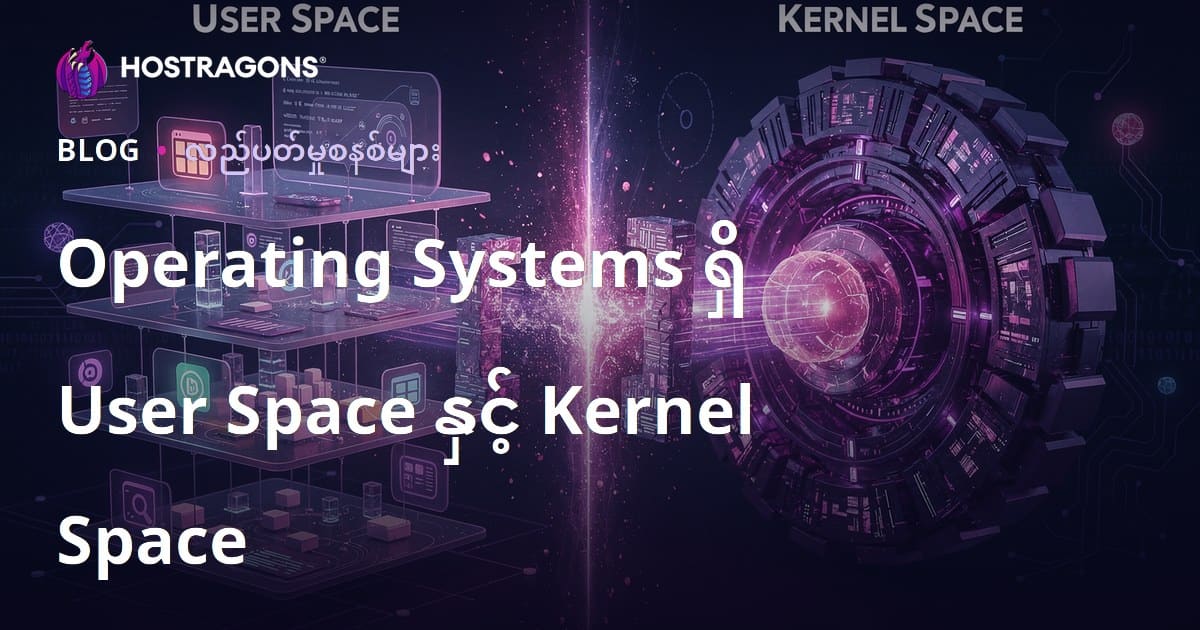
အနုတ်လူစာတွေသုံးတဲ့ server နှင့် desktop OS တွေမှာ system resource access နဲ့ security ကို ခိုင်မာစေဖို့ User Space နဲ့ Kernel Space ဆိုပြီးလမ်းခွဲပြုထားပါတယ်။ User Space က application တွေသီးသန့်အနေနဲ့ run လုပ်တာတွေအတွက်ရော kernel resource ကိုဗျည်းစနစ်က access လုပ်ခွင့်မရှိတာပါ။ Kernel Space ကတော့ OS core နဲ့ hardware resource ကိုတဆင့်တည်း access လုပ်ခွင့်ရှိပြီး, system performance, security, stability အတွက် အလွန်အရေးကြီးတာ ဖြစ်ပါတယ်။ ဒီ blog မှာ User Space နဲ့ Kernel Space definition, လက္ခဏာများ, ခွဲခြားချက်၊ သူတို့ထပ်တူပျက်စီးနိုင်မှု၊ security, performance, နောက်ဆုံး IT trend အထိ အသေးစိတ်ရှင်းလင်းပြသထားပါတယ်။ OS များအတွက် သူတို့နားလည်မှုက system တွေကို ပိုမိုလုံခြုံပြီး အလုပ်လုပ်မြန်မြန်စွာဖြစ်စေပါတယ်။
OS တွင် User Space နဲ့ Kernel Space အကြားအဓိပ္ပာယ်များ
OS အနောက်မှာ system resource တွေမူလတ်မူန်ကို User Space က run တဲ့ app တွေအမျိုးမျိုးနဲ့ Kernel Space က OS core/disk/drivers များနှင့် hardware ကို တိုက်ရိုက် access လုပ်တဲ့ privileged area တွေအဖြစ် ခွဲနေတာပါ။ User Space က မိမိက application run တဲ့ အားနည်းရာမျိုး၊ kernel space resource ကို မပေါက်ပေါက် access လုပ်ခွင့်မရှိပါ။ Kernel Space ကတော့ OS core, hardware Resource ကို တဆင့်တည်း access လုပ်နိုင်သည့် နည်းနည်းက privileged ဖြစ်ပါတယ်။ Boundary လေးတစ်ခုက firewall ရဲ့လုပ်ငန်းတစ်ခုလိုပဲ အနည်းငယ်သီးသန့်သွားပါတယ်။ User Space app တစ်ခုက Kernel Space ကို access လုပ်ချင်ရင် System Call တစ်ခုခေါ်ပြီး Controlled access ခရီး လုပ်ပါတယ်။ ဒီ mechanism နဲ့ app error တစ်ခု, malware စတဲ့ app တွေ system ကို total crash မဖြစ်စေပါဘူး။
- User Space/Kernel Space အတွေ့အကြုံကြီး
- User Space — app တွေ run, permission များနိမ့်။
- Kernel Space — OS core၊ hardware, drivers တွေ run, permission အမြင့်။
- User app များ kernel resource ကို အတင်းတစ်ခုပဲ access လုပ်လို့မရ။
- Kernel Space က resource allocation/management အားလုံးကို သီးသန့်ထိန်းချုပ်။
- Memory management, file operation, network communication — kernel space မှ ပြုလုပ်။
- Security, stability — user/kernel space separation နေ့တွေ့နဲ့တိုးတက်ပါတယ်။
ထပ်မံ နားလည်ဖို့အတွက် User Space/Kernel Space Comparison Table:
| အချက် | User Space | Kernel Space |
|---|---|---|
| Permission | Low privilege | High privilege |
| အလုပ်လုပ်မှု | Apps, Libraries | OS Kernel, Device Drivers |
| Hardware Access | No | Yes |
| Error | App crash | System crash (kernel panic) |
| Resource Management | Limited | Full control |
ဒီဖွဲ့စည်းမှုကြီးနားလည်ထားမှ OS တွေမှာ Security/performance တစ်ခုခု ရရှိနိုင်ပါတယ်။ User Space နဲ့ Kernel Space interaction — efficiency & security အတန်းတွေ တစ်ဆင့်တာပါ။ အသုံးပြုသူတွေ app run လုပ်တာမှာ trust ရရှိစေနိုင်ပါတယ်။
User Space ဆိုတာဘယ်လိုအလုပ်လုပ်သလဲ?
OS မှာ User Space က application, process တွေ kernel ကို bypass လုပ်ပြီး run တဲ့ ခြံမြာအမျိုးအစားပါ။ သီးသန့် memory area တစ်ခုမှာလည်း app တစ်ခုစီ run လုပ်သွားသည်။ User Space က resource access restriction တစ်ခု လုပ်ထားတာကြောင့် app crash, virus တစ်ခုခု system ကို တစ်ထိလုံး မဂယာထူ့နိုင်ဘူး။ App တစ်ခုပြုတ်သွားလဲ OS kernel stable ဖြစ်နေပါတယ်။
Apps/Process တွေ user space မှာ run သွားသည်။ System resource (file/network/peripheral) ကို access လုပ်ချင်ရင် System Call ဘဲခေါ်တယ်။ ဒီ System Call က Kernel Space ကို request/response လုပ်ပေးပါတယ်။ Kernel က security policy ကို check ပေးပြီး access တစ်ခုဖြစ်နိုင်/မဖြစ်နိုင် ချပြပေးတယ်။ ဒီ method နဲ့ hardware/resource save, OS integrity တစ်နေရာထိုင်မှု ဖြစ်လာတယ်။
| Features | User Space | Kernel Space |
|---|---|---|
| Permission | Restricted | Full |
| Code Type | Apps/Programs | OS Kernel/Drivers |
| Error Impact | Local (affect single app) | System-wide (total OS crash) |
| Performance | Slower (system call overhead) | Faster (direct hardware access) |
User Space ရဲ့ main purpose လုံခြုံတဲ့ sandbox တွေမှာ apps/run/process တွေကို တစ်ပါးပါးပန့် run စေအောင် ပြုလုပ်ထားတာပါ။ App error/crash တစ်ခုက OS အထိုင်အထပ်ပေါ်မှာ မထိခိုက်စေဆာတဲ့ structure used ပါ။
User Space security — user app တွေ unauthorized access, malware တိုက်စားမှု တင်မူစွာကို အထင်အရှားထောက်ထားရတဲ့ context ဖြစ်ပါတယ်။
- User Space လှုပ်ရှားပုံ စဉ်
- App start — user space မှာ run.
- App system resource access လုပ်ချင်ရင် system call တစ်ခု ခေါ်ပေးသွားတယ်။
- System call — kernel space ကို request.
- Kernel space — permission check.
- Authorized ဖြစ်ရင် kernel task complete, response back.
- App continues.
Kernel Space ၏ အဓိပ္ပာယ်
Kernel Space က OS ၏ “စကားလုံး”ပါ၊ hardware resource တွေ direct access ခေါ်နိုင်ပြီး core management, scheduling, security, hardware abstraction, drivers, memory allocation/management, network/file operation သီးသန့်လုပ်တဲ့ privileged area တစ်ခု ဖြစ်ပါတယ်။
Kernel Space ၏ တစ်ခုဆိုပါတယ် — high privilege, hardware access/management တစ်ဆင့်ဗျည်းတည်း run လုပ်နိုင်ပါတယ်။ User Space app တွေ kernel API/system call တွေမှပဲ kernel resource ကို access လုပ်သွားတယ်။
- Process Scheduling: CPU, process start/stop/suspend, prioritize manage.
- Memory Management: RAM allocation, virtual memory, free/clean/defragmentation.
- File Management: file/directory access, permissions, encryption/decryption.
- Driver Communication: hardware device interaction.
- System Calls: User Space app access kernel feature/platform.
- Interrupt Handling: hardware/software interrupt manage.
Kernel Space user interaction = system call mechanism (security & control required). File open, network setup, memory request တွေ kernel service တွေပေါက်စွာဖြစ်ပါတယ်။
| Feature | Description | Importance |
|---|---|---|
| Direct Hardware Access | Direct hardware interface/control | Efficient resource management |
| High privilege | OS master permission | System security/stability |
| System Call API | User kernel interface | Safe feature access |
| Resource Management | CPU/memory/disk/network allocation | Performance improvement |
Kernel Space security — unauthorized access, kernel crash, vulnerability, privilege escalation prevention ကို paramount တစ်ခုပဲ လုပ်လို့ရတယ်။ Kernel bug တွေ system-wide crash ဖြစ်နိုင်တာနဲ့ — test/dev process တွေရယ်လည်ထောက်ထားမယ်။
User Space နဲ့ Kernel Space ပြိုင်တစ်ခုခု
OS တွင် user/kernel space ခွဲခြားရေးကြီးဆုံး - app/resource access permission, execution semester, security — kernel space က privileged center, user space က application နယ်ပယ်။ App တွေ direct hardware access မလုပ်နိုင်ပဲ system call, API တွေမှလည်း access needed ဖြစ်ပါတယ်။ Security ပိုတက်လာပြီး app crash/system crash၊ malware spread မဖြစ်နိုင်။
| Feature | User Space | Kernel Space |
|---|---|---|
| Permission | Restricted | Full |
| Running Code Type | Apps/User programs | OS kernel/drivers |
| Error Effect | Local (single app) | Critical (OS crash) |
| Resource Management | Via OS only | Direct management |
Kernel Space မှာ OS core, drivers, resource allocation, scheduling, hardware interaction ကို privileged code run ပြုလုပ်တယ်။ Bug, misconfiguration, vulnerability တစ်ခုသည် Kernel panic/crash/breach ဖြစ်နိုင်ပါတယ်။ Kernel code (Linux/Windows/Ubuntu/Plesk/cPanel) security/robustness က OS lifetime ကို shape လုပ်ပါတယ်။
- Permission: user space restricted; kernel space full privilege.
- Security: app crash = single failure; kernel crash = system-wide failure.
- Performance: kernel space direct hardware access—fast.
- Resource Control: user space OS API only; kernel space direct control.
- Stability/Robust: kernel code robust = system robust.
User/kernel space transition - system call — app request kernel service၊ response ပြန်လုပ်တဲ့ processပါ။ Security, performance/efficiency user/kernel boundary မှတစ်ဆင့်ပါ။ Developer, admin တို့က boundary hedge နားလည်ရပါမယ်။
OS တွင် Kernel Structure မျိုးစုံ
OS တွင် kernel structure/architecture က system resource usage, hardware integration, performance/security ကို စိစစ်အပ်ပါတယ်။ OS vendor, deployment, scalability, efficiency, protection requirements မျိုးစုံအတွင်း Kernel type မျိုးစုံ ယူနေတာပါ။ OS structure စဉ် (Linux, Windows, Ubuntu, Android) များ Monolithic Kernel, Modular Kernel, Microkernel, Hybrid Kernel တို့ပါ။
| Kernel Structure | Advantages | Disadvantages |
|---|---|---|
| Monolithic Kernel | High performance, efficient hardware access | Large codebase, difficult maintenance, security weak |
| Modular Kernel | Flexible, easy update, better module management | Lower performance (module communication overhead) |
| Microkernel | High security/stability, portable | Low performance, IPC overhead |
| Hybrid Kernel | Combine pros—performance/security | Complex, inherited cons from both |
Kernel structure မျိုးစုံ — OS design philosophy, system requirement ရည်မှန်းချက် မျိုးစုံကို အသုံးအနှုန်းပြုကာ ရွေးချယ်ပါတယ်။ Example:
- Kernel Structure Examples
- Monolithic Kernel (Linux legacy)
- Modular Kernel (Linux modern)
- Microkernel (QNX)
- Hybrid Kernel (Windows NT)
- Exokernel (experimental)
Monolithic Kernel
Monolithic Kernel က OS service/function/driver/management တွေ kernel address space တစ်ခုမှာ run, performance/efficiency များတိုးတယ်။ Bugs/system panic/security flaw များလည်း OS integrity ကိုထိခိုက်စေနိုင်ပါတယ်။
Modular Kernel
Modular Kernel မှ Module-based architecture; services များ kernel module အနေနဲ့ load/unload/upgradable ဖြစ်ပါသည်။ Bugs/crash တစ်တစ် module သီးသန့်အနေနဲ့ effect ဖြစ်ပါတယ်။ Module communication latency ပိုတိုပေတာ။
Microkernel
Microkernel မှ core kernel မှာ basic function/scheduling/memory management/IPC, file/network/device service တွေ user space မှာ run။ Security/stability မြင့် ၊ performance များ IPC overhead/latency ကြီးတယ်။
OS kernel structure မှာ security, performance, deployment/maintenance သုံးထားသူတစ်ယောက်ကို အသုံးပုံအပြည်ပြည်ဆိုးပြောင်းနိုင်ပါတယ်။
User Space တွင် Security & Protection

User Space က app/process တစ်ခုချင်း run; kernel space မှ yawn; userspace security, isolation, sandbox, access control, resource allocation, malware spread prevention, unauthorized resource access block, sensitive data encryption, user training ၊ သုံးမျိုး security ပါဘူး။
Access Control က user/app permission restriction; principle of least privilege။ System update/patch version, vulnerability scan, periodic backup, malware scan & removal, 2FA, firewall activation က must-have security practices ဖြစ်ပါတယ်။
| Security Practice | Description | Importance |
|---|---|---|
| Access Control | Restrict user/app resource permission | Unauthorized access prevention |
| Software Update | Latest patch, vulnerability repair | Secure, safe OS operation |
| Malware Scan | Detect/remove harmful software | OS integrity protection |
| Data Encryption | Protect confidential data | Privacy, compliance |
- Strong password usage
- Two-factor authentication (2FA)
- Firewall setup
- Regular backups
- Remove unnecessary apps
- User awareness/training
Encryption — data storage/network data transmission encryption; user training — phishing/malware/suspicious activity awareness, password hygiene, security incident report. Security chain = weakest link! All users must keep security mind.
User space security approach — access control, update, scan, encrypt, train — combo method, OS environment safe & robust — review periodically for new threat adaptation။
Kernel Space တွင် Performance မှတ်တမ်းများ
Kernel optimization — system responsiveness/improvement/deployment efficiency/energy saving/performance work; Server/desktop/mobile တွေမှာ resource allocation, service pruning, memory management, kernel process priority, disk/network optimization, hardware interaction efficiency စတာမှာ optimize နုးမှုပါ။
| Optimization Practice | Description | Advantage |
|---|---|---|
| System Call Reduction | Unnecessary/redundant system call minimize | CPU efficiency; lower response time |
| Memory Management | Memory fragmentation, leak prevention, allocation efficiency | OS stability, performance improvement |
| CPU Scheduler Optimization | Process/thread priority/efficiency scheduling | Multitasking improvement |
| I/O Optimization | Disk I/O, cache/buffer management | Data throughput, application speed |
Kernel optimization — OS run faster, power saving (mobile/laptop/cloud), less risk/crash/security vulnerability; efficient process/resource/energy — key point။
- Unused service disable
- Latest kernel version use
- Monitor/optimize memory usage
- Optimize disk I/O
- Monitor/end redundant process
- Network/firewall configuration tune
Admin/developer — hardware/software integration/separation OS context/property must keep monitoring — dynamic/adaptive optimization required။
Performance optimization only for speed? Not only! User experience, productivity, business satisfaction — Kernel optimization brings long-term value.
User Space & Kernel Space နောက်ဆုံး Trendများ
Modern OS တွင် user/kernel boundary — dynamic/disappearing; virtualization/docker/containerization technology (Docker/Kubernetes/QEMU/VirtualBox) — user space feature upgrade; kernel modularity/security improvement; cloud/distributed computing OS — user process more sandboxed/isolation, kernel space resource management model updated.
| Trend | Description | Effect |
|---|---|---|
| Microkernel | Kernel code reduction, user space functionality increase | Better security, modularity, OS customization |
| Containerization | App/process sandboxed isolation | Resource efficiency, portability, scale |
| Virtualization | Multi-OS, single hardware | Resource sharing, flexibility, high isolation |
| Hardware Acceleration | Special-purpose hardware/config for performance boost | Faster, power saving, better user experience |
- Kernel security — formal verification/model testing
- User/kernel access protocol — security improvement/development
- Open-source kernel develop/grow
- New language/tool integrate OS dev
- Lightweight kernel for IoT/embedded
- Fast user/kernel communication design
OS user/kernel boundary trend — security/performance/scalability; future OS success — efficient/deep interaction;
OS တွင် User Space & Kernel Space ဆက်သွယ်မှု
OS resource/place ပိုင်းမှာ user/kernel communication relay, secure/safe/effective; user space app request — kernel manage, allocate, permission check; kernel response; hardware direct access prohibition, security/stability guaranteed။
| Feature | User Space | Kernel Space |
|---|---|---|
| Access | Limited | Full/Direct |
| Working Code Type | App code | OS code |
| Error Impact | App crash only | System-wide crash |
| Memory | Virtual allocation | Physical allocation |
- Stability: kernel prevents app error system-wide crash.
- Security: kernel protects resource, block malwares.
- Resource manage: hardware resource fair allocate.
- Hardware abstraction: app independent of hardware spec.
- System Call: safe interface, app <-> kernel communication.
Kernel/user boundary — system security/stability/resource allocation efficiency; right understanding = efficient/safe development/deployment.
အရေးကြီးချက်များ (User Space/Kernel Space)
User Space/Kernel Space concept — OS operation, security, stability, performance, architecture — foundation. App run (user space), kernel (hardware/resource) manage, boundary interaction = security/shield; system call transition = app/kernel communication, permission check/block unauthorized access, careful monitoring required.
| Feature | User Space | Kernel Space |
|---|---|---|
| Privilege | Restricted | Full |
| Working code | Apps/libs | OS kernel only |
| Security importance | အလယ်အလတ် | Highest |
| Error effect | App crash | System crash |
- Periodic vulnerability scan
- Install latest patches
- Privilege/user access enforcement
- System call monitor
- Kernel protection mechanism enable
Right understanding boundary — safe, efficient, robust system build; developer/admin must know detail, else security/efficiency compromise.
မေးခွန်းများ
App crash OS ကိုနောက်ထပ်လုံး crash မဖြစ်တာ ဘာကြောင့်လဲ? User Space မှာ ဘာ custom လုပ်နေလဲ?
User Space က OS kernel space မှ isolation; app crash - app resource memory crash only; kernel intact; so, system-wide crash/non-stop app effect မဖြစ်တယ်။
Kernel Space မှာ bug ဖြစ်ရင်?
Kernel Space code permission များကျော်လွန်ထွက်လျှင် OS crash, kernel panic, resource loss, security breach ဖြစ်နိုင်တယ်။
User Space မှ Kernel Space ထပ်တယ် (system call) ဘာလို့ ပြုလုပ်ရသလဲ?
App/Processလူသားမှာ hardware/resource direct access unavailable; Kernel Space permission/controlled access — system call request; kernel check, response; security/efficiency guaranteed။
User/kernel communication performance ဆင့်တိုးဖို့ ဘာလုပ်လို့ရ?
System call minimize, high-performance transfer (DMA, async), kernel/module API efficiency, batching, IPC optimization; OS efficiency gain သို့ရနိုင်ပြီ။
Virtualization OS boundary effect?
Multiple virtual OS (Linux/Windows) on single hardware; each VM own user/kernel space; hypervisor manage resource/isolation; VM crash/compromise boundary, other VM remain untouched။
Android/iOS OS မှ user/kernel boundary structure?
Android (Linux kernel) — app run Dalvik/ART user space; iOS (Darwin kernel) — sandbox app user space; kernel space only drivers/resource allocation; security/stability enforced by boundary။
Microkernel VS monolithic kernel?
Monolithic — all OS function/driver in kernel space (security/stability/efficiency risky); microkernel — basic kernel code only (memory/scheduler/IPC), file/network/device user space (secure, modular, stable, but performance low).
User Space app security/technique?
Access control, sandbox, ASLR, DEP, memory protection, regular patch/update, malware scan, user training, restriction policy; prevent unauthorized access/resource compromise.