 Afrikaans
 Azərbaycan
 Bosanski
 Čeština
 Dansk
Dansk Deutsch
 English
 Español
 Filipino
 Français
 Hrvatski
 Indonesia
 Italiano
 Magyar
 Melayu
 Nederlands
 Norsk
Norsk Oʻzbek
 Polski
 Português
 Română
 Slovenčina
 Slovenščina
 Suomi
Suomi Svenska
 Tiếng Việt
 Türkçe
 Ελληνικά
 Беларуская
 Български
 Русский
 Српски
 Українська
 עברית
עברית اردو
اردو العربية
 پښتو
پښتو فارسی
فارسی አማርኛ
አማርኛ मराठी
मराठी বাংলা
বাংলা தமிழ்
தமிழ் ไทย
ไทย မြန်မာ
 한국어
한국어 中文
中文 日本語
日本語

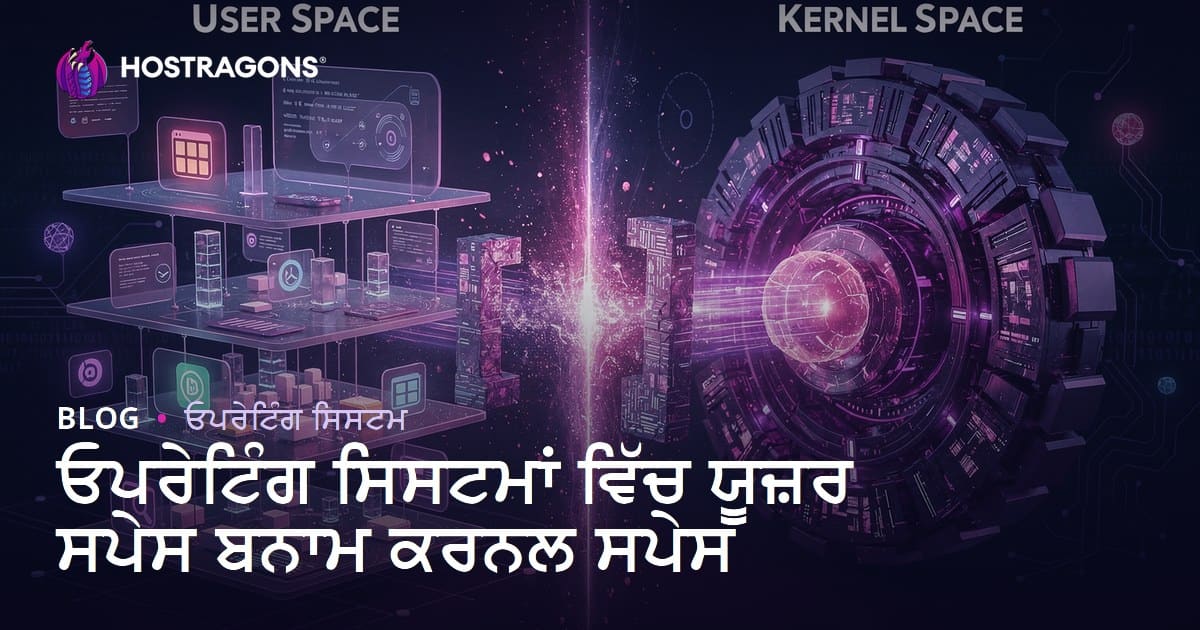
ਓਪਰੇਟਿੰਗ ਸਿਸਟਮਾਂ ਵਿੱਚ, ਸਿਸਟਮ ਸਰੋਤਾਂ ਦੀ ਵਰਤੋਂ ਅਤੇ ਮਜ਼ਬੂਤ ਸੁਰੱਖਿਆ ਲਈ ਦੋ ਮੂਲ ਖੇਤਰ ਬਣਾਏ ਜਾਂਦੇ ਹਨ: ਯੂਜ਼ਰ ਸਪੇਸ (user space) ਅਤੇ ਕਨੈਲ ਸਪੇਸ (kernel space)। ਯੂਜ਼ਰ ਸਪੇਸ ਐਪਲੀਕੇਸ਼ਨਾਂ ਲਈ ਇੱਕ ਸੀਮਿਤ, ਇਜਾਜ਼ਤ ਵਾਲਾ ਖੇਤਰ ਹੁੰਦਾ ਹੈ; ਕਨੈਲ ਸਪੇਸ ਸਿਸਟਮ ਦੇ ਮੂਲ ਕੰਮ—ਹਾਰਡਵੇਅਰ ਨਾਲ ਸੰਪਰਕ, ਸਰੋਤਾਂ ਦੀ ਅਤੇ ਕਨਟਰੋਲ ਵਰਤੋਂ ਲਈ—ਜਵਾਬਦੇਹ ਹੁੰਦਾ ਹੈ। ਇਹ ਦੋ ਖੇਤਰਾਂ ਵਿੱਚ ਵੱਡਾ ਫ਼ਰਕ ਹੁੰਦਾ ਹੈ, ਜਿਸ ਕਾਰਨ ਘਣੀ ਸੁਰੱਖਿਆ, ਵਧੀਆ ਪ੍ਰਦਰਸ਼ਨ ਅਤੇ ਵਿਕਲੰ ਛੀਨਨੀ (stability) ਮਿਲਦੀ ਹੈ। ਇਸ ਪੋਸਟ ਵਿੱਚ, ਇਨ੍ਹਾਂ ਦੇ ਪਰਿਭਾਸ਼ਾਵਾਂ, ਵਿਸ਼ੇਸ਼ਤਾਵਾਂ, ਇੱਕ-ਦੂਜੇ ਦੇਮਾ ਫ਼ਰਕ, ਸੁਰੱਖਿਆ ਉਪਾਅ, ਪ੍ਰਦਰਸ਼ਨ ਅਪਟੀਮਾਈਜ਼ੇਸ਼ਨ ਤੇ ਨਵੇਂ ਟਰੇਂਡਾਂ ਦਾ ਵਿਸਥਾਰ ਨਾਲ ਵਿਰਵਾਉ ਕੀਤਾ ਗਿਆ।
ਓਪਰੇਟਿੰਗ ਸਿਸਟਮਾਂ 'ਚ ਯੂਜ਼ਰ ਸਪੇਸ ਅਤੇ ਕਨੈਲ ਸਪੇਸ ਦੀ ਪਰਿਭਾਸ਼ਾ
ਓਪਰੇਟਿੰਗ ਸਿਸਟਮਾਂ ਦੇ ਇੰਨਸਅਰ, ਸਮੂਹ ਸਰੋਤਾਂ ਅਤੇ ਹਾਰਡਵੇਅਰ ਦਾ ਕੰਟਰੋਲ—ਦੋ ਇਲਾਕਿਆਂ 'ਚ ਹੁੰਦਾ—ਯੂਜ਼ਰ ਸਪੇਸ ਅਤੇ ਕਨੈਲ ਸਪੇਸ। ਯੂਜ਼ਰ ਸਪੇਸ ਵਿੱਚ ਐਪਲੀਕੇਸ਼ਨ ਚਲਦੀਆਂ ਹਨ; ਇਥੇ ਸਿੱਧੀ ਹਾਰਡਵੇਅਰ-ਅਕਸੇਸ ਨਹੀ ਮਿਲਦੀ। ਕਨੈਲ ਸਪੇਸ ਵੱਡੀ ਇਜਾਜ਼ਤ, ਸਰੋਤਾਂ ਦੀ ਸੰਪਰਕ ਅਤੇ ਕੰਟਰੋਲ ਲਈ ਬਿਲਕੁਲ ਮੰਨਿਆ ਜਾਂਦਾ।
ਇਹ ਦੋ ਖੇਤਰ ਇੱਕ-ਦੂਜੇ ਤੋਂ ਪੂਰੀ ਤਰ੍ਹਾਂ ਵੱਖ-ਵੱਖ ਹਨ—ਚੁੱਕੀਆਂ ਸੁਰੱਖਿਆ ਰੇਖਾ ਦੀ ਤਰ੍ਹਾਂ। ਯੂਜ਼ਰ ਸਪੇਸ ਵਾਲਾ ਕੋਡ ਜਦੋਂ ਵੀ ਸਿਸਟਮ ਸਰੋਤਾਂ (ਜਿਵੇਂ ਫਾਈਲ, RAM) ਦੀ ਲੋੜ ਰੱਖਦਾ, ਤਾਂ system call ਕਰਕੇ ਕਨੈਲ ਸਪੇਸ ਲੋਕਦਾ। ਇਹ ਇੰਟਰਫੇਸ, ਹਮੇਸ਼ਾ ਸੁਰੱਖਿਆ ਅਤੇ ਤਸੱਲੀ ਨਾਲ data/instructions ਪਹੁੰਚਾਉਂਦਾ—ਹਮਲੇ ਤਤ ਜਾਂ ਭੁੱਲ-ਭੁਲੇਕਾ ਹੋਣ ਦੀ ਸੰਭਾਵਨਾ ਘੱਟ ਹੁੰਦੀ।
- ਯੂਜ਼ਰ ਸਪੇਸ ਤੇ ਕਨੈਲ ਸਪੇਸ ਦੀਆਂ ਵਿਸ਼ੇਸ਼ਤਾਵਾਂ
| ਵਿਸ਼ੇਸ਼ਤਾ | ਯੂਜ਼ਰ ਸਪੇਸ | ਕਨੈਲ ਸਪੇਸ |
|---|---|---|
| ਅਕਸੇਸ Level | ਘੱਟ | ਵੱਧ |
| ਚੱਲਣ ਵਾਲਾ ਕੋਡ | ਐਪਲੀਕੇਸ਼ਨ, Libraries | OS Kernel, Drivers |
| Direct Hardware | ਨਹੀਂ | ਹਾਂ |
| Faults | App Crash | System Crash (Kernel Panic) |
| Resource Control | ਸੀਮਿਤ | ਪੂਰਾ |
ਇਹ ਵਿੱਥ ਤੋਂ ਸਮਝੋ ਕਿ ਓਪਰੇਟਿੰਗ ਸਿਸਟਮ ਦੀ ਸੁਰੱਖਿਆ, ਪ੍ਰਦਰਸ਼ਨ ਤੇ ਵਿਸ਼ਵਾਸਕਯੋਗਤਾ—ਉਨਾਂ ਦੋ ਖੇਤਰਾਂ ਦੀ ਪ੍ਰਾਪਰ ਜਾਣਕਾਰੀ ਨਾਲ ਸੁਨਿਸ਼ਚਿਤ ਹੁੰਦੀ।
ਯੂਜ਼ਰ ਸਪੇਸ ਕੀ ਹੈ? ਕਿਵੇਂ ਚੱਲਦਾ?
ਯੂਜ਼ਰ ਸਪੇਸ ਵਿਚ, ਐਪਲੀਕੇਸ਼ਨਾਂ ਤੇ ਪੈਕੇਜ ਹੋਰਾਂ ਤੋਂsales ਚੱਲਦੇ। ਇਹ ਖੇਤਰ ‘ਕਨੈਲ ਸਪੇਸ’ ਤੋਂ ਵੱਖ ਰੱਖਿਆ ਗਿਆ—ਐਪਲੀਕ ਪ੍ਰਕਿਰਿਆ ਤੋਂ ਹੋ ਸਕਦੇ ਹਾਲਾਤ ਜਾਂ ਮੁਸ਼ਕਲਾਂ, ਫ਼ਕਤ ਯੂਜ਼ਰ ਸਪੇਸ ਤੱਕ ਸੀਮਿਤ ਰਹਿੰਦੀਆਂ। ਹਰ ਐਪਲੀਕੇਸ਼ਨ, ਅਪਣੀ ਵੱਖਰੀ ਮੈਮੋਰੀ (virtual address space) ‘ਚ ਚੱਲਦੀ; ਨਾ ਹੋਰ ਐਪ ਲੇਖ, ਨਾ kernel area ਤੋਂ access ਕਰ ਸਕਦੀ।
ਆਮ ਤੌਰ ਤੇ, ਜੋ ਵੀ ਯੂਜ਼ਰ ਐਪਲੀਕੇਸ਼ਨ ਨੂੰ ਕੋਈ system resource (eg: file, network, device) ਦੀ ਲੋੜ ਹੋਵੇ, ਉਹ system call (eg: open, read, fork, exec) ਨਾਲ kernel area ‘ਚ ਇਸਤੇਮਾਲ ਦੀ demand ਜਾਣ ਜਾਂ ਟਿਕਟ ਲਈ। Kernel access ਦਿੰਦਾ—ਜੇ ਇਜਾਜ਼ਤ/policy ਹੋਵੇ। ਇੰਜ, direct hardware access ਤੇ system integrity always sure ਰਹਿੰਦੀ।
| ਵਿਸ਼ੇਸ਼ਤਾ | ਯੂਜ਼ਰ ਸਪੇਸ | ਕਨੈਲ ਸਪੇਸ |
|---|---|---|
| Level | ਕੱਟ | ਬਿਨ-ਹੱਦ |
| Code Type | Apps, Programs | Kernel, Drivers |
| Fault Effect | Local (single app affected) | Global (whole system can fail) |
| ਪ੍ਰਦਰਸ਼ਨ | ਕੁਝ suslow (system call round-trip) | ਤੁਰੰਤ (hardware access) |
ਯੂਜ਼ਰ ਸਪੇਸ ਦਾ ਮੁੱਖ ਹਿੱਸਾ—ਗੁਣਵੱਤਾ ਅਤੇ ਦਾਇਰੇ ਦੀ ਮਜ਼ਬੂਤੀ—ਏਥੇ, ਕੋਈ ਵੀ ਅਪਲੀਕੇਸ਼ਨ ਦੇ ਕੱਲਾ Crashing, ਬਕਿਆ ਸਿਸਟਮ ਕਾਰਜ ਉੱਤੇ ਕੋਈ ਹਸਰ ਨਹੀਂ। ਮਹੱਤਵਪੂਰਣ, ਪਰ-ਪਰਯੋਗੀ ਸਿਸਟਮ ਜਾਂ ਸਰਵਰਾਂ ਵਿੱਚ, ਹਰ ਇਕ ਪ੍ਰਕਿਰਿਆ ਲਈ (“sandboxing”) ਵੱਖਰੀ ਸੰਭਾਲ। Modern OS ਦਿਮਾਗ 'ਚ ਯੂਜ਼ਰ ਸਪੇਸ, ਵਿਚਾਰ ਸਰੋਤ ਹੈ।
ਸੁਰੱਖਿਆ—ਯੂਜ਼ਰ ਸਪੇਸ ਦੀ—is vital. Unauthorized access, malware, privilege escalation, sandbox-ਬ੍ਰੇਕਿੰਗ ਤੋਂ ਸੁਰੱਖਿਆ major concern.
- ਯੂਜ਼ਰ ਸਪੇਸ ਦੇ ਕੰਮਕਾਜ ਦੀ ਲੜੀ:
ਕਨੈਲ ਸਪੇਸ ਦੀਆਂ ਮੁੱਖ ਵਿਸ਼ੇਸ਼ਤਾਵਾਂ
ਕਨੈਲ—ਇੱਕ ਸਿਸਟਮ ਦਾ ਦਿਲ—direct hardware contact & resource control ਲਈ ਜ਼ਿੰਮੇਵਾਰ। At the kernel space, process scheduling, memory management, device driver interface, system call handling, file system ਆਦਿ ਜਵਾਬਦੇਹ।
ਵੱਡੀ ਵਿਸ਼ੇਸ਼ਤਾ: Full privilege—ਜਿਸ ਨਾਲ, sare hardware resources ਕੰਟਰੋਲ, allocate/track ਕਰ ਸਕਦੇ। ਏਥੇ, ਐਪਲੀਕੇਸ਼ਨ kernel provided APIs ਵੀ ਮੈਂਬਰ। Kernel space ਦਾ structure—system call interface, process context, memory–ਜਾਣ-ਪਹਿਚਾਣ।
- ਕਨੈਲ ਸਪੇਸਦੇ Main Functions
| ਵਿਸ਼ੇਸ਼ਤਾ | ਵੇਰਵਾ | ਮਹੱਤਵ |
|---|---|---|
| Direct hardware access | ਮੀਸੇ hardware control (I/O, RAM, CPU) | Essential for system stability/performance |
| High privilege | Full rights (no limits) | Protects whole OS from security breaches |
| System call interface | Apps ↔ Kernel | Enables controlled access to resources |
| Resource management | CPU, RAM, I/O scheduling | Optimizes speed, reliability |
ਕਨੈਲ ਸਪੇਸ ‘ਚ ਸੁਰੱਖਿਆ—Total system safety ਲਈ ਇੰਝੀਂ—Unauthorized kernel access can mean full compromise; Only trusted code allowed, rigorous testing essential.
ਯੂਜ਼ਰ ਸਪੇਸ ਤੇ ਕਨੈਲ ਸਪੇਸ ਦੇ ਫਰਕ
ਓਪਰੇਟਿੰਗ ਸਿਸਟਮ ਵਿੱਚ, ਯੂਜ਼ਰ ਸਪੇਸ ਐਪਲੀਕੇਸ਼ਨ/ਯੂਜ਼ਰ-ਸਮਤ ਦੇ ਕੰਮ, ਕਨੈਲ ਸਪੇਸ ਦੇਖਣ-ਵਾਲੇ, ਹਾਰਡਵੇਅਰ-ਸਬੰਧੀ ਕੰਮ। Apps can't access hardware directly, must go through safe system calls. This separation maintains security and prevents rogue/malicious code from damaging the whole OS.
| ਵਿਸ਼ੇਸ਼ਤਾ | ਯੂਜ਼ਰ ਸਪੇਸ | ਕਨੈਲ ਸਪੇਸ |
|---|---|---|
| Level | ਸੀਮਿਤ | ਬਿਨ-ਸੀਮਾ |
| Code type | Apps/User programs | Kernel/Drivers |
| Fault effect | Limited (app only) | Extensive (system-wide failure possible) |
| Resource control | Managed by OS | Direct |
- ਸਾਰ: ਪ੍ਰਮੁੱਖ ਤੱਥ
ਅਤਿ ਸੈਫ-ਲੇਅਰਾਂ ਦਾ interaction, system calls ਜ਼ਰੀਏ। Efficiency and performance require smart system call design. For sysadmins/developers, understanding these differences is vital.
ਓਪਰੇਟਿੰਗ ਸਿਸਟਮਾਂ 'ਚ ਕਨੈਲ ਇਮਾਰਤਾਂ ਦੇ ਉਦਾਹਰਨ
ਕਨੈਲ structure is central to OS. Common architectures: monolithic kernel, modular kernel, microkernel. Each has unique strengths/trade-offs (performance, security, flexibility).
| Structure | Advantages | Disadvantages |
|---|---|---|
| Monolithic Kernel | Fast, direct hardware access | Big codebase, security risk |
| Modular Kernel | Flexible, easier updates/patching | Slower than monolithic |
| Microkernel | Security, stability, modularity | Slower, more overhead for communication |
| Hybrid Kernel | Mixes monolithic/microkernel strengths | Complex, can inherit both sets of problems |
- ਕਨੈਲ ਇਮਾਰਤ examples:
ਮੋਨੋਲੀਥਿਕ ਕਨੈਲ
All services, drivers, system functions live in one address space. Pros: speed. Cons: one bug may crash everything. Updating and debugging is tough.
ਮੋਡੀਊਲਰ ਕਨੈਲ
Kernel functionality split into modules—loaded/unloaded as needed. Flexibility and easier patching. Bugs in modules affect only that module, not overall system. Slightly more overhead.
ਮਾਈਕਰੋ ਕਨੈਲ
Only essential services in kernel; rest (filesystem, networking) in user space. Pros: higher security, stability. Cons: cross-area communication slows things.
Kernel choice depends on needs—performance, security, flexibility. Right fit is key for stable, fast servers.
ਯੂਜ਼ਰ ਸਪੇਸ ਵਿੱਚ ਸੁਰੱਖਿਆ ਉਪਾਅ

ਯੂਜ਼ਰ ਸਪੇਸ—apps/workload sandboxed from kernel area—for system stability, safety. But threats exist; proactive protection is needed: malware defense, access limitation, data integrity.
| ਸੁਰੱਖਿਆ ਉਪਾਅ | ਵੇਰੇਵਾ | ਮਹੱਤਵ |
|---|---|---|
| Access control | Restrict user/app privileges | Blocks unauthorized access |
| Software updates | Apply latest security patches | Closes known vulnerabilities |
| Malware scanning | Regular scan of system and files | Detects and cleans harmful code |
| Data encryption | Sensitive info protected by encryption | Keeps data safe even if breached |
- Must-have precautions:
Encryption is vital—protect files, transfers from theft. User training matters: security is as strong as weakest link; informed users prevent mishaps.
Combine access control, updates, malware scans, backup, encryption, and education. Revisit and update strategy often to match new threats.
ਕਨੈਲ ਸਪੇਸ ਵਿੱਚ ਪ੍ਰਦਰਸ਼ਨ ਅਪਟੀਮਾਈਜ਼ੇਸ਼ਨ
Kernel space optimization is essential for OS speed and reliability—especially web servers and high-traffic apps. Techniques: minimize unnecessary system calls, optimize memory management, efficient CPU scheduling.
| Technique | Explanation | Benefits |
|---|---|---|
| System call optimization | Reduce wasted calls, batch/smart requests | Lower CPU use, faster responses |
| Memory management | Prevent leaks, smart allocation/free | Stable system, improved speed |
| CPU optimization | Efficient thread/process scheduling | Better multitasking, balanced resource use |
| IO optimization | Reduce disk IO, use caching | Faster access, improved app performance |
- Performance boosting tips:
Hardware/software interaction matters; monitor changes and adapt. Kernel optimization is an ongoing process—better user experience, smoother businesses are the result.
ਯੂਜ਼ਰ ਅਤੇ ਕਨੈਲ ਸਪੇਸ ਟਰੇਂਡ
Modern OS trends: boundary between user and kernel space is evolving. Virtualization, containerization, microkernel designs grow—enhancing flexibility and security. Cloud systems, distributed workloads: user space needs are shifting; kernel safeguards grow.
| Trend | Description | Impact |
|---|---|---|
| Microkernel | Move kernel functions to user space | Boost security, modularity, customization |
| Containers | Isolated app environments | Improved resource management, scalability |
| Virtualization | Multiple OS on same hardware | Better resource use, flexibility, isolation |
| Hardware acceleration | Specific tasks boosted by hardware | Faster, lower power, improved user experience |
- Emerging observations:
These trends boost OS security, performance, flexibility. Future success depends on improving kernel-user interface!
ਓਪਰੇਟਿੰਗ ਸਿਸਟਮਾਂ 'ਚ ਯੂਜ਼ਰ ਤੇ ਕਨੈਲ ਸਪੇਸ ਦੀ ਪਰਸਪਰਤਾ
For efficient, secure OS resource management, user ↔ kernel interaction is critical. User apps can't access hardware directly; instead, submit system calls to kernel, which checks permission, processes, responds. Keeps system safe/stable, allows apps without needing details of underlying hardware.
| ਵਿਸ਼ੇਸ਼ਤਾ | ਯੂਜ਼ਰ ਸਪੇਸ | ਕਨੈਲ ਸਪੇਸ |
|---|---|---|
| Access | Limited | Full |
| Code | Applications | OS kernel code |
| Fault impact | App crash | System crash |
| Memory management | Virtual | Physical |
- Relationship highlights:
Understanding this relationship means safer, faster, more flexible apps for OS.
ਖਾਸ ਨੁਕਤੇ: ਯੂਜ਼ਰ ਸਪੇਸ ਤੇ ਕਨੈਲ
OS ਯੂਜ਼ਰ ਤੇ ਕਨੈਲ ਸਪੇਸ—Both are vital for operation. Apps run in user space, resource control via kernel. System calls enable interaction—must be secured, monitored.
| ਵਿਸ਼ੇਸ਼ਤਾ | ਯੂਜ਼ਰ ਸਪੇਸ | ਕਨੈਲ ਸਪੇਸ |
|---|---|---|
| Access | Limited | Full |
| Code | Apps/libraries | Kernel code |
| Security | Less critical | Most critical |
| Fault | App-only crash | System crash |
- Applied advice:
For safe, efficient OS, developers/sysadmins must understand details & interactions. Neglect means exposure to risks/performance drops.
ਅਕਸਰ ਪੁੱਛੇ ਜਾਂਦੇ ਸਵਾਲ
ਐਪਲੀਕੇਸ਼ਨ ਦਾ ਕਰੈਸ਼ ਹੋਣਾ ਪੂਰੇ ਸਿਸਟਮ ਨੂੰ ਕਿਵੇਂ ਪ੍ਰਭਾਵਿਤ ਨਹੀਂ ਕਰਦਾ? ਯੂਜ਼ਰ ਸਪੇਸ ਦਾ ਰੋਲ?
ਕਿਉਂਕਿ ਐਪਲੀਕੇਸ਼ਨ/ਪ੍ਰਕਿਰਿਆ ਨੂੰ ਯੂਜ਼ਰ ਸਪੇਸ ‘ਚ sandbox ਕੀਤਾ ਹੋਇਆ। App ‘ਚ ਹੋਇਆ ਕਰੈਸ਼, ਉਦੋਂ ਦੀ ਮੈਮੋਰੀ/ਸਰੋਤ ਪੁੱਜ ਨਹੀਂ kernel ਤੱਕ, system stable ਹੁੰਦਾ।
ਕਨੈਲ ਸਪੇਸ 'ਚ ਕੋਈ bug ਜਾਂ fault ਆਵੇ ਤਾਂ ਕੀ?
ਕਨੈਲ area fault, whole OS crash/carton panic ਹੋ ਸਕਦਾ: ਕਿਉਂਕਿ kernel ਜਵਾਬਦੇਹ——total hardware/system resource control ਲਈ।
ਯੂਜ਼ਰ → ਕਨੈਲ ਸਪੇਸ system call ਦੇ interaction ਦੀ ਲੋੜ ਕਿਉਂ?
Direct hardware/system resources access ਨੂੰ block; system calls kernel ਨੂੰ request safely transfer ਕਰਦੇ, ਫਿਰ kernel access/operate/return ਕਰਦਾ। This process controls security.
System call performance optimization ਵਿਚ ਕੀ ਕਰ ਸਕਦੇ?
System call count reduce, DMA/async data transfer, batching—these methods minimize performance loss.
Sanallaştırma (Virtualization)—user/kernel separation ‘ਤੇ ਕਿਵੇਂ ਹਸਰ?
Virtualization: multiple OS in single hardware. Every VM own user/kernel space; Hypervisor controls/isolate. One VM problem doesn’t damage others.
Mobile OS (Android, iOS)—user/kernel architecture?
Android (Linux kernel); Apps run sandboxed via Dalvik/ART. iOS (Darwin kernel); Apps run securely in sandbox. Both, security/stability via boundary.
Microkernel—monolith kernel differences?
Monolithic: most OS functions in kernel space. Microkernel: only core stuff (memory/process/IPC); rest (filesystem, network) in user space. More modular, secure, but sometimes slower.
Apps in user space: security methods?
Access control, sandboxing, ASLR, DEP, memory protection, regular updating, malware defense—block unauthorized resource access, keep system safe.