 Afrikaans
 Azərbaycan
 Bosanski
 Čeština
 Dansk
Dansk Deutsch
 English
 Español
 Filipino
 Français
 Hrvatski
 Indonesia
 Italiano
 Magyar
 Melayu
 Nederlands
 Norsk
Norsk Oʻzbek
 Polski
 Português
 Română
 Slovenčina
 Slovenščina
 Suomi
Suomi Svenska
 Tiếng Việt
 Türkçe
 Ελληνικά
 Беларуская
 Български
 Русский
 Српски
 Українська
 עברית
עברית اردو
اردو العربية
 پښتو
پښتو فارسی
فارسی አማርኛ
አማርኛ मराठी
मराठी বাংলা
বাংলা தமிழ்
தமிழ் ไทย
ไทย မြန်မာ
 한국어
한국어 中文
中文 日本語
日本語

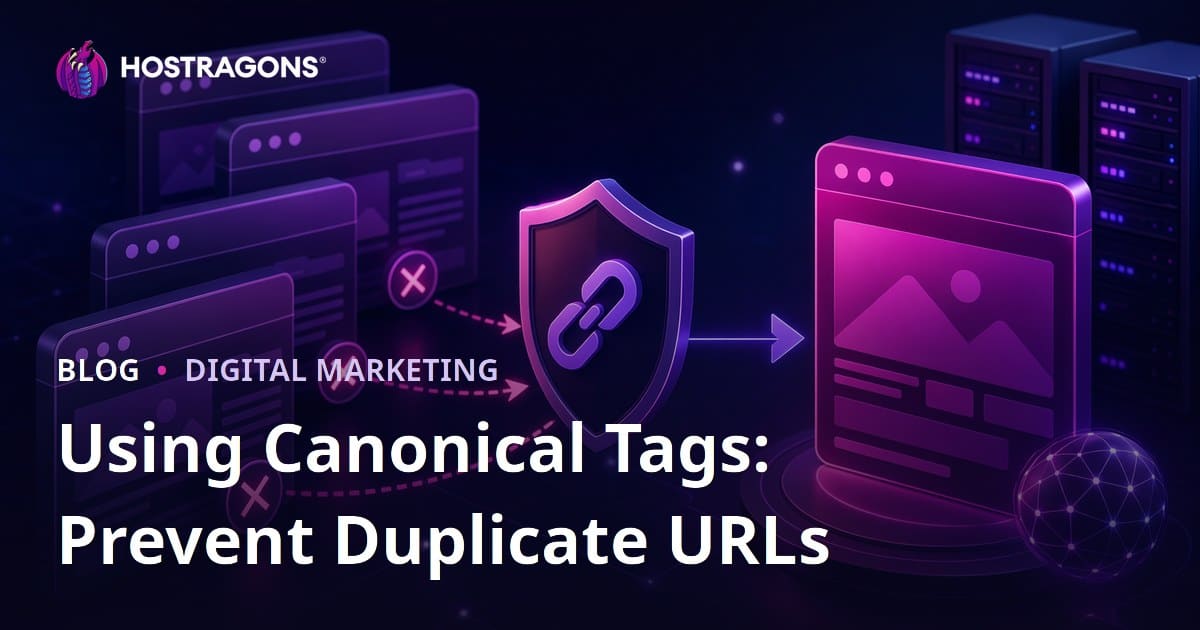
Using canonical tags is a method for informing search engines which URL is the primary version when multiple URLs have the same or very similar content. In short, by adding the rel='canonical' tag in the HTML head section of the page, Google, Bing, and other search engines can more accurately determine the preferred page among duplicate or alternative URLs; this helps to consolidate SEO authority, reduce the risk of incorrect pages being indexed, and utilize your site's crawl budget more efficiently.
Duplicate versions of a website can occur more easily than you might think. The same product page can be accessed with filter parameters, a blog post can be accessible both by category and tag archives, the homepage might work both with and without www, or old URLs can still be crawled after transitioning from HTTP to HTTPS. This situation directly impacts technical SEO performance, especially in growing e-commerce sites, news portals, corporate blogs, and multilingual projects. The canonical tag acts as a signpost here: it indicates to search engines which URL should be considered the primary source among the alternative pages that users can see.
In this guide, we will explore the purpose of the canonical tag, when to use it, how it differs from methods like 301 redirects and noindex, how to implement it in WordPress and custom applications, common mistakes, and practical steps for verification. If your site is hosted on Hostragons, you can establish your canonical strategy on a much stronger foundation with proper hosting configuration, SSL use, and domain redirections. Hostragons web hosting solutions Hostragons SSL certificates Hostragons domain registration service
What is a Canonical Tag?
A canonical tag is an HTML link tag that tells search engines which version of a webpage is the preferred or canonical one. Technically, it is placed in the head area of the page like this: <link rel='canonical' href='https://www.example.com/original-page/'>. This statement indicates that the primary version of the URL is the one specified in the href attribute.
For example, let's assume the following URLs display the same content:
- https://www.example.com/blog/canonical-tag/
- https://example.com/blog/canonical-tag/
- http://www.example.com/blog/canonical-tag/
- https://www.example.com/blog/canonical-tag/?utm_source=newsletter
- https://www.example.com/blog/canonical-tag/?ref=social
If your original page is https://www.example.com/blog/canonical-tag/, all other variations can point to this URL using a canonical tag. This way, search engine signals are consolidated in a single primary page without getting dispersed.
Why Does the Duplicate URL Issue Arise?
Duplicate content is often not created intentionally. Factors such as site infrastructure, server settings, CMS options, campaign parameters, and user experience filters can display the same content across different URLs. The technical SEO problem arises when search engines perceive these URLs as separate pages.
Common Sources of Duplicate Versions
- Difference between HTTP and HTTPS: If HTTP pages are not redirected after switching to SSL, two separate versions may be created.
- www and non-www domain: If www.site.com and site.com show the same content, the preferred version should be clarified.
- Slash differences: Addresses like /service and /service/ might be considered different URLs in some systems.
- URL parameters: Parameters such as utm_source, ref, sort, color, size can cause the same content to appear at different addresses.
- Category and tag archives: Blog content may be re-listed across multiple archive pages.
- Print or AMP versions: Pages that present a different view to the user should be linked to the main content via canonical.
- E-commerce filters: Color, size, price range, and sorting options can generate thousands of URLs.
- Domain changes: If old URLs are not properly redirected during a transition to a new domain, it can result in duplication and authority fragmentation. Domain transfer and DNS management guide
Even with only 100 products on a site, if there are 5 filters, 3 sorting options, and 4 campaign parameters per product, the number of URLs visible to search engines can quickly rise into the thousands. This consumes the crawl budget, leads to slower discovery of important pages, and generates unnecessary indexing warnings in reports.
How Does the Canonical Tag Contribute to SEO?
The canonical tag does not guarantee rankings on its own; however, it supports ranking potential by strengthening the technical SEO health of a site. When search engines are forced to decide which of the similar pages to display, a clear canonical signal simplifies the decision-making process.
Main SEO Benefits
- Consolidates authority: Helps gather internal and external link signals to the main URL.
- Reduces indexing confusion: Decreases the risk of Google showing pages with incorrect parameters in search results.
- Pares down the crawl budget: Minimizes unnecessary URLs discoveries on large sites, allowing more resources to be allocated to important pages.
- Clarifies reporting: Makes reports on duplicate pages, alternative pages, and user-selected canonical pages in Search Console more manageable.
- Maintains content strategy: Indicates the original source when the same article appears in different archives, campaign pages, or partner sites.
For instance, consider if you send traffic to the same service page through 10 different campaign URLs. If each campaign URL gets indexed separately, link signals and user metrics can be divided. Using a canonical tag helps ensure that all these signals point to the main service page.
Differences Between Canonical, 301 Redirects, and Noindex
The canonical tag is often confused with 301 redirects or noindex tags. However, each method serves different purposes. To make the right decision, you should evaluate whether users will continue to access the page, whether you wish for the page to be indexed, and if the URL is being moved permanently.
| Method | When to Use? | Message to Search Engines | User Experience |
|---|---|---|---|
| Canonical Tag | If similar or very similar content will remain accessible at different URLs | This URL is the primary version; consolidate signals here | The user remains on the current page |
| 301 Redirect | If the URL has been permanently moved or the old version will no longer be used | This address has now moved to the new address | The user is automatically redirected to the new URL |
| Noindex | If you do not want the page to appear in search results | Do not index this page | The user can still visit the page |
| Robots.txt Restriction | If you do not want certain areas to be crawled | Do not crawl this path | User access is not blocked |
In summary, if a page is necessary for users but should not appear as the main version in search engines, using a canonical tag is the right choice. If the old URL is entirely deprecated, a 301 redirect is more appropriate. If you do not want the page to be indexed at all, consider using noindex. Robots.txt should be used cautiously in managing duplicate content as it may prevent the canonical signal from being seen.
How to Add a Canonical Tag?
The application of canonical tags varies depending on your site's infrastructure. In content management systems like WordPress, SEO plugins typically generate automatic canonicals for most pages. In custom applications, developers need to add them to the templates. The key point is that each indexable page must have its own self-referential canonical tag.
1. Determine the Preferred URL Structure
The first step is to clarify which URL format you will use across the site. Will HTTPS be used? Will it include www? Will a slash be preferred at the end of the URL? Will lowercase be maintained? Making these decisions early on ensures consistent generation of canonical tags.
- Recommended secure format: https://www.example.com/page/
- Alternative format: https://example.com/page/
- Avoidable format: Keeping both HTTP and HTTPS open simultaneously
Sites without SSL certificates may lack secure connections, which affects not only user trust but also technical SEO signals. Therefore, it is advisable to establish HTTPS standards before starting your canonical strategy. What is an SSL certificate and how to install it Secure web hosting packages
2. Add Self-Referencing Canonicals to Each Page
Canonical tags should not only be added to duplicate pages. Main pages should also have a canonical tag referencing themselves. This is known as a self-referencing canonical. For example, the canonical value for the page at https://www.example.com/about-us/ should be the same URL. This approach provides clear signals to search engines when parameterized or erroneous variations occur.
3. Link Parameterized URLs to the Main Page
UTM, advertising, social media, or email campaign parameters are useful for user tracking; however, they must be controlled for indexing. A URL like https://www.example.com/hosting/?utm_source=newsletter should show https://www.example.com/hosting/ as its canonical. This way, while campaign measurements are conducted, SEO signals are preserved at the main page.
4. Use a Single Canonical Per Page
Having multiple canonical tags on a single page can lead to search engines disregarding the signal. If the theme, SEO plugin, and custom code each generate a canonical tag at the same time, conflicts may arise. Particularly in WordPress sites, you should check the canonical produced by the theme against that from the SEO plugin.
5. Use Absolute URLs
When specifying the href value of the canonical tag, it is safer to use the full address rather than a relative URL. Instead of /category/post/, the format https://www.example.com/category/post/ should be preferred. Absolute URLs eliminate uncertainty about protocol and domain names.
6. Ensure Consistency with Sitemap
The XML sitemap should only include the URLs you prefer as canonical. If a page points to another address via a canonical but is listed in the sitemap itself, mixed signals can occur. On large sites, sitemap and canonical checks should be performed at least once a month. XML sitemap creation guide
Using Canonical Tags in WordPress Sites
WordPress simplifies canonical management with SEO plugins. Plugins like Rank Math, Yoast SEO, or similar can automatically generate canonical tags for single posts, pages, categories, and products. However, automatic generation does not always mean a correct strategy; custom templates, WooCommerce filters, and multilingual plugins should especially be checked.
Practical WordPress Checklist
- Keep your SEO plugin's canonical generation active.
- Ensure that each page's source code contains only one canonical.
- Check that the homepage canonical value uses the correct www and HTTPS format.
- If category, tag, and author archives are to be indexed, they should have their self-referencing canonical.
- For archives that should not be indexed, consider a noindex strategy instead of using canonical.
- Evaluate WooCommerce product variations separately if pages present different values to the user.
- Test to ensure that canonical tags are not broken after caching plugins.
For example, a single post in a WordPress blog might be listed at both /seo/canonical-tag/ and /tag/technical-seo/. Archive pages are generally content lists; thus, the canonical value of the individual post should point to its own URL rather than the archive. Otherwise, search engines may confuse the original article with the archive page.
Canonical Strategy for E-Commerce Sites
The use of canonical tags becomes even more critical in e-commerce projects, as filtering, sorting, variations, and campaign URLs can proliferate rapidly. Incorrect implementation can prevent valuable category pages from being indexed or cause product pages to give incorrect canonical signals to each other.
Category and Filter Pages
On a category page, users might apply filters for price, brand, color, or size. If filter pages create unique landing pages that match search requests, giving each filter a canonical link to the main category can be a missed opportunity. For instance, a page optimized for searches like red sneakers, featuring unique text and product selections, could be indexed. However, only sorting or temporary filter URLs should reference the main category as canonical.
Product Variations
If variations of the same product appear on separate URLs, there are two approaches. If the variations feature unique stock, images, reviews, and user intent, they may be indexed separately. If variations are nearly identical, it is cleaner to give the canonical link to the main product page. The goal here is to present a meaningful product structure to search engines rather than a pile of duplicate pages.
Out-of-Stock Products
Linking out-of-stock products immediately to another product is often not advisable. If the product has been permanently removed, a 301 redirect or a 410 status may be considered. If the product is temporarily out of stock, the page can remain live and self-reference with a canonical tag. Canonicalizing to a similar product can misrepresent user intent and product signals.
Canonical and Hreflang for Multilingual Sites
In multilingual sites, canonical and hreflang can be used together; however, their functions are different. While canonical specifies the original URL of the same or similar content, hreflang defines language and regional alternatives. A Turkish page should not give canonical to its English version; each language version should generally reference itself as canonical and show the other language alternatives with hreflang.
For example, if the Turkish page is https://www.example.com/tr/hosting/, its canonical value should be this page itself. The English counterpart, https://www.example.com/en/hosting/, should also reference itself as canonical. These two pages are linked to each other using hreflang. This structure helps Google present the correct language version to the right user.
Common Canonical Mistakes
Although the canonical tag appears simple, if misapplied, it can harm SEO performance. The following mistakes are among the most frequently encountered issues:
- Assigning canonical to a noindex page: If the original URL is noindex, search engines may not evaluate signals correctly.
- Showing a 404 URL as canonical: The canonical target must return a 200 status code.
- Assigning canonical to a redirected URL: The target URL must be directly accessible and not contain chain redirects.
- Making all pages canonical to the homepage: This distorts content signals and can prevent pages from being indexed.
- Assigning canonical between different contents: Canonical should only be used between similar or very similar contents.
- Placing canonical on pages blocked by robots.txt: If search engines cannot crawl the page, they may not see the tag.
- Inconsistent sitemap and canonical: URLs present in the sitemap must be compatible with canonical targets.
- Confusion between mobile and desktop versions: If using a separate mobile URL, the canonical and alternate relationships must be established correctly.
Imagine a project where hundreds of pages are mistakenly canonicalized to the homepage. Google may interpret this signal as a quality issue and reduce the visibility of your valuable subpages. Therefore, a technical SEO check before publishing, especially after theme or plugin changes, should be mandatory.
How to Check Your Canonical Tags?
For canonical validation, both manual and tool-assisted methods should be utilized. While inspecting the source code may suffice for smaller sites, scanning tools and Google Search Console reports provide more reliable results for larger projects.
Manual Check
- Open the page in your browser.
- View the page source.
- Search for the rel='canonical' statement.
- Ensure the href value is a correct, complete, and accessible URL.
- Check for the presence of a second canonical on the page.
Google Search Console Check
The URL Inspection tool shows the canonical chosen by Google versus the canonical reported by the user. If Google selects a different canonical than the one you've specified, consider these points: Are the contents truly similar? Which URLs do internal links lead to? Is the sitemap correct? Is the target page stronger? Are the page status codes healthy?
Bulk Checks with Crawling Tools
Tools like Screaming Frog, Sitebulb, or similar can crawl thousands of URLs. Reports can easily identify missing canonicals, canonical chains, 4xx targets, mismatched protocol targets, and non-self-canonical pages. During monthly technical SEO maintenance, the following metrics should be monitored:
- Number of indexable pages without canonical tags
- Number of pages returning statuses other than 200 with a canonical tag
- Number of URLs in the sitemap that do not have a canonical
- Rate of parameterized URLs linking to the main page
- Count of URLs where Google chose a canonical different from the user's
For example, if a 5,000 URL e-commerce site finds that 800 parameterized URLs have entered the sitemap, this presents a significant technical SEO cleaning opportunity. When these URLs are appropriately separated with correct canonical, noindex, or robots strategies, crawl efficiency can noticeably improve.
The Role of Server, SSL, and Domain Settings
The canonical tag operates at the page level; however, it is insufficient on its own if server and domain settings are incorrect. In transitions from HTTP to HTTPS, from www to non-www, or from an old domain to a new one, 301 redirects should align with canonical settings. Otherwise, search engines will receive conflicting signals.
The ideal setup is as follows: All HTTP requests are redirected to HTTPS with a 301, the undesired www structure is redirected to the chosen structure, the sitemap contains only preferred URLs, and all pages are consistent with their canonical targets. This structure provides a strong foundation for both user security and SEO clarity. Configuring domain, DNS, SSL, and hosting management through a single panel at Hostragons can help maintain this consistency. How to configure DNS settings How to create redirects with cPanel Corporate hosting packages
Step-by-Step Canonical Implementation Plan
You should establish your canonical strategy through a planned technical SEO process rather than randomly adding tags. The following 9 steps provide a workable framework applicable to both small blogs and large e-commerce sites.
- 1. Extract a URL inventory: Combine data from sitemap, Search Console, analytics, and crawling tools.
- 2. Identify duplicate groups: List HTTP, HTTPS, www, parameter, and archive variations displaying the same content.
- 3. Choose the main URL: Choose the cleanest, most user-friendly, most used HTTPS URL in internal links.
- 4. Separate those needing redirections: Carry old URLs that will no longer be used via 301 instead of canonical.
- 5. Update page templates: Check canonical generation in blog, product, category, archive, and landing page templates.
- 6. Clean the sitemap: Retain only the canonical URLs you wish to be indexed.
- 7. Fix internal links: Ensure that menus, footers, breadcrumbs, and in-content links direct to the canonical URL.
- 8. Conduct a test crawl: Generate a canonical report in a staging or testing environment before going live.
- 9. Monitor Search Console: Follow the reports of selected canonicals for 2-4 weeks after publishing.
The most important practical rule in this process is: The canonical tag is not a magical solution that fully compensates for poor URL architecture. It provides the best results when used alongside clean redirects, consistent internal linking, a correct sitemap, and a solid server configuration.
Good Practice Examples for Using Canonical Tags
Blog Post Example
Your blog post may be accessed through the category page, the tag page, and social media UTM parameters. If the singular post URL is https://www.example.com/blog/seo-guide/, then all parameterized accesses should point this URL as canonical. The category and tag archives should be evaluated separately for their own content lists.
Service Page Example
If a hosting service page is utilized with different URL parameters for advertising campaigns, all campaign variations should point their canonical to the main service page. This way, organic search signals are not split while measuring campaign performance. Hostragons hosting packages
Product Page Example
If an SSL certificate product is displayed with different campaign tags, the parameterized URLs should reference the main product page as canonical. However, different types of SSL, such as DV SSL and Wildcard SSL, can be indexed as separate pages if they serve different user intents. Types of SSL certificates
What Metrics Should You Monitor to Measure Success?
To understand the effects of implementing canonical tags, it is not sufficient to only look at ranking changes. Technical SEO improvements often first show up in crawl and indexing data. The following metrics should be tracked over 30-90 day periods:
- Reduction in duplicate page and alternative page warnings in Search Console
- Decrease in the indexing rate of parameterized URLs
- More consistent crawling of important category, product, and content pages
- Improved alignment between URLs submitted in the sitemap and indexed URLs
- Correct canonical URLs emerging among organic landing pages
- Reduction in the number of internal links going to undesired URLs during internal link analysis
For example, seeing a reduction from 1,200 unnecessary parameterized URLs to 200 in the indexing coverage report within three months could indicate that canonical and sitemap cleanup was effective. If the crawling frequency for important pages increases during the same period, it suggests that the technical framework is becoming healthier.
Frequently Asked Questions
Does using a canonical tag directly increase rankings?
The canonical tag is not a direct ranking improvement tool; however, by reducing duplicate URL issues, it helps to accurately consolidate authority signals on the correct page. This can indirectly improve organic performance, especially for large and parameterized sites.
Should there be a canonical tag on every page?
It is good practice for every important page you wish to be indexed to have a self-referencing canonical tag. This way, if parameterized or alternative URLs occur, the preferred version is clearly communicated to search engines.
Are canonical tags and 301 redirects the same?
No. A 301 redirect permanently moves the user and search engine to a new URL, while the canonical tag keeps the user on the current page and informs the search engine of which URL is the primary version.
Does Google always consider my canonical tag?
Canonical is a strong signal but not an absolute command. Google may choose a different canonical based on content similarity, internal links, the sitemap, redirects, page quality, and user signals.
Is adding a canonical to a page blocked by robots.txt sufficient?
Typically, it is not. Since the search engine cannot crawl the page restricted by robots.txt, it may not see the canonical tag. For managing duplicate URLs, it is crucial that the page is crawlable and the canonical target is accessible.
Conclusion: Managing Duplicate Versions is Essential to Technical SEO
The use of the canonical tag is an indispensable technical SEO practice for managing duplicate versions of your site, highlighting the correct URL, and providing clear signals to search engines. However, for optimal results, the canonical tag should be considered alongside 301 redirects, clean sitemaps, consistent internal linking, proper HTTPS configuration, and correct domain choice.
If you are experiencing duplicate URLs, HTTP/HTTPS inconsistencies, or parameterized page confusion on your site, start by extracting your URL inventory and clarifying your canonical targets. A solid hosting infrastructure, correct SSL implementation, and regular technical checks will facilitate this process. When needed, explore Hostragons' hosting, domain, and SSL solutions to establish a more secure and SEO-friendly foundation for your site. Hostragons Web Hosting Hostragons domain lookup Hostragons SSL certificates