 Afrikaans
 Azərbaycan
 Bosanski
 Čeština
 Dansk
Dansk Deutsch
 English
 Español
 Filipino
 Français
 Hrvatski
 Indonesia
 Italiano
 Magyar
 Melayu
 Nederlands
 Norsk
Norsk Oʻzbek
 Polski
 Português
 Română
 Slovenčina
 Slovenščina
 Suomi
Suomi Svenska
 Tiếng Việt
 Türkçe
 Ελληνικά
 Беларуская
 Български
 Русский
 Српски
 Українська
 עברית
עברית اردو
اردو العربية
 پښتو
پښتو فارسی
فارسی አማርኛ
አማርኛ मराठी
मराठी বাংলা
বাংলা தமிழ்
தமிழ் ไทย
ไทย မြန်မာ
 한국어
한국어 中文
中文 日本語
日本語

Ensuring security in email communication is critically important today. Email authentication methods help prevent fraud by verifying the authenticity of sent emails. In our blog post, we examine in detail what email authentication is and how the SPF, DKIM, and DMARC protocols work. While SPF checks whether the sending server is authorized, DKIM guarantees that the content of the email has not been altered. DMARC provides more comprehensive protection by deciding what action to take based on SPF and DKIM results. The post also covers how to implement these technologies, their advantages and disadvantages, and best practices for email security. Learn the steps you need to take to improve your email security.
What Is Email Authentication?
Email authentication is a set of techniques that verify whether a sent email actually originates from the source it claims to come from. This process helps prevent malicious activities such as email fraud, phishing attacks, and spam. Email authentication methods ensure that the sender's domain is authorized, allowing recipient servers to detect and block forged emails. This both protects the reputation of senders and enhances the security of recipients.
Email authentication is of critical importance for ensuring the security of email communication. With the rise of cyber threats today, attacks carried out via email have increased significantly as well. These attacks typically aim to steal users' personal information, commit financial fraud, or spread malware. Email authentication methods help protect users and organizations by creating a defense mechanism against such attacks.
- Sender Policy Framework (SPF)
- DomainKeys Identified Mail (DKIM)
- Domain-based Message Authentication, Reporting and Conformance (DMARC)
- TLS Encryption
- Sender ID
The main methods used in the email authentication process include SPF (Sender Policy Framework), DKIM (DomainKeys Identified Mail), and DMARC (Domain-based Message Authentication, Reporting and Conformance). While SPF checks whether the sending server is authorized, DKIM verifies that the content of the email has not been altered. DMARC, in turn, determines how emails should be handled based on SPF and DKIM results and provides a reporting mechanism. Using these methods together helps ensure comprehensive email security.
| Authentication Method | Description | Purpose |
|---|---|---|
| SPF (Sender Policy Framework) | Verifies whether the sending server is authorized. | To prevent email spoofing. |
| DKIM (DomainKeys Identified Mail) | Verifies that the content of the email has not been altered. | To ensure email integrity. |
| DMARC (Domain-based Message Authentication, Reporting and Conformance) | Determines how emails should be handled based on SPF and DKIM results. | To enhance email security and provide reporting. |
| TLS Encryption | Encrypts email communication. | To protect email privacy. |
Email authentication is an indispensable tool for ensuring the security of email communication. Properly implementing methods such as SPF, DKIM, and DMARC provides an effective defense against email fraud and enhances the security of both senders and recipients. For this reason, it is important that all organizations and individuals use email authentication methods and update them regularly.
What Is SPF and How Does It Work?
Email authentication method SPF (Sender Policy Framework) is a protocol that ensures email sending servers are authorized. Its primary purpose is to prevent the impersonation of email addresses (spoofing) and to help recipient servers detect forged emails. SPF works through a DNS record that specifies which servers are authorized to send email on behalf of a domain.
An SPF record is a TXT record added to your domain's DNS records. This record specifies which IP addresses or domain names are authorized to send email on your behalf. When a recipient email server receives an email, it compares the sender's IP address against the authorized servers listed in your SPF record. If the sending server is not authorized, the email may be marked as failed or rejected outright.
| SPF Record Mechanism | Description | Example |
|---|---|---|
a |
Specifies all IP addresses in the domain's A record. | a:example.com |
mx |
Specifies all IP addresses in the domain's MX record. | mx:example.com |
ip4 |
Specifies a particular IPv4 address or range. | ip4:192.0.2.0/24 |
include |
Includes the SPF record of another domain. | include:_spf.example.com |
SPF plays a critical role in ensuring email security. However, it is not sufficient on its own. When used together with other authentication methods such as DKIM (DomainKeys Identified Mail) and DMARC (Domain-based Message Authentication, Reporting & Conformance), a stronger defense mechanism against email spoofing can be established. These methods help recipients identify trustworthy emails by verifying the integrity and origin of messages.
Advantages of SPF
SPF’s greatest advantage is that it significantly reduces email spoofing. By making it harder to send forged emails using your domain name, it protects your brand reputation and helps safeguard your customers against fraud attempts. It also improves your email deliverability, because recipient servers can more easily verify that your emails are legitimate thanks to your SPF record.
Steps to Set Up SPF
- Identify the IP addresses or domain names of the authorized email servers for your domain.
- Log in to your DNS management panel.
- Create a new TXT record.
- Enter your SPF record as the value of the TXT record (for example,
v=spf1 ip4:192.0.2.0/24 include:_spf.example.com -all). - Save the record and wait for the DNS changes to take effect.
- Use an SPF validation tool to verify that your SPF record is correctly configured.
Disadvantages of SPF
SPF also has some disadvantages. For example, issues can arise with forwarded emails. When an email is forwarded, the original sender's SPF record may become invalid, which can cause the email to fail. Additionally, the complexity of SPF records and improper configuration can lead to email deliverability issues. For this reason, it is important to carefully create your SPF record and update it regularly.
SPF is an important part of email security and, when properly configured, provides effective protection against email spoofing. However, it needs to be used alongside other authentication methods and updated regularly.
Key Features and Working Principle of DKIM
DomainKeys Identified Mail (DKIM) is one of the email authentication methods and is used to verify whether emails genuinely originate from the domain they claim to come from. It helps prevent malicious activities such as email phishing and spam. DKIM works by adding digital signatures to outgoing emails. These signatures can be verified by recipient servers, thereby guaranteeing that the email was authorized by the sender and was not altered in transit.
DKIM fundamentally uses two keys: a private key and a public key. The private key is used by the email sending server to add a digital signature to emails. The public key is published in the domain's DNS records and is used by recipient servers to verify the email's signature. This allows the origin and integrity of the email to be reliably confirmed.
| Step | Description | Responsible Party |
|---|---|---|
| 1 | The email is composed and prepared for sending. | Sending Server |
| 2 | A digital signature is added to the email using the private key. | Sending Server |
| 3 | The email is sent to the recipient server along with the digital signature. | Sending Server |
| 4 | The recipient server retrieves the public key from the sender's domain DNS records. | Recipient Server |
| 5 | The digital signature is verified using the public key. | Recipient Server |
| 6 | If verification is successful, the email is considered trustworthy. | Recipient Server |
Properly configuring DKIM improves email deliverability and protects sender reputation. A misconfigured DKIM record can cause emails to be marked as spam or rejected. For this reason, DKIM setup and management must be handled carefully. Furthermore, using DKIM together with other email authentication methods such as SPF and DMARC represents the best email security practice.
- Features of DKIM
- Preserves the integrity of emails.
- Verifies the identity of the sender.
- Prevents email spoofing.
- Improves deliverability rates.
- Strengthens sender reputation.
- Helps bypass spam filters.
Thanks to DKIM, trust and transparency are established in email communication. This creates a safer environment for both senders and recipients. Below you can find some information about DKIM implementation methods.
DKIM Implementation Methods
To implement DKIM, a private/public key pair must first be generated. The private key should be stored securely on your email server, and the public key should be published in your DNS records. This process is generally done through the control panel of your domain provider or email service provider. The DKIM record (TXT record) to be added to the DNS record contains the public key and the DKIM policy.
DKIM is an important part of email security and, when properly implemented, provides effective protection against email spoofing.
What Is DMARC and Why Does It Matter?
DMARC (Domain-based Message Authentication, Reporting & Conformance) is one of the email authentication protocols and is built on top of SPF and DKIM. It is designed to prevent email phishing and malicious emails. DMARC allows an email domain to specify who can send email traffic on its behalf and to inform recipient servers how to handle emails that fail authentication. This protects brand reputation and enhances user security.
DMARC enables email senders to inform email recipients whether the messages they send have passed authentication mechanisms (SPF and DKIM). If an email fails these verification processes, the DMARC policy tells the recipient server what to do. This policy typically includes one of three options: None (take no action), Quarantine (quarantine it), or Reject (reject it). This allows email senders to more effectively protect themselves against spoofing attempts that misuse their domain names.
| DMARC Policy | Description | Possible Outcomes |
|---|---|---|
| None | Process the email normally even if authentication fails. Typically used for monitoring and reporting purposes. | Emails reach the recipient's inbox, but DMARC reports provide feedback to the sender. |
| Quarantine | Send emails that fail authentication to the spam folder or a similar quarantine area. | Potentially harmful emails are kept away from users. |
| Reject | Completely reject emails that fail authentication. | Forged emails are prevented from reaching recipients, and brand reputation is protected. |
| Policy | The general policy specified in the DMARC record. | The behavior to be applied to emails, as determined by email recipients. |
One of the most important benefits of DMARC is that it provides email senders with detailed reports about email traffic. These reports show which sources are sending emails, authentication results, and possible spoofing attempts. With this information, email senders can optimize their authentication settings and close security gaps. In addition, DMARC cooperates with recipient servers to contribute to building a more secure email ecosystem.
- Benefits of DMARC
- Prevents email phishing attacks.
- Protects brand reputation.
- Improves email delivery rates.
- Provides information about email traffic through detailed reporting.
- Increases users' trust in emails.
- Reduces the sending of forged emails.
DMARC is an important part of the email authentication process and plays a critical role in ensuring email security. When used together with SPF and DKIM, it creates a strong defense mechanism against email fraud and enhances the security of both senders and recipients.
Email Authentication Procedure
Email authentication consists of a set of techniques and protocols used to verify that sent emails genuinely originate from the source they claim to represent. This procedure helps prevent email spoofing, phishing attacks, and other malicious email activities. At its core, email authentication increases the trustworthiness of emails, allowing recipients to understand which emails they can rely on.
The main technologies used in the email authentication process are SPF (Sender Policy Framework), DKIM (DomainKeys Identified Mail), and DMARC (Domain-based Message Authentication, Reporting & Conformance). Together, these technologies determine whether the server that sent the email is authorized, whether the email's content has been altered, and how the recipient should handle fraudulent emails. As a result, the security of email communication is significantly enhanced.
The table below provides a comparative overview of the core features and functions of email authentication technologies:
| Technology | Description | Primary Function |
|---|---|---|
| SPF | Publishes an authorized list of sending servers. | Verifies whether the email was sent from an authorized server. |
| DKIM | Adds a digital signature to the email. | Verifies that the email's content has not been altered and confirms the sender's identity. |
| DMARC | Determines how emails are handled based on SPF and DKIM results. | Defines how fraudulent emails are handled on the recipient's side (quarantine, reject, etc.). |
| TLS | Encrypts communication between email servers. | Ensures emails are transmitted securely and prevents unauthorized access. |
The email authentication procedure involves not only technical configurations but also continuous monitoring and reporting processes. DMARC reports help detect authentication results for sent emails and identify potential issues. These reports provide valuable information for optimizing email sending strategies and taking more effective measures against fraud attempts.
Email Verification Steps
- Configure your SPF record: Specify the authorized email servers for your domain.
- Enable DKIM signing: Add digital signatures to outgoing emails.
- Define your DMARC policy: Specify what should happen when SPF and DKIM checks fail.
- Monitor DMARC reporting: Regularly review email authentication results.
- Gradually tighten your policies: Start with a none policy initially, then transition to quarantine or reject.
The email authentication procedure is critically important for organizations and individuals to secure their email communications. With properly configured SPF, DKIM, and DMARC records, an effective defense mechanism against email spoofing can be established and recipient trust can be increased. Investing in email security is an important step that must be taken to protect brand reputation and prevent potential financial losses.
Differences Between SPF, DKIM, and DMARC
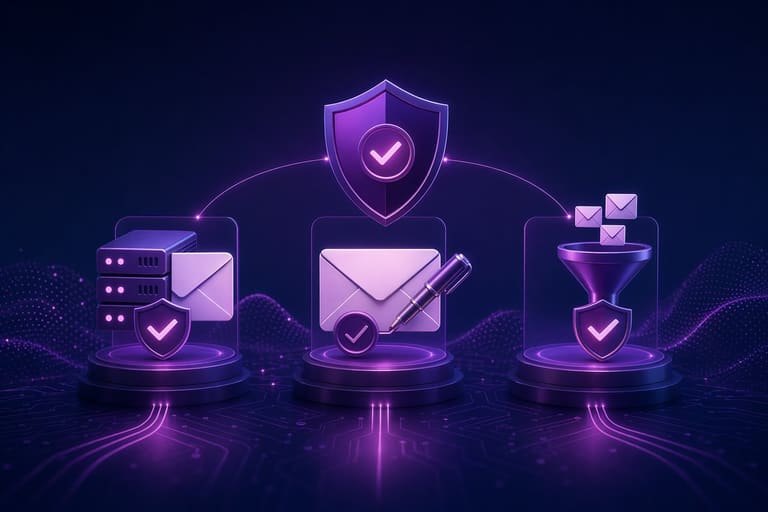
SPF, DKIM, and DMARC are email authentication methods, each addressing different aspects of email security and serving different functions. These three protocols work together to help prevent email spoofing and protect brand reputation. Proper configuration of all three is of great importance in email authentication processes.
SPF (Sender Policy Framework) specifies which mail servers are authorized to send email on behalf of a domain. The receiving server checks the SPF record to verify whether the sender is authorized. If the sender is not authorized, the email may be rejected or marked as spam. SPF primarily verifies the IP address of the sending server.
- SPF (Sender Policy Framework): Ensures the sending server is authorized.
- DKIM (DomainKeys Identified Mail): Preserves the integrity of the email's content and verifies the sender's identity.
- DMARC (Domain-based Message Authentication, Reporting & Conformance): Determines what action to take based on SPF and DKIM results, and provides reporting.
- Authentication: All three protocols are an important part of the email authentication process.
- Email Security: Using all three protocols together significantly increases email security.
DKIM (DomainKeys Identified Mail), on the other hand, uses digital signatures to verify the integrity and origin of the email's content. The sending server adds a digital signature to the email, and the receiving server verifies this signature to ensure the email was not altered in transit and that it genuinely came from the stated domain. DKIM prevents the modification of email content.
DMARC (Domain-based Message Authentication, Reporting & Conformance) is a policy that determines what action to take based on SPF and DKIM results. DMARC gives domain owners the ability to specify how emails that fail SPF and DKIM checks should be handled (for example, reject, quarantine, or deliver). Additionally, thanks to DMARC's reporting feature, domain owners can monitor authentication results and detect potential abuse. A properly configured DMARC record is critically important for your email security.
How Do I Implement Email Authentication?
Implementing email authentication processes may seem complex at first, but by following the right steps and using the appropriate tools, you can complete this process successfully. First, you need to decide which authentication methods (SPF, DKIM, and DMARC) you will use. This decision will depend on the requirements of your email infrastructure and your security goals. You will then need to make the necessary technical adjustments for each method.
An important point to pay attention to during the implementation process is correct configuration. An incorrectly configured SPF record can cause even legitimate emails to be marked as spam. Similarly, a faulty DKIM signature can lead to your emails being rejected by recipient servers. For this reason, it is important to be careful at every step and to regularly check your configurations.
| Authentication Method | Description | Implementation Steps |
|---|---|---|
| SPF (Sender Policy Framework) | Verifies that the email was sent from an authorized server. | Adding an SPF record to your DNS record, specifying authorized IP addresses. |
| DKIM (DomainKeys Identified Mail) | Verifies that the email's content has not been altered and confirms the sender's identity. | Generating a DKIM key, adding it to your DNS record, configuring the email server. |
| DMARC (Domain-based Message Authentication, Reporting & Conformance) | Determines how emails are handled based on SPF and DKIM results. | Creating a DMARC record, adding it to your DNS record, setting the policy (none, quarantine, reject). |
| Additional Tips | Tips to improve your processes. | Regularly checking records, monitoring reports, following updates. |
Below you can find a list of how to implement these processes step by step. These steps serve as a general guide and can be adapted to your own infrastructure and needs. Remember that email authentication is an ongoing process and needs to be regularly monitored and updated.
- Implementation Steps
- Create your SPF record and add it to your DNS server.
- Generate your DKIM key pair and add the public key to your DNS record.
- Configure your email server to use the DKIM signature.
- Create your DMARC record and add it to your DNS server. Use the none policy initially.
- Regularly monitor and analyze DMARC reports.
- Update your DMARC policy to quarantine or reject based on reports.
- Regularly check and update your email authentication settings.
After completing these processes, you will have significantly increased the security of your email communications. However, it is always important to be prepared for potential issues and to be able to produce quick solutions.
Implementation Errors and Solutions
Mistakes made in email authentication processes can lead to serious consequences. For example, an incorrectly configured SPF record can cause your emails to be marked as spam. Failing to configure the DKIM signature correctly can lead to emails being rejected by recipient servers. An incorrectly configured DMARC policy can result in both legitimate emails being blocked and malicious emails getting through. To prevent such errors, you should carefully check your configurations and regularly test them.
Email authentication is an ongoing process and needs to be regularly monitored and updated.
Best Practices for Email Security
Email security is critically important for businesses and individuals in today's digital world. Properly implementing email authentication methods such as SPF, DKIM, and DMARC creates an important defense mechanism against threats that may come via email. In this section, we will examine in detail the best practices you can apply to enhance your email security.
| Best Practice | Description | Importance |
|---|---|---|
| Use Strong Passwords | Create complex, hard-to-guess passwords. | Forms the foundation of account security. |
| Two-Factor Authentication (2FA) | Enable 2FA for your email account. | Provides an additional layer of security. |
| Be Careful with Suspicious Links | Do not click on links from sources you do not recognize. | Protects against phishing attacks. |
| Keep Your Email Client Up to Date | Use the latest versions of your email client and operating system. | Closes security vulnerabilities. |
To maintain your email security, you should regularly check and update your SPF, DKIM, and DMARC records. Incorrectly configured or outdated records can expose your email system to security vulnerabilities. It is also important to take the necessary measures to secure your email sending infrastructure. For example, you can use firewalls and access control lists (ACLs) to prevent unauthorized access to your email servers.
Security Tips
- Regularly check and update your SPF, DKIM, and DMARC records.
- Be vigilant about suspicious emails and do not click on links from unknown senders.
- Use a strong and unique password for your email account.
- Add an extra layer of security by enabling the two-factor authentication (2FA) feature.
- Always keep your email client and operating system up to date.
- Use firewalls to prevent unauthorized access to your email servers.
Educating your users about email security is also of great importance. By organizing regular security training sessions, you can inform your employees about phishing attacks, malware, and other email-based threats. These training sessions can help users recognize suspicious emails and respond appropriately.
Remember, email authentication is not just a technical solution — it is also an ongoing process. Since threats are constantly evolving, you must also continuously review and update your security measures. This way, you can ensure the security of your email communications and protect yourself from potential harm.
Advantages and Disadvantages of Email Authentication
Implementing email authentication methods (SPF, DKIM, and DMARC) has both significant advantages and some disadvantages. These mechanisms play a critical role in improving email security and preventing phishing attacks and other malicious activities. However, the complexity of these systems and the potential for misconfiguration can also introduce certain challenges. It is important for businesses to carefully evaluate these advantages and disadvantages when shaping their email security strategies.
- Advantages:
- Enhanced Email Security: Provides protection against phishing and malware attacks.
- Reputation Management: Protects and enhances the reputation of the email-sending domain.
- Increased Deliverability Rates: Reduces the likelihood of emails being marked as spam and ensures they reach recipients.
- Brand Protection: Prevents the misuse of the brand's identity.
- Compliance: Required in some industries to comply with legal regulations.
- Disadvantages:
- Complexity: The setup and configuration process requires technical knowledge.
- Risk of Misconfiguration: Incorrect configurations can lead to email delivery issues.
- Ongoing Maintenance Requirement: DNS records and policies need to be regularly updated.
- Cost: In some cases, particularly with complex infrastructures, it may lead to additional costs.
One of the greatest advantages of email authentication is that it significantly increases email security. Technologies such as SPF, DKIM, and DMARC verify whether sent emails genuinely originate from the source they claim to represent. This is a critical step in preventing phishing attacks and email spoofing. Such attacks can cause serious financial losses and reputational damage for both individuals and organizations. Email authentication increases the trust of recipients and ensures the reliability of email communications.
| Feature | Advantages | Disadvantages |
|---|---|---|
| SPF | Verifies sender IP addresses, simple setup. | Only checks the sender’s IP, may have forwarding issues. |
| DKIM | Ensures email integrity, uses encryption. | Managing DNS records can be complex. |
| DMARC | Sets policy based on SPF and DKIM results, provides reporting. | Requires correct configuration of SPF and DKIM. |
| General | Prevents phishing attacks, protects brand reputation. | Complex setup, requires ongoing maintenance. |
However, implementing these technologies also has some disadvantages. In particular, correctly configuring and managing SPF, DKIM, and DMARC may require technical expertise. Misconfigurations can prevent emails from reaching recipients or cause them to be marked as spam. This can pose a significant problem especially for organizations with large and complex email infrastructures. For this reason, it is important to seek expert support for the setup and maintenance of email authentication systems.
Email authentication methods are an important tool for enhancing email security and protecting brand reputation. Their advantages far outweigh their disadvantages. However, for these technologies to be successfully implemented, careful planning, correct configuration, and ongoing maintenance are required. Businesses should develop and implement their email security strategies with these factors in mind.
Conclusion and Action Steps
SPF, DKIM, and DMARC — email authentication methods — are critically important for securing email communications and protecting against cyberattacks. These technologies allow email senders to verify their identities, helping recipients detect fake or malicious emails. This way, phishing attacks, spam, and other email-based threats can be prevented.
Properly configuring SPF, DKIM, and DMARC improves email deliverability rates and protects brand reputation. Email service providers (ESPs) consider authenticated emails more trustworthy, reducing the likelihood of these emails ending up in the spam folder. This ensures that marketing campaigns and important communications reach their target audience.
| Authentication Method | Description | Benefits |
|---|---|---|
| SPF | Authorization of sending servers | Prevents email spoofing, improves deliverability |
| DKIM | Adding digital signatures to emails | Ensures email integrity, strengthens authentication |
| DMARC | Setting policy based on SPF and DKIM results | Maximizes email security, provides reporting |
| General | Applying all three methods together | Comprehensive email security, enhanced reputation |
To enhance your email security and become more resilient against cyber threats, you can follow the steps below. These steps will help you correctly implement email authentication processes and continuously improve them. Remember that email security is an ongoing process and needs to be regularly updated.
Quick Implementation Steps
- Create your SPF record and add it to your DNS: Identify your authorized email sending servers.
- Enable DKIM signing: Add digital signatures to your emails.
- Define your DMARC policy: Specify what should happen when SPF and DKIM fail (none, quarantine, reject).
- Enable DMARC reporting: Monitor and analyze your email authentication results.
- Gradually tighten your policy: Update the DMARC policy you initially set to none, changing it to quarantine and then reject based on your monitoring results.
- Regularly audit your email sending infrastructure: Make sure your authorized servers and services are up to date.
Email authentication is not just a technical requirement — it is also the foundation of protecting your brand reputation and establishing trustworthy communication with your customers. By implementing these steps, you can significantly strengthen your email security and maintain a safer presence in the digital world.
Frequently Asked Questions
Why is email authentication important, and why should businesses invest in it?
Email authentication protects your brand reputation by preventing email spoofing and phishing attacks, increases recipient trust, and reduces the likelihood of your emails landing in the spam folder. For businesses, this means better email deliverability, increased customer engagement, and a stronger defense against data breaches.
What should I pay attention to when creating an SPF record? What problems can an incorrect SPF record cause?
When creating an SPF record, make sure you correctly include all email sending sources you have authorized (servers, third-party services, etc.). An incorrect SPF record can cause your legitimate emails to be rejected or flagged as spam. Also, ensure that your SPF records comply with syntax rules and do not exceed the 10 'lookup' limit.
When implementing DKIM, how often should key rotation be performed, and what are the best practices for this?
DKIM key rotation is critical for security. The best practice is to rotate keys at least once a year, ideally every 3–6 months. During rotation, make sure the new key is working properly before disabling the old one, and verify that your DNS records have been updated.
My DMARC policy can be set to 'none', 'quarantine', or 'reject'. What are the differences between these options, and when should each be used?
The DMARC policy determines what happens to emails that fail email authentication. The 'none' policy only generates reports, the 'quarantine' policy sends emails to the spam folder, and the 'reject' policy completely rejects emails. For beginners, it is best to start with the 'none' policy, review the reports to identify issues, and then gradually move to stricter policies.
If errors occur during the email authentication process, how can I detect and correct them?
You can detect email authentication errors by regularly reviewing your DMARC reports. Reports provide information about emails that fail SPF and DKIM verification. You can use this information to fix misconfigurations, check your DNS records, and make the necessary adjustments. Additionally, email authentication tools can help you identify errors.
How does the combined use of SPF, DKIM, and DMARC create a synergy? What shortcomings can arise when they are used individually?
SPF, DKIM, and DMARC work together to create a comprehensive security layer in the email authentication process. SPF verifies that an email comes from an authorized server, DKIM ensures the integrity of the message, and DMARC determines what action to take based on the SPF and DKIM results. When used individually, each one closes different gaps but does not provide complete protection. For example, SPF alone does not prevent the content of an email from being altered.
After implementing the email authentication process, how can I measure its performance and which metrics should I track for improvements?
To measure email authentication performance, you should track DMARC reports, email deliverability rates, and spam complaints. DMARC reports show authentication failures and potential issues. Deliverability rates show whether your emails are reaching the inbox, and spam complaints show whether your emails are being marked as spam by recipients. By monitoring these metrics, you can identify areas for improvement.
How does email authentication relate to GDPR and other data privacy regulations, and what should be considered in this regard?
Email authentication helps you comply with data privacy regulations such as GDPR because it contributes to protecting personal data by preventing email spoofing and phishing attacks. Considerations include ensuring the security of personal data collected and processed via email, taking measures against data breaches, and providing transparent information to data subjects. It is also important to comply with data privacy principles when processing DMARC reports.
Learn more: Learn more about Email Authentication