 Afrikaans
 Azərbaycan
 Bosanski
 Čeština
 Dansk
Dansk Deutsch
 English
 Español
 Filipino
 Français
 Hrvatski
 Indonesia
 Italiano
 Magyar
 Melayu
 Nederlands
 Norsk
Norsk Oʻzbek
 Polski
 Português
 Română
 Slovenčina
 Slovenščina
 Suomi
Suomi Svenska
 Tiếng Việt
 Türkçe
 Ελληνικά
 Беларуская
 Български
 Русский
 Српски
 Українська
 עברית
עברית اردو
اردو العربية
 پښتو
پښتو فارسی
فارسی አማርኛ
አማርኛ मराठी
मराठी বাংলা
বাংলা தமிழ்
தமிழ் ไทย
ไทย မြန်မာ
 한국어
한국어 中文
中文 日本語
日本語

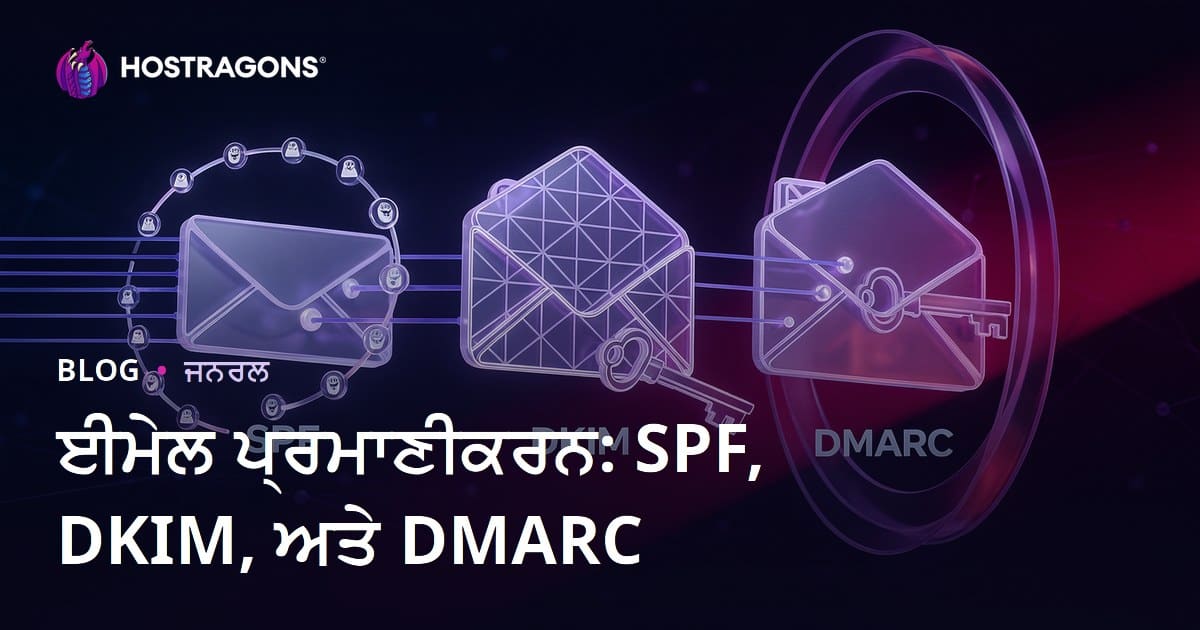
ਅੱਜਕਲ ਦੇ ਡਿਜਿਟਲ ਜ਼ਮਾਨੇ ’ਚ ਈ-ਮੇਲ ਦੀ ਸੁਰੱਖਿਆ ਸਭ ਤੋਂ ਅਹੰਕਾਰਯੋਗ ਹੈ। ਅਕਸਰ ਫਿਸ਼ਿੰਗ, ਧੋਖਾਧੜੀ ਤੇ ਸਪੈਮ ਜਾਂ ਹੋਰ ਸਾਇਬਰ ਹਮਲੇ ਈ-ਮੇਲ ਰਾਹੀਂ ਹੋਦੇ ਹਨ। ਇਨ੍ਹਾਂ ਹਮਲਿਆਂ ਤੋਂ ਰੱਖਿਆ ਲਈ ਈ-ਮੇਲ ਪਛਾਣ ਪ੍ਰਮਾਣੀਕਰਨ–SPF, DKIM ਅਤੇ DMARC ਜਿਹੇ ਨਵੇਂ ਟੈਕਨੋਲੋਜੀ–ਨਿਰੀਖਣ ਤੇ ਐਕਸ਼ਨ ਲਈ ਵਰਤਦੇ ਹਨ। ਇਹ ਪ੍ਰੋਟੋਕੋਲਸ ਇਹ ਵਠ ਉਚਾਇਤ ਕਰਦੇ ਹਨ ਕਿ ਤੁਸੀਂ ਭੇਜੀ ਈ-ਮੇਲ ਵਾਪਰਤ ਸੱਚੀ ਹੈ ਜਾਂ ਨਹੀਂ। SPF ਭੇਜਣ ਵਾਲੇ ਸਰਵਰ ਦੀ ਪਰਪੱਤ ਜਾਂ ਤਸਦੀਕ ਕਰਦਾ ਹੈ, DKIM ਈ-ਮੇਲ ਦੀ ਅਸਲਯਤ ਤੇ Integrity ਨਿਸ਼ਚਿਤ ਕਰਦਾ ਹੈ, DMARC ਪੂਰੇ ਪ੍ਰਮਾਣੀਕਰਨ ਨਤੀਜੇ ਆਧਾਰ ‘ਤੇ ਪਾਬੰਦੀ ਲਗਾਉਂਦਾ ਤੇ ਰਿਪੋਰਟਿੰਗ ਪੇਸ਼ ਕਰਦਾ ਹੈ।
ਈ-ਮੇਲ ਪਛਾਣ ਪ੍ਰਮਾਣੀਕਰਨ ਕੀ ਹੈ?
ਈ-ਮੇਲ ਪਛਾਣ ਪ੍ਰਮਾਣੀਕਰਨ ਅਸਲ ਵਿੱਚ ਇਸ ਲਈ ਹੈ ਕਿ ਭੇਜੀ ਈ-ਮੇਲ ਜੋ ਸੋਚੀ ਜਾਂਦੀ ਉੱਥੀ ਹੀ ਭੇਜੀ ਗਈ ਹੈ, ਇਹ ਯਕੀਨੀ ਬਣਾਏ। ਇਹ ਘੱਲ ਓਹਲੇ ਈ-ਮੇਲ ਨਾਲ ਵਾਪਰਦੇ ਧੋਖੇ, ਫਿਸ਼ਿੰਗ ਤੇ ਸਪੈਮ ਨੁੰ ਰੋਕਣ ਵਿਚ ਪਾਵਦਾ ਹੈ। ਏਸ ਵਿਚ ਜ਼ਮੀਨੀ ਤੌਰ ’ਤੇ ਉੰਨਤ ਤਕਨੀਕਾਂ ਵਰਤਦੀਆਂ ਹਨ ਜੋ ਡੋਮੇਨ ਅਧਿਕਾਰਤ ਭੇਜਣ ਵਾਲਿਆਂ ਦੀ ਜਾਂਚ ਕਰਦੀਆਂ ਹਨ। ਇਹ ਸੰਚਾਲਕ (ਸਰਵਰ) ਨੂੰ ਪਹਿਲਾਂ ਹੀ ਚੇਤਾਵਨੀ ਦਿੰਦੇ ਹਨ ਕਿ ਇਹ ਈ-ਮੇਲ ਮਾਮੂਲੀ-ਸਿਰ ਨਹੀਂ, ਬਲਕਿ ਯਕੀਨਨ ਉੱਚੀ ਅਸਲਤ ਵਾਲੀ ਹੈ।
ਜਿਵੇਂ ਕਿ ਈ-ਮੇਲ ਸਾਫਟਵੇਅਰਾਂ ਤੇ ਆਪਸ ਵਿਚ ਸੁਰੱਖਿਆ ਹੋਰ ਜ਼ਰੂਰੀ ਹਾਂ, ਈ-ਮੇਲ ਨਾਲ ਵਧ ਰਹੀਆਂ ਫਿਸ਼ਿੰਗ-ਧੋਖਾ ਤੇ ਹਮਲਿਆਂ ਨੇ ਇਹਨਾਂ ਤਰੀਕਿਆਂ ਨੂੰ ਇਤਨਾ ਜ਼ਰੂਰੀ ਕਰ ਦਿੱਤਾ ਹੈ ਕਿ – ਈ-ਮੇਲ ਪ੍ਰਮਾਣੀਕਰਨ ਨਾ ਹੋਏ ਤਾਂ ਦੌਲਤ, ਵਿਅਕਤੀਗਤ ਡੇਟਾ ਲੱਭਣ ਜਾਣਾਏ ਨੂੰ ਰੋਕਿਆ ਨਹੀਂ ਜਾ ਸਕਦਾ।
- Sender Policy Framework (SPF)
- DomainKeys Identified Mail (DKIM)
- Domain-based Message Authentication, Reporting and Conformance (DMARC)
- TLS ਏਨਕ੍ਰਿਪਸ਼ਨ
- Sender Identity
SPF, DKIM ਤੇ DMARC–ਇਹ ਤਿੰਨ ਮੁੱਖ ਤਕਨੀਕਾਂ ਹਨ, ਜਿਨ੍ਹਾਂ ਨਾਲ ਭੇਜੀ ਈ-ਮੇਲ ਪਛਾਣ ਯਕੀਨੀ ਬਣਾਈ ਜਾਂਦੀ। SPF ਭੇਜਣ ਵਾਲੇ ਸਰਵਰ ਦੀ ਜਾਂਚ ਕਰਦਾ ਹੈ, DKIM ਈ-ਮੇਲ ਦਾ ਮੈਸੇਜ ਤੇ ਡਿਟੇਲਸ ਚੇਕ ਕਰਦਾ ਹੈ, DMARC ਵੱਡੀ ਨਵੀਨਤਾ ਨਾਲ ਨਤੀਜਿਆਂ ਦੇ ਆਧਾਰ ’ਤੇ ਨਜ਼ਰ ਰਖਦਾ ਤੇ ਰਿਪੋਰਟ ਵੀ ਕਰਦਾ। ਇਹਨਾਂ ਨੂੰ ਇਕੱਠੇ ਲਾਗੂ ਕਰਕੇ, ਈ-ਮੇਲ ਸੁਰੱਖਿਆ ’ਚ ਕਵੀ ਚੁੱਕੀ ਗਈ ਈ-ਮੇਲ ਨੂੰ ਛਾਨ-ਬੀਨ ਕਰਨਾ ਅਸਾਨ ਹੋ ਜਾਂਦਾ।
| ਪਛਾਣ ਪ੍ਰਮਾਣੀਕਰਨ ਵਿਧੀ | ਵਰਣਨ | ਉਦੇਸ਼ |
|---|---|---|
| SPF (ਭੇਜਣ ਵਾਲੇ ਨੀਤੀ ਢਾਂਚਾ) | ਭੇਜਣ ਵਾਲੇ ਸਰਵਰ ਦੀ ਜਾਂਚ ਤੇ ਯਕੀਨ | ਸਾਹਤਿਆਂ (spoofing) ਨੂੰ ਰੋਕਣਾ |
| DKIM (ਡੋਮੇਨਕੀਜ਼ ਪਛਾਣੀ ਗਈ ਮੇਲ) | ਈ-ਮੇਲ ਦੀ ਅਸਲਤ ਤੇ Integrity | ਭੇਜੀ ਗਈ ਈ-ਮੇਲ ਚੇਕ ਕਰਨਾ |
| ਡੀਐਮਏਆਰਸੀ | SPF ਤੇ DKIM ਨਤੀਜਿਆਂ ਆਧਾਰ ’ਤੇ ਅਮਲ ਕਰਨਾ | ਸੁਰੱਖਿਆ ਤੇ ਰਿਪੋਰਟਿੰਗ |
| TLS | ਈ-ਮੇਲ ਲੰਖਣ ਨੂੰ ਏਨਕ੍ਰਿਪਟ ਕਰਨਾ | ਚਿੱਠੀ ਦੀ ਪਰਪੱਤ ਤੇ ਆਤਮ-ਸੁਰੱਖਿਆ |
ਈ-ਮੇਲ ਪਛਾਣ ਪ੍ਰਮਾਣੀਕਰਨ ਵਧੇਰੇ ਅਸਰਦਾਰ ਹੋ ਜਾਂਦਾ ਜਦੋਂ ਤਿੰਨੋ—SPF, DKIM, DMARC—ਠੀਕ ਢੰਗ ਨਾਲ ਕੰਮ ਕਰਦੇ ਹਨ। ਇਹ ਨਵਾਂ ਸਟੈਂਡਰਡ ਪੈਦਾ ਕਰਦੇ ਹਨ, ਜਿਸ ਨਾਲ both ਭੇਜਣ ਵਾਲੇ ਤੇ ਲੈਣ ਵਾਲੇ ਯਕੀਨੀ ਤੌਰ ’ਤੇ ਸੁਖੀ ਹਾਂ। ਇਸ ਲਈ, ਹਰ ਵਿਅਕਤੀ, ਕੰਪਨੀ ਤੇ ਸੰਸਥਾ ਲਈ ਐਸੇ ਪ੍ਰਮਾਣੀਕਰਨ ਨੂੰ ਲਾਗੂ ਕਰਕੇ ਪਾਬੰਦੀ ਪੁੰਚਾਉਣੀ ਜ਼ਰੂਰੀ ਹੈ।
SPF ਕੀ ਹੈ ਤੇ ਕਿਵੇਂ ਕੰਮ ਕਰਦਾ?
SPF (ਭੇਜਣ ਵਾਲੇ ਨੀਤੀ ਢਾਂਚਾ) ਈ-ਮੇਲ ਪਛਾਣ ਪ੍ਰਮਾਣੀਕਰਨ ਦਾ ਪਹਿਲਾ ਅਮਲ ਹੈ; ਇਹ DNS ਰਾਹੀਂ ਦੇਖਦਾ ਹੈ ਕਿ ਲੇਖਕ-ਡੋਮੇਨ ਦੇ ਵੱਲੋਂ ਭੇਜਣ ਵਾਲੇ IP ਖਾਸ/ਸਰਵਰ ਯਥਾਰਥ (Authentic) ਹਨ ਜਾਂ ਸਿਰਫ਼ spoofing। SPF ਤਰੀਕੇ ਨਾਲ ਹਰ IP ਜਾਂ hostname ਜੋ ਉੱਕਾ-ਡੋਮੇਨ ਤੋਂ ਈ-ਮੇਲ ਭੇਜ ਸਕਦਾ, ਨਿਸ਼ਚਿਤ ਕੀਤਾ ਜਾਂਦਾ।
SPF TXT ਰਿਕਾਰਡ DNS ’ਚ ਜੁੜਦਾ। ਉਹ ਹਰ IP–server, app ਜਾਂ email provider–ਜੋ ਤੁਸੀਂ ਯਥਾਰਥ ਦੋ, ਲਿਸਟ ਕਰਦੇ। ਜਦੋਂ ਕੋਈ ਵਿਕਲਪਕ ਈ-ਮੇਲ ਲੈਂਦਾ, SPF ਉਸ IP ਨੂੰ ਤੁਸੀਂ ਦਿਤੀ ਲਿਸਟ ’ਚ ਮੈਚ ਕਰੇਗਾ। ਨਮੈਚ ਕਰੇ ਤਾਂ ਈ-ਮੇਲ “failed” ਜਾਂ “rejected” ਹੋ ਸਕਦੀ।
| SPF record mechanism | ਵਰਣਨ | Example |
|---|---|---|
a |
A record IP address ਦੀ ਜ਼ਿਕਰ | a:example.com |
mx |
MX record IP address | mx:example.com |
ip4 |
Direct ਇੰਟਰਨੈੱਟ IP4 | ip4:192.0.2.0/24 |
include |
ਹੋਰ SPF ਤਰੀਕਾ | include:_spf.example.com |
SPF ਅਜੋਕੇ ਈ-ਮੇਲ ਹਮਲਿਆਂ ਲਈ ਗੱਡੀ ਅੰਕੜਾ, ਪਰ ਇਹ ਸਰਵਤ ਨਹੀਂ! DKIM, DMARC ਜਿਨ੍ਹਾਂ ਨਾਲ ਪ੍ਰਮਾਣੀਕਰਨ ਤੇ Integrity ਵਿਭਾਗ ਚੁੱਕੀ ਜਾਈ, ਇੱਕਲੇ SPF ਦੀ ਵਿਦੀ ਵੀ ਜਾਂਚੀ ਜਾਵੇ–ਹਮੇਸਾ DKIM ਤੇ DMARC ਨਾਲ ਮਿਲਾਇਤ ਕਰਕੇ ਪੈਦਾ ਕਰੋ।
SPF ਦੇ ਫਾਇਦੇ
SPF–ਠੀਕ ਲਾਗੂ ਹੋਣ ਤੇ– spoofing-ਤੋਂ ਰੱਖਿਆ ਕਰਦਾ, ਪਾਈ-ਆਪਣੀ ਇਤਬਾਰ ਨੂੰ ਬਚਾਂਦਾ ਤੇ ਲੋੜੀਂਦੇ ਲੋਕਾਂ ਨੂੰ safe email inbox ਮੁਹੱਈਆ ਕਰਦਾ। ਇੰਨਾਲ ਈ-ਮੇਲ ਦਾਖਲਾ deliverability ਵੀ ਵੱਧਦਾ, ਕਿਉਂਕਿ legitimate emails spam filter 'ਚ ਫੱਦੀ ਨਹੀਂ ਜਾਂਦੀ।
SPF ਲਾਗੂ ਕਰਨ ਤੇ ਧਿਰ
- ਅਪਣਾ ਡੋਮੇਨ ਤੇ legitimate email ਭੇਜਣ ਵਾਲੇ ਸਰਵਰ IP ਜਾਂ ਐਡਰੈਸ ਮੈਪ ਕਰੋ।
- DNS Management Console ’ਚ ਜਾਓ।
- TXT record ਜੋੜੋ।
- TXT value ’ਚ SPF ਲਿਖੋ (
v=spf1 ip4:192.0.2.0/24 include:_spf.example.com -all). - Save ਤੇ DNS update ਦੀ ਉਡੀਕ ਕਰੋ।
- SPF Checker ਨੂੰ ਵਰਤਕੇ verify ਕਰੋ।
SPF ਦੇ ਊਣ-ਪਾਸੇ
SPF ਚ ਉਦਾਖੜੇ ਵੀ ਹਨ: ਜੇ mail forwarding ਹੋਵੇ, SPF ਕਈ ਵਾਰ invalidate ਹੋ ਜਾਂਦਾ। ਕੋਈ DNS record ਗਲਤ ਬਣਿਆ ਤਾਂ, legit ਈ-ਮੇਲ ਵੀ spam ’ਚ ਚਲੇ ਜਾਂਦੇ ਹਨ। DNS records time to time update ਨਾ ਹੋਣ ਤਾਂ ਚਿੱਠੀ ਦਾਖਲਾ ਹਮੇਸਾ fail ਹੋ ਸਕਦੀ। ਇਸਲਈ, SPF ਦੇ records ਨੁੰ ਪਰਖੋ, latest updates ਨਾਲ ਜਾਂਚੋ, implement ਕਰਦੇ ਨਿਬੇੜ-ਧੀਰਜ ਚਲਾਓ।
DKIM ਦੀਆਂ ਖਾਸੀਅਤਾਂ ਤੇ ਕੰਮ ਕਰਨ ਕਰੀਵੀਆਂ
DKIM (ਡੋਮੇਨਕੀਜ਼ ਪਛਾਣੀ ਗਈ ਮੇਲ) ਈ-ਮੇਲ ਪਛਾਣ verified ਪਾਸ ਕੀਤਾ ਨਵਾਂ ਜ਼ਰੀਆ ਹੈ। ਇਹ ਦੇਖਦਾ ਹੈ ਕਿ mail ਸਚ-ਡੋਮੇਨ ਤੋਂ ਆਏ ਤੇ transportation ’ਚ ਮੈਸੇਜ change ਨਾ ਹੋਵੇ। DKIM ਵਿੱਚ cryptography mechanism ਹੈ: outgoing email ’ਤੇ digital signature ਲਾਓ; recipient email server DNS ’ਚੋਂ public key ਲਵੇਗਾ ਤੇ message signature verify ਕਰਵੇਗਾ।
DKIM ਲਈ ਦੁਇ key-ਪੈਰ ਬਣਦੇ ਹਨ: private-key (sender ਦੇ email server ’ਤੇ), public-key (DNS record ’ਚ)। ਜਦੋਂ ਈ-ਮੇਲ ਜਾਵੇ, sender private-key ਨਾਲ digitally sign ਕਰੇ। Recipient server DNS ’ਤੇ ਆ public-key ਲੱਭੇ ਤੇ authenticity check ਕਰੇ। ਇਸ ਕਰਕੇ ਈ-ਮੇਲ integrity is ensured, spoofing/bad-attacks greatly reduced.
| Step | ਵਰਣਨ | ਕੋਣ ਕਰਦਾ |
|---|---|---|
| 1 | ਈ-ਮੇਲ ਤਿਆਰ ਹੋ ਕੇ ਭੇਜਣ ਵਾਲੇ ਸੂਪ ਸ਼ੁਰੂ | Sender Server |
| 2 | Private-Key ਨਾਲ message sign | Sender Server |
| 3 | Digital signature ਦੇ email ਭੇਜਾ | Sender Server |
| 4 | Recipient DNS ‘ਚੋਂ public-key ਲੱਭੇ | Recipient Server |
| 5 | Signature ਨੂੰ public-key ਨਾਲ verify ਕਰ ਸਕਦੇ | Recipient Server |
| 6 | ਚਿੱਠੀ authentic ਆ, trust ਦੀ ਪੁਸ਼ਟੀ | Recipient Server |
DKIM ਦਾ ਪ੍ਰਮਾਣੀਕਰਨ emails ਦੀ delivery-rate ਵਧਾਉਂਦਾ, sender ਦੀ respect increase ਕਰਦਾ। ਪਰ, misconfiguration spam/failed mails ਨੂੰ trigger ਕਰ ਸਕਦਾ। Always DKIM records ਦੀ configuration ਨੂੰ test, update, and monitor ਕਰੋ। SPF, DMARC ਵਿਧੀਆਂ ਨਾਲ ਮਿਲਾ ਕੇ ਈ-ਮੇਲ ਸੁਰੱਖਿਆ ਦੇ standard ਸੈੱਟ ਕਰੋ।
- Integrity—mail intact
- Sender identity confirmed
- Spoofing ਘੱਟ
- Delivery-rate up
- Reputation better
- Spam-filter bypassed
DKIM ਸਹੀ ਲਾਗੂ ਕਰਕੇ, email trust create ਹੋ ਜਾਂਦੀ, sender-also recipient ਦੁਹਾਂ safe ਹੁੰਦੇ। DKIM ਮੂਲ ਤਰੀਕੇ ਹੇਠ ਦਿੱਤੇ ਹਨ:
DKIM ਲਾਗੂ ਕਰਨੀਆਂ ਤਰੀਕਾਂ
DKIM ਲਾਗੂ ਕਰਨ ਲਈ ਕਈ steps: ਇੱਕ key-pair (private, public) ਬਣਾਓ, private-key securely email server ’ਤੇ ਰੱਖੋ, public-key DNS (TXT record) ’ਚ publish ਕਰੋ। Control-panel (GoDaddy, Cloudflare etc.) ਰਾਹੀਂ kar sakde ho। ਨਵੇਂ DKIM record DNS ’ਚਸ਼ੋਰੋ, DKIM policy ਵੀ add ਕਰੋ।
DKIM–ਆਮ ਕੀਮਤੀ, spoofing-attack ਤੋਂ ਪੁਸ਼ਟੀ ਤੇ ਰੱਖਿਆ– email security ਲਈ best choice ਹੈ!
DMARC ਕੀ ਹੈ ਤੇ ਕਿਉਂ ਵਧੀਆ ਹੈ?
DMARC (Domain-based Message Authentication, Reporting & Conformance) ਈ-ਮੇਲ ਪਛਾਣ verified authentication ਨਵੀ ਉੱਤਰੀ layer ਹੈ। SPF/DKIM ਦੇ ਉੱਪਰ DMARC policy DNS ’ਚ ਐਡ ਕਰੋ; DMARC ਰਾਹੀਂ email server ਨੂੰ ਨਿਰਦੇਸ਼ ਮੁੱਲਦੇ ਕਿ invalid mails ਦੇ ਨਾਲ ਕੀ ਕਰਨਾ (reject/quarantine/none)।
DMARC ਤੋਂ ਅੱਗੇ mail senders ਨੂੰ email traffic, authentication outcome, spoofing-risk ਦੀ detail feedback ਮਿਲਦੀ। DMARC policy “none”, “quarantine” ਜਾਂ “reject”—custom ਕਰਦੇ। Brand protection, user safety, email delivery–DMARC all-rounder tool!
| DMARC Policy | ਵਰਣਨ | Outcome |
|---|---|---|
| None | ਕੋਈ rejection/quarantine ਨਹੀਂ, report-only | Email inbox ਵਿਚ ਤੁਰਦੇ, sender ਨੂੰ feedback |
| Quarantine | Invalid mails spam/quarantine-ਸਕੇ | Risky mail inbox reach nahi |
| Reject | Invalid mails full reject | Brand spoofing-blocked |
| Policy | DMARC record ’ਚ define | Mail server policy follow |
DMARC email senders ਨੂੰ traffic-ਆਧਾਰ feedback, Authentication results, spoofing alerts ਪ੍ਰਦਾਨ ਕਰਦਾ। ਇਹੇ detail analysis, frauds ਅਤੇ open loopholes search/repair ਕਰਨ ਲਈ helpfull ਹੈ। Secure email ecosystem DMARC ਨਾਲ ਸੁਧਾਰੋ।
- Email phishing ਸਰਬਥ ਰੋਕ
- Brand safety
- Deliverability ਵਧਾਓ
- Complete feedback, analytics
- User trust ਹਰ mail
- Spoofing ਘੱਟ
DMARC, ਈ-ਮੇਲ ਪਛਾਣ verified authentication ’ਚ game-changer ਹੈ। SPF, DKIM ਨਾਲ ਮੀਲ ਕੇ, brand-identity/communication reliability boost ਕਰਦਾ।
ਈ-ਮੇਲ ਪਛਾਣ ਪ੍ਰਮਾਣੀਕਰਨ ਪ੍ਰੋਸੀਜਰ
ਈ-ਮੇਲ ਪਛਾਣ verified authentication ਇੱਕ protocol-set ਹੈ, ਜੋ mail ਦੀ authenticity check/ensure ਕਰਦਾ। Spoofing, phishing, spamming ਨਾਲ ਲੜਨ ਲਈ, SPF, DKIM, DMARC mail-origin, content-integrity, reject/quarantine behavior–define ਕਰਦੇ। Brand identity, user trust, mail security ’ਚ ਨਵਾ standard ਲਿਆਉਂਦੇ।
ਹੇਠ ਤਕਨੀਕ ਤੁਹਾਡੀ mail security ’ਚ ਪੂਰਾ ਸਹਿਕਾਰੀ system ਬਣਾਉਂਦੇ:
| ਤਕਨਾਲੋਜੀ | ਵਰਣਨ | Function |
|---|---|---|
| SPF | Authorized senders published list | Sender authenticity check |
| DKIM | Email digital signature | Content-integrity, sender verified |
| ਡੀਐਮਏਆਰਸੀ | SPF/DKIM outcome behaviour | Reject/quarantine, reporting |
| TLS | Server-Server encrypted communication | Transmission encryption |
Mail authentication only configuration. Regular monitoring/reporting mandatory. DMARC reports path ahead mail security, optimization, fraud-detection, policy fine-tuning ਲਈ ਅਸਲ ਹਥਿਆਰ ਹਨ।
ਈ-ਮੇਲ ਪਛਾਣ verified authentication steps
- SPF: authorized mail server define/dns publish
- DKIM: outgoing email digital signature
- DMARC: policy (none/quarantine/reject)
- Reports: DMARC analytics regularly check
- Policy: begun-none, later quarantine/reject
ਈ-ਮੇਲ ਪਛਾਣ verified authentication procedures crucial. SPF/DKIM/DMARC-setup/maintain regularly, fraud protection, trust build. Investment in mail authentication = reputation + secure inbox.
SPF, DKIM, DMARC ਦੇ ਅੰਤਰ
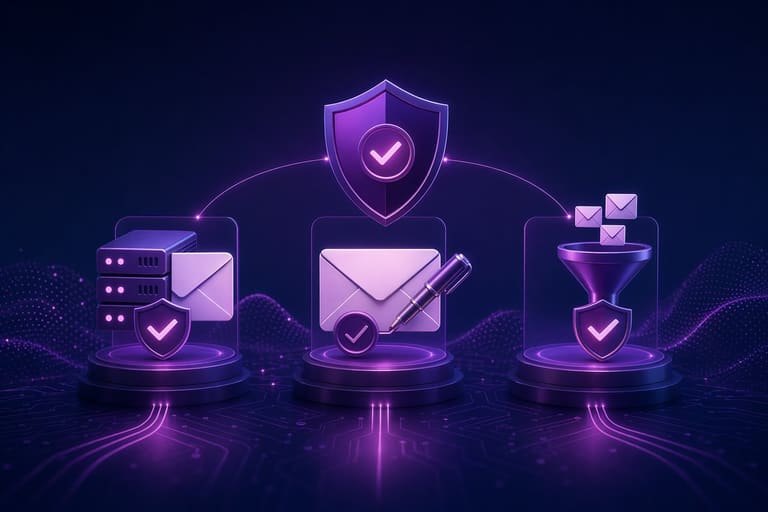
SPF, DKIM ਅਤੇ DMARC ਉੱਚਤਰ mail security protocol ਹਨ। SPF mostly sender server ਵਾਲਾ IP verified; DKIM mail-content integrity/digital-signature checked; DMARC behaviour-policy (reject/quarantine/report) tracked. ਤਿੰਨੋ mail authentication ’ਚ pooled.
SPF (Sender Policy Framework) – DNS-record ਰਾਹੀਂ list authorized mail senders IP; recipient mails incoming IP SPF-record-verified, unauthorized mail rejected/spammed. SPF pure server-origin authenticity.
- SPF: Authorized server verification
- DKIM: Content authenticity/sender identity
- DMARC: Behaviour policy + reports
- Authentication: Comprehensive multi-protocol
- Security: Triple-protocol pooled = high safety
DKIM (DomainKeys Identified Mail), mail-content intact, sender authentic; digital signature attached mail, recipient public-key verify mail. DKIM content-changes prevent. DMARC policy (reject/quarantine/none), SPF/DKIM fails – mail reject/spam. DMARC reports spoofing analysis—brand respect. DMARC record crucial.
ਪਛਾਣ ਪ੍ਰਮਾਣੀਕਰਨ ਕਿਵੇਂ ਲਾਗੂ ਕਰੀਏ?
ਈ-ਮੇਲ ਪਛਾਣ authentication_PIPELINE ਲਾਗੂ ਕਰਨਾ, ਠੀਕ steps ਤੇ accurate config ਨੂੰ follow ਕਰਕੇ ਚਿੱਤ-ਰੂਪਾ। SPF, DKIM, DMARC ਤਿੰਨੋ config–mail infra/deployment ਬੋਲੇ ਅਨਸਾਰ ਚੁਣੋ। Incorrect SPF mail spam, invalid DKIM mail reject; misconfigured DMARC mail.blocked/spoofed. Always config/test/update steps.
| Authentication method | ਵਰਣਨ | Implementation steps |
|---|---|---|
| SPF | Sender authenticity | DNS-record, IP-list |
| DKIM | Content-authenticity | Key-pair, DNS-record, server-setup |
| ਡੀਐਮਏਆਰਸੀ | Behaviour policy/reports | DNS-record, none/quarantine/reject |
| Tips | Maintenance | Check, monitor, update |
Implementation stepwise guide:
- SPF TXT-record DNS ’ਚ publish
- DKIM key-pair generate, public-key DNS ’ਚ
- Email-server DKIM-enabled
- DMARC record (none start, later quarantine/reject) DNS ’ਚ
- DMARC reports analyze
- Behavior-policy tighten gradually
- Authentication-settings periodic review/update
After setup, email security boost. Always audit/test swiftly fix issues.
ਲਾਗੂ ਕਰਨ ਸਮੇਂ ਗਲਤੀਆਂ ਤੇ ਹੱਲ
ਅਕਸਰ misconfiguration ਨਾਲ mail spam/rejection. SPF record invalid => mail blocked; DKIM invalid => mail reject; DMARC bad-policy => legit mail lost/fake mail allowed! Always config/test/verify records. Mail-Authentication constant vigilance, periodic update.
ਈ-ਮੇਲ ਸੁਰੱਖਿਆ ਲਈ ਸਭ ਤੋਂ ਵਧੀਆ ਹਲ
Email security, business/personal ਲਈ central। SPF, DKIM, DMARC accurate implement-attack, spoofing, spam-ਮੁਕਾਬਲਾ. Best practices:
| Practice | ਵਰਣਨ | Importance |
|---|---|---|
| Strong Passwords | Complex/unpredictable | Base security |
| 2FA | Activate two-factor | Extra-layer |
| Suspicious-links | No-click unknown sources | Phishing defence |
| Email-client update | Latest-version always | Exploit patching |
Mail security: SPF, DKIM, DMARC records review/update. Outdated/wrong records exploit/safety risk. Firewall/ACL authorized-access mandatory.
Security-tips
- SPF/DKIM/DMARC record review/update
- Unknown emails alert—no link-clicks
- Strong/unique password
- 2FA for inbox
- Client/system timely update
- Mail-server ACL/firewall restrict
Security training employees/users critical: phishing, malware, mail-threats awareness. Regular education – fake mail recognize, right-response.
ਈ-ਮੇਲ ਪਛਾਣ verified authentication: technical solution + ongoing cycle. Threats evolve, so must security updates. Secure inbox, trusted business.
ਪਛਾਣ ਪ੍ਰਮਾਣੀਕਰਨ–ਫਾਇਦੇ ਤੇ ਊਣ-ਪਾਸੇ
SPF, DKIM, DMARC implementation—email security/phishing protection, but complex & demanding maintenance. Business evaluate minus-plus, strategize.
- ਫਾਇਦੇ:
- Strong security: phishing, malware blockade
- Brand-respect
- Deliverability up
- Brand-spoofing prevented
- Compliance (legal requirements)
- Dezavantaj:
- Complex setup
- Misconfiguration = mail issues
- Ongoing maintenance/updates
- Sometimes extra cost for advanced infra
Major plus: mail authenticity, reputation safeguard—phishing prevention, user trust, brand identity. Minus: tech skills, maintenance resources. SPF/DKIM/DMARC correct setup, expert support, ongoing vigilance.
| ਫੀਚਰ | ਫਾਇਦੇ | ਉਣ-ਪਾਸੇ |
|---|---|---|
| SPF | Sender IP checked, easy setup | Forwards problematic |
| DKIM | Content intact, cryptography | DNS-record complex |
| ਡੀਐਮਏਆਰਸੀ | Policy + report | Strict SPF/DKIM required |
| Overall | Phishing block, brand guard | Setup, maintenance effort |
SPF/DKIM/DMARC adoption: security-strength, reputation-care uppermost. Proper planning, setup, periodic maintenance—must!
ਨਤੀਜਾ ਤੇ ਐਕਸ਼ਨ ਸਿਟਪ
SPF, DKIM, DMARC mail security-defence protocol, brand-respect, email deliverability improvement. Secure inbox, phishing/spam prevention, recipient trust.
Correct setup = spam filter bypass, recipient reach, better marketing/communication. ESP providers prefer authenticated mails.
| Authentication method | ਵਰਣਨ | Benefit |
|---|---|---|
| SPF | Sender authenticity | Spoofing prevention, deliverability |
| DKIM | Signature-enabled mail | Integrity, trust |
| ਡੀਐਮਏਆਰਸੀ | Behaviour policy | Security, analytics |
| All | Pooled setup | High reputation, robust defence |
Mail security = ongoing procedure, adapt/update. SPF/DKIM/DMARC setup, reports. Hamesha vigilant.
Quick Setup Steps:
- SPF record DNS publish–authorized senders
- DKIM digital signature enable
- DMARC behaviour define–none/quarantine/reject
- DMARC reports analyze
- Gradual policy hardening
- Mail infra periodic check/update
Mail authentication = reputation foundation, trusted communication, secure inbox guarantee.
ਅਕਸਰ ਪੁੱਛੀਆਂ ਸਵਾਲ
ਈ-ਮੇਲ ਪਛਾਣ ਪ੍ਰਮਾਣੀਕਰਨ ਕਿਉਂ ਐਹਮ? ਕਾਰੋਬਾਰ ਨੇ invest ਕਰਨਾ ਕਿਉਂ ਚਾਹੀਦਾ?
Mail spoofing/phishing blocked, brand-respect, inbox delivery, spam filter bypass. Businesses: better mail reach, customer engagement, strong security.
SPF record ਬਣਾਉਣ ਸਮੇਂ ਕੀ ਡਿਠਾ ਜਾਵੇ? SPF misconfig = spam?
All legitimate senders (server/app/providers) include, syntax correct, lookup limit-under. Misconfig = legit mails spam/reject.
DKIM key-rotation frequency/best practice?
Ideal: rotate key 3-6 months, at minimum yearly. New key fully tested, old-key disabled afterwards, DNS update mandatory.
DMARC ‘none’, ‘quarantine’, ‘reject’ difference, ਕਦੋਂ ਵਰਤਣ?
‘None’ = report-only, ‘quarantine’ = spam-folder, ‘reject’ = full block. Start none for monitor, upgrade strict after analytics review.
Mail authentication-error detection/remediation?
DMARC reports detail failures; check SPF/DKIM/DMARC records, use email authentication tools.
SPF, DKIM, DMARC synergy, single use drawbacks?
Triple-layer authentication, full defence: SPF (sender-origin), DKIM (content-integrity), DMARC (policy/report). Alone = gaps, double/triple = robust security.
Mail authentication performance/metrices?
DMARC reports, deliverability-rate, spam-complaints monitor. Optimize policy from reports, continuously enhance deliverability.
GDPR/other privacy laws, email authentication relevance?
Authentication contributes to privacy law compliance—spoofing/phishing prevented, user-data protected. Data handled/transparency maintained; DMARC report privacy must align law.