 Afrikaans
 Azərbaycan
 Bosanski
 Čeština
 Dansk
Dansk Deutsch
 English
 Español
 Filipino
 Français
 Hrvatski
 Indonesia
 Italiano
 Magyar
 Melayu
 Nederlands
 Norsk
Norsk Oʻzbek
 Polski
 Português
 Română
 Slovenčina
 Slovenščina
 Suomi
Suomi Svenska
 Tiếng Việt
 Türkçe
 Ελληνικά
 Беларуская
 Български
 Русский
 Српски
 Українська
 עברית
עברית اردو
اردو العربية
 پښتو
پښتو فارسی
فارسی አማርኛ
አማርኛ मराठी
मराठी বাংলা
বাংলা தமிழ்
தமிழ் ไทย
ไทย မြန်မာ
 한국어
한국어 中文
中文 日本語
日本語

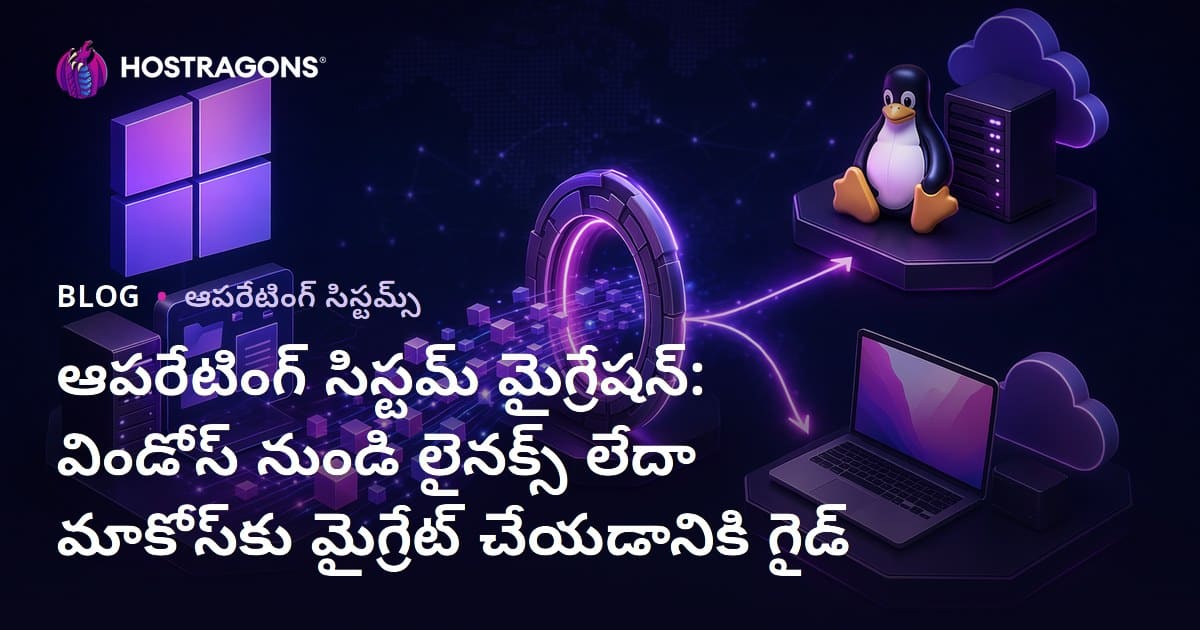
ఈ బ్లాగ్ లో, విండోస్ నుంచి Linux లేదా macOSకి మారడం గురించి పూర్తి వివరాలతో మార్గదర్శిని పొందవచ్చు. “ఇంపార్టెంట్” మునుపటి OS గురించి, కొత్త సిస్టమ్ ఎంపికలో ముఖ్యమైన అంశాలు, ఇప్పటిదాకా ఉపయోగించిన అప్లికేషన్లకు ప్రత్యామ్నాయాలు, డేటా బ్యాకప్, మిగతా టెక్నికల్ స్టెప్స్, తదితర అంశాలను పొందుపరచారు. ఇంకా ఇంకా, ప్రతి OSలో వినియోగదారుని అనుభవాన్ని మెరుగుపరిచే అప్లికేషన్లను పరిచయం చేస్తూ, OS మార్పు వ్యూహ భారతీయ/వ్యక్తిగత అవసరానికి ఎందుకు అవసరమో వివరించబడింది.
OS ఏమిటి? ఎందుకు కీలకం?
OS (Operating System) అనేది – కంప్యూటర్ లో హార్డ్వేర్ మరియు యూజర్ మధ్య కమ్యూనికేషన్ చేయించే అన్ని ఫంక్షన్లను హ్యాండిల్ చేసే ప్రాథమిక సాఫ్ట్వేర్. CPU, RAM, HDD/SSD, I/O పరికరాలు, ఫైల్స్, యాప్లు – ఇవన్నీ ఏమాత్రం కూడా మేనేజ్ అవుతాయంటే ప్రతి ఒక్కదానికీ OS పని.
యాక్చువల్ వాడకంలో – ఫోన్, ల్యాప్టాప్, సర్వర్స్, స్మార్ట్ టీవీ, ఆటోమొబైల్, ఇలాఖాలోని స్మార్ట్ పరికరాలు అంతా OSపై ఆధారపడి పనిచేస్తాయి. OS లేకుంటే కంప్యూటర్ నిచ్చట మరేదీ కాకుండా కేవలం మెటల్, ప్లాస్టిక్ పిస్సులే.
OS యొక్క ప్రాథమిక లక్షణాలు
- హార్డ్వేర్ మేనేజ్మెంట్: CPU, మెమరీ, స్టోరేజ్, ఇన్/ఔట్ తగ్గించే డివైజ్లు మేనేజ్ చేయడం.
- అప్లికేషన్ మేనేజ్మెంట్: యాప్లు ఎఫెక్టివ్గా పరిగడించేందుకు రిసోర్స్లు కేటాయించడం & ఏ యాప్కి క్వేరో లేని ఎక్సిక్యూషన్ చేయించడం.
- ఫైల్ సిస్టమ్: డేటాను సిస్టమాటిక్గా స్టోర్, యాక్సెస్, మేనేజ్ చేయడం.
- యూజర్ ఇంటరఫేస్: గ్రాఫికల్ UI/CLI – యూజర్ పనిని సులభం చేసే విధానం.
- సెక్యూరిటీ: అనధికార యాక్సెస్ & డేటా లాస్ని నిరోధించడం.
- నెట్వర్క్ మేనేజ్మెంట్: LAN/Wi-Fi/ఇతర నెట్వర్క్ కనెక్షన్లు నిర్వహించడం.
OS నిర్దిష్టమైన అనుభవాన్ని తీసుకువచ్చే ముఖ్య అంశం. వేగంగా, సురక్షితంగా, ఫ్రెండ్లీగా ఉంటే – పని వేగంగా జరుగుతుంది, డేటా లాస్ మినిమైజ్ అవుతుంది. ఓ ప్రచార OS: ధృఢత్వం, ఫెర్మాన్సు, అల్పవై జో పోలె ముందు రోజు దొరుగుతుంది!
విండోస్ నుంచి Linuxకి మారే ముందు ప్రాధాన్యతలు
Windows నుండి Linuxకి మారడం, కేవలం OS మార్పు మాత్రమే కాదు – వాడక విధానం, టెక్నికల్ తత్త్వం కూడా మారుతుంటే, చక్కగా ప్రిపేర్ అయితేనే Smooth షిఫ్ట్ అవుతుంది. మొదట, మీ కంప్యూటర్ హార్డ్వేర్ Linuxకి సపోర్ట్ చేస్తుందా అనిపరిసీలించండి. తరువాత, ప్రస్తుతం వాడుతున్న ముఖ్య Softwareకి Linux alternative లేదా compatibility ఉందా చూడండి.
మరింత ముఖ్యమైనది – మీ డేటాకు “బడి” పెట్టడం. OS మార్పులో అనుకోని Data loss కాకుండా, ఫైలు, ఫొటో, డాక్యుమెంట్, ఇతర ముఖ్య డేటాను backup చేయాలి. Backup కోసం external drive, Cloud storage, NAS – ఏదైనా ఉపయోగించండి. Backup పూర్తయ్యాక – Linux distribution ఎంపిక చేయండి. Beginnerలకి Ubuntu, advanced వాడకానికి Fedora/Debian వంటి distros ఉపయోగపడతాయి.
| ప్రాధాన్యత | వివరణ | అభ్యాసాలు |
|---|---|---|
| హార్డ్వేర్ అనుకూలత | Linuxకి అన్ని parts support చేస్తాయా చూడటం. | OEM site చెక్ చేయడం, forumsలో అనుభవాలు చదవడం. |
| Software alternatives | ప్రస్తుత యాప్లకి Linux లో equivalents ఉంటే వాటిని కనుగొనడం. | Test versions ఉపయోగించడం, alternatives research చేయడం. |
| Databackup | ఫైళ్ళను, photosను, డాక్యుమెంట్లను backup చేయడం. | External HDD/SSD, Cloud/NAS ద్వారా backup. |
| Linux Distribution | నిమిత్తం/నివేశ్కు సరిపడే Linux distribution select చేయడం. | Ubuntu, Fedora, Mint, Debian వంటివి పరిశీలించండి. |
Linuxకి మారే ముందు ఆపాదాయ మెయిన్ commands, terminal basic usage నేర్చుకోవడం ఉపకరిస్తుంది. Linux community forums, blogs, StackOverflow – ఇవన్నీ మీకు technical doubtsలో support చేస్తాయి. Patience & learn-as-you-go mental attitude అసలు ముఖ్యాంశం!
మార్పులో ముఖ్యమైన స్టెప్స్
- హార్డ్వేర్ compatibility check చేయండి
- Software alternatives research చేయండి
- Databackup పూర్తీ చెయ్యండి
- వాడాల్సిన Linux distribution ఎంచుకోండి
- Linux commands practice చేయండి
- Community support వాడండి
ప్రతి OS షిఫ్ట్ uniqueగా ఉంటుంది. సరైన ప్లానింగ్ & ఆయా steps పాటిస్తే – Windows నుంచి Linuxకి మారడం hassle-free & productiveగా ఉంటుంది. చివరకు, మీ technical & practical needs ఎంచుకుని strategy follow చేయండి; Linuxలో customization & control మరింత ఉంటుంది!
Linux vs macOS: మార్పుల్లో బేసిక్ డిఫరెన్సెస్
OS ఎంపిక కొరకు, Linux – macOS, Windows కన్నా భిన్నంగా, ప్రత్యేక featuresతో వస్తాయి. ఉపయోగించే user type, technical requirements, compatibility – ఇవన్నీ పరిశీలిస్తే, ఎలా ఎంచుకోవాలి?
Linux అనేది open-source kernel; Distros్ తో ఎక్కువ customization & Freedom కలదు. macOS అనేది Apple proprietary OS – కేవలం Apple hardwareపై ఉపయోగించాలి. macOS UI, Apple ecosystem integration – ఇవి macOS unique aspects. Architecture, usability, hardware limits – ఇవన్నీ నిర్ణయిస్తూ ఉన్నాయి.
తేడా highlights
- Kernel & licensing
- User Interface & Experience
- Software accessibility
- Hardware optimization
- Security & privacy
- Update nature
| ఫీచర్ | Linux | macOS |
|---|---|---|
| కర్నల్ | Open Source (Linux Kernel) | Closed Source (XNU Kernel) |
| License | GPL (Free) | Apple Proprietary |
| Hardware Support | Extensive – wide range | Apple devices only |
| Customization | High | Medium/Low |
Linux – customization మొదలు, open-source freedom కలిగించడంతో, tech-savvy/advanced usersకు సరిపడుతుంది. macOS – friendly UI, creative apps, Apple ecosystemకు అలవాటు అనుకునే వారికి బెస్ట్ ఎంపిక. రెండింటికీ ట్రేడ్-ఆఫ్ ఉంటే, అనుభవం, అభిరుచి, అవసరాన్ని బట్టి ఎంచుకోవాలి.
కొత్త OS ఇంస్టాల్ కి ప్రిపరేషన్
OS install చేసేటప్పుడు – సమర్ధవంతమైన backup, hardware-software compatibility check, drivers ready చేయడం తప్పనిసరి. Distros selection, BIOS/UEFI settings మొదలు ఎన్నికపై also నాలుగోడి. macOS విషయంలో – Apple hardware only క్రొత్త requirements ని checkout చేయాల్సి ఉంటుంది.
- అన్ని ఫైళ్ళను backup చేయండి.
- Install media (USB/DVD) check చేయండి.
- Updated drivers download చేయండి.
- BIOS/UEFI boot order లో మార్పు చేయండి.
- License/Data credentials note చేయండి.
- Internet connection available check చేయండి.
OS install లో data loss common problem, అందుకని backupని తప్పనిసరిగా ఉంచండి. Disk image కూడా తీసుకుంటే మెరుగ్గా ఉంటుంది.
| ప్రిపరేషన్ | వివరణ | ప్రాధాన్యత |
|---|---|---|
| బ్యాకప్ | External backup save చేయడం | హయ్యెస్ట్ |
| Compatibility check | Hardware-software suitability | హయ్యెస్ట్ |
| Drivers download | వీలైన దాని driversను రీడీ చేయడం | మాధ్యమం |
| Boot config | BIOS/UEFI లో boot media set చేయడం | మాధ్యమం |
Install తర్వాత – updates, drivers, firewall, antivirus install చేయడం, security పొడవు. ఆ steps పక్కాగా పాటిస్తే, OS installation smoothగా పూర్తి చేయొచ్చు.
Linuxకి మారే సమయంలో సాధ్యమైన సవాళ్లు
Windows నుంచి Linuxకి migrate అయితే, కొన్ని సవాళ్లు కలుగుతాయి: terminal usage, hardware/software compatibility, user habit change, drivers support. స్పష్టంగా, basic commands నేర్చుకోకుండా, graphical interface ఉండదు, terminalపై ఎక్కువగా ఆధారపడాలి.
| సవాలు | వివరణ | సలహాలు |
|---|---|---|
| Terminal Usage | Windows usersకి unfamiliar | Basic commands నేర్చుకోవడం, GUI distros వాడడం |
| Software Compatibility | Windows apps, Linuxలో నేరుగా పనిచేయకపోవచ్చు | Alternatives install చేయడం, Wine, Virtualization ద్వారా run చేయడం |
| Drivers | All hardware support లేదు | Latest Linux distributions, manufacturers site |
| అలవాటు మార్పు | UI మార్పు, workflow change | Patience, support groups, experimentation |
- Alternative Apps: MS Office కి LibreOffice, Photoshopకి GIMP etc alternatives check చేయడం.
- Driver issues: OEM site నుంచి, Open Source drivers try చేయాలి.
- Terminal usage: Basic CLI పరిచయం లభించాలి, gradually GUI distros switch చేయండి.
- Wine/VM: Wine install చేసి, Windows apps run చేయవచ్చు.
- Linux Community: Forums, Telegram, Reddit etc support తీసుకోవడం.
Hardware drivers – new/old hardwareకి official support లేదంటే, open-source community దగ్గర సహాయంగా కొంతమంది డ్రైవర్స్ దొరుకుతాయి. patienceతో, research చేసుకుంటే, సవాళ్లు దాటిపోవచ్చు.
macOSకి షిఫ్ట్ అయ్యేటప్పుడు స్టెప్స్
Windows userకు macOS పడుకుపోవడం మొదట కష్టంగా కనిపించవచ్చు. అయితే, శ్రద్దగా backup, compatibility, install steps పాటిస్తే, Apple ecosystem experience మేలు. కొత్త Mac కు support ఉందా, వచ్చు కన్ఫర్మ్ చేసుకోండి.
| స్టెప్ | వివరణ | ఉపయోగించే tools/అభ్యాసాలు |
|---|---|---|
| Hardware compatibility | MacOS support checks | Apple compatibility list, serial number check |
| బ్యాకప్ | Databackup – critical documents | Time Machine, iCloud, external HDD |
| Softwareavilion | Apps alternatives/versions for macOS? | Official developer sites, alternative app aggregator sites |
| Install | macOS install (fresh/system upgrade) | macOS bootable disk, Recovery mode |
- Hardware/Software compatibility చెక్ చెయ్యండి.
- Backup Time Machine, Cloud, HDD ద్వారా.
- macOS bootable media తయారు చేయండి.
- Clean install మాదిరిగా disk format చేయండి.
- Drivers, updates లీడ్చించండి.
- Backup data restore చేసి, customization చేయండి.
Install తర్వాత, Apple ID ద్వారా iCloud sync, mail, calendar etc కన్ఫిగర్ చేయవచ్చు. Apple support docs, forums by ఉపయోగించడం మంచిది. స్థిరంగా, macOS కొత్తగా భావించండి; patience & experimentationతో శీఘ్రంగా అలవాటుకావచ్చు.
macOSకి మారడం ప్రారంభంలో కష్టం అనిపించవచ్చు; long-termలో యూజర్ experience & సామర్ధ్యం మెరుగైనదిగా ఉంటుంది. Proper preparation బాధ్యతగా చేయండి!
Linux & macOS కోసం ఉపయోగంలో ఉన్న ప్రయోజనాలు
OS నిర్వచనం, user experience, security, performance, cost – ఇవన్నీ ప్రభావితం చేస్తాయి. Linux: freedom, flexibility, openness; macOS: user-friendly UI, Apple ecosystem integration. ఆవశ్యకతపై ప్రయోజనాలు ఖచ్చితంగా ఉన్నాయి.
| ఫీచర్ | Linux | macOS |
|---|---|---|
| Source | Open-source (free) | Closed-source (Apple proprietary) |
| Customization | High | మధ్యస్థం |
| Security | High | High |
| Hardware | Extensive support | Apple devices only |
- Linux: Free, customizable, old hardware compatibility, CLI usage challenge
- macOS: Smooth UI, Apple integration, hardware limitation (only Apple devices)
Linux – cost advantage, openness, customization. macOS – friendly UI, creativity apps, integration. ఎంత ఉపయోగపడేది — వ్యక్తిగత అవసరం, మూల్య, technical knowledgeపై ఆధారపడి ఉంటుంది.
యూజర్ అనుభవాన్ని మెరుగుపరచే Apps
OS మార్పు చేసిన తర్వాత, user productivity, comfort మెరుగైయ్యాలంటే best tools ఉపయోగించడం అవసరం. Windows నుంచి Linux/macOSకి షిఫ్ట్ అయితే, applicationsను పునః సమీక్షించి – కార్యాచరణ, creativity, security కోసం alternative tools ఉపయోగించాలి.
| కేటగిరీ | ఉదాహరణ Apps | వివరణ |
|---|---|---|
| Office Productivity | LibreOffice, OnlyOffice | Docs, spreadsheets, presentations |
| Graphics/Media | GIMP, Inkscape, VLC | Photo editing, vector design, media player |
| Dev Tools | VS Code, Eclipse, Docker | Programming and deployment |
| System Tools | htop, Timeshift | Monitor resources, backups |
- LibreOffice: MS Office alternative, document support
- GIMP: Photoshop alternative, image editing
- VLC: Versatile media player
- VS Code: Popular coding platform
- htop: Terminal-based resource monitoring
- Timeshift: Backup, system restore
OS మార్పులో data security కోసం password managers (Bitwarden/KeePass) & VPN-ల వంటి security tools కూడా ఉపయోగించండి. సరైన apps ద్వారా, OS usage smoothగా, efficientగా ఉంటుంది.
OS మార్పు పూర్తీ అయిన తర్వాత చెక్లిస్ట్
OS మార్పు చేసిన తర్వాత, system stability, data integrity, apps compatibility, network – అన్నిటిని పరిశీలించాల్సిందే. కన్స్లిస్టెంట్ చెక్లిస్ట్ – OS మైగ్రేషన్ సక్సెస్ మీద ప్రభావం చూపుతుంది.
| ఏrea | వివరణ | Priority |
|---|---|---|
| System Stability | System బాగుంది/కార్యనిర్వహణ చూపించి check | Highest |
| Data Integrity | All files/data migrate అయిందా check | Highest |
| App Compatibility | Apps properly work చేస్తున్నాయా check | Highest |
| Hardware | Printers/scanners etc function check | మధ్యస్థం |
| Security | Firewall, antivirus config check | Highest |
| బ్యాకప్ | Backup/restore check | Highest |
- OS boot, shutdown check చేయండి
- తప్ప పట్టే apps check చేయండి
- Network connectivity verify చేయండి
- Peripheral devices work చేస్తున్నాయా చూడండి
- Backup/restore functionality check చేయండి
- Security software update/check చేయండి
OS మార్పు పూర్తీ అయితే long-term performance/ security కోసం voortdurende maintenance వస్తే చాలా మంచిది.
ప్రతి చెక్లిస్ట్ step – OS మార్పు సక్సెస్ పై నేరుగా ప్రభావం చూపుతుంది!
OS మార్పుని వ్యూహాత్మకంగా చూడడం ఎందుకు బహుళ?
OS మార్పు, technical upgrade మాత్రమే కాదు – security, performance, cost-saving, future-proofing ఇలా strategic planningకు ఉపయోగిస్తుంది. కనుక మీ business, personal computing దీర్ఘకాలిక అభివృద్ధికి వ్యవస్థ నూతనంగా సరిపడాలి.
| Factor | విండోస్ | Linux | macOS |
|---|---|---|---|
| Cost | License fee | Mostly free | Hardware-include |
| Security | Updates based | Community support/open-source | Apple standards |
| Flexibility | Extensive compatibility | Full customization | User-friendly |
| Performance | Hardware-dependent | Efficient resource usage | Hardware-software integration |
- Cost benefit assess చేయాలని
- Security minimize open-source/closed-source systemలో రిస్క్
- Performance & long-term benefit
- Future needs & adaptability
- Hardware/software fit check
- User training/adoption plan చేయ్వాలి
OS మార్పు – instititional/private userలకు productivity, reliability, trust mental peace తెస్తుంది. Proper analysis, stepwise planning, long-term maintenance – ఇవన్నీ upgrade successకి అవసరం.
చెరవడిచిన ప్రశ్నలు
Windowsని వదిలి OS మార్పు ఎందుకు చేయాలి? ఏ ప్రయోజనాలు?
Linux లేదా macOSకి మారితే – security, performance, customization, cost-saving వంటి ప్రయోజనాలు పొందవచ్చు. Linux – openness & flexibility, macOS – friendly UI & ecosystem integration. మీ goals base చేసుకుని OS ఎంచుకోవాలి.
Linux distros ఎంపికలో ఎం చూడాలి? beginnersకి ఏది best?
Use-case, hardware suitability, community support, updates – ఇవన్ని assess చేయాలి. Beginnersకు Ubuntu, Linux Mint, elementaryOS suitable; easy UI, మంచి documentation, forum support మందీ!
Windows నుంచి Linux/macOSకి data secureగా పోర్ట్ చేయాలంటే?
External drive, cloud services, network share ద్వారా data backup & migrate చేయాలి. Backupmandatory. Proper toolలు వాడి, data integrity check చేసిన తర్వాత migrate చేయాలి.
Windows apps, Linux/macOSకి అందుబాటులో లేనప్పుడు – ఏ alternatives?
MS Officeకి LibreOffice, OneDriveకి Google Drive/Dropbox, Photoshopకి GIMP etc. Wine install చేసి, విండోస్ appsను Linuxపై run చేయొచ్చు. macOSలో – native apps/third-party options ఉన్నాయి.
Linux migrate అయిన తర్వాత hardware/drivers issue ఉంటాయా?
Officially supported/new hardware/software పూర్తిగా support ఉంటుంది; కొంచెం special నే hardware/open-source community forumడం కావాలి. Command-line/manual drivers occasionally కావచ్చు; patienceతో overcome చేయొచ్చు.
macOSకి iCloud sync ఎలా పని చేస్తుంది?
Apple ID ద్వారా iCloud sync ఆన్ చేస్తే – photos, docs, contacts, calendar etc. automatic sync. Windowsలోని iCloud data macOSలో access చేయాలి అని – సరిపడే Apple ID వాడండి; iCloud web access కూడా ఉండవచ్చు.
OS మార్పు జరిగిన తర్వాత security అంశాలు ఎలా మేశారు?
Linux/macOS structures, security- centric; Windows కన్నా ఫేవర్. Open-source – rapid vulnerability patching; macOS – sandbox, frequent updates. అయినా – antivirus/firewall/security tools ప్రముఖంగా updates తీయాలి.
OS మార్పు తర్వాత performance పెరగుతుందా? Linux/macOS Windows కన్నా వేగంగా పనిచేస్తాయా?
Depends on hardware, app load, distro optimization. Linux – lightweight, old hardwareకి చాలా suitable; macOS – Apple hardware integration తో fast. High-graphic/gaming needsలో, performance ఖచ్చితంగా assess చేయాలి.