 Afrikaans
 Azərbaycan
 Bosanski
 Čeština
 Dansk
Dansk Deutsch
 English
 Español
 Filipino
 Français
 Hrvatski
 Indonesia
 Italiano
 Magyar
 Melayu
 Nederlands
 Norsk
Norsk Oʻzbek
 Polski
 Português
 Română
 Slovenčina
 Slovenščina
 Suomi
Suomi Svenska
 Tiếng Việt
 Türkçe
 Ελληνικά
 Беларуская
 Български
 Русский
 Српски
 Українська
 עברית
עברית اردو
اردو العربية
 پښتو
پښتو فارسی
فارسی አማርኛ
አማርኛ मराठी
मराठी বাংলা
বাংলা தமிழ்
தமிழ் ไทย
ไทย မြန်မာ
 한국어
한국어 中文
中文 日本語
日本語

ഈ ബ്ലോഗ് ആർട്ടിക്കൾ, Windows-ൽ നിന്ന് Linux അല്ലെങ്കിൽ macOS-ലേക്ക് മാറാൻ ആഗ്രഹിക്കുന്ന ജനങ്ങൾക്ക്, ഓപ്പറേറ്റിങ്ങ് സിസ്റ്റം മാറ്റം ഒരു സിസ്റ്റമാറ്റിക് രീതിയിൽ എടുക്കുന്ന എല്ലാ ഘട്ടങ്ങൾ വിശദമായി വിശദീകരിക്കുന്നു. ഓപ്പറേറ്റിങ്ങ് സിസ്റ്റം എന്നത് എന്താണ്, എന്തിനാണ് അതിനോ ഉണ്ടാവേണ്ടത്? Linux, macOS തമ്മിലുള്ള പ്രധാന വ്യത്യാസങ്ങൾ, മാറ്റത്തിന് മുമ്പിലേക്കുള്ള തയ്യാറെടുപ്പ്, ഇൻസ്റ്റാളേഷൻ പ്രൊസസ്സ്, അവസരങ്ങളിലെ പ്രശ്നങ്ങൾ, അനുയോജ്യമായ ഉപയോക്തൃ അപ്ലിക്കേഷനുകൾ, മാറ്റത്തിന് ശേഷമുള്ള കൺട്രോൾ ലിസ്റ്റ്, ഒടുവിൽ ഈ മാറ്റം സ്ട്രാറ്റജികമായി ബിസിനസ്സുകൾക്കും വ്യക്തികൾക്കും എന്ത് പ്രധാന്യമാണെന്നും വിശദീകരിച്ചിരിക്കുന്നു.
ഓപ്പറേറ്റിങ്ങ് സിസ്റ്റം എന്ത്? ഏത് പ്രധാന്യമാണെന്ന് മനസ്സിലാക്കൂ
ഓപ്പറേറ്റിങ്ങ് സിസ്റ്റം എന്നാണ് പറയുന്നത്, ഒരുപാട് ടെക്നോളജി ഉപകരണങ്ങളിലും ബേസിക് സോഫ്ട്വേയറായാണ് പ്രവർത്തിക്കുന്നത്. ഈ സോഫ്ട്വേറാണ് കംപ്യൂട്ടറിന്റെ ഹാർഡ്വെയറും ഉപയോക്താവും തമ്മിൽ ബന്ധം സ്ഥാപിക്കുന്നത്, എല്ലാ സോഫ്റ്റ്വേർ/ഹാർഡ്വെയർ ദിനകാര്യങ്ങൾ ഏകോപിപ്പിക്കുന്നു. അതേപോലെ, ഒരു Symphony Orchestra-യിൽ സംഗീതത്തിന്റെ ഏകോപനം നടത്തുന്ന ഒരു Maestro പോലെ, എല്ലാ കോംപോണന്റുകൾ സങ്കലനം ചെയ്യുന്നതാണ് OS.
ആധുനിക ടെക്നോളജിയിൽ, ഓപ്പറേറ്റിങ്ങ് സിസ്റ്റം ഇല്ലെങ്കിൽ, പിസികൾ "മെറ്റലും സിലിക്കണും ഉള്ള കട്ട" മാത്രമായിരിക്കുമെന്നു പറയുന്നത് പിന്നിൽ വലിയ യാഥാർത്ഥ്യമാണ്. സ്മാർട്ട്ഫോണുകൾ, കാറുകൾ, സെർവറുകൾ, വീട്ടുപയോഗ ഉപകരണങ്ങൾ — എല്ലായിടത്തിലും OS പ്രവർത്തിക്കുന്നു.
ഓപ്പറേറ്റിങ്ങ് സിസ്റ്റത്തിന്റേ പ്രധാന പ്രവർത്തനങ്ങൾ
- ഹാർഡ്വെയർ മാനേജ്മെന്റ്: CPU, RAM, ഡിസ്ക്, ഇൻ/ഔട്ട്പുട്ട് ഡിവൈസുകൾ എന്നിവയുടെ നിയന്ത്രണം.
- അപ്ലിക്കേഷൻ മാനേജ്മെന്റ്: ആപ്ലിക്കേഷനുകൾക്കുള്ള റിസോഴ്സുകൾ നൽകുന്നത്, പുറത്തുള്ള പ്രശ്നങ്ങൾ കൈകാര്യം ചെയ്യുന്നത്.
- ഫയൽ സിസ്റ്റം മാനേജ്മെന്റ്: ഫയൽ/ഫോൾഡർ ക്രമീകരണവും, സ്റ്റോറേജിനും, ആക്സസിനും.
- ഉപയോക്തൃ ഇന്റർഫേസ്: ഗാഫിക്സും, കമാൻഡ്-ലൈൻ ഇന്റർഫേസുമാണ് ഉപയോക്താവിനുള്ള എൻട്രി.
- സിക്യൂരിറ്റി: അനാവശ്യ ആക്സസ് തടയുന്നതും, SYS റിസോഴ്സുകൾ സംരക്ഷിക്കുന്നതും.
- നെറ്റ്വർക് മാനേജ്മെന്റ്: കമ്പ്യൂട്ടറുകൾ ഒരാ കണക്ഷനിലോ, നെറ്റ്വർക്ക് ലിങ്കിൽ ബാക്ക്.
ഓപ്പറേറ്റിങ്ങ് സിസ്റ്റത്തിന്റെ പ്രധാന്യം, ടെക്നിക്കൽ മാത്രമല്ല, ഉപയോക്തൃ അനുഭവങ്ക എന്നതു പോലെ. വേഗം, സ്ഥിരത, ഉപയോക്തൃ സൗഹൃദം — productivity വർധിപ്പിക്കും, എററുകൾ കുറയ്ക്കും, മനോഹര WD ആകർഷിക്കും. സ്ഥിരത കാര്യമെങ്കിൽ, ഡാറ്റ ലോസ്സും വെറും ബിസിനസ് കൺറ്റിന്യുവിറ്റി ഒരുക്കാം. Performance മാറ്റ്, ആപ്ലിക്കേഷൻ WD വേഗത്തിൽ പ്രവർത്തിക്കാൻ ഇളവരുപ്പുന്നു.
Windows-ൽ നിന്ന് Linux-ലേക്ക് മാറാൻ മുൻഗണനങ്ങൾ
Windows > Linux-ലേക്ക് migration ചെയ്യുന്നതിന് മുമ്പ്, ചില പ്രധാന മുൻഗണനകൾ കണക്കാക്കണം. കാരണം, അതു simple OS മാറ്റം മാത്രമല്ല, ഓപ്പറേറ്റിങ്ങ് സിസ്റ്റം മൂല്യധാരയിൽ itself shift ആണ്. അതിനാൽ, അപ്പട്ടേ, സാങ്കേതികമായി-ഉപയോക്തൃ അനുഭവം രണ്ടും കണക്കിലെടുത്തു migrate ചെയ്യണം.
ആദ്യമായി, നിങ്ങളുടെ computer Linux-ലെ compatiblility ആണ്. ഉപയോക്താക്കളുടെ software-ഉപയോഗവ്യവസ്ഥ Linux-ലിൽ run ചെയ്യാൻ കഴിയുമോ എന്ന് പരിശോധന നിർബന്ധം. പിന്നെ, നിങ്ങളുടെ data യോ, ഫയലുകൾ യോ, അതിന്മേൽ backup ചെയ്യുന്നു. Migration-ൽ data loss ഒഴിവാക്കാൻ — external disk, cloud storage, network share എല്ലാം ഉപയോഗിച്ച backup സ്വീകരിക്കുക. Backup കഴിഞ്ഞാൽ, Linux distribution-ന്റെ തുടക്കത്തിലാണ്. Ubuntu, Fedora, Debian, etc ഓരോ distribution-ഉം വ്യത്യസ്തമായ സവിശേഷതകളുള്ളതാണ്. Ubuntu user-friendly, Fedora customization friendly.
| മുൻഗണന | വ്യാഖ്യാനം | പ്രയോഗം |
|---|---|---|
| ഹാർഡ്വെയർ Compatiblity | ഇങ്ങനെയുള്ള component-ു Linux-ൽ support ചെയ്യുമോ? | മേക്കർ website, forum എന്നിവത്തിൽ തിരച്ചിൽ ചെയ്യുക. |
| സോഫ്ട്വെയർ Alternative | വിനിയോഗം ചെയ്യുന്ന app-ഉകൾ Linux-compatible വേർഷൻ ഉണ്ട്? | Alternatives research ചെയ്യുക, trial-വർ try ചെയ്യുക. |
| ഡാറ്റാ ബാക്കപ്പ് | All data safe & backed up? | Hard disk/cloud/network backup. |
| Linux Distribution Election | നിങ്ങടേയാ ആവശ്യം Best Linux Distro? | Ubuntu, Fedora, Debian review ചെയ്യുക. |
Linux migrate ചെയ്യുന്നതിന് മുമ്പ്, Basic Linux Commands പരിചയപ്പെടുക / Terminal ഉള്ള രീതിയിൽ പ്രവർത്തിക്കാം. Community forum, blog, docs... — നിങ്ങളുടെ doubts clear ചെയ്യുന്നതിനായുള്ള big resource. Migration-ൽ patience & curiosity — new OS-life success-ന്നെ വെള്ളം.
Migration Steps
- ഹാർഡ്വെയർ compatiblity check ചെയ്യുക
- Software Alternatives research ചെയ്യുക
- Data backup ചെയ്യുക
- Best Linux distribution തിരയുക
- Linux Basic Commands study ചെയ്യുക
- Linux Community support ഉപയോഗിക്കുക
Migration നടപ്പിലാക്കുമ്പോൾ, എല്ലാ migration process unique-ആണ്. Challenges ഉണ്ടായേക്കാം — but, plan & prepration കൊണ്ട് Windows > Linux migration Smooth, productive & flexible ആകാം. Need & expectations സഖ്യമായി strategy fix ചെയ്യുക. Linux, ഓപ്പറേറ്റ് സിസ്റ്റം വിദ്വതയുടെ പുതിയ അട്ടിമറാണ, customization/കണ്ട്രോൾ capability കൂടാതെ.
Linux vs macOS: പ്രധാന അന്തരങ്ങൾ
ഓപ്പറേറ്റിങ്ങ് സിസ്റ്റം election, ഉപയോക്തൃ WD directly affect ചെയ്യുന്നതാണ്. Linux, macOS — Windows-നെക്കാൾ ബഹുദൂരം പ്ലസ് features ഉണ്ട്. ഓരോ OS-ഉം pros/cons ഉണ്ട്; true difference മനസ്സിലാക്കൽ നല്ല platform election-നു helpful. UI, security, software compatiblity, hardware support — വിവിധ കോണിൽ.
Linux, open-source kernel-ഉം, distributions-ഉം അണിനിരത്തുന്നു. അപ്പോൾ, user-ക്ക് OS customize/grow ചെയ്യാനുള്ള big freedom. macOS എന്നു പറയുന്നത് Apple-ന്റെ proprietary OS, Apple hardware-ലേ മാത്രം run ചെയ്യുന്നതാണ്. macOS, user-friendly UI & Apple ecosystem-പ്രാവീണ്യം കൊണ്ടാണ് പ്രശ്സ്തി. Architecture, target audience, use-case വ്യക്തമാക്കുന്നു.
അന്തരങ്ങൾ:
- Kernel & License Structure
- UI & Experience
- Software-Compatible Availability
- Hardware Support & Optimization
- Security/Privacy Focus
- Update & Support Patterns
Better clarity-നു വലിയ table:
| ഫീച്ചർ | Linux | macOS |
|---|---|---|
| കേർണൽ | Open Source (Linux Kernel) | Closed (XNU Kernel) |
| License | GPL (GNU Public License) | Apple Proprietary |
| Hardware Compatiblity | Wide Support | Limited (Apple Only) |
| Customization | High | Limited |
Linux/macOS election — individual need, skill, preference അനുസരിച്ച്. Linux, freedom & customization & open-source value ഉം. macOS, user-friendly Apple-ecosystem-integration + creative professionals-നു optimized. Security/performance ഒത്തിരി strengths. Approaches differing — each OS specific user-group-നു appeal ചെയ്യുന്നു.
പുതിയ ഓപ്പറേറ്റിങ്ങ് സിസ്റ്റം ഇന്സ്റ്റാൾ - ഓരോ ഘട്ടം
ഓപ്പറേറ്റിങ്ങ് സിസ്റ്റം migration/install, detailed prepration-ഉം, plan-ഉം വണ്ടിയാവണം. Data loss-നു രക്ഷപ്പെടൻ, compatibility-പ്രശ്നങ്ങൾ അയൽക്കാൻ, smooth migration tools-ഉം. Success-ന്, backup, hardware/software compatiblity, driver-download/ready-എന്ന് വ്യത്യസ്തിയുടെ പൂരം.
Install-നുമുമ്പ്, Which OS-ഉം settle ചെയ്യുക, system requirements-ഉം check ചെയ്യുക. Linux distribution-ഉം select ചെയ്യുമ്പോൾ hardware compatiblity ഉണ്ടെന്ന് കണ്ടു കൊള്ളണം. macOS-ഉം എന്ന് Apple-ന്റെ official hardware അഭ്യസിക്കണം.
അദയം ഉണ്ടാക്കുന്ന പ്രാഥമിക പ്രവർത്തങ്ങൾ
- Backing up data (external/cloud/network)
- Install media (USB/DVD) ready ആണോ?
- Latest drivers download-ചെയ്യുക
- BIOS/UEFI boot-settings check/change
- License keys/accounts note ചെയ്യുക
- Stable internet connection വണ്ടിയാവണം
OS install-ലെ ഏറ്റവും വലിയ പ്രശ്നം — data loss. Pre-install, പൂർണ്ണ data-ഉം backup ചെയ്യുക. Backup-നു external disk/cloud/service/network. System-imaging — failure-ൽ restore-നു easy option.
| Prepration Step | Explanation | Priority |
|---|---|---|
| Data Backup | All files external-ലേക്ക് copy ചെയ്യൂ | High |
| Compatiblity Checking | New OS-ലേക്കുള്ള HW/SW compatibility | High |
| Driver Setup | Display/network/drivers download | ഇടത്തരം |
| BIOS/UEFI Settings | Install median boot-priority | ഇടത്തരം |
Install-ശേഷം, updates–drivers–security-tools ഉം active ചെയ്ത് system-ഉം optimize ചെയ്യുക. Firewall, antivirus/antimalware install–activate ചെയ്യുക. Follow all steps for NEW OS install, hassle free finish ചെയ്യാം.
Linux-ലേക്ക് migrate ചെയ്യുമ്പോൾ നേരിടുന്ന സാധാരണ പ്രധാന പ്രശ്നങ്ങൾ
Windows > Linux migration-ൽ, user-കൾ സർവസാധാരണ ചില challenges-ഉം experience ചെയ്യുന്നു. Technical knowledge deficits, habitual changes, compatiblity problems, HW/SW support gaps. ഓപ്പറേറ്റിങ് സിസ്റ്റം shift, എങ്കിലും pros-ഉം cons-ഉം. Anticipate & prepare — migration easy ആക്കും.
ചില user-കൾക്ക്, Linux terminal/command-line acclimatization tough. Windows-യിലെ GUI lock-in–ഗ്രാഫികലിൽ dependency. Linux distributions-ലിൽ GUI/DEs (GNOME/KDE/Xfce, etc), Windows-like UI-ഉം – migration simplify ചെയ്യുന്നു. But basic admin, troubleshooting-ൽ terminal essential. Patience+exploration=terminal mastery.
| പ്രശ്നം | വ്യാഖ്യാനം | പരിഹാര മാർഗങ്ങൾ |
|---|---|---|
| Command-line UI | Windows user-മാർക്ക് മതത്ത തൊലിവാകും | Learn primary commands, use GUI desktops |
| Software Compatibity | Windows apps — direct Linux-ൽ support ഉണ്ടോയെന്നു കണക്കാക്കണം. | Find alternatives, use virtualization/Wine |
| Driver Support | All HW not Linux-compatible | Check compatiblity, open-source drivers |
| Habit Change | New OS-adaptation takes time | Try & fail, forums–community help |
മികച്ച ഒരു compatibility challenge, Windows-അപ്പുകൾ Linux-ൽ direct run ചെയ്യില്ല. Alternative app-ഉം, virtualization (VMware/VirtualBox), Wine compatiblity layer usw. Try Google Workspace/LibreOffice for MS Office, GIMP for Photoshop. Some Windows-അപ്പുകൾ Wine/Docker/Kubernetes-ഉം run ചെയ്യാം.
Common Challenges & Solutions
- Software Search: Your Windows-favorites’ Linux version / alternative.
- Driver trouble: Confirm HW support for Linux, open-source drivers install.
- Terminal hesitation: Start learning basic commands; comfort increases by practice.
- Compatiblity layers: Try Wine for running Windows apps on Linux.
- Community support: Linux forums/social groups — don’t hesitate to ask.
Driver support-പോലു, modern Linux-most HW auto-identify, but rare/special HW manual driver install-അവശ്യമാണ്. Manufacturer site, community repos, open-source support. Patience & research are keys!
macOS-ലേക്ക് മാറുമ്പോൾ ഫൈവ് സ്റ്റപ്പ്സ്-ൽ വിവരിച്ചു
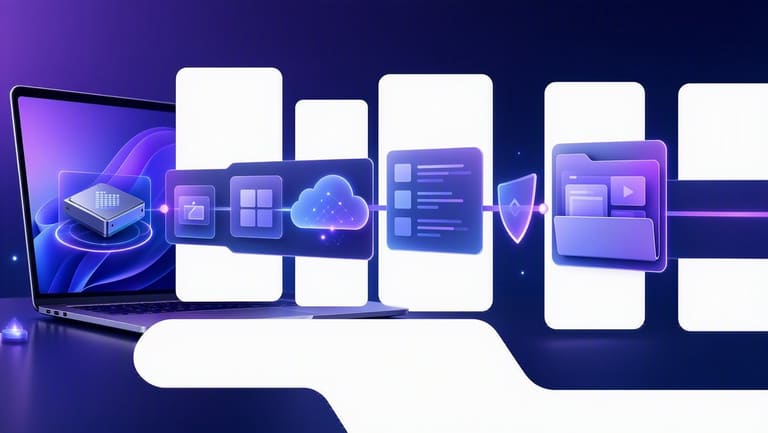
macOS migration, Windows-യിലേക്ക് accustomed users-നു first impression tough. But right steps-നാൽ process smooth. ഓപ്പറേറ്റിങ് സിസ്റ്റം experience enhanced; Apple ecosystem advantages available. Data, compatiblity, backup — key focus.
macOS-ലേക്ക് change-ചെയ്യുന്നതിന്, HW compatiblity check Apple compatibility list/model-number. If not supported, new Mac buy-ചെയ്യണം. Essential apps for macOS, alternatives, compatiblity review; conversion-smooth.
| Step | Explanation | Useful Tools/Methods |
|---|---|---|
| Hardware compatiblity check | Mac-നു Support കിട്ടുന്ന devices-ഇൽ മാത്രം latest macOS run ചെയ്യും | Apple compatiblity site, model-number verification |
| Data backup | Personal files/documents/photos backup | Time Machine, external disc, iCloud/Drive backup |
| App compatiblity check | Used apps macOS-version-ഉം or alternatives-ഉം ഉണ്ടോ? | Official developer site, app search |
| macOS install | Fresh install or upgrade | MacOS install media/internet recovery |
Backup critical: files/photos/docs, external/cloud. Time Machine best for Mac; easy/secure. Backup after, begin clean macOS install (erase drive, install OS), speeds system & prevents compatiblity conflicts.
Migration Steps
- HW & SW compatiblity confirm: macOS-ൽ supported, apps available.
- Backup: All essentials; Time Machine/external/cloud.
- Install media: Download macOS installer, USB/DVD create.
- Clean install: Format drive, fresh macOS install.
- Drivers & updates: Required drivers/updates install.
- Restore backup: Files/docs/photos copy back.
macOS-നായ് ഇൻസ്റ്റാളുചെയ്യുന്നത്ശേഷം, system preferences personalise ചെയ്യാം. Apple ID/iCloud active, mail/accounts set. സപ്പോർട്ട് centers, forums ക്ലിയർ doubts. New OS acclimatization time, so – patience, exploration recommended.
macOS migration, short-term challenges, long-term a superb experience; proper prepration & steps crucial.
Linux, macOS — WD-ൽ ഉപയോഗത്തിന്റെ ആനുകൂല്യങ്ങൾ
ഓപ്പറേറ്റിങ് സിസ്റ്റം റിപ്പ്, usability, security, performance, cost — factors influence ചെയ്യുന്നു. Linux/macOS, Windows-നെക്കാൾ approach+benefit-ൽ ഉളളതാണ്. Changing OS — specific needs-ഉം, productivity boost-ഉം. Now, both these OS-ഉം explore ചെയ്യാം.
Linux, open-source; freedom/flexibility ത്തോടും. Multiple distros — HW compatibility, mass-user, server-be - versatile. Security updates quick, community support immense.
| Feature | Linux | macOS |
|---|---|---|
| Source code | Open source | Closed source |
| Customization | High | മിതമായത് |
| Security | High | High |
| Hardware compatibility | Wide | Limited (Apple HW) |
macOS, User-friendly UI, Apple ecosystem syncing. Designers/creatives preferring macOS; high-performance apps run smoothly. Apple’s strict protocols, frequent updates — security strong. Downside: only Apple HW.
Main pros & cons
- Linux: Open-source, free, vast customization.
- Linux: Wide hardware support, old computers performant.
- Linux: Terminal interface - learning curve for some.
- macOS: User-friendly UI, easy adoption.
- macOS: Ecosystem integration seamless.
- macOS: Hardware restriction — only Apple devices.
Linux/macOS both, Windowsനെക്കാൾ unique advantages ഉണ്ട്. Linux — freedom, flexibility, cost control; macOS — user-friendly UI, ecosystem integration. OS selection = priority, expectation, skill according. Both OS, capable hands productivity tools.
ഉപയോക്തൃ WD മെച്ചപ്പെടുത്തുന്ന മോസ്റ്റ് യൂസ്ഡ് അപ്ലിക്കേഷനുകൾ
Migration complete-ചെയ്താൽ, productivity & usability boost-നു right apps കുറേ. Windows > Linux/macOS-ൽ app-compatible WD, needs fit ചെയ്യുന്നതിനുന്ന ഏറ്റവും പ്രഭാവം app election-ഉം. Office, creative, dev-tools, admin apps — each matter big.
WD Enhancement app-category overview:
| Category | Exemplar Apps | Description |
|---|---|---|
| Office Productivity | LibreOffice, OnlyOffice | Docs/spreadsheets/presentation |
| Creative/Multimedia | GIMP, Inkscape, VLC | Photo-edit/vector-art/media-playback |
| Dev Tools | VS Code, Eclipse, Docker | Coding, testing, deployment |
| System utilities | htop, Timeshift | Monitor/processes/backup/restore |
New OS–compatible apps essential. Microsoft Office-കുത്ത് LibreOffice/OnlyOffice, Photoshop-കുത്ത് GIMP/Inkscape, video edit-കുത്ത് DaVinci Resolve/Kdenlive are great choices. For system-management, htop/glances monitor, backup-recovery — Timeshift/Deja Dup is handy.
Apps recommended
- LibreOffice: Free open-source office suite, MS Office compatible.
- GIMP: Powerful photo-editing, Photoshop alternative.
- VLC Media Player: Universal media playback.
- VS Code: Top code editor — multi-language.
- htop: Real-time system/process monitor.
- Timeshift: Backup/restore tool, prevents data loss.
Migration–data-security, password manager (Bitwarden/KeePass), VPN utilize. Secure online/file/privacy. Right app-സ election & personalization; new OS experience delightful, productive.
Migration ശേഷം, കൺട്രോൾ-ലിസ്റ്റ് പ്രാബല്യമാണ്
Migration complete ചെയ്താൽ, ഓപ്പറേറ്റിങ് സിസ്റ്റം stable, error free, productivity-ൽ plus — control checklist use ചെയ്തു കണക്കാക്കണം. Migration success-ന് early-problem detect ചെയ്യാൻ chance.
System/application compatiblity, data integrity, user training — WD essentials. Below table, core post-migration checks:
| Area | Description | Priority |
|---|---|---|
| System stability | New OS stable-running | High |
| Data integrity | All migrated data correct | High |
| App compatiblity | All main apps run troublefree | High |
| Hardware compatiblity | Peripherals work — printers/scanners | ഇടത്തരം |
| Firewall/antivirus | Proper config | High |
| Backup/recovery | Backup systems tested | High |
User acclimatization, training/support must. Below, action checklist:
- Check list
- System boot/shutdown OK?
- All essential apps working?
- Network/Internet connectivity?
- Peripheral devices functional?
- Backup/restore test?
- Security tools up-to-date/active?
User feedback, pro-active problem fixing; Migration success depends on continued monitoring-improvement.
Migration is only the beginning; WD sustainable performance/security need care & vigilance.
This checklist, OS migration successful & smooth completion-നു helpful. Review every point, early issue detection.
ഓപ്പറേറ്റിങ്ങ് സിസ്റ്റം Migration — ക്രോശമുളള സ്ട്രാറ്റജിക പ്രധാന്യം
ഓപ്പറേറ്റിങ്ങ് സിസ്റ്റം change, ഞാൻ technical-upgrade മാത്രമല്ല; long-term biz/individual goals-നു strategic move. Cost-saving, security-improvement, performance plus — all are benefits. Modern biz world, flexible, secure, productive infra — business success-നു must. Migration decision, not only current need, future readiness-ഉം review ചെയ്യണം.
| Factor | വിൻഡോസ് | Linux | macOS |
|---|---|---|---|
| Cost | License fee | Mostly free | Included in device cost |
| Security | Patches improve | Open, community | Strict protocols |
| Flexibility | Max SW compatiblity | Customization leader | User-friendly UI |
| Performance | HW dependent | Efficient utilization | HW-optimized |
Strategic importance — long-term benefits. Open-source shift = license cost save; redirect budget to R&D/marketing. Secure OS — prevent data-breach, avoid financial/reputation loss. Biz continuity strongly tied to infrastructure.
Key takeaways
- Cost-saving potential
- Security gaps minimized
- Performance optimization
- Long-term goal alignment
- Hardware/software compatiblity
- User training, adaptation planned
Migration boosts enterprise productivity, competitive advantage. Fast/stable infra, staff efficiency, secure infra — client trust. Migration strategic planning essential.
പതിവ് ചോദിക്കുന്ന ചോദ്യങ്ങളോട് ഉത്തരങ്ങൾ
എന്തിനാണ് Windows-നു പുറത്ത് പുതിയ OS migration-ചെയ്യാൻ എങ്കിൽ? എന്ത് WD-ൽ advantage-ഉം?
Linux/macOS migrate ചെയ്യൂ — security, performance, customization, cost-benefit. Linux — open-source flexibility; macOS — user-friendly UI, ecosystem integration. Personal priority-നു, alternative OS make sense.
Linux distro election new users-നു best option? എന്ത് factors consider ചെയ്യണം?
Distro choice is personal need/use. Beginners = Ubuntu/Linux Mint/elementary OS — user-friendly/community strength. Review HW support, SW compatiblity, UI simple, update frequency.
Windows-യിൽ നിന്ന് Linux/macOS-ലേക്ക് safe data migrate ചെയ്യ്ാൻ എങ്കിൽ എന്ത് steps?
External drive/cloud/network used. Backup before migration. Reliable & updated app-ഉം, data-integrity confirm. File-format compatiblity essential.
Windows-അപ്പുകൾ, Linux/macOS-ൽ direct run ചെയ്യില്ല; alternative-ഉം?
Most popular Windows app-ഉം Linux/macOS alternatives ഉണ്ട്. Microsoft Office = LibreOffice/Google Workspace, Wine compatiblity layer-ഉം some Windows-അപ്പുകൾ run ചെയ്യാം. macOS Apple-default/third-party app-ഉം.
Linux migration-ൽ driver issues? HW Finding & install?
Modern Linux distros auto-detect & install drivers. Rare cases, manual download/repos/website visit. Open-source drivers — good HW compatiblity mostly.
macOS migration-ൽ iCloud integration? Windows-ൽ ഉപയോഗിച്ച ചെയ്തു files-ഉം macOS access?
macOS, iCloud smoothly syncs. Apple ID login-ഉം, all cloud files/photos/docs auto-sync. Windows-ൽ ഉപയോഗിച്ച data-ഉം same Apple ID-ഉം, macOS access. Web iCloud interface-ഉം accessable.
OS migration security--യിലെ മാറ്റങ്ങൾ? Linux/macOS safer than Windows?
Linux/macOS usually safer — open-source code, fast-patch detection, macOS sandbox/security. Security updates, secure habits must. No OS totally safe — so frequent patching.
Migration performance advantage? Linux/macOS faster than Windows?
Performance depends on HW, apps & OS optimization. Linux — light, old HW — promising speed. macOS — HW-tuned. Graphic/gaming — performance gap narrow.