 Afrikaans
 Azərbaycan
 Bosanski
 Čeština
 Dansk
Dansk Deutsch
 English
 Español
 Filipino
 Français
 Hrvatski
 Indonesia
 Italiano
 Magyar
 Melayu
 Nederlands
 Norsk
Norsk Oʻzbek
 Polski
 Português
 Română
 Slovenčina
 Slovenščina
 Suomi
Suomi Svenska
 Tiếng Việt
 Türkçe
 Ελληνικά
 Беларуская
 Български
 Русский
 Српски
 Українська
 עברית
עברית اردو
اردو العربية
 پښتو
پښتو فارسی
فارسی አማርኛ
አማርኛ मराठी
मराठी বাংলা
বাংলা தமிழ்
தமிழ் ไทย
ไทย မြန်မာ
 한국어
한국어 中文
中文 日本語
日本語

ఈ బ్లాగ్లో మీరు DirectAdmin CloudLinux కన్ఫిగరేషన్ మరియు ఇన్స్టలేషన్పై సమగ్ర వివరాలు కనుగొనగలరు. DirectAdmin CloudLinux యొక్క ముఖ్య లక్షణాలు ఏవి, ఎందుకు వాడాలి, ఎలా ఇన్స్టాల్ చేయాలి – స్టెప్-బై-స్టెప్ ప్రక్రియను, సిస్టమ్ రిక్వైర్మెంట్స్, కాన్ఫిగరేషన్ టిప్స్, పనితీరును మెరుగుపరచడం, భద్రత, టroubleshooting, ఇతర వెబ్హోస్టింగ్ ప్యానెల్స్తో పోలిక, ప్రాక్టికల్ సలహాలు, మరియు మెచ్చుకోదగ్గ సెటప్ ఉదాహరణలు గురించి వివరించబడింది. ఈ మార్గదర్శకంతో, పైడ్హనిక DirectAdmin CloudLinux ను విజయవంతంగా సెటప్ చేయడానికి సహాయపడుతుంది.
DirectAdmin CloudLinux అంటే ఏమిటి? ఎందుకు వినియోగించాలి?
DirectAdmin CloudLinux అనేది DirectAdmin ప్యానెల్తో మోతాదుగా పనిచేసే, హోస్టింగ్కి ప్రత్యేకంగా రూపొందించిన లినక్స్ సంగీత OS. CloudLinux ద్వారా, ప్రతి వాడుకరి అకౌంట్ లేదా వెబ్సైట్ కీ CPU, RAM, Disk I/O వంటి గణన్లకు (LVE ద్వారా) తన తన పరిమితి పెట్టి, ఒక యూజర్ గరిష్టంగా రిసోర్స్ వినియోగించినా, మిగిలిన యూజర్లు ప్రభావితం కాకుండా చూస్తుంది.
Lightweight Virtual Environment (LVE) టెక్నాలజీపై ఆధారపడిన CloudLinux, CPU, RAM, Disk I/O లకు ఖచ్చితమైన క్యాప్స్ పెట్టి, రిసోర్స్ మిస్యూస్ అవకుండా చూస్తుంది. ఈ ఇసోలేషన్ ద్వారా సర్వర్ స్టేబులిటీ మరియు భద్రత మెరుగుపడుతుంది.
| లక్షణం | CloudLinux | సాంప్రదాయ హోస్టింగ్ |
|---|---|---|
| రిసోర్స్ ఖచ్చిత ఐసోలేషన్ | LVE ద్వారా ప్రతి ఖాతాకు ప్రత్యేక మించి తరం | రిసోర్స్లు పంచావట, ఒక ఖాతా మిగిలినదాన్ని ప్రభావితం చేస్తుంది |
| భద్రత | ఖాతాల మధ్య ఐసోలేషన్ కలిగించి, బ్రీచింగ్ తగ్గిస్తుంది | ఒక సమస్య అందరి ఖాతాలను ప్రభావితం చేయవచ్చు |
| పనితీరు | స్థిరమైన, అంచనా చేసుకోదగిన ఫెర్ఫార్మెన్స్ | ఒక ఖాతా ల లోడ్ పెరిగితే, మొత్తం సర్వర్ పనితీరు పడిపోతుంది |
| నిర్వహణ | ఈజీ రిసోర్స్ మేనేజ్మెంట్, టరాకింగ్ | ఎంత ఖచ్చితంగా నిర్బంధించలేము |
CloudLinux లో CageFS అనే టెక్నాలజీ వల్ల, ప్రతి"user" వేరుగా సెక cure ఫైల్ సిస్టంలో వుండి, ఇతర యూజర్ ఫైల్ను చదవలేరని హామీ ఇస్తుంది. ఇది షేర్డ్ హోస్టింగ్ లో భద్రతకు కీలక మార్గం. PHP సెలెక్టర్ తో, మీ ఖాతాలో వివిధ PHP వెర్షన్స్ మేనేజ్ చేయవచ్చు.
DirectAdmin CloudLinux వాడాలి అనే మెరుగు పాయింట్లు:
- అత్యధిక భద్రత: ఖాతాల మధ్య ఖచ్చితమైన ఐసోలేషన్ ఉన్నందున, బ్రీచింగ్ వేరట్లను నివారిస్తుంది
- స్థిరమైన పనితీరు: రిసోర్స్ లిమిట్స్ కారణంగా, ఒక ఖాతా మిగిలినదాన్ని ప్రభావితం చేయదు
- ఫ్లెక్సిబుల్ రిసోర్స్ మేనేజ్మెంట్: ఖాతాకి వేరే లిమిట్స్ అమర్చవచ్చు
- PHP వెర్షన్ కంట్రోల్: PHP Selector ద్వారా, వివిధ సైట్లకు వేరే PHP
- సులభమైన నిర్వాహణ: DirectAdmin ప్యానెల్తో ఇంటిగ్రేషన్, యూజర్ ఫ్రెండ్లీ నేవిగేషన్
- సర్వర్ లోడ్ తగ్గింపు: ఖచ్చితమైన లిమిట్స్ కారణంగా, అధిక భారం తగ్గుతుంది
DirectAdmin CloudLinux హోస్టింగ్ ప్రొవైడర్లు/సర్వర్ అడ్మిన్లకు నమ్మదగిన హోస్టింగ్ పాలిసీలకు శ్రేష్ఠ పరిష్కారం. మెరుగైన భద్రత, సింగిల్ అకౌంట్ బాడ్ యాక్టివిటీకి నిరోధం, సర్వర్ స్టెబులిటీ మార్కedly పెరుగుతుంది.
DirectAdmin CloudLinux స్టెప్-బై-స్టెప్ సెటప్ ప్రక్రియా
DirectAdmin CloudLinux installation వల్ల Sర్వర్ పనితీరు పడకుండా, ఎక్కువ యూజర్కి సేది లిమిట్లను పెట్టి, Rమొత్త61599 తెరువాత మూవీ ప్రభావంతం అవుతుంది. సెటప్ ముందే మీ సర్వర్ CloudLinux అనుకూలంగా ఉందో తెలుసుకోండి, మరియు లైసెన్స్ మీ దగ్గర ఉందని నిర్ధారించుకోండి.
ఇన్స్టాల్ చేయడంలో ముందు, సర్వర్ backup తీసుకోవడం తప్పనిసరి. తప్పులు కలిగితే, backup గుణంగా restore చేయొచ్చు.
| స్టెప్ | వివరణ | ప్రభావం |
|---|---|---|
| లైసెన్స్ చెక్ | CloudLinux లైసెన్స్ యాక్టివ్ ఉందా చూసుకోవాలి | అత్యధికం |
| సన్నాహాలు | Backup తీసుకోవాలి, సర్వర్ software అప్డేట్ చేయాలి | అత్యధికం |
| ఇన్స్టాల్ కమాండ్స్ | CloudLinux ఇన్స్టాల్ కస్టంకు కరెక్ట్గా ఎక్సిక్యూట్ చేయాలి | అత్యధికం |
| ఫినిష్ Verification | సెటప్ ok లేదా లేదని పరీక్షించుకోవాలి | అత్యధికం |
ప్రతి అడుగు ప్రాముఖ్యత కలిగి ఉంటుంది. తప్పు కాన్ఫిగరేషన్ వల్ల సర్వర్లో పనితీరు లేదా భద్రత సమస్యలు వస్తాయి. కెసి, సెటప్ మార్గదర్శకాన్ని జాగ్రత్తగా ఫాలో చేయండి, అవసరంగా ప్రొఫషనల్ సపోర్ట్ తీసుకోవడం మంచిది.
- Step-by-step స్టెప్లు
- SSH ద్వారా root access పొందండి
- CloudLinux installation script డౌన్లోడ్ చేయండి
- Scriptను execute చేసి, installation guide ఫాలో అవ్వండి
- DirectAdmin & CloudLinux అనుకూలత తేల్చండి
- Installation పూర్తి తర్వాత server restart చేయండి
- DirectAdmin panel లో CloudLinux ఫీచర్స్ను enable చేయండి
ఇన్స్టాలేషన్ పూర్తయిన తర్వాత, LVE limitలను మరింత refine చేయడం ద్వారా, సర్వర్ వరకూ స్టెబులిటీ & భద్రతకు కేస్ చేద్దాం. ఫైర్వాల్ కన్ఫిగరేషన్ కూడా అభివృద్ధి చేయండి.
సిస్టమ్ అవసరాలు & ప్రాథమిక సన్నాహాలు
DirectAdmin CloudLinux సెటప్ చేయాలంటే, మీ సర్వర్కి కావలసిన డివైస్ మరియు OS సపోర్ట్, రామ్, డిస్క్ స్పేస్ మరియు ప్రాసెసర్ పవర్ ఉండాలని నిర్ధారించుకోండి. ఈ వివరాలు లేకపోతే ఫైన్ట్యూన్ కాన్ఫిగరేషన్, installatie ప్రాసెస్ను ఎఫెక్టివ్గా చేయలేరు.
- Min. System Requirements
- 2GB RAM కనీసం (4GB+ సిఫార్సు)
- 20GB ఫ్రీ disk space
- x86_64-bit processor
- CentOS 7, AlmaLinux 8/9, Rocky Linux 8/9
- Latest Kernel Version
- Stabile internet connection
ట్రాఫిక్ & యూజర్ ఖాతాల ప్రమాదం కొరకు, ఇక్కడ టేబుల్:
| లక్షణం | Low Traffic | మధ్యస్థం | High |
|---|---|---|---|
| రామ్ | 2GB | 4GB | 8GB+ |
| Disc Space | 20GB | 50GB | 100GB+ |
| Processor | Dual-core | Quad-core | Eight-core+ |
| OS | CentOS 7 | AlmaLinux 8/9 | Rocky Linux 8/9 |
Backup & Configuration export సూచించబడుతుంది. FireWall, Backup, licenses ముందే confirm చేయండి. ఆపై స్టეప్బైస్టెప్ సెటప్కు వెళ్ళండి.
కాన్ఫిగరేషన్ సమయంలో జాగ్రత్తలు
CloudLinux DirectAdmin సెటప్ తర్వాత, సర్వర్ పనితీరుని, భద్రతను మెరుగుపరచడానికి కాన్ఫిగరేషన్ ప్రాముఖ్యత. అధిక లేదా తక్కువ రిసోర్స్ లిమిట్స్ వల్ల మిగిలిన ఖాతాల పనితీరుపై ప్రభావం పడుతుంది. ప్రతి సెట్టింగును క్షణికంగా configure చేయండి
| సెట్టింగ్ | సిఫార్సు విలువ | వివరణ |
|---|---|---|
| CPU Limit | 50-80% | ఒక యూజర్ CPU వినియోగించగలదు |
| RAM Limit | 512MB-2GB | ఒక యూజర్ RAM అవసరానుసారం |
| I/O Limit | 10MB/s – 20MB/s | Disk Read/Write సుధడ |
| Concurrent Connections | 50 – 100 | ఒక ఖాతాలో ఒకసమయంలో కనెక్షన్స్ సంఖ్య |
- కాన్ఫిగరేషన్ టిప్స్
- CPU & RAM లిమిట్స్ ప్యాకేజీ ప్రకారం వేరు చేయండి
- I/Oను disk speed ప్రకారం ఫైన్ట్యూన్ చేయండి
- Connections సంఖ్యను ట్రాఫిక్ను గమనించి ఫిక్స్ చేయండి
- MySQL ఉపయోగాన్ని regular audit చేసి Optimize చేయండి
- CloudLinux తప్పకుండా update చేయండి
- Server logs ను నిరంతరం తనిఖీ చేయండి
భద్రతికీ గణనకు కూడా ప్రాధాన్యత ఇవ్వాలి: CageFS & mod_security వాడితే మీ ఆర్థిక ఖాతాలను ఐసోలేట్ చేస్తుంది, Web applications సురక్షితంగా పనిచేస్తుంది.
Backup తీసుకోవడం, staged change strategy ఫాలో అవ్వడం మూలదాయి. DirectAdmin CloudLinux ఫీచర్లను సర్వర్ వరకూ సంపూర్ణంగా అమలుచేసేలా కాన్ఫిగరేషన్ చేయాలి.
DirectAdmin CloudLinux vs ఇతర హోస్టింగ్ ప్యానెల్స్
Web hosting panel ఎంపిక వల్ల మీ సైట్లు భద్రత, పనితీరు, నిర్వహణపై ప్రభావం చూపుతుంది. DirectAdmin CloudLinux కాంబోతో షేర్డ్ హోస్టింగ్లో రిసోర్స్ను హై పార్శియల్గా ఉపయోగించవచ్చు. అనేక ఇతర hosting panels (cPanel, Plesk, CyberPanel) DirectAdmin CloudLinux కి alternativa. మీ అవసరానికి ఏది ఉత్తమమో ఈ comparison తో తెలుసుకోండి.
| Panel | లక్షణాలు | ప్రయోజనాలు | లిమిటేషన్స్ |
|---|---|---|---|
| cPanel | భలే UI,్రిక updates, అద్భుల్ extensions | Easy use, industry-leading, community support | High license cost, resource usage issues, security challenges |
| Plesk | Linux/Windows support, security tools, Docker support | Windows-friendly, flexible, advanced tools | Complex UI, high resource overhead, some security concerns |
| DirectAdmin | Lightweight, minimalist UI, cost-effective | Low resource load, easy maintenance, budget-friendly | Less plugins, missing features, limited community |
| CyberPanel | Free & open source, LiteSpeed support, high performance | Fast, free, modern dashboard | New & unfamiliar, less userbase, limited support |
- Useability: Panel UI’s user-friendliness
- Resource Usage: Efficiency in server utilization
- Security Features: Firewall, anti-virus etc.
- Plugin Support: Third-party integrations
- Pricing: License costs, extra expenses
- Community: Forums, knowledge base, help channels
CyberPanel is open-source, free with LiteSpeed, but slightly lacks maturity/support. Panel ఎంపికలో మీ website భద్రత, పనితీరు అవసరాలు, బడ్జెట్, సాంకేతిక జ్ఞానం అన్నింటిని పరిగణించాలి. వండర్, CloudLinux-DirectAdmin కాంబో వాడితే షేర్డ్ హోస్టింగ్లో స్టేబుల్/తక్కువలొడ్, ఎక్కువ భద్రత నిచ్చివచ్చుతుంది.
DirectAdmin CloudLinux కాన్ఫిగరేషన్ ఉదాహరణలు
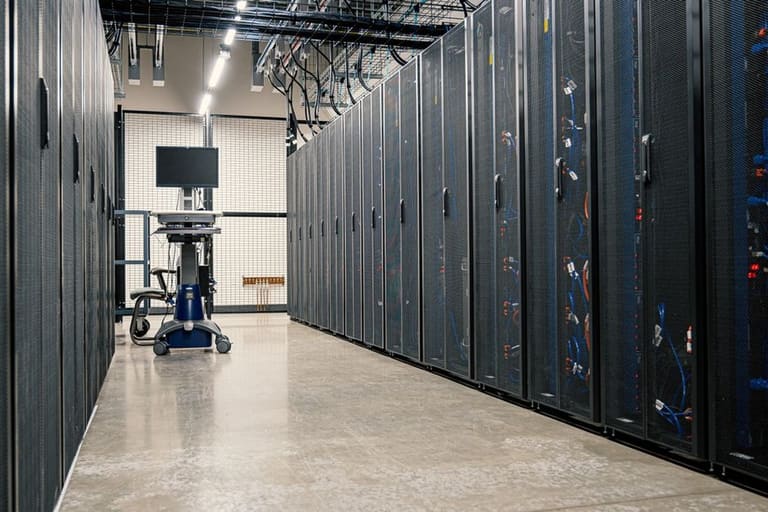
CloudLinux & DirectAdmin server తీసుకున్న తర్వాత, ఈ విధంగా కాన్ఫిగరేషన్ సెటప్ చేయడం వల్ల optimal performance, high security, balanced resources దగ్గరకు తీసుకువచ్చేది.
| Ayarlari | Recommended Values | వివరణ |
|---|---|---|
| CPU Limit (%) | 50-100% | Each user can utilize up to this CPU slice – prevents hogging |
| Memory Limit (MB) | 512-2048MB | Sufficient RAM ప్రతి ఖాతాకు each account, prevents RAM overload/failure |
| IO Limit (KB/s) | 1024-4096KB/s | Sets fair disk access, avoids disk spikes affecting others |
| Process Limit (NPROC) | 50-200 | Maximum process running per user, ensures system stability |
- Customizable settings:
- CPU limit: User-wise CPU allocation
- Memory limit: RAM quota
- IO limit: Disk R/W speed restrictions
- Process limit: Maximum processes per user
- MySQL user limit: Max DB connections/user
- Fault Isolation: Strengthening of user separation
CageFS అనుసంధానంతో, అల్లుటో మల్టీ-యూజర్ ప్రక్షాళన, security breach పరిధిని నిరోధిస్తుంది – ముఖ్యంగా షేర్డ్ హోస్టింగ్లో.
Ayar 1
CPU Limit Setting: CPU limit ఇటు గ్రాండ్ లిమిట్లు పెడితే, high traffic వాడుకరుల load మిగిలినవారికి ప్రభావం చూపదు. స్వల్పలొడ్కి ప్రాసెస్ని క్షుణికంగా అందదు. లిమిట్లు ఆల్ సర్వర్lఒ workload & customer needs చూసి fine-tune చేయండి.
Ayar 2
Memory Limit Setting: RAM limitను ఖచ్చితంగా అమర్చితే, memory leakage, overload from one user affecting all others, లేదా crashలు ఏదీ ప్రమాదం లేదు. సర్వర్ వినియోగ ద్యాలు, ట్రాఫిక్ సమస్యను బట్టి మార్చండి.
ఇవి basic settings మాత్రమే; మీ actual server, ఖాతాల activity బట్టి, ఇంకా refine చేయండి. DirectAdmin మరియు CloudLinux panel లో monitoring tools వినియోగించినా, సెట్టింగ్లను optimise చేయడం సులభమే.
పనితీరును మెరుగుపరచడం
Installation, కాన్ఫిగరేషన్ తర్వాత performance optimisation అవశ్యకంగా చేయాలి. తక్కువ రిసోర్స్లో, వెబ్సైట్లకు ఫాస్ట్ పని & వినూత్న వాడుక ద్య మూలంగా అభివృద్ధి చెయ్యాలి.
- Gereksiz servicesను disable చేయండి
- Database optimisation (backup/ indexing) చేయండి
- Caching tools (Varnish, Memcached) వినియోగించండి
- CloudLinux limitలు క్షణికంగా trimester చేయండి
- PHP versionsనును update చేయండి
- Server software (DirectAdmin, Apache/Nginx, MySQL/MariaDB) update చేయండి
| Parameter | ప్రభావం | సిఫార్సు విలువ |
|---|---|---|
| CPU | User-wise CPU cap | 50-100% |
| రామ్ | User RAM quota | 512MB-2GB |
| I/O | Disk throughput limit | 10-20MB/s |
| Processes | Max simultaneous processes | 20-50 |
Performance caching tools (Varnish, Redis, Memcached), CDN enabled static content delivery ద్వారా, site speed పెరుగుతుంది. Server log audits ద్వారా, సమస్యలు తేలికగా పట్టుకోవచ్చు.
తప్పుల పరిష్కార రహస్యాలు
DirectAdmin CloudLinux సెటప్ చేస్తుంటే, license, panel incompatibility, resource limit exceed, లేదా performance issues సాధారణంగా వస్తాయి. Troubleshooting systematic గా చేయడం తప్పనిసరి.
| యుద్ధం | Possible Reason | Solution |
|---|---|---|
| CloudLinux license issues | Inactive, mistyped license | License validity revisitation, credentials correction |
| Panel integration | Misconfiguration, version problems | version matching, config editing, documentation follow |
| Resource quota exceed | User hogs resources | Limit revisiting, user optimisation |
| Performance drains | High server load | Server audit, process killing, tweak configs |
- Server logs నుండి error & warnings అన్వేషించండి
- CPU, RAM, Disk usage monitor చేయండి
- DirectAdmin & CloudLinux configs తనిఖీ చేయండి
- Updates check చేసి, outdated modules rectify చేయండి
- Server, panel restart ద్వారా transient issues సరి చేయండి
- Professional support (DirectAdmin, CloudLinux) అవసరమైతే కోరండి
Regular backup నిర్మించితే మెరుగైన risk mitigation, అనుకోని మై - restore పని సులభం అవుతుంది. ఇది నిర్వాహక కంటే ఉత్తమ ఇండస్ట్రీ ప్రాక్టీస్.
భద్రత మార్గదర్శకాలు
DirectAdmin CloudLinux సెటప్ తర్వాత, security continuous process. అదేవిధంగా, server, hosted sites, data integrity, customer privacy కి అధిక రక్షణ ఇవ్వాలి. Security checks, proactive measures తప్పనిసరి.
- Updates: DirectAdmin, CloudLinux software latest versions వాడాలి
- Strong passwords: Complex, unpredictable password policy అమలు చేయాలి
- 2FA: Two-factor authentication యితే వాడండి
- Unused ports: Firewall ద్వారా మూసేయండి
- Firewall: Protective firewall setup & update చేయండి
- Backup: Critical data backup & safe storage
- Logs: Server logs monitor చెయ్యండి
| Security Layer | Suggestion | Explanation |
|---|---|---|
| Software | Updates | DirectAdmin, CloudLinux, ancillary software up-to-date |
| Authentication | 2FA | Password + device authentication |
| Network | ఫైర్వాల్ | Active network rules |
| Data | బ్యాకప్ | Periodic, offsite backup |
Physical security, data center reliability, network infrastructure redundancy లాంటి చెక్లిస్టు కూడా చూసుకోండి. Security audit, emergency response strategy సిద్ధం ఉంచండి.
ముగింపు & ప్రాక్టికల్ సలహాలు
ఈ మార్గదర్శకంలో DirectAdmin CloudLinux సెటప్, పనితీరు, భద్రత, Troubleshooting etc. వివరించాం. Hosting service తో CloudLinux integration మీ serverను stabilise చేయడమే కాదు, customer satisfaction పెరుగుతుంది, security risks తగ్గిపోతాయి.
| సలహా | వివరణ | ప్రాధాన్యత |
|---|---|---|
| బ్యాకప్ | Backup policy & safe storing | Highest |
| Firewall config | Proper firewall setup & constant monitoring | Highest |
| Resource monitoring | Audit CPU, RAM, Disk; tune as needed | మధ్యస్థం |
| Software updates | DirectAdmin, CloudLinux, modules always updated | Highest |
- Key Takeaways
- Updates: Software, OS, panel regular updates
- Security scans: Routine audits for vulnerabilities
- Resource monitoring: Usage patterns identify, handle sudden spikes
- Backup strategy: Robust, tested backup restoration plan
- Quota management: Prevent resource quota breach
Web hosting & CloudLinux tech industry అభివృద్ధిలో ఉంటారు. Industry documentation, forums, best practices, DirectAdmin & CloudLinux community feedbackతో case study, సమస్యలు, పరిష్కార మార్గాలు ఎప్పటికప్పటికీ తెలుసుకోండి. Hosting excellence సాధించండి!
తరచుగా అడిగే ప్రశ్నలు
DirectAdmin లో CloudLinux key మీకు ఏ ప్రయోజనాలు?
DirectAdmin లో CloudLinux వాడితే, resource isolation వల్ల ఒక user ఇతర userని పనితీరు/భద్రతపై ప్రభావితం చేయకుండా చోదించబడుతుంది. మిగిలిన ఖాతాలకు కైరటపంచరు, సర్వర్ పనిచేసే విధానం మెరుగుదల అవుతుంది.
CloudLinux సెటప్ ముందు DirectAdmin server కి ఏం ప్రాథమిక సన్నాహాలు?
CloudLinux compatibility, license validity, latest DirectAdmin version, backups, SSH/root access సిద్ధం ఉంచాలి.
CloudLinux సెటప్ లోేడ్ చాలా సమస్యలు/పరిష్కారాలు ఏమిటి?
License issues, incompatible modules, misconfiguration. Solution: Providerతో license discussion, alternative modules ఊహించి, documentation ప్రకారంగా configuration changes చేయండి.
CageFS అంటే ఏమిటి & DirectAdmin లో ఎలా అమలు చేయాలి?
CageFS అని: User dedicated virtual file system, security bolster. CloudLinux install తర్వాత, DirectAdmin panelలో CageFS enable చేయచ్చు.
CloudLinux LVE యొక్క ఉపయోగం & ఎలా మేనేజ్ చేయాలి?
LVE: CPU, RAM, IO లకి quota ఏర్పాటు. DirectAdmin panel లో CloudLinux extension ద్వారా LVE limits & monitoring సులభం.
Performance optimisation కి DirectAdmin CloudLinux combo- కొరకు ఏ మార్గాలు?
LVE settings fine-tune చేయండి, unnecessary modules remove/disable చెయ్యండి, caching tools (OPcache), database tuning, CDN integration.
CloudLinux ని DirectAdmin నుంచి remove చేయాలంటే?
Before removal, backup. DirectAdmin stop చేయండి, CloudLinux official uninstall steps ఫాలో అవ్వండి, restart server.
Security కోసం DirectAdmin CloudLinux లో ఏ అదనపు ప్రదానాలు తీసుకోవాలి?
Security updates, firewall config, password policy, 2FA activation, periodic scans, CageFS, SecureLinks enable చేయాలి.