 Afrikaans
 Azərbaycan
 Bosanski
 Čeština
 Dansk
Dansk Deutsch
 English
 Español
 Filipino
 Français
 Hrvatski
 Indonesia
 Italiano
 Magyar
 Melayu
 Nederlands
 Norsk
Norsk Oʻzbek
 Polski
 Português
 Română
 Slovenčina
 Slovenščina
 Suomi
Suomi Svenska
 Tiếng Việt
 Türkçe
 Ελληνικά
 Беларуская
 Български
 Русский
 Српски
 Українська
 עברית
עברית اردو
اردو العربية
 پښتو
پښتو فارسی
فارسی አማርኛ
አማርኛ मराठी
मराठी বাংলা
বাংলা தமிழ்
தமிழ் ไทย
ไทย မြန်မာ
 한국어
한국어 中文
中文 日本語
日本語

இந்த வலைப்பதிவு கட்டுரை, DirectAdmin CloudLinux பதிப்பு நிறுவல் மற்றும் அமைப்பின் பயனுள்ள வழிகாட்டியைக் கொடுக்கும். CloudLinux – DirectAdmin அமைப்பின் விஷயங்கள், அவற்றின் தேவை, நிறுவல் நிலையின் படிப்படியான விவரங்கள், சிஸ்டம் குறிப்புகள், அமைப்பில் கவனிக்க வேண்டிய முக்கிய விடயம், மற்ற control panel திரயம், எடுத்துக்காட்டு configuration, செயல்திறன் மேம்பாடு, பிழைநீக்கும் முறைகள் மற்றும் பாதுகாப்பு அறிவுகளும் இந்த கட்டுரையில் உள்ளன. வாசகர்களுக்கு, DirectAdmin CloudLinux அமைப்பை திறம்பட நிறுவும் வழிகாட்டியும் வழங்கப்படுகிறது.
DirectAdmin CloudLinux என்றால் என்ன, ஏன் பயன்படுத்த வேண்டும்?
DirectAdmin CloudLinux என்பது, DirectAdmin panel-க்கு இணைந்து, hosting server-இல் resource விபரண்மை, user isolation மற்றும் security அடிப்படையில் server-ஐ பாதுகாக்கும் ஒரு cloud-based OS தீர்வு. ஒரு user resource அதிகம் பயன்படுத்தினால், மற்ற web hosting users பாதிக்கப்படாத வகையில் isolation செய்யும் மிகுந்த பாதுகாப்பு அளிக்கிறது.
CloudLinux, Lightweight Virtual Environment (LVE) மூலம், ஒவ்வொரு கணக்குக்கும் CPU, RAM மற்றும் disk I/O resource limit வசதியை தருகிறது. அவர்கள் அளவைக் கடந்தால் web hosting environment நல்ல performance-ஐ தரும். அதுபோல், ஏதேனும் account compromise ஆயிற்று என்றால் (hack/attack வந்தால்), மற்ற user-க்கு ஏற்கனவே separate isolation - மேல் பாதுகாப்பு சொம்பிரமுகிறார்.
| விசயம் | CloudLinux | பாரம்பரிய Hosting |
|---|---|---|
| Resource isolation | LVE மூலம் ஒவ்வொரு account க்கு | Resource அனைத்து users share பண்ணுவார்கள் |
| Security | Account-லாப்பு isolation, hacking பரவாமல் தடுப்பு | ஒரு hack எல்லா accounts-க்கும் ஆபத்தாகி விடும் |
| செயல்திறன் | Stabil & Predictable | Heavy user accounts affect server speed |
| Management | Easy resource tracking | Manual intervention, tough management |
CloudLinux-ன் முக்கியக் கோணங்களில் CageFS இடக்கால் முக்கியம். CageFS-இல் user எல்லா files-க்கும் மற்ற user access-யை கட்டுப்படுத்தும் secure virtual filesystem-ஐ உருவாக்குகிறது. Shared hosting-இல் இது தவிர்க்க முடியாத security உரிமை! இன்னும், CloudLinux-ல் PHP தேர்வி மாதிரி சிறப்பு tool-க்கள், PHP version-ஐ ஒவ்வொரு website-க்குத் தனித்து தேர்வு செய்யலாம்.
DirectAdmin CloudLinux-ன் முக்கிய விருப்பு
- Security மேலோங்கல்: Account-லாப்பு isolation, hack பரவல் தடுப்பு
- Stable performance: Resource limit, heavy user others-ஐ affect செய்யாது
- Flexible resource control: Resource limit user level-ல் அமைக்க முடியும்
- PHP selector: ஒவ்வொரு Site-லும் வெவ்வேறு PHP version ஓடிக் கிடைக்கும்
- User-friendly management: DirectAdmin integration panel-யில் easy administration
- Reduced server load: Resource optimal use
CloudLinux-enabled DirectAdmin setup, Tamil hosting provider-கள் மற்றும் sysadmin-க்கு server பராமரிப்பில் “மாதிரியான” பாதுகாப்பு & தரம் தரும். உங்கள் hosting மகிழ்ச்சிக்கும், tech-support headaches குறைக்கவும் cloudlinux உங்களுக்கே வாடிக்கையாளர்கள் திருப்திக்கு வழிகாட்டும்.
DirectAdmin CloudLinux நிறுவல் – படிப்படி வழிகாட்டி
DirectAdmin CloudLinux நிறுவும் போது உங்கள் server resource distribution, web sites stabil-ஆ ஓடுவதற்காகப் படிப்படியான விபரம் மிக முக்கியம். நீங்கள் எந்த userபட resource boundary கடந்தாலும், மற்ற accounts affect ஆகாது - solid performance.
நிறுவல் தொடங்கும் முன், CloudLinux compatible-ஆ server இருக்கிறது என்று, license valid-ஆமானது என்று check செய்யுங்கள். Backup கொள்ள மறக்காதீர்கள் — failஆனால் dataset restore வாய்ப்பு! “எடுப்பது கையிலே”—backup செய்யாமல் செய்யும் installation பெரிய risk!
| படி | விளக்கம் | அவசியம் |
|---|---|---|
| License check | CloudLinux license validல் இருக்கிறது என்பதை verify செய்யவும் | மிகவும் அவசியம் |
| Backup/Preparation | Backup வை அணுகவும், software update ஆக இருக்க வேண்டும் | மிகவும் அவசியம் |
| Install commands | Installation script-ஐ install செய்யவும் | மிகவும் அவசியம் |
| Verification | Installation success என்றால்/done என்பதை உறுதிசெய்யவும் | குறைவான risk |
படியான install-ஐ (steps) miss செய்து விட்டால் security holes, performance drop, server malfunction ஏற்படும். Manual document பின்பற்றுங்கள், இதனை Tamil hosting industry support forumsம் பின்பற்றுகிறார்கள்.
- Install Steps
- SSH session-ல் root access login
- CloudLinux install script download
- Script execute செய்து instructions பின்பற்றவும்
- DirectAdmin panel-ஐ CloudLinux Sync செய்யவும்
- Installation success கண்காணனம் & server reboot செய்யவும்
- CloudLinux options-ஐ DirectAdmin panel-ல் enable செய்யவும்
நிறுவல் முடிந்ததும் LVE settings, CageFS, firewall settings optimal values-ஆ அமைப்பதே web hosting quality-க்கு அவசியம். Server-specific hardware limits, user-needs, security strategy அனைத்திலும் “ஒரு பொறையில் ஒரு பாத்திரம்”—backup, configure, restart and audit செய்தால் உங்களுக்கு சிறந்த hosting future.
சிஸ்டம் தேவைகள் மற்றும் முன் தயாரிப்புகள்
DirectAdmin CloudLinux நிறுவப்படும் server-இல் system requirement-ஐ தவறாமல் check செய்ய வேண்டும். Hardware, OS version, storage & memory என்பவை சரியாக இல்லாமல் செய்தால் installation fail ஆகும், அல்லது server lag-ஆ இருக்கும். வெறும் install மட்டும் / reboot மட்டும் போதாது, optimal experience-க்கு all-round check அவசியம்!
நிறுவல் முன்பு, server minimum requirement-ஐ meet செய்ய வேண்டும்: RAM, Disk, Processor, OS compatibility, Kernel update, Network reliability Chennai, Madurai, Coimbatore hosting provider-க்கு cloudlinux install-ஆனா fail ஆகாது!
- Minimum specs
- RAM: 2GB (prefer 4GB or more)
- Disk space: 20GB free at least
- Processor: 64-bit x86
- OS: CentOS 7, AlmaLinux 8/9, RockyLinux 8/9
- Latest kernel version
- Fast internet connection
சென்ற நிறுவல் ஆயிரம் sites-க்கு, RAM & CPU scale-ஆ Freeze
TRAFFIC & USERS-க்கு hardware scale அதிகம் வேண்டும்.
| Spec | Low traffic | Medium traffic | Heavy traffic |
|---|---|---|---|
| ரேம் | 2GB | 4GB | 8GB+ |
| வட்டு | 20GB | 50GB | 100GB+ |
| Processor | Dual core | Quad core | 8 core+ |
| OS | CentOS 7 | AlmaLinux 8/9 | RockyLinux 8/9 |
Backup-ஐ server install முன்னே செய்து உங்கள் configurations-ஐ வைத்துக்கொள்ளுங்கள். Firewall settings & security audit செய்தால் installation process-ல் confidence—ஒரு hosting பிழை வந்தாலும் restore செய்யலாம்!
License key, install details தவறாமல் ready வைத்துக்கொள்ளுங்கள். documentation, install instructions cloudlinux documentation அவர்களுக்கு மிக முக்கியம்!
அமைப்பில் கவனிக்க வேண்டிய விஷயங்கள்
நிறுவல் ஆகிவிட்டதும், server performance, stability அதிகரிக்க, hosting environments resource boundaries, security firewalls “right settings” smart-ஆ set செய்ய வேண்டும். செயல்பாட்டுத் mistake, resource overflow system அடிதுப்பிடிக்கும்!
| Setting | Optimal value | விளக்கம் |
|---|---|---|
| CPU Limit | 50% - 80% | User CPU max% allocation |
| RAM Limit | 512MB - 2GB | User RAM allocation |
| I/O Limit | 10MB/s – 20MB/s | Disk read/write allocation |
| Concurrent connections | 50 - 100 | Website simultaneous connection allocation |
Hardware-level-scale பார்த்து limits அமைத்தால் perfect balance. High resource user-க்கு high limit, small business-க்கு small limit. Security, performance, user experience—all in right mix!
- Configuration tips
- User package பற்றி CPU/RAM limits-ஐ உளராக அமைக்க வேண்டும்
- I/O limit based on disk performance
- Traffic peaks-பற்றி concurrent values
- MySQL resource tracking
- CloudLinux, DirectAdmin update செய்ய போதும்
- server logs audit, error tracking
Security – CageFS ஆக்கி user accounts mutual isolation மிக முக்கியம். Web firewall – mod_security etc. active-ஆ இருக்காமல் செய்தால் “hacker door” திறந்துவிடும்! Backup always, configuration tweaks “one by one” slow-ஆ முயற்சி செய்ய வேண்டும்.
DirectAdmin CloudLinux மற்றும் பிற hosting panel திரயம்
Hosting panel தேர்வு என்பது web hosting world-ல் உங்களுக்கு “அரை விலை சந்தா, சந்தோஷம்” தரும். DirectAdmin CloudLinux combo-resource allocation, security, performance-ல் முன்னிலை. ஆனால் cPanel, Plesk, CyberPanel – விருப்பு விருப்பு விலகும் option-கள். Tamil hosting user group directadmin cloudlinux-ஐ trust செய்யும் போது, மற்றாய்த்துத் tire பண்ணினால் உங்களுக்கு என் panel, என் combo success, failure-ஐ சந்திக்கலாம்.
| Panel | Specialties | Benefit | Limitations |
|---|---|---|---|
| cPanel | User-friendly UI, plugins, auto updates | Easy to use, biggest community, features | License costly, high resource usage |
| Plesk | Linux/Windows, security, Docker | Flexible, Windows friendly, features-rich | Complex UI, high resource, security risk |
| DirectAdmin | Lightweight, fast, simple UI | Low cost, easy admin, resource friendly | Limited plugins, features, small community |
| CyberPanel | Free & opensource, LiteSpeed tied | Fast, free, modern design | Less popular, limited support |
Panel அனுபவம் – usage, security, plugin, price, community. cPanel – Tamil hosting support largest forum, but license price & resource usage Tamil SMB முற்றிலும் reject செய்யும். Plesk – Windows integration உங்களுக்கு auto update, but config tough. DirectAdmin CloudLinux combo – resource limit, safety use case. CyberPanel – LiteSpeed flavour, free, but support “less”.
- Panel Comparison points
- User interface: easy handling
- Resource usage: efficiency
- Security: firewall, antivirus, protection
- Plugins: feature extension
- Pricing: license & upgrade cost
- Community: support forum
Combo Panel Tamil hosting industry, “performance, safety, price”–இனால் DirectAdmin CloudLinux combo அடிக்கடி prefer செய்வார்கள். Panel trial, review பார்த்து உங்கள் hosting need-க்கு right panel தேர்வு செய்யுங்கள்.
DirectAdmin CloudLinux எடுத்துக்காட்டு configuration மற்றும் விளக்கங்கள்
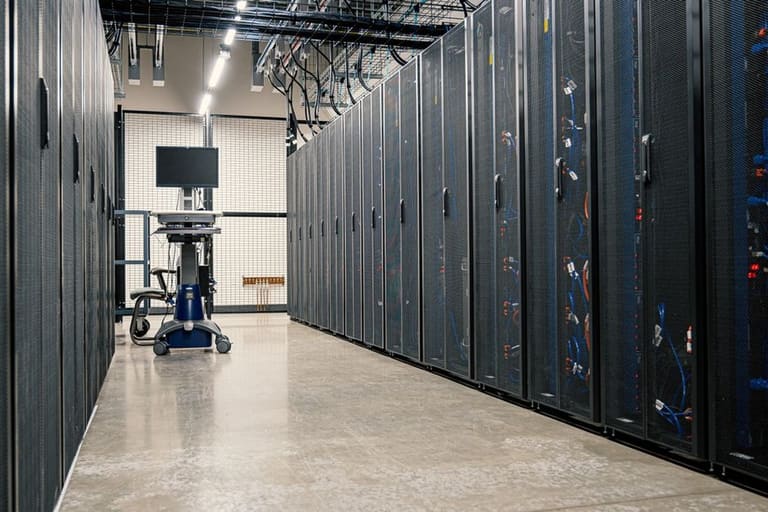
DirectAdmin CloudLinux install-ஆகிவிட்ட பிறகு performance, security, user experience—all balance configuration. Resource distribution, security firewall, monitoring—all customizable. Example values Tamil SMB-க்கு adapted-ஆ இருக்க–நீங்கள் resource limit error avoid பண்ணலாம்.
| Setting | Recommend value | Description |
|---|---|---|
| CPU Percentage | 50% – 100% | User allocation – prevent abuse |
| Memory (MB) | 512 – 2048MB | Prevent memory leak, maintain speed |
| I/O (KB/s) | 1024 – 4096KB/s | Fair disk access |
| Process limit (NPROC) | 50 – 200 | Prevent server overload |
- Advanced config
- CPU limits
- RAM limits
- IO/Disk limit
- Process count
- MySQL connections
- Fault isolation level
CageFS isolationTamil web hosting-க்கு security மாதிரி “அமை” – mutual hack tamil hosting avoid strategy.
அமைப்பு 1
CPU limit – Heavy user overload avoid செய்வதற்காக, overall server-სக்கு “fair usage”. Small server low limit, enterprise heavy limit.
அமைப்பு 2
RAM limit – Overflow ஐ தடுக்க RAM allocation limit–leak, crash, slow server சில எப்படி tackle செய்ய பயன்குறிப்பு. Customer need / hosting traffic scale-படி RAM cut / raise செய்யலாம்.
Settings sample only; server needs & hosting growthக்கே custom tweak Tamil hosting controller வேறு வேறு values integrate செய்யலாம்.
செயல்திறன் மேம்பாட்டுக்காக நல்ல பயன்கள்
DirectAdmin CloudLinux நிலையுடன், “மாடல்” performance optimisation இருந்தால் web site வேகமாக load ஆகும்; user satisfaction இந்தளவிற்கு கூடும்! Resource limits tweak, unnecessary services disable, database maintenance — server பெரும்பாலும் “தலைசிறந்த” status-ல் பாக்கலாம்.
- Performance tactics
- Unwanted services disable
- MySQL optimization routine & index
- Caching மேலும் Varnish/Memcached setup
- CloudLinux limits optimal values-ல் fix
- PHP version update & tune
- DirectAdmin/Apache/Nginx/MariaDB software update
| Parameter | Description | Sample value |
|---|---|---|
| CPU | Max % user allocation | 50 – 100% |
| ரேம் | Max MB allocation | 512MB – 2GB |
| I/O | Disk bandwidth MB/s | 10 – 20MB/s |
| Process | No of processes | 20 – 50 |
Caching – Varnish/Memcached popular tools. CDN (Content Delivery Network) ஸ்டொட்டிக் css/js/images geo-cache பண்ணுங்கள, website “speed” Chennai-லிருந்து Madurai-க்கும் Singapore-க்கும் ஒரே மாதிரியாக load ஆகும்! Log files analyse செய்து slow queries, broken plugins, security scan conduct செய்தால் Tamil hosting optimal performance.
பிழை தடுப்பு மற்றும் தீர்வு பயன்குறிப்பு
DirectAdmin CloudLinux settings tweak, installation முயற்சி “கடவுள் கூண்டு”—பிழை, resource exceed, atypical software bug. Troubleshoot methodically, stepwise; Tamil hosting forum, cloudlinux documentation follow பண்ணவும்.
| பிழை | Possible cause | Solution |
|---|---|---|
| CloudLinux license problem | Inactive key, typo | License recheck, re-enter details |
| DirectAdmin sync error | Old version, misconfiguration | Software update, config rectification |
| Resource limit failure | Heavy user abuse | Audit, resource tweak |
| Server slowdown | CPU/Memory overload | Monitor, kill excess process, optimise |
- Troubleshooting steps
- Log file audit
- Resource monitor
- DirectAdmin/CloudLinux settings verify
- Software update
- Restart services
- DirectAdmin/CloudLinux support contact
Backup strategy vital. Mistake-ஆ install போனால் revert/snapshot restore என்கிறார் Tamil hosting provider. Patience, systematic troubleshooting-ஆம் pixel pixel audit Tamil hosting industry trend.
பாதுகாப்பு அனுபவம் மற்றும் பயன்குறிப்பு
CloudLinux install, DirectAdmin panel combo-இல் security layers Tamil hosting providerுக்கு மிகவும், web hosting customers data privacy “உள்நிலை” சமத்தாக்கும்! Always proactive – policy, audit, scan, firewall, strong password—all கையே கட்டி நடத்த வேண்டும்.
- Security tips
- DirectAdmin/CloudLinux software update
- Strong password rules
- 2FA (two factor auth) நிறுவு
- Unused ports block/firewall tighten
- Yedek backup location
- Log monitoring
| Layer | Tip | விளக்கம் |
|---|---|---|
| Software | Updates | DirectAdmin, CloudLinux latest version |
| Authentication | 2FA | Admin, user panel, OTP/two factor |
| Network | ஃபயர்வால் | Attack vector block, alert setup |
| பதிவேற்பு | Regular | Periodic backup, offsite storage |
Hosting provider selection, data center security, power backup, physical security Tamil hosting ஆன்லைன், offline combo success-ஐ எதிர்கொள்ளும். Security audit, penetration testing routine, emergency action plan documentation Tamil hosting industry’s standard! Cyber threat trend, awareness continuous adaptation Tamil hosting sysadmin-க்கு must!
முடிவும், செயல்பாட்டுக்கான பரிந்துரைகளும்
இந்த வழிகாட்டியில் DirectAdmin CloudLinux install-ல், beginner இருந்து expert-level வரை, system requirement, optimisation, security, troubleshooting — resource limit, performance, business advantage-க்கு “மாதிரியாக” செயல் விளக்கம். Hosting quality, customer satisfacton உங்களுக்கு நுழைவமோட்ட செயல்வழிகள் கொண்டு வந்தது!
| Tip | Description | Importance |
|---|---|---|
| Backup plan | Periodic backup, multisite location | High |
| Firewall audit | Firewall update and configuration | High |
| Resource monitor | CPU, RAM, disk audit & tweak | நடுத்தரம் |
| Software update | Panel, OS, plugin all-round update | High |
- Key notes
- Always update: DirectAdmin/CloudLinux latest patch
- Security scan: Routine audit, user behaviour, threat alert
- Resource monitor: Traffic spike, RAM usage spike audit
- Backup test: Backup snapshot verify
- Resource limit audit: User abuse prevent
Tamil hosting sysadminக்கு — Technology daily evolving landscape; Learning, adaptation, trial/error — business value, hosting quality improve செய்ய வழிகாட்டி! Documentation, forum, support – cloudlinux directadmin integration-ல் hosting errors fix, sysadmin happiness – உயர் விலைக்கு வழிகாட்டும்.
அடிக்கடி கேட்கப்படும் கேள்விகள்
DirectAdmin-ல் CloudLinux-ன் பொருள் யார், என்ன முக்கியம்?
Resource limit allocation, security sandboxing, hacking propagation தடுக்கும் – stable hosting environment, industry standard security Tamil hosting provider-க்கு.
Install-க்கு முன் அனுபவம் என்ன?
Server compatibility, license, latest software, backup, SSH access, root privilege – Tamil hosting sysadmin “pre-flight checklist”.
CloudLinux install-ல் எதிர்கொள்ளும் பிழைகள்?
License error, plugin incompatibility, config error; License provider, plugin replace/config, documentation stepwise fix.
CageFS விளக்கம் & DirectAdmin-ல் enable செய்வது எப்படி?
Virtual filesystem, mutual user isolation; DirectAdmin+CloudLinux install-க்கு பிறகு panel-ல் enable setting, security enhancement Tamil hosting provider-க்கு.
LVE technology role-வே, directadmin cloudlinux-ல் management எப்படி?
User CPU, RAM, I/O limit tweak; DirectAdmin CloudLinux plugin-ல் visual interface என admin திறுவான்.
Performance optimisation tips?
LVE limit audit, plugin disable, OPcache caching, MySQL index, CDN connectivity
Uninstall cloudlinux Tamil hosting directadmin combo?
Backup, DirectAdmin stop, CloudLinux uninstall script/documentation stepwise follow, server reboot final.
Security best practice DirectAdmin+CloudLinux hosting combo?
Routine update, firewall config, password policy, 2FA setup, security scan, enable CageFS/SecureLinks etc.