 Afrikaans
 Azərbaycan
 Bosanski
 Čeština
 Dansk
Dansk Deutsch
 English
 Español
 Filipino
 Français
 Hrvatski
 Indonesia
 Italiano
 Magyar
 Melayu
 Nederlands
 Norsk
Norsk Oʻzbek
 Polski
 Português
 Română
 Slovenčina
 Slovenščina
 Suomi
Suomi Svenska
 Tiếng Việt
 Türkçe
 Ελληνικά
 Беларуская
 Български
 Русский
 Српски
 Українська
 עברית
עברית اردو
اردو العربية
 پښتو
پښتو فارسی
فارسی አማርኛ
አማርኛ मराठी
मराठी বাংলা
বাংলা தமிழ்
தமிழ் ไทย
ไทย မြန်မာ
 한국어
한국어 中文
中文 日本語
日本語

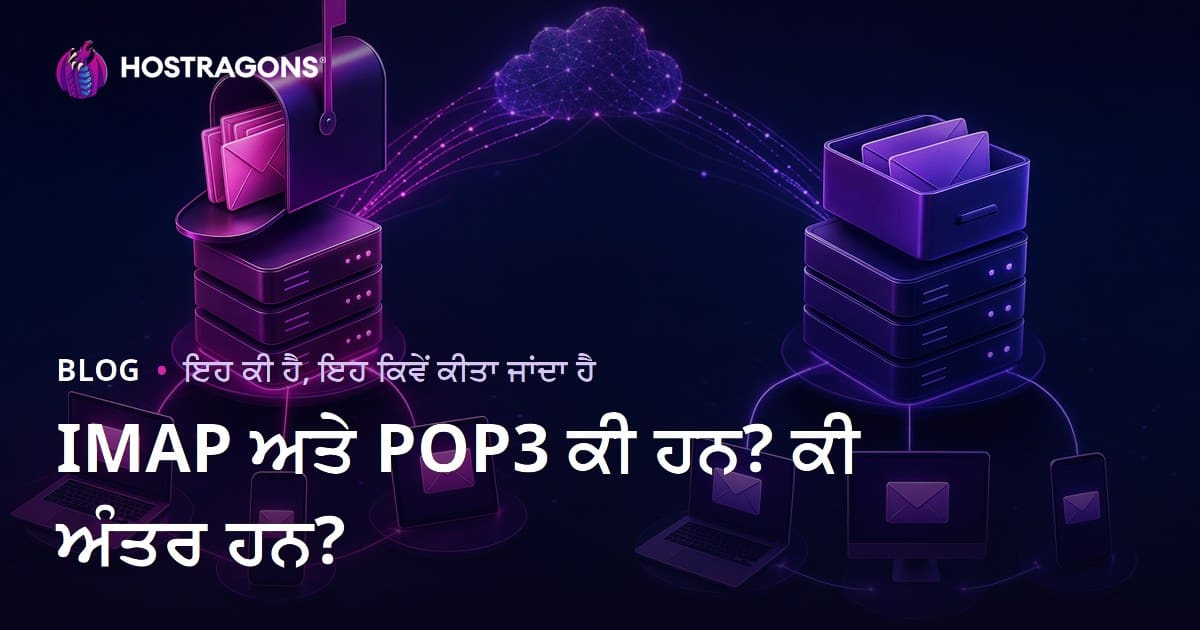
ਈਮੇਲ ਸੰਚਾਰ 'ਚ ਵਧੀਆਂ ਲੋੜਾਂ ਵਾਲੀਆਂ ਦੋ ਪ੍ਰੋਟੋਕੋਲ IMAP ਅਤੇ POP3—ਇਹ ਈਮੇਲਾਂ ਨੂੰ ਸਰਵਰ ਤੋਂ ਹਾਸਲ ਕਰਨ ਅਤੇ ਪ੍ਰਬੰਧਨ ਦੇ ਤਰੀਕੇ ਹਨ। ਇਸ ਬਲੌਗ ਵਿਚ, IMAP ਅਤੇ POP3 ਦੇ ਮਤਲਬ, ਇਤਿਹਾਸ, ਫਰਕਾਂ, IMAP ਦੇ ਲਾਭ, POP3 ਦੀਆਂ ਘਾਟਾਂ, ਪ੍ਰੀਵਿਊ ਸਟੈਪ ਅਤੇ ਕਿਹੜੀ ਪ੍ਰੋਟੋਕੋਲ ਚੁਣਣੀ; ਇਨ੍ਹਾਂ ਉੱਤੇ ਵਧੀਕ ਚਰਚਾ ਕਰੀਏ। ਨਾਲ ਹੀ, ਈਮੇਲ ਮੈਨੇਜਮੈਂਟ ਲਈ ਯੋਗ ਤਰੀਕੇ ਅਤੇ ਕੇਵਲ-ਮਤਲਬ 'ਤੇ ਧਿਆਨ ਦੇਣ ਵਾਲੇ ਬਿੰਦੂ ਵੀ ਸਪੱਸ਼ਟ ਕੀਤੇ ਜਾ ਰਹੇ ਹਨ। ਆਖਿਰ ਵਿਚ, ਤੁਹਾਡੇ ਲੋੜ ਮੁਤਾਬਕ ਸਹੀ ਪ੍ਰੋਟੋਕੋਲ ਚੋਣ ਲਈ ਸਮਝਦਾਰ ਗਾਈਡ ਮਿਲੇਗੀ।
IMAP ਅਤੇ POP3: ਆਧਾਰਕ ਮਤਲਬ
ਈ-ਮੇਲ ਕਮਿਊਨੀਕੇਸ਼ਨ ਵਿੱਚ, ਰਸੀਵ ਕੀਤੇ ਪੱਤ-ਸੰਦੇਸਿਆਂ ਦੀ ਸੰਭਾਲ-ਮੇਨਜਮੈਂਟ ਮਹੱਤਵਪੂਰਨ ਹੋ ਜਾਂਦੀ ਹੈ। ਇਥੇ IMAP (Internet Message Access Protocol) ਅਤੇ POP3 (Post Office Protocol version 3) ਦੇ ਨਜਦੀਕ ਆਉਂਦੇ ਹਨ। ਦੋਵੇਂ ਪ੍ਰੋਟੋਕੋਲ ਸਰਵਰ ਤੋਂ ਮੈਸੇਜ ਹਾਸਲ ਕਰ ਸਕਦੇ ਹਨ, ਪਰ ਉਨ੍ਹਾਂ ਦੀ ਕਾਰਵਾਈ ਅਤੇ ਵਿਸ਼ੇਸ਼ਤਾਵਾਂ ਨੇ ਯੂਜ਼ਰ ਅਨੁਭਵ ਨੂੰ ਵੱਖ-ਵੱਖ ਅਸਰ ਪਾਉਂਦੇ ਹਨ।
- IMAP ਅਤੇ POP3 ਕੀ ਹਨ?
- IMAP: ਈ-ਮੇਲਾਂ ਸਰਵਰ 'ਤੇ ਰੱਖੇ ਜਾਂਦੇ ਹਨ; ਕਿਸੇ ਵੀ ਡਿਵਾਈਸ ਤੋਂ ਐਕਸਸ ਹੋਈ ਹੋ ਸਕਦੀ ਹੈ।
- POP3: ਈ-ਮੇਲਾਂ ਸਰਵਰ ਤੋਂ ਡਾਊਨਲੋਡ ਕਰਕੇ ਉਨ੍ਹਾਂ ਨੂੰ ਸਥਾਨਕ ਡਿਵਾਈਸ 'ਤੇ ਰੱਖਦਾ ਹੈ।
- ਸਿੰਕਰੋਨਾਈਜ਼ੇਸ਼ਨ: IMAP ਐਕਾਊਂਟਾਂ ਨੂੰ ਇੱਕ-ਦੂਜੇ ਨਾਲ ਆਤੋ-ਆਤ ਸਿੰਕ ਕਰਦਾ ਹੈ।
- ਅਕਸੈਸਬਿਲਟੀ: IMAP ਨਾਲ ਈ-ਮੇਲਾਂ ਦਿਉਂਕਬਤਿ ਤੁਹਾਡੀ ਪਹੁਚ 'ਚ ਹੁੰਦੀਆਂ ਹਨ।
- ਸਟੋਰੇਜ: POP3 ਨਾਕੀ ਹੀ ਆਮ ਤੌਰ 'ਤੇ ਈ-ਮੇਲਾਂ ਨੈੜਲੇ ਡਿਵਾਈਸ 'ਤੇ ਰੱਖਣੀ ਪਸੰਦ ਕਰਦਾ ਹੈ।
IMAP ਉਨ੍ਹਾਂ ਈ-ਮੇਲਾਂ ਨੂੰ ਸਰਵਰ 'ਤੇ ਰੱਖ ਕੇ, ਹਰ ਡਿਵਾਈਸ ਤੋਂ ਇੱਕ-ਸਿੰਗਲ ਵਿਊ ਮੈਸੇਜ ਲਈ ਲਾਭਦਾਇਕ ਬਣਾਉਂਦਾ ਹੈ। ਇਹ ਉਹਨਾਂ ਲਈ ਆਦਰਸ਼ ਹੈ ਜੋ ਇੱਕੋ ਸਮੇਂ ਕਈ ਮਸ਼ੀਨਾਂ 'ਤੇ ਕੰਮ ਕਰਦੇ ਹਨ ਜਾਂ ਟੀਮ ਅੰਦਰ ਹਨ। POP3 ਪਹਿਲਾਂ ਈ-ਮੇਲਾਂ ਨੂੰ ਡਿਵਾਈਸ 'ਤੇ ਲਿਆਉਂਦਾ ਹੈ; ਇਨ੍ਹਾਂ ਨੂੰ ਡਾਊਨਲੋਡ ਕੀਤਿਆਂ ਬਾਅਦ ਹੋਰ ਡਿਵਾਈਸ ਤੋਂ ਨਹੀਂ ਪੜ੍ਹਿਆ ਜਾ ਸਕਦਾ, ਅਤੇ ਸਰਵਰ 'ਤੇ ਕਾਪੀ ਵਧੇਰੇ ਰਹਿੰਦੀ ਨਹੀਂ।
| ਵਿਸ਼ੇਸ਼ਤਾ | IMAP | POP3 |
|---|---|---|
| ਈ-ਮੇਲ ਸਟੋਰੇਜ | ਸਰਵਰ 'ਤੇ | ਡਿਵਾਈਸ 'ਤੇ (ਆਮ ਤੌਰ 'ਤੇ) |
| ਏਕਸੈਸ | ਕਈ ਡਿਵਾਈਸ 'ਤੇ | ਸਿਰਫ਼ ਉਦੋਂ, ਜਦੋਂ ਡਾਊਨਲੋਡ ਹੋਇਆ |
| ਸਿੰਕ | ਹਾਂ | ਨਹੀਂ |
| ਨੈੱਟ-ਕਨੈਕਟੀ ਹੋਣ ਦੀ ਲੋੜ | ਹੁਣੇਕ ਹੁਣੇਕ ਸੰਪਰਕ | ਕੇਵਲ ਡਾਊਨਲੋਡ ਸਮੇਂ |
ਇਹਨਾਂ ਵਿੱਚ ਮੁੱਖ ਫਰਕ ਤੁਹਾਡੇ ਤੇ ਅਸਰ ਪਾਉਂਦੇ ਹਨ: ਜੇ ਤੁਸੀਂ ਆਮ ਤੌਰ 'ਤੇ ਆਨਲਾਈਨ ਰਹਿੰਦੇ ਹੋ ਅਤੇ ਹਰ ਡਿਵਾਈਸ 'ਤੇ ਆਪਣੇ ਈ-ਮੇਲਾਂ ਨੂੰ ਪੜ੍ਹਨਾ ਚਾਹੁੰਦੇ ਹੋ, IMAP ਤੁਹਾਡੇ ਲਈ ਵਧੀਆ ਹੈ; ਪਰ ਜੇ ਤੁਸੀਂ ਸੀਮਤ ਨੈੱਟਵਰਕ ਜਾਂ ਇੱਕ ਡਿਵਾਈਸ 'ਤੇ ਹੀ ਈ-ਮੇਲ ਪੜ੍ਹਦੇ ਹੋ, POP3 ਵਿਕਲਪ ਹੈ।
ਚੋਣ: IMAP ਜਾਂ POP3—ਇਹ ਤੁਹਾਡੀਆਂ ਲੋੜਾਂ ਤੇ ਆਧਾਰਤ ਹੁੰਦੀ ਹੈ। ਦੋਵੇਂ ਨੇ ਲਾਭ-ਘਾਟਾਂ ਹਨ; ਜੜਤੀ ਚੋਣ ਤੁਹਾਡੀ ਈ-ਮੇਲ ਉਦਯੋਗਤਾ ਨੂੰ ਨਵੀਂ ਉਚਾਈ 'ਚ ਲੈ ਜਾਵੇਗੀ।
IMAP ਅਤੇ POP3 ਦੇ ਇਤਿਹਾਸ
ਦੋਨੋਂ: IMAP ਅਤੇ POP3—ਈਮੇਲ ਸੰਚਾਰ ਦੇ ਬੁਨਿਆਦ ਹਨ। ਇਨ੍ਹਾਂ ਪ੍ਰੋਟੋਕੋਲਾਂ ਦੀ ਉੱਚੀ-ਪਿੱਛੀ ਖੋਜ ਇ-ਮੇਲ ਤਕਨੀਕ 'ਚ ਇਨਕਲਾਬ ਲੈ ਆਈ। ਵੱਖ-ਵੱਖ ਲੋੜਾਂ ਲਈ ਬਣੇ, ਹਰੇਕ ਆਪਣੇ ਸਮੇਂ 'ਚ ਆਦਰਸ਼ ਸੀ ਅਤੇ ਕੁੱਲ ਹੀ ਹੀ ਆਧੁਨਿਕ ਬਦਲਾਅ ਇਨ੍ਹਾਂ 'ਚ ਆਏ।
POP3, 1984 ਵਿੱਚ ਆਇਆ: ਈ-ਮੇਲਾਂ ਨੂੰ ਸਰਵਰ ਤੋਂ ਉਥੇ-ਥੱਲੇ ਲੈ ਕੇ, ਤੁਹਾਡੇ ਮੋਬਾਈਲ ਜਾਂ ਕਮਪਿਊਟਰ 'ਤੇ ਸਟੋਰ ਕਰਦਾ ਹੈ। ਸ਼ੁਰੂ 'ਚ ਸੌਖਾ ਸੀ; ਆਗਾਹ 'ਚ ਜਦ ਵਿਅਪਕ ਇੰਟਰਨੈੱਟ ਆਇਆ, ਉਹ ਅਤਿ-ਪੂਰਤੀ ਵਿਚ ਆ ਗਿਆ।
IMAP ਅਤੇ POP3 ਮੀਲ-ਪੱਥਰ
- 1984: POP3 ਦੀ ਪਹਿਲੀ ਵਰਜਨ ਜਾਰੀ ਹੋਈ।
- 1988: IMAP ਦੀ ਪਹਿਲੀ ਚੀਨ ਵੀ ਵਿਕਸਤ ਹੋਈ।
- 1996: IMAP4 ਆਇਆ; ਵਧੇਰੇ ਵਿਸ਼ੇਸ਼ਤਾਵਾਂ ਅਤੇ ਲਚਕਤਾ।
- 2000 ਚ: Broadband ਆਉਣ ਨਾਲ IMAP ਦਿਆਨ 'ਚ ਵਧਾ।
- ਮੌਜੂਦਾ: ਦੋਵੇਂ ਅਜੇ ਵੀ ਵਧੇਰੇ ਵਰਤੇ ਜਾਂਦੇ; ਪਰ IMAP ਆਧੁਨਿਕ ਲੋੜਾਂ 'ਚ ਵਧੀਆ ਹੈ।
IMAP—1988 ਤੋਂ: ਇਹ ਈ-ਮੇਲਾਂ ਨੂੰ ਸਰਵਰ 'ਤੇ ਸੰਭਾਲਣ ਦਾ ਤਰੀਕਾ ਹੈ, ਤਾਂ ਜੋ ਵੱਖ-ਵੱਖ ਡਿਵਾਈਸ ਤੋਂ ਇਕੋ-ਵਿਉ ਮਿਲੇ। IMAP ਨੇ email ਪ੍ਰਬੰਧਨ 'ਚ ਵਧੀਕ ਲਚਕ, ਸਿੰਕ ਅਤੇ ਸੁਰੱਖਿਆ ਦਿੱਤੀ।
| ਪ੍ਰੋਟੋਕੋਲ | ਸਾਲ ਸ਼ੁਰੂ ਹੋਇਆ | ਆਧਾਰਕ ਵਿਸ਼ੇਸ਼ਤਾ |
|---|---|---|
| POP3 | 1984 | ਈ-ਮੇਲਾਂ ਸਰਵਰ ਤੋਂ ਡਾਊਨਲੋਡ ਕਰਕੇ ਡਿਸਕ 'ਤੇ ਰੱਖੇ ਜਾਂਦੇ। |
| IMAP | 1988 | ਸਰਵਰ 'ਤੇ mail ਸੰਭਾਲ; ਹਰ ਜਗ੍ਹਾ ਤੋਂ ਪਹੁਚ। |
| IMAP4 | 1996 | IMAP ਦੀ advanced version, ਲਚਕਤਾ ਹੋਰ. |
| Modern Email | ਮੌਜੂਦਾ | IMAP ਦਿਉਂਕਬਤ, modern sync, device integration. |
IMAP ਅਤੇ POP3 ਅਜੇ ਵੀ ਵਰਤੇ ਜਾਂਦੇ ਹਨ, ਪਰ smartphones-ਲੈਪਟਾਪ-ਟੈਬਲੇਟ ਸਮੇਂ IMAP ਆਧੁਨਿਕ ਇ-ਮੇਲ ਲਈ ਆਦਰਸ਼ ਸੀ।
IMAP ਅਤੇ POP3 ਵਿਚਲੇ ਮੁੱਖ ਫਰਕ
ਦੋਨੋਂ: IMAP & POP3—ਇ-ਮੇਲ ਹਾਸਲ ਕਰਨ ਦੇ ਵੱਖਰੇ ਤਰੀਕੇ, ਮੂਲ ਫਰਕ ਇਸ ਵਿੱਚ ਹੈ ਕਿ mail server 'ਤੇ ਰਹੀ ਜਾਂ local device 'ਤੇ। POP3 ਉਮੀਦ 'ਚ mail server ਤੋਂ download ਕਰਕੇ ਆਪਣੇ ਲੈਪਟਾਪ ਜਾਂ ਮੋਬਾਈਲ 'ਤੇ ਖਤਮ ਕਰ ਦਿੰਦਾ ਹੈ। IMAP mail ਸਰਵਰ 'ਤੇ ਰੱਖ ਕੇ multi-device sync ਕਰਦਾ ਹੈ।
ਇਸੇ ਲਈ, ਜੇ ਤੁਸੀਂ ਇਕੋ ਸਮੇਂ ਵੱਖ-ਵੱਖ ਡਿਵਾਈਸ 'ਤੇ ਕੰਮ ਕਰਦੇ ਹੋ ਜਾਂ mail server 'ਤੇ data actual ਲੋੜੀਂਦੇ ਹੋ, IMAP ਲਾਭਦਾਇਕ। ਜੇ nara ਲੋੜ, POP3—ਆਮ ਤੌਰ ਤੇ single-device, offline.
- ਫਰਕ ਨੂੰ ਜ਼ਾਹਰ ਕਰਦੇ ਵਿਸ਼ੇਸ਼ਤਾ
- mail storage: IMAP server 'ਤੇ, POP3 device 'ਤੇ.
- multi-device: IMAP ਬਹੁਤ ਡਿਵਾਈਸ, POP3 ਇੱਕ.
- internet: IMAP always online, POP3 intermittent.
- management: IMAP remote, POP3 local.
- security: IMAP server backup, POP3, device 'ਤੇ ਸੀਮਤ।
ਹੇਠਲੇ ਹਿੱਸਿਆਂ 'ਚ, IMAP ਅਤੇ POP3 ਦੇ ਮੁੱਖ-ਮੁੱਖ ਪ੍ਰਸੰਗ—storage ਢਾਂਚੇ ਅਤੇ user experience ਉੱਤੇ ਵਾਧੂ detail ਮਿਲੇਗੀ।
ਸਟੋਰੇਜ ਢਾਂਚਾ
IMAP ਦੀ storage strategy email management ਵਿੱਚ ਕਿਰਿਆਸ਼ੀਲ ਹੈ: IMAP mail server 'ਤੇ ਵਿਕੀ ਉਚਾਈ ਜਾਂ stored ਕਰਦਾ, ਤਾਂ ਜੋ ਹਰ ਡਿਵਾਈਸ ਤੋਂ, real-time sync ਕਰ ਸਕਿਆ ਜਾਵੇ। POP3 mail download ਕਰਕੇ ਐਕਸਲusive local device 'ਤੇ ਸੰਭਾਲੀ ਜਾਂਦੀ, ਅਤੇ ਹੋਰ ਡਿਵਾਈਸ sync ਨਹੀਂ ਹੁੰਦੀ।
ਹੁਰੱਦਾਰ ਅਨੁਭਵ
User experience: IMAP–ਹਰ ਸਮੇਂ, ਹਰ ਜਗ੍ਹਾ, ਹਰ ਡਿਵਾਈਸ 'ਤੇ mail-ਅਕਸੈਸ; read/sync/stars/labels—all devices update. POP3–download only: offline access possible, par devices 'ਤੇ state inconsistent, ਪ੍ਰਬੰਧਨ ਮੁਰਝੀ ਜਾਂਦੀ ਹੈ।
IMAP ਦੇ ਲਾਭ
IMAP ਅਤੇ POP3—ਹਰ ਦੋ protocol mail management 'ਚ central role play ਕਰਦੇ ਹਨ; ਪਰ IMAP ਦੇ ਲਾਭ special ਤੌਰ 'ਤੇ multi-device, always-online ਗਹਿਰੀ ਲੋੜ ਵਾਲਿਆਂ ਨੂੰ suit ਕਰਦੇ ਹਨ।
IMAP ਲਾਭ
- Multi-device support: mail, tablet, smartphone, computer—ਇੱਕੋ ਯੂਜ਼ਰ, ਇੱਕੋ inbox.
- Server-based storage: ਦਿਸਕ-ਸਪੇਸ ਦੀ ਸਿਵਾ, accidental hardware failure 'ਚ data safe.
- Sync: read/sent/deleted—live reflected every device.
- Quick access: Only headers download, body later.
- Search: server 'ਤੇ smart search, easy locate email.
- Backup: mail safe from accidental delete, server restore.
IMAP ਦੀ ਸਭ ਤੋਂ ਵਧੀਆ ਵਿਸ਼ੇਸ਼ਤਾ, email management ਦੇ–read, mark, move, delete—ਹਰ ਡਿਵਾਈਸ 'ਤੇ ਇੱਕੋ ਸਮੇਂ, easy and tidy inbox.
IMAP ਆਪਣੀ sync, multi-device compatibility ਅਤੇ server stored backup ਤੋਂ ਆਧੁਨਿਕ mail usage ਲਈ ਆਦਰਸ਼ ਪ੍ਰੋਟੋਕੋਲ। Smartphone/tablet age ਲਈ CPM (continuous personal mobility) ਵਾਲਿਆਂ ਲਈ best.
POP3 ਦੀਆਂ ਘਾਟਾਂ
POP3—ਇਸ ਦੀ simplicity ਅਤੇ setup-ease ਦਾ ਉਹੋ charm ਸੀ; modern mail ਵਰਤੋਂ 'ਚ, its core shortcomings ਨੇ ਆਉਣ-ਜਾਣ ਵਾਲਿਆਂ ਲਈ ਮਨ-ਕੰਢਾ ਬਣਾਉਣ ਘੱਟੀਆਂ। ਹਰੇਕ detail 'ਚ POP3 ਦੀਆਂ ਘਾਟਾਂ, ਆਪਣੇ email experience 'ਚ ਜਾਗਰੂਕ ਚੋਣ ਕਰਵਾਏਗੀ।
| ਘਾਟ | ਵੇਰਵਾ | ਕੀ ਹੋ ਸਕਦਾ |
|---|---|---|
| Sync lacking | Download 'ਬਾਅਦ ਸਾਰੀਆਂ ਡਿਵਾਈਸ 'ਤੇ sync ਨਹੀਂ | ਹਰ device 'ਤੇ mail state inconsistent |
| Data loss risk | server 'ਤੇ mail delete, device failure 'ਚ loss | Important mail inaccessible forever |
| Limited access | ਜਿਸ device 'ਤੇ mail download, ਕੇਵਲ ਉਧੇਲੋ | New device 'ਤੇ access impossible |
| Archive problems | Central archive not possible | Backup & archive រcomplicated |
POP3 ਦੀ ਸੰਖੇਪ-ਘਾਟ: sync missing—server ਤੋਂ download 'ਬਾਅਦ mail ਡਿਵਾਈਸ 'ਤੇ ਹੀ। Example: phone 'ਤੇ mail read, tablet 'ਤੇ mail unread.
POP3 ਚੁਣਦੇ ਹੋਏ ਉਹ ਹਥਿਆਤ
- mail backup ਜਰੂਰੀ
- every device 'ਤੇ separate setup/configuration
- mail app settings checked: server retain or delete after download
- POP3 ਮੌਜੂਦਗੀ: mail provider check, use SSL
- strong password/security
Other key negative: data loss risk–device failure, mail not on server, forever gone. Critical mail backup essential.
POP3 ਦੀ limited access: mail, just-that-device 'ਤੇ; multi-device age 'ਚ unsuitable. IMAP–this is solved.
IMAP ਅਤੇ POP3: ਪ੍ਰੀਵਿਊ-ਕ਼ਦਮ
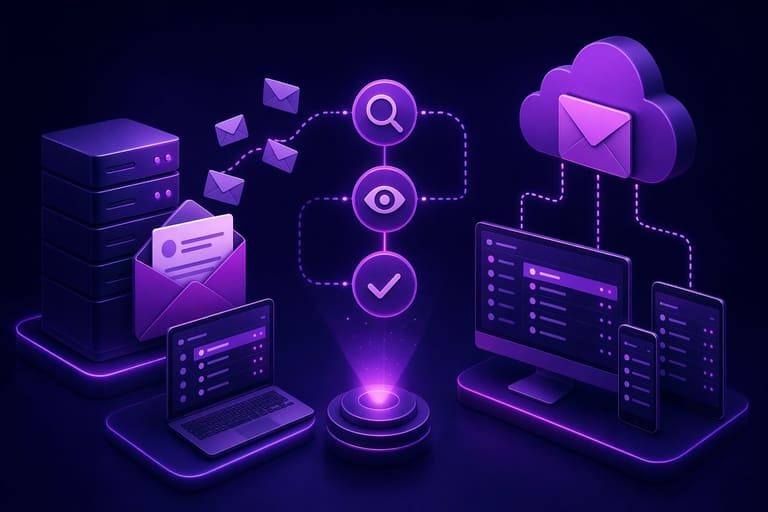
IMAP ਅਤੇ POP3 ਵਰਤਣ ਤੋਂ ਪਹਿਲਾਂ, ਹਰੇਕ protocol ਹੈ ਕਿਵੇਂ ਕੰਮ ਕਰਦਾ—ਅਤੇ ਤੁਹਾਡੇ mail usage 'ਤੇ ਕਿਵੇਂ ਅਸਰ ਪਾਉਂਦਾ--ਇਸ ਦੀ ਪੂਰੀ ਸਮਝ ਜਰੂਰੀ। preview steps—protocol-selection, configuration-check, ਅਤੇ final-test—best protocol choice ਮਿਲਾਉਂਦੇ।
ਡਿਓ ਫਰਕ: IMAP mail server 'ਤੇ store, multi-device access; POP3 mail device 'ਤੇ, server ਤੋਂ delete (settings depend).
ਹੇਠਲੀ ਸਾਰਣੀ, ਹਰੇਕ protocol ਦੀ ਕੋਰ-ਵਿਸ਼ੇਸ਼ਤਾ:
| ਵਿਸ਼ੇਸ਼ਤਾ | IMAP (Internet Message Access Protocol) | POP3 (Post Office Protocol version 3) |
|---|---|---|
| mail storage | server stored | local device (delete or retain server copy) |
| multi-device support | excellent | limited |
| internet need | always-on (read/send) | download/send: only need internet |
| mail management | server sync | device control |
Setup: mail client (Outlook, Gmail, Thunderbird)–IMAP ਜਾਂ POP3–choose: protocol-setting, server address, ports, security–right setup equals smooth usage.
configuration needs:
- email address/password
- IMAP/POP3 server address (e.g. imap.example.com, pop.example.com)
- IMAP/POP3 port (common: IMAP 993, POP3 995, SSL)
- SMTP address/port (sending mail)
- security (SSL/TLS)
- email client up-to-date/version
Try both–make test account, experiment–real-world experience, find best-fit protocol.
ਕਿਹੜੀ ਪ੍ਰੋਟੋਕੋਲ ਚੁਣੀ?
Protocol selection: ਤੁਹਾਡੇ usage–devices/internet/storage–depend. In-depth comparison: IMAP and POP3–key pros/cons.
Multiple device access? IMAP ideal, server-based, modern backup, sync-in-one. Storage/server critical, device count high–IMAP is win.
compare options:
- multi-device access: IMAP–best, POP3–limited
- data storage: IMAP–server, POP3–device
- internet: IMAP–always, POP3–offline possible
- sync: IMAP–yes, POP3–no
- backup: IMAP–server, POP3–manual required
Limited internet/budget/device–POP3; offline-access, lower data, simple usage.
| ਵਿਸ਼ੇਸ਼ਤਾ | IMAP | POP3 |
|---|---|---|
| multi-device | yes | limited |
| mail storage | server | device |
| offline access | limited | yes (after download) |
| sync | yes | no |
Choose considering purpose, technical requirement: all-time online & multi-device–IMAP; single offline-use–POP3. Both have unique plus/minus.
ਈ-ਮੇਲ ਪ੍ਰਬੰਧਨ: ਤਰੀਕੇ
Mail management–personal/professional, time saving, efficient communication. IMAP, POP3, user methods–best-fit workflow systems. System: prioritize/mail-to-folder/archive/filter/template/reminder–smart toolbox, helping organization & productivity.
Tools: smart clients auto-sort mail, spam filter, template, scheduled checking–focus, speed, consistency. Rule: evolve system as habits/tech change; keep learning, update techniques–save time, cut stress, boost work out.
Some key mail management terms:
| ਟਰਮ | ਵੇਰਵਾ | ਅਹਿਮੀਅਤ |
|---|---|---|
| Inbox | main holder for new mail | ਸਾਰੇ ਨਵੇਂ messages centralized |
| Archive | mail storage folder/operation | clean inbox, easy retrieval |
| Filter | auto sort mail by rule | priority/order |
| Label | tag mail by project/person/topic | easy search, categorize |
Tips:
- Regular mail check/respond: delay=higher clutter
- Immediate action: duty–calendar/task, handled now
- Filters/rules: auto-tidy inbox
- Templates: speed, consistency
- Unsubscribe unnecessary: focus on important
- Disable notifications: scheduled mail checking improves focus
Effective mail management, constant updating, personal adaptation–IMAP/POP3 protocol knowledge empowers choices, email optimization, reality fit.
IMAP ਅਤੇ POP3: ਵਰਤਣ ਸਮੇਂ ਖ਼ਾਸ ਧਿਆਨ
IMAP, POP3 ਵਰਤਦੇ ਸਮੇਂ, protocol-unique plus/minus–always note. IMAP: mail server 'ਤੇ stored, accessible–security-focus: strong password, two-factor auth, SSL/TLS a must.
| ਵਿਸ਼ੇਸ਼ਤਾ | IMAP | POP3 |
|---|---|---|
| mail storage | server | device |
| multi-device | yes | limited |
| data security | server security | device security |
| internet need | may need always | just at download |
POP3: mail saved locally, server copy deleted; device lost/theft–major risk–set device password, biometric, backup regular. Multi-device sync–not possible.
Protocol selection–key points
- Data security: protocol fit for your need
- Device count: access pattern
- Internet: always-on or not
- Storage: server/device
- Backup: manual/auto
Mail client–security config: suspicious mail–avoid, phishing–block, update software. Mail safety: protocol/behavior combo.
Spam filter must: spam not only irritating–malware/phishing danger–mail safety serious.
ਨਤੀਜਾ: ਆਪ ਲਈ ਕਿਹੜੀ ਪ੍ਰੋਟੋਕੋਲ?
IMAP, POP3 ਚੋਣ–mainly mail use pattern–multi-device access, server-storage, sync–IMAP ideal; multiple machines, always-on wished–IMAP rock.
| ਵਿਸ਼ੇਸ਼ਤਾ | IMAP | POP3 |
|---|---|---|
| mail storage | server | device |
| multi-device | yes | limited |
| sync | yes | no |
| internet need | always | download time |
Single device/offline/data budget, server space save–POP3; but, sync lacking and multi-device use complicated. Mobile & frequent mail check–IMAP preferred.
Security: consider SSL/TLS–mail safe, up-to-date software. short/long term tips:
- Mail usage pattern evaluate
- Device count access
- Offline need analyze
- Storage: server/device
- SSL/TLS ensure
- Client/server update regular
IMAP, POP3–depends on you: main pros/cons evaluate, best fit select; right protocol, mail experience improved.
ਬਹੁਤ ਪੁੱਛੇ ਜਾਣੇ ਸਵਾਲ
IMAP ਅਤੇ POP3 protocol mail reading ਨੂੰ ਕਿਵੇਂ ਪ੍ਰਭਾਵਿਤ ਕਰਦੇ?
IMAP mail server 'ਤੇ store ਕਰਕੇ, multi-device sync access ਕਰਾਉਂਦਾ। POP3 mail download ਕਰਕੇ, server ਤੋਂ often delete ਕਰਦਾ; mail ਕੇਵਲ device 'ਤੇ hi access ਹੋਈ।
IMAP ਦੇ ਲਾਭ POP3 ਉੱਤੇ ਕਿਵੇਂ ਵਧੇਰੇ ਹਨ?
IMAP mail server 'ਤੇ sync ਕਰਦਾ, multi-device access ਤੁਹਾਡੇ ਲਈ best; read/delete/star–all sync. POP3 mail download server ਤੋਂ delete, single device access ਲਈ better.
POP3 ਵਰਤਦੇ ਹੋਏ ਕੀ ਮੁਸ਼ਕਿਲ ਆ ਸਕਦੀ?
POP3: mail download ਦੀ ਬਾਅਦ, server ਤੋਂ delete–multi-device access impossible; device failure–mail lost, no backup–regular backup ਜਰੂਰੀ।
IMAP ਜਾਂ POP3 ਸੈਟਅਪ ਕਿਵੇਂ ਕਰੀਏ?
Email client (Outlook, Gmail, Thunderbird), provider (Yahoo, Hotmail, custom): account setup/config–protocol (IMAP/POP3) select, server address/port/security detail. Provider site–help guide large.
ਕਿਉਂ IMAP ਦੀ ਬਜਾਏ POP3 ਚੁਣਾਂ?
Single device access, limited internet, offline use, server quota save–POP3 better; mail local stored; limited internet–POP3 preferred.
Mail management: ਜੋ ਕਿ IMAP ਅਤੇ POP3 ਵਾਲਿਆਂ ਲਈ ਉਪਯੋਗੀ?
Regular mail delete/archive, folder sort, label/tag key, spam filter, client & OS update, security: strong password, two-factor enabled.
IMAP ਅਤੇ POP3 ਵਰਤਦੇ ਹੋਏ email security ਕਿਵੇਂ ਯਕੀਨੀ ਬਣਾਈਏ?
SSL/TLS enabled–mail encrypted to/from server; strong password, two-factor, beware phishing–email safe & sound.
IMAP/POP3 ਚੋਣ–mobile mail usage 'ਤੇ ਕੀ ਅਸਰ?
IMAP: multi-device–phone/tablet–sync, read/delete/labels–all devices linked. POP3: download, device-only, multi-device inconsistent, cumbersome management.