 Afrikaans
 Azərbaycan
 Bosanski
 Čeština
 Dansk
Dansk Deutsch
 English
 Español
 Filipino
 Français
 Hrvatski
 Indonesia
 Italiano
 Magyar
 Melayu
 Nederlands
 Norsk
Norsk Oʻzbek
 Polski
 Português
 Română
 Slovenčina
 Slovenščina
 Suomi
Suomi Svenska
 Tiếng Việt
 Türkçe
 Ελληνικά
 Беларуская
 Български
 Русский
 Српски
 Українська
 עברית
עברית اردو
اردو العربية
 پښتو
پښتو فارسی
فارسی አማርኛ
አማርኛ मराठी
मराठी বাংলা
বাংলা தமிழ்
தமிழ் ไทย
ไทย မြန်မာ
 한국어
한국어 中文
中文 日本語
日本語

તમારી વેબસાઇટની કામગીરીને વધારવા માટે Web Font ઓપ્ટીમાઇઝેશન અત્યંત મહત્વપૂર્ણ છે. આ બ્લોગમાં, Web Font ઓપ્ટીમાઇઝેશન શું છે, તેના લાભો અને પેજ લોડિંગ ઝડપને સુધારવા માટેના મુખ્ય પગલાંઓની ચર્ચા કરીએ છીએ. યોગ્ય ફોન્ટ પસંદગીઓ, વિવિધ ફૉન્ટ પ્રકારોની સમજ અને અસરકારક ઓપ્ટીમાઇઝેશન સ્ટ્રેટેજીઝથી વેબસાઇટ પર લૂક અને વાચ્યતા બંને સારી બને છે. સાથે-સાથે, web font performance કેવી રીતે માપવા તે, સામાન્ય ભૂલો ટાળો અને ટેસ્ટિંગ પ્રક્રિયાઓ કેવી રીતે જળવો તે વિશે પણ શીખો, જેથી તમે પોતાનો web font optimization સુધારી શકો. પ્રેક્ટિકલ ટિપ્સ દ્વારા તમારી સાઇટની ઝડપ ઓપ્ટીમાઇઝ કરીને મુલાકાતીઓને ખુશ રાખો.
Web Font ઓપ્ટીમાઇઝેશન શું છે?
Web Font ઓપ્ટીમાઇઝેશન એટલે તમારા સાઇટમાં ઉપયોગી કરાયેલા ફૉન્ટ્સનાં પર્ફોર્મન્સ અને સ્પીડ સુધારવા માટે કઈ રીતે કાર્ય કરવું. લક્ષ્ય એ છે કે, દરેક બ્રાઉઝરની સ્પીડમાં વિલંબ કર્યા વિના, સફલ વાચ્યતા અને સુંદર લૂક સાથે વપરાશકર્તા અનુભવ વધુ સારી બનાવો. આ પ્રક્રિયા પ્રમાણે, યોગ્ય ફૉન્ટ ફોર્મેટ પસંદ કરવું, ફૉન્ટ ફાઈલો કમ્પ્રેસ કરવી, બ્રાઉઝર કેશીંગ ચાલુ કરવી અને CSS ને ઓપ્ટિમાઇઝ કરવું જેવી ટેકનિકલ ટ્રિક્સ ધરાવે છે.
વેબસાઇટ પર ના ફૉન્ટ્સ, બ્રાન્ડ ના લૂક પર પ્રતિભાવ કરે છે. છતાં, મોટા કદની ફૉન્ટ ફાઈલો, પેજ લોડિંગ સ્લો કરી શકે છે, પરિણામે યૂઝર સેટિસફેક્શન ઘટે અને ગૂગલ રેન્ક નીચે જાય. Web Font ઓપ્ટીમાઇઝેશન એ સંતુલન પાર પાડવામાં જાણકારી આપે છે.
- Web Font ઓપ્ટીમાઇઝેશનનો અર્થ શું છે?
- પેજ લોડિંગ ઝડપને સુધારવી
- SEO પર્ફોર્મન્સમાં વૃદ્ધિ
- મોબાઈલ પર પણ ઝડપી લોડિંગ
- બૅન્ડવિડ્થ ઉપયોગ ઘટાડવું
- ફુલ સાઇટ કામ સ્વરૂપ સુધારવું
Web Font ઓપ્ટીમાઇઝેશન લેટેકનિકલ છે, પણ સ્ટ્રેટેજિક પણ છે. યોગ્ય ફૉન્ટ પસંદ કરો, યોગ્ય રીતે લોડ કરો, મેનેજ કરો – તદ્વારા, બ્રાન્ડનું માન અને યૂઝર સાથેના સંપર્કમાં વર્ધન થાય.
| ઓપ્ટીમાઇઝેશન ટેકનિક | વર્ણન | લાભો |
|---|---|---|
| ફૉન્ટ ફોર્મેટ અનુરૂપ ફેરબદલી | WOFF2 જેવા આધુનિક ફોર્મેટ તરફ બદલવું. | વધુ કમ્પ્રેસ, ઝડપી લોડિંગ |
| ફૉન્ટ સબસેટિંગ | માત્ર ઉપયોગ કરાયેલ અક્ષર ધરાતા ફૉન્ટ ફાઈલ બનાવવી. | ફાઈલ કદ ખૂબ ઓછું થાય |
| ફૉન્ટ લોડિંગ સ્ટ્રેટેજી | font-displayથી લોડિંગ વર્તન નિયંત્રણ. |
યૂઝર કમ જોવા મળે તદન વાચ્યતા મેળવે |
| બ્રાઉઝર કેશીંગ | ફૉન્ટ ફાઈલને બ્રાઉઝરમાં સાચવી રાખવી. | રી-વિઝિટ થતા ઝડપી લોડિંગ |
Web Font ઓપ્ટીમાઇઝેશનનું ધ્યેય: સાઇટની ઝડપ, લૂક અને વાચ્યતા – ત્રણેય સુધારવું. એથી યૂઝર અનુભવ સમૃદ્ધ થાય, SEO ગૂગલમાં તમને વધુ રેન્ક આપે. સ્માર્ટ વેબસાઇટ ગતિ અને લૂકને જાળવે એ આખરે વપરાશકર્તાને ગ્રાહકમાં બદલી શકે છે.
Web Font ઉપયોગના ફાયદા
આધુનિક વેબ ડિઝાઇનમાં Web Font ઇમ્બેડ કરવું અજોડ સગવડ આપે છે. System font કરતાં web font અભિવ્યક્તિ અને નિયંત્રણમાં પાવર આપે છે, જેથી બ્રાન્ડ વાલ્યુ, અભિગમ, અને યુનિક લૂક વધે છે. વાચ્યતા અને યુપર દેખાવ – બન્નેમાં સુધાર કરે છે, જે તમારા યૂઝર આવશે, લાંબું રોકાશે.
Web fontમાં સૌથી મોટી અનોખી વાત એ છે કે, કોઈ પણ ડિવાઈસ અથવા બ્રાઉઝર પર consistent દેખાવ મળે છે. System font – એકલ, platform પર અલગ દેખાવ દે – web font શોધાઈ તે બધાએ એકહ જથી જોઈ શકે, એટલે બ્રાન્ડ consistency પકડી રહે.
- Web Font ફાયદા
- બ્રાન્ડ આત્મા મજબૂત: Web font બ્રાન્ડનો લૂક, ધ મેસેજ ઝડપથી આપે.
- વધારેલી વપરાશકર્તા અનુભવ: પોર્ટલ, બુલેટિન, બ્લોગ – બધાં વધુ વાવેલા લાગશે.
- SEO વૃદ્ધિ: ફૉન્ટ પસંદગી & ઓપ્ટીમાઇઝેશન તમારી સાઇટ access અને સ્પીડ સુધારે છે.
- અભિગમ તદન ખુલ્લી: માત્વય ભાષા અને કૉડ આબ્જેક્ટ – web font આમ સમાજ સુધી પહોંચે છે.
- અદ્યતન ડિઝાઇન અભિગમ: system fontને વક્ષી અને creative ફ freedom– આપે.
Web Font કેટલાક shortcoming પણ ધરાવે છે – મોટા ફાઈલ કદ, પેજ લોડિંગમાં વિલંબ. એ માટે smartેલી ઓપ્ટીમાઇઝેશનમાં ધ્યાન રાખો – web fontના લાભ મોટી સાઇટ performance સાથે મેળવો.
| ફૉન્ટ પ્રકાર | ફાયદા | નુકસાન | ઉપયોગ ક્ષેત્ર |
|---|---|---|---|
| TTF (TrueType Font) | વ્યાપક compatible, vector structure | મોટા કદનું થઈ શકે | Desktop publishing, web |
| OTF (OpenType Font) | વધુ ટાઈપોગ્રાફી ફીચર, platform independent | ગુજરાતી માટે વધારે કટાક્ષ | શૈલીઓ, web |
| WOFF | કમ્પ્રેસ્ડ, webકે માટે સૂયોજિત | Some legacy browser support | નવી web projects |
| WOFF2 | તમામ ફોર્મેટ કરતાં શ્રેષ્ઠ, ઝડપી | કેવામાં legacy support ઓછું | performancecentric web site |
Web Font ઓપ્ટીમાઇઝેશન માત્ર લૂક માટે નહીં, પણ સ્પીડ અને overall performance માટે પણ જરૂરી છે. યોગ્ય ફૉન્ટ પસંદ કરો, file size કટ કરો અને સ્ટ્રેટેજિક લોડિંગ બાંધો – અંગત યૂઝર અનુભવ અને SEO વધુ સારી બનાવો.
Web Font ઓપ્ટીમાઇઝેશનના મુખ્ય પગલાં
Web Font ઓપ્ટીમાઇઝેશન – webpage સ્પીડ, ઉપયોગ-લાયકાત અને SEO સૂચકાંક સુધારવાનું મહત્ત્વ પૂરું પાડે છે. યોગ્ય પગલાંથી પેજ લોડિંગ ઝડપ વધે, યૂઝર longer રોકાય, Googleમાં rank અંશ ઉમરે. ફૉન્ટ પસંદગીરી, સંચાલન અને વેબમાં કેવી રીતે serve થાય – તેના પર જોખમ છે.
મુખ્ય પગલાં એ છે: font size minimize, loading behavior optimise, browser performance improve. દરેક સ્ટેપમાં, web site usability વધે છે.
ઓપ્ટીમાઇઝેશનનાં પગલાં
- મોડર્ન Font Format ઉપયોગ કરો: WOFF, WOFF2 – legacy કરતાં ઝડપ, squeeze વધારે આપે.
- Font Subsetting: માત્ર જરૂર character, subset file દ્વારા total size minimize.
- Font Compression: Gzip/Brotli એમજ – file વધુ compact થાય.
- Cache Policies: browser cache-enable – reload આગળના કરતાં ઝડપી થાય.
- Loading Strategies Optimize: `font-display` થી FOIT & FOUT દૂર કરો.
નીચે, web font formatsનું compare અને browser support દર્શાવ્યું છે — યોગ્ય format પસંદ કરવા, site usability આધાર મળે.
| ફૉન્ટ ફોર્મેટ | વિગત | બ્રાઉઝર આધાર |
|---|---|---|
| WOFF | Web Open Font Format | મુખ્ય બ્રાઉઝર્સ |
| WOFF2 | વધારેલી version – squeeze વધારે | મુખ્ય બ્રાઉઝર્સ (modern) |
| TTF | TrueType – legacy | મુખ્ય બ્રાઉઝર્સ (deprecated) |
| EOT | IE legacy only | IE – (now obsolete) |
Web Font ઓપ્ટીમાઇઝેશન સતત પ્રક્રિયા છે. Google PageSpeed Insights જેવા tools થી અમલ જાળવો, performance ઉપર work કરો. ટૂંકમાં, always watch, test, મોટા સફલ web site માટે update કરતા રહો.
Web Font પસંદ કરતી વખતે ધ્યાન દો
Font પસંદગી website, brand look & user experience ઠરાવ તરીકે critical matter છે. યોગ્ય election – identity સુધારે, વાચ્યતા વધારે અને visit duration improve કરે. ભૂલ election, speed slow કરે, SEO rank ઘણી ઘટાડી શકે.
Font readable હોવું – પોઈન્ટ નંબર, line thickness, letter-spacing – બધું test આવે. નિયમિત પણ, phone/desktop – બધા size અનુકૂળ હોવું જોઈએ.
- Font election માટે ધ્યાનમાં લો
- વાચ્યતા: દરેક screen, size પર વધુ લવાઈની સાથે વાંચી શકાય એવું font.
- performance: File size minimize – loading ઝડપ ઘડીને website positively impress.
- compatible: Browser/platform સાથે બધા side work થાય.
- license: Font યૂઝ માટે license પ્રેમયુક્ત (commercial/personal) હોઈ જોઈએ.
- style: Brand look & site design match કરે.
- character set: બધું language support (Gujarati chars) એ font select.
Performance માટે પણ font size ટૂંકુ હોવું જોઈએ. વધુ્ફાઈલ મોટી, loading slaughter. Subset અથવા કોઈ જરૂરિયાત-character select કરીને file size minimize કરી શકો.
| કમસમ | વિગત | શ્રેષ્ઠ value |
|---|---|---|
| ફાઇલ કદ | Font file total size | 100KB કરતા ઓછું |
| લોડિંગ બસ | Font લોડિંગ speed | 0.5 secondsથી ઓછું |
| કેશીંગ | Browser cache enabled | Always enabled |
| કમ્પ્રેશન | File compressed? | WOFF2 format |
License matter – font વિશ્લેષણ license અનુસાર જ web site પર યુઝ કરો, copyright lawનું પાલન કરો.
Web Font પ્રકારો વિશે જાણો
Web site ડિઝાઇનમાં font election – readability, brand look, site aesthetics – બધું depend કરે. દરેક font પ્રકાર ઓપ્ટીમાઇઝેશન/પર્ફોર્મન્સનાં pros-cons ધરાવે છે.
Web font ઘડીને બે પ્રકાર: local (device-installed), web-based (server-serve). Local font – already in device, ઝડપથી લે. Web-based – Google Fonts જેવી સર્વર પરથી લોડ થાય.
Font diversity – creative field માટે open– but sometimes confusion too. A table compares options:
| પ્રકાર | ફાયદા | નુકસાન |
|---|---|---|
| Serif Font | traditional, printed readability | Screen readability less |
| Sans-Serif | modern, good for screens | Too much use – boring |
| Monospace | code display – same width | Long article – readability down |
| Script | Fun, personal | Long text – hard to read |
Font selection – looks, tech & speed – all matter. હવે, each font ધારીને જાણો:
- Font પ્રકાર
- Serif
- Sans-Serif
- Monospace
- Script (el yazısı)
- Decorative
લોકલ Web Font
Local font – device-installed, webpage indicated in CSS, browser shows without downloading. Benefit: loading lightning fast, downside: limited creative freedom (all devices do not have same fonts).
Web આધારિત Font
Google Fonts/Noto Sans – server-based font, unlimited creative choice – but loading at first page slow. Optimize for better speed: subset, compression.
Web Font ઓપ્ટીમાઇઝેશન – page speed, user experience – બંને સુધારવા એ smart web practice છે.
Web Font ઓપ્ટીમાઇઝેશન MATLAB user-centric web development માટે આપણે અગ્રગણી. લાંબી સેવા માટે, ફૉન્ટ ઓપ્ટીમાઇઝેશનને ignore ના કરો.
Web Font ઓપ્ટીમાઇઝેશનની સ્ટ્રેટેજીઝ
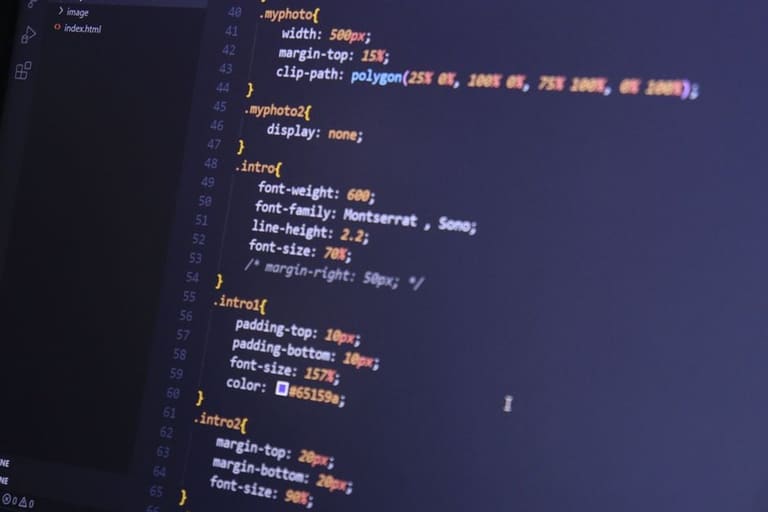
Font optimi ને વરસાદની જેમ આવો – ફોરમાવાની તો વાત જ નથી, ફોકસ ફાઈલ size minimize, loading speed maximize.
| વ્યૂહરચના | વિગત | ફાયદા |
|---|---|---|
| Subset | Only use characters in site | File size cut, loading faster |
| WOFF2 | Prefer WOFF2 format | Best compress, modern browser support |
| Loading Strategy | Use font-display |
User experience better, avoid layout jumps |
| કેશ | Browser keeps font locally | Revisit = speed |
`font-display` – web font loading behavior માટે super tool છે. `swap`, `fallback`, `optional` – site speed & jump– all control. E.g. `font-display: swap` – site loads default font first, actual font after download – user waits less.
Fonts CDN– (Content Delivery Network) દ્વારા serve કરો – geographically fast everywhere. Cache-enabled: browser retains – revisit speed better.
લોડિંગ સમય મેનેજમેંટ
Fast loading માટે, font file size minimize, compression, CDN, preconnect/preload, unused variation remove, local host. Font-displayથી invisible text avoid કરો.
- ઓપ્ટીમાઇઝેશન સ્ટ્રેટેજી
- Compress font files (Gzip/Brotli)
- Serve fonts via CDN
- `preconnect` & `preload` add
- Unused font weight/styles remove
- Self-host fonts – no third-party delay
- Use `font-display` for immediate visible text
પર્યાય વિનિમય અનુભવ સુધારવું
User experience, loading speed, visual stability – these are success keys. Font selection, loading strategy, readability, accessibility – always user-centric pranali.
Web Font ઓપ્ટીમાઇઝેશન technical process તો છે, પણ આખરે user wow અવલોકનની કલા છે.
Web Font કામ પ્રદર્શન માપવું
Performance measure – web font optimization effective છે કે નહીં – metrics તરફ. Loading speed, user સંલગ્નતા, experience – regular measure કરો.
Metrics: TTFB, FCP, LCP, TBT – loading speed, visual content speed, total blocking time. E.g. LCP value bad – font load delay – user experience down.
- Performance measurement tools
- Google PageSpeed Insights
- WebPageTest
- GTmetrix
- Chrome DevTools
- Lighthouse
| Tool | Metrics | Features |
|---|---|---|
| Google PageSpeed Insights | FCP, LCP, CLS, TBT | Free, easy |
| WebPageTest | TTFB, FCP, LCP | Advanced, location-varied test |
| GTmetrix | PageSpeed Score, Waterfall | Detailed analysis |
| Chrome DevTools | Network + Performance panel | Developer analysis, real time |
Performance metrics regularly analyze કરો, web font optimizations update કરો. નોંધો: optimisation is a journey – constant monitoring, tweaking.
Web Font ઓપ્ટીમાઇઝેશનમાં સામાન્ય ભૂલો
Web Font optimisationમાં mistake – speed down, bad user experience. Common errors: too many fonts, all variations load, no compression, wrong font-display, no cache, looks over speed.
- avoidable mistakes
- all font variations loaded (bold, italic etc.)
- no compression/old format
- no preload
- font-display misuse in CSS
- no cache config
- visual aesthetics overrides site performance
Modern format (WOFF2), server-side compression, correct cache-control header – better speed, user wow. Avoid these mistakes, website improved–.
Web Font ઓપ્ટીમાઇઝેશનમાં ટેસ્ટ પ્રક્રિયા
Web Font optimisation effectiveness – test process: different device/browser, speed, visual, user feedback. Metrics: speed, appearance, engagement – proper strategy = early troubleshooting.
| Metric | Detail | Tool |
|---|---|---|
| Page Load Time | Complete load duration | Google PageSpeed Insights, GTmetrix |
| First Contentful Paint (FCP) | First visible content | Lighthouse |
| Largest Contentful Paint (LCP) | Largest content load | Lighthouse |
| Visual Stability | No shifts in font-loaded page | Manual, Layout Shift Debugger |
Optimisation test steps:
- Initial assessment: baseline speed/tests
- Test environment: staging site for trial
- Multi-browser/device: appearance same everywhere?
- Load time tests: speed analysers
- Visual checks: font loads, no jumps
- User experience: user feedback/testing
- Results Analysis: tweak optimisation as needed
પ્રારંભિક ટેસ્ટ
Start optimisation કરતા પહેલાં, પેજ સ્પીડ અને font loading current status analyse કરો. ઉત્પાદન–strategies accordingly prioritise કરો.
વિશ્લેષણ પરિણામો
Optimisation પછી, speed improvment, font loading speed, user experience analyse કરો – future improvement guideline માટે.
Web Font ઓપ્ટીમાઇઝેશન માટે પ્રેક્ટિકલ ટિપ્સ
Font file size minimize, loading control — success mantra. Unused character sets remove, WOFF2 select, browser cache tune, font-display utilise, subset only, font CDN serve.
- Unused character remove
- WOFF2 format select
- Enable cache, browser cache interval optimize
- Font-display for instant visible
- Subset fonts (only needed chars)
- Serve font via CDN
Continuous analysis – PageSpeed, GTmetrix – performance tune કરશો. Font selection ઇસ્તક, readability, look – all matter user wow માટે.
Font optimisation tech process છે – પણ user-centric approach equally critical. Size, color contrast, theme match – real wow user experience માટે balance.
વારંવાર પૂછાતા પ્રશ્નો
Web siteમાં custom font નો દોરી લેવાતાં, system fontની સામે શું ફાયદો?
Custom fonts – brand look બનાવે, consistency આપે, વપરાશકર્તા શી રીતે તમારી site જોતા હોય તે તજે રહે. System font રોજી device-based, custom web font – જ્યારવાર browser download કરે, બધાએ same look દેખાય.
Web Font optimisationમાં FOIT/FOUT શું છે અને શું ટાળો?
FOIT (Flash of Invisible Text) – font લોડ થતા સુધી text invisible. FOUT (Flash of Unstyled Text) – default font પ્રથમ, font loaded પછી કદા. `font-display: swap` અથવા preload/CSS tricksથી એ avoid કરો.
Font compress કરવામાં શું ફાયદો અને કઈ રીતે કરી?
Compress font – speed up, loading time down. Brotli best, Gzip equally good – font file squeeze.
Font performance regular track કેવી રીતે કરવી?
Google PageSpeed Insights, WebPageTest, GTmetrix – loading speed, blocking time – analysis, optimisation.
Web Font optimisationમાં biggest mistake શું છે?
Too many variations, preload ના, compression દુર, wrong font-display – avoid, cache enable, only needed variation.
A/B test web font optimisation processમાં શું value?
A/B – different font/strategy effectiveness check – conversion, speed, user wow value – data driven decision.
Subset (alt-kumeleme) થી કઈ રીતે file size minimize?
Subset – only needed characters in file – loading faster. Future content, dynamic chars include – all display correct.
System font select કરવું ક્યારે?
Performance critical (mobile, low bandwidth) – system font better: installed, no download, fast loading, battery save, universal display.