 Afrikaans
 Azərbaycan
 Bosanski
 Čeština
 Dansk
Dansk Deutsch
 English
 Español
 Filipino
 Français
 Hrvatski
 Indonesia
 Italiano
 Magyar
 Melayu
 Nederlands
 Norsk
Norsk Oʻzbek
 Polski
 Português
 Română
 Slovenčina
 Slovenščina
 Suomi
Suomi Svenska
 Tiếng Việt
 Türkçe
 Ελληνικά
 Беларуская
 Български
 Русский
 Српски
 Українська
 עברית
עברית اردو
اردو العربية
 پښتو
پښتو فارسی
فارسی አማርኛ
አማርኛ मराठी
मराठी বাংলা
বাংলা தமிழ்
தமிழ் ไทย
ไทย မြန်မာ
 한국어
한국어 中文
中文 日本語
日本語


ဝက်ဘ်ဆိုဒ် performance တိုးတက်အောင်ဖန်တီးရင် web font အားကောင်းစွာ optimize လုပ်ခြင်းသည် အလွန်အရေးကြီးပါတယ်။ ဒီဘလော့ဂ်တင်စာမှာ web font optimize ဆိုတာကဘာလဲ၊ အားသာချက်တွေ၊ နှင့် ဝက်ဘ်ဆိုဒ် loading time ကိုမြန်မြန်ဖြစ်အောင်လုပ်ပေးတဲ့ key steps တွေကို မှတ်သားအကြောင်းအရာအနုပြောဆိုထားပါတယ်။ မှန်ကန်တဲ့ font ရွေးချယ်မှု၊ font အမျိုးအစားတွေရဲ့ဖွဲ့စည်းမှုကိုနားလည်၊ လေ့ကျင့်နိုင်တဲ့ optimize နည်းလမ်းများကိုစနစ်တကျ အသုံးချပြီး ဝက်ဘ်ဆိုဒ် visitor အတွက် user experience (UX) ကိုတိုးတက်မယ်။ Web font performance ကိုမောနစ်နိုင်နည်း၊ မကြာမနည်း ၊ ဝက်ဘ်ဆိုဒ် loading ပြဿနာများမှကာကွယ်နည်း၊ test process နည်းလမ်းများအထောက်အကူအမျိုးအစားတဲ့နည်းလမ်းတွေလည်း ထည့်သွင်းဖော်ပြထားပါတယ်။ စမ်းသုံးနိုင်တဲ့ practical tips တွေဗျ၊ site speed ကို optimize လုပ်ပြီး visitor များကို သေချာစွာ တန်ဖိုးရှိ UX ပေးနိုင်မှာပါ။
Web Font Optimizasyonu ဆိုတာဘာလဲ?
Web font optimize ဆိုတာ ဝက်ဘ်ဆိုဒ်မှာ သုံးထားတဲ့ font (ရေးသားစနစ်) အတွေ့အကြုံကို မြန်မြန်အောင်တိုးတက်ဖို့ လုပ်မျိုးမျိုးပါ။ ပြည်သူတွေ browser မှာ ကောင်းမွန်မြန်သုံးဖို့၊ fonts ကိုအလေးမပါတဲ့ format နဲ့၊ compress ပြီး၊ browser caching စနစ်ဖွင့်၊ CSS ကို optimize လုပ်တဲ့ နည်းလမ်းအကြောင်းကိုပါဆွေးနွေးပါတယ်။
ဝက်ဘ်ဆိုဒ်မှာသုံးတဲ့ font တွေကတော့ ဒီဇိုင်းဖြစ်ဖို့မှာ brand identity ကိုပြ၊ user experience ကိုအထောက်အကူဖြစ်ချင်ဆိုဘူး။ တကယ်တော့ဆိုဘူး၊ file size ကြီးတဲ့ font လည်း loading time အလျားတိုးနိုင်၊ visitor တွေ စိတ်ထိခိုက်နိုင်၊ search engine တွေ site rank ထပ်ဆင်းနိုင်။ Web font optimize က ဒီလုပ်ငန်းမှာ balance ကိုသေချာလုပ်စေနိုင်ပါတယ်။
- Web Font Optimize ၏ အရေးကြီးမှု
Web font optimize ကို technical ပမာဏဖြစ်သော်လည်း strategic ဖြစ်ပါတယ်။ မှန်ကန်တဲ့ font ကိုရွေးချယ်၊ သူတို့ကို loading နဲ့ manage လုပ်သုံးတယ်ဆိုတာ ဝက်ဘ်ဆိုဒ်ပါဝင်သူတွေအတွက်ရွေးချယ်ဖို့အရေးပါတဲ့အရာပါ။ တူညီ device နှင့် browser များမှာ view တစ်ခုတည်းကိုပေးဖို့ brand နှင့် user တွေကိုတိုးတက်စေပါတယ်။
| Optimize နည်းလမ်း | အကြောင်းအရာ | အကျိုး |
|---|---|---|
| Font Format Change | WOFF2 တို့နဲ့ ပြောင်းလဲရေး | Compress တိုးတက်/ loading မြန်မြန် |
| Font Subset | သုံးမှတ်သား character များသာပါဝင်မယ့် font ဖန်တီး | File size ငယ်သွား၊ hosting လျှော့ |
| Font Loading Strategies | font-display အသုံးပြု |
User တွေ content ကို မြန်မြန်ကြည့်နိုင် |
| Browser Caching | Font ကို browser မှ cache ပြုလုပ်ပေး | Repeat visit loading မြန်စေ |
Web font optimize တတ်ရှင်းချက်တစ်ခုက ကောင်းမြန်အမည်မရ၊ visual မပျောက်၊ UX တိုးတက်စေပါတယ်။ Visitors များကို website ကိုမြန်မြန်ဖြစ်စေနိုင်အောင် optimize လုပ်ပြီး၊ SEO အချိန်၌ rank တိုးတက်စေတယ်။ Website မြန်မြန်နဲ့အလှ၊ visitor ကို client ဖြစ်အောင် ပြုလုပ်စေပါမယ်။
Web Font အသုံးပြုခြင်း၏ အားသာချက်
Web font အသုံးစွဲခြင်းသည် modern web design အတွက် မဖြစ်မနေပိုင်း။ အခြား system font များက user device တစ်ခုတစ်ခုမှာပါတာကိုအခြေခံတဲ့လို့၊ web font တွေက designer & developer များကို design control လျှောက်လွှားပေးပါတယ်။ Brand identity ကိုလိုချင်တဲ့အတိုင်း ဖန်တီးနိုင်၊ professionalism သစ်တစ်ခုပေးပါမယ်။ User တွေရဲ့ UX တိုးတက်ဖို့လည်းအဆင်ပြေနိုင်ပါတယ်။
Web font တွေက device & browser အမျိုးမျိုးမှာပုံစံတူတူကိုပေးနိုင်ပါတယ်။ System font တွေကဆိုတော့ device တစ်ခုတစ်ခုမှာဖြစ်တတ်တဲ့လို၊ web font ဆိုပြီဆိုတော့ site တစ်ခုရဲ့ brand နှင့် consistency ကိုပိုများပါတယ်။
- Web Font အသုံးပြုခြင်း အကျိုးများ
အနည်းငယ်။ Web font user ၊ font file size များ loading အချိန် တိုးတတ်နိုင်တဲ့ disadvantages ကလည်းရှိပါတယ်။ Optimize လုပ်ခိုင်မယ်ဆိုတော့ fonts loading လျှော့တဲ့ strategy တွေရဖို့အလွယ်ဆုံးဖြစ်ပါတယ်။ ပြောင်းလဲ optimize လုပ်သွားတဲ့အောင် website success ကို တန်ဖိုးရှိအကျိုးပေးနည်းမျိုးပါ။
Web font optimize လုပ်ရာမှာ criterion တစ်ခုလှုပ်တွေ့သရဖို့သည် fonts selection, filesize reduction, loading speed တိုးမြန်နိုင့်ရေးတွေအသားပေးဖြစ်ပါတယ်။ UX & SEO ကို တိုးတက်ဖို့ font selection process သတိထားဖို့လိုပါတယ်။
Web Font Optimize မှာ Key Steps
Web font optimize ဆိုတာ website speed & UX တိုးတက်စေဖို့အရေးကြီးပါ။ မှန်ကန်တဲ့ optimize steps သုံးလျှင် page loading time လျှော့နိုင်၊ SEO တိုးတက်နိုင်ပါတယ်။ Font selection alone မနောက်နောက် loading strategy (ဂျုံလည်ပါတဲ့ format, caching, subset) ကို optimize လုပ်ဖို့လိုပါတယ်။ website မြန်မြန် user ကြည့်စရာသော။
Optimize process မှာ အခြေခံ steps တွေ:
- Optimize Step-by-Step
- Modern font formats (WOFF, WOFF2) သုံး။
- Subset only လုပ် - site မှာသုံးတဲ့ character တွေပါဝင်တဲ့ font file တစ်ခြားတစ်ခြားဖြင့်။
- Compress လုပ် - Brotli, Gzip သုံးfile size ကမ္ဘာတစ်ခြားကလျော့ဖို့။
- Caching policy ပြုလုပ်။ Repeat visits loading time ကို လျော့စွာအောင်။
- Font loading strategy (CSS `font-display`) optimize လုပ်။ FOIT၊ FOUT တို့အဖြစ် font-optimized loading မမြင်။
Font formats နှစ်မျိုးကို support browser ရှာဖွေဖို့ table ကြည့်ပါ။ correct format select လုပ်ရာမှာ optimize process အရေးပါလေးဖြစ်ပါတယ်။
| Font Format | Description | Browser Support |
|---|---|---|
| WOFF | Web optimized, common format | Most modern browsers |
| WOFF2 | WOFF enhanced, better compression | Most modern browsers |
| TTF | TrueType, legacy format | Most browsers (not recommended) |
| EOT | IE-specific, deprecated | Only Internet Explorer |
Font optimize မှာ constant review အရေးပါ။ PageSpeed Insights တို့ tool သုံး၊ font optimize process ကို data နဲ့ တွက်ချက်တယ်။ Performances တိုးတက်ဖို့ strategy ကို upgrade လုပ်ပါ။
Web Font ရွေးချယ်ရာမှာသတိထားဖို့
Web font ရွေးချယ်ခြင်းက website design & UX နဲ့အသံသက်တမ်းပါတဲ့ performance criteria ဖြစ်တယ်။ Font mistake ပြုလုပ်မယ်ဆို loading time တိုး၊ UX ထိုက်တန်ညီသွားနိုင်ပါတယ်။ အရေးကြီးတဲ့ factor တွေသတိထားဖို့တော့လိုပါတယ်။
Web font ရွေးရာမှာ readable ဖြစ်ဖို့အရေးပါ။ Letter spacing, stroke, design ဆိုဒ်နှစ်မျိုး, size & device compatibility ကိုပါ test လုပ်ပြီးတော့ readable ဖြစ်တဲ့အတွက် UX တွင်အရေးပါဘူး။ Especially for blog, article, product description...
- Font Selection Criteria
Performance criterion ကလည်းအရေးပါ။ Large font file တို့ကြောင့် loading time တိုးဖို့ optimization, compressed font format သုံးမယ်။ Needed charset တွေသုတ်ပြီး extra chars မပါ loading speed ကိုတိုးနိုင်ပါတယ်။
License တွေကလည်း သတိထားရပါ။ Font license မကန့်သတ်သိုမတော်တော်ကြီးသုံးမှုမှာ ပြသနာတက်နိုင်တယ်။ Free fonts များနဲ့ Paid fonts တွေရဲ့ design flexibility နှင့် usage restriction မူကြာပါသည်။
Web Font အမျိုးအစားလေ့လာကြမယ်
Web fonts များက site design, UX တိုးတက်ဖို့ အရေးပါတဲ့အဖြစ်ပါ။ ကျွမ်းဝင်တယ်ဆိုတော့ brand reinforce ရတယ်၊ readable ဖြစ်လို့ UX ရတယ်။ အရေးကြီးတာမလောက်လည်း font selection မှာ performance, compatibility ဗဟုသုတနဲ့ပါတွက်ချက်။
Web font များကို device-installed fonts (local fonts) နှင့် web downloaded fonts (web fonts) ဆိုပြီး၂မျိုးအတွင်းခွဲနိုင်ပါတယ်။ Local Fonts ကတော့ user device မှာ install ပြီးသား။ Web fonts ဟာ server download ကိုလိုအပ်။ Each category advantages/disadvantages ကမှန်ကန် font selection နဲ့ performance တိုးတက်တဲ့ UX ရစေတယ်။
Font diversity များစု၏ design flexibility ကိုပေးပေမဲ့ selection လုပ်လို့ user experience, technical challenges ကြောင့်မျိုက်အနုထမ္စေပါတယ်။
| Font Type | Advantages | Disadvantages |
|---|---|---|
| Serif Fonts | Traditional, printed readable | Screen readability မကောင်းနိုင် |
| Sans-serif Fonts | Modern, screen-readable | Overused လုပ်လျင် plain ဖြစ်နိုင် |
| Monospace Fonts | Code snippets/mono width | Normal text readability less |
| Script Fonts | Fun, personal | Long text မတန်ရှင်း |
Correct web font selection က UX & performance ထောက်ပံ့ပါ။ Technical, aesthetic နဲ့ performance criteria သုံးသုံးနားလည်ပါ။
- Web Font Types
Device ထဲမှာရှိပြီးသား Font
Local fonts (device-installed fonts) က device တစ်ခုတစ်ခုမှာ already install ဖြစ်တဲ့ font တွေပါ။ CSS အတိအကျပေး၊ browser က device-installed fonts ကိုတိကြည့်ဘူး။ Loading speed super fast ဖြစ်နိုင်ပါတယ်။ Downside ကလည်း font selection limitation နဲ့ consistency loss ဖြစ်နိုင် browser/device မှာ fonts မတူလျှင်။
Web Server မှ Download လုပ်တဲ့Font
Web fonts (server-based fonts) က Google Fonts တို့ server မှ download လုပ်ပြီး site သုံးပါတယ်။ Design flexibility တိုးတက်ပါ။ ပယ်လားဆို loading time တိုးသွားနိုင်ပြီး optimize လုပ်ဖို့ အရေးပါ။
Web font optimize ဆိုတာ technical မလောက် user-centered approach ပါ။ Fast & seamless UX ရဖို့ fonts ကို optimize လုပ်ပါ။
Web Font Optimize နည်းလမ်းများ
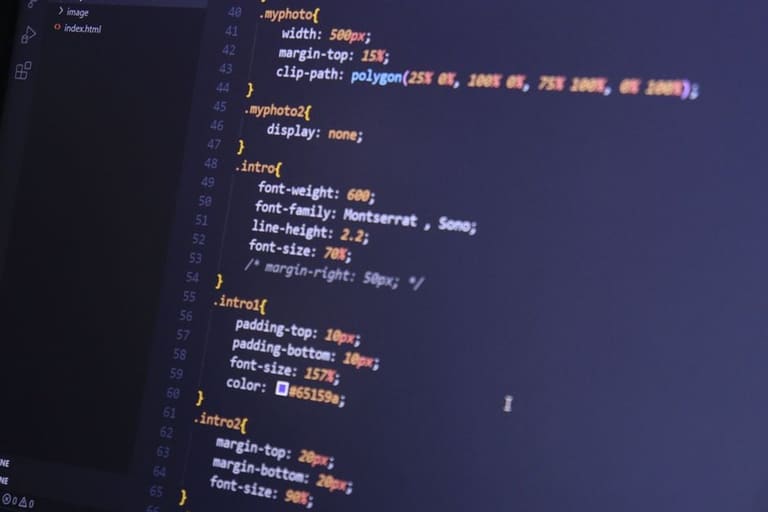
Web Font optimize နည်းစနစ်တွေကိုတိုးတက် UX, SEO rank, loading minimize အတွက် အရေးပါပါတယ်။ Beginner & developer အတွက်လည်း applicable နည်းလမ်းများကိုဒီအပိုင်းအထောက်အကူဖြစ်အောင်ကြည့်လို့ရပါတယ်။
Optimize efficiency တိုးတက်ဖို့ သုံးမယ့် charset အနည်းကို subset လုပ်၊ WOFF2 format သုံး၊ CDN strategy ပြုလုပ်, font loading display control လုပ်သင့်ပါတယ်။
| Optimize Method | Description | Advantages |
|---|---|---|
| Font Subsetting | Used char only font file | File size cut, loading fast |
| WOFF2 Usage | WOFF2 format select | Best compression, modern browser support |
| Font Loading Display | `font-display` control | UX better, layout shift avoid |
| Font Caching | Browser cache utilization | Repeat fast loading |
Font loading display (`font-display`) ကို swap, fallback, optional value တွေဖျော်ဖြေလိုက်လို့ UX ကို readable & seamless ဖြစ်စေတယ်။ ကျော်ခဲ့ပြီး loading timing issues မလို့ layout shift avoid နိုင်ပါတယ်။ CDN နဲ့ cach strategy တို့အလျင်မြန် loading နည်းလမ်းပေးပါတယ်။
Font loading speed ရှောင်ကြဉ်နည်း
Font loading speed ကို minimize လုပ်ဖို့ file size reduction, compression, loading order optimize, unnecessary request remove ပြုလုပ်ပါ။
- Optimization Strategies
User Experience အတိုး
User UX လျှောက်တယ်ဆို loading speed နဲ့ visual consistency အရေးပါ။ Font readable, accessible, loading fast ဖြစ်ဖို့။ Font selection မှာ readable/font-size, color contrast နှင့် loading method တွေအားပေး။
Web font optimize က UX science တစ်ခုပါ။
Web Font Performance ကို မိုးနစ်
Web font optimize effect ကို measurable ဖြစ်အောင် performance metric တို့ကို monitor လုပ်ရမယ်။ Loading speed, responsive UX, impact တို့ကို data လက်ကိုင်ဖို့ PageSpeed Insights GTmetrix WebPageTest Lighthouse Chrome DevTools အသုံးပြုသူတွေအတွက်။
- Performance Tool
| Tool Name | Key Metrics | Features |
|---|---|---|
| Google PageSpeed Insights | FCP, LCP, CLS, TBT | Free, actionable tips |
| WebPageTest | TTFB, FCP, LCP | Configurable, geo-test |
| GTmetrix | PageSpeed, YSlow, waterfall view | Detailed report/ tips |
| Chrome DevTools | Network, Performance panels | Real-time, developer-focused |
Regularly measure web font performance, findings တက်ချင် optimize process ကိုဘယ်လို update လုပ်မလဲ။ Continuous improvement cycle ဖြစ်အောင် optimize လုပ်ပါ။
Web Font Optimize မှာ မလွဲမချားလုပ်တတ်တဲ့ အမှားများ
Web font optimize မှာ common mistakes တွေအများကြီးပါတယ်။ Too many font loads, compress မလုပ်၊ caching မလုပ်၊ font-display မသုံး၊ file size မပေါက်ရ၊ UX သက်သာဖို့ performance consequences မမူတယ်။
- Common Mistakes
Font optimize mistakes က WOFF2 တို့ modern formats မသုံး/ မြန် မြန် compressed မလုပ်၊ caching policy တို့ပြုပြင်ဖို့ မှတ်သားပါ။ Cache-control header ထားကာ font တို့ accelerate loading ဖြစ်နိုင်သည်။
Web Font Optimize Testing Steps
Optimize process မှာ test phase အရေးပါ။ Device/browser diversity၊ visual consistency၊ loading speed၊ UX ဟန်ချက်ကို monitor/test လုပ်ရမည်။
Testing process လုပ်နည်းတွေမှာ loading speed, visual consistency, UX feedback က Critical metric တွေပါ။ Early detectionတိုင်းပြည့်တဲ့ process optimize efficiency တိုးတက်စေပါတယ်။
Optimize testing steps:
- Initial assessment (before optimize)
- Testing environment (not affecting live site)
- Browser/device check
- Loading speed measurement
- Visual consistency check
- User feedback test
- Result analysis & improvement
တစ်ဖြည်းဖြည်း Test လုပ်ခြင်း
Initial test မှာ current speed, font load time, bottleneck identify ပြုလုပ်ရမယ်။ Loading speed တိုးသွားမြင်လျှင် preload or format optimize တိုင်းစီးပွားခိုင်မာစေတယ်။
နောက်ဆုံးအတန်း ဖန်တီးချက်
Optimize result analysis မှာ loading speed upgrade, font load efficiency, visual UX improvement မွတ်သားပါ။ Future optimize direction guide လုပ်ဦးပါ။
Web Font Optimize Practical Tips
Web font optimize လုပ်ရေးမှ page loading minimize, UX/SEO upgrade အတွက် practical tips တွေပါ။ Developer၊ site owner မည်သူမဆို စိတ်ချအောင် user admin panel မှာ implement လုပ်နိုင်မယ့် tip တွေပါ။
- Practical Tips
Performance analysis tools အားဖြင့် continuous improvement လုပ်ပါ။ Font selection, sizing, color contrast တို့ UX & readability ကိုနောက်ခံပြီး optimize process ကို holistic approach သုံးပါ။
မေးခွန်းများနှင့်ဖြေတမ်း
Web font တွေကို system font တွေထက် မည်ဘယ့် advantage ရဟု?
Web font သုံးမယ်ဆို brand identify, design consistency, UX အထူးတိုးမြတ်တယ်။ System font က device-specific ဖြစ်တာဖြစ်ပြီး Web font ကို browser download လုပ်သျှင် brand consistency ရနိုင်ပါတယ်။
FOIT နှင့် FOUT ဆိုတာဘာလဲ၊ prevent မယ်ဆို ဘယ်လို?
FOIT = invisible text, font loaded တွင်သူ။ FOUT = fallback font တွေပါ်seen။ Prevent ဖို့ `font-display: swap` သုံး၊ preload တိုင်း implement ။
Font compress လုပ်တာ loading speed ကို ဘယ်လို တိုက်ရိုက်တိုးမြန်စေသလဲ?
Brotli/Gzip compress use လုပ်ပြီး font file ကို loading minimize, bandwidth cut, loading time reduce.
My font performance ကို monitor မယ့် tool တွေ ဘာလိုလဲ?
Google PageSpeed Insights, WebPageTest, GTmetrix တို့ performance metric, loading time, blocking time metric တွေလုပ်နိုင်။
Optimize process မှာ common mistakes ဘာတွေပါသလဲ?
Too many font loads, preload, compression, font-display incorrect, caching policy နောက်ဖက် optimize ။
A/B test ဘယ်လိုဘူး optimize process ကိုစစ်ကစားနိုင်သလဲ?
Font variation, optimize techniques, UX test လုပ်ပြီး Conversion rate, loading speed, UX improvement ကို data အတင်း။
Subsetting နဲ့ font file minimize လုပ်သည့်နည်းလမ်း?
Site use char only subset, dynamic content chars included, future char anticipate လုပ်ဖို့။
System font ကို web font ထက်ဘယ်အခြေအနေမှာအသုံးပြုသင့်?
Performance critical (mobile/data-limited user), battery save, immediate loading အတွက် system font prefer ။