 Afrikaans
 Azərbaycan
 Bosanski
 Čeština
 Dansk
Dansk Deutsch
 English
 Español
 Filipino
 Français
 Hrvatski
 Indonesia
 Italiano
 Magyar
 Melayu
 Nederlands
 Norsk
Norsk Oʻzbek
 Polski
 Português
 Română
 Slovenčina
 Slovenščina
 Suomi
Suomi Svenska
 Tiếng Việt
 Türkçe
 Ελληνικά
 Беларуская
 Български
 Русский
 Српски
 Українська
 עברית
עברית اردو
اردو العربية
 پښتو
پښتو فارسی
فارسی አማርኛ
አማርኛ मराठी
मराठी বাংলা
বাংলা தமிழ்
தமிழ் ไทย
ไทย မြန်မာ
 한국어
한국어 中文
中文 日本語
日本語


This blog post provides a comprehensive overview of Google Tag Manager, which plays a critical role in digital marketing strategies. First, it explains what Google Tag Manager is and why it is important, moving on to the steps of setting goals. While the installation stages are explained step by step, different types of labels and their usage areas are detailed. The importance of conversion tracking and how to do it is examined, while the advantages of creating a data layer are mentioned. While Google Tag applications and best practices are presented, errors that may be encountered and solutions are included. Strategies for successful monitoring are presented and the article concludes with valuable suggestions for your application.
What is Google Tag Manager and Why is it Important?
Google Tag Manager (GTM) is a free tool that allows you to manage various tracking codes (tags) on your website or mobile app from a central place. These tags can come from different platforms such as Google Analytics, Google Ads, Facebook Pixel, etc. Instead of adding these tags directly to your website's source code, GTM allows you to manage them through a single GTM container code. This allows marketing and analytics teams to add, edit, or remove tags without the need for developers.
The importance of GTM stems from the flexibility and convenience it offers. It simplifies the tag management process, making it easier to gather the data needed to measure the effectiveness of your marketing campaigns and analyze your website's performance. Additionally, with the ability to quickly deploy and test tags, you can implement your marketing strategies more agilely.
- Advantages of Google Tag Manager
- Central Administration: You can manage all your tags from a single platform.
- Quick Implementation: You can easily add, update, and remove tags.
- Reducing Developer Dependency: Marketing teams can manage tags without the need for developers.
- Version Control: You can keep track of the changes made and revert to older versions.
- Preview and Debugging: You can test tags and detect bugs before publishing.
- Ease of Integration: It easily integrates with Google Analytics, Google Ads, and other popular platforms.
Another important advantage offered by GTM is the possibility of collecting more detailed and structured data from your website through the data layer . A data layer is a JavaScript object that stores the information needed for tags to fire. In this way, you can further improve your marketing and analysis efforts by collecting important data such as user behavior, product information, and cart data.
| Feature | Explanation | Benefits |
|---|---|---|
| Tag Management | Manage tracking codes from different platforms | Centralized control, easy updating, reducing developer dependency |
| Triggers | Determine when and how tags are fired | Targeted monitoring, accurate data collection, optimizing performance |
| Variables | Define dynamic values to use in tags | Personalized tracking, detailed data analysis, better reporting |
| Data Layer | Collect structured data from a website | Enhanced segmentation, personalized marketing, better user experience |
Google Tag Manager is a powerful tool for improving your digital marketing strategies, tracking your website's performance, and understanding user behavior. When installed and configured correctly, it optimizes your data collection process, helping you make more informed decisions and increase the return on your marketing investments.
The Importance and Steps of Goal Setting
Google Tag Before we can track conversions with Manager (GTM), we need to be clear about what we want to achieve. Goal setting is the foundation of our marketing strategies and GTM setup. A GTM setup with vague goals can lead to wasted time and resources. Therefore, setting measurable, achievable, relevant, and time-bound (SMART) goals is of paramount importance.
| Target Area | Sample Target | Measurement Metrics |
|---|---|---|
| Website Traffic | Increase website traffic by 20% | Page views, session duration, bounce rate |
| Conversion Rates | Increasing the add-to-cart rate by 10% | Number of additions to cart, conversion rate |
| Customer Acquisition | Increase the number of new customers by 15% | New customer registration, first purchase |
| Brand Awareness | Increase social media engagement by 25% | Number of likes, number of shares, number of comments |
The goal-setting process should align with your business's overall marketing strategy. For example, if you're launching a new product, your goal might be to increase sales for that product. In this case, you can use GTM to track the number of visits to product pages, add-to-cart rates, and purchases. The more specific your goals, the more effectively you can structure your GTM setup.
- Steps to Setting Goals
- Set Marketing Objectives: Set goals that align with your business's overall marketing strategy.
- Create SMART Goals: Define goals that are measurable, achievable, relevant, and time-bound.
- Prioritize Your Goals: Focus on your most important goals and allocate your resources accordingly.
- Create a Data Collection Plan: Determine what data you need to collect to measure your goals.
- Optimize Your GTM Setup: Adjust your GTM tags and triggers based on the data you collect.
- Monitor and Analyze Performance: Regularly track how close you are to your goals and make necessary optimizations.
Remember, goal setting is just the beginning. To achieve the set goals, it is necessary to continuously collect and analyze data and optimize your GTM setup. In this process, you can compare the performance of different approaches and determine the most effective strategies by conducting A/B tests. Making data-driven decisions will significantly enhance the success of your marketing efforts.
Another important aspect of goal setting is being flexible. As market conditions, competitive environment, and customer behavior are constantly changing, you may need to review and update your goals from time to time. In particular, it is important to consider alternative scenarios in order to adapt quickly in the face of unexpected situations.
Google Tag Manager Setup Steps
Google Tag Manager (GTM) is a powerful tool that allows you to manage tags on your website (tracking codes, analytics tools, marketing pixels, etc.) from a central place. Setting up GTM significantly streamlines the data collection and analysis processes on your website. In this section, we will explore in detail how to set up GTM step by step.
Before you start setting up GTM, make sure you have a Google account and access to your website. Next, you need to go to the Google Tag Manager website and create an account. You can use your company or website name when creating an account.
GTM Installation Steps
- Create your Google Tag Manager account.
- Create a container for your website (you can choose Web, AMP, or iOS/Android).
- Place the GTM code given to you in the and
<body>tags of yourwebsite. - Configure your tags, triggers, and variables within the GTM interface.
- Test your changes in preview mode.
- Once you're sure everything is working correctly, publish your changes.
Correctly placing the GTM code on your website is one of the most critical steps in the setup. Misplacing or incomplete placement of the code can result in tags not functioning properly and data losses. So, make sure to place the code carefully. A successful Google Tag Manager setup will lay a solid foundation for your marketing and analytics efforts on your website.
| My name | Explanation | Important Notes |
|---|---|---|
| Creating an Account | A Google Tag Manager account is created. | Sign in with an existing Google account or create a new one. |
| Container Creation | A container is created for your website. | The container name can be the same as the name of your website. |
| Code Placement | The GTM code is placed in the relevant sections of your website. | Make sure you place the code between the correct tags. |
| Label and Trigger Configuration | Tags and triggers are defined for the events you want to track. | You can create tags for different platforms like Google Analytics, Google Ads, etc. |
Once the installation is complete, you can check if the tags are fired correctly using GTM's preview mode. Preview mode lets you see how tags will work on the live website and helps you spot errors.
Label Types and Usage Areas
Google Tag Manager (GTM) is a powerful tool that allows you to manage various tags on your website or mobile app. Tags are used to track user behavior on your website, send data to analytics tools, and optimize your marketing campaigns. GTM makes it easy for you to manage these tags from a centralized platform, allowing you to make changes quickly and efficiently without the need for code editing.
Tags trigger different events on your website (e.g., page views, clicks, form submissions), collecting data about these events and sending it to the designated destinations. This data helps you understand your website's performance, analyze user behavior, and improve your marketing strategies. Properly configuring tags forms the foundation for accurate and reliable data collection.
| Tag Type | Explanation | Areas of Use |
|---|---|---|
| Google Analytics Tag | It tracks website traffic and user behavior. | Page views, session durations, bounce rates. |
| Google Ads Conversion Tracking Tag | It measures the performance of Google Ads campaigns. | Sales, leads, form submissions. |
| Facebook Pixel Tag | It tracks the effectiveness of Facebook ads and builds audiences. | Website visitors, conversions, custom audiences. |
| Custom HTML Tag | It allows you to add custom code snippets to your website. | Third-party tools, custom monitoring solutions. |
Thanks to the flexible structure of GTM, you can use different tag types together and create complex tracking scenarios. For example, on an e-commerce site, you can track product views, add-to-carts, purchases, and even returns with individual tags. This allows you to better understand the customer journey and capture more opportunities for optimization.
Pixel Tags
Pixel tags are commonly used, especially in the field of digital marketing, to measure the performance of advertising campaigns and better understand target audiences. The Facebook Pixel and the pixel tags of other social media platforms help you create retargeting campaigns and increase the return on your ad spend (ROI) by tracking user behavior on your website.
Types of Labels
- Google Analytics Tags
- Google Ads Conversion Tracking Tags
- Facebook Pixel Tags
- LinkedIn Insight Tags
- Twitter Conversion Tracking Tags
- Custom HTML Tags
JavaScript Tags
JavaScript tags are snippets of code that are used to track interactions and behaviors on your website. These tags are typically provided by third-party analytics tools or marketing platforms and are added to your website's source code. GTM allows you to manage these tags from a centralized location, eliminating the need for code editing and improving your website's performance.
HTML Tags
HTML tags allow you to add custom code snippets to your website. These tags are often used to integrate with third-party tools or implement custom tracking solutions. For example, you can use HTML tags to integrate a survey tool into your website or add a custom event tracking code.
Choosing and configuring the right tags is critical to the success of your data collection strategy. Therefore, you should plan your tags carefully and check them regularly.
Okay, an SEO-compatible and original content suitable for the desired format is below:
Conversion Tracking: What It Is and How to Do It
Conversion tracking is critical to measuring how effective your marketing and advertising efforts are on your website or app. Essentially, it's the process of tracking actions that users take on your site or app that are valuable to you (e.g., buying a product, filling out a form, signing up for a newsletter). This process allows you to optimize your marketing strategies and increase your return on investment (ROI). Google Tag Manager (GTM) is a powerful tool that simplifies conversion tracking.
| Conversion Type | Explanation | Measurement Tool |
|---|---|---|
| Purchasing | A user purchases a product or service | Enhanced Ecommerce via Google Analytics, GTM |
| Form Submission | User filling out a contact or registration form | Google Analytics Event Tracking, GTM Triggers |
| Newsletter Sign-Up | Subscribes to the user's email newsletter | Google Analytics Event Tracking, GTM Custom Events |
| Page Visit | Visit a specific page (for example, thank you page) | Google Analytics Pageview, GTM Pageview Trigger |
When tracking conversions, it's important to clearly define which actions are conversions for you. This should be directly related to your business goals. For example, for an e-commerce site, a purchase might be a conversion, while for a news site, reading an article or watching a video might be a conversion. Once you have correctly identified conversions, you can configure the necessary tags and triggers to track these actions using Google Tag Manager .
Conversion Tracking Steps
- Set Goals: Define which user actions are valuable to your business.
- Integrate Tracking Codes: Use Google Tag Manager to add the necessary tracking tags (e.g., Google Analytics, Google Ads) to your website or app.
- Configure Tags and Triggers: Define specific events that will trigger conversions (e.g., click on a button, submit a form) and ensure that tags are triggered when these events occur.
- Test the Data: Test your conversion tracking setup to verify that tags and triggers are working correctly.
- Analyze Data: Regularly analyze the collected data to optimize your marketing strategies and increase your return on investment.
Remember that your Google Tag Manager setup must be configured correctly to obtain accurate and reliable conversion data. This includes associating tags with the correct triggers and using the data layer correctly. Conversion tracking not only collects data but also makes sense of it, allowing you to guide your business strategies.
Advantages of Data Layer Creation and Use
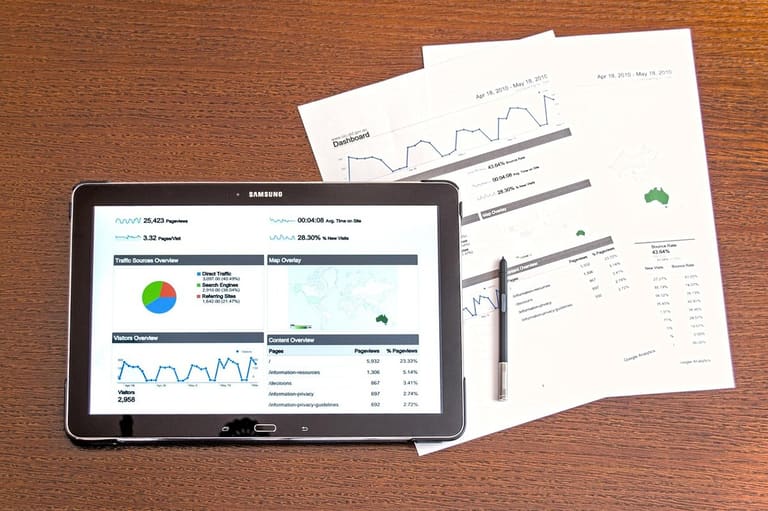
A data layer is a structure that allows you to store the data on your website or application in an organized and accessible way. This structure integrates with tag management systems like Google Tag Manager (GTM) and helps you optimize your marketing, analytics, and advertising processes. With the data layer, you can easily track user behavior, product information, and other important data on your website and share this data with different tools.
Without a data layer, it's difficult for labels to work accurately and consistently. If each tag tries to pull the data it needs directly from the web page, it can lead to both performance issues and data inconsistencies. The data layer eliminates all these issues, ensuring that tags have access to the data they need from a reliable and centralized source.
Data Layer Benefits
- Centralized Data Management: All data is collected in one place, making it easy to manage.
- Data Consistency: It ensures that data is shared consistently across different tags.
- Performance Improvement: It improves performance by eliminating the need for tags to pull data directly from the web page.
- Flexibility: The data layer can easily integrate with different tag management systems and analytics tools.
- Scalability: As your website or application grows, the data layer can easily scale.
- Easy Integration: It integrates with tools like GTM in a simple way, freeing it from complex coding processes.
The following table provides examples of how the data tier can be used in different scenarios. These examples demonstrate the flexibility of the data layer and how it can cater to different needs. Remember that a correct data layer setup not only improves the performance of your website but also provides you with more accurate and reliable data.
| Scenario | Data Stored in the Data Layer | Purpose of Use |
|---|---|---|
| E-commerce Product Display | Product Name, Price, Category, Availability | Tracking the number of product views, analyzing product performance |
| Add to Cart | Product Name, Price, Quantity, Cart ID | Measuring the rate of adding to carts, analyzing abandoned carts |
| Purchase Completion | Order ID, Total Amount, Payment Method, Shipping Information | Measuring conversion rate, tracking revenue |
| Form Submission | Form ID, Data Submitted, Time of Submission | Tracking form conversion rates, understanding customer behavior |
Correctly configuring the data layer is critical to the success of its integration with Google Tag Manager . The data layer makes the data on your website organized and accessible, making your marketing and analytics processes more efficient. This way, you can make more informed decisions and continuously improve your website's performance.
Google Tag Apps and Best Practices
Google Tag Manager (GTM) is a powerful tool that allows you to easily manage various tags (e.g., Google Analytics, Google Ads, Facebook Pixel) on your website or mobile app. By controlling your tags from a central place, you can optimize your marketing and analytics efforts without making code adjustments. In this section, we will explore some examples of applications and best practices to help you use Google Tag Manager effectively.
| Application Area | Explanation | Benefits |
|---|---|---|
| Google Analytics Event Tracking | Tracking user interactions such as button clicks, form submissions, video plays, etc. | Better understanding of user behavior, improving website performance. |
| Conversion Tracking | Tracking targeted actions such as sales, sign-ups, downloads, etc. | Measuring the effectiveness of advertising campaigns, increasing ROI (Return on Investment). |
| Remarketing Tags | Show tailored ads to people who visit your website. | Doing targeted advertising, increasing conversion rates. |
| A/B Tests | Testing different website variations and identifying the best performer. | Optimizing website design and content, improving user experience. |
With the flexibility offered by GTM, you can meet almost any monitoring need. For example, you can easily track how much time is spent on a particular page, what links are clicked, or which files are downloaded. By analyzing this data, you can improve the user experience of your website or application and make your marketing strategies more effective.
Best Practices
- Keep Labels Organized: Label your tags and triggers with meaningful names and categorize them neatly.
- Use Version Control: With GTM's version control feature, you can keep track of the changes you make and revert to a previous version if needed.
- Use Preview and Debug Mode: Test and debug tags in preview mode before publishing.
- Use the Data Layer: For more complex monitoring needs, use the data tier to get more accurate and reliable data.
- Configure Authorization and Access Control: Carefully configure who can access your GTM account and what permissions they have.
- Conduct Regular Inspections: Regularly conduct audits to ensure that your tags are functioning properly and collecting the necessary data.
For a successful Google Tag Manager application, only technical setup is not enough. At the same time, it is important to determine the right strategies and analyze the data effectively. For example, by identifying your funnels, you can identify which steps are losing users and make improvements at these points. Additionally, by conducting A/B tests, you can compare the performance of different website designs and content and achieve the best results.
Google Tag It is important to pay attention to privacy and data security issues when using Manager. Comply with legal regulations when collecting user data and transparently disclose your data collection policies. Additionally, use strong passwords and enable two-factor authentication to keep your GTM account secure.
Errors and Solutions
Google Tag Manager (GTM) setup and conversion tracking processes involve complex steps that need to be carefully managed. Mistakes made in these processes can negatively affect data accuracy and mislead marketing strategies. Therefore, it is of great importance to know common mistakes and have solutions to prevent these mistakes.
The table below contains some common errors that may occur during GTM setup and conversion tracking, along with suggestions for solutions to these errors. This table will help you identify errors and fix them quickly.
| Mistake | Explanation | Solution Proposal |
|---|---|---|
| Incorrect Label Installation | Tags are set up with the wrong triggers or parameters. | Check the tag and trigger settings carefully, test them using preview mode. |
| Missing Data Layer Integration | The data layer is not configured correctly or incomplete data is sent. | Review the data layer code, ensuring that all necessary data is sent in the correct format. |
| Double Labeling | Triggering the same tag multiple times. | Check the triggering conditions of tags, remove duplicate triggers. |
| Incorrect Tracking of Conversion Values | Incorrectly recording conversion values. | Check the e-commerce tracking settings, make sure the values are sent in the correct format. |
Common Mistakes
- Incorrect Account and Container Selection: Failure to correctly select GTM accounts and containers can lead to confusion in data collection.
- Tags Not Published: Failure to publish changes will cause tags to not work.
- Not Using Preview Mode: Failure to test labels before they are put into the live environment leads to errors going unnoticed.
- Improper Setting of Triggers: Misconfiguring triggers can result in tags firing at unintended times or not firing at all.
- Missing or Misconfiguring the Data Layer: Failure to configure the data layer correctly leads to the inability to collect the required data.
- Neglecting GDPR and KVKK Compliance: Ignoring user privacy can lead to legal issues.
To minimize errors encountered in GTM setup and conversion tracking processes, it is important to regularly check your tags and triggers, integrate the data layer correctly, and comply with legal regulations such as GDPR/KVKK. Additionally, you can identify and resolve issues by effectively utilizing the preview and debugging tools offered by Google Tag Manager.
Remember that to obtain accurate and reliable data, you need to continuously optimize and keep your monitoring strategies up to date. This way, you can increase the effectiveness of your marketing activities and make more informed decisions.
Strategies for Successful Monitoring
Creating a successful tracking strategy is key to maximizing the effectiveness of your digital marketing efforts. These strategies go beyond configuring Google Tag Manager correctly and optimizing conversion tracking. A good monitoring strategy helps you create a cycle of continuous improvement by bringing together your data collection process, analytics, and actions. With tracking strategies, you can clearly see which parts of your marketing campaigns are working and what needs improvement.
Data-driven decision-making forms the foundation of any successful monitoring strategy. Determining which metrics are most important for your business and regularly monitoring these metrics will allow you to shape your strategies more consciously. For example, metrics such as average order value, conversion rate, and customer acquisition cost may be critical for your e-commerce site. By tracking these metrics, you can allocate your marketing budget more efficiently and improve the customer experience.
Flexibility in your monitoring strategies is also important. The digital world is constantly changing, and new technologies, platforms, and consumer behaviors are emerging. Therefore, you should regularly review your monitoring strategies and adapt them as needed. For example, if you've started advertising on a new social media platform, you may need to add new tags and triggers to track the performance of your campaigns on that platform. Additionally, you can continuously improve your tracking capabilities by keeping up with new features and updates offered by Google Tag Manager.
- Strategies
- Set Clear Goals: Determine the focus of your monitoring efforts.
- Use the Right Tools: Use Google Tag Manager and other analytics tools effectively.
- Ensure Data Quality: Conduct regular checks to collect accurate and reliable data.
- Be Flexible: Adapt to changing conditions and new technologies.
- Run A/B Tests: Experiment with different approaches for the best results.
- Report Regularly: Generate and share regular reports by analyzing data.
To evaluate the success of your monitoring strategies, it is important to regularly report and analyze the data you obtain. Reporting provides you with valuable insights into your marketing performance and helps you better plan your future strategies. By sharing your reports with your team, you can keep everyone focused on the same goals and encourage collaboration. A successful monitoring strategy not only collects data but also allows you to make sense of this data and turn it into action.
| Metric | Aim | What happened | Explanation |
|---|---|---|---|
| Conversion Rate | %3 | %2.5 | There is an opportunity to improve the conversion rate. |
| Average Order Value | ₺150 | ₺160 | The average order value is above the target. |
| Customer Acquisition Cost | ₺50 | ₺60 | Customer acquisition costs should be reduced. |
| Website Traffic | 10,000 | 9,000 | Efforts should be made to increase website traffic. |
Conclusion and Recommendations for Your Application
In this guide, we've taken a detailed look at what Google Tag Manager (GTM) is, how it's set up, and how it's used for conversion tracking. GTM streamlines your marketing and analytics processes by allowing you to manage tags on your website from a central location. By focusing on issues such as setting goals, using the right tags, and managing the data layer effectively, we aimed to make the most efficient use of GTM.
Google Tag There are some important points to consider when implementing Manager. First, you should clearly define the purpose of each tag and configure the correct trigger settings. A misconfigured tag can lead to inaccurate data collection and inaccurate analysis. You should also regularly test your tags and check if they are delivering the expected results.
- Actionable Steps
- Planning: Clearly define your tagging strategy.
- Setup: Set up your GTM account correctly and integrate it into your website.
- Tag Configuration: Configure the tags you need (Google Analytics, Facebook Pixel, etc.) with the correct parameters.
- Testing: Regularly test your tags and address any bugs.
- Data Analysis: Optimize your marketing strategies by analyzing the collected data.
The data layer is one of GTM's strongest features. It allows you to import data from your website into GTM in an organized and structured manner. This makes it easy to implement more complex labeling scenarios. For example, you can track product views, add-to-carts, and purchases on your e-commerce site through the data layer. Remember, accurate data empowers you to make the right decisions.
| Feature | Explanation | Importance Level |
|---|---|---|
| Tag Management | Manage all tags on your website from a central place. | High |
| Conversion Tracking | Measure how well you reach your goals. | High |
| Data Layer | Transferring data to GTM in an organized manner. | Middle |
| Testing and Debugging | Make sure tags are working correctly. | High |
Google Tag We also reviewed the errors that may be encountered while using Manager and the solution suggestions. You may encounter situations such as incorrect triggering of tags, data loss, and performance issues. To prevent such issues, you should regularly check your tags, use the correct trigger settings, and avoid unnecessary tags. For a successful monitoring strategy, it is important to be open to continuous learning and improvement.
Frequently Asked Questions
Is it necessary to have technical knowledge to use Google Tag Manager? Can someone who doesn't know how to code use it?
While Google Tag Manager requires a basic level of technical knowledge, it's also an accessible tool for non-coding users. Its interface is user-friendly, and there are many ready-made label templates. However, for more complex tracking needs, some knowledge of HTML, CSS, or JavaScript can be beneficial. It's also a good option to get help from a developer if needed.
Can adding Google Tag Manager to my website have a negative impact on my SEO performance? Does it slow down page speed?
When configured correctly, Google Tag Manager will not have a negative impact on your SEO performance. On the contrary, it can help you optimize your website with proper tracking and analysis. There is a risk of slowing down page speed, but you can minimize this risk by managing tags correctly and avoiding unnecessary tags. GTM tries to optimize page load speed by loading tags asynchronously.
Which Google Tag Manager tags should I use for conversion tracking? Should I create separate tags for different types of conversions?
The tags you should use for conversion tracking depend on the type of conversion you want to track. For example, you can use a Google Analytics Event tag with a form submission trigger to track a form submission. For E-commerce sites, it is more convenient to use Advanced E-commerce tracking tags. Creating separate tags for different types of conversions (e.g., form submission, product purchase, newsletter sign-up) allows you to analyze and optimize your data in more detail.
What is a Data Layer and why should I use it? Is it mandatory to use it?
A data layer is a JavaScript object that allows you to pass information from your website (e.g., product name, price, user ID) to Google Tag Manager. While it's not mandatory to use it, it allows you to track your data more reliably and consistently. Using a data layer, especially on websites with dynamic content or e-commerce sites, increases tracking accuracy and allows you to perform more advanced analysis.
What are the most common mistakes in setting up Google Tag Manager, and how can I avoid them?
Some of the most common mistakes include: incorrect placement of Google Tag Manager code on the website, misconfiguration of triggers and variables, misoperation of tags, and failure to test. To avoid these errors: Make sure you place the Google Tag Manager code correctly (preferably in the '<head>' tag at the top of the page), check that triggers and variables are configured correctly, always test your tags in preview mode before publishing, and fix bugs. Additionally, use the debugging tools provided by Google Tag Manager.
What types of data can I collect using Google Tag Manager? Can I only track conversions?
Google Tag Manager can be used to collect a wide range of data, not just conversion tracking. You can collect many different data such as page views, click behavior, form submissions, video views, scroll depth, special events, etc. By using this data, you can analyze your website's performance, understand user behavior, and optimize your marketing strategies.
How can I back up the tags and triggers I create in Google Tag Manager? How can I get back to my old self if there is a problem?
Google Tag Manager offers a version control feature. Every change you make is automatically saved as a version. When you need to, you can revert to an older version. You can also back up your workspace as a JSON file by exporting it. You can then import this file into Google Tag Manager to restore your workspace.
What is the difference between Google Tag and Google Tag Manager? Do they both serve the same purpose?
Google Tag (gtag.js) is the basic tracking code for Google products (such as Google Analytics, Google Ads). Google Tag Manager, on the other hand, is a tag management system that allows you to manage tags (including Google tags) across your entire website from a central place. Google Tag Manager can also manage Google Tag and offers a more flexible structure. Both are used for collecting tracking data, but Google Tag Manager is a more comprehensive solution and offers more advanced features for tag management.