 Afrikaans
 Azərbaycan
 Bosanski
 Čeština
 Dansk
Dansk Deutsch
 English
 Español
 Filipino
 Français
 Hrvatski
 Indonesia
 Italiano
 Magyar
 Melayu
 Nederlands
 Norsk
Norsk Oʻzbek
 Polski
 Português
 Română
 Slovenčina
 Slovenščina
 Suomi
Suomi Svenska
 Tiếng Việt
 Türkçe
 Ελληνικά
 Беларуская
 Български
 Русский
 Српски
 Українська
 עברית
עברית اردو
اردو العربية
 پښتو
پښتو فارسی
فارسی አማርኛ
አማርኛ मराठी
मराठी বাংলা
বাংলা தமிழ்
தமிழ் ไทย
ไทย မြန်မာ
 한국어
한국어 中文
中文 日本語
日本語

నేటి డిజిటల్ కాలంలో వినియోగదారులు అనేక డివైసుల ద్వారా ఇంటర్నెట్కు చేరుకుంటున్నారు. అందువల్ల మల్టీ డివైస్ టెస్టింగ్ అనేది తప్పనిసరి ప్రాముఖ్యతను సంతరించుకుంది. ఈ బ్లాగ్లో, మల్టీ డివైస్ టెస్టింగ్ అంటే ఏమిటి, దాని చరిత్ర, మొబైల్, టాబ్లెట్ మరియు డెస్క్టాప్కి అవసరాలు, టెస్టింగ్ విధానాలపై విశ్లేషణ ఇవ్వబడింది. అలాగే, విజయవంతమైన టెస్టింగ్ కోసం సూచనలు, లాభాలు, బాగోలభాలు, డేటా విశ్లేషణ, ఫలితాల రిపోర్టింగ్ మొదలైన వివరాలతో మీ వెబ్సైట్ లేదా అప్లికేషన్ అన్ని డివైసులపై సరిగా నడవడానికి అవసరమైన పూర్తి మార్గదర్శికను అందిస్తుంది.
మల్టీ డివైస్ టెస్టింగ్ అంటే ఏమిటి?
మల్టీ డివైస్ టెస్టింగ్ అనేది ఒక వెబ్సైట్ లేదా అప్లికేషన్ అనేక డివైసులపై (మొబైల్, టాబ్లెట్, డెస్క్టాప్) మరియు ప్లాట్ఫారమ్లపై (Android, iOS, Windows, macOS) బాగా, క్రమంగా, ప్రతిస్పందనతో పని చేస్తుందా అనేది నిర్ధారించేందుకు చేసే పరీక్ష. ఈ టెస్టింగ్ వల్ల, వీలైనంత విస్తృతమైన స్క్రీన్ మాపన్లు, రిజల్యూషన్స్, వేర్వేరు హార్డ్వేర్ కన్వికరేషన్లతో కూడిన యంత్రాల్లో యూజర్కు చక్కటి అనుభవం అందించాలనే లక్ష్యం ఉంది. నేటి వినియోగదారులు ఏ దివైస్ నుండైనా సర్వీసులను ఉపయోగిస్తుండటంతో, ఇది ఆవశ్యకంగా మారింది.
ప్రధాన ఉద్దేశ్యం — మీ వారిని, మీ అప్లికేషన్ను ఎవరయినా ఏ డివైస్లో అయినా వాడుతున్నప్పుడు ఏదైనా ఫంక్షనల్ ఇబ్బంది, UI లోపాలు, పరఫార్మెన్స్ సమస్యలు లేకుండా పరిమితి లేకుండా పనిచేయడం. ముందుగానే పరీక్షించటం వల్ల యూజర్ సంతృప్తి పెరుగుతుంది, అలాగే బ్రాండ్ విలువ కూడా నన్ను ఉంటుంది.
మల్టీ డివైస్ టెస్టింగ్ ప్రాముఖ్యత
- యూజర్ అనుభవాన్ని మెరుగుపర్చడం: అన్ని డివైసు/ప్లాట్ఫారమ్లపై సాఫీగా పని, యూజర్ సంతృప్తి పెరుగుతుంది.
- ఉమ్మడి సమస్యలు తొలగించడం: వైవిధ్యపు OS/డివైస్లపైన వచ్చే ప్రిన్సిపల్ లోపాలను గుర్తించటం, సరిచేయటం.
- బ్రాండ్ నమ్మకాన్ని కాపాడటం: అన్ని డివైస్లపై consistent UX వల్ల, బ్రాండ్ ఇమేజ్ మెరుగవుతుంది.
- కన్వర్షన్ రేట్స్ పెరగడం: యూజర్లను ఎక్కువగా అటాచ్ చేస్తూ, conversions పెరుగుతాయి.
- డెవలప్మెంట్ ఖర్చులు తగ్గించడం: ముందుగానే లోపాలను సరిచేయటానికి, తర్వాత పెద్ద ఖర్చులు తప్పించటం సాధ్యం.
మల్టీ డివైస్ టెస్టింగ్ కోసం manual మరియు automated testing రెండు పద్ధతులు ఉన్నాయి. manual testing లో టెస్టింగ్ నిపుణులు విభిన్న డివైస్లపై హస్తపద్ధతిలో పరీక్షిస్తారు; automated testing లో predefined test cases రాన్ అవుతాయి. రెండు పద్ధతుల సమ్మేళనం ఉత్తమ ఫలితాలు ఇస్తుంది.
| టెస్టింగ్ పద్ధతి | వివరణ | లాభాలు |
|---|---|---|
| Manual Test | వేర్వేరు డివైస్లపై నిపుణులు చేతితో పరీక్ష. | యథార్థ యూజర్ experiencing simulation, complex scenarios testability. |
| Automated Test | ప్రారంభంగా లభించిన test scripts auto execution. | తక్షణ, repeatable, భాష్య పరిమితి పెద్దగా ఉన్న testing. |
| Emulator/Simulator Test | వాస్తవ డివైస్ల స్థానంలో virtual devices లో test చేయడం. | చాలా తక్కువ ఖర్చుతో device variety simulate చేయొచ్చు. |
| Cloud-Based Test | Cloud లో నిజమైన డివైస్లపై test చేయడం. | పొడిగిన device యాక్సెస్, test scaling సులభం. |
మల్టీ డివైస్ టెస్టింగ్ ఇప్పుడు అత్యంత అవసరమైన డిజిటల్ అభివృద్ధి కల పద్ధతిగా నిలిచింది. ప్రతి రీlease, ప్రతి update కి ఈ పరీక్షలు చేయడం, మార్కెట్లో మీ డిజిటల్ ఉత్పత్తి విజయానికి, యూజర్ loyalty కి అనివార్యం.
చరిత్ర
మల్టీ డివైస్ టెస్టింగ్ మొదట్లో web only desktop కోసం ఉండేది. Smartphones, tablets వచ్చిన తర్వాత — వివిధ రకాల స్క్రీన్ ఫాక్టర్స్, OSలు, browsers వాడకంలతో టెస్టింగ్ పరిధి కేసు విస్తరించింది. ప్రారంభంలో manual testing ప్రాధాన్యత ఎక్కువగా ఉండేది. తరువాత Continuous Integration/Continuous Deployment (CI/CD) పరిచయం, automation tools (Selenium, Appium లాంటి) మరియు cloud-based test labs (BrowserStack, Sauce Labs) వచ్చాయి. ఇప్పుడు, code change జరిగిందా; test suite CI/CD ద్వారా అన్ని devices/platforms లో rerun చేయబడుతుంది.
ప్రముఖ అభివృద్ధి దశలు
- Desktop-centric development (90's): web sites mostly PC/browser-centric.
- Mobile rise: mobile phones/tablets UX ముఖ్యమైనంది.
- Manual testing ఎక్కువైంది.
- Automation tools evolve: bulk testing, regression, unattended test execution.
- Cloud-based test labs: real devices/network combinatorial testing simplified.
- CI/CD integration: ప్రతి code change test coverage లోకి వస్తుంది.
మల్టీ డివైస్ టెస్టింగ్ అభివృద్ధి చరిత్రను ఒక చిన్న పట్టికలో:
| సం | అభివృద్ధి | ప్రభావం |
|---|---|---|
| 1990లు | Web ప్రారంభం | Desktop/browser compatibility challenges |
| 2000లు | Mobile వృద్ధి | Screen/resolution/device fragmentation began |
| 2010లు | Smartphone boom | Android/iOS app/web testing తప్పనిసరి |
| 2020లు | IoT & wearables | కంప్లెక్స్ multi-device test case needs |
మల్టీ డివైస్ టెస్టింగ్ ద్వారా — మీరు యూజర్ experience మెరుగుపరుస్తూ, future proof చేసే digital products తయారు చేయొచ్చు. device diversity/performance/growth trends తో పాటు, ఈ process మరింత ప్రాధాన్యం ఇస్తూ ఉంటుంది.
మొబైల్, టాబ్లెట్, డెస్క్టాప్ టెస్టింగ్ కోసం అవసరాలు
టెస్టింగ్ process లో, target device/platform selection ముఖ్యంగా పరిగణలోకి తీసుకోవాలి. hardware, OS versions, network, screen size/resolution వంటి నిర్దిష్ట వివరాలు పరీక్షకు ప్రభావం చేస్తాయి. క్రింది పట్టికలో మొబైల్, టాబ్లెట్, డెస్క్టాప్ కోసం నిర్దశమైన వివరాలు చూడండి:
| అవసర రకం | మొబైల్ | టాబ్లెట్ | డెస్క్టాప్ |
|---|---|---|---|
| OS | Android, iOS | Android, iOS, iPadOS | Windows, macOS, Linux |
| Screen Size/Resolution | రంగు sizes, resolutions | same | same |
| Network | Wi-Fi, 3G/4G/5G | Wi-Fi, 3G/4G/5G | Wi-Fi, Ethernet |
| Hardware | RAM, Processor, Storage | same | RAM, Processor, Storage, GPU |
అవసరపు లిస్ట్:
- OS versions (Android/iOS/Windows/macOS/Linux)
- స్థాయి screen sizes/resolutions
- Browser versions (Chrome/Safari/Firefox/Edge)
- Network conditions (Wi-Fi/Mobile/Ethernet)
- Hardware features (RAM/Processor/Storage)
- Device orientation (Portrait/Landscape)
ఈ వివరాలు, టెస్టింగ్ వారిని ఎలాంటి డివైస్, పరిసరాలలో పరీక్షించాలో నిర్థారించేందుకు సహాయపడతాయి. Automated testing setupకి కూడా ఇవి ఎంపికగా ఉపయోగపడతాయి.
మొబైల్ డివైస్ అవసరాలు
మొబైల్ testing లో OS fragmentation (Android, iOS, legacy versions), device models, network variability ప్రాధాన్యత ఎక్కువ. బడ్జెట్,Low-end devices కూడా టెస్ట్ చేయాలి. Poor network (3G hotspots), high latency, battery drain వంటి issues simulation చేయాలి.
టాబ్లెట్ డివైస్ అవసరాలు
టాబ్లెట్ టెస్టింగ్ లో screen resolution, orientation (portrait/landscape) ముఖ్యంగా పరిగణలోకి తీసుకోవాలి. Multi-touch, touch sensitivity, split screen షేపు పరిమితుల్ని టెస్ట్ చేయాల్సి ఉంటుంది.
డెస్క్టాప్ డివైస్ అవసరాలు
డెస్క్టాప్ testing లో OS diversity (Windows/macOS/Linux), browser variants, high res monitors, dedicated GPUs presence, accessibility (keyboard/mouse-only navigation), performance (heavy duty computing) వంటి issues ముఖ్యంగా focus చేయాలి.
ఈ రకంగా టెస్టింగ్ requirements ఆధారంగా, మల్టీ డివైస్ టెస్టింగ్ యొక్క విస్తృతమైన పరిధిని setup చేయొచ్చు.
టెస్టింగ్ కోసం ఉపయోగించే పద్ధతులు
మల్టీ డివైస్ టెస్టింగ్ లో వివిధ పద్ధతులు ఉన్నాయి. సంబంధితనిగానీ బడ్జెట్, team size, ఫీచర్ complexity ఆధారంగా, టెస్టింగ్ setup ఎంపిక చేయవచ్చు.
ప్రధానంగా manual testing లో each device/browser hand testing (user experience, UI/UX issues) చేయబడుతుంది. ఒకసారి ఇది time intensive, costly, but complex issues clearing/simulation లో బాగుంది.
పద్ధతుల సారాంశం
- Manual Test: test specialists hand test across devices.
- Automated Test: Auto-run test scripts.
- Cloud-Based Test: Real devices (cloud hosted) used for test execution.
- Emulator/Simulator: Virtual devices used for rapid prototyping/testing.
- Performance Test: Device-level speed/resource usage analysis.
Automated testing ద్వారా repetitive test cases execution, regression testing, multi-device coverage త్వరగా సాధ్యమవుతుంది. కానీ, UX / usability test manual intervention అవసరమే.
| పద్ధతి | లాభాలు | బాగోలభాలు |
|---|---|---|
| Manual Test | UI/UX fidelity, complex scenario discovery | వేళలు ఎక్కువ, ఖర్చు, variability |
| Automated Test | Quick, repeatable, broad coverage | Initial setup costly, UX testing weak |
| Cloud-Based Test | Wide device access, scalable | Security, network dependency |
| Emulator/Simulator | Cheap, prototype-friendly | Real device fidelity missing |
Cloud testing లబ్దులొ, geographic simulation, network variability, real device access వంటి ప్రయోజనాలుంటాయి. కానీ, ఖర్చు/security tradeoffsని పరిగణనలోకి తీసుకోవాలి.
Emulator/Simulator అనేవి rapid development/debugging కోసం బాగుంటాయి, production fidelity కోసం real device testing తప్పనిసరిగా చేయాలి.
విజయవంతమైన మల్టీ డివైస్ టెస్టింగ్ సూచనలు
బాగా structured planning, device prioritization, automation/manual blending ద్వారా, మెరుగైన టెస్టింగ్ Results దొరుకుతాయి. కొన్ని ముఖ్య సూచనలు:
| సూచన | వివరణ | వెయిటేజ్ |
|---|---|---|
| Test Strategy | వివిధ శబ్దాలైన test cases/coverage planning | అత్యున్నతం |
| Real Devices | Virtual devices కాకుండా authentic device testing | అత్యున్నతం |
| Automation Usage | Repetitive testsకి automation tools | మధ్యం |
| Performance Testing | Variability/performance simulation | అత్యున్నతం |
పరిశీలన: test environment diversity, network simulation, hardware/software variations simulation ప్రధానంగా ఉండాలి.
Top Practices
- Pre-plan test cases
- Real device testing
- Automation tools use
- Performance scenarios cover
- Network variability simulate
- User feedback loop create
వినియోగదారు feedback ఎప్పటికప్పుడు తీసుకోవడం (surveys, beta tests, screen recordings) భావ విషయంగా ఉంటుంది. ఈ inputs అప్లికేషన్ refinement కి దోహదపడతాయి.
Test results periodic analysis, reporting by device/platform/category, teams కి actions ఫాస్ట్గా assign చేయడం టెస్టింగ్ effectivenessని పెంచుతుంది.
పరీక్ష లాభాలు
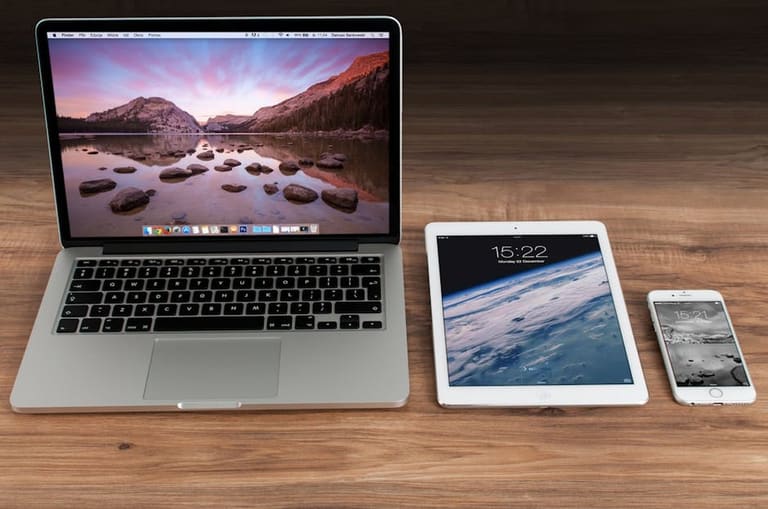
మల్టీ డివైస్ టెస్టింగ్ వల్ల, ఉపాధ్యే వేడుకలో విజయం కోసం, మీ డిజిటల్ సొల్యూషన్కి ఇన్ష్యూరెన్స్ లభిస్తుంది.
వివిధ టెస్టింగ్ ద్వారా — compatiblity issues ముందే చూపించొచ్చు. Screen resolution, OS fragmentation, hardware differences మొదలైయే సమస్యల్ని చక్కటి ఉద్యమంగా ఎదుర్కొనవచ్చు.
లాభాలు
- అధికమైన user reach
- వినియోగదారు సంతృప్తి మెరుగవుతుంది
- డెవలప్మెంట్ ఖర్చు తగ్గుతుంది
- బ్రాండ్ విలువ పెరుగుతుంది
- competitionపై భద్రత
- ఆప్టిమైజ్డ్ performance
ఏ device నుండీ consistent experience? Loyal user base, repeat business సాధ్యమే. అంతేకాదు, analytics ద్వారా, user/device/platform trends future planningకి బాగుంటాయి.
పరీక్ష బాగోలభాలు
వివిధ devices/platforms గుర్తించటం, manage చేయటం… process complexity మరింత పెరుగుతుంది. మరింత manpower, time, tools అవసరం. ఇది SMEలకు occasionally burdenగా మారవచ్చు.
Test case inflation, variable devices, separate scripts/manageability, data inconsistency వంటి సవాళ్లు ఎదుర్కొనాలి.
బాగోలభాలు
- High Cost: ఫిజికల్ డివైస్ కొనుగోలు, tools subscription
- Time Intensive: విభిన్న్యంలో testing duration పెరుగుతుంది
- Complexity: Environment/setup/management challenge
- Resource Required: Skilled testers/infrastructure
- Inconsistency: Unexpected hardware/software variance
Cost aspect: Real devices/tools/licenses team size ప్రాముఖ్యత. Alternatives — Cloud testing labs, open-source tools, simulate/parallellized execution.
| బాగోలభం | వివరణ | సాధ్యమైన పరిష్కారం |
|---|---|---|
| High Cost | Devices/tools/licenses | Cloud labs/open tools/SaaS |
| Complexity | Platforms/devices/script management | Automation/centralized management |
| Time Intensive | Multiple test scenarios | Parallel testing/CI-CD |
| Inconsistency | Unexpected device/platform behavior | Standardized virtual labs/environment |
Test outcome consistency, data variation, result analysisపై ప్రత్యేక శ్రద్ధ అవసరం.
ఉత్తమ పద్దతులు
అన్ని devices/platforms ఎటువంటి లోపం లేకుండా వచ్చేలా టెస్ట్ చేయాల్సిన అవసరం ఉంది; దీనికి అనువైన strategy/continuous feedback/improvement అలవాటు చేయండి.
Target audience device/browser segmentation/prioritization ద్వారా, test planning భాగంగా డ్రైవ్ చేయండి.
| పద్దతి | వివరణ | ప్రాముఖ్యత |
|---|---|---|
| Device Variety Identification | User base పలుకుల్లే device list కానీ | Test scope planningకి అవసరం |
| Automation Usage | Repetitive/regression tests మీ automation ద్వారా | Time/resource save |
| Real Device Testing | Hardware/software fidelity కోసం physical devices | Consistent UX |
| CI/CD Continuous Testing | Dev processలో integrate test suite execution | Early detection/remediation |
Automation tools, manual intervention, real-device testing (critical UX, battery/camera/resource testing) మిక్స్ చేయండి.
Steps Guide
- Target device selection: User analytics/trends ద్వారా మొట్టమొదటి devices/platforms గుర్తించండి.
- Test Environment Setup: Real devices, emulators, cloud lab integraton planning.
- Test Case Preparation: UX-flow/functionality/edge-case simulation ప్రాముఖ్యత.
- Automation Integration: Regression, repetitive scenarios కోసం automated scripts/write/maintain చేయండి.
- Sustained Testing: Continuous testing/feedback/action రెడ్ చేయండి.
- Feedback Evaluation: User feedback/test report analysis ద్వారా iteration చేయండి.
Test reporting, user feedback integration, device/platform wise actionable tracking వల్ల అనుత్తమ స్థాయిలో మల్టీ డివైస్ కవరేజ్ సాధించవచ్చు.
డేటా విశ్లేషణ, ఫలితాల రిపోర్టింగ్
టెస్టింగ్ ఫలితాలు — device wise, OS wise, performance metric wise — అన్నీ కొత్త improvements/action itemsకు, decision makersకి దిక్కుగా ఉంటాయి.
Key metrics: load times, response latency, error rate, usage patterns. Performance/UX bottleneckను గుర్తించేందుకు ఇవి crucial. ఉదాహరణకి tablet లో load time పెరుగితే, image optimization/cache strategy మార్పు అవసరం.
| Device Type | OS | Avg Load Time (secs) | Error Rate (%) |
|---|---|---|---|
| Mobile (Android) | Android 12 | 2.5 | 1.2 |
| Tablet (iPad) | iOS 15 | 3.8 | 2.5 |
| Desktop (Chrome) | Windows 10 | 1.8 | 0.8 |
| Desktop (Safari) | macOS Monterey | 2.0 | 1.0 |
Reporting లో visual charts, trend insights, error/action mapping ముఖ్యం. Non-technical members కూడా ఆయా reports ద్వారా చేపట్టే improvementsను సులభంగా చేయగలరంటూ నిర్మించండి.
Reporting Best Practices
- Each device/OS/browser report & actionable insights ఇవ్వాలి
- Error logs/types/frequency identify చేయాలి
- User feedback integrate చేయాలి
- Performance issues root cause/solutions
- Periodic report updates/team-wide share చేయాలి
- Competitive benchmarking add చేయాలి
డేటా విశ్లేషణ, రిపోర్టింగ్ ద్వారా — product upgrade, user retention, bug fixing processను optimize చేయొచ్చు.
ప్రధాన takeawayలు
మల్టీ డివైస్ టెస్టింగ్ ద్వారా, consistent user experience, performance coverage, actionable reporting ద్వారా, web/app సంభ్రమాన్ని కలిగించే products తయారు చేయొచ్చు.
| Test Area | Key Findings | Recommended Actions |
|---|---|---|
| Compatibility | Display glitches spotted across devices | Responsive design/CSS tuning |
| Performance | Mobile load times laggy | Image optimization, caching |
| Usability | Tablet navigation bottlenecks | Touch interface refinement/User feedback loop |
| Security | Device-specific vulnerabilities | Security protocols update/regular scans |
ప్రస్తుతం mobile-first approach ఎక్కువగా పరిశీలించాలి. Key actions — responsive frameworks, UX optimization, regular security scans, device/browser combo test coverage, feedback iteration ముఖ్యపరచాలి.
Actionable Tips
- Responsive frameworks use చేయండి
- Images/videos optimize/load time shorten చేయండి
- User feedback collect/analyze చేయండి
- Multi-device/browser scenario test చేయండి
- Security audits per device plan చేయండి
- Mobile-first approach adopt చేయండి
Test finding analysis ద్వారా, device-specific churn/cancellation/root-cause అనాలిసీస్ ద్వారా, sustainబుల్ improvements చేయొచ్చు.
మల్టీ డివైిస్ టెస్టింగ్మీటింగు తప్పనిసరి మాత్రమే కాదు — దాని ద్వారానే అప్గ్రేడ్ సంస్థ grow చేయొచ్చు, competitionపై lead పొందవచ్చు!
ఎక్కువగా అడిగే ప్రశ్నలు
మల్టీ డివైస్ టెస్టింగ్లో ముఖ్యంగా ఏవే elementలు cover చేయాలి?
Screen/Layout testing, functionality, performance, UX, security అన్నింటిని టెస్ట్ చేయాలి. ఉంటుంది.
manual vs automation టెస్టింగ్ — ఏది బాగుంటుంది? మార్గాలు, drawbacks?
Manual testing-UX issues, complex bug find కోసం బాగుంటుంది, automation repetitive testకి excel అవుతుంది. ఇద్దరి మిక్స్ ఉత్తమ combi!
emulator/real device testing ఆలోచన? ఎప్పుడేంటి ఉపయోగపడుతుంది?
Emulators rapid prototyping/debugging ఉండగలవు, real devices authentic UX/performance test కోసం అవసరం. Battery/camera tests real device పై తప్పనిసరిగా చేయాలి.
Performance issues detect/remediation ఎలా?
Load testing, memory profiling tools, code optimization, image compression, server tuning ద్వారా తీర్చవచ్చు.
Testing tools/platforms?
BrowserStack, Sauce Labs, LambdaTest (paid) Selenium, Appium (free) మొదలైనవి ప్రాచుర్యం. మీ ప్లాన్తో సరిపడే tools ఎంపిక చేయండి.
UX testing, user feedback integration ఎలా జరగాలి?
Usability/A-B tests, user surveys తప్పక చేయండి. వారి feedback ఆధారంగా, డిజైన్/functionality improvements చేయండి.
ఎప్పటికప్పుడు testing ఎలా చేయలేను?
Every feature change, UI update, OS update, major bug fix తర్వాత, test suite run చేయాలి. CI/CDలో ఉదాహరణగా automation setup చేయొచ్చు.
Test reportingలో ఏమి ఉండాలి?
Tested devices/OS/browser details, test cases, detected bugs/errors, action items, performance insights పేర్కొనాలి. వరుసగా సులభంగా అర్థం చేసుకునేలా తయారుచేయాలి.