 Afrikaans
 Azərbaycan
 Bosanski
 Čeština
 Dansk
Dansk Deutsch
 English
 Español
 Filipino
 Français
 Hrvatski
 Indonesia
 Italiano
 Magyar
 Melayu
 Nederlands
 Norsk
Norsk Oʻzbek
 Polski
 Português
 Română
 Slovenčina
 Slovenščina
 Suomi
Suomi Svenska
 Tiếng Việt
 Türkçe
 Ελληνικά
 Беларуская
 Български
 Русский
 Српски
 Українська
 עברית
עברית اردو
اردو العربية
 پښتو
پښتو فارسی
فارسی አማርኛ
አማርኛ मराठी
मराठी বাংলা
বাংলা தமிழ்
தமிழ் ไทย
ไทย မြန်မာ
 한국어
한국어 中文
中文 日本語
日本語

ఈ బ్లాగ్ వ్యాసం, సిస్టమ్ నిర్వహణ కోసం ఎప్పటికప్పుడు చేయాల్సిన సమగ్ర చెక్లిస్ట్ ప్రాముఖ్యతను తెలుగులో వివరిస్తుంది. యంత్రాలు, కంప్యూటర్ ప్రోగ్రాములు, లేదా మీ వాడుతున్న WordPress, Linux వంటి టెక్నాలజీల సమర్థంగా పనిచేయాలంటే పలుపలు రకాల నియమిత నిర్వహణకు ఎంత వేటువేలు అవసరమో వివరంగా చర్చించబడింది. ఇక్కడ మీరు పాటించాల్సిన చర్యలు, తరచుగా వస్తున్న సమస్యల పరిష్కారాలు, అడ్వాన్స్డ్ టెక్నిక్లు, సులభంగా ఉపయోగపడే tools, అలాగే నిర్వహణ తర్వాత మీ వ్యవస్థను మరింత మెరుగుపరుచే సలహాలు అందిస్తున్నాం. ఈ ‘నిర్వహణ: ఎప్పటికప్పుడు’ పద్ధతిని అనుసరిస్తే వ్యవస్థ విశ్వసనీయత పెరుగుతుంది, వ్యర్థ ఖర్చులను తగ్గించవచ్చు మరియు సెక్యూరిటీ సమస్యలను ముందుగానే గుర్తించవచ్చు.
నిర్వహణ: ఎప్పటికప్పుడు చేసే చెక్లిస్ట్ ప్రాముఖ్యత
నిర్వహణ: ఎప్పటికప్పుడు పాటించడం అభిజ్ఞానం కాదు—ఎంచుకున్న సిస్టమ్, app లేదా hardware ఎలాంటి విఫలాలతో బాధపడదు, బెడళ్ళు నుండి ముందుగానే జాగ్రత్త పడుతారు. ఖరీదైన replacements & service బిల్లులు తగ్గిస్తాయి. వాస్తవానికి, ఇది కేవలం విఫలాలను చికిత్స చేయడం కాదు—performance, energy efficiency, మరియు సెక్యూరిటీ విభాగాల్లో పెద్ద మార్పు తెస్తుంది.
ఉదాహరణకి, Word processor వంటి ప్రోగ్రాముల వద్ద ఎప్పటికప్పుడు updates (latest version), అన్వాంటెడ్ files, temp documents తొలగించటం, సెక్యూరిటీ flaws ను patches ద్వారా సరిదిద్దటం చేయడం వంటి చర్యలు, ప్రోగ్రామ్ వేగంగా నమ్మదగిన విధంగా పనిచేయడానికి దోహదపడతాయి. Hardware నిర్వహణలో, CPU fan, thermal paste మార్పు, lane connections integrity, ports, cables తనిఖీ వంటి process వల్ల overheating, lag, unexpected shutdowns నివారిస్తాయి. ఈ విధంగా, hardware/software రెండింటికీ ఎప్పటికప్పుడు నిర్వహణ వల్ల sturdiness & reliability పెరుగుతుంది.
- నిర్వహణ ఎందుకు అవసరం?
- వైఫల్యాన్ని ముందుగా గుర్తించడానికి, పరికరాల/ప్రోగ్రాముల జీవనకాలాన్ని పొడిగించడానికి
- ఆర్థిక ఖర్చు తగ్గించి, వివిధ అవాంఛిత శమనాలను నిరోధించడానికి
- Performance, efficiency మెరుగుపర్చడానికి
- Energy bills/ఇంధన వినియోగాన్ని తగ్గించి, మీ ఖర్చును నియంత్రించడానికి
- సెక్యూరిటీ flaws ను patches ద్వారా తొలగించి, డేటాను రక్షించడానికి
- విపత్తు-స్థాయిలో failure ముందు, preventive action తీసుకోవడానికి
సరే, ఎప్పటికప్పుడూ నిర్వహణ చేయడం ఎంత ఉపయోగంగా ఉంటుందో సందేహం వచ్చే వారికి క్రింది table మీకు సరైన ఉదాహరణలు, benefits చూపిస్తుంది.
| నిర్వాహన రకం | వివరణ | లాభాలు | సమయ పరిమితి |
|---|---|---|---|
| పరిధి నిర్వహణ | నియమిత సమయం ప్రకారం routine checks | Risk minimize, speed maximize | నెల, 3 నెలలు, యేటందు |
| Preventive | Trouble వచ్చిన ముందు action | Failure నివారణ, ఖర్చు నియంత్రణ | లక్ష్యాకు |
| Repair (correction) | Problem వచ్చిన తర్వాత అప్పుడే fix | System తిరిగి నడుపుతుందికానీ effectiveness తగ్గుతుంది | విపత్తు సమయంలో |
| Predictive | డేటా ఆధారంగా కెపాసిటీ తుడిపాటు, early warning | భవిష్యత్తులో failure ముందుగా దొరుకుతుంది | నిత్యం/continuous |
నిర్వహణ:ఎప్పటికప్పుడు పాటించడం చిన్న business నుంచీ enterprise వరకు, ప్రతి యూజర్, ఇంటి నుండీ server వరకు, అలాగే web-hosting administrators కు నిర్ధారణ. మీ పరికరాలు నిరాడంబరంగా, సమర్థంగా పనిచేయాలంటే, ఎప్పటికప్పుడూ నిర్వహణ అనుంశీలించాలి. ఖర్చు కాకపోతే, ఇది మీ సిస్టమ్ లకు జీవితం ఇస్తూ, “ప penny wise, pound foolish” mistakes అంటూ దూరంగా ఉంచుతుంది.
Word processor program సందర్భంలో నిర్వహణ చెక్లిస్ట్
Word processor programs (Office suite, Google Docs, etc.), web content writers, institue administrators, students, అంటే practically ప్రతి యూజరికి రోజువారీ పరిస్థితిలో must-have. Reports తయారు చేయడం, editing, e-books create చేయడం వంటి tasks సాఫీగా బ్రతికి పోటే అంటే reliability ఆదాపై ఆధారపడుతుంది. నిఖార్సైన నిర్వాహన: ఎప్పటికప్పుడు–performanceను చాలా కాలం sustain చేయడానికి ఈ programsకు బాగా పనిచేస్తుంది.
మీఆయన data loss, program crash, random errors–అన్నీ ఊహించకుండా వచ్చేవి. Prevention keys: backup, software updates, unused plugins removal. కేవలం updates మాత్రమే కాదు–templates, కొత్త extensionsను install చేసేటప్పుడు outdated/documented అవి తొలగించాలి. Disk space adequacy, auto-save enabled check–ఈవిధంగా మీ productivity అభివృద్ధి చెందుతుంది.
Word processor నిర్వహణ చెక్లిస్ట్
- Updates చెక్: Latest version always–security problems కు solution.
- Extensions/Plugins: Unused ones remove, outdated ones update/remove.
- Templates: Outdated templates clean/delete.
- Auto-save: Crash వచ్చినప్పుడు data lossగా మారకుండా safeguard.
- Backup: గణనీయమైన filesను పనిచేసేటప్పుడే backup.
- Disk space: Low/free space వల్ల performance drag అవుతుంది.
మీరున్న platformలో, రకరకాల programల/areas manage చేసే చెక్లిస్ట్ & వీటి లాభాలు:
| మీ program చెక్ చేసి | చెక్ frequency | లాభాలు |
|---|---|---|
| Updates | నెలకన్నా ఒకసారి | Security carpets, speed improvement |
| Plugins/Templates | 3 నెలల ఒకసారి | Unused stuff removal, resource optimization |
| Auto-save | వారానికి ఒకసారి | Loss prevention |
| బ్యాకప్ | వారానికి ఒకసారి | File security |
Word processor programsలో నిర్వహణ: ఎప్పటికప్పుడు పద్ధతిని అనుసరించండి. User experience, efficiencyళ్ళు ఖచ్చితంగా కనిపిస్తాయి.
నిర్వహణ ప్రధాన లాభాలు
ఎప్పటికప్పుడు నిర్వహణ చేసినవారు—మారి మారి replacement చేయాల్సిన దశులకు తేలిపోతారు. Early detection shortcomings => costly repairs షార్ట్అవుట్ చేయబడతాయి. మీ IT infra, hosting servers, web applications, hardware parts—ప్రతీ divisionలో ప్రయోజనాలు ఉండేలా చేస్తుంది. Small glitch ముందే అయితే, major downtime recover అవటానికి costly service fees, పరికరం Replace అవ్వాలంటే వచ్చే burden తగ్గిపోతుంది.
నిర్వహణ లాభం: performance, efficiency, speed, reliability–అన్నీ పెరుగుతాయి. Manually or automatic tools లేదా enterprises కోసం–continuous optimization power bills, production wastage డ్రాస్టిక్గా తగ్గించగలదు. Office setup computers ఎక్కువ మొఱగినప్పుడు, slow processing ఎందుకన్న doubt–maintenance ద్వారా clarity వస్తుంది.
- నిర్వహణ వల్ల వస్తే లాభాలు
- Machine life extension
- Performance, efficiency boost
- Energy consumption minimize
- Unexpected failure minimize
- Security improve
- Cost save (long-term)
నిర్వహణతో safety growగా: పవర్ setup, hardware installation, software procedures లో, early detection (short circuit, overheating, wire loose, etc.) risk minimize అవుతాయి. Employ safety, accident రిస్క్ వరకు reduce అవుతుంది.
Cost తమరుగుదల: Immediate maintenance ఓ పరీక్షగా కనపడినా, long-term లో huge repair/service cost save చేస్తుంది.
Verim పెంచే నిర్వహణ routines
Businesses, institutes, hobbyists–అందరికీ verim (productivity) అనిలక్ష్యం. ఎప్పటికప్పుడూ నిర్వహణ routines మీద focus ఉంచటం వల్ల performance, safety, health, cost optimization ఉంటుంది. Routine–system analysis, schedule, customizing procedures: వీటి ఆధారంగా మీరు సాధ్యమైనంత ఎక్కువ లాభం పొందగలరు.
Routine conducting: schedules differentiate–each hosting system, device, lab, cloud/server setup; అంతే కాక, క్లౌడ్ పై host అయిన వ్యవస్థలు మరింత డబ్బులు save చేయడంలో సహాయపడతాయి.
| నిర్వాహన రకం | ఫ్రీక్వెన్సీ | వివరణ |
|---|---|---|
| Daily | ప్రతి రోజు | Visual inspections, cleaning, quick checks |
| Weekly | ప్రతి వారం | Deep cleaning, lubrication, performance checks |
| Monthly | ప్రతి నెల | Parts replacement, major software updates |
| Yearly | ప్రతి సంవత్సరం | Major overhaul, calibration, reporting |
Proper tools & skill: Maintenance staff, up-to-date tools, right diagnostics–continuous training ensures staff error free, safe & fast execution.
Productivity పెంచే routines
Preventive maintenance: వారి systems/system admin యొక్క risk assessment కి సూచనలు ఇవ్వండి. Energy monitoring & optimization–నిర్వాహనకు integral part.
సమయ నిర్వహణ కోసం సూచించటం
Prioritize, schedule checks–automation platforms (maintenance tracking software), reminders use చేయటం ద్వారా సమయం save అవుతుంది. Regular feedback evaluation, summary review, upgrade plans–consistent improvement ఉన్న workflow keys.
నిర్వాహనలో తీసుకోవాల్సిన జాగ్రత్తలు
మిమ్మల్ని safeguard చేయడానికి, maintenance processలో కొన్ని core safety steps అనుసరించండి. Else, conducted maintenance ineffective గా మిగిలిపోతుంది.
| చెక్ point | ఫ్రీక్వెన్సీ | వివరణ |
|---|---|---|
| Hardware Check | వారానికి | Physical damage, wear/tear–spot & fix |
| Software update | నెలకు | Patches, bug fixes–install promptly |
| బ్యాకప్ | రోజూ | Prevent data loss |
| System optimization | 3 నెలలకు | Disk cleanup, defragmentation |
Right tools, clean workspace–దురదృష్టవశాత్తు అతివేగంగా పొరపాట్లు/ఏదైనా hardware damage వచ్చే చాన్స్ ఎక్కువ. Organize workstation–error less, safe maintenance.
- Essential precautions
- Maintenance ముందు safety measures
- Manuals thoroughly read
- Correct spare parts
- Maintenance logs/records
- Periodic schedule/rescheduling
- Expert guidance–debug unforeseen
Staff skill: Proper training, reporting, tracking–future generations maintenance quality ఇంటిలో/officeలో పెరుగుతుంది.
Post-maintenance testing, functionality verification–ఆవశ్యకత. Reliability upkeep, cost down.
తరచుగా జరిగే పదార్ధాలు & పరిష్కారాలు
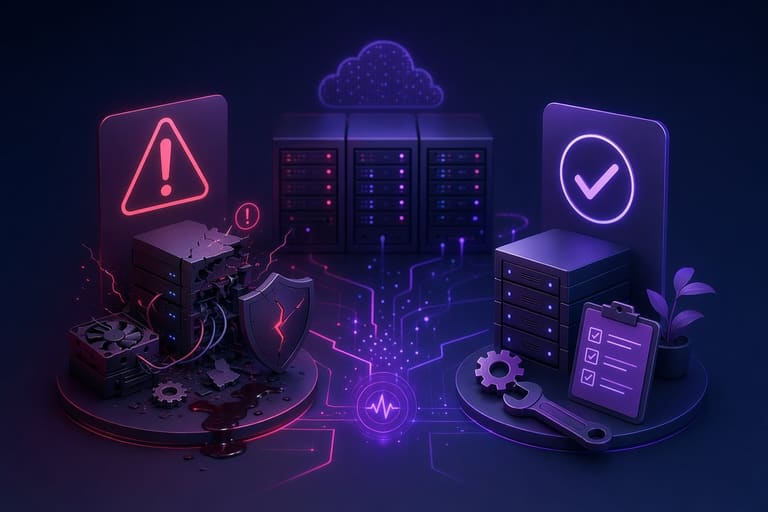
నిర్వాహన: ఎప్పటికప్పుడు అయినప్పటికీ, తిరిగిరిగీ common mistakes–shortcuts, neglect చేయటం వల్ల performance deteriorate అవుతుంది, data loss, hardware failure కూడా జరగుతుంది.
| పొరపాటు | ఫలితాలు | పరిష్కారం |
|---|---|---|
| Backup failure | Data loss, workflow disturbance | Automated backup, periodic schedule |
| Outdated software | Vulnerability, speed down | Automatic update enable, manual check |
| Hardware neglect | Sudden failure, downtime | Frequent hardware health check, replace |
| Overheating ignore | Performance drop, hardware fry | Cooling check, dust removal |
- Dust clean miss: Overheat– periodic clean
- Disk fragment skip: Performance loss–schedule defrag
- Firewall misconfigure: Vulnerability– double check firewall rules
Hardware maintenance తక్కువగా చేస్తే, unexpected breakdown, downtime–business handover riskపుడు, users frustrated అవుతారు. Proper planning, frequent hardware/software checkup మీ hosting/server/web infra orderly & trustworthy గా పెట్టుకోగలదు.
Advanced maintenance techniques
Systems (servers, web apps, cloud infra) కోసం నిర్వహణ: ఎప్పటికప్పుడు ఆధునాతన టెక్నిక్స్ ఉపయోగించటం ద్వారా మీ infra reliability, uptime మూలోతైన మార్పు వస్తుంది. Predictive, sensor based, AI-enabled maintenance tools–traditional inspection మించిపోయే efficiency ప్రయోజనాలు.
| Technique | వివరణ | లాభాలు |
|---|---|---|
| Predictive (sensor based) | Continuous monitoring (AI, IoT) | Downtime prevention, early warning |
| Thermography | Heat variance detection, thermal camera | Overheat risk minimize, energy optimize |
| Vibration analysis | Multimeter, vibrometer | Unbalance, hardware early failure |
| Oil analysis | Lubrication system health, chemical inspect | Optimize part replacement, reduce friction |
Expert staff తప్పనిసరి; training, latest diagnostics, proper calibration–ఈ investments long-term లో productivity, risk minimize చేస్తాయి.
అధునాతన నిర్వహణ పద్ధతులు
AI, Big data, Cloud-based management–continuous-data-backed maintenance. Automated reporting, checks, scheduling–smart diagnostics & fix.
- Techniques
- Predictive tools
- Thermal cam inspection
- Vibration analysis
- Oil monitoring
- AI planned schedules
- Cloud-hosted maintenance logs
Checklists, training, process standardization–error minimize, productivity maximize.
ప్రాథమిక నిర్వహణ టిప్స్
Regular cleaning, lubrication, adjustments–ఎందుకు అంతో తెలుసుకోండి. Web-hosting/cloud/web-servers లో నిర్వహణ process target needs& tailor మించడం అవసరం.
నిర్వహణ అవసరమైన tools/cheklist
Maintenance tools–small screwdriver నుండి, network analyzer, disk scanner, multimeter, as well as software diagnostics (Cloudflare, SiteLock, Varnish etc.) వరకు–మీ infra maintenanceను shortcutగా ఫాల్యూలో.
- Basic hand tools: screwdriver, plier, wrench
- Measuring devices: Multimeter, thermometer
- Cleaning items: Brush, duster, spray, microfiber cloth
- Software diagnostics: System analysis software/plugins
Table shows which tools where to use:
| Tool | Usage area | Benefits |
|---|---|---|
| Thermal camera | Electrical panels, motors | Spot overheating, prevent downtime |
| Acoustic listening device | Pipes, machines | Detect leaks, unusual sounds |
| Software analysis tools | PC, servers | Hidden bugs, optimize performance |
| Vibration analyzer | Rotating machinery | Early warning, prevent disaster |
Right tool–right purpose–customer service quality, system uptime, device longevity కు direct impact.
Web-hosting లేదా cloud admin పరిస్థితిలో, customized tools/scripts/scripts-based checklistsతో నిర్వహణ చెయ్యాలి.
నిర్వాహనలో చెక్లిస్ట్ వదలొద్దు!
Maintenance multifaceted – hosting, desktops, laptops, servers, cloud, even routers/switches. Cheklist వాడితే, crucial steps skip కాకుండా, సమా, మూడు మాదిరిగా పరీక్షించబడతాయి.
| చెక్ కింద | చర్య | ఫ్రీక్వెన్సీ |
|---|---|---|
| Hardware | Dust cleaning, cable checks | నెలకన్నా |
| Software update | OS/software updates | వారానికి |
| Security scan | Virus/malware checks | రోజూ |
| బ్యాకప్ | Data backup | వారానికి |
- Cheklist steps
- Hardware inspect & clean
- Software update
- Security install & scan
- బ్యాకప్
- Monitor/optimize performance
- Remove unused files, cleanup disk
Customization, device nature, usage pattern–cheklist tailor చేయండి. Hosting/web/cloud serverయొక్క reliability కు రెచ్చించి చెన్నుకునే steps వదలొద్దు.
Safety measures, backup planning–tools/tools selection–maintenance safe, secure.
నిర్వాహన తర్వాత సమీక్ష & మెరుగుదల
Maintenance done–performance review, upgrade scope identification–critical. Web-host/admin situationలో, hosting performance, server speed, backup efficiency–pre-post metrics compare చేయండి. Continuous review, upgrade cycle–near-zero downtime, feedback-based improvement key కూడా.
| Performance metric | Before maintenance | After maintenance |
|---|---|---|
| Startup speed | 5 seconds | 2 seconds |
| Error rate | 2% | 0.5% |
| Memory usage | 200MB | 150MB |
| CPU usage | 80% | 60% |
- Target achieve percentage
- Maintenance efficiency
- Resource optimization
- Team performance
- User feedback
- Unexpected trouble highlight
If performance lacks, analyze reasons–upgrade tools, staff skill. Review, feedback, retraining–continuous improvement.
తరచుగా అడిగే ప్రశ్నలు
సిస్టమ్ నిర్వహణ ఎందుకు తప్పనిసరి? మా benefit ఏమిటి?
నిర్వాహన వల్ల, reliability, speed, device life పెరుగుతుంది. Cost save, security improve, data loss prevent–ప్రతి hosting, web server scenarioలో críticos. Early stage solution is always cheaper.
Word processor programsకు నిర్వహణ అంటే?
Updates, plugins/templates removal, backup, autosave checks, spell & language tuning–ఈ step regularly చేస్తే performance, security boost అవుతుంది.
Verim పట్ల నిర్వహణ routines ఎలా ఉండాలి?
Hardware–cooling, wiring, cleaning; Software–updates, optimization, security checks. Comprehensive approach only!
నిర్వాహనలో ఎలాంటి జాగ్రత్తలు తీసుకోవాలి?
Backup skip, firewall, antivirus update miss, drivers/drives miss check–ఇవి ignore చేయరాదు.
Common mistakes & fixes–?
Update delay, backup skip, antivirus neglect, hardware cleaning skip–regular scheduling, auto tools, manual inspection fixes.
Advanced maintenance techniques–automation, AI–?
Repeated procedures auto tools–scheduling, backup, update; AI analysis–early warning, usage trend understanding, automatic optimization.
Useful tools–hardware/software?
Disk cleaner, optimization software; monitoring apps (temp, fan, network); hardware toolkit (screwdriver, thermal paste, antistatic band).
Maintenance తర్వాత evaluation–?
Start time, app open speed, disk performance, feedback; monitoring logs. Hosting admins/server managers–continuous performance tracking/optimization must.