 Afrikaans
 Azərbaycan
 Bosanski
 Čeština
 Dansk
Dansk Deutsch
 English
 Español
 Filipino
 Français
 Hrvatski
 Indonesia
 Italiano
 Magyar
 Melayu
 Nederlands
 Norsk
Norsk Oʻzbek
 Polski
 Português
 Română
 Slovenčina
 Slovenščina
 Suomi
Suomi Svenska
 Tiếng Việt
 Türkçe
 Ελληνικά
 Беларуская
 Български
 Русский
 Српски
 Українська
 עברית
עברית اردو
اردو العربية
 پښتو
پښتو فارسی
فارسی አማርኛ
አማርኛ मराठी
मराठी বাংলা
বাংলা தமிழ்
தமிழ் ไทย
ไทย မြန်မာ
 한국어
한국어 中文
中文 日本語
日本語

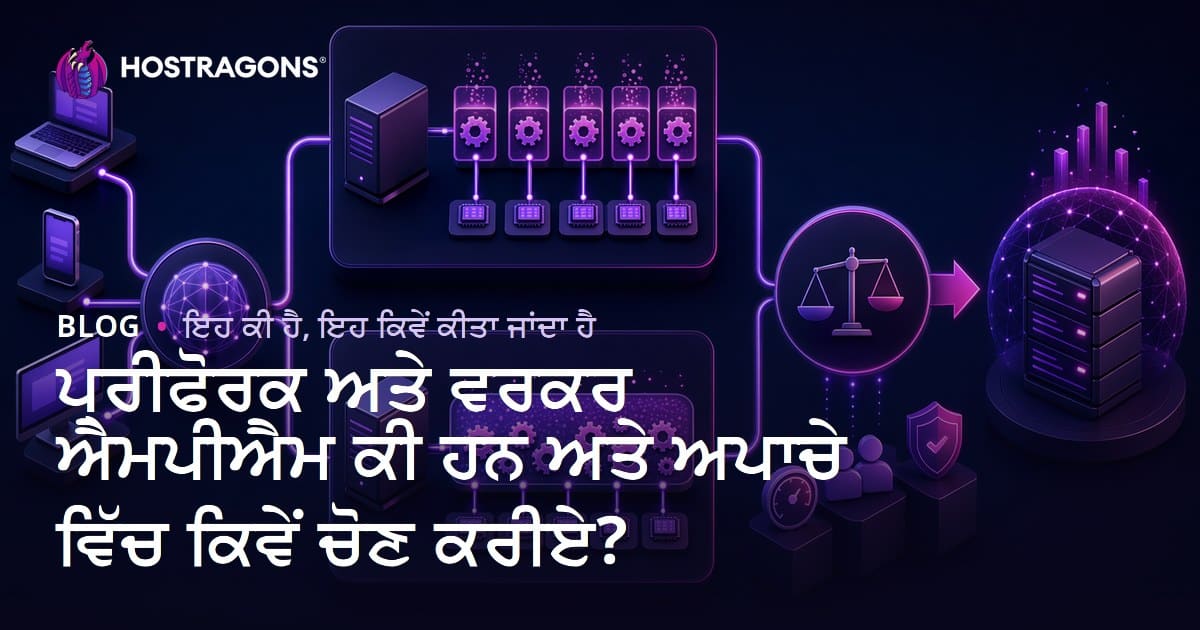
ਇਹ ਬਲੌਗ ਲੇਖ Apache web server ਦੇ ਦੋ ਅਹਿਮ Multi-Processing Module (MPM) – Prefork ਅਤੇ Worker MPM – ਦੀ ਵਿਸਤ੍ਰਿਤ ਵਿਆਖਿਆ ਕਰਦਾ ਹੈ। Prefork ਅਤੇ Worker ਕੀ ਹਨ, ਜ਼ਰੂਰੀ ਫਰਕ, ਵਿਸ਼ੇਸ਼ਤਾ, ਫਾਇਦੇ, ਅਤੇ performance ਤੁਲਨਾ ਨੂੰ ਪੰਜਾਬੀ hosting context ਵਿੱਚ ਵਿਵੇਚਿਤ ਕੀਤਾ ਗਿਆ ਹੈ। Prefork MPM ਦੀ process-ਅਧਾਰਿਤ ਬਣਤਰ ਅਤੇ Worker MPM ਦੀ thread-ਅਧਾਰਿਤ ਮੰਸੂਬਾ ਵੱਖਰੀਆਂ ਮਜ਼ਬੂਤੀਆਂ ਤੇ ਕਮਜ਼ੋਰੀਆਂ ਲੈਕੇ ਆਉਂਦੀਆਂ ਹਨ। ਕਿਹੜੇ MPM ਨੂੰ ਕੀਹ ਜਾਂਕੀ ਮਾਮਲਿਆਂ/edge-case scenarios ਵਿੱਚ ਵਰਤਣਾ ਚਾਹੀਦਾ, ਅਤੇ Apache ਦੀ documentation ਨੂੰ optimized ਮਾਡਲ ਚੁਣਨ ਲਈ ਕਿੰਝ ਪੜ੍ਹਨਾ/ਸਮਝਨਾ, ਇਹ ਲੇਖ ਵਧੀਆ practical guide ਵਜੋਂ ਤੇ ਪੂਰਣ rehber ਵਜੋਂ serve ਕਰਦਾ ਹੈ।
Prefork ਅਤੇ Worker Mpm: ਕੀ ਹਨ?
Apache web server ਦੀ ਸਭ ਤੋਂ ਵਧੀਆ customizable ਵਿਸ਼ੇਸ਼ਤਾ ਹੈ — MPMs (Multi Processing Module) ਦੀ ਵਰਤੋ ਰਾਹੀਂ, server processing ਨੂੰ optimise/modify ਕਰ ਸਕਦੇ ਹੋ। MPMs, incoming requests ਨੂੰ handle ਕਰਨ ਦੀ strategy ਅਤੇ resources ਨੂੰ manage ਕਰਣ ਦਾ fundamental ਵਿਧੀ define ਕਰਦੇ ਹਨ। ਸਭ ਤੋਂ ਪਾਪੁਲਰ MPMs ਵਿੱਚPrefork ਤੇ Worker ਹਨ। ਹਰੇਕ ਦੀ architecture ਵੱਖਰੀ; ਤੁਹਾਡੇ server ਦੀ performance ਅਤੇ resource consumption ਨੂੰ ਬਿਲਕੁਲ direct ਤਰੀਕੇ ਨਾਲ effect ਕਰਦੇ ਹਨ। ਇਸ account ‘ਚ, ਆਪਣੇ project ਰੂਪ te ਲੋੜਾਂ ਦੇ ਅਨੁਸਾਰ module ਚੁਣਨਾ grand importance ਰੱਖਦਾ ਹੋ।
Prefork MPM — ਹਰ connection ਲਈ ਨਵਾਂ process (ਸੰਪੂਰਨ OS-level process) ਬਣਾਉਂਦਾ। ਇਸ model ਵਿਚ, ਹਰ request completely isolated, ਇੱਕ process ਵਿੱਚ handle ਹੁੰਦੀ ਅਤੇ ਇੱਕ ਚੀਜ਼ ਨੁਕਸਾਨੀ ਹੋਵੇ ਤਾਂ ਹੁਣੇ ਉਹ ਹੋਰ processes ਨੂੰ effect ਨਹੀਂ ਕਰਦੀ। downside ਇਹ ਕਿ ਜੇ ਵੀ ਅਤਿ ਵੱਧ traffic ਆਉਂਦਾ, processes ਦੀ abundance server resources (RAM/CPU) considerable consume ਕਰ ਲੈਂਦੇ ਹਨ। Worker MPM — ਇੱਕ process ਵਿੱਚ ਕਈ threads spawn ਕਰਦਾ, ਤੇ ਇਨ੍ਹਾਂ threads ਰਾਹੀਂ ਵਿਅਹੰਗੀ connections ਕੋਲੋਂ ਕੰਮ ਕਰਵਾਉਂਦਾ। ਇਸ ਤਰੀਕੇ ਨਾਲ, system resources optimized ਹੁੰਦੇ, ਅਤੇ throughput ਵੱਧ ਜਾਂਦੀ ਹੈ।
ਹੇਠਾਂ ਦਿੱਤਾ ਵਿਅੰਗੀ ਤਖਤ (table) , Prefork ਤੇ Worker ਦੀ fundamental comparison:
| ਵਿਸ਼ੇਸ਼ਤਾ | Prefork MPM | Worker MPM |
|---|---|---|
| Processing Model | ਹਰ connection ਲਈ ਨਵਾਂ process | ਬਹੁ-threads, ਇੱਕ process ਵਿੱਚ |
| Resource Consumption | ਬਹੁਤ high (ਹੋਰ RAM/CPU) | ਘੱਟ (ਆਪਟਿਮਾਈਜ਼) |
| Security | ਚੰਗਾ (ਪੂਰੀ isolation) | Medium (threads ਇਕ memory |
| Recommended Scenario | Low/moderate traffic, ਘਣੀ security ਦੀ ਲੋੜ | High traffic, resource optimization ਦੀ ਲੋੜ |
Prefork versus Worker MPM ਦੀ core distinctiveness — processing/thread usage mechanism. ਤੁਹਾਡਾ module ਚੁਣਨ, ਤੁਹਾਡੇ web application, traffic, security, scalability ਅਤੇ resource demands ‘ਤੇ depend ਕਰਦਾ। Selection ‘ਚ, ਹਰੇਕ module ਦੇ pros/cons ਨੂੰ ਠੰਡੇ ਬੁੱਧਾਂ ਨਾਲ ਮੁਲਾਕਾਤ ਦੇਣਾ ਜਰੂਰੀ ਹੈ।
Apache Mpm'ਲੀਆਂ: ਮੁੱਖ ਫਰਕ
Apache HTTP Server, modular structure ਰਾਹੀਂ, ਕੋਈ ਵੀ functionality runtime-ਵਿੱਚ ਚੁਣਨ enable ਕਰਦਾ ਹੈ। Multi-Processing Module (MPM) — server ਨੂੰ incoming requests serve ਕਰਨ ਦੀ style / model define ਕਰਦੇ ਹਨ। Prefork ਅਤੇ Worker MPMs, Apache ਦੇ ਸਭ ਤੋਂ standard models ਹਨ। ਦੋਨੋ models, performance, safety, scalability, compatibility ਵਿੱਚ fundamental difference/advantages/disadvantages ਰੱਖਦੇ ਹਨ।
ਹੋਰ ਆਮ MPMs:
- Prefork MPM
- Worker MPM
- Event MPM
- mpm_winnt (Windows ਲਈ)
- mpm_netware (Netware legacy)
Prefork ਅਤੇ Worker MPMs ਵਿਚ ਸਭ ਤੋਂ ਵੱਡਾ ਫਰਕ, process/thread management। Prefork — connection ਨੂੰ isolated process ਵਿਚ deal ਕਰਦਾ; Worker — process ਤੇ ਉਨ੍ਹਾਂ thread-ਵਿੱਚ handling. ਇਹ directly resource usage / performance notation change ਕਰਦੇ।
| ਵਿਸ਼ੇਸ਼ਤਾ | Prefork MPM | Worker MPM |
|---|---|---|
| Processing Model | ਬਹੁ-Processes (connection ਨੁੰ dedicated process) | ਬਹੁ-Threads (process ਵਿੱਚ ਕਈ threads) |
| RAM consumption | High | Low |
| Stability | Very stable (process crash isolate) | Thread problem affects process |
| Best Use Cases | High-traffic, stability important | Resource-limited, high concurrency wanted |
ਇਹ differences, deployment scenario, site size, server configuration ਰੂਪ te MPM selection ‘ਚ core role play ਕਰਦੇ ਹਨ। ਵੱਡੀ traffic ਵਾਲਾ ਤੇ stability required — Prefork; concurrency/resource-limitation — Worker MPM; optimize ਕਰਦਾ।
Prefork Mpm: ਵਿਸ਼ੇਸ਼ਤਾ ਅਤੇ ਫਾਇਦੇ
Prefork MPM — Apache ਦੀ subaa(depreciated but legacy stable) process-ਬੇਸਡ (process-based) handling module ਹੈ। Server startup ‘ਤੇ, fixed count processes spawn ਕਰਦਾ, connections serve time ਹੋਰ processes attached ਕਰਦਾ। Prefork ਵਰਤਣ, stability/fault isolation ਵਾਲੇ environment ਲਈ best choice, ਕਿਉਂਕਿ process-crash/bug , ਹੋਰ processes ਨੂੰ effect ਨਹੀਂ ਕਰਦਾ।
Prefork MPM ਦਾ purpose — isolate processing, greater security, stability. Drawback — higher resource consumption, but for some web scenarios, security outweighs resource cost. Legacy systems, older web apps, or server-side code with thread-unsafe libraries (PHP, custom modules) — Prefork MPM Supreme.
| ਵਿਸ਼ੇਸ਼ਤਾ | Details | ਫਾਇਦੇ |
|---|---|---|
| Process-based | Request-specific OS process | Isolation/Security Supreme |
| Fault containment | Process crash, unaffected others | Stable (no domino effect) |
| Config simplicity | Few simple config directives | Quick setup, ਘੱਟ maintenance |
| Compatibility | Legacy/older OS, module support | Flexibility/Adaptable |
Prefork advantages: ਵਰਤਣਾ, ਜਾਥਾ-ਕਮਾਈ, thread-safety required, low-traffic/static-content, older shared hosting, or strict isolation required environments ਵਿੱਚ prime choice। Modern alternatives may deliver better speed — but Prefork's simplicity, security are still loved by sysadmins worldwide.
Prefork ਹਾਸਲੇ:
- Supreme Security: Every process, sandboxed — intrusion/hack affects only one!
- Stability: Process crash, unaffected server-wide
- Easy setup: Simple configuration
- Wide Compatibility: Old hardware/software compatible
- Debugging ease: Isolated process makes bug finding easy
ਪਰਦਰਸ਼ਨ
Prefork MPM performance — threadless, process-only architecture. Every connection gets OS process: RAM/CPU used lots. Heavy traffic, performance ਸਲੋ — light/static/content applications sustained easily. Load testing shows, Prefork suited to low-traffic, single-site security-heavy deployments.
ਵਰਤੋ ਆਸਾਨੀ
Prefork MPM configuration — very simple,.generator sysadmins ਨੂੰ ਕੋਈ advanced tuning ਨਹੀਂ ਕਰਣੀ ਪੈਂਦੀ; default directives work fine. Debugging — easier, ਕਿਉਂਕਿ isolated; Bug trace easy. For beginners, Prefork MPM ideal starting point.
Worker Mpm: ਵਿਸ਼ੇਸ਼ਤਾ ਅਤੇ ਲਾਭ
Worker MPM — Apache ਦੀ modern, multi-threading based MPM ਹੈ। Prefork ਨਾਲ compare ਕਰੀਏ, Worker less RAM/CPU consume ਕਰਦਾ, ਤੇ heavy traffic/simultaneous requests ਵਿਚ faster serve ਕਰਦਾ। Worker MPM architecture: process spawn, process-based threads handle connections. Thus, same hardware ਤੇ more requests handled.
Worker MPM ਦਾ purpose: resource consumption reduce ਕਰਕੇ, throughput enhance. Thread per request serve ਕਦੀਆਂ; sessions handled under one process context. Dynamic content (WordPress, PHP, database apps), high concurrency, Worker MPM optimized choice.
| ਵਿਸ਼ੇਸ਼ਤਾ | Detail | ਫਾਇਦੇ |
|---|---|---|
| Multi-threading | Process within, several threads | Low resource, concurrent serve |
| Resource Efficient | RAM, CPU optimized | Less hardware, more visitors |
| Concurrent Processing | Serve 100s connections in single process | Scales up traffic easily |
| Dynamic ready | Database/app optimized | Backend heavy sites gain |
Worker MPM gives sysadmins configurability: process/thread exact number customizable. Maintenance, restart, upgrade — faster than Prefork. For modern hosting, auto-scaling — Worker MPM best fit.
ਵੇਰਿਵਤਾ
Worker MPM efficiency tuned for concurrency. Threads in one process — RAM save, CPU optimized. Heavy traffic, bursty load, Worker MPM delivers sharp fast responses. User experience improves.
Worker ਲਾਭ:
- Higher concurrent capacity
- Lower resource consumption
- Improved response speed
- Dynamic content support
- Config flexibility
- Faster deployment, restart
ਕ ਰਿਸੋਰਸ ਦਾ ਪ੍ਰਬੰਧ
Worker MPM resource management — Thread model method, RAM, CPU usage low, performance stable. Server overload avoided, scalability ensured. Need more power? Just increase thread/process count in config.
Worker MPM scalability — ਫਿਰ, Hosting ਇਂਕ੍ਰੀਮੈਂਟ (scale-up) ਜਾਂ auto-scaling environments ਵਿੱਚ, demand-matching easy. Growing sites/models — Worker MPM delivers modern web server reliability/performance.
ਪਰਦਰਸ਼ਨ ਤੁਲਨਾਂ: Prefork vs Worker
Apache server 'ਤੇ Prefork vs Worker MPM performance comparison: ਏਹ ਜਾਣਨਾ — ਤੁਹਾਡਾ workload/config 'ਤੇ best fit ਕੀਹ? Prefork: process-isolated, safe, but ਬਹੁਤ ਸਾਰੀਆਂ process spawn ਕਰਕੇ RAM cpu fast consume — heavy traffic slow ਹੋ ਜਾਂਦਾ।
| ਵਿਸ਼ੇਸ਼ਤਾ | Prefork | Worker |
|---|---|---|
| Processing model | Process-only | Multi-thread |
| Resource consumption | High | Low |
| Security | Best | ਦਰਮਿਆਨਾ |
| Workload fit | Low-traffic, Secured apps | High-traffic, Resource optimizing |
Worker MPM — threads, single process ਵਿੱਚ; RAM, CPU usage trimmed. High traffic/concurrency situations ਵਿੱਚ, Worker MPM clearly shine — scalability, speed. Prefork – more secure, but Worker – more efficient.
- Memory Management: Worker MPM excels RAM saving
- CPU Utilization: Worker efficiently uses CPU
- Concurrency: Worker handles more users/requests
- Security: Prefork gives better isolation
- Stability: Prefork slightly more stable (process crash isolated)
Which MPM performs best? Depends: server hardware, workload, site traffic, security demands. Low-traffic/secure: Prefork; Heavy-traffic/resource hungry: Worker.
Prefork vs Worker, decision depends on your situation. Test both, monitor performance, decide for your hosting needs.
ਕਿਹੜਾ ਚੁਣਨਾ? edge-case ਮਾਮਲੇ

Prefork vs Worker MPM choosing, edge-case scenarios can change verdict. Decision factors: application nature, server specs, anticipated traffic. Heavy traffic/hot dynamic content, Worker MPM; static/simple, Prefork MPM — possible.
Table view for case scenarios:
| Scenario | Prefork MPM | Worker MPM |
|---|---|---|
| Heavy Traffic/Dynamic Sites | Not recommended (resource drain) | Recommended (efficient) |
| Static Content | Good | Good (can add complexity) |
| Security Focused apps | Superb (process isolation) | Less secure (threads share) |
| Limited Server Resources | Poor (RAM expensive) | Good (RAM saver) |
Selection Criteria
- Traffic Volume: How many concurrent visitors
- Resource Demand: RAM/CPU usage needs
- Security Level: Application vulnerability threshold
- Server Power: Hardware capacity
- Application Design: Thread-safe code or not?
Example: If your app isn't thread-safe or has vulnerability, Prefork MPM better. If RAM/server limited/high traffic, Worker MPM suits. Every scenario unique: custom fit gives best result.
Prefork vs Worker selecting, only theory not enough — real world testing/analysis gives effective solution.
Prefork ਅਤੇ Worker Mpm: ਉੱਤਰਦਾਇਕ ਖੇਤਰ
Prefork, Worker MPMs: Different deployment and use-case per application/server setup. Prefork — stability, security; Worker — high performance, efficiency. Selection — app demands, expected visitors, hardware specs consider ਕਰਕੇ best fit ਹੋਣਾ ਚਾਹੀਦਾ।
Web/application requirements ਅਨੁਸਾਰ, Prefork/Worker modules different advantage/limitations. Traffic heavy/dynamic content: Worker; static, less traffic: Prefork sufficient.
Deployment examples:
- E-commerce Sites: Heavy traffic, Worker MPM is practical
- Corporate Sites: Moderate traffic, stability: Prefork fit
- Blogs/News: Dynamic read/write, Worker MPM shines
- API Servers: Rapid request handling, Worker MPM ideal
- Static Sites: Simple, low resource, Prefork sufficient
Sometimes hybrid config possible: combine Prefork-Worker features, custom fit for complex hosting (Docker/Kubernetes-linked, microservices). Wise sysadmin checks, multi-module scenario for optimum.
MPM choosing, other applications/services on server also impact choice. Database, mail server, background jobs, RAM, CPU consumption influence, so complete system analysis before selection critical.
MPM ਚੁਣਦੇ ਵੇਲੇ ਕੀ ਧਿਆਨ ਰੱਖੋ
Apache-server ਲਈ Prefork vs Worker MPM selection — business/technical needs match-up must. Every MPM has pros/cons, right selection influences security, performance, scalability. Think before deploy!
ਬਿਹਤਰ MPM ਚੁਣਨ ਲਈ, consider these points:
- Server Hardware: RAM/CPU/SSD define suitability
- Site Traffic: Anticipated concurrent users
- App Needs: Language/libraries/modules compatibility
- Security Demand: Especially in shared hosting, security level needed
- Scalability Requirements: Site growth and future expansion
Comparative table for Prefork vs Worker:
| ਵਿਸ਼ੇਸ਼ਤਾ | Prefork MPM | Worker MPM |
|---|---|---|
| Processing Model | Multi-process | Multi-thread |
| Resource Consumption | High | Low |
| Security | High (isolation) | ਦਰਮਿਆਨਾ |
| Best Fit | PHP/non-thread apps, security focus | Static, high-traffic sites |
| ਪ੍ਰਦਰਸ਼ਨ | ਦਰਮਿਆਨਾ | High |
Prefork/Worker MPM selection, your hosting/server needs and future growth prioritized consideration. If using non-thread safe apps/PHP — Prefork safe; if chasing scalability/performance/resource save — Worker MPM. Always test and evaluate real server environment before migration/deployment.
Remember, right MPM pick, whole web server experience, security, uptime, speed decide ਕਰਦੀ ਹੈ। Consult experts if confusion arises!
Apache documentation ਵਰਤਣ ਦਾ guide
Apache configuration/optimization — slightly tricky for newbies. Prefork/Worker MPMs characteristics, selecting/documentation understanding — essential for flawless hosting outcome. Luckily, Apache project (httpd.apache.org), fundamentals to advanced configuration guides, regular updated resources provide.
Documentation effectively use ਕਰਨ ਲਈ — always pick official URL, check release/version docs. Site search, section wise reading — quickly answer/solution findable.
| Documentation Section | Content | Purpose |
|---|---|---|
| Install Guides | OS-specific setup steps | First time installation tutorial |
| Configuration Directives | All config directives explained | For custom server tweak |
| MPM Documentation | Prefork/Worker/Event explanations | Compare/select right module |
| Module Reference | Core/optional modules details | Expand Apache functionality |
Documentation ‘ਚ example configs, practical tips, warnings/notes — critically review. These turn theory into working solution. Notes/warnings avoid misconfiguration/performance pitfalls.
Main Resources:
- Apache HTTP Server Official Documentation
- MPM modules guide
- Apache Configuration Tutorial
- How-To documentation
- Apache Wiki/community
Apache docs frequently updated (new releases, security patches, features added), check new versions regularly for compliance. Forums/mail lists useful for community support, error sharing, advice exchange.
ਸਰੋਤ: ਚੋਣ ਕਿਵੇਂ ਅਤੇ ਕਿਉਂ?
Apache hosting ਲਈ Prefork vs Worker MPM select ਕਰਦੇ ਹੋ, project needs/hardware capability always consider. Each MPM — particular pros/cons, right module select, app/server speed, stability improve.
If app/thread-safety missing, PHP legacy version — Prefork MPM safest. Prefork, ਹਰੇਕ connection ਲਈ new process spawn ਕਰਕੇ, security ensured (bug/hack affect only single process). Drawback: higher RAM/CPU consumption — high traffic, downside.
| ਵਿਸ਼ੇਸ਼ਤਾ | Prefork MPM | Worker MPM |
|---|---|---|
| Processing Model | Multi-process | Multi-thread |
| Resource Consumption | High | Low |
| Best Fit | Non-thread safe apps, old PHP | Thread-safe app, high-traffic |
| Stability | High | ਦਰਮਿਆਨਾ |
App thread-safe, modern tech, scalability wanted — Worker MPM optimal. Worker, fewer processes, multiple threads — RAM/CPU usage optimized, more visitors rapidly served.
Final MPM decision: app design, server specs, performance aim. For smaller/low-traffic site: Prefork ok; bigger/high-traffic: Worker better. Evaluate both modules thoroughly before migrating or deploying.
ਅਕਸਰ ਪੁੱਛੇ ਜਾਂਦੇ ਸਵਾਲ
Apache ਦੇ MPM (Multi-Processing Module) ਕੀ ਹੈ ਅਤੇ ਇਹ importance ਕਿਉਂ?
MPM, Apache server request handling mechanism define ਕਰਦਾ; each MPM, RAM/CPU/resource allocation/behavior change ਕਰਦਾ; right choice, server speed/security/uptime/efficiency ensure ਕਰਦਾ।
Prefork MPM, Worker MPM ਨਾਲ difference — working principle?
Prefork — each connection new process; Worker — process ਵਿੱਚ multiple thread, thread-serving. Prefork, RAM/CPU heavy; Worker — more efficient.
Prefork MPM, ਨੂ security-wise superior ਕਿਹਾ ਜਾਂਦਾ — meaning?
Prefork, every request isolated process; bug/hacker, only one process exploit; other unaffected. Critical for legacy/threat-heavy hosting uses.
Worker MPM resources optimize ਕੈਂ, benefit?
Worker, process-ਵੱਖਰਾ, multiple thread; RAM/CPU save; High traffic/static sites, limited hardware — Worker ideal.
'event' MPM, Prefork/Worker ਤੋਂ ਵੱਖਰਾ/unique ਦਿੱਤਾ ਜਾਂਦਾ, ਕਿਵੇਂ?
Event MPM — Worker-thread model, but advanced event loop; concurrent connections/resource utilization even more optimized. Heavy-user/idle-time sites challenged efficiently, best served.
Server MPM live-status ਕਿਵੇਂ check/change ਕਰੀਏ?
Command-line: `httpd -V` ਜਾਂ `apachectl -V`; Change MPM: httpd.conf/apache2.conf MPM directive edit, restart Apache. Always backup before config change.
Prefork/Worker MPM choosing: app requirements/technologies important?
Programming language/libraries/modules/thread-safety; PHP/legacy — Prefork; modern/thread-safe tech — Worker/Event. Tech compatibility/bugs, module selection affect.
Apache documentation: right module choosing, suggestive sections?
Apache.org official docs: MPM guide/config directives, module-specific details; module section/parameter explanations — focus.