 Afrikaans
 Azərbaycan
 Bosanski
 Čeština
 Dansk
Dansk Deutsch
 English
 Español
 Filipino
 Français
 Hrvatski
 Indonesia
 Italiano
 Magyar
 Melayu
 Nederlands
 Norsk
Norsk Oʻzbek
 Polski
 Português
 Română
 Slovenčina
 Slovenščina
 Suomi
Suomi Svenska
 Tiếng Việt
 Türkçe
 Ελληνικά
 Беларуская
 Български
 Русский
 Српски
 Українська
 עברית
עברית اردو
اردو العربية
 پښتو
پښتو فارسی
فارسی አማርኛ
አማርኛ मराठी
मराठी বাংলা
বাংলা தமிழ்
தமிழ் ไทย
ไทย မြန်မာ
 한국어
한국어 中文
中文 日本語
日本語


ಆಧುನಿಕ ಗಣಕಯಂತ್ರ ವ್ಯವಸ್ಥೆಗಳ ಸಾಮರ್ಥ್ಯವನ್ನು ಹೆಚ್ಚಿಸಲು, ಆಪರೇಟಿಂಗ್ ಸಿಸ್ಟಂಗಳಲ್ಲಿ ಬಹುಪ್ರೊಸೆಸರ್ ಬೆಂಬಲ ಮತ್ತು NUMA ವಿನ್ಯಾಸ ಅತ್ಯಂತ ಮುಖ್ಯ ಪಾತ್ರವಹಿಸುತ್ತದೆ. ಈ ಬ್ಲಾಗ್ ಲೇಖನದಲ್ಲಿ ನಾವು ಬಹುಪ್ರೊಸೆಸರ್-ಆಧಾರಿತ ವ್ಯವಸ್ಥೆ, NUMA ವಿನ್ಯಾಸದ ಕಾರ್ಯಪದ್ಧತಿ, ಅದರ ಪ್ರಾಮುಖ್ಯತೆ ಹಾಗೂ ಯಾವ ಆಪರೇಟಿಂಗ್ ಸಿಸ್ಟಂಗಳಲ್ಲಿ ಈ ಬೆಂಬಲ ಇದೆ ಎಂಬುದನ್ನು ತಿಳಿಯುತ್ತೇವೆ. NUMA ಬಗ್ಗೆ ಸಾಮಾನ್ಯ ತಪ್ಪು ಕಲ್ಪನೆಗಳು, ಪ್ರದರ್ಶನ ಪಲಿತಿ, ಲಾಭ-ಅಣೋಕಾಲಿಕೆ, ಭದ್ರತೆ ವಿಷಯಗಳು, ಹಾಗೂ NUMA ವಿನ್ಯಾಸದ ಭವಿಷ್ಯವನ್ನೂ ವಿಶ್ಲೇಷಿಸುತ್ತೇವೆ. ಬಹುಪ್ರೊಸೆಸರ್ ಪ್ಲಾಟ್ಫಾರ್ಮ್ಗಳಲ್ಲಿ ಐಟಿ ಭದ್ರತೆ ಎಷ್ಟು ಅಗತ್ಯವೋ, ಹಾಗು ಬಳಕೆದಾರನು ಯಾವೆಲ್ಲ ಅಂಶಗಳಲ್ಲಿ ಎಚ್ಚರ ವಹಿಸಬೇಕೆಂದು, ಸರಿಯಾದ ಕೆಲಸ ಎಪ್ಪುವುದು ಈ ಲೇಖನದ ಅರ್ಥ.
ಪರಿಚಯ: ಆಪರೇಟಿಂಗ್ ಸಿಸ್ಟಂಗಳಲ್ಲಿ ಬಹುಪ್ರೊಸೆಸರ್ ಬೆಂಬಲ
ಇಂದಿನ ಹೆಜ್ಜೆಗೆ ವಿಷಯ-ಪ್ರತಿಷ್ಠೆ ಸಾಧನೆ ಬೇಕಾದಾಗ, ಗಣಕಯಂತ್ರಗಳು ಇನ್ನಷ್ಟು ವೇಗವಾಗಿ, ಸುಧಾರಿತದಂತೆ ಕಾರ್ಯನಿರ್ವಹಸಬೇಕಾಗಿದೆ. Sunucu/Server ಸಿಸ್ಟಂಗಳಲ್ಲಿ, ಭಾರಿ ಡೇಟಾ ಅನಾಲಿಸಿಸ್, Big Data ಹೇಗೆ ಹಿಡಿಯಬೇಕೆಂದು, ಅಥವಾ ಹೆಜ್ಜೆಗೆ ನಿಲುಕುವ ವಿಶಿಷ್ಟ ಉಪಯೋಗಗಳಲ್ಲಿ, ಒಂದೇ ಪ್ರೊಸೆಸರ್ ಸಾಕಾಗದ ಆಸ್ಪದಿಸುತ್ತದೆ. ಈ ಸಂದರ್ಭದಲ್ಲಿ ಆಪರೇಟಿಂಗ್ ಸಿಸ್ಟಂಗಳಲ್ಲಿ ಬಹುಪ್ರೊಸೆಸರ್ ಬೆಂಬಲವು ಹದಿಯದು; ಇದು ನಿಮ್ಮ ವ್ಯವಸ್ಥೆಯ ವೇಗ ಮತ್ತು ಸಾಮರ್ಥ್ಯವನ್ನು ಬಹಳ ಮಟ್ಟದಲ್ಲಿ ಹೆಚ್ಚಿಸುತ್ತದೆ. ಇಂತಹ ಬೆಂಬಲವು hardware resources ಗಳನ್ನು ಉತ್ತಮವಾಗಿ ಉಪಯೋಗಿಸಲು ಅನುಮತಿಸುವುದರಿಂದ, ಬಲವಾದ ಗಣಕಯಂತ್ರ ಕಾರ್ಯಕ್ಷಮತೆಯನ್ನು ಕಾರಗೊಳಿಸುತ್ತದೆ.
ಬಹುಪ್ರೊಸೆಸರ್ ಬೆಂಬಲ ಎಂದರೆ ಹೆಚ್ಚು ಪ್ರೊಸೆಸರ್ನನ್ನು ಒಂದೇ ಆಪರೇಟಿಂಗ್ ಸಿಸ್ಟಂ ಮೂಲಕ ನಿರ್ವಹಿಸಿ, ಒಂದಾ ಕಾರ್ಯಗಳನ್ನು ಸಮ್ಮೇಳಿತವಾಗಿ ಹಂಚಿಕೊಳ್ಳು ಅಥವಾ ಪ್ಯಾರಲೆಲ್ ಪ್ರೊಸೆಸಿಂಗ್ ಸಂಭವಿಸಲು ಅವಕಾಶ ಕೊಡುವುದು. Tasks/jobs/threads ಅನ್ನು ವಿಭಿನ್ನ ಪ್ರೊಸೆಸರ್ಗಳಿಗೆ ವ್ಯತ್ಯಾಸವಾಗಿ ವಿತರಿಸಲು, ಆಯಾ ಪ್ರೊಸೆಸರ್ ಕಾರಗೊಳ್ಳುವಷ್ಟು ಲಾಭ ದೊರಕುತ್ತದೆ. ಈ ವ್ಯವಸ್ಥೆ ಪ್ರತಿ processorನ ಕಾರ್ಯಕ್ಷಮತೆಯನ್ನು ಸಮನ್ವಯವಾಗಿಯೇ ಉಪಯೋಗಿಸುವಂತೆ, ಸಿಸ್ಟಂಪ್ರದರ್ಶನವೂ ಹೆಚ್ಚುತ್ತದೆ.
- Calculation Power ಹೆಚ್ಚಿಸು: ಹೆಚ್ಚು ಪ್ರೊಸೆಸರ್ಗಳಿಂದ ಇರಲಿ, ಪ್ರತಿಯೊಂದು application ವೇಗವಾಗಿ ಕಾರ್ಯನಿರ್ವಹಿಸುತ್ತದೆ.
- Availableರೆಸಿ: ಒಂದು processor failing ಆಗುದ್ರೆ, system ಇನ್ನೂ ಕಾರ್ಯನಿರ್ವಹಿಸಿ ಕೊಡಬಹುದು.
- Resource management: workload ಅನ್ನು ಪ್ರೊಸೆಸರ್ನಲ್ಲಿ ಬೀರಿ, resources effective ಆಗಿ ಬಳಕೆ ಮಾಡಬಹುದು.
- Scalability: ಆಗಾಗ್ಗೆ ಹೊಸ processors ಸೇರಿಸಿ, ಕಾಣಬೇಕಾದಲ್ಲಿ ವೈಶಾಲ್ಯ ಹೆಚ್ಚಿಸಬಹುದು.
- Cost optimization: ಕಡಿಮೆ, ಆದರೆ ಶಕ್ತಿಶಾಲಿ servers ಬಳಕೆ ಮಾಡಿ, ಉತ್ತಮ ಪ್ರದರ್ಶನ ಪಡೆಯಿರಿ.
ಪ್ರತಿ ಬಹುಪ್ರೊಸೆಸರ್ ವ್ಯವಸ್ಥೆ ಉತ್ತಮ ಕಾರ್ಯನಿರ್ವಹಿಸಲು, ಆಪರೇಟಿಂಗ್ ಸಿಸ್ಟಂ ಬಹುಪ್ರೊಸೆಸರ್ ಮತ್ತು NUMA ವಿನ್ಯಾಸದ ಸಮ್ಮೇಳನಕ್ಕೆ ಬೆಂಬಲ ನೀಡಲಿ ಮತ್ತು ಆಗವಾಗಿ ಒಪ್ಟಿಮೈಸ್ ಆಗಿರಬೇಕು. ಪ್ರೊಸೆಸರ್ಗಳ ಮಧ್ಯೆ data transfer, coordination ಕಾರ್ಯಕ್ಷಮವಾಗಿರಬೇಕು; ಮೆಮೊರಿ access ಕೂಡ ವೇಗವಾಗಿ ಕಾರಣಾಯಿಸಬೇಕು. NUMA (Non-Uniform Memory Access) ವಿನ್ಯಾಸವೇ ಇಲ್ಲಿ ಮುಖ್ಯ ಪಾತ್ರವಾಗುತ್ತದೆ: ಪ್ರತಿ processor ಗೆ local memory reachable ಆಗಿರಲಿ, ದೂರ ಮೆಮೊರಿ access ನಡೆಸುವ ದೆರೆ ಕಡಿಮೆ ಆಗುತ್ತಾ, ಪ್ರದರ್ಶನ ಹೆಚ್ಚುತ್ತದೆ.
ಬಹುಪ್ರೊಸೆಸರ್ ವ್ಯವಸ್ಥೆ – ಮೂಲ ಘಟಕಗಳು
| ಘಟಕ | ವಿವರಣೆ | ಪ್ರಮುಖತೆ |
|---|---|---|
| Processors (CPU) | Primary computation power. | ವೆಗವನ್ನು, ಕಾರ್ಯಕ್ಷಮತೆ ಹೆಚ್ಚಿಸಲು. |
| Memory (RAM) | Data ನಿರ್ವಹಣೆಗಾಗಿ, ಶೀಘ್ರ access. | Quick access, temporary storage for computations. |
| Anakart | ಸುಸ್ಥಿರ ಸಂಪರ್ಕಕ್ಕೂ data flow—motherboard. | Components interlinking, flawless operation. |
| Operating System | Hardware resources ದುಂದು ಪೂರ್ಣಪಡಿ. Applications running system architecture. | Effective multi-processor utilization. NUMA awareness. |
ಆಪರೇಟಿಂಗ್ ಸಿಸ್ಟಂಗಳಲ್ಲಿ ಬಹುಪ್ರೊಸೆಸರ್ ಬೆಂಬಲವು ಆಧುನಿಕ ಸಿಸ್ಟಂಗಳ ವೇಗ, ಭದ್ರತೆ ಮತ್ತು scalabilityಗಾಗಿ ಅಗತ್ಯವಾಗಿದೆ. Hardware-Software ಸಂಯೋಜನ ಈ support ನೊಡುತ್ತದೆ. ನಿಮಗೆ ಈ ಉಪಯೋಗ modern cloud, data analytics, AI ಮತ್ತು ಪರಿಸರಗಳಲ್ಲಿ ಅತ್ಯುತ್ತಮವಾಗಿ ಬೇಕಾಗುತ್ತದೆ.
NUMA ವಿನ್ಯಾಸ ಮತ್ತು ಅದರ ಮಹತ್ವ
ಆಪರೇಟಿಂಗ್ ಸಿಸ್ಟಂಗದ ಬಹುಪ್ರೊಸೆಸರ್ ವಿನ್ಯಾಸ modern computing architectureಗೆ ಪಲಿತಮಾಡುತ್ತದೆ. NUMA (Non-Uniform Memory Access) ವಿನ್ಯಾಸವು memory access latency ಅನ್ನು ಕಡಿಮೆ ಮಾಡಿ, system ಸ್ಥಿತಿಗೆ ಹೆಚ್ಚಿನ ವೇಗ ನೀಡುತ್ತದೆ. SMP (Symmetric Multiprocessing) ಎಂಬ ಮೊದಲು ವಿನ್ಯಾಸದಲ್ಲಿ, ಎಲ್ಲಾ processor ಎಡಮೆಮೊರಿ access time ಒಂದು ಸಮಾನವಾಗಿರಲಿದೆ, ಆದರೆ NUMAಯಲ್ಲಿ ಪ್ರತಿಯೊಂದು processor local memory access ಬಹುಶಃ ವೇಗವಾಗಿರುತ್ತದೆ. Big Data, HPC, server platformಗಳಿಗೆ NUMA ನೀಡುವ ಕಟ್ಟಕಡೆ, latency ಕಡಿಮೆ.
NUMA ಅಗತ್ಯ: memory access time ಕಡಿಮೆ ಮಾಡುವುದು, ಗೊಂಡು computational load local memory ಯಲ್ಲಿ ಹಂಚುವ ವೇಗ ಹೆಚ್ಚುವುದು. Sunucu/Server ಸಿಸ್ಟಂಗಳು, HPC (High Performance Computing), scientific workloads , AI/ML ಕೋಟಾದಲ್ಲಿ NUMA ಲಾಭ ಅನ್ವಯಿಸುತ್ತದೆ. NUMA memory management-optimization, processor-level efficiency optimize ಮಾಡುತ್ತದೆ.
NUMA ವಿನ್ಯಾಸದ ವೈಶಿಷ್ಟ್ಯಗಳು
- Local memory access: ಪ್ರತಿಯೊಂದು processor local RAM access-ಅತ್ಯಂತ ವೇಗ.
- Remote memory access: ಸೆಕಂಡರಿ processor memory access – local ಹೋಲಿಕೆ ತಡ.
- Scalability: processors-memory ಜೋಡನೆ ಹೆಚ್ಚಿಸಬಹುದು.
- Smart memory management: OS local/remote memory allocation optimize.
- Node-based topology: processor-memory hub – NUMA node.
NUMA memory management complexity ಅನ್ನು OS ಮುಖಾಂತರ ನಿರ್ವಹಿಸಬೇಕಾದ್ದರಿಂದ, ಯಾವ data local memory ಯಲ್ಲಿ ಅಥವಾ remote ಶ್ರೀರ್ಣದಲ್ಲಿ ಇರಬೇಕೆಂದು ನಿರ್ಧರಿಸಬೇಕು. Data locality, access pattern, workload ಆಧಾರದ ಮೇಲೆ OS memory allocation ಹಂಚುತ್ತದೆ; ಇದು NUMAಯ real benefit. Improper NUMA optimization, performance degrade ಆಗಬಹುದು; ಹೀಗಾಗಿ NUMA-aware OS ಮತ್ತು sophisticated memory management algorithm ಅವಶ್ಯ.
NUMA vs SMP ವಿನ್ಯಾಸಗಳ ಹೋಲಿಕೆ
| ವೈಶಿಷ್ಟ್ಯ | NUMA | SMP |
|---|---|---|
| Memory Access | Local/Remote access, differing latency | Uniform access to same memory pool |
| Scalability | High – nodes increaseable | ಮಧ್ಯಮ |
| Performance | Big data – Better performance | Small scale – Good |
| Complexity | Complex memory allocation | Simple allocation |
ಪ್ರೋಟೋಕಾಲ್, platfoms, database servers, virtualization environments, scientific applications – NUMA design performance boost ಬಹಿಷ್ಯವು ಇದೆ. OS NUMA-aware ಆಗಿದ್ದರೆ, workload memory allocation, processor scheduling ಸರಿಯಾದಾಗೆ, system resources efficiency ಮತ್ತಷ್ಟು ಹೆಚ್ಚುತ್ತದೆ. Proper NUMA configuration system cost, efficiency, performance—all improve.
ಬಹುಪ್ರೊಸೆಸರ್ ಬೆಂಬಲ ಇರುವ ಆಪರೇಟಿಂಗ್ ಸಿಸ್ಟಂಗಳ
ಇಂದಿನ OSಗಳು, ಆಪರೇಟಿಂಗ್ ಸಿಸ್ಟಂ ಬಹುತೇಕ ಬಹುಪ್ರೊಸೆಸರ್ ಸ್ಪಷ್ಟವೆಂಬ ಪ್ರಾಥಮಿಕ feature ಆಗಿದೆ. Servers, desktops, laptops, cloud infra-services ಎಲ್ಲೋ ಬಹುಪ್ರೊಸೆಸರ್ ಅಥವಾ multi-core architectureಗೂ support ಇದೆ. ಈಗ ಈ ಬೆಂಬಲ ಕಡಿಮೆ-ಚುಂಬನೆ feature ಅಲ್ಲ; ಹೆಚ್ಚು processors combine ಮಾಡಿ workload ಜೋಡಿಸಿ, system performance boost ಮಾಡಬಹುದು. NUMA design ವೇಗ ಹೆಚ್ಚಿಸಲು, scalability optimize ಮಾಡುವುದು – ಇದಕ್ಕಾಗಿ OS ಕೊಂಡಿಕೊಡಿ ಖಚಿತಪಡಿಸಬೇಕು.
ಪ್ರತಿಯೊಂದು OSನಲ್ಲಿ multi-processor support policy, optimization ಮುಂತಾದಲ್ಲಿ ವ್ಯತ್ಯಾಸ ಪಡುತ್ತದೆ. ಕೆಲ OSಗಳು NUMA awareness policy ಬಹುತೇರೆ advanced-configuration support available. ಕೆಳಗಿನ ಟೇಬಲ್ನಲ್ಲಿ ಪ್ರಸಿದ್ಧ ಆಟೋ ಪ್ಲಾಟ್ಫಾರ್ಮ್ಗಳು:
| OS | Multi-Processor Support | NUMA Support | Best Used |
|---|---|---|---|
| ವಿಂಡೋಸ್ ಸರ್ವರ್ | High | Advanced | Enterprise servers, Data centers |
| Linux (Various distributions) | High | Excellent (depends kernel version) | Servers, dev environments, cloud |
| macOS | ಮಧ್ಯಮ | Basic | Desktop, creative applications |
| VMware ESXi | High | Advanced | Virtualization platforms |
OS ಆಯ್ಕೆಯಲ್ಲಿ system prerequisites, hardware compatibility ಹಾಗೂ budget ಕೂಡ ತಪ್ಪದೆ ನೋಡಬೇಕು. Security updates timely ನೊಳಕೆ, performance ಮತ್ತು ಭದ್ರತೆ, reliability ಗೆ ಮುಖ್ಯವೇ.
ಜನಪ್ರಿಯ OS ಬಳಕೆಗಳು
- ವಿಂಡೋಸ್ ಸರ್ವರ್
- Linux distributions (Ubuntu, CentOS, Debian)
- Red Hat Enterprise Linux (RHEL)
- VMware ESXi
- macOS Server
ಈ OSಗಳು ಬಹು processors, NUMA configurationದು ಸರಿಯಾದ policy ಇದ್ದರೆ, cloud, analytics, virtualization workstations, data centre environments ನಲ್ಲಿ system stability, performance, reliability, efficiency—all improve.
NUMA ಕುರಿತ ತಪ್ಪು ಕಲ್ಪನೆಗಳು
NUMA (Non-Uniform Memory Access) design ಹೆಚ್ಚಿನ server, workstation ಗಳಲ್ಲಿ ಅಂದಿರುವ feature ಆಗಿದ್ದರೂ, NUMA ವರ್ಷಗಳಾದರೂ ಸರಿಯಾದ ವಿವರಣೆಗೆ ಸಾಮಾನ್ಯ ತಪ್ಪುಪದ್ಧತಿಯೂ ಇದೆ. NUMA multiple-core, multi-node cloud environments, high performance computing workstations, modern desktops ಎಲ್ಲಕ್ಕೂ ಅನ್ವಯಿಸುತ್ತಾನೆ.
ಬಹು ಮಂದಿ NUMA design ಅನ್ನು ಪ್ರಸಕ್ತ server environments ಗೆಯಷ್ಟೇ thinking ಮಾಡಿದ್ರು, NUMA ಎಲ್ಲಾ multi-core computing ದಲ್ಲಿ lೊ ಅನ್ನು ಸೇರಿದಂತೆ, workstation ಅಥವಾ desktop ಕಾರ್ಯಕ್ಷಮತೆ ಹೆಚ್ಚಿಸಲು ಉಪಯೋಗಿಸಬಹುದು. NUMA ಪ್ರಯೋಜನ – ಹೆಜ್ಜೆಗೆ data/records/threads ಪ್ರತಿ processor local memory ಕಡಿಮೆ latency access ಮಾಡುವಂತೆ ಮಾಡಿದ್ದಾರೆ.
ತಪ್ಪು ಕಲ್ಪನೆ ಮತ್ತು facts
- ತಪ್ಪು: NUMA sirf serversನಲ್ಲಿ ಮಾತ್ರದೆ Fact: Workstation- desktops ಕೂಡ NUMA ಲಾಭ ಇದೆ.
- ತಪ್ಪು: NUMA performance always boost ಕರಿತಾರೆ. Fact: Improper NUMA config, degraded ಪ್ರಸಕ್ತ dataාවಕೆ ಕೊರತೆ.
- ತಪ್ಪು: NUMA settings ಕಡೆಗಣನೆ, changing danger. Fact: Right tools+knowledge, NUMA configuration optimized ಹುಯಿತು.
- ತಪ್ಪು: Every Application NUMA ಉಪಯೋಗಿಸು. Fact: Only NUMA-aware apps/resources will fully help.
- ತಪ್ಪು: NUMA just increases RAM amount. Fact: NUMA optimizes access speed, not RAM size.
- ತಪ್ಪು: NUMA ಅರ್ಥಮಾಡಿಕೊಳ್ಳುವುದು ದುಸ್ಸಾಧ್ಯ, ಅನಾವಶ್ಯ. Fact: NUMA mastering is key for performance boost.
NUMA config ಚಿಕ್ಕ data locality policy ಇಡಲಿಲ್ಲ ದ್ದರಿಂದ, performance degradeವಾಗಬಹುದು. For instance, application frequently accessing remote NUMA nodes causes memory latency, degraded execution. NUMA-aware application, OS, proper data placement essential for real advantage.
NUMA Performance – Practical Comparison
| Scenario | NUMA Enabled | NUMA disabled | Explanation |
|---|---|---|---|
| Database workload | 20% faster | Standard | Local memory access boosts transaction speed. |
| Video rendering | 15% faster | Standard | Rendering benefits NUMA memory access. |
| Virtual machine run | 10% faster | Standard | VM workload management, NUMA helps resource assign. |
| Memory-intensive workload | 25% faster | Standard | NUMA-local RAM – Quick access, low latency. |
NUMA settings ಸಾಫ್ಟ್ವೇರ್ tools, hardware compatibility, application knowledge—right optimization essential; otherwise NUMA ನ real potential ದೊರೆಯುತ್ತಿಲ್ಲ. NUMA node management, memory allocation, OS scheduling policy ಸರಿಯಾದಂತೆ optimize ಮಾಡಿದಾಗ ಹೆಜ್ಜೆಗೆ system working ಆಟವಿದೆ.
ಬಹುಪ್ರೊಸೆಸರ್ ಬೆಂಬಲದ ಪ್ರದರ್ಶನ ಪಲಿತಿ
ಆಪರೇಟಿಂಗ್ ಸಿಸ್ಟಂ ಬಹು processors ಬಲದಿಂದ contemporary IT infra environments ನಲ್ಲಿ performance boost ಸಾಧನವಾಗಿದೆ. Single-core limitation overcome ಮಾಡಿ, tasks/jobs threads/pipelines multiprocessing ಆಗಿ, simultaneous parallel processing ಸಾಧ್ಯ. Video editing, Big Data analytics, scientific modeling, ML/AI computation, gaming—all get real speed bump with multi-core/threading, NUMA optimized platforms.
System workload, OS thread scheduler, multi-core entendimento, NUMA-aware policies—all combine to maximize resource use. NUMA design – local RAM access – OS thread scheduling – workload assignment – these interplay boost real performance.
Performance Boost Factors
- Parallel execution: Multiple processors synchronously task carrying.
- Load balance: Workload equally assigned to processors.
- Memory management: NUMA node access optimized.
- Thread scheduling: OS policy attribute threads to proper processors.
- Cache efficiency: Frequently used data cached locally.
| Factor | Explanation | Performance Outcome |
|---|---|---|
| Core Count | Number of independent processors | Linear increase, with parallel apps |
| NUMA Optimization | Local RAM access for workloads | Lower latency, faster execution |
| Thread assignment | Scheduling policy | Efficient resource use |
| Cache utilization | Data proximity, quick access | Lower access time |
Parallel-aware applications, effective OS setup, NUMA-optimal workload assignment – these are essential. Single-threaded apps, improper OS config – multi-processor won’t yield benefit. System administrators, cloud architects OS multi-core setup, NUMA configuration, security, thread management policy ಹೋಗಿ ಸರಿಯಾದ ಆಯ್ಕೆ ಮಾಡಬೇಕು.
NUMA ವಿನ್ಯಾಸದ ಲಾಭ ಮತ್ತು ವೆಲಿಕಾಲಿಕೆ
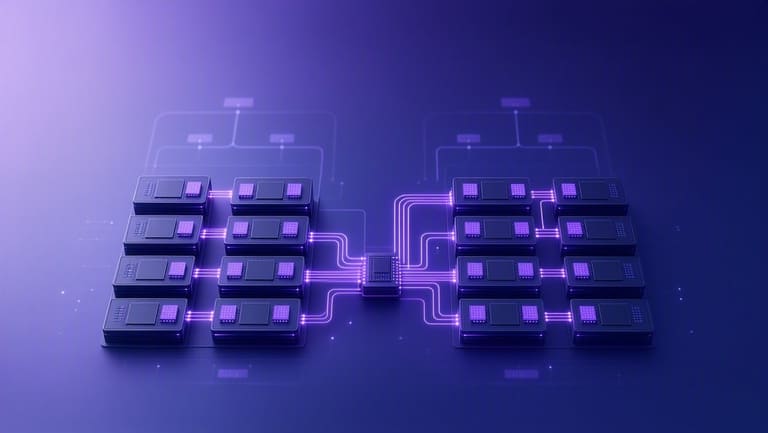
NUMA (Non-Uniform Memory Access) design ಪ್ರಶಸ್ತ multi-processing, resource optimization, high performance computing ಮೇಲೆ ಕೇಂದ್ರೀಕೃತವಾಗಿದ್ದರೂ, ಕೆಲವು practical challenges ಅಂದರ್ದು.
NUMA design – processor local memory access – quick, low latency – Big Data, RAM-heavy workloads, scientific calculations, AI workloads boost ಮಾಡುತ್ತೆ. System RAM access, each processor’s dedicated memory access, latency management – NUMA’s real advantage.
NUMA – ಲಾಭ ಮತ್ತು ವೈದ್ಯ್ಯಾನ್
- ಲಾಭ: Local RAM access, low latency, speedy work.
- ಲಾಭ: Scalability; processors, memory nodes addable as need grows.
- ಲಾಭ: RAM bandwidth increase, faster data transfer.
- ವೈದ್ಯ್ಯಾನ್: Improper remote memory access—performance degradation.
- ವೈದ್ಯ್ಯಾನ್: App/OS NUMA-aware design mandatory, else wasted bandwidth/data locality issue.
- ವೈದ್ಯ್ಯಾನ್: Improper processor-RAM allocation—bottlenecks possible.
NUMA’s scalability boosts server growth, computational load, efficiency. Cloud infra, server farm, workstation platforms—all get real boost with NUMA-aware resources. However, app developers, OS architects NUMA memory allocation, node management, thread scheduling policy ಬಗ್ಗೆ ಎಚ್ಚರಿಕೆಗೆ ತರುಬೇಕು.
NUMA vs SMP vs Distributed Memory comparison
| Specialty | NUMA | SMP | Distributed Memory |
|---|---|---|---|
| Memory access | Local Fast, Remote Slow | Uniform access | Network level access (very slow) |
| Scalability | High | Limited | Very High |
| Cost | ಮಧ್ಯಮ | Low | High |
| Complexity | High | ಮಧ್ಯಮ | Very High |
NUMA configuration – data-placement, app-locality, processor-memory coordination – essential for real benefit. Otherwise performance degradation, traffic bottlenecks, resource wastage, configuration headache, management complexities – all possible. SMP design simpler, NUMA advanced, Distributed Memory – cloud scale computing ಸಪ್ಲೈ ಮಾಡುತ್ತೆ.
ಬಹುಪ್ರೊಸೆಸರ್ ವ್ಯವಸ್ಥೆಗಳ ಭದ್ರತೆ
Multi-processor server setup – system architecture – performance boost ಆಗುತ್ತದ್ರು, security complexity ಹೆಚ್ಚಿನ ತೊಡಕುಗಳು ಬರುತ್ತದೆ. Multiple processors coordinating, memory/data share ಮಾಡಿದರೆ, data privacy, integrity ಹೈರೆಸ್ಸು – security concern ಮತ್ತಷ್ಟು ಹೆಚ್ಚುತ್ತದೆ. Security best practice ಅನುಸರಿಸದಿದ್ದರೆ – data-race, unauthorized access, VM escape, side-channel attack – possible ಕೆಡುಕುಗಳು.
| Security Threat | Explanation | Safeguard |
|---|---|---|
| Data race | Multiple processors same variable access simultaenously | Atomic lock-mechanisms, mutex, semaphore |
| Unauthorized access | Malicious programs/users accessing shared memory | ACL, strong authentication |
| VM Escape | VM accessing physical host or other VMs | Virtualization security, timely patch update |
| Side-channel attack | Processor power/timing leaks data | Cryptographic strengthening, hardware-level protection |
Security—OS access control, firewall, IDS/IPS implementation, user privilege minimization, regular vulnerability scanning—all mandatory. Data encryption, password policy hardening, disabling unnecessary services, security awareness among users – all count.
Security Tips
- Timely security patch & update
- Strong password, multi-factor authentication
- Disable unnecessary services/exposure
- Encrypt sensitive data
- Set up, monitor firewall and IDS properly
- Minimize user privilege
- Run regular vulnerability scan/audit
Technical + human factor – user awareness, phishing, malware, social engineering – must be handled. User-training, security drill, internal audits essential. Even strongest security broken by careless user mistake.
Multi-processor environment security—OS features + policy, regular audit, configuration optimization, active monitoring. Otherwise your high-performance infra becomes high risk!
NUMA ವಿನ್ಯಾಸದ ಭವಿಷ್ಯ
ಆಪರೇಟಿಂಗ್ ಸಿಸ್ಟಂ multi-processor architecture evolution—NUMA integration is key. Future: NUMA design memory technology (HBM, DDR5) ಮತ್ತು inter-node fabric (Infinity Fabric, NVLink) integration—AI workloads, Big Data analytics, ML training, server farms—all require effective NUMA design. OS-level optimization, NUMA-aware scheduling, dynamic node and memory allocation—mainstream computing trends.
| Trend | Explanation | Expected Outcome |
|---|---|---|
| Memory Tech Advance | HBM, DDR5, faster RAM, bandwidth | Lower node latency, increased throughput |
| OS Optimization | Advanced scheduler, NUMA-aware memory management | Better locality, performance boost |
| Inter-node fabric | Faster, low-latency node connect (NVLink, Infinity Fabric) | Remote access speed increase |
| AI/ML workloads | Big data compute distribution | NUMA nodes—efficient model training, resource share |
NUMA-aware OS, NUMA node auto-discovery, dynamic resource allocation, container/virtualization infra integration—future computing vision. NUMA-feature integration to container platforms like Docker, Kubernetes, and cloud hypervisors—performance, resource boost.
Upcoming Focus
- Memory tech—HBM, DDR5, persistent RAM
- OS-level NUMA optimization—scheduler sophistication
- Inter-node fabric—NVLink, Infinity Fabric
- AI-Machine learning—NUMA scale-up
- NUMA integration in Docker/Kubernetes
- Heterogeneous computing—GPU, FPGA NUMA integration
Future: Heterogeneous architecture – GPU/FPGA nodes + NUMA, RAM share, compute expansion – server scales. OS, application developer, infra architect NUMA awareness essential for performance advantage.
Open-source community NUMA development, knowledge sharing, toolset improvement – all drive innovation. Developers, sysadmins–join open NUMA projects, contribute, learn. NUMA benefits wider community, efficient infra future!
ಬಹುಪ್ರೊಸೆಸರ್ ಬಳಕೆಯಲ್ಲಿ ಎಚ್ಚರಿಕೆ
ಆಪರೇಟಿಂಗ್ ಸಿಸ್ಟಂ ಬಹು processors, NUMA design (Non-Uniform Memory Access)–modern IT infra basics. But to maximize, configuration attention, optimization, OS/hardware selection, security, monitoring essential. Improper setup leads to bottleneck, performance failure, resource waste. Every step: hardware selection, OS configuration, app optimization–careful choice needed.
| Attention area | Explanation | Best Practice |
|---|---|---|
| Hardware selection | CPU, motherboard, RAM compatibility | Choose tested, workload-suitable combo |
| OS configuration | Multi-processor, NUMA setup | Keep OS updated, NUMA correctly configured |
| Software optimization | App multi-thread, NUMA-aware | Develop, tune NUMA threads |
| System monitoring | Performance bottleneck, resource tracking | Regular monitoring, timely optimization |
System admin, cloud architect, developer—continuous learning, NUMA complexity mastering, regular audit, security monitoring, data protection–essentials. Failure in any link reduces benefit, exposes risk.
Checklist
- Hardware compatibility verified
- OS up-to-date, patches applied
- NUMA setup checked/optimized
- App NUMA thread implemented/tuned
- CPU/RAM/network monitored for bottleneck
- Security policy—multi-processor, NUMA-specific
ಆಪರೇಟಿಂಗ್ ಸಿಸ್ಟಂ ಬಹುಪ್ರೊಸೆಸರ್, NUMA design infra ಪ್ರಪಂಚದ backbone ಆಗಿದೆ; correct knowledge, awareness, continuous monitoring essential. Real performance, cost-saving, high efficiency only possible with right policy, best practice, and security diligence.
NUMA ಸಹಿತ ಬಹುಪ್ರೊಸೆಸರ್ ಸ್ಮಾರ್ತ ನೀತಿ
ಆಪರೇಟಿಂಗ್ ಸಿಸ್ಟಂ multi-processor + NUMA design – real advantage only with right approach, policy. Improper setup–bottleneck, failure, resource waste, degraded performance. So, clear understanding, systematic configuration, workload analysis, NUMA thread policy essential.
Best approach—application workload, performance demand analysis. Which apps parallel scale-up, NUMA benefit, RAM bandwidth need analysis—only then correct resource allocation possible. Data locality, processor assignment, RAM placement, NUMA node distribution–these decide system speed, cost, reliability.
ಪದ್ಧತಿ/ಚರ್ಥ
- Application workload analysis
- Demand mapping, NUMA suitability
- Resource distribution
- NUMA-aware compute/memory allocation
- Memory locality optimization
- Continuous monitoring, tweaking policy
NUMA design – every processor local memory, quick access. App threads, workloads, OS scheduling – must maximize locality. Remote memory access–latency, performance degrade. NUMA thread policy, memory allocation, data placement essential.
| Feature | Right Practice | Wrong Practice |
|---|---|---|
| Workload analysis | Detailed mapping, needs-based policy | Random assign, lack analysis |
| Resource distribution | Demand-based allocation | Random, inefficient, wasted |
| NUMA optimization | NUMA-aware, memory locality some | NUMA unaware, remote access frequent |
| Monitoring tweaking | Regular audit, bottleneck fix | No monitoring, silent failure |
System admins, developers, cloud architects–continuous optimization, performance monitoring, NUMA node data placing, regular audit. NUMA+multi-processor right use–data centre infra, cloud servers, high-performance apps all get quality upgrade!
ಪದೆಸುವ ಪ್ರಶ್ನೆಗಳು
ಆಪರೇಟಿಂಗ್ ಸಿಸ್ಟಂ ಬಹುಪ್ರೊಸೆಸರ್ ಬೆಂಬಲ ಎಂದರೇಕೆ, ಇದರ ಲಾಭ ಏನು?
Multi-processor support means, OS effectively using multiple physical processors/multicore CPUs. Parallel task execution, improved performance, resource utilization. High-performance computing, server infra, cloud IT platforms—all benefit.
NUMA design–multi-processor systemರಲ್ಲಿ ವಿಶಿಷ್ಟತೆ ಮತ್ತು ಲಾಭ ಏನು?
NUMA (Non-Uniform Memory Access)–each processor own local RAM: local access fast, remote access slow; SMP–every processor uses same RAM equally. NUMA boosts performance via locality, but proper configuration, app optimization vital.
ಯಾವ OSಗಳು multi-processor, NUMA design support ಮಾಡುತ್ತವೆ?
Windows Server, Linux distributions (Red Hat, CentOS, Ubuntu), BSD-based OS platforms NUMA and multi-processor support. Legacy OS may lack or limited support.
Multi-processor+NUMA design ಪ್ರಾಡೋಶನ real impact depends on?
Application parallel workload, memory access pattern, OS NUMA awareness–performance directly linked. Local RAM access, proper scheduler, efficient thread assignment–NUMA’s real advantage only then possible.
NUMA design ಮಾನ್ಯ ಲಾಭಕೆಗಳ practical challenges ಏನು?
Local RAM access-objective, frequent remote access-practical bottleneck, degraded performance. NUMA-aware app/OS mandatory. Design complexity increases, management effort rises.
Multi-processor infra security ಯಾರೇನು ನೋಡಬೇಕು?
Resource sharing security risk, VM isolation, OS patching, strong authentication, malware risk. Regular audit, vulnerability management, firewall, IDS active setup essential.
NUMA design future–new technology integration ಹೇಗೆ?
NUMA’s future: persistent memory, interconnect tech, increased bandwidth, lowered latency, smart memory algorithm–all boost potential. AI/ML workloads, cloud scale need NUMA integration, widespread adoption upcoming.
Multi-processor infra ಓಡಿಸುವಾಗ, NUMA ಕಾರ್ಯಗಮಕಾದಲ್ಲಿ ಏನು ಗಮನಿಸಬೇಕು?
Application demand mapping, processor/RAM NUMA node distribution, OS NUMA awareness, memory allocation policy, interconnect speed, regular audit. NUMA-aware app essential for full performance benefit.