 Afrikaans
 Azərbaycan
 Bosanski
 Čeština
 Dansk
Dansk Deutsch
 English
 Español
 Filipino
 Français
 Hrvatski
 Indonesia
 Italiano
 Magyar
 Melayu
 Nederlands
 Norsk
Norsk Oʻzbek
 Polski
 Português
 Română
 Slovenčina
 Slovenščina
 Suomi
Suomi Svenska
 Tiếng Việt
 Türkçe
 Ελληνικά
 Беларуская
 Български
 Русский
 Српски
 Українська
 עברית
עברית اردو
اردو العربية
 پښتو
پښتو فارسی
فارسی አማርኛ
አማርኛ मराठी
मराठी বাংলা
বাংলা தமிழ்
தமிழ் ไทย
ไทย မြန်မာ
 한국어
한국어 中文
中文 日本語
日本語

આ બ્લોગ લેખમાં NTFS, ext4, APFS અને ZFS જેવી અલગ-અલગ ફાઇલ સિસ્ટમોનું વિશ્લેષણ કરવામાં આવ્યું છે, જેમને વેબ-હોસ્ટિંગ, સર્વર અથવા પર્સનલ કમ્પ્યુટર પર સારું ડેટા સ્ટોરેજ માટે પૂરતું મહત્વ છે. દરેક ફાઇલ સિસ્ટમનાં મૂલ્યાંકન, ફાયદા, ટેક્નોલોજી અને વપરાશ ક્ષેત્ર, તેમજ ડેટાની સલામતી — આ બધા પાસાંઓને વિસ્તૃત ગુજરાતી દૃષ્ટિકોણથી સમજાવવામાં આવ્યા છે. આ લેખ, ફાઇલ સિસ્ટમ્સના મૂળભૂત ખ્યાલ, NTFSના ફાયદા, ext4ના પર્ફોર્મન્સ, APFSની નવીનતા, ZFSના હાઈ-કેપેસિટી સ્ટોરેજ સહિત, તમારી જરૂરિયાત માટે યોગ્ય ફાઇલ સિસ્ટમ પસંદ કરવા માટે નકશે પાડે છે.
ફાઇલ સિસ્ટમ્સ શું છે? મૂળભૂત ખ્યાલ
ફાઇલ સિસ્ટમ એટલે સ્ટોરેજ ડિવાઈસ (જેમ કે: હાર્ડ ડિસ્ક, SSD, USB ડ્રાઈવ)માં ફાઈલ્સ-ફોલ્ડર્સનું મેનેજમેન્ટ. તે ફાઈલ્સ કેવી રીતે સંગ્રહાય, શોધાય, લેવાય-લખાય — એ જ ફ્રેમવર્ક આપે છે. એટલે કે, તેના ઉપર OS સરળતાથી ડેટા હેન્ડલ કરી શકે, વિકસિત અને સુરક્ષિત રીતે ઉપયોગ કરાવે.
ફાઈલ સિસ્ટમ ફક્ત ફાઈલ સ્ટોર નથી, એ ફાઈલનું metadata (તારીખ, permissions, કદ, પાથ વગેરે) પણ સરળ રીતે સ્ટોર કરે છે. દરેક ફાઈલ સિસ્ટમની metadata સુવિધાઓ અલગ-અલગ હોઈ શકે છે, જેથી compatibility અને ઉપયોગિતા બદલે છે.
ફાઇલ સિસ્ટમના મુખ્ય લક્ષણો
- ડેટા ઓર્ગેનાઈઝેશન અને સ્ટોરેજ
- ફાઈલ અને ફોલ્ડર મેનેજમેન્ટ
- permission/ security નિયંત્રણ
- ડેટા ઇન્ટેગ્રિટી અને રિકવરિંગ
- performance optimization
- metadata management
Windowsમાં NTFS મુખ્ય પ્રકાર હોય છે; Linuxમાં ext4, XFS; Apple macOS/ iOSમાં APFS. દરેક ફાઇલ સિસ્ટમના વ્યક્તિગત ફાયદા-ફોકસ હોય છે, અને તેનું seçim વિવિધ user/scenario માટે અલગ હોઈ શકે છે.
| ફાઇલ સિસ્ટમ | ડેવલપર | મુખ્ય લક્ષણો | ઉપયોગ ક્ષેત્ર |
|---|---|---|---|
| NTFS | Microsoft | Security, compression, encryption | Windows OS, external drives |
| ext4 | Linux Foundation | Performance, reliability, large storage support | Linux OS, servers |
| APFS | Apple | Speed, security, SSD optimization | macOS, iOS devices |
| ZFS | Sun Microsystems (Oracle) | Data integrity, RAID support, snapshots | Servers, NAS, big data storage |
ફાઇલ સિસ્ટમ પસંદગી, તમે કેવી ડેટા સ્ટોર કરો છો — એ બાબતે performance, security અને compatibility ભાવતાં છે. ઉદાહરણ તરીકે, મોટા-મોટા (કમર્શિયલ) ડેટા સલામત રાખવી કે નાના files માટે ઝડપ — હર કોઇ ફાઈલ સિસ્ટમ માટે અલગ માપદંડ છે.
NTFS: ફાયદા અને સુવિધાઓ
NTFS (New Technology File System), Microsoftના Windows NT/ XP/ 7/ 10/ 11 સિવાય server સિસ્ટમ માટેનું default file system છે. NTFSએ tradition FAT/ FAT32 કરતા ઘણાંક modern features આપે છે: security, reliability, recovery, performance—all-in-one.
NTFSમાં user-level permission, disk quota, file-level encryption, compression વગેરે જેવી many enterprise-grade features માન્યતા પામેલી છે. એને કારણે, NTFS સૌથી વધુ business PCs અને server environmentsમાં વાપરી શકાય છે.
| લક્ષણ | વિગત | ફાયદા |
|---|---|---|
| Security | Access permissions for files/folders | Unauthorized access prevention, stronger data protection |
| Reliability | Journaling, auto recovery | Minimized data loss in system errors |
| Big File Support | Very large files compatibility | Ideal for high-resolution media/database |
| Disk Quota | User-level disk limit assignment | Efficient disk management |
NTFSના extra features — file compression, volume shadowing (regular backup), built-in recovery — આ બધું combine થાય, એ OS માટે modern data security અને performance standards પૂરા પાડે છે.
NTFSનાં મુખ્ય ફાયદા
- Strong security (permissions, encryption)
- High reliability, data recovery
- Supports large files/ disks
- Disk quota management
- File compression saves space
- Volume shadowing for easy backup
NTFS તમે જે પણ Windows-based store/backup કરો, તેમાં data safety અને efficiency માટે ગુજરાતીઓ માટે શ્રેષ્ઠ જગ્યાએ આવે છે.
ext4: પર્ફોર્મન્સ અને વિશ્વસનીયતા
ext4 (Fourth Extended Filesystem) એ Linux માટે default file system છે, તેમજ ext3ના અપગ્રેડ રૂપે બન્યું. ext4 ખાસ કરીને performance અને reliability માટે લોકપ્રિય છે: મોટા files, બે velika partitions, checksumming/ journaling, delayed allocation, extent-based storage—all modern mechanisms.
ext4 mail અત્યારે લગભગ બધા Linux distributions (Ubuntu, Fedora, Debian, CentOS)માં serverથી desktop સુધી default છે. checksumming તેના થી data integrity બચાવવામાં, તેમજ delayed allocation writing performance મહત્ત્વ આપે છે.
| લક્ષણ | વિગત | ફાયદા |
|---|---|---|
| Big File Support | Supports files till 16TB | Massive media/database for enterprise |
| Advanced Disk Management | Extent-based allocation | Minimizes fragmentation, speeds access |
| Checksumming | Integrity verification for data/metadata | Bolsters reliability, prevents data corruption |
| Delayed Allocation | Writing blocks is delayed | Enhances write speed, less fragmentation |
ext4: ફાયદા અને ખામી
- ફાયદા:
- Excellent speed/ performance
- Huge storage management
- Reliability by checksumming
- Fragmentation control
- Linux community support
- ખામી:
- NTFS/APFS કરતાં enterprise-grade security ઓછી
- Manual recovery મુશ્કેલ હોઈ શકે
ext4 એ લોકપ્રિય open-source file system છે, જેમાં security, speed અને compatibility balance છે. જો તમે Linux-based host, development/testing, server/NAS પર data store કરો છો, તો ext4નું use કરવું સારું, ખાસ કરીને જ્યારે data integrity અને performance મોટું માપદંડ હોય.
APFS: નવીનતા અને વપરાશ ક્ષેત્ર
APFS (Apple File System) એ Apple devices (macOS, iOS, iPadOS, watchOS) માટેનું default file system છે. HFS+ કરતાં સારા security, snapshot, cloning, encryption, SSD optimization સુવિધા આપે છે— જેને કારણે Apple productsમાં ટ્રાન્સ-કટિંગ speed, stability, security-benefit મળી શકે.
| લક્ષણ | વિગત | ફાયદા |
|---|---|---|
| Cloning | Instant copy of files/folders | Storage-saving, rapid backup |
| Snapshots | State capture at any moment | No data loss, simple restore |
| Encryption | Robust data safety | Protects privacy, blocks unauthorized access |
| Space Sharing | Multiple volumes on single partition | Flexible, dynamic allocation |
APFS ખાસ SSDની speed માટે design છે, પણ HDD/Flash storage પર પણ લખવાની વેલ્યુ છે. Cloning/snapshots data recovery-restore, security-wise encryption safety, space sharing- versatile use— આ બધું Apple ecosystemમાં maximum stability માટે.
APFS ઉપયોગ હકાર મેળવવા
- Encryption key સાચવો: APFS securityમાં key ગુમાવ્યો તો data inaccessible થાય — એટલે key backup જરુર રાખવો.
- SSD optimization: APFS SSD સાથે સૌથી સારું છે — HDD પર fragmentation નવા માટે optimize કરવું.
- Snapshots જુઓ, space manage કરો: બાજૂ snapshots પર વધુ જાવ તો disk space બગાડી શકે — એટલે obsolete snapshots regularly remove કરશો.
- Updates િનયમિત કરો: APFSમાં security/performance માટે updates સમયસર કરો.
- Backup સદાય રાખો: Snapshotની notwithstanding, classic backup વાસ્તવમાં data safety આપે છે.
APFS, especially Apple users માટે, speed, security, flexibility — એ multitasking અને stable operation માટે ઉત્તમ છે. Snapshot, cloning, encryption, space sharing — એનો use કરી તેનું real potency હું અનુભવી શકો છો.
ZFS: હાઈ-કેપેસિટી અને ડેટા સલામતી
ZFS (Zettabyte File System) એ enterprise-grade file system છે, જેમાં massive storage, flexible pools, built-in RAID, snapshots, cloning, strong integrity, auto repair બધી સગવડા છે. Sun Microsystems/Oracle-developed system હોવાથી તે big data, backup/NAS/server/cloud storage માટે use કરે છે. Checksums, auto corruption-detect-and-fix, pool-based scalability અને real-time snapshot/cloning — business data માટે unmatched reliability.
Havuz (pool) systemથી કેપેસિટી multiple physical disks સાથે લગભગ અમર્યાદિત storage મળે, RAID integrationથી disk failure સામે security, snapshot/cloningથી fast restore — તે institutions, banks, datacenters, NAS, virtualization cloud માટે best solution.
ZFSના વિશેષું
- Strong data integrity (checksums, auto repair)
- Petabyte to exabyte capacity (scalable)
- Full-featured RAID (RAID-Z) integration
- Instant snapshots/ cloning for backup/restore
- Pool-based storage for flexible resource management
ZFS જ્યારે use કરો ત્યારે system RAM બહુ માંગે છે, configuration/ setup અછલી હોઈ શકે છે — એટલે enterprise/experienced sysadmin માટે more ideal. પણ, data safety, reliability, scalability — તેના માટે Gujarati hosting/backup/ business માટે આંઠ છે.
| લક્ષણ | ZFS | ext4 | NTFS |
|---|---|---|---|
| Integrity | Advanced checksumming | Basic checksum support | Journaling |
| Capacity | 16 Exabyte | 1 Exabyte | 256 TB |
| RAID Support | RAID-Z (native) | mdadm RAID (software) | Software RAID |
| Snapshots | Built-in | Through LVM | VSS (Shadow Copy) |
ZFS, Gujarati businesses માટે big data, mission-critical cloud/backup/ servers માટે સૌથી સારી પસંદગી બને છે — specially data integrity અને reliability ઈમરજન્સી છે ત્યારે.
ફાઇલ સિસ્ટમ્સની તફાવતો
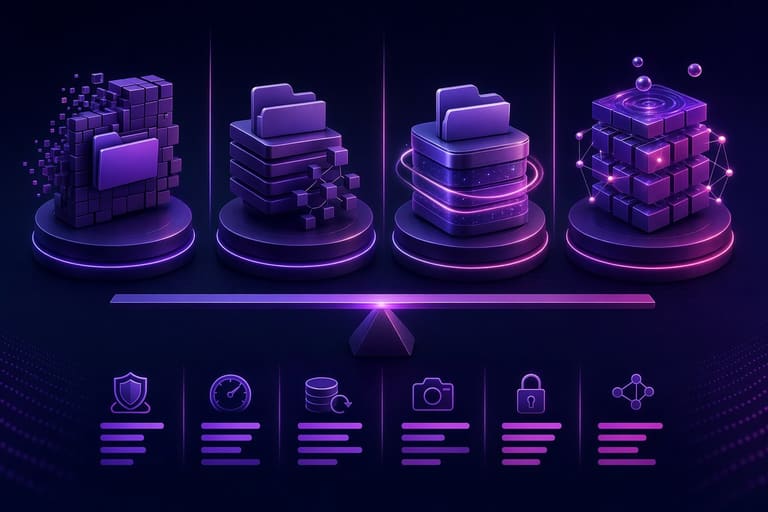
અલગ-અલગ ફાઇલ સિસ્ટમ્સ ફાઇલ-ડેટા-અસેટ-સ્ટોર કરવાના (organization, recovery, safety, access) technologyસ્તરે અલગ-અલગ સૂચવે છે. NTFS સામાન્ય રીતે Windows માટે, ext4 Linux, APFS Apple devices, ZFS enterprise storage/ backup માટે— જો તમે છતાં compatibility, speed, safety અથવા scalability માપો છો, દરેક ફાઇલ સિસ્ટમમાં ખાસ તફાવત છે.
Technical features જેમ કે journaling (crash safety), snapshots (instant backups), data integrity checks (corruption-detect-rectify) — આ બધાં માપદંડ પ્રમાણે દરેક file system tierમાં ઉનાળે/ઉપક્ષે આવે છે.
- Journaling: Transaction log keeps system crash/incomplete writes safe
- Snapshots: Instantaneously records state for backup/restore
- Integrity checks: Data corruption detection via checksum/meta scanning
મૂળ ભારતીય hosting/cloud/backup/ personal computer માટે વિવિધ file systemમોન અનુકૂળતા તફાવત નીચે ટેબલમાં:
| ફાઇલ સિસ્ટમ | ડેવલપર | વપરાશ ક્ષેત્ર | મુખો લક્ષણો |
|---|---|---|---|
| NTFS | Microsoft | Windows, external drives | Security, compression, encryption |
| ext4 | Linux community | Linux OS, servers | Speed, reliability, scalability |
| APFS | Apple | macOS, iOS, iPadOS | Snapshots, cloning, speed |
| ZFS | Sun Microsystems (Oracle) | NAS, datacenters, backups | Integrity, RAID, pool management |
જે રીતે ભારતીય data-center, gaming, business cloud અથવા office PC માટે — અનેક platform માટે કેવું-કઇ document store કરવું એ જોડાયેલું છે.
વિભિન્ન ફાઇલ સિસ્ટમ લક્ષણો
journaling, snapshots, compression, encryption જેવી સમજાઈ શકતી feasibility Gujarati tech-users માટે સારી હ કરવા; journaling accidental failure માટે safety, snapshots backup-return માટે, compression/encryption storage-saving-security twin-benefit આપે છે.
ઉપયોગ પ્રમાણે વિચાર
સિસ્ટમ પસંદગી તમે gamer, office worker, server administrator, cloud-storage backup provider; દરેક માટે ફાઇલ સિસ્ટમના performance, security, scalability અને compatibility વિવિધ માપદંડો હોવા જોઈએ.
સરિખું ફાઇલ સિસ્ટમ જ પસંદ કરવું એ your system speed, security, future growth અને safety માટે 'મૂળમતિ' છે.
ગેમિંગ માટે speed-centric/ext4, office/ Windows માટે NTFS, Apple users માટે APFS, cloud datacenters/ backup માટે ZFS— તેવા ઉપાય ફિલ્ટર કરવા, તમે Gujarati hosting/cloud/technology/ backup/ server માટે કઈ ફાઇલ સિસ્ટમ ચયન કરો — એ દુર્ધટે પરિબડય છે.
ઉપયોગના આધારે ફાઇલ સિસ્ટમ્સની પસંદગી
ફાઇલ સિસ્ટમ પસંદ કરવા, OS-compatibility, speed, reliability, security, scalability — આ પાયાની મુદ્દાઓ છે. NTFS Windows, ext4 Linux, APFS Apple devices, ZFS cloud/enterprise backup માટે અલગ-અલગ યોગ્ય છે.
પસંદગીની 5 પ્રાથમિક ચીજ
- OS compatibility: તમારું OS NTFS/ext4/APFS/ZFS કયારે perfect support આપે છે?
- Performance: રાહ-લાયક write/read speed માટે તમે શું demand કરો છો?
- Reliability: Data loss/ corruption safety features — journaling, snapshot etc.
- Capacity/ Scalability: Future growth-demand match કરવા?
- Security: File-level permission, encryption built-in છે?
Workstation, gaming, business cloud, enterprise backup, Linux hosting — દરેક Gujarati user/scenario માટે અલગ-અલગ ફાઇલ સિસ્ટમ યોગ્ય લાગે છે. જીત ext4, NTFS, APFS, ZFS બધા માટે compatibility, speed, security, scalability જુદી છે.
| ફાઇલ સિસ્ટમ | ઉપયોગ ક્ષેત્ર | મુખો ફાયદા |
|---|---|---|
| NTFS | Windows, general use, gaming | Wide compatibility, security, compression |
| ext4 | Linux servers/ desktops/ Android | Performance, reliability, growth |
| APFS | Apple devices/ SSD storage/ video work | Speed, snapshots, encryption |
| ZFS | Backup/ cloud servers/ virtualization | Integrity, RAID, capacity |
Gujarati hosting/cloud/backup/ NAS/ office માટે security, compatibility, speed — આ બધાં માપદંડની દૃષ્ટિ રાખવી જરૂરી છે.
ડેટા સુરક્ષામાં ફાઇલ સિસ્ટમ્સનું મહત્ત્વ
Digital Gujarati business/ cloud/ personal data માટે ફાઇલ સિસ્ટમ data security ને foremost place આપે છે. Permissions, encryption, integrity controls, backup/restore facilities—all security-friendly features.
Files ખુદ safety માટે OS/ file system-level permission/ ACL (access control list), encryption, integrity check, snapshot સુવિધા ઓ વર્તે છે. NTFS permission/security તથા APFS/ZFS built-in encryption/snapshot- restore યુઝ કરો તો long-term Gujarati business/ personal data save — એનું mahattva છે.
| લક્ષણ | ડેટા સુરક્ષામાં ફાયદા | ઉદાહરણ |
|---|---|---|
| ACL | Unauthorized access blocked | NTFS permission-controls sensitive files |
| Encryption | Data unreadable for outsiders | APFS robust encryption for whole disk |
| Integrity Checks | Auto corruption detect & repair | ZFS continual checksum monitoring |
| Snapshots | Quick restoring after data loss | ZFS instant restore from older version |
તમારી hosting/cloud/ office Gujarati business માટે — file system-level security બહુ ઇમરજન્સી છે. File system પસંદ કરો ત્યારે એનું security, integrity, recovery features વહીવટની દૃષ્ટિથી assess કરો.
વિશે નિષ્ણાતોની રાય
Gujarati IT/ hosting/cloud fieldમાં ફાઇલ સિસ્ટમ — નમનનીય મજબૂત data platform ગણાય. વિગતવાર વ્યવસ્થાપન માટે NTFS (Windows), ext4 (Linux), APFS (Apple), ZFS (cloud/enterprise backup) — expert says: choice depend on security, scalability, maintenance & business needs.
NTFS Windows compatibility/security, ext4 Linux speed/stability, APFS Apple devices performance/ encryption, ZFS cloud scalable backup/integrity—all have unique strengths, so Gujarati sysAdmins everywhere scenario-based choice કરે છે.
| ફાઇલ સિસ્ટમ | વિશેષ લક્ષણો | expert opinion |
|---|---|---|
| NTFS | Compatibility, security | Windows systems માટે best, Linuxમાં performance કમી |
| ext4 | Speed, reliability | Linux servers & desktops માટે absolutely ideal |
| APFS | Snapshots/speed/encryption | Apple ecosystem માટે optimized; SSD performance મૂલ્યવાન |
| ZFS | Integrity/scalability | Big storage/ backup/ datacenters માટે unmatched reliability |
expert’s eye: choice technical points સિવાય, long-term data policy/ backup/ recovery/ security/ maintenance ભવિષ્યની જરૂરિયાત પ્રમાણે assess કરો. File system ક્ષેત્રે innovation બીજા દરેક technology જેવી જ છે; new updates, features માટે vigilant રહો— Gujarati business માટે data-loss લાંબા સમય માટે રોકી શકાય છે.
કઈ ફાઇલ સિસ્ટમ તમારા માટે યોગ્ય?
Gujarati hosting/cloud/ office business/ gaming/ personal use માટે — right ફાઇલ સિસ્ટમ OS, compatibility, storage needs, security requirements, speed-demand, future growth—all factors પર આધાર રાખે છે. Windows માટે NTFS, Linux/ext4, Appleવાળા APFS, cloud/datacenterના માટે ZFS— perfect જાયે choice અને વિભાવના પર આધાર રાખે છે.
| ફાઇલ સિYSTEM | ઉપયોગ ક્ષેત્ર | ખાસ લક્ષણો |
|---|---|---|
| NTFS | Windows/ external drives/ gaming | Security, compatibility, compression |
| ext4 | Linux servers/desktops | Speed, growth, stability |
| APFS | Apple devices/ SSD | Snapshots, cloning, speed |
| ZFS | Cloud/ backup/ big data servers | Integrity, scalability, RAID |
પસંદગી Tips
- OS compatibility foremost
- Write/read speed-demand match કરો
- Security features (permissions, encryption, recovery)
- Future scalability & big files/ storage
- Integrity — data corruption/ loss safety
ZFS આપતો advanced integrity, APFS snapshot/encryption, ext4 speed/reliability, NTFS security— Gujarati hosting/cloud/ gaming/ business/scenario માટે best option ચોક્કસ assess after facts-only લાવો.
વારંવાર પૂછાતા પ્રશ્નો
ફાઇલ સિસ્ટમ શું છે અને તે તમારા daily use/ Gujarati business/ hosting/cloud/ gamingમાં શું role play કરે છે?
ફાઇલ સિસ્ટમ ઑર્ગેનાઈઝ, ચારણ, સ્ટોર અને access બદલ કોમ્પ્યુટરની speed, security, backup, storage, compatibility—all ફક્ત file system થી affect થાય છે.
NTFSના ફાયદા શું છે — કેવી રીતે ગુજરાતી hosting/cloud/gaming/scenarioમાં use કરવું?
NTFS માં strong permission, big files, reliability, compression, security features છે — વે Windows-centric use, backup, security, compatibility-demand હોય ત્યારે ચયન કરો.
ext4 performance/ reliability — Gujarati cloud/ server/ business/ tech/scenario માટે કેમ ખાસ છે?
ext4નાં advanced block management, checksumming, journaling — ઉત્તમ data safety, speed, open-source continual development — Linux hosting/cloud/ gaming/ business/ backup માટે ideal છે.
APFS ના innovation/ security features — Apple devices/ cloud/ backup/ gamIng/ office માટે કેમ શ્રેષ્ઠ છે?
Snapshots, cloning, encryption, SSD optimization — Apple products માટે ultra speed, stability, security જુદા પડે છે.
ZFS — enterprise-grade integrity/ scalability/ RAID — Gujarati cloud/ backup/ hosting/business માટે કેમ શ્રેષ્ઠ?
ZFS auto-corruption detection/ repair, scalable pool-storage, snapshots, RAID-Z — enterprise cloud backup, hosting, big data storage, NAS business/scenario — safest long-term choice.
વિભિન્ન ફાઇલ સિસ્ટમ્સ — performance, security, compatibility — Gujarati hosting/ cloud/ business/ gamingમાં શું તફાવત આપે છે?
File/ disk size support, journaling, snapshots, encryption, compatibility-demand — system speed, security, scalability—all choice-demand model, business/cloud/gaming/office Gujarati hostingમાં perfect matchની assess છે.
office/gaming/cloud/ NAS — Gujarati scenarioમાં કઈ ફાઇલ સિસ્ટમ સર્વોતમ?
Gaming PCs NTFS/ ext4, office NTFS/APFS, NAS cloud backup for ZFS/ext4 — OS, speed, security-demand, data safety, compatibility — choice Gujarati scenario-based છે.
ડેટા security/ corruption/ backup — Gujarati cloud/ office/ hosting/scenario માટે કેવી ફાઇલ સિYSTEM સુરક્ષિત?
Permission, encryption, recovery, snapshots — ZFS/APFS strongest, NTFS/ext4 basic safety — cloud/backup/scenarioમાં regular backup સાથે perfect file system security-effect આપે છે.