 Afrikaans
 Azərbaycan
 Bosanski
 Čeština
 Dansk
Dansk Deutsch
 English
 Español
 Filipino
 Français
 Hrvatski
 Indonesia
 Italiano
 Magyar
 Melayu
 Nederlands
 Norsk
Norsk Oʻzbek
 Polski
 Português
 Română
 Slovenčina
 Slovenščina
 Suomi
Suomi Svenska
 Tiếng Việt
 Türkçe
 Ελληνικά
 Беларуская
 Български
 Русский
 Српски
 Українська
 עברית
עברית اردو
اردو العربية
 پښتو
پښتو فارسی
فارسی አማርኛ
አማርኛ मराठी
मराठी বাংলা
বাংলা தமிழ்
தமிழ் ไทย
ไทย မြန်မာ
 한국어
한국어 中文
中文 日本語
日本語

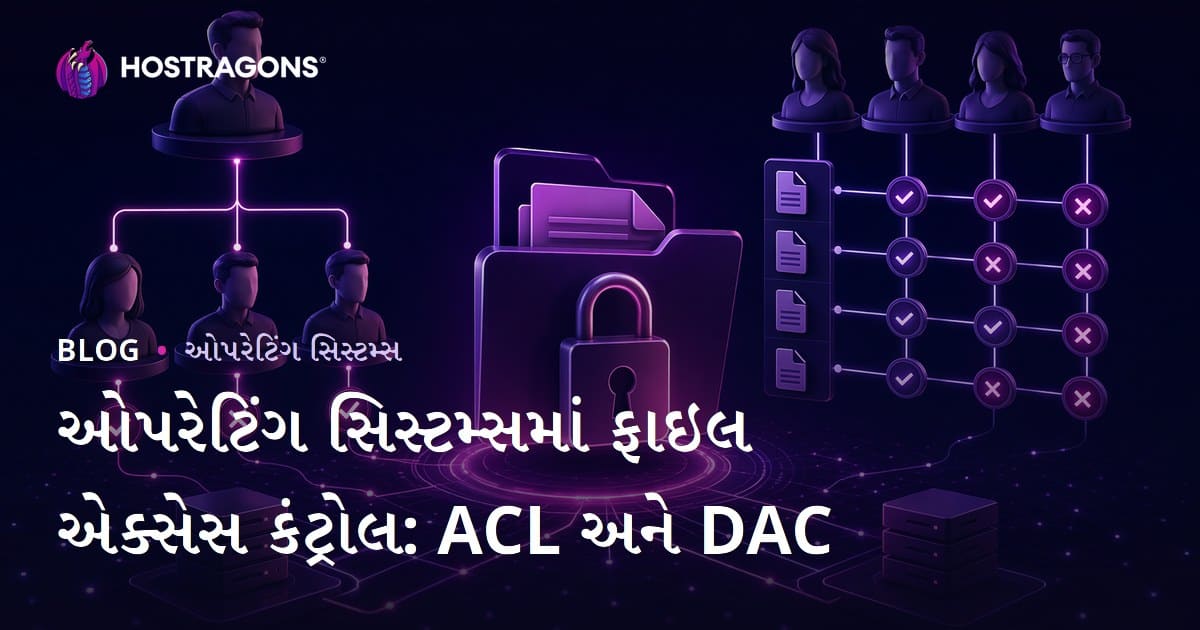
ઓપરેટિંગ સિસ્ટમમાં ફાઈલ એક્સેસ નિયંત્રણ એ ડિજિટલ સિસ્ટમની સુરક્ષા માટે અત્યંત જરુરી છે. આ બ્લોગ પોસ્ટમાં ઓપરેટિંગ સિસ્ટમમાં ફાઈલ એક્સેસ નિયંત્રણની સમજૂતી, Access Control List (ACL) અને Discretionary Access Control (DAC) જેવા પ્રાથમિક નિયંત્રણ મોડેલોના ફાયદા-ઓપાય દર્શાવવામાં આવશે. તમે કેવી રીતે સુરક્ષિત એક્સેસ નિયંત્રણની યોજના બનાવી શકો તે અંગે સમજશો, ACLના સરવાળો ઉપયોગ માટે પ્રેક્ટિકલ ટીપ્સ, ACL અને DAC વચ્ચેના તફાવત, તથા દરેક પદ્ધતિના ફાયદા અને ખામીઓ. એક્સેસ નિયંત્રણમાં સામાન્ય ભૂલો અને બેસ્ટ પ્રેક્ટિસીસ સાથે, ફાઈનલ સત્રમાં તમારી સિસ્ટમ સુરક્ષા વધુ મજબૂત બનાવવા માટે પગલાં જાણવા મળી જશે.
ઓપરેટિંગ સિસ્ટમમાં ફાઈલ એક્સેસ નિયંત્રણનું સરવાળો વિશ્લેષણ
ઓપરેટિંગ સિસ્ટમમાં ફાઈલ એક્સેસ નિયંત્રણ એ ડેટાની સુરક્ષા માટે મૂળભૂત છે. નિયંત્રણ પદ્ધતિઓ નક્કી કરે છે કે કયા યુઝર્સ/ગ્રુપ્સને કઈ ફાઈલ/ડિરેક્ટરીમાં વાંચવા, ફેરફાર કરવા અથવા ચલાવવા મળી શકે છે. શ્રેષ્ઠ એક્સેસ નિયંત્રણથી ડેટાની પરંપરા બચવાઈ રહી છે અને સિસ્ટમ રિસોર્સની ઈન્ટિગ્રિટી જાળવવા મળે છે.
મુખ્ય ધ્યેય: અથોરાઈઝેશન દ્વારા સંસાધનોના એક્સેસનું નિયંત્રણ. આ પ્રવાહ પહેલાં યુઝરની ઓળખ પ્રોમાણી (authentication), પછી તે સંસાધન પર તેની પાત્રતા (authorization) ચકાસવી. ઝીણવટથી રચાયેલ નિયંત્રણ સ્ટ્રેટેજીમાંથી ખરેખર જરૂરિયાત અને અનિષ્ટ પ્રવૃત્તિ બંને માટે રક્ષણ મળે છે.
ફાઈલ એક્સેસ નિયંત્રણ માટે મૂળભૂત સિધાંતો
- કમ અધિકાર ફોર્મ્યુલા: દરેક યુઝર પાસે તેની કામગીરી માટે જરૂરી એટલાં જ અધિકાર હોવા જોઈએ.
- ઓથેન્ટિકેશન: યુઝરની ઓળખ મજબૂત રીતથી ચકાસવી (મજબૂત પાસવર્ડ, multi-factor authentication).
- નિયંત્રણ ચકાસણી: ફાઈલ/ડિરેક્ટરીના એક્સેસ પહેલા ઘડેલાં નિયમો અનુસાર જોઈ લેવાં.
- લોગીંગ અને મોનિટરિંગ: દરેક એક્સેસ અને ફેરફાર નોંધવી અને નિયમિત દેખરેખ રાખવી.
- નિયમિત ઓડિટ: અધિકાર અને સુરક્ષા પોલિસી નિયમિત ચકાસવી, અપડેટ કરવી.
અલગ-અલગ ઓપરેટિંગ સિસ્ટમ વિવિધ મેક્નિઝમ આપે છે. જેમાંથી ACL અને MAC અત્યંત મુખ્ય છે. ACLએ દરેક ફાઈલ/ડાયરેક્ટરી માટે ગ્રુપ અને યુઝરની અધિકાર ચોક્કસ કરે છે, MACમાં એડમિન દ્વારા નિયમો નક્કી થાય છે, સામાન્ય રીતે હાઈ-સિક્યુરિટી માટે. બીજી પ્રસિદ્ધ પદ્ધતિ ડિસ્ક્રેશનરી એક્સેસ કંટ્રોલ (DAC) છે—યહ ફાઈલ પોઝેસર્સને અધિકાર આપે છે.
| નિયંત્રણ રીત | સમજૂતી | ફાયદા |
|---|---|---|
| ACL (Access Control Lists) | ફાઈલ અને ડાયરેક્ટરી પર અધિકાર દર્શાવતી લિસ્ટ. | લવચીક, ઝીણવટથી નિયંત્રણ, સરળ મેનેજમેન્ટ. |
| DAC | ફાઈલ પોઝેસર્સને અધિકાર કંટ્રોલ કરવાની તક. | યુઝર-કેન્દ્રિત, સરળ અમલ. |
| MAC | એડમિન-નિયંત્રણ હેઠળ કડક નિયમો. | હાઈ સિક્યુરિટી, કેન્દ્રીય કંટ્રોલ. |
ઓપરેટિંગ સિસ્ટમમાં ફાઈલ એક્સેસ કંટ્રોલ એ સુરક્ષિત ઓપરેશનનો મુખ્ય હિસ્સો છે. યોગ્ય રીતે રચાયેલી પોલિસીથી જ confidentiality, integrity અને availability જળવાય છે. અલગ-અલગ સિસ્ટમ માટે અલગ-અલગ પદ્ધતિઓ જરૂરી બને છે; કરન્ટ જરૂરિયાત પ્રમાણે પસંદ અને રૂપાંતરીત કરવું એટલું જ મહત્વનું.
નિયંત્રણ પ્રકારોની સમજૂતી અને લક્ષણો
ઓપરેટિંગ સિસ્ટમમાં ફાઈલ એક્સેસ નિયંત્રણ એ અનધિકૃત એક્સેસ અટકાવવા માટે કાર્ય કરે છે. કયા યુઝર/ગ્રુપને કયા ડેટા પર શું કરવા મળશે—તે નિયંત્રણ મોડેલથી ચોક્કસ થાય છે. વિવિધ મોડેલ અલગ જરૂરીયાત માટે પોતાની વિશિષ્ટતા ધરાવે છે.
એક્સેસ નિયંત્રણ વધુ ને વધુ ઓથેન્ટિકેશન-અથોરાઈઝેશન, access policy અને auditing વિભાગને કવર કરે છે. દરેક પ્રકારના જુદા રક્ષણ, લવચીકતા, જોખમ–દરેક સિસ્ટમ માટે યોગ્ય જોડવું જરૂરી.
DAC શું છે?
DAC (Discretionary Access Control) એ મોડેલ છે જેમાં રિસોર્સ છેલાં ફાઈલ કે ડેટાના પોઝેસર પોતાના અધિકાર આપે છે. એટલે, ફાઈલ પોઝેસર્સ / ઓનર્સ નિયંત્રણ કરે છે—બીજાંય યુઝરે એક્સેસ મેળવવા માટે પરમિશન માંગવી પડે છે. DAC, user-centric હોવાથી નાના/મધ્યમ organizationમાં વ્યાપક છે. પણ centralized બેહિવિયર ન હોવાના કારણે, અમલમાં ભાંગા પડ્યો તો security lapse થઈ શકે.
DACની મૂળ લાંબી એ છે કે resource owner નિયંત્રણ આપે, અન્ય userને access legacy તો પરમિશન જોઈએ. વિભાગની શુભારંભ, flexibility અને implementation પ્રમાણે એ પાત્ર છે; જોકે, permissions miss- configure થયો તો insider attackનું જોખમ પણ ઊભું થાય.
નિયંત્રણ પ્રકારો
- MAC: એડમિન દ્વારા ઘડેલા કડક નિયમો.
- DAC: resource ownersના discretion પરથી access.
- RBAC: usuários/ kullanıcıના roles પ્રમાણે access.
- ABAC: attributes (user/resource) ઉપર access બાબત નક્કી થાય.
- Rule-Based: pre-defined વચ્ચે access allow/disallow થાય છે.
પ્રત્યેક નિયંત્રણ પ્રકાર વ્યાપક risk analysis અને system–security targets પર આધારિત હોવી જોઈએ. ફાયદા અને ખામીઓના balance requisite છે, શું model પસંદ થાય તે systemના actual use- કે threat profile ઉપર આધાર રાખે છે.
કેન્દ્રિય સમજ નથી એમાં પણ પ્રત્યેક modelની વિશિષ્ટતાઓની તલરાયા નીચે દર્શાવેલ છે:
| wind | ફાયદા | ખામીઓ | ઉપયોગ વિસ્તાર |
|---|---|---|---|
| DAC | લવચીક, user-centric | centralized control નથી, security loophole | નાનાં અને મધ્યમ system |
| MAC | કડક security, centralized control | અમલમાં જટિલતા, લવચીકતા ઘટે | સેના તથા sensitive govt systems |
| RBAC | સરળ management, scalable | roles બીજી રીતે કદ રાખવી પડે | એન્ટરપ્રાઈઝ systems |
| ABAC | તમામ control, dynamic access | પોલિસી managementની જટિલતા | મોટા અને જટિલ system |
ACLના ઉપયોગના ક્ષેત્રો
ACL (Access Control List) એ અધિકાર વિગતે નિયમિત કરે છે—કે કયા user/-groupને શું ફાઈલ/dir પરયા authority. ACLથી finer-grained access control થાય છે, જે MAC/DACની સામે detail-level ઉપર નિયંત્રણ શક્ય કરે છે.
ACL વ્યાપક રીતે file system, database, network devicesમાં વિપ્રયોગ થાય છે. કોઈ directories, filesની read/write/execute authority assign, databaseની તબલીઓ access, વગેરે ACL ચિહ્ન અને filter-based access ના શ્રેષ્ઠ તક આપે છે. ACL security enforcementમાં તલાપા મુખ્ય પાત્ર છે— unauthorized access અટકાવવા માટે.
જે control-model પસંદ કરો એ security, scalability, flexibilityની સાથે maintain કરો. મામળા અને risk change થાય છે, એટલે નિયમિત audit/update જરૂરી.
એક્સેસ નિયંત્રણ લક્ષણો થી સુરક્ષા
ઓપરેટિંગ સિસ્ટમમાં ફાઈલ access control એ unauthorized access અટકાવવા માટે આધાર છે. એક્સેસ control featureએ users/groupsને કઈ files/directories પર શું operation (read, write, execute) મંજૂર હોય એ નક્કી કરે છે. આ featureથી કે confidential data માયાં જાળવવા, integrity maintain થાય અને unauthorized changes અટકે છે.
સુરક્ષિતતા લક્ષણો
- ઓથેન્ટિકેશન: યુઝરના ઓળખપત્રની ચકાસણી દ્વારા access authority નક્કી થાય.
- અથોરાઈઝેશન: authenticated usersના accessકી permissionનું management.
- ACL: files/directories માટે authority assign, finer-grained access.
- RBAC: userને roles assign, rolesથી access authority આપવામાં આવે છે.
- Permission Delegation: resource owner બીજા userને access delegate કરી શકે.
- Audit Trail: access/activity logs; breach detect અને forensic માટે ઉપયોગી.
ફીચરનું effectiveness તેના regular update, audit, correct implementation પર નિર્ભર છે. New usersથી permissions update, legacy users remove, default permission auditing, જે-કશ્ય પણ lapse security loophole ઊભું કરે છે—વિશેષ રક્ષા માટે Minimum Privilege Principle જરૂરી.
| લક્ષણ | સમજૂતી | ફાયદા |
|---|---|---|
| ઓથેન્ટિકેશન | userની identity ચકાસવી | Unauthorized access અટકે, security વધે |
| અથોરાઈઝેશન | authenticated userને resource access મંજૂરી | કેવળ પાત્ર user access કરે |
| ACL | authority finer-grained configuration | જટિલ data security management |
| RBAC | role-based permission management | વ્યવસ્થાપન સરળ, consistent policy enforcement |
security configurationમાં mistakes થયા તો unauthorized access કે business પ્રક્રિયાઓમાં ભાંગા પડવા માટે માર્ગ ખુલ્લો થાય. તેથી નિયમિત audit/update અને usability/security વચ્ચે balance જરૂરી છે. સુરક્ષા એ પ્રવૃત્તિ, એકવાર કામ finished થાય ત્યારે પૂર્ણ નથી.
ACL માટે પ્રેક્ટિકલ ટીપ્સ
ઓપરેટિંગ સિસ્ટમમાં effectiveness માટે ACLનું યોગ્ય configuration અધકચરા security lapse અટકાવે છે. ACL કરતા finer-grained access, unauthorized access અટકે, sensitive data security થાય. ACL હવે outdated, mis-configured કે overly complex થયું તો security loophole પડકાર થાય; તેથી અમલીકરણ અને management વખતે તેની પ્રક્રિયા સંયમી હોવી જોઈએ.
| ટિપ | વિગત | પ્રાથમિકતા |
|---|---|---|
| Minimum Privilege | કેવળ demand માટે permission આપો | ઉચ્ચ |
| Group-based permission | individual user કરતા groups assign કરો | ઉચ્ચ |
| Regular audit | ACL નું audit/update નિયમિત કરો | મધ્યમ |
| Clear permissions | જાનકારી, simple permission structure | ઉચ્ચ |
ACL configuration સમયે નીચેના action ઉપાડી શકાય:
- Necessity Analysis: શું ગુરુપ/યુઝરે શું access જોઈએ.
- Group Creation: similar access-need userને groups assign કરો.
- Permission Assignment: groupsને files/directoriesના access assign કરો.
- Testing: permission configuration test કરો.
- Documentation: configuration ફેરફાર document કરો.
- Regular audit: ACL update / audit કરો.
કાર્યમાં જાગૃતિ જરૂરી
ACLલાં નિયમ નહીંળા કે overly complex configuration security loophole ઊભું કરે છે. મોટી/જટિલ system માટે automaton tool અને central management system સમજણથી લો. Minimum Privilege Principleનું સખત અમલ security breachને minimize કરશે.
પ્રવૃત્તિ ફક્ત technical step નહીં, user education તથા awareness સાથે સ્તર ઊંચું થાય છે. Userને access–security balanceનો અભ્યાસ કરવો, security breach અટકાવવા માટે Implicitly.
Security is process not product. – Bruce Schneier
ACL અને DAC વચ્ચે ફરક
ઓપરેટિંગ સિસ્ટમમાં file access control કર્યું તો ACL/DAC, security માટે તેમના અભિગમના નિર્ણયો અલગ-અલગ છે. ACL નજીક finer-grain authorization આપે છે, DACમાં file owner પાસે સમકાલીન control. કે Access શકય તફાવત security requirement અને management style પર આધાર રાખે છે.
ACL: finer-grained authorization, user/group per permission assign કરી શકે; e.g., read માટે allow, write authority માત્ર જાણે select user. Centralized management enforcement consistency વધારે છે.
| લક્ષણ | ACL | DAC |
|---|---|---|
| Definition | Permission List per resource | Resource owner-based access control |
| Management | Centralized/ flexible configuration | Owner managed/simple structure |
| Flexibility | High/customizable | Basic/simple |
| Security | Detail permission/strong security | Config mistakes→security risk |
ACL vs DACના અગત્યના તફાવત
- ACLમાં central management, DAC individual owner-based.
- ACL flexible permissions; DAC basic authority.
- ACL security- higher, finer-grain; DAC simple.
- ACL configuration complex; DAC simple.
- ACL large/complex system માટે યોગ્ય; DAC small/simple system માટે.
DACમાં owner permission assign કરે—mis-setting થયા તો unwanted access ચાલુ. ACL મા bigger system માટે, central management security enforcement વધે છે. System–risk-profile પ્રમાણે સમાચાર balance જોઈએ.
ઓપરેટિંગ સિસ્ટમમાં નિયંત્રણ પદ્ધતિઓ

ઓપરેટિંગ સિસ્ટમમાં access control માટે વિવિધ model છે—કયા Resource પર કોણ શું activity કરી શકે એને નિર્ધારણ. Authentication અને authorization સાથે integrate કરીને security enforcement કામ કરી શકાય.
એક્સેસ Pethod:
- MAC
- DAC
- RBAC
- ABAC
- Hypervisor-based Access Control
નીચેની કોષ્ટકમાં modelના લક્ષણ/ફાયદા/ખામીઓ:
| પદ્ધતિ | મુખ્ય લક્ષણ | ફાયદા | ખામીઓ |
|---|---|---|---|
| MAC | Admin-defined strict rule | High security, central control | Low flexibility, complex setup |
| DAC | Owner-defined | Simple, flexible | Security risk, malicious script prone |
| RBAC | Role-based access | Easy management, scalable | Role definition challenge |
| ABAC | Attribute-based access policy | High flexibility, dynamic | Complex policy handling |
right configuration, audit/update એ security loophole અટકાવવાની કી. Risk-profile, business-process પ્રમાણે selection કી.
મંદATORY Access Control
Mandatory Access Control (MAC): centralized authority, strict rules—military, government settings માટે. Resource labels + user clearance, system match કરે પછી access મળે.
હમેશા Access Control
Discretionary: owner-defined access, flexibility—but access mistake→security loophole. Owner wrong permission assign કરે તો sensitive files exposed થવા લાગ્યું.
સરલ Access Control
Simple permission model: file systemમાં read/write/execute-based–owner/group/others–પરણામે basic security enforcement but advanced requirement માટે રોકાઈ જાય.
ઓપરેટિંગ સિસ્ટમમાં access control model security enforcementમાં વ્યાપક છે. Risk-profile મળવાથી selection અને configuration security loophole અટકાવવા માટે મહત્વપૂર્ણ.
નિયંત્રણ: ફાયદા અને ખામીઓ
ઓપરેટિંગ સિસ્ટમમાં access control enforced કરવું એ security/integrity માટે કી, પણ complexity/management નો હાથ દેખાય છે. Security loophole અટકવા માટે, management burden, resource consumption વગેરેને સરખાવવું જોઈએ.
- ફાયદા:
- Sensitive data એ unauthorized accessથી સુરક્ષિત રહે.
- ફાઈલ integrity જાળવાય.
- Activity log તક account-ability માટે.
- Compliance–industry, govt requirementમાં સહાય.
- ખામીઓ:
- Management challenge, દરેક user/group permission complexity.
- Performance–resource-intensive enforcement.
- Misconfiguration થયા તો unwanted access, functionality ગુમાવવું.
નીચે detail કંપેરીસન:
| લક્ષણ | ફાયદા | ખામીઓ |
|---|---|---|
| Security | Unauthorized access અટકે | Misconfiguration→breach |
| Data Management | Integrity safeguarded | Management burden–complex systems |
| Compliance | Regulatory ease | Constant updating essential |
| Performance | Optimized config→better perf | Overly strict→slow system |
Planning/audit/update essential; well-configured mechanisms system/business operational efficiency સુરક્ષિત/મજબૂત રાખે છે.
બહુવારી ભૂલો
ઓપરેટિંગ સિસ્ટમમાં access control યોગ્ય configure/managed ના થયા તો security lapse, breach, business જીવનમાં ભાંગા આવે. Default password, weak password, excessive privileges, outdated software, regular audit missing—security loopholeને wider make કરે છે.
| ભૂલ | વિગત | પ્રતિસાદ |
|---|---|---|
| Weak Password Policy | Default/simple password | Unauthorized access, data leak |
| Excess Privilege | Userને વધારે authority | Insider misuse, unwanted breach |
| Lack of monitoring | Audit logs inspect નથી | Late detection, evidence missing |
| Outdated Software | Unpatched system/app | Known exploit vulnerable |
Regular audit/testing security flaw detect/help. User training/sensitization વડે majority breach અટકાશે.
અટકાવવી જોઈએ:
- Weak/password use અટકાવો.
- Excess privilege એટલે insider risk minimize કરો.
- MFA not enforced.
- Firewall/antivirus outdated.
- No audit, loophole overlooked.
- User education missing.
Legacy policy regularly update/change; technology/security threat continuously evolve—લગાડેલી policy outdated થઈ તો system new threat માટે vulnerable થશે.
સર્વ શ્રેષ્ઠ પદ્ધતિઓ
ઓપરેટિંગ સિસ્ટમમાં access control process managed/rightly, data breach અટકાવમ, sensitive data safeguard. Technical step, as well as user policy/education equally essential.
| Best Practice | વિગત | લાભ |
|---|---|---|
| Least Privilege Principle | Minimum rights per duty | Unauthorized access minimize, damage limited |
| Periodic Access Review | Legacy, unnecessary rights remove | Risk minimize, compliance enhance |
| Strong Authentication | MFA use | Account hijack risk reduce |
| ACL Management | Regular update/configure | Granular resource access control |
Implementation Steps
- Apply Least Privilege: Minimum rights per user/action.
- Strong Authentication: Enforce MFA.
- Regular Access Review: Analyze/update user permission.
- Configure ACL rightly: Maintain security policy stricty.
- Enable logging/monitoring: Detect suspicious activity.
- User educate/training: Security awareness for breach prevention.
Logging/monitoring, security breach detect/fast response. User training breach minimize, human error reduce. Security strategy, penetration test, audit/update, adaptation to evolving threat imperative.
પરિણામ અને ડગલા
ઓપરેટિંગ સિસ્ટમમાં access control enforcement, ACL/DAC – appropriate configure, sensitive info safeguard/unauthorized access minimize. Regular audit/update/about policy adaptation risk relevant.
Universal approach suitable નથી. System admins/security specialists continuous threat analysis, policy update / risk mitigation essential. Below–enhancement steps:
- Minimum Privilege Principle:
- RBAC: roles-based, flexibility.
- Regular Audits:
- 2FA:
- Education/awareness:
- Patch update:
Future threats માટે adaptive approach (AI/ML-based) – suspicious activity detect, automatic response. Ethics/privacy concern equally imperative. Cybersecurity continuous challenge માટે proactive approach અપનાવો.
વારંવાર પૂછાતા પ્રશ્નો
ફાઈલ access control શા માટે જરૂરી છે અને operating system securityમાં કેવી રીતે યોગદાન આપે છે?
Unauthorized user sensitive data access અટકાવવીથી OS security enhancement, confidentiality/integrity maintain, malicious software spread minimize, unauthorized resource utilization અટકવામાં મદદ કરે છે.
ACL અને DAC વચ્ચે તફાવત શું? કઈ ઉપયો – કઈ situation માટે?
DAC સાથે file owner authority assign કરે, ACL finer-grained access, multiple user/group per permission assign કરે. DAC simplicity જોઈએ તો small-scale system, ACL high-complex security/large scale system માટે યોગ્ય.
ACL effectively ઉપયોગ કરવાથી શું primary step લેવું?
Least privilege principle, regular configuration audit/update, simple/clear rule, unnecessary permission remove, security flaw detection.
File access control માટે OSમાં કયા model ઉપયોગ થાય, તફાવત શું?
ACL finer-grained, DAC user-centric/simple, RBAC roles-based/scalable. ACL configuration complex, DAC simplicity/security risk, RBAC role definition correct એ success key.
Practical mistake—access control configuration ઉપયોગ સમયે?
Excess access, default permission change missing, audit missing, ACL complexity, unwanted access/security lapse.
Access control enhancement શું advance step લઈ શકાય?
Regular protocol update, user training, strong authentication, automated monitoring, zero-trust adoption.
Access controlથી organization security શું benefit આવે?
Confidentiality, unauthorized access minimize, regulatory compliance, resource safeguard, breach impact minimize.
Cloud OS–access control, extra step શું જોઈએ?
IAM, inbuilt cloud security, MFA, encryption, firewall config, frequent audit, new cloud risk awareness.