 Afrikaans
 Azərbaycan
 Bosanski
 Čeština
 Dansk
Dansk Deutsch
 English
 Español
 Filipino
 Français
 Hrvatski
 Indonesia
 Italiano
 Magyar
 Melayu
 Nederlands
 Norsk
Norsk Oʻzbek
 Polski
 Português
 Română
 Slovenčina
 Slovenščina
 Suomi
Suomi Svenska
 Tiếng Việt
 Türkçe
 Ελληνικά
 Беларуская
 Български
 Русский
 Српски
 Українська
 עברית
עברית اردو
اردو العربية
 پښتو
پښتو فارسی
فارسی አማርኛ
አማርኛ मराठी
मराठी বাংলা
বাংলা தமிழ்
தமிழ் ไทย
ไทย မြန်မာ
 한국어
한국어 中文
中文 日本語
日本語

ઓપરેટિંગ સિસ્ટમમાં Interrupt (Kesme) મેકેનિઝમ અને DMA (Direct Memory Access) – બંને જ વેબ હોસ્ટિંગ, સર્વર એડમિન અને IT ક્ષેત્ર માટે અત્યંત મહત્વપૂર્ણ વિષય છે. આ બ્લોગમાં Interrupt અને DMA ની કામગીરી, ઉપયોગ, પાર્થક્ય, ફાયદા-ઓગણોશું સચોટ અને વિસ્તૃત રીતે સમજાવવામાં આવ્યા છે. Interrupt તથા DMA વચ્ચેના ભિન્નતાની સાથે સાથે, તમારે તેમને કેવી રીતે ઓપરેટિંગ સિસ્ટમમાં શ્રેષ્ઠ રીતે ઉપયોગ કરવો – એ પણ અહીં સમજાવી શકાય છે. એટલે, તમારા ઉણાળે જીતવા માટે Interrupt-DMAનો મૂળભૂત સમજ અને યોગ્ય અમલ શીખવા આ લેખ ચોક્કસ ઉપયોગી રહેશે.
ઓપરેટિંગ સિસ્ટમના મૂળ ભાગ: સંક્ષિપ્ત પરિચય
ઓપરેટિંગ સિસ્ટમ એ કમ્પ્યુટરનો મોટાભાગનો સંચાલક છે – તે હાર્ડવેર અને સોફ્ટવેર બંનેની વચ્ચે સંવાદ સ્થાપે છે. યૂઝર માટે વાતાવરણ તૈયાર કરે છે જેમાં એપ્લિકેશન સરળ ભાવે ચાલી શકે.
મુખ્ય કામો – પ્રોસેસ મેનેજમેન્ટ, મેમરી મેનેજમેન્ટ, ફાઇલ સિસ્ટમ, I/O કંટ્રોલ અને સુરક્ષા – દરેક ભાગ કમ્પ્યુટરના કંટ્રોલને સરળ, નિષ્પક્ષ અને ઝડપથી કરે.
મુખ્ય ઘટકો:
- કર્નલ: સિસ્ટમનું હાર્ટ – હાર્ડવેર સાથે સીધા કન્ફેક્ટ કરે, મૂળભૂત સર્વિસ આપે.
- પ્રોસેસ મેનેજમેન્ટ: કાર્યક્રમો ચલાવવાનું, બંધ કરવાનું, રિસોર્સ ફાળવણી.
- મેમરી મેનેજમેન્ટ: મેમરી ફાળવણી, રિલીઝ, વર્ચ્યુઅલ મેમરી.
- ફાઇલ સિસ્ટમ મેનેજમેન્ટ: ફાઇલ અને ડિરેક્ટરી ઓર્ગેનાઇઝેશન, પર્મિશન કંટ્રોલ.
- I/O મેનેજમેન્ટ: હાર્ડવેર સાથે સંવાદ અને ડેટા ટ્રાન્સફર.
- સુરક્ષા: અનુમતિ વગરના એક્સેસ સામે રક્ષણ.
નીચેના ટેબલમાં, ઓપરેટિંગ સિસ્ટમના દરેક નામ અને ફંકશન દર્શાવ્યા છે:
| હિસ્સો | વિગત | મુખ્ય કામગીરી |
|---|---|---|
| કર્નલ | મૂળ તત્વ – સિસ્ટમનો આધાર | હાર્ડવેર સંચાલન, સિસ્ટમ કોલ્સ, સર્વિસ |
| પ્રોસેસ મેનેજ | ચલતી પ્રોસેસનો કંટ્રોલ | બનાવવું, બંધ કરવું, શેડ્યુલિંગ, સિંક્રોનાઇઝ |
| મેમરી મેનેજ | મેમરી ફાળવણી, પ્રકાશ | ફાળવણી, રિલીઝ, વર્ચ્યુઅલ મેનેજ |
| ફાઇલ સિસ્ટમ | ફાઇલ/ડિરેક્ટરી ઓર્ગેનાઇઝેશન | બનાવવું, ડિલીટ, વાંચવું, લખવું, પર્મિશન્સ |
Interrupt (Kesme) મેકેનિઝમ અને DMA – બંને ઓપરેટિંગ સિસ્ટમને વધુ તેજ અને કાર્યક્ષમ બનાવે છે. Interrupt થવાથી, હાર્ડવેર/સોફ્ટવેર ઘટના પર CPU તાત્કાલિક પ્રતિસાદ આપે છે અને મુશ્કેલીનું તર્કસંગત હલ લાવે. DMA CPU વિના, પીછાણીઓ (ફ.eks. ડિસ્ક, ગ્રાફિક્સ કાર્ડ) – સીધા મેમરીમાં ડેટા ટ્રાન્સફર કરે છે. આથી, CPU બીજી કામગીરી પર ફોકસ કરી શકે છે અને રિસોર્સ વિથout નહિયત વિલંબે વહેંચાય છે.
Interrupt (Kesme)નો મહત્વ અને અનુભવ
Interrupt એ એવી વ્યવસ્થા છે જેમાં ઓપરેટિંગ સિસ્ટમ હાર્ડવેર અથવા સોફ્ટવેરના ઇવેન્ટ પર તરત પ્રતિસાદ આપે છે. Interrupt થતા, CPU હાલમાં ચાલી રહેલા કામને થોડીક માટે રોકે છે અને ઇમેદીઓ અથવા મહત્વપૂર્ણ ઇવેન્ટની કાળજી લે છે. Interrupt મૂકવાથી multitasking અને real-time એપ્લિકેશન સક્રિય થાય છે. Interruptથી, અલગ-અલગ hardware/softwareના સંવાદમાં ગતિ અને શ્રેષ્ઠતા આવે છે.
Interrupt નો આધાર – ઈવેન્ટની નિમિત્તે CPUનું ચાલતું કામ સ્થગિત થાય છે, અને જે interrupt-service routine (ISR) જરૂરી છે, તે ટૂંક સમયમાં ચકાસવાથી ફટાફટ હલ આવે છે. ISR પછી, CPU ફરી પોતાની routine પર પાછો ફરે છે.
| Interrupt પ્રકાર | જેમાંથી આવે | વિગત |
|---|---|---|
| હાર્ડવેર Interrupt | કંપ્યુટર ડિવાઇસ (ક્લવિય, માઉસ, હાર્ડ ડિસ્ક) | આ વિજ્ઞાન એવેંટનાલા hardware eventi તેમાં interrupt બનાવે છે. ઝેર, ક્લવિય બટન દબાવવી |
| સોફ્ટવેર Interrupt (System Calls) | Software application | અપ્લિકેશન OS પાસેથી સર્વિસ માંગે અને interrupt કરી |
| Exceptions | CPU detect કરે (j.v. division by zero) | પ્રોગ્રામમાં આવતી error-થી interrupt સર્જાય |
| Timer Interrupt | Hardware timer | વ્યાવસ્થિત સમયવાર event થાય (process scheduling etc.) |
- Interruptની કાર્યપદ્ધતિ
- Interrupt request આવે છે
- CPU કાર્ય સ્થગિત કરે, interrupt vector table ચકાસે
- ISR (Interrupt Service Routine)ની address મેળવે
- ISR execute થાય અને event સાંભરે
- ISR પછી, CPU પાછું routine ચાલુ કરે
Interruptથી user input (ક્લવિય, માઉસ click વગેરે) તાત્કાલિક process થાય છે, એ વડે એ વેબ, ગુગલ, ડેસ્કટોપ – બધાં અનુકૂળ છે. Interrupt multitasking, responsiveness, security – બધાં માટે જરૂરી છે.
DMA શું છે અને કેવી રીતે કામ કરે છે?
DMA (Direct Memory Access) એ એવી ટેકનિક છે જેમાં CPU વિના જ પીછાણીઓ (ડિક્સ, ગ્રાફિક કાર્ડ, etc.) સીધા મેમરીમાં/કમ્પ્યુટરથી data transfer ઉપાડે છે. DMA વિના, CPU dataનું દરેક bit પર ખપાવું – એ ખુબ slow છે. DMA વડે, CPU એની પર ફોકસ કરી શકે છે, એટલે, overall system વ્યવસ્થિત અને ઝડપી બને છે.
DMA-ની દરેક પ્રક્રિયા – એ DMA controller (DMAC)નું કામ છે. DMAC transfer request મેળવી, data bus manage કરે અને memory ↔ peripheral વચ્ચે transfer કરે છે. Transfer પછી, DMAC Interrupt signal આપે, એથી CPU જાણે – transfer પૂર્ણ.
| લક્ષણ | DMAથી transfer | DMA વિના transfer |
|---|---|---|
| CPU ખાસાળ | ઓછું | વધારે |
| ડેટા transfer ઝડપ | જલદી | ધીમું |
| System પ્રદર્શન | શ્રેષ્ઠ | નીચું |
| કાર્યક્ષમતા | વધારે | ઓછી |
DMA-ના મુખ્ય ફાયદા
- CPU-ની કામગીરીથી data transferના બોજા કેમ ઘટાડે
- Transfer ઝડપ વધુ
- System આખું, efficient બને
- Peripheralsનું memory access optimal
- શ્રેષ્ઠ દ્રવ્ય-મધ્યમ સાથે વિશ્વસનીય transfer
DMA-ની મહત્તા – મોટા ઉતરાદ (video editing, gaming, big data) માટે શ્રેષ્ઠ છે. DMA security, speed, reliability વધારવામાં મદદરૂપ છે.
DMAના લાભ
DMAનો સૌથી મોટો ફાયદો એ – CPUના workload અને latency ઘટાડે. CPU threads, scheduling, application – DMA ના transferથી ખરેખર ભાજપાને લાભ આપે.
DMAના ઓગણાશ
DMA પ્રયોગ કરવો એ DMAC (controller) configuration પર મહત્વ અનુસાર છે. ખોટું configuration અને દુરુપયોગ – data loss, system instability અને security loophole પેદા કરી શકે છે.
DMA – બીજું જી ડેટા transfer માટે આશીરવાદ છે, જો configuration test અને security પગલાં ozone હોતાં – તો system સુયોજન અને performance કસમકસ મળે છે.
Interrupt અને DMA વચ્ચેથીજ ભિન્નતા અને ઉપયોગ
Interrupt અને DMA – બંને computer system performance સુધારે છે, પણ working method, workload, efficiency – અલગ અલગ છે.
Interrupt CPU ને signal આપે કે, કોઈ event થયો છે – એ CPU routine ઉપડે, ISR execute કરે છે. DMA CPU વિના transfer કરે છે – CPUે માત્ર transer initiate કરવું અને પૂર્ણ થાય ત્યારે જાણ કરાવવી પડે છે.
| લક્ષણ | Interrupt | DMA |
|---|---|---|
| CPU involvement | Interrupt બધાંમાં CPU direct છે | DMA – initiate/completeમાં CPU – data transferમાં પડી નથી |
| Data transfer | CPU થી જ | Direct Memory ↔ Peripheral |
| Use Cases | I/O, Hardware error, Timer | Disk, Graphics, High-speed transfer |
| Efficiency | CPU load વધી શકે છે | CPU ની workload ઓછી – efficiency વધુ |
Interrupt – ઘટનાઓ, user interaction – realtime, DMA – massive transfer (disk, video, network) માટે ઉત્તમ છે. બંને કોમ્બો મોડર્ન systems ની workplace સુધારે છે.
Interrupt– ફાયદા અને પડકારો
Interrupt મેકેનિઝમ – system responsiveness અને resource efficiency સુધારે છે, hardware/software વચ્ચે વિશિષ્ટ management આપે છે, પણ જાત જ એવું હોય – એ management પણ મુશ્કેલ છે!
Interrupt એ signal છે –.આથી CPU કોઈપણ event પ્રમાણે routine રોકી ISR પર વર્છ્યુઅલ કન્ટ્રોલ આપે છે. Disk read, input, I/O – બધાં ફરજ Interrupt વડે ડાયનામિક અને વિગતથી કોરાય છે.
- Interrupt-ના ફાયદા
- CPU ડાઉનટાઇમ ઓછું કરે
- Critical ઇવેન્ટની પ્રતિસાદ ઝડપથી
- Concurrent processing માટે સૂચિત
- Hardware flexibility અને integration
- Real-time (industrial, control, monitoring) માટે શ્રેષ્ઠ
પરંતુ, Interrupt પણ risk છે – ISR designing, prioritization – ખોટું થયું તો error, latency, unexpected halt, hacking loophole થાય. Interrupt storm/system instabilityનું પ્રમાણ – system engineeringમાં યોગ્ય management જરૂરી છે.
| શ્રેણી | ફાયદા | પડકાર |
|---|---|---|
| Efficient | CPU optimizes | Mismanagement → efficiency drawback |
| Responsiveness | Fast event response | Priority/conflict latency |
| Integration | Multiple hardware supported | Debugging complex system tough |
| Security | – | Malware, exploit risk |
Interrupt નો overall use computer performance માટે best છે – પણ design/testing/security – દરેક developmentમાં મહત્વપૂર્ણ છે.
DMA: લાભ-ઓગણાશ
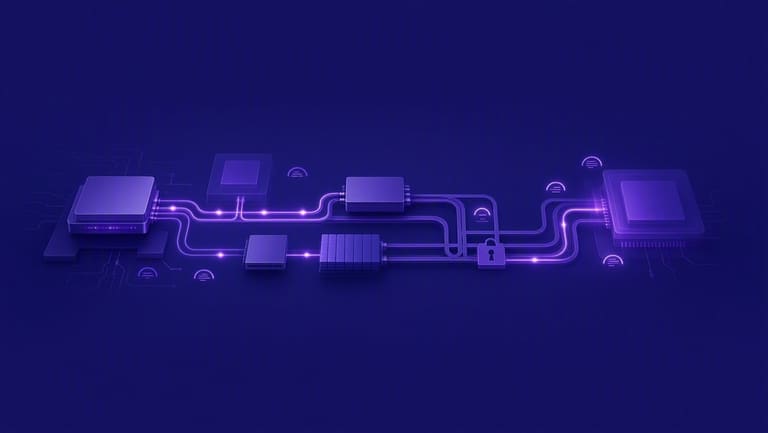
DMA system performance સુધારવા માટે તારવી છે, પણ configuration/testing/security – અવલોકન અને મર્યાદા સાથે DMACનું configuration જરૂરી છે.
| માપદંડ | લાભ | ઓગણાશ |
|---|---|---|
| Performance | CPU load ઓછી | Configuration ભૂલ – instability |
| Efficiency | Transfer speed વધારે | Debugging tough |
| Cost | Lower CPU cost | DMAC cost extra |
| Security | Correct transfer – safe | Misconfiguration – vulnerability |
DMAનું સૌથી મોટું ફાયદો એ – CPUનું workload એ DMA પર, એટલે CPU multitasking/simple process કરી શકે છે. Massive transfer, disk → memory – DMAથી ઝડપી થાય છે.
DMA troubleshooting/testing – ખરેખર technical insightની જરૂર પડે છે. Risk/security/deadlock – દરેક testingમાં cautious step લેવું.
Interrupt મોડ્સ: ઓપરેટિંગ સિસ્ટમમાં વાપરવાની રીતો
Interrupt (Kesme) – hardware/software event નિયંત્રિત કરવા OSમાં મહત્વપૂર્ણ છે. ISR પસંદ અને executionથી system performance, responsiveness, reliability – બધાં પર અસર આવે છે.
Donanım Interrupt = hardware devices (mouse, keyboard, network card), Software Interrupt/system call = apps/service request. Priority, ISR design – બંને ધ્યાન રાખવું.
| Interrupt પ્રકાર | Trigger | Role in OS |
|---|---|---|
| Hardware Interrupt | Device (keyboard, NIC) | Data receive/change |
| Software Interrupt | Application | File, Memory, I/O |
| Timer Interrupt | Timer device | Scheduling/process |
| Error Interrupt | Device/App fault | Error handling/stability |
Interrupt workflow
- IRQ hardware-generated
- CPU pause/current task, vector table lookup
- Handler address lookup
- Handler executes
- Event handled
- Return to previous task
Interrupt management Marunadan real-time/high-performance OSમાં latency, responsiveness, stability – બધાં કંટ્રોલ થાય છે.
DMA – શ્રેષ્ઠ પગલાંઓ અને પ્રેક્ટિસ
DMA system performance વધારે છે – પણ security/testing/design – દરેક OS developmentમાં, DMA workflow/locking/monitoring, memory barrier ચોક્સાઈથી હોવી જરૂરી.
- DMA વિધિઓ
- Enough memory reserve
- DMA channel configure/manage કરવું
- Error detection/correction modules
- DMA calls in ISR
- Monitoring/debugging tools
- Secure DMA access – restrict/authorize
Specially security – DMA access misused તો hacking loophole–VMs/Cloud – access isolation/testing – ખાસ ધ્યાન રાખવું. All DMA drivers, applications authentication – OS/MMU level security, auditing/testing.
| Parameters | Description | Recommended |
|---|---|---|
| Transfer Size | DMA transfer qty | Hardware/application-based |
| Memory Address | Start address | Correct/valid |
| Direction | Memory ↔ Peripheral | Proper configure |
| Interrupt Status | Post DMA signal | If required – enable |
DMA transfer monitoring – transfer speed, error, debug – OS-level optimize/testing સુરક્ષિત અરજી.
સારાંશ: Interrupt અને DMA
Interrupt/DMA – system stability/performance/security ટાઇમ પર balance/optimize થાય. Interrupt – realtime event, DMA – massive transfer CPU વિના. બંને modern server/workstation/system – ડ્યુટિ balance કરે.
| લક્ષણ | Interrupt | DMA |
|---|---|---|
| મુખ્ય મકસદ | Hardware/softwareનું reply | Direct transfer |
| Trigger | Interrupt event | Peripheral demand |
| CPU status | Execution કાળી CPU busy | Transferમાં CPU free |
| Efficiency | Critical event/real-time | High-volume transfer |
- મુખ્ય નોંધ
Interrupt/DMA combo – server, desktop, embedded, realtime – workplace/workload efficiency balance કરે છે.
આગળ માટે માર્ગ અને સતત શીખવું
Interrupt/DMAમાંથી જોડાયેલી ટેકનોલોજી અને ફલિતદર્શતા પરીક્ષાત keep updating. Embedded system/super-server/OS development – દરેક જન્મરીત્વું કે interrupt management લો skill/testing/confidence-value છે.
| વિષય | લક્ષ્આ | Sources |
|---|---|---|
| Interrupt management | Advanced ISR learning/testing | Books, courses, tech articles |
| DMA optimization | Transfer speed/performance tuning | Docs, analyzer tools, forums |
| Security | Interrupt/DMA vulnerability | Conferences, penetration tests, security reports |
| New tech | Latest OS features monitoring | Blogs, research, seminars |
Practical implementation – OS kernel writing/open source contribution/testing on hardware – skill real-world scenario improvement.
પ્રગતિ માટે પગલાં
- Latest OS review/testing
- Open-source join
- Interrupt/DMA security workshops
- Performance tools mastering
- Hardware-level real-world testing
- Expert connect
Interrupt/DMA – Technology non-stop evolving. Constant curiosity, new tech adaptation/testing – career growth ની ચાવી. Learning ના પડકાર – opportunities for upgrading.
Knowledge sharing – blog/write/conference/help – personal skill/tech culture growth.
વારંવાર પૂછાતા પ્રશ્નો
ઓપરેટિંગ સિસ્ટમમાં Interrupt (Kesme) શું છે અને સુયોજન કેમ જરૂરી?
Interrupt દ્વારા CPU event-based pause/nonstop processing balance/real-time event reply બેઠા – OS efficiency/experience વધે છે.
DMA (Direct Memory Access) – શું છે અને system performance કેમ સુધરે છે?
DMA – disk/drivers CPU વિના memory-માં data નાખે – આથી CPU free/transfer speed વધે – OS performance overall વધારે.
Interrupt/DMA વચ્ચે મુખ્ય ભિન્નતા શું? બંને data transfer manage કરે – તો અલગ કેમ?
Interrupt – CPU alert for event response, DMA – CPU વિના data transfer efficiently. Interrupt urgency માટે, DMA – large data transfer માટે optimize – બંને synergy balance.
Interrupt management શું પડકારો લાવે છે અને કઈ રીતે overcome?
Priority clash, latency, storm, bad handler – overcome: efficient ISR, priority schema, interrupt merging, testing/debug.
DMAના લાભ શું છે – પણ શું risk પણ છે?
DMA: CPU workload low/transfer speed high, risk: DMAC complexity, memory clash/security loophole – overcome: careful design/security step.
ઓપરેટિંગ સિસ્ટમમાં Interrupt કૃતિભિન્નતા છે?
હા – hardware interrupt (disk, NIC I/O), software interrupt (system call, app request) – urgency/use-case પ્રમાણે.
DMA – શ્રેષ્ઠ પ્રેક્ટિસ શું છે?
Correct buffer sizing, error detection, secure DMA configure/testing/careful resource allocation – security/safety foremost.
Interrupt/DMA – ભવિષ્ય શું છે – કઈ રીતે development?
Interrupt/DMA – foundational systems છે; AI-based optimization/security-focus DMA/intelligent interrupt handling, hardware integration – new-gen tech trend.