 Afrikaans
 Azərbaycan
 Bosanski
 Čeština
 Dansk
Dansk Deutsch
 English
 Español
 Filipino
 Français
 Hrvatski
 Indonesia
 Italiano
 Magyar
 Melayu
 Nederlands
 Norsk
Norsk Oʻzbek
 Polski
 Português
 Română
 Slovenčina
 Slovenščina
 Suomi
Suomi Svenska
 Tiếng Việt
 Türkçe
 Ελληνικά
 Беларуская
 Български
 Русский
 Српски
 Українська
 עברית
עברית اردو
اردو العربية
 پښتو
پښتو فارسی
فارسی አማርኛ
አማርኛ मराठी
मराठी বাংলা
বাংলা தமிழ்
தமிழ் ไทย
ไทย မြန်မာ
 한국어
한국어 中文
中文 日本語
日本語

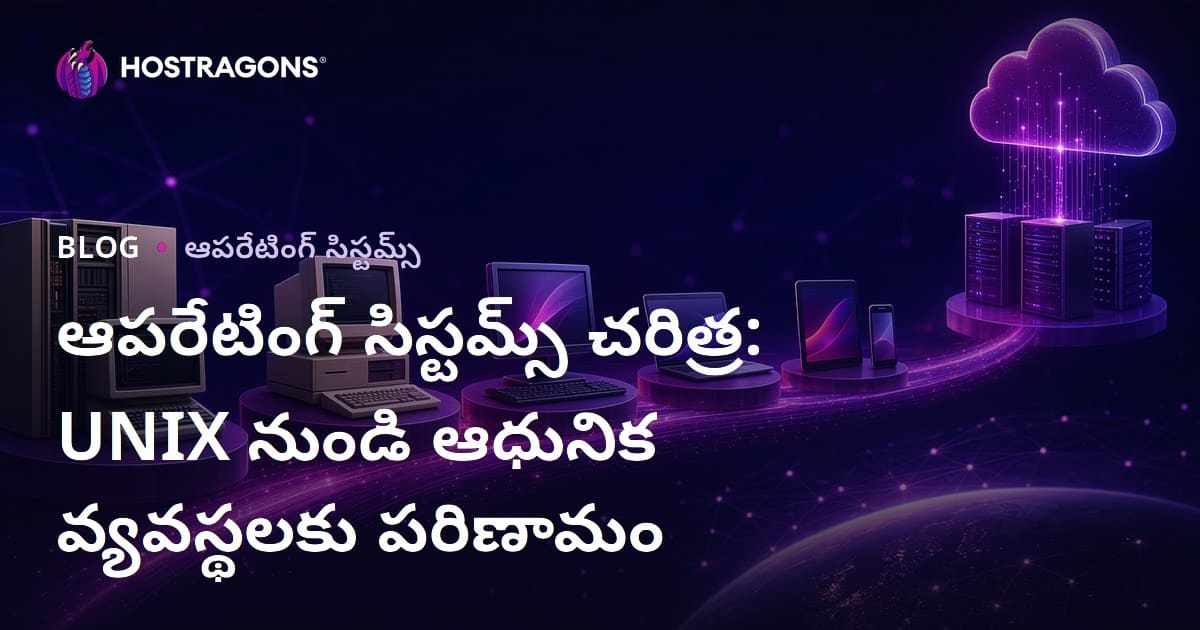
ఇష్టతిమ్ సిస్టమ్లు అనేవి కంప్యూటర్ హార్డ్వేర్ & యూజర్ మధ్య పరస్పరాన్ని సులభతరం చేసే ప్రాథమిక సాఫ్ట్వేర్లు. ఈ బ్లాగ్లో మీరు UNIX నుంచి ఆధునిక OSలకువరకు జరిగిన మార్పులను, మూలాలకు, వివిధ OS రకాల లక్షణాలు, కొత్త మార్పులు, సేవల ఎంపికలో కీలక విషయాలు, ఫీచర్ల పోలికలను తెలుగులో తెలుసుకోవచ్చు. ఈ ఆధునిక OSలు సమాచారం, రోజురోజుకు వచ్చే నవీనతల, డేటా రక్షణలో కీలక పాత్ర పోషిస్తున్నాయి. సమగ్రంగా, సరైన OS ఎంపికకు మీకు అవసరమైన ప్రాథమిక సమాచారం – గణనలలో సహాయపడే టిప్స్లు ఈ బ్లాగ్లో అందించబడింది.
OS అంటే ఏమిటి? ముఖ్యంగా తెలుసుకోవాల్సిన మూలాలు
OSలు అంటే కంప్యూటర్లోను హార్డ్వేర్, యూజర్, అప్లికేషన్ మధ్య సంబంధాన్ని నడిపించేవి. ఇవి కంప్యూటర్ రిసోర్స్లు నిర్వహించి, యాప్లు నడుస్తుండేలా చేస్తాయి, యూజర్కు అనువైన UI ఇస్తాయి. ఒక OS లేకుండా కంప్యూటర్ ఖాళీ లోహపు ముద్దలా – ఎలాంటి పనితీరూ, యూజర్ స్పందన లేదు.
OSలు, కంప్యూటింగ్ ప్రపంచంలో మూలాలు. స్మార్ట్ఫోన్ నుంచి సూపర్ కంప్యూటర్ వరకు అందరికీ ఇవే ఆధారం. హార్డ్వేర్ను యూజర్కు దొరకకుండా, అవే రిసోర్స్లను న్యాయంగా పంపుతూ, అప్లికేషన్లు సురక్షితంగా నడుస్తుండేలా చేస్తాయి. ఫైల్ యాక్సెస్, ప్రోగ్రామ్ రన్, యూజర్ కమాండ్ నంటూ అన్నీ ఇస్తాయి.
OSల ముఖ్య లక్షణాలు
- రిసోర్స్ మేనేజ్మెంట్: CPU, RAM, స్టోరేజ్, I/O డివైస్ల నియంత్రణ.
- ప్రాసెస్ మేనేజ్మెంట్: ప్రోగ్రామ్/ప్రాసెస్ల పై నియంత్రణ.
- మెమరీ మేనేజ్మెంట్: RAMను విధులలో సరితూకంగా వాడటం.
- ఫైల్ సిస్టమ్ మేనేజ్మెంట్: ఫైల్స్, ఫోల్డర్లను సర్దుబాటు, యాక్సెస్ చేయడం.
- యూజర్ ఇంటర్ఫేస్: గిన్యాపా GUI లేదా CLI ద్వారా OS వాడే అవకాశం.
- సెక్యూరిటీ: OS, డేటాను మాల్వేర్/అనవసర యాక్సెస్ల నుంచి రక్షణ.
OSలు, కంప్యూటర్ను సాఫీగా నడిపించేందుకు నిర్వహణ, రక్షణ, ప్రాసెసింగ్, I/O మేనేజ్మెంట్లో కీలక పాత్ర పోషిస్తాయి. రిసోర్స్ మేనేజ్మెంట్, నెమ్మదిగా వాడకం, మెమరీ క్యూ, ప్రాసెస్ల ర్యాంకింగ్, ఫైల్స్ పట్టు, I/O సెటప్తో యూజర్కు వాడుక సులభం చేస్తాయి.
OS రకాలూ: డెస్క్టాప్ OS (Windows, macOS, Linux), సర్వర్ OS (Windows Server, Linux), మొబైల్ OS (Android, iOS), ఎంబెడ్డెడ్ OSలు. వాటి లక్షణాలు గుర్తించుకుని, మీ అవసరాలకు సంబంధించి ఎంపిక చేసుకోవాలి. OS తరచుగా, కంప్యూటర్ టెక్నాలాజీలో వచ్చిన మార్పులు, అభివృద్ధులతో స్టెప్ బై స్టెప్ ఉండాలంటే – UNIX నుంచి ఆధునిక OSల మార్గం, తెర వెనక సాఫ్ట్యేర్ మార్గాన్ని నడిపింది.
UNIX చరిత్ర & వికాసం
UNIX, ఆధునిక OS ప్రపంచానికి మూలధనంగా మారింది. 1960s చివరలో Bell Labsలో ప్రారంభం, UNIX – అప్పటి హానికర & కాంప్లెక్స్ OSకు ప్రత్యామ్నాయంగా వచ్చింది. మొదటి వెర్షన్లు ప్రయోగాత్మకంగా వచ్చాయి, ఆ తరువాత మరింత ఉపయుక్తంగా తయారయ్యాయి. Multics ప్రాజెక్ట్ను స్టడీ చేసి, UNIXను సింగిల్, పోర్టబుల్ తరహాలో రూపొందించారు.
UNIXను తయారీలో "Every thing is a file" అనే ఫిలాసఫి ముఖ్య అమూల్యం. దీనితో, అన్ని సిస్టమ్ రిసోర్స్ల, డివైస్లను యాక్సెస్ చేయడం సీమైన, అప్లికేషన్లు/సిస్టమ్ అడ్మినిస్ట్రేషన్ తేలికగా అయ్యాయి. మాడ్యూలర్ పద్ధతితో ఫీచర్లు తేలికగా వస్తున్నాయి. UNIX, షిక్షణ, వృత్తి మార్గాల్లో పాలకుల OSగా మారింది.
UNIXలో మెయిన్ ఫేసెస్
- ప్రోటోటైప్ ఆవిర్భావం (1969)
- C Language ఫౌండేషన్ & UNIX రి-Write
- BSD (Berkeley Software Distribution) ను తేనికలు
- POSIX Standards తయారీ
- Linux & open-source UNIX వెర్షన్ల వృద్ధి
C లో రాయడం వల్ల, UNIX ని అన్ని hardware/platforms లో ఉపయోగించదగిన జాగ్రత్తగా చేశారు. ఈ portability వల్ల UNIX విశ్వవిద్యాలయాల్లో, సంస్థల్లో విస్తరించింది. Open standards వల్ల కొత్త UNIX flavours మధ్య అనుసంధానం పెరిగింది.
UNIX చరిత్రలో ముఖ్య కొన్ని ఈవెంట్లు:
| ఏమి సంవత్సరంలో | ఈవెంట్ | లాభం |
|---|---|---|
| 1969 | First UNIX Version | OS తృతీయతకు పునాది |
| 1973 | UNIXను Cలో రాయడం | Portability & Mass Usage |
| 1980s | BSD ఆవిర్భావం | Open Source & Network Growth |
| 1990s | Linux పుట్టుక | UNIX ప్రిన్సిపల్స్ విస్తరణ |
UNIX ప్రభావం – Linux, macOS, Android లాంటి OSల డిజైన్, వర్తనలలో చాటిచెప్పింది. Command line interface, process management, file hierarchy వంటి ఫీచర్లు UNIX ఆలోచనలకు ఆధారం. UNIX తెలియజేసేది – OSని ఒక thought schoolగా తీసుకోవాలి.
OSల చరిత్రకు UNIX, చక్కటి మార్గదర్శిని. Simplicity, portability, modularity టెక్నోలాజీలో అడుగు వేసే ప్రతి OSకి reference point.
OS రకాలు & ముఖ్య ఫీచర్లు
OSలు వినియోగదారులకు అనవసరమైన సాఫ్ట్వేర్లు. విభిన్న అవసరాలకు, విభిన్న రకాల OSలు తీర్చాయి – ఇవి Home నుంచి Datacenter వరకు. యూజర్/కార్పొరేట్/ఫోన్/బల్గ్ ప్రణాళికల అవసరాలకు అనువైనవి.
క broadly: Desktop OSలు (Windows, macOS, Linux), Server OSలు (Windows Server, Linux), Mobile OSలు (Android, iOS), Embedded systems OS. Desktop OSలు యూజర్ friendly; Server OSలు performance & reliability oriented; Mobile OSలు touch, energy efficient; Embedded OSలు real-time, low resource oriented.
| OS రకం | ప్రధాన ఫీచర్లు | ఉపయోగం |
|---|---|---|
| Desktop OS | User friendly UI, broad apps support | Personal PC, Office |
| Server OS | High performance, Reliability, Network manage | Web Servers, DB Servers |
| Mobile OS | Touch UI, energy save, App Store | Phones, Tablets |
| Embedded OS | Real-time, minimal resource | Cars, IoT, Automation |
OSవెంట process, memory, file system, IO, security లాంటి core tasks ఉంటాయి. Process – program run, memory – division, files – arrange/manage, IO – peripheral connection; Security – unauthorized access, malware నుండి రక్షణ.
ప్రధాన OSలు
- విండోస్
- macOS
- Linux
- Android
- iOS
- FreeBSD
OS ఎన్నిక లో మీ usage, apps కు అవసరం, performance, security, cost, support లాంటి కారకాలను పరిగణించాలి.
Open Source OSలు
Open Source OSలు అంటే అన్ని code వీక్షన, మార్పు, పంపిణీ అనుమతి. Linux కే ఈ పార్ట్లో ముద్దు – Server నుంచి PC వరకు. Community కారణంగా, customization, security upgrades, new features, ప్రతి devకి అవకాశం.
Commercial OSలు
Commercial OSలు (Windows, macOS) ఉత్తమ UI, app support, updates, technical support, warranty లాంటి సేవలతో వస్తాయి. Company-developed OSలు, paid license తో వాడుతారు – సాధారణ వినియోగానికి అనుగుణంగా user-friendly.
ఆధునిక OSల ప్రధాన భాగాలు
ఆధునిక OSలు complex software structures. అవి hardwareతో appలకు, userలకు interface చూపించేబాగాలు. OS విజయానికి – performance, reliability, UX ముఖ్యంగా నిలుస్తాయి.
OSలో: kernel, system calls, file system, device drivers, user interface – ఇవన్నీ core. Kernel – heart, hardware-software మద్య manage. System call – appకు kernel access. File system – orderly data store, device drivers – hardware coordination, UI– user interaction.
Core Parts
- కెర్నెల్
- System Calls
- File System
- Device Drivers
- User Interface
- Memory Management
ఆధునిక OSల్లో memory management టెక్నిక్స్ ముఖ్యంగా నిలుస్తాయి. Virtual memory, paging, memory allocation– multitaskingను సులభతరం చేస్తాయి.
| Part | Meaning | Function |
|---|---|---|
| కెర్నెల్ | OS heart; mediator | Process, memory, devices manage |
| System Calls | App-OS interface | Files, network, process create |
| File System | Orderly data organization | Create, delete, read, write files |
| Device Drivers | Hardware connect | Identify/controller hardware |
Security వంటి features OSలో అత్యంత ప్రాధాన్యం. Firewall, virus scanner, user authorization, encryption – user/system data safe guard చేస్తాయి. వేగంగా మారుతున్న ఈ fieldలో, సరైన OS structure, features తెలుసుకోవడం, devలు, usersకు must have skill.
OS ఎంపికలో ముఖ్యమైన విషయాలు
ఒక OS ఎంపిక, మీ ల్యాప్టాప్/PC/server సాఫీగా, రక్షణగా, user-friendly గా ఉండేందుకు కీలకం. అలాగే మీకు ఇప్పుడు అవసరం, future needs కు కూడా fit అయ్యే OSను ఎంపిక చేయడం అవసరం. ఎవరి requirements ఇవే లేదు!
| Factor | Explanation | Priority |
|---|---|---|
| Compatibility | Hardware/apps కు fit–must | High |
| Security | Patches, strong features కావాలి | High |
| Performance | Required speed, optimum resource use | మధ్యస్థం |
| Cost | License, maintenance, upgrades, hardware needs | మధ్యస్థం |
OS pickలో, hardware/app compatibility foremost. మీ apps Windows only అయితే, Linux/macOS ముందుండదు. Old hardware ఉంటే, lightweight OSలు (Linux variants) మంచిది.
OS ఎంపిక Steps
- మీ usage, priority గుర్తించండి (gaming, security, productivity)
- hardware compatibility check చేయండి
- app compatibility review చేయండి
- security features study చేయాలి (firewall, antivirus, user security)
- price, maintenance, hardware upgrade needs compare చేయండి
- user reviews study చేయండి
Security, digital life లో top priority. OS ఎంపికలో regular patches, firewall, password policy, encryption వుంటే అంతే మంచిది.
Cost కూడా ముఖ్యమే. License, hardware, maintenance–open-source OSలు (Linux variants) freeగా లభిస్తుంటాయి; customization కుదురుతుంది. కానీ technical skill అవసరం. Paid OSలు service/support integrityతో వస్తాయి.
OS మధ్య తేడాల విశ్లేషణ
OSలు విభిన్న అవసరాలకు సర్వ్ చేస్తాయి. Design philosophy, architecture, featuresలో భిన్నత ఉన్నాయి. మీకు fit కావాలంటే, OS మధ్య తేడాలు తెలుసుకోవాలి. ఉ.దా: Windows–user-friendly, Linux–customizable, macOS–design/build quality రెండింటితో top-level integration. మరింతగా security, app-compatibility, user interface ఇలా అన్ని measure చేయాలి.
| OS | Architecture | Usage | License |
|---|---|---|---|
| విండోస్ | Hybrid kernel | Desktop, server, games | Commercial |
| macOS | XNU (Darwin) | Desktop, Creative | Commercial |
| Linux | Monolithic kernel | Server, embedded, Desktop | Open Source |
| Android | Linux kernel | Mobile, embedded | Open Source |
OS తేడాలు–architecture, app store, user interface, security, hardware support, feature set–అన్ని వేరే గా ఉంటాయి.
OS పోలిక
OSలలో performance, security, UX, cost విషయం బేస్ చేసుకుని ఒక system special మాట్లాడుతుంది. Linux–open source, security patches, customization; Windows–app ecosystem, UX; macOS–integrated hardware, creative support. మీ use case, budget, skill ప్రకారం చూడండి.
Summary Differences
- Kernel: Monolithic, Hybrid, Micro
- License: Open source vs Commercial
- Usage: Desktop, server, mobile, embedded
- Security: Patch frequency, vulnerabilities
- App compatibility: App support ecosystem
- User interface: GUI/CLI, ease of use
OS ఎంపికలో long-term, future needs కూడా చూడాలి. Regular updates, compatibility, support ఉంటే best. App/library support, hardware support గురించి పక్కగా చూసి, OSను pick చేయండి.
కొత్త OSలు & సరికొత్త ఫీచర్లు
Technology విపరీతంగా పెరుగుతుంది; అలాగే OSలూ తేలిక, security, UX పెంపోకి నడుస్తున్నాయి. కొత్త OSలు (Chrome OS Flex, Ubuntu Core, Windows 11 SE, Fedora Silverblue)–cloud integration, AI based optimization, security protocols, cross platform supportతో వినూత్న మార్గాలు అందిస్తున్నాయి. Mobile, IoT, Embedded devicesకు కొత్త కొత్త OSలు–చిన్న footprint, real-time లో విద్యుత్ save చేస్తాయి.
| OS | ఫీచర్లు | Target user |
|---|---|---|
| Chrome OS Flex | Cloud, fast boot, security | Old PC, Education |
| Ubuntu Core | Minimal, secure, IoT ready | IoT, Embedded devs |
| Windows 11 SE | Simplified UI, Education | Students, Schools |
| Fedora Silverblue | Atomic update, containers, dev friendly | Developers, Linux Community |
Server sideలో–container & orchestration tech (Docker/Kubernetes) కనపడేదొరికిన, embedded లో–real-time, low power, automation sys OSలు. Devs కు flexibility; users కు safety/optimization.
Key Features
- Advanced security protocols
- AI based personalization
- Cloud integration
- Cross-platform & app compatibility
- Energy saving, battery optm
- Container tech for isolation
ఆధునిక open-source OSల constant updates, closed-source కంప్లీట్ ఫీచర్లతో. మీ necessidade, skill levels కు fit అయ్యే OS pick రూపొందించండి.
OS అప్డేట్ల ప్రాముఖ్యత
OS updates securityలో, performanceలో అత్యవసరం. Updates వచ్చి, కొత్త featuresతో పాటు, vulnerabilities, bugs fix చేసే benefit. Regular updates లేకపోతే – system hack/virus risk అధికం, data loss, identity theftకు దారితీస్తుంది.
Updatesలో పెద్ద లాభం – security risks outdated చేస్తాయి. Developers, hacker attemptsను కలుషితంగా monitor చేసి, patches విడుదల చేస్తారు. Updates install చేయడం systemను safe చేసి, working improve చేస్తుంది.
Update Steps
- Notifications check: Updates availableనా check చేయండి
- Download updates: Only trusted sources నుండి install చేయాలి
- Backup: Update ముందు data backup చేయాలి
- Install: Updates run చేయాలి
- Restart: Updates effective కావడానికి restart must
- Post-update check: System proper work/activityను verify చేయండి
Updates, security/performance రేపే features పెట్టినా – కొత్త UI, app compatibility, better file management వంటి కొత్త ఫీచర్లను ఇస్తాయి. అవసరానికి new hardware/software support కూడా updatesతో వస్తుంది.
| Update Type | Objective | Benefits |
|---|---|---|
| Security | Vulnerability patch | Data safe, malware prevent |
| Performance | Speed optimize | Fast boot, smooth app run |
| Driver | Hardware match | Device issues fix, better performance |
| Feature | New usability | Better UX/productivity |
OS updates–system, data safetyకు, usage smoothnessకు must. Auto-update option ON చేయండి. Updates కొంతకాలం skip చేస్తే risk పెరగవచ్చు.
OS వాడకంలో లాభ–నష్టాలు
OSలు వాడితే user-friendly, hardware manage, multitasking, security, app support వంటి లాభాలు. ఎప్పటికప్పుడు OSలు మారుతున్నాయి; మీ skill, budget, need ప్రకారం పదే OSల selection మారుతుంది. ఈ భాగంలో, OS వాడకపు pros/cons తెలుసుకుంటాం.
User-friendly GUI తో, beginners కూడా నడపడం easy. Hardware driver auto-setup, integration seamlessగా – userకొకు headache లేదు!
Pros & Cons
- Advantages: User-friendly, hardware manage, multitask, secure, app support
- Disadvantages: High hardware requirements, vulnerabilities
Drawbacks: High specs అవసరం; old hardware ద్వారా slow/fails పేర్చే అవకాశాలు. Security risks & virus/malware–regular updates, security suite must.
| Feature | Advantage | Disadvantage |
|---|---|---|
| Easy use | Beginners friendly UI | Advanced users restriction |
| Security | Protective measures | Frequent updates needed |
| Performance | Fast response | High resources needed |
| Compatibility | Wide app/hardware support | Old hardware trouble |
OS పేరు ముఖ్యమైన minus–security loopholes. Attackers ముఖ్యంగా outdated OSలు hack చేసేందుకు చూస్తారు. Updates, antivirus software compulsory. మీ అవసరానికి ఉతపడ OSను pick చేయండి.
OSలపై సారాంశం & సలహాలు
ఈ బ్లాగ్లో OS evolutionని తెలుసుకున్నాం: UNIX నుండి ఆధునిక మార్గం వరకు. OS structure, రకాలు, selection steps, features, తదేక మార్పులను review చేశాం. Updates, security, pros/cons అందరినీ deep analyse చేశాం.
| Factor | Advantage | Disadvantage |
|---|---|---|
| Performance | Fast, efficient | Excessive resource need |
| Security | Threat protection | Vulnerability |
| Usability | Friendly UI | Learning curve |
| Compatibility | Wide support | Hardware issues |
OS selection–individual need, hardware, budget, target use, future upgrades మీరు చూసుకుని తగిన OSను ఎంచుకోండి. Updates skip చేయొద్దు – security, performance మాత్రమే కాదు; usage కీది risk free ఉంది.
Action Items
- Usage–game, office, dev–identify
- Hardware requirements check
- OS trial version/sandbox test
- Compare features (Windows/macOS/Linux)
- Regular updates, security maintenance
OS–మీ computing life పై direct influence ఉంది. ఈ బ్లాగ్ లో deep info ఇచ్చాం. Right OS సెలక్షన్ productivity, security పెంపు, better UXకి ఆధారం. In future, OSలో AI, automation ఇంకా integrate అవుతాయి.
అడిక్షన్ ప్రశ్నలు
OSలు అంటే ఎందుకు ముఖ్యమైనవి?
OSలు hardware management, app run, interface–computer useless parts నుండి full-fledged workstation మారుస్తుంది.
UNIX ప్రాముఖ్యత ఏమిటి?
Portability, multi-user, multitask, hierarchical file system, CLI–modern OS foundation. Open-source growthలో కీలకం.
OS రకాలు & ఉపయోగాలు
Desktop OS (Windows, macOS, Linux), Server OS (Linux, Windows Server), Mobile OS (Android/iOS), Embedded OS–విభిన్న hardware/usecase కోసం.
Modern OS parts ఎవేమి?
Kernel, memory manage, file system, device drivers, UI, security–must-have parts.
OS pick చేయడంలో ఏమి చూసుకోవాలి?
Hardware support, security, usability, app ecosystem, price, support–OS ఎంపికలో chief factors.
OS మధ్య differences userకి ఎలా ప్రభావితం చేస్తాయి?
Architecture, UI, apps, security, performance–ముఖ్యతలు user experienceలో స్వభావం మార్చతాయి.
Updates ఎందుకు ముఖ్యం?
Security patch, performance improve, new feature add, hardware compatibility enhance–OS updates must.
OS వాడటం pros/cons?
macOS–friendly UI, Linux–customization, Windows–app rich; each OS drawbacks–security, price, compatibility–ఇవే చూడండి.