 Afrikaans
 Azərbaycan
 Bosanski
 Čeština
 Dansk
Dansk Deutsch
 English
 Español
 Filipino
 Français
 Hrvatski
 Indonesia
 Italiano
 Magyar
 Melayu
 Nederlands
 Norsk
Norsk Oʻzbek
 Polski
 Português
 Română
 Slovenčina
 Slovenščina
 Suomi
Suomi Svenska
 Tiếng Việt
 Türkçe
 Ελληνικά
 Беларуская
 Български
 Русский
 Српски
 Українська
 עברית
עברית اردو
اردو العربية
 پښتو
پښتو فارسی
فارسی አማርኛ
አማርኛ मराठी
मराठी বাংলা
বাংলা தமிழ்
தமிழ் ไทย
ไทย မြန်မာ
 한국어
한국어 中文
中文 日本語
日本語

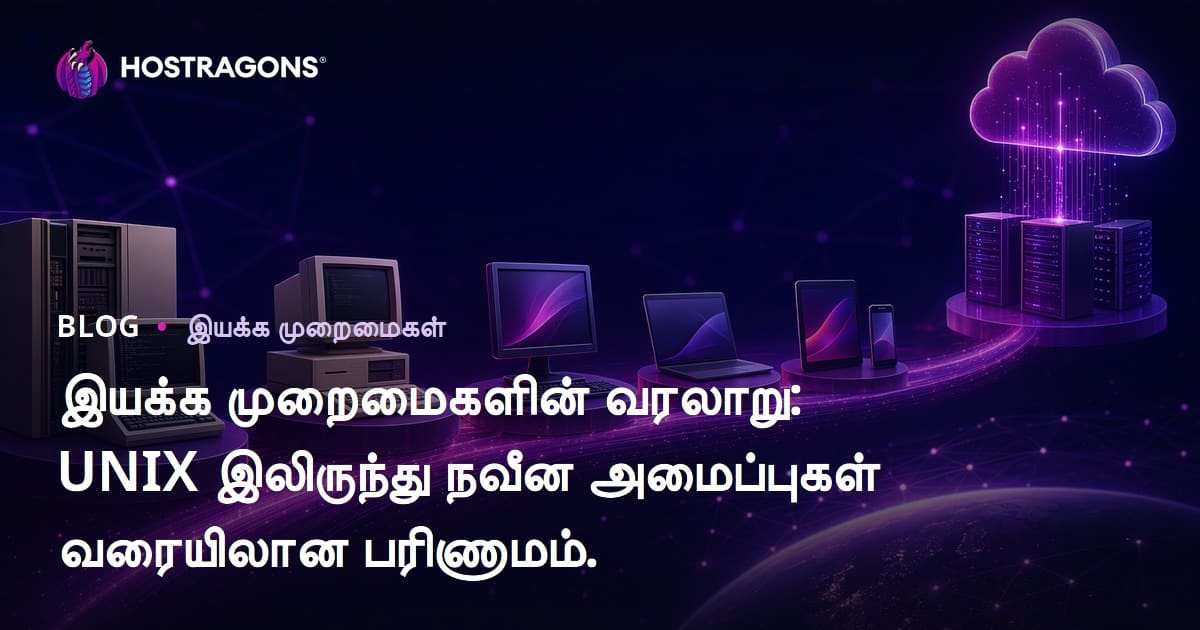
கணினி செயலமைப்புகள் என்பது, கணினி தொகுதிகள் மற்றும் பயனாளர் இடையே தொடர்பை ஏற்படுத்தும் அடிப்படையான மென்பொருள். இந்த வலைப்பதிவில், UNIX-இல் இருந்து இன்று இபோது வளர்ச்சி அடைந்த செயலமைப்புகளின் பயணத்தை விரிவாக முற்படுத்துவோம். UNIX வரலாற்றில் நிகழ்ந்த முக்கிய மாற்றங்கள், செயலமைப்புகளின் பங்குகள், மற்றும் இவை எப்படி நவீன தொழில்நுட்பத்துக்கு அடித்தளமாக அமைந்துள்ளன என்பவை அலசப்படுகின்றன. சரியான செயலமைப்பை தேர்ந்தெடுக்கும் போது கவனிக்க வேண்டிய பகுதிகள், உலகளவில் தேவைகள், மற்றும் புதிதாக வரும் செயலமைப்புகளின் புதுமைகள், பாதுகாப்புக்கு இன்றியமையாத அப்டேட்டுகளின் முக்கியத்துவம், பலகட்ட சோதனைகள் ஆகியன ஆராயப்படுகின்றன. முடிவில், உங்கள் நிறுவனம் அல்லது தனிப்பட்ட தேவைக்கேற்ற செயலமைப்புகளை தேர்வு செய்வதில் நன்மைகள் வழங்கப்படுகின்றன.
செயலமைப்புகள் என்றால் என்ன? அடிப்படை ஒளிபடங்கள் மற்றும் கருத்துக்கள்
செயலமைப்புகள் என்பது கணினி வளங்களை நிர்வகித்து, நிரல்களையும் (applications) பயனாளர்களையும் இணைக்கும் முக்கிய மென்பொருள். செயலமைப்பின் இல்லாமல், கணினியின் பிற மூலங்கள் முடிவடைவதில்லை - அது ஒரு 'உபயோக முடியாத' இரும்புத் தண்டா எனவே ஆகும்.
செயலமைப்புகள், நமக்கு ஆயிரம் பயன்பாடுகளும், குறுகிய செலவில் பல்வேறு சாதனங்களில் – ஸ்மார்ட்போன் முதல் ஹைபெர்கம்ப்யூட்டர் வரை – திறக்கின்றன. இதற்கான வேலை: வளங்களை (CPU, RAM, Disk…) ஒழுங்காக பகிர்ந்தளிக்கிறது, பயன்பாடுகளுக்கு பாதுகாப்பாக தருகிறது, மற்றும் பயனாளருக்கு Graphical UI அல்லது command line வாயிலாக நேரடியாக அணுகும் வாய்ப்பு வழங்குகிறது.
செயலமைப்புகளின் அடிப்படை பணிகள்:
- வள மேலாண்மை: CPU, RAM, சேமிப்பு, I/O போன்ற தொகுதிகளை இயக்கும் நிர்வாகம்.
- ப்ரோகிராம் ஆய்வு: செயல்கள் (processes) இயக்கம், கையாளுதல்.
- RAM மேலாண்மை: செயல்கள் இடையே பரஸ்பரம் RAM பகிர்வு.
- கோப்பு அமைப்பு: கோப்புகள் மற்றும் director-களை இணைக்கும், நிர்வாகம்.
- பயணாளர் இடைமுகம்: பயனாளர் UI (Graphical UI/CLI) வழங்கல்.
- பாதுகாப்பு: அனுமதி மற்றும் பாதுகாப்பு கட்டுப்பாடுகள்.
செயலமைப்புகள் பல வெளிப்படையான பணிகளை உள்நோக்கி நடவடிக்கைக்காக மேற்கொள்கிறது: RAM அமைப்புகள், process management, disk access, device control, security. இது 'safety net' போல, பயனாளர் மற்றும் மென்பொருள் முழுமையாக இணைக்கும் தூண் ஆகும்.
செயலமைப்புகளின் தமிழ் வகைகள்: Desktop OS (Windows, Linux, macOS), Server OS (Windows Server, Linux), Mobile OS (Android, iOS), Embedded OS (வட்டார சாதனங்கள்) என்பவை நாடு, தொழில்நுட்ப, அல்லது பயனுக்கு ஏற்ப உருவாக்கப்படுகின்றன. UNIX-இல் இருந்து upto today – இது வளர்ச்சி தரும் பாது!
UNIX வரலாற்று பயணம்
UNIX ஆம், நவீன செயலமைப்புகளின் ரீதியாக கருதப்படுகிறது மற்றும் நுட்ப வளர்ச்சியில் ஒரு புரட்சியாகும். 1960களின் கேள்விகளுக்குப் பதில் Bell Labs(Bell Laboratuvarları) உருவாக்கியது – Multics திட்டத்தைத் தொடர்ந்து எடுத்த (பலர் தேவையும், எளிதான நோக்கமும் இருக்கும் சேமிப்பு). UNIX ஆரம்ப காலம் ஆனது பரிசோதனை பைலோட்டாக உருவானது. அதன் modular இயற்கை, portability — "ஒவ்வொன்றும் ஒரு கோப்பாக உள்ளது" என்றது பணியாளர்களுக்கு, மேம்பாட்டாளர்களுக்கு நூற்றாண்டு வசதிக்கு வழி வகுத்தது.
UNIX்வில் முடிகள் -- ஒரே கோப்பு நோக்கு, modularity, files/ devices integration, portability, மற்றும் ஐக்கியதாக 'முக்கிய பொது விளைந்த்வாதம்' அளித்தது. இது, தொழில்நுட்ப உலகம் முழுவதும், ஆய்வாளர்கள், software ind., நிறுவனங்கள் – அனைவருக்கும் பிரபலமானது.
UNIX வளர்ச்சி பிரிவுகள்
- பயனுள்ள பிரதிகை உருவாக்கம் (1969)
- C programming language (C) உருவாக்கம்; UNIX ஐ அதில் மீண்டும் எழுதுதல்
- Berkeley Software Distribution (BSD) எதிரொலி
- POSIX standards வரையறை
- Linux போன்ற open-source UNIX derivatives - கிராமம் சென்று செயலிகள் அமையுதல்
UNIX portability, கோப்பிடை integration, C written-ness – multinational adoption, systems-களில் பயனோடு இருப்பது, தொடர்ந்த வளர்ச்சி. Open standards adherence – interoperability அதிகரிப்பு!!
UNIX முக்கிய நிகழ்வுகள்
| வருடம் | நிகழ்வுகள் | பின்னணி |
|---|---|---|
| 1969 | முதல் UNIX ரிலீஸ் | நவீன OS-களின் கடைசிப்பக்கம் |
| 1973 | UNIX C மூலம் எழுதப்பட்டது | Portability, பெருமணப்பு |
| 1980கள் | BSD உருவாக்கம் | Open Source, Networking வசதிகள் |
| 1990கள் | Linux வெளியீடு | UNIX philosophy பொதுமை |
UNIX varalaru, செயலமைப்புகள் உருவாக்கத்தில் milestone - Linux, macOS, Android எல்லா ரீதிகளும் UNIX principles-ஐ பின்பற்றுகின்றன; file hierarchy, process management, command line, security features... UNIX ஆனது OS merely என்றல்ல, "மெய்ஞானம்" போல, 'நிறுவனக் கலாச்சாரம்'!
UNIX வரலாற்று புகழ் - இது அனுபவிக்கையில் simplicity, portability மற்றும் modularity மிக, today's OS design-க்கு inspiration; இன்னும் innum 'reference point' ஆகும்!
செயலமைப்புகளின் வகைகள் மற்றும் பல்கூறு
நவீன செயலமைப்புகள் hardware, software resources-ஐ மேலாண்மை செய்து, பயனாளர்கள் applications-ஐ கவனிக்க உதவுகின்றன. Desktop, Server, Mobile, Embedded - usage, business, devices - எல்லோரும் 'சொந்த மாதிரி' OS நோக்கங்கள். ஒவ்வொரு வகை unique மேலும், நிலையான feature/ disadvantages-ஐ கொண்டு.
Desktop OS (Personal use): Windows, macOS, Linux; Server OS (Web hosting, Data centers): Windows Server, Linux; Mobile OS (Phones, Tablets): Android, iOS; Embedded OS (hardware devices): Real-time OS for cars, IoT, automation.
| செயலமைப்பு வகை | முக்கிய அம்சங்கள் | பயன்பாட்டு இடங்கள் |
|---|---|---|
| Desktop OS | User-friendly UI, app support | PC, Office, Personal |
| Server OS | High-performance, reliability, Networking | Hosting, Database, Cloud |
| Mobile OS | Touch Interface, Battery save, App Store | Smartphone, Tablet |
| Embedded OS | Real-time, Low power | Cars, IoT, Appliances |
OS job: process management, RAM management, file system, device communication, security – IE, each OS suited for tasks. Process management: Start/Stop/Resource allocation; RAM Mgmt: effective sharing; File mgmt: access, directory; Device communication: I/O (keyboard, mouse, printer); Security: malware protection, firewall.
நாம் பயன்படுத்தும் OS வகைகள்
- விண்டோஸ்
- macOS
- லினக்ஸ்
- Android
- iOS
- FreeBSD
செயலமைப்பு தேர்வு நீங்கும், user needs and skills-ஐ பொறுத்து! E.g., gaming/ video editingக்கு high-performance; Serverக்கு reliability/security/ scalability; Mobileக்கு battery/performance; embedded devicesக்கு power save.
அனைத்து மக்களுக்கும் தரப்பட்ட செயலமைப்புகள்
அனைத்து மக்களுக்கும் திறந்த செயலமைப்புகள் (Open-source OS) code-ஐ திறந்து, anyone can modify, distribute. Linux - most famous; Server, Desktop, Embedded - full spectrum. Open-source: customize, adapt, security transparency. Communities maintenance, rapid dev.
வர்த்தக செயலமைப்புகள்
வர்த்தக செயலமைப்புகள் (Commercial OS): Windows, macOS, proprietary, license-ஓடு. End-user UI, wide app support, official updates; support/warranty; generally easy for non-techies, fast adoption.
நவீன செயலமைப்புகளின் வியாபார அமைப்புகள்
நவீன செயலமைப்புகள் hardware management, user/app integration – kernel, APIs, device drivers, file system, UI. Success formula: performance, reliability, usability.
OS core: kernel (heart), system calls (interface), file system (data storage), device drivers (hardware comm), user UI (GUI/CLI), RAM management. Kernel பிற software, hardware bridging. System call - app privilege access kernel. File system – organizes files/data. Drivers – communicate with devices. UI – GUI+CLI for access.
முக்கிய பகுதி
- Kernel (chekirk)
- System calls
- File system
- Device drivers
- User Interface
- RAM management
RAM management: efficient allocation, virtual memory for large app/multi-tasking. Virtual RAM: Disk-space used for overflow, increases usable space, task parallelization.
| பகுதி | விளக்கம் | பிரதான பணி |
|---|---|---|
| Kernel | OS heart, hardware-software mediator | Process, RAM, Device Mgmt |
| System call | App access to OS core services | File, network, process control |
| File system | Organizes, saves, retrieves files | Read/write, create/delete files |
| Device drivers | Hardware communication modules | Detect/control devices |
Security: firewalls, antivirus, authentication, encryption – protection from malware, hacking; OS updated for latest threats, regular patches; reliable environment for data, apps.
செயலமைப்பை தேர்வு செய்யும்போது கவனிக்க வேண்டியவை
OS தேர்வு உங்கள் கணினி/சேவை execution, safety, usability-ஐ நேரடியாக தீர்மானிக்கும். 'விதிமுறை'வடிவில், பிடியான தேவைகளைப் பெற, long-term adapt, flexibility-ஐ காண, பல வகை காரணிகள் எடுத்துக்கொள்ள வேண்டும்.
| அச்சு | விளக்கம் | முக்கியத்துவம் |
|---|---|---|
| Compatibility | Hardware/software support | High |
| Security | Patch-updates, robust controls | High |
| செயல்திறன் | Efficient resources usage | நடுத்தரம் |
| Cost | License, maintenance, upgrades | நடுத்தரம் |
Hardware needs, software compatibility foremost – E.g., Must use Windows for specific software, must use lightweight OS for old hardware. Right fit = smooth operation, minimal downtime.
தேர்வு செயல்முறை
- Needs/priority assessment: gaming/security/usability?
- Hardware compatibility check
- Software support screening
- Security evaluation: firewall, malware defense
- Expense analysis: license, maintain, upgrade
- User reviews analysis
Security is must – update patches, firewall, user account control, password encryption. Choose OS with reliable update cycle.
Cost: Commercial OS pricey, open-source OS free mostly (Linux); but setup/troubleshooting demands knowledge. Choose within budget/skill.
செயலமைப்புகளிடையே உள்ள வேறுபாடுகள்
செயலமைப்புகளின் தனித் தன்மைகள் – security, usability, compatibility, design philosophy – user/business needs பொருந்தும் வகையில். சில OS security-ல் அனுபவம், சில OS-ஓடு user-friendliness, device support, app ecosystem. Right fit = productivity boost.
முழுமையான comparison – architecture, licensing, target devices, platform adaptation, performance, UI, apps – எல்லாம் பயனாளருக்கான நன்மை/பாதை.
| OS | Architecture | Usage | License |
|---|---|---|---|
| விண்டோஸ் | Hybrid kernel | Desktop, Server, Gaming | Commercial |
| macOS | XNU (Darwin base) | Desktop, Creative users | Commercial |
| லினக்ஸ் | Monolithic kernel | Server, Embedded, Desktop | Open source |
| Android | Linux kernel | Mobile/Embedded devices | Open source |
File system, security modules, UI design, app compatibility – difference points. E.g., Linux most preferred server OS, Windows favorite for PC, macOS creative/Pro users. Each suits its crowd.
தொலைநேசப் பகுப்பாய்வு
Compare OS: Performance, security, user-friendliness, cost. Linux – customize, secure, update-friendly; Windows – broad app support, easy UI; macOS – Apple ecosystem, high performance. Choose by task!
வேறுபாடுகளின் லிஸ்ட்
- Kernel design: Monolithic/hybrid/microkernel
- License: Commercial/open-source
- Usage: Desktop/server/mobile/embedded
- Security: Patch, vulnerability management
- App Support: ecosystem breadth
- UI: ease-of-use/design
Future needs considered: Stay updated; security patches; hardware/app compatibility check; long-term productivity.
புதிய செயலமைப்புகள் மற்றும் புதுமைகள்
Tech constantly upgrades – செயலமைப்புகள் too! Recent OS: security, performance, user experience. Cloud integration, AI, advanced security – top features. For mobiles, IoT: energy-efficient, compact footprint key.
| OS | Core Features | இலக்கு |
|---|---|---|
| Chrome OS Flex | Cloud-centric, fast boot, secure | Old PC/Mac, Schools |
| Ubuntu Core | Minimal, secure, IoT | IoT, Embedded devs |
| Windows 11 SE | Simplified UI, student apps | Students, education |
| Fedora Silverblue | Atomic updates, container-based | Dev, Linux enthusiasts |
New OS: Mobile, desktop, server, embedded – innovation everywhere. Containerization, orchestration (Docker, Kubernetes); real-time, low-power – industrial, automotive, health care.
புதிய அம்சங்கள்
- Threat detection, security enforcement
- AI-powered personalization
- Cloud integration
- Cross-platform compatibility
- Battery/save optimizations
- Container-based isolation
Novel OS serve user needs & dev flexibility. Open-source: community updates; closed-source: formal support, security. Choose per need.
Latest OS continuous improvements – security, UI, next-gen features - future ready systems.
செயலமைப்பு அப்டேட்டுகளின் அவசியம்
செயலமைப்புகள் — hardware-யும் user-யும் இணைக்கும் நிரல்; அவற்றை update செய்வது – security, performance, stabilityக்கு must. Updates = features, bug fixes, security patches – always safe.
Security biggest benefit – new threats emerge, OS providers patch/fix vulnerabilities ASAP. No updates = risk: virus, hacker, malware – data loss, identity theft possibility!
Update procedure
- Notifications check: Enable auto-update, get alerts
- Download: Fetch only from official sources
- Backup: Safeguard important data pre-update
- Install: Apply downloaded upgrades
- Restart: Activate changes
- Post-check: Verify, tweak system after update
OS updates: patch security holes, accelerate performance, add new features. E.g., Improved UI, app compatibility, new file mgmt – efficient computing assured.
| Update Type | Purpose | Benefit |
|---|---|---|
| Security update | Patch vulnerabilities | Data protection, malware defense |
| Performance update | Speed up system | Faster boot, fluid app runtime |
| Driver update | Hardware support | Fix issues, optimize peripherals |
| Feature update | New functionalities | User experience boost, more productivity |
OS updates – Secure, stable workflow. Enable auto-updates, check regularly. Staying outdated = risk, poor efficiency. Updated OS = more secure, optimized computing.
செயலமைப்புகளை பயன்படுத்தும் லாபம் மற்றும் சவால்கள்
செயலமைப்புகள் — நவீன computing backbone; OS choice – user requirements, technical know-how, budget – இது சொந்த 'plus-minus'.
OS usage = easy interface (GUI/CLI) – simple file mgmt, app launch, settings. Auto driver setup = hassle-free hardware integration; easy for all levels.
உயர்ச்சி/இழப்பு
- உயர்ச்சி (Advantages):
- Easy UI
- Hardware compatibility
- Multitasking
- Security
- Wide app support
- இழப்பு (Drawbacks):
- High system requirements
- Security gaps
Drawbacks: Old/weak computers struggle with resource-hungry OS. Constant updates increase RAM/disk usage. Malware risk – anti-virus and frequent updates vital.
| Feature | Advantage | Drawback |
|---|---|---|
| User-friendly | Easy for beginners | Power users: limited access |
| Security | Robust defense | Regular patches needed |
| செயல்திறன் | Fast, efficient | Often heavy, slow on old hardware |
| Compatibility | Broad support | Outdated hardware issues |
Security vulnerabilities = threats! Timely update, reliable anti-virus must. Choose OS fitting your needs, capability.
செயலமைப்புகள்: முடிவு மற்றும் பரிந்துரைகள்
இந்த கட்டுரையில் செயலமைப்புகள் – UNIX origin-இல் இருந்து today's complexity – history, types, components, selection, comparison, updates, benefits – through-and-through analyse. Pros/cons, innovation – for conscious decision-making!
| Criteria | Advantage | Drawback |
|---|---|---|
| செயல்திறன் | Fast, efficient | Resource hungry |
| Security | Advanced protection | Vulnerability |
| Usability | User-friendly | Learning curve |
| Compatibility | Wide support | Interoperability issues |
OS choosing = unique demands. Gaming needs speed, office needs reliability. Check hardware, compare options, try trial/Sandbox, update regularly. This maximizes productivity, safety, ease-of-use.
பயன்பாட்டு பாடிகள்
- Needs assessment (gaming, office, development)
- Hardware/OS requirements match
- OS comparison (Windows, Linux, macOS)
- Trial/sandbox test
- Frequent updates for security
OS – It's the backbone of modern tech. Right choice = productivity, safety, personal satisfaction. As AI evolves, OS becomes smarter, personalized computing grows.
அடிக்கடி கேள்விகள்
செயலமைப்புகள் ஏன் கணினிக்கு அவசியம்?
செயலமைப்புகள் resource allocation, app run, user–hardware bridging – மற்றும் மிக முக்கிய பகுதியாக செயல்படுகிறது. இல்லையேல் – 'இணைப்பு இல்லாத' hardware piles!
UNIX கண்டுபிடிப்பு தொழில்நுட்பத்தில் என்ன செய்துள்ளது?
UNIX portability, multi-user, multitasking, hierarchical filesystem, command line – by design – modern OS foundation, open-source thinking-க்கு வழி.
செயலமைப்பு வகைகள் என்ன? எந்த நெறி?
Desktop OS (Windows, Linux, macOS), Server OS (Linux, Windows Server), Mobile OS (Android, iOS), Embedded OS – each tailored usage/scenario.
நவீன OSக்கு முக்கிய பகுதிகள் என்ன?
Kernel, RAM management, file system, device drivers, UI, security – all must-haves.
OS தேர்வு செய்யும்போது எதுக்காக எடுத்து கொள்வது?
Hardware compatibility, security, use-case, app support, cost, support – these dictate choice.
OS வேறுபாடுகள் – user experience எப்படி?
Kernel, UI, app eco-system, security, performance – these shape experience, meet needs.
OS update ஏன் தவறாமல் செய்ய வேண்டும்?
Patch vulnerabilities, boost speed, add features, improve hardware support – all critical. Neglect = risk!
OS பயன்பாட்டின் உச்சம்/குறை?
Each OS – unique plus (macOS UI, Linux custom) and minus (Windows vulnerabilities, macOS price). Pick per need.