 Afrikaans
 Azərbaycan
 Bosanski
 Čeština
 Dansk
Dansk Deutsch
 English
 Español
 Filipino
 Français
 Hrvatski
 Indonesia
 Italiano
 Magyar
 Melayu
 Nederlands
 Norsk
Norsk Oʻzbek
 Polski
 Português
 Română
 Slovenčina
 Slovenščina
 Suomi
Suomi Svenska
 Tiếng Việt
 Türkçe
 Ελληνικά
 Беларуская
 Български
 Русский
 Српски
 Українська
 עברית
עברית اردو
اردو العربية
 پښتو
پښتو فارسی
فارسی አማርኛ
አማርኛ मराठी
मराठी বাংলা
বাংলা தமிழ்
தமிழ் ไทย
ไทย မြန်မာ
 한국어
한국어 中文
中文 日本語
日本語

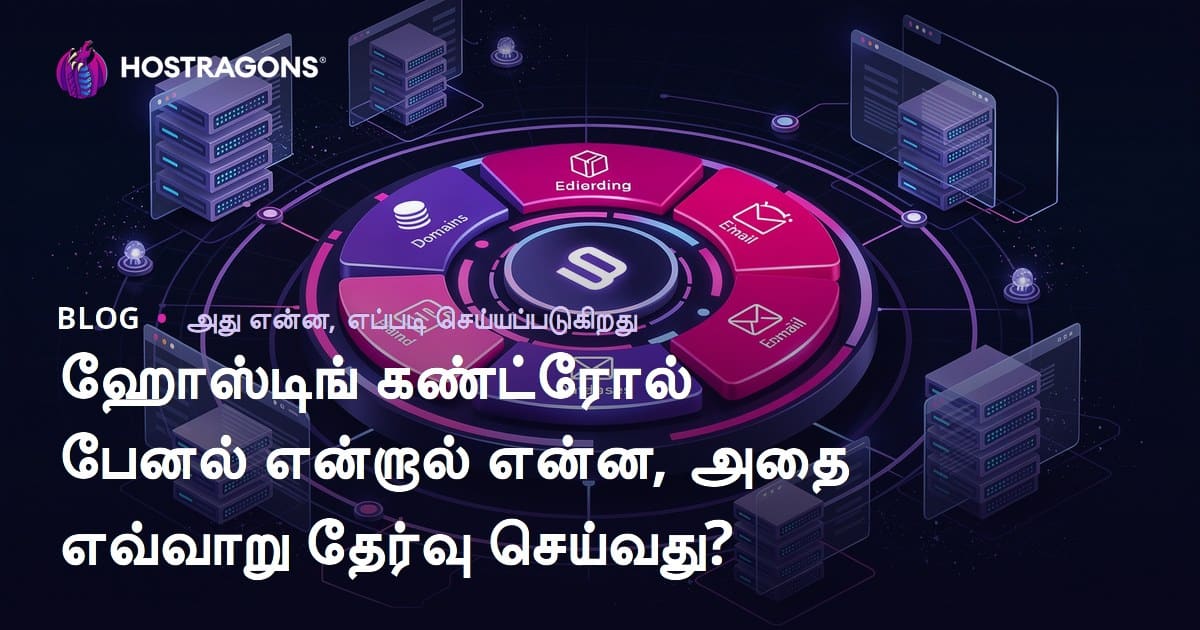
ஹோஸ்டிங் கட்டுப்பாட்டு பேனல், உங்கள் இணையதளத்தை நிர்வகிக்க முக்கியமான கருவியாக அமைந்துள்ளது. இந்த பதிவில் “ஹோஸ்டிங் கட்டுப்பாட்டு பேனல் என்றால் என்ன?” என்கிற கேள்விக்கு தெளிவான பதிலும், இந்த பேனல்களின் பிரயோகிக்க வேண்டிய முக்கியத்துவமும், வெவ்வேறு ஹோஸ்டிங் கட்டுப்பாட்டு பேனல் விருப்பங்களின் ஒப்புமையும், சரியான பேனல் தேர்வில் கவனிக்க வேண்டிய அம்சங்கள் பற்றிய முழுமையான அறிவுரையும் வழங்கப்படுகிறது. பயனர் அனுபவத்தை மேம்படுத்த அறிவுறுத்துகள், நன்மை/தீமைகள் பகுப்பாய்வு, தவிர, பொதுவாக நிகழும் தவறுகளைத் தவிர்ப்பது மற்றும் எதிர்கால பேனல் வளர்ச்சி பற்றியவும் விரிவான ஆலோசனை வழங்கப்படுகிறது. உங்களுக்காக சிறந்த ஹோஸ்டிங் கட்டுப்பாட்டு பேனலை தேர்வுசெய்ய உதவியாக முழுமையான வழிகாட்டி இங்கே கிடைக்கிறது.
ஹோஸ்டிங் கட்டுப்பாட்டு பேனல் என்றால் என்ன?
ஹோஸ்டிங் கட்டுப்பாட்டு பேனல் என்பது உங்கள் இணையதள தோற்றம், வலை ஹோஸ்டிங் கணக்கு நிர்வகிக்கத்திலும், பின்வரும் விஷயங்களில் உதவும் வலைதள வசதியாகும். இந்த பேனலாக, நீங்கள் குறைந்த தொழில் நுட்ப அறிவுடன் கூட உங்கள் இணையதள நிர்வாகம், சேவையக நிர்வாகம் செய்யலாம். முக்கியமான செயல்கள்: கோப்புகளை விரோகமாக நிர்வகித்தல், தகவல் தரவுத்தளம் (MySQL, PostgreSQL), மின்னஞ்சல் அமைத்தல், Domain administration, DNS, பாதுகாப்பு ஆகியவை—all-in-one இடைமுகம் வழியாகச் செய்யலாம்.
குற்றியமும், ஹோஸ்டிங் கட்டுப்பாட்டு பேனல்கள் ஆகியவை உங்கள் முகப்பை சாதாரணமாகக்க்கும். CLI அல்லது SSH என்ற குறியீட்டு பராமரிப்பு முறைகளை விட, அறிமுகமான வலை மையம் மூலம் அனைத்து வேலைகளை செய்து முடிக்கலாம். புதியவர்கள், தொழில்நுட்பமும் அனுபவம் குறைந்தவர்க்கும் இது மிகப் பெரிய ஆதாயம்.
| அம்சம் | விளக்கம் | நன்மை |
|---|---|---|
| கோப்பு நிர்வாகம் | இணையதள கோப்புகளை upload, edit, delete செய்யும் வசதி | உங்கள் இணையதள உள்ளடக்கம் நேரடியாக மாற்றத்தற்கு வசதியாகும் |
| தரவுத்தளம் நிர்வாகம் | MySQL, PostgreSQL போன்ற தரவுத்தள உருவாக்கமும் நிர்வகிப்பதும் | அவ்வாறான பயன்பாடுகளுக்கு ஆதரவு, ஒரு click-ல் install இருக்கிறது |
| மின்னஞ்சல் நிர்வாகம் | மின்னஞ்சல் கணக்குகள் உருவாக்கம், அளவீடு, சேமிப்பு | வேலைக்கு உகந்த mail உருவாக்கலாம்; customer support வசதி |
| Domain Admin | உங்கள் domain களை இணைக்கும், DNS settings நிர்வகிக்கும் | அனைத்து domain-ஐ ஒரே இடத்தில் சேமிக்க |
- ஹோஸ்டிங் கட்டுப்பாட்டு பேனல்களின் அடிப்படை அம்சங்கள்
- கோப்பு நிர்வாகி: Upload/download/edit/delete பெரும்பாலும் graphical interface-ஆக.
- தரவுத்தள நிர்வாகம்: MySQL, PostgreSQL என்று தேர்வு செய்ய Py இது வசதியாக்கும்.
- மின்னஞ்சல் கணக்கு: சூழ்ச்சி email/இ-மெயில் account உடற்படுத்தல்.
- Domain நிர்வாகம்: DNS settings, pointing & renewal—all made simple
- Security: SSL certificate install, Firewall config effortless
- Backup: Automated/site data backup—Data loss risk குறைந்தது
இணையதளத்தின் செயல்திறன், Traffic analytics, server utilization & alerts—allட்குறிய தானாகவே தன்னை கண்காணிக்கும் விருப்பங்கள் கிடைக்கின்றன. அதனால் uptime & speed மேம்படுத்த, hosting panel தூண்டுகிறது.
ஹோஸ்டிங் கட்டுப்பாட்டு பேனல் என்பது உங்கள் managed web hosting -இயல்பான, வலைத்தள தீர்வுக்காக user friendly உறுதிப்படுத்தும் முக்கிய கருவி. பல்வேறு ஹோஸ்டிங் கட்டுப்பாட்டு பேனல் விருப்பங்களை எடுத்துக்கொண்டால், உங்கள் தேவைக்கேற்ப சரியான தேர்வு செய்யலாம்.
ஹோஸ்டிங் கட்டுப்பாட்டு பேனல்களின் முக்கியத்துவம்
ஹோஸ்டிங் கட்டுப்பாட்டு பேனல்கள் இணையதள நிர்வாகத்தில் நீடிக்கும் சிக்கல்களை எளிதாக்கி, technical barrier குறைக்கின்றன. ஒருவர் CLI-யை (command line interface) பயன்படுத்தவில்லை என்றாலும், domain pointing, e-mail setup, backup, security போன்றவற்றை clicks மூலம் செய்து முடிக்கலாம்.
பயனர்களுக்கு நேரம் சேமிப்பு—content, digital marketing, support, online store வளர்ச்சி என்று... முக்கிய வேலைகளை கவனிக்க hosting control panel வழியாக மற்றவை விரைவாக முடிக்கலாம். Technical glitches குறைக்கவும், security automated updates – உங்கள் data வேலையாற்றியே பாதுகாப்புவாக அனுமதிக்கும்.
| அம்சம் | Panel இல்லாமல் | Panel கொண்டால் |
|---|---|---|
| கோப்புகள் | குறியீட்டு (CLI) வேலை | Drag & drop friendly UI |
| Data Management | SQL commands, manual setup | Visual tools, easy install |
| Mail Control | Manual configuration | Instant setup with templates |
| Security | Custom firewall installs | Automated & preset security |
நீங்கள் ஏன் அவசியம் இருக்கும்?
- Easy management: உங்கள் hosting accounts/website ஐ நிர்வகிக்க coding/jargon இல்லாமல் செய்யலாம்.
- Time save: பல்வேறு பிரச்சனைகள் click-ல் தீர்ப்பது நாளான பிரயாணம் குணமாக்கும்.
- Security assurance: தானாகவே updates, backup, risk reduction
- Performance boost: Server resource optimization, வலைதளத்தின் வேகம் அதிகரிக்கும்
- Automation: Backup/scheduling, updates—all automated
ஹோஸ்டிங் கட்டுப்பாட்டு பேனல்கள் உங்கள் ஸ்டேட் வலைத்தள வளர்ச்சி, scalability என்று traffic/domain/storage தேவைகளை சமாளிக்க உதவும். மறக்காதீர்கள்; வளர்பிற web business கருவிகள் அப்படியே கட்டுப்பாட்டு பேனலில் இருந்து தொடங்குகிறது.
விவேகமான ஹோஸ்டிங் கட்டுப்பாட்டு பேனல் விருப்பங்கள்
நன்கு விருப்பங்கள்: cPanel, Plesk, DirectAdmin, Webmin, CyberPanel, ISPConfig மற்றும் பல. எல்லா பேனல்களும் தனித்துவம்– விலை குறைவு, விசேட அம்சம், தொழில்நுட்ப அனுபவம், OS compatibility, resource usage பாகுபாடு. Free vs Paid—விருப்பங்கள் அதிகம்; ஹோஸ்டிங் அளிப்பவர்களை சிறந்த சேவை அளிக்க உதவும்.
எந்த பேனல் தேர்வு செய்வீர்கள் என்பது உங்கள் technical knowledge, budget, requested features, customization போன்றவற்றை பொறுத்து அமையும். New users வசதியான UI கொண்ட பேனல்களுக்கு விருப்பம் தருவர்; advanced admins resource-efficient/ CLI access/ granular controls தேடுவர். OS compatibility, Linux/Windows என்று வர, panel selection impact ஆகும்.
| Control Panel | விலை | அம்சம் |
|---|---|---|
| cPanel | Paid | Easy UI, automatic backup, broad features |
| Plesk | Paid | Multi-language, security tools, Docker அந்தம |
| DirectAdmin | Paid | Fast & lightweight, simple UI, good resource efficiency |
| Webmin | Free | Modular, extensible, server admin tools |
கீழே, முக்கியமான ஹோஸ்டிங் கட்டுப்பாட்டு பேனல்கள் மற்றும் அவற்றின் ஆட்டிப்பாடுகளை அறிவோம். நன்மை/தீமைகள் உயர்-awareness-க்கு. Decision மார்க்கில் help.
- cPanel: இந்த பேனல் உலகம் முழுவதும் hosting services-ல் மிகப்பெரும் பங்கு வகிக்கிறது; சுலபமான UI & features galore.
- Plesk: cPanel-க்கு இணையானது, Windows hosting-ல் மிக பிரபலமானது.
- DirectAdmin: resource-savvy, speed-focused panel. Suitable for reseller hosting.
- Webmin: free, open-source; advanced server admins-க்கு மிக உகந்தது.
- CyberPanel: LiteSpeed integration, free, high performance; security போன் பாணி users-க்கு.
பொருளாதாரமான விருப்பங்கள்
மிகப் பிரபலமான பேனல்கள்: cPanel, Plesk, DirectAdmin—paid, easy UI, broad reach, all major hosting companies support. Beginners, small business owners-க்கு suitable.
புதிய வளர்ச்சியும் விடைகள்
Recent progress: CyberPanel, ISPConfig, Cloud-centric/new-gen panels—free or affordable, modern tech/ niche support, security-first, LiteSpeed compatibility. Performance-centric hosting administrators these panels prefer.
சரி, ஹோஸ்டிங் கட்டுப்பாட்டு பேனல் என்பது கடிமையாக என்ன உங்களுக்குச் செல்லும் ஆதாயம்; பணம், தொழில்நுட்பம், விருப்ப அம்சங்கள்—all in consideration.
தேர்வில் கவனிக்க வேண்டிய அம்சங்கள்
சரியான ஹோஸ்டிங் கட்டுப்பாட்டு பேனல் உங்கள் website admin உருவமைக்க, future growth-க்கு உங்கள் தேர்வு impact ஆகும். UI usability, feature-set, security, support, OS compatibility, budget—all central to your selection process.
Especially usability: panel UI effortless, friendly navigation, demo/testing facility இல்லாவிட்டால் user frustrations ஏற்படும். User reviews/reference பாருங்கள்; usability நிலை புரிந்து கொள்ளுங்கள்.
| அம்சம் | முக்கியத்துவம் | விளக்கம் |
|---|---|---|
| Friendly UI | High | Easy navigation, logical icons, minimal learning curve |
| Features | High | Email, DB, file, domain, security—all required modules |
| Security | Critical | Firewall, SSL management, malware scanning—all in panel |
| Support/Docs | நடுத்தரம் | Documentation, quick response, tech support |
Security focused panel: Firewall, SSL, auto backup, malware scan அகவும்; timely updates, patching, vulnerabilities addressed regularly. Support - documentation, tutorials, help center, live support essential; failure இல்லாமலேயே functioning.
Selection steps—
- Need assessment: email, DB, domain, security—necessities list செய்க.
- Comparison analysis: listed panels/feature vs feature match செய்க.
- Demo test: UI friendliness, workflow, customizability trial.
- User Feedback – real experience, pitfalls, pros note.
- Security review: features, update policy, SSL, firewall verify.
- Support quality: live chat, docs, response speed, ticket handling score.
பயன்பாட்டிற்கான வழிகளும் குறுகளும்
ஹோஸ்டிங் கட்டுப்பாட்டு பேனல் fully exploit செய்ய best practices. Work smart, avoid downtime, boost security, increase efficiency.
| Tip | Explanation | Benefit |
|---|---|---|
| Strong password usage | Complex, unpredictable panel login password | Unauthorized access prevented, digital asset safety |
| Regular backup | Site, DB scheduled backups | Easy restore after error/data loss |
| Update tracking | Panel/Apps always up to date | Risk-free environment, better speed |
| Resource monitoring | CPU/RAM/Disk utilization periodic check | Quick fix for bottlenecks, handle growth |
Security: password strength, 2FA, regular malware scan, panel/app update. All essential. Never ignore updates.
Efficient use strategies
- Smart file manager use: Manage, organize, optimize - unused files erase.
- Database optimization: Table cleanup, auto optimization enabled.
- Email cleanup: Unused acc destroy, spam filtering active.
- Domain settings: DNS config neat, auto renewal ON.
- Backup automation: Scheduling, history, redundancy built in.
- SSL install: Site security, HTTPS redirect, customer trust.
Panel resource monitor - server load, storage, traffic – full analytics for timely interventions.
Majority of panels offer many modules–file, DB, domain, email, security tools. Explore and utilize—all strengthen website admin, tweak performance, peace of mind for webmasters.
நன்மை மற்றும் குறைபாடு

ஹோஸ்டிங் கட்டுப்பாட்டு பேனல் பயன்: சாதாரண Admin-க்கு எளிமை, centralized admin, time saved. Downsides: security vulnerabilities, performance/resource bottleneck, vendor lock-in, compatibility problems. Conscious analysis required.
| நன்மை | விளக்கம் | குறைபாடு |
|---|---|---|
| Easy admin | No technical skill needed | Security risks possible |
| Time efficiency | All at one place, few clicks | Performance concern |
| Cost effective | No separate expert/tools required | Vendor dependency |
| Automation | Backup/security jobs auto | Compatibility issues |
Some panels patching lag creates security holes, server overload causes speed drops (especially in shared hosting). Avoid vendor lock-in–future migration headaches. Feature constraints/redundant modules cause admin woes.
- Security focus: updates, patching policy study
- Performance: resource usage, site speed review
- Flexibility: panel can future-proof needs?
- Vendor lock: migration, portability, backup options
- Cost: license fee, hidden charges clarify
பயனர் அனுபவம்
Panel usability, customization, navigation — user experience key. Right choice brings satisfaction, performance uplift; wrong panel—confusion, errors, site crash potential.
User feedback: UI clarity, navigation, customization, rapid access. For real-world value, reviews/testimonials essential. Panel trial or peer feedback makes sense.
| Control Panel | UI Type | Easy usage | Customization |
|---|---|---|---|
| cPanel | Icon-based, simple | Beginners friendly | Limited |
| Plesk | Modern, organized | Intermediate friendly | Wide |
| DirectAdmin | Fast, light | Expert suitable | Flexible |
| CyberPanel | Free, feature-rich | Tech skills needed | High |
கீழே, panel experience-based feedback:
- Real user feedback
- cPanel UI super simple; fast workflow
- Plesk– deeper customization for complex projects
- DirectAdmin– gives more control for server pros
- CyberPanel– great features for free, some learning curve
- cPanel’s usability my prime concern
- Plesk– security features give peace of mind
User reviews: hosting panel’s real advantage. Always check before investing.
தேர்வில் தவிர்க்க வேண்டிய தவறுகள்
Wrong selection = recurring problems, time waste, resource loss. Common mistakes to avoid:
Feature-set match carelessly ignored, admin strain increases. Lacks email, DB, security, backup—poor ops, unneeded expenses.
- Major mistakes:
- Requirements not mapped
- No demo trial
- User reviews skipped
- Bargain panel (poor quality)
- Security undervalued
- Poor support checking
Ignore usability, stress for non-tech admins. Complex panel, productivity dips, more errors. Friendly panel ultimate need.
| முட்டிவழி | விளக்கம் | பயன்/தீமை |
|---|---|---|
| Need not mapped | Missing key features | Useless or inadequate panel |
| No demo | No upfront trial | Disappointment after purchase |
| Review skip | No real-world feedback | Unknown problems |
| Security ignore | Lack of update, weak firewall | Hacking/data loss risk |
Security – never skip. SSL, firewall, malware scan must. Find about update cycle, vendor security standards, compliance.
Support—quick, live, efficient available? Docs/tutorials must. Troubleshooting ease determines user happiness.
இதர்கால ஹோஸ்டிங் கட்டுப்பாட்டு பேனல் வளர்ச்சி
Technology growth– AI/ML, automation, cloud integration, security-focus trends shaping future panels. Expect more intelligence, self-optimization, user-friendliness.
AI/ML– predictive analytics, smart monitoring, auto resource allocation (traffic prediction, resource scaling). Security– threat detection, auto patch, dynamic defense. User persona-based customization.
Emerging trends
- AI-powered optimization: resource adjustment, predictive scaling
- Automation everywhere: backups, security, updates fully automated
- Cloud-centric management: flexibility, scalability, cost control
- Security enhanced: 24/7 auditing, threat intelligence
- Mobile-friendly admin: manage anywhere, anytime
- Experience-first UI: pleasant, quick, logical controls
Future panel main features/benefits:
| Feature | Explanation | Benefit |
|---|---|---|
| AI optimization | Auto resource adjustment for max performance | Speed, cost saving, reliability |
| Advanced security scan | Continuous threat audit, auto patch | Safe site, reputation |
| Backup restore | Scheduled & point-in-time backup | Recovery, data safety |
| UI customization | User-based, project-fit dashboard | Efficiency, personal comfort |
Integrated dev tools, version control, deploy—collaboration made easy. Faster go-live, easy updates, future-proof operations.
முடிவு: ஹோஸ்டிங் கட்டுப்பாட்டு பேனல் தேர்வில் கவனிக்க வேண்டியவை
Panel selection: security, performance, easy admin, support all matter. Hasty choice trouble. Careful assessment needed!
Panel compare, feature/value table:
| Panel | Main features | Usability | Price |
|---|---|---|---|
| cPanel | Email, file, DB, domain, security | நடுத்தரம் | License fee |
| Plesk | Expandable features, automation, security | நடுத்தரம் | License fee |
| DirectAdmin | High speed, light, resource aware | High | License fee |
| CyberPanel | Free, LiteSpeed sync, performance | நடுத்தரம் | Free/Premium |
Action steps:
- Needs mapping (website, tech exposure, feature priority)
- Panel research (cPanel, Plesk, DirectAdmin)
- Demo trial (UI & workflow test)
- Price compare (license, support, extra modules)
- Security review (SSL, firewall, backup, update policy)
- User review gather (forums, testimonials, blog)
- Support quality check (mail, live chat, documentation, tutorial)
No universal best panel; right choice is your fit, budget. Updates, reliable vendor, scalable future options—all essential.
Growth factor: resource upgrade, domain/site increase, future customization possibility – long-term fit. Avoid short-sighted choices.
அடிக்கடி கேள்விகள்
பேனல் இல்லாமல் இணையதள நிர்வகிக்க முடியுமா? ஏன் panel தேவை?
Possible– but much tougher. CLI/SSH even for basic hosting ops. Panel simplifies file, DB, email, domain, security—all-in-one click admin. Time save, less stress.
Free panel vs paid: முக்கிய வேறுபாடு?
Free panels: less features, minimal support, basic security. Paid: wider feature set, better technical support, stronger security, easier UI. Choice–need/budget oriented.
Panel change later possible? Transition complex?
Yes. Files, DB, email move needed; some hosting offer migration help. Complexity depends on panel compatibility, site size, user expertise. Pro help advisable.
E-commerce hosting – suitable panel?
Security, scalability, integration key. cPanel, Plesk, DirectAdmin – SSL, PCI compliance, WooCommerce/Magento integrations. Analyze features per your shop’s future plan.
Panel security – என்ன செய்ய வேண்டும்?
Strong password, 2FA, regular updates, select trusted plugins/themes only, firewall usage, backup automation, enable malware scanner.
Site performance monitor – Metrics?
Disk usage, bandwidth, CPU, RAM, server response. Panel offers analytics. Some integrate Google Analytics. Track to troubleshoot/predict growth.
Panel issue: Support நாடுவது?
Docs, FAQ–first step. Then, support: email/live chat/phone. Detailed explanation, screenshot quicken solution.
Panel UI customization – themes, plugins?
Some panels allow – theme change, plugin install. Feature and support vary per panel. Review options before choosing.