 Afrikaans
 Azərbaycan
 Bosanski
 Čeština
 Dansk
Dansk Deutsch
 English
 Español
 Filipino
 Français
 Hrvatski
 Indonesia
 Italiano
 Magyar
 Melayu
 Nederlands
 Norsk
Norsk Oʻzbek
 Polski
 Português
 Română
 Slovenčina
 Slovenščina
 Suomi
Suomi Svenska
 Tiếng Việt
 Türkçe
 Ελληνικά
 Беларуская
 Български
 Русский
 Српски
 Українська
 עברית
עברית اردو
اردو العربية
 پښتو
پښتو فارسی
فارسی አማርኛ
አማርኛ मराठी
मराठी বাংলা
বাংলা தமிழ்
தமிழ் ไทย
ไทย မြန်မာ
 한국어
한국어 中文
中文 日本語
日本語

CyberPanel: LiteSpeed, ਵੈੱਬ ਹੋਸਟਿੰਗ ਦੀ ਦੁਨੀਆ ਵਿੱਚ ਇੱਕ ਮਸ਼ਹੂਰ ਅਤੇ ਉਪਭੋਗਤਾ-ਤੰਦ੍ਰਸਤ ਹੋਸਟਿੰਗ ਕੰਟਰੋਲ ਪੈਨਲ ਹੈ। ਇਸ ਬਲੌਗ ਲੇਖ ਵਿੱਚ CyberPanel ਕੀ ਹੈ, ਇਸ ਦੀ ਮਹੱਤਾ, ਅਤੇ ਇਸਦੇ ਮੁੱਖ ਫਾਇਦੇ—ਪਰਫਾਰਮੈਂਸ, ਸੁਰੱਖਿਆ ਅਤੇ ਡੈਟਾ ਬੈਕਅੱਪ ਮੈਥਡ—‘ਤੇ ਵਿਸਥਾਰ ਨਾਲ ਗੱਲ ਕੀਤੀ ਗਈ ਹੈ। CyberPanel: LiteSpeed ਨਾਲ ਹੋਸਟਿੰਗ ਵਿੱਚ ਹੋਣ ਵਾਲਾ ਤਬਦੀਲੀ ਪ੍ਰਦਰਸ਼ਨ, ਫਾਇਦੇਮੰਦ ਫੀਚਰ ਅਤੇ ਆਸਾਨ ਇੰਸਟਾਲੇਸ਼ਨ ਦੀ ਗਾਈਡ ਵੀ ਦਿੱਤੀ ਜਾਂਦੀ ਹੈ। ਲੇਖ, CyberPanel ਦੀਆਂ ਖਾਸੀਯਤਾਂ ਤੇ ਵਿਸ਼ਲੇਸ਼ਣ ਕਰਕੇ ਉਪਭੋਗਤਾ ਅਨੁਭਵ ਵਿੱਚ ਸੁਧਾਰ ਅਤੇ ਭਵਿੱਖ ਦੇ ਹੋਸਟਿੰਗ ਹੱਲਾਂ ਲਈ ਇਸ ਦਾ ਪੂਰਾ ਪੋਟੈਂਸ਼ੀਅਲ ਵਰਣਨ ਕਰਦਾ ਹੈ। ਨਤੀਜੇ ਵਜੋਂ, CyberPanel: LiteSpeed ਆਧੁਨਿਕ ਵੈੱਬਸਾਈਟਾਂ ਲਈ ਵਿਸ਼ਲੇਸ਼ਿਤ, ਸੁਰੱਖਿਅਤ, ਤੇ ਉਚ ਪਦਰਦੇ ਹੋਸਟਿੰਗ ਅਨੁਭਵ ਦਿੰਦਾ ਹੈ।
CyberPanel: LiteSpeed ਕੀ ਹੈ ਅਤੇ ਕਿਉਂ ਮੁੱਖ ਹੈ?
CyberPanel: LiteSpeed—ਪੰਜਾਬੀ ਹੋਸਟਿੰਗ ਦੀ ਦੁਨੀਆ ਦੇ ਉਪਭੋਗਤਾਵਾਂ ਲਈ ਵਿਕਸਿਤ, ਪਸੰਦੀਦਾ ਤੇ ਆਧੁਨਿਕ ਕੰਟਰੋਲ ਪੈਨਲ—LiteSpeed ਵੈੱਬ ਸਰਵਰ ਨਾਲ ਤਣ ਇਹ ਉੱਤਮ ਪਰਫਾਰਮੈਂਸ ਅਤੇ ਆਸਾਨ ਇੰਟਰਫੇਸ ਦਾ ਅਦਭੁਤ ਮਿਲਾਪ ਪੇਸ਼ ਕਰਦਾ ਹੈ। CyberPanel, ਮੋਡਰਨ ਕੰਟਰੋਲ ਪੈਨਲਾਂ ਦੇ ਮੁਕਾਬਲੇ ਨਵੇਂ ਜ਼ਮਾਨੇ ਦੇ ਉਪਭੋਗਤਾ ਇੰਟਰਫੇਸ ਅਤੇ ਆਸਾਨ ਵਰਤਣ ਦੇ ਨਾਲ, ਨਵੇਂ ਅਤੇ ਪੁਰਾਣੇ ਦੋਵੇਂ ਤਰ੍ਹਾਂ ਦੇ ਵੈਬਸਾਈਟ ਮਾਲਕਾਂ ਲਈ ਆਈdeal ਹੈ।
| ਵਿਸ਼ੇਸ਼ਤਾ | CyberPanel (LiteSpeed) | ਰਵਾਇਤੀ Control Panels (Apache/NGINX) |
|---|---|---|
| ਵੈੱਬ ਸਰਵਰ | LiteSpeed ਵੈੱਬ ਸਰਵਰ | Apache ਜਾਂ NGINX |
| ਪ੍ਰਦਰਸ਼ਨ | ਵਧੀਆ (LiteSpeed Cache) | ਮੱਧ-ਵਧੀਆ (ਵਧੇਰੇ ਕਨਫੀਗ ਲਈ) |
| Security | ਅੱਗੇ ਦੀ (DDoS Protection ਆਦਿ) | ਮਿਆਰੀ (ਵਧੇਰੇ ਪ੍ਰਬੰਧ ਦੀ ਲੋੜ) |
| Ease of Use | ਉੱਚੀ | ਮੱਧ |
ਅਖ਼ਿਰ CyberPanel: LiteSpeed ਨੂੰ ਵੈੱਬ ਹੋਸਟਿੰਗ ਵਿੱਚ ਮੁੱਖ ਕਿਉਂ ਪਾਇਆ ਜਾਂਦਾ ਹੈ? LiteSpeed ਵੈੱਬ ਸਰਵਰ ਦੀ ਵਧੀਆ Cache, ਪੰਦਰਗਤ ਸੁਰੱਖਿਆ ਅਤੇ CyberPanel ਦੀ ਆਸਾਨ ਇੰਟਰਫੇਸ ਇਕੱਠੇ ਹੋ ਕੇ ਵੈੱਬਸਾਈਟ ਮਾਲਕਾਂ ਨੂੰ ਵਿਸ਼ੇਸ਼ ਅਨੁਭਵ ਦਿੰਦੇ ਹਨ। LiteSpeed ਦੀ ਆਪਣੀ cache technology ਅਤੇ optimized architecture ਵਧੇਰੇ ਟ੍ਰੈਫਿਕ ਵਾਲੀਆਂ ਵੈਬਸਾਈਟਾਂ ਲਈ ਬਹੁਤ ਲਾਭਦਾਇਕ ਹੈ—ਪੇਜ ਲੋਡਿੰਗ time ਸੋਧ੍ਹ ਕੇ SEO performance ਅਤੇ ਉਪਭੋਗਤਾ ਸੰਤੋਸ਼ ਦਾ ਕੇਂਦਰ ਬਣਾਉਂਦੇ ਹਨ।
ਮੁੱਖ ਕਾਰਣ
- ਵਧੀਆ ਵਰਤੋਂ: LiteSpeed ਨਾਲ ਪੇਜ ਲੋਡਿੰਗ time ਵਿੱਚ ਸੋਧ.
- ਸੁਰੱਖਿਆ: ਅੰਦਰੂਨੀ ਸੁਰੱਖਿਆ, ਵੱਖ-ਵੱਖ ਹਮਲਿਆਂ ਤੋਂ ਰਾਖੀ।
- ਆਸਾਨ ਵਰਤਣ: ਅਲੱਗ ਇੰਟਰਫੇਸ, configuration ਤੇ management ਆਸਾਨ।
- Cache Technology: LiteSpeed Cache ਨਾਲ ਤੇਜ਼ content delivery (static/dynamic).
- SEO-Friendly: ਤੇਜ਼ ਪੇਜ ਲੋਡ time ਨਾਲ Google ਰੈਂਕਿੰਗ ਵਿੱਚ ਸੁਧਾਰ।
CyberPanel: LiteSpeed ਆਧੁਨਿਕ Web Hosting ਦੀਆਂ ਇਹੇ ਮੰਗਾਂ ਨੂੰ ਪੂਰਾ ਕਰਦਾ ਹੈ—ਰਫ਼ਤਾਰ, ਸੁਰੱਖਿਆ ਅਤੇ ਆਸਾਨ ਵਰਤਣ। ਆਪ ਦੀ ਵੈੱਬਸਾਈਟ ਨੂੰ ਤੇਜ਼, ਲਾਭਦਾਇਕ ਤੇ ਆਪਣੇ ਹੱਥ ਹੇਠ control ਕਰਨਾ ਚਾਹੁੰਦੇ ਹੋ ਤਾਂ CyberPanel: LiteSpeed ਨੂੰ ਆਪਣੀ shortlist ‘ਚ ਰੱਖੋ।
CyberPanel: LiteSpeed, ਵੈੱਬਸਾਈਟ ਨੂੰ ਉੱਚ ਪਾਰਫਾਰਮੈਂਸ ਤੇ ਉਪਭੋਗਤਾ ਅਨੁਭਵ ਲਈ ਇੱਕ ਸ਼ਕਤੀਸ਼ਾਲੀ ਔਜ਼ਾਰ ਹੈ।
CyberPanel: LiteSpeed ਨਾਲ ਹੋਸਟਿੰਗ ਦੇ ਫਾਇਦੇ
CyberPanel: LiteSpeed ਮਿਲ ਕੇ ਵੈੱਬ ਹੋਸਟਿੰਗ ਨੂੰ ਵਧੀਆ ਵਿਸ਼ੇਸ਼ਤਾਵਾਂ ਦਿੰਦੇ ਹਨ। LiteSpeed ਵੈੱਬ ਸਰਵਰ, CyberPanel ਦੀ ਉਪਭੋਗਤਾ-ਤੰਦ੍ਰੁਸਤ ਕੰਟਰੋਲ ਪੈਨਲ—ਨਵੇਂ ਨਵੇਂ ਵੈੱਬਸਾਈਟ ਮਾਲਕਾਂ ਅਤੇ ਤਜਰਬੇਕਾਰਨਾਂ ਲਈ ਇੱਕ ਆਈdeal ਕੰਬੀnation ਹੈ। ਇਹ duo ਵੈੱਬਸਾਈਟ ਨੂੰ ਹੌਲੇ time ਤੇ ਲੋਡ, ਟ੍ਰੈਫਿਕ ਨੂੰ smooth manage, ਤੇ ਉਪਭੋਗਤਾ ਅਨੁਭਵ ਵਿਚ ਸੁਧਾਰ ਲਈ ਜਰੂਰੀ ਹਨ।
CyberPanel LiteSpeed ਨੂੰ manage ਕਰਨ ਲਈ ids intuitiv interface ਲਭਾਉਂਦਾ ਹੈ, ਜਿੱਥੇ server settings, site install, email manage, database control ਆਸਾਨ ਹੋ ਜਾਂਦੇ ਹਨ। Auto backup, firewall management, SSL install ਆਦਿ CyberPanel ‘ਚ ਠੀਕ-ਠੀਕ ਮਿਲਦੇ ਹਨ—server manage ਕਰਨਾ ਆਸ਼ਾਨ, user content ਤੇ growth ‘ਤੇ focus ਕਰ ਸਕਦੇ।
| ਵਿਸ਼ੇਸ਼ਤਾ | CyberPanel (LiteSpeed) | ਰਵਾਇਤੀ Hosting |
|---|---|---|
| ਪ੍ਰਦਰਸ਼ਨ | ਉਚੀ (LiteSpeed) | ਮੱਧ (Apache ਆਦਿ) |
| Scalability | ਵਧੀਆ (High traffic) | ਪਾਬੰਦੀ |
| Security | ਅੱਗੇ ਦੀ (LiteSpeed ModSecurity) | ਮਿਆਰੀ |
| Ease of Use | ਉੱਚੀ (CyberPanel) | ਵੱਖ-ਵੱਖ |
ਫਾਇਦੇ
- ਵਧੀਆ ਰਫਤਾਰ: LiteSpeed ਦੀ Cache ਤੇ ਤੇਜ਼ Load time.
- ਅੱਗੇ ਦੀ ਸੁਰੱਖਿਆ: LiteSpeed ਤੇ CyberPanel ਦੇ Firewall/Scanner ਨਾਲ ਵਧੀਆ ਰਾਖੀ।
- Use-Friendly: CyberPanel ਇੰਟਰਫੇਸ ਨਾਲ management ਆਸਾਨ।
- Economical: Open-source ਸ਼ੇਅਰ ਤੇ LiteSpeed licenses ਦੀ ਪੱਧਰਤ—low costing.
- Scalable: ਵਧੇਰੇ ਟ੍ਰੈਫਿਕ ਤੇ resource ਲੋੜ ਨੂੰ ਆਸਾਨੀ ਨਾਲ fulfill ਕਰੋ।
CyberPanel: LiteSpeed—ਵੈੱਬਸਾਈਟਾਂ ਲਈ ਵਧੀਆ ਰਫਤਾਰ, ਸੁਰੱਖਿਆ ਅਤੇ ਆਸਾਨ ਵਰਤਣ ਵਾਲਾ hoisting solution। ਛੋਟੀ ਤੇ ਮੱਧ ਪੱਧਰ ਦੀਆਂ business ਵਾਂਗ, large-scale sites ਲਈ ਵੀ economical ਤੇ ਲਾਭਦਾਇਕ।
CyberPanel ਦੀਆਂ ਸੰਯੁਕਤ ਵਿਸ਼ੇਸ਼ਤਾਵਾਂ
CyberPanel: LiteSpeed, ਆਪਣੇ ਵਰਤੋਂਕਾਰਾਂ ਨੂੰ ਨਵੀਨ ਫੀਚਰਾਂ ਦੀ ਸੁਵਿਧਾ ਦਿੰਦਾ—ਵੈੱਬ ਹੋਸਟਿੰਗ management ਆਸਾਨ ਤੇ optimized, ਤੁਹਾਡੀ skill ਹੋਵੇ ਭਾਵ beginner ਜਾਂ power-user। Entegrated tools ਅਤੇ automation ਨਾਲ, server management technical skill ਤੋਂ independent, ਉਪਭੋਗਤਾ ਦੁਆਰਾ non-tech ਆਮ ਕੰਮ ਆਸਾਨੀ ਨਾਲ ਹੋ ਜਾਂਦੇ।
CyberPanel: LiteSpeed ਦੀਆਂ ਮੁੱਖ ਵਿਸ਼ੇਸ਼ਤਾਵਾਂ ਅਤੇ ਅਸਰ ਹੇਠ ਲਿਖੀ ਤਿੱਠੀ ਟੇਓਲ ਵਿੱਚ:
| ਵਿਸ਼ੇਸ਼ਤਾ | ਵੇਰਵਾ | ਫਾਇਦਾ |
|---|---|---|
| LiteSpeed ਵੈੱਬ ਸਰਵਰ | ਵਧੀਆ ਰਫਤਾਰweb server | Fast load, SEO boost |
| One-click SSL | Free SSL Certificate Install | ਗੁਣਵੱਤਾ ਤੇ ਵਿਸ਼ਵਾਸ, SEO-friendly |
| Auto Backup | Regular backup schedule | Data-loss prevention, uptime |
| Email Server | Integrate Email Management | ਵਧੀਆ email brand, professional impression |
CyberPanel: LiteSpeed technical features ਤੋਂ ਉਪਰ, easy access ਤੇ use—ਕੰਮ ਕਰਨਾ ਮੁਸ਼ਕਲ command line ਦੀ ਜਗ੍ਹਾ, panel via visual shortcuts ਤੇ easy navigation। ਇਹ non-tech ਲਈ ਵਿਸ਼ੇਸ਼ ਸੁਧਾਰ।
ਮੁੱਖ ਵਿਸ਼ੇਸ਼ਤਾ
- LiteSpeed Cache Integration: ਵੈੱਬਸਾਈਟ ਪਰਫਾਰਮੈਂਸ optimize ਕਰਦਾ।
- One Click App Install: WordPress, Joomla ਵਰਗੀਆਂ apps ਤੇ ਪੁੱਜ, install ਤੇਜ਼ੀ ਨਾਲ।
- Free SSL Certificates: Let’s Encrypt integration, site safety.
- DNS Management: Local DNS server control.
- FTP Access: File upload/download easy management.
- Database Management: MySQL full control.
CyberPanel: LiteSpeed ਦੇ powerful firewall, automatic updates, malware scanner ਆਦਿ, web threat ਰਾਖੀ ਲਈ ਵਧੀਆ layer—owner worry-ਫ੍ਰੀ ਹੋਕੇ content/growth ‘ਤੇ focus ਕਰ ਸਕਦੇ ਹਨ।
ਆਟੋਮੈਸ਼ਨ ਵਿਸ਼ੇਸ਼ਤਾਵਾਂ
CyberPanel: LiteSpeed—automation features ਨਾਲ management efficient। Auto backup, auto updates—servers ਤੇ websites ਹਮੇਸ਼ਾ updated, data-loss ਰਿਸ਼ਕ ਘਟਦਾ।
ਉਪਭੋਗਤਾ ਇੰਟਰਫੇਸ
CyberPanel: LiteSpeed—Intuitive UI, visual elements, ਪੈਨਲ navigating ਤੇ operation smooth। Shortcuts, easy access to tools—websites management ਆਸਾਨ।
CyberPanel: LiteSpeed ਇੱਕ best-in-class choice ਹੈ—combination of united features, ease-of-use, performance—personal/business ਲਈ ਇਕ ਸੁਧਾਰ।
CyberPanel ਇੰਸਟਾਲੇਸ਼ਨ ਦਾ ਪੂਰਾ ਗਾਈਡ
CyberPanel: LiteSpeed ਇੰਸਟਾਲੇਸ਼ਨ correct steps ਦਿਆਨ ਨਾਲ ਬਹੁਤ ਆਸਾਨ। Server ready ਕਰੋ—fresh OS (CentOS, Ubuntu ਜਾਂ AlmaLinux), stable internet, SSH client।
SSH access, root privileges—confirm ਕਰੋ। CyberPanel ਦੀ official site ਤੋਂ latest install script download ਕਰੋ। Script, CyberPanel ਅਤੇ LiteSpeed web server ਦੇ-sabhi required components automatically install ਕਰੇਗਾ। Download ਤੋਂ ਬਾਅਦ, ‘chmod +x’ ਨਾਲ permission, ਫਿਰ run ਕਰੋ।
| ਸਟੈਪ | ਵੇਰਵਾ | ਐਹਮ ਟਿਪ |
|---|---|---|
| 1 | Server Ready | OS updates, firewall setup |
| 2 | SSH Access | Root privileges ਹਰਜੇ |
| 3 | Install Script | CyberPanel ਦੀ ਸਾਈਟ ਤੋਂ latest script |
| 4 | Permission | 'chmod +x' script ਨੂੰ |
Script run ਕਰਨ ਤੇ install wizard—various server setup, admin password ਆਦਿ—ਸਾਰਾ ਧਿਆਨ। Installation finish, server reboot required ਹੋ ਸਕਦਾ। Reboot ਤੋਂ ਬਾਅਦ, CyberPanel panel browser ‘ਚ https://server_ip:8090 login। Username/Password, sites create/manage start।
- Server Ready: OS update, firewall configure.
- SSH Access: Root privileges.
- Install Script: Download latest.
- Permission: Give run permission.
- Start Install: Run script.
- Admin Access: Login via browser.
ਕੋਈ issue ਆਵੇ, CyberPanel documentation/community forums ਨੂੰ refer ਕਰੋ। LiteSpeed optimization/deployment info ਲਈ extra guide। Installation ਹੋਣ ਤੋਂ ਬਾਅਦ, CyberPanel ਦੀਆਂ facilities—fast, secure hosting ਲਈ ਬਰਤੇ।
LiteSpeed ਸਰਵਰ ਵਿੱਚ ਪਰਫਾਰਮੈਂਸ ਐਨਾਲਿਸਿਸ
CyberPanel: LiteSpeed ਵੈੱਬ ਸਰਵਰ ‘ਤੇ ਪਰਫਾਰਮੈਂਸ ਵਿਸ਼ਲੇਸ਼ਣ—site speed, efficiency optimize ਕਰਨ ਲਈ key। High-load, server-resource use, error-ratio—measure ਕਰਕੇ, UX ਤੇ SEO ‘ਚ ਸੋਧ।
ਮੁੱਖ ਮੈਟਰਿਕ: Load times, server response, traffic volume, error-rate। LiteSpeed monitoring tools, Google PageSpeed Insights, GTmetrix—main options।
| ਮੈਟਰਿਕ | ਵੇਰਵਾ | Tools |
|---|---|---|
| Load Time | Page fully load time | PageSpeed Insights, GTmetrix |
| Server Response | Server reply speed | Pingdom, WebPageTest |
| Traffic Volume | Site data flow | Google Analytics, LiteSpeed WebAdmin Console |
| Error Rate | HTTP errors | LS WebAdmin Console, Logs |
Timing—daily, weekly, peak hours—collect data ਇਸੇ ਅਨੁਸਾਰ, issue spot/resolve।
- Time-periods
- Daily
- Weekly
- Monthly
- Peak traffic
- Normal hours
ਬਹੁਤ high load time ਜਾਂ error-rate ਮਿਲੇ ਤਾਂ root cause ਅਨੁਸਾਰ optimize ਕਰੋ—image compression, code cleaning, resources upgrade।
ਸਮਾਂ-ਸਰਣੀ ਅਤੇ ਮਾਪਣ ਢੰਗ
Analysing pre/post change, regular testing—timely issue spot for better performance/SEO।
ਪਰਫਾਰਮੈਂਸ ਵਿਸ਼ਲੇਸ਼ਣ ਤੇ SEO ਦਿਓਣ ਸਪੈਸ਼ਲ ਧਿਆਨ—fast sites Google ‘ਚ rank better।
CyberPanel: LiteSpeed ਨਾਲ ਸੁਰੱਖਿਆ ਪ੍ਰਬੰਧ
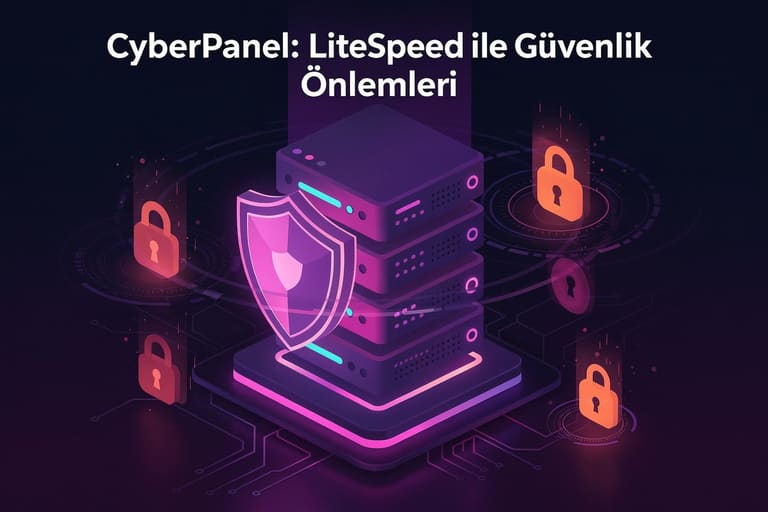
CyberPanel, LiteSpeed ਦੀ ਸਰਵਰ-ਪਾਵਰ ਨਾਲ hosting environment ਲਈ ਵਧੀਆ security layer day। CSF firewall, ModSecurity WAF, ClamAV malware scan, auto updates—ਇੱਕ hi-tech system ਰਾਖੀ।
| Security Feature | ਵੇਰਵਾ | ਫਾਇਦੇ |
|---|---|---|
| CSF Integration | Advanced firewall config | DDoS, network threats prevention |
| ModSecurity Support | WAF rules management | SQL injection, XSS etc. protection |
| ClamAV Antivirus | Routine malware scan | Attack prevention, clean-up |
| Auto Security Updates | System update | No vulnerability, latest patches |
CyberPanel ਦੀ multi-layer security—site-owner ਨੂੰ trust, finance loss prevention, visitor safety—long term business healthy।
Security Tips
- Strong Passwords: Difficult credentials, brute-force attack prevention.
- 2FA Enable: Secure logins, advanced authentication.
- Regular Backups: Data-save, off-site safe copies.
- Update Software: CyberPanel/server always latest.
- Access Controls: Limited privileges, minimize risk.
- Firewall Setting: Proper setup, unauthorized access block.
CyberPanel panel with no need for deep technical skill—simple UI, quick config। Security continuous process, regular check essential।
LiteSpeed ਸਰਵਰ ਵਿੱਚ ਡੇਟਾ ਬੈਕਅੱਪ ਢੰਗ
CyberPanel: LiteSpeed—data backup, system security ਅਤੇ unexpected mishaps (hardware fault, human error, cyber attack) ਤੋਂ ਰਾਖੀ ਲਈ must। Tam, incremental, differential, cloud backup—your business need/money ਹਿਸਾਬ backup select ਕਰੋ।
| Backup Type | ਵੇਰਵਾ | ਫਾਇਦੇ | ਹਾਜ਼ਰ ਕਰਨਾ |
|---|---|---|---|
| Tam Backup | All data backup | Fast restore | Max storage/time required |
| Incremental | Since last backup change | Low storage/quick backup | ਨੌਰਮਲ restore time |
| Differential | Since last full backup change | Medium storage/time | Restore faster than incremental |
| Cloud Backup | Online backup | No hardware dependency | Internet required, higher cost |
CyberPanel panel ‘ਚ backup/restore easy—ਵੱਖ-ਵੱਖ options choose, schedule, location (local/remote/cloud)।
- Backup Steps
- CyberPanel panel login
- Backup/Restore section access
- New backup start
- Backup type selection
- Schedule frequency (daily/weekly/monthly)
- Destination set (local/distant/cloud)
- Start backup — wait for confirmation
Backup plan select, restore speed, test backup, data-loss protection for healthy business/website। CyberPanel: LiteSpeed backup/restore features—top-notch data security, continuity।
CyberPanel ਵਰਤਣ ਦੇ ਸਿੱਟੇ
CyberPanel: LiteSpeed—hosting management easy, performance-centric, secure solution। Modern interface, features, pricing—solo/diversified user/business ਲਈ best choice। LiteSpeed integration, speed/security ‘ਚ clear advantage।
| ਫਾਇਦਾ | ਵੇਰਵਾ | ਮੁੱਖਤਾ |
|---|---|---|
| High Performance | LiteSpeed optimized—fast sites | ਉਚੀ |
| User-friendly Panel | No tech skill for management | ਉਚੀ |
| Security | Firewall, auto updates | ਉਚੀ |
| Economical | Free-basic, paid-premium options | ਮੱਧ |
Action Steps
- CyberPanel try for web hosting needs
- Free version test
- Enable LiteSpeed Cache plugin
- Configure firewall
- Regular backup create
- Join CyberPanel community for support
CyberPanel: LiteSpeed, site speed/security/management easy—performance lover/owner ਲਈ powerful tool। Free-premium two options, every price-range ਲਈ solution।
CyberPanel—modern web hosting, friendly UI, secure, performance-focused। LiteSpeed combination—maximum performance, Google rank boost।
CyberPanel ਨਾਲ ਉਪਭੋਗਤਾ ਅਨੁਭਵ ਸੁਧਾਰੋ
CyberPanel: LiteSpeed control panel—technical features ਦਾ ਹੀ ਨਹੀਂ, user-experience ਨੂੰ ਧਿਆਨ ‘ਚ ਰੱਖ ਕੇ design। Friendly UI, easy tools—new ਨੂੰ quick start, skilled ਨੂੰ advanced management। ਤਾਜ਼ਾ points ਹੇਠ:
| ਵਿਸ਼ੇਸ਼ਤਾ | ਵੇਰਵਾ | ਫਾਇਦੇ |
|---|---|---|
| Intuitive UI | Visual layout, easy navigation | Quick learning, hassle-free |
| One-click App Install | WordPress, Joomla quick deploy | Time save, less tech required |
| File Manager | Easy file access/edit | Quick update, fast change |
| Email Management | Create/manage mail | Professional communication |
User experience improvement—clean interface, quick feature-access, one-click install—especially beginners ਲਈ।
Betterment tactics
- Fast loading: LiteSpeed speed benefit
- Mobile-friendly: Responsive design
- SSL Install: Free certificates, visitor trust
- Easy Backup: Regular save, data-safety
- Accessible HelpDocs: Comprehensive FAQ/help, quick support
Security part of UX—CyberPanel: LiteSpeed panel, SSL/firewall/backups, trust-building। Visitor count ਤੇ user loyalty improve।
User feedback—survey/comments—use for continuous improvement। CyberPanel: LiteSpeed—always evolve for top user satisfaction।
CyberPanel: LiteSpeed ਨਾਲ ਭਵਿੱਖ ਦੇ ਹੋਸਟਿੰਗ ਹੱਲ
CyberPanel: LiteSpeed—web hosting future, revolution। Performance/security/ease, traditional panel/trend ਦਾ mix—high demand, scalability ਤੇ accessibility future-ready।
Web-tech evolve—hosting platforms must upgrade। CyberPanel: LiteSpeed—modern web apps/high-traffic site need fulfilled। Strong cache, optimized server, integrated firewall—consistent best outcomes।
| ਵਿਸ਼ੇਸ਼ਤਾ | Traditional Hosting | CyberPanel: LiteSpeed |
|---|---|---|
| ਪ੍ਰਦਰਸ਼ਨ | Average | High |
| Security | Basic | Advanced |
| Scalability | Limited | High |
| Cost | Low | ਦਰਮਿਆਨਾ |
CyberPanel: LiteSpeed future-proof hosting investment—current need/full growth support। Competition ਤੇ visitor experience ਵਿੱਚ lead।
Future Trends
- AI Integration: Hosting ‘ਚ AI-based optimization/security analysis growth
- Serverless Architecture: Flexible/scalable app deployment
- Auto-scaling: Traffic surge adaptive resource management
- Advanced Security: Proactive cyber-threat defense
- Green Hosting: Environment friendly, sustainable
CyberPanel: LiteSpeed—every skill level ਲਈ UI/feature set—beginner/developer, manage hoisting effortlessly।
ਅਕਸਰ ਪੁੱਛੇ ਜਾਣ ਵਾਲੇ ਸਵਾਲ
CyberPanel ਦੀ ਟਰੇਡੀਸ਼ਨਲ ਹੋਸਟਿੰਗ ਕੰਟਰੋਲ ਪੈਨਲਾਂ ਮੁਕਾਬਲੇ ਇੱਕੋ ਖਾਸ ਵਿਸ਼ੇਸ਼ਤਾ ਕੀ ਹੈ?
CyberPanel, LiteSpeed web server ਸੰਯੁਕਤ—direct caching/optimization, ਜਿਸ ਨਾਲ ਹੌਲੇ ਲੋਡ time ਤੇ ਨਵੀਂ technology। Apache/NGINX panel ਵਰਗੇ traditional panel slow, CyberPanel—fast load, less resource use।
CyberPanel ਨਾਲ ਹੋਸਟਿੰਗ ਖ਼ਰਚ ਘਟਾਇਆ ਜਾ ਸਕਦਾ ਹੈ?
ਹਾਂ, CyberPanel open-source, free ਲਈ। LiteSpeed high performance—low server resource ਵਰਤੋਂ—long term cost-cutting। LiteSpeed features free version ‘ਚ ਵੀ ਮਿਲਦੇ ਹਨ।
CyberPanel ‘ਚ ਵੈੱਬਸਾਈਟ ਮੈਨੇਜਮੈਂਟ fundamental ਕੰਮ?
CyberPanel ਨਾਲ: domain add, email account setup, database management (MySQL), file manager upload/edit, SSL install (Let’s Encrypt), backup—ਸਭ ਆਸਾਨ।
CyberPanel install ਲਈ special technical skill ਚਾਹੀਦੀ ਹੈ? ਕਿੰਨਾ time ਲੱਗਦਾ?
Basic server skill helpful, CyberPanel installation mostly easy—one-command। Installation speed server/internet ਤੇ depend, 15-30 min ਆਮ।
LiteSpeed server performance analyse–ਮਹੱਤਵ ਮੈਟਰਿਕ?
CyberPanel stats tools, CPU/memory/network/disk I/O/Site load time track crucial। LiteSpeed cache stats ਵੀ optimize ਲਈ use।
CyberPanel ਤੇ LiteSpeed ਨਾਲ site security increase ਕਰਨ ਦੇ ਢੰਗ?
CyberPanel: ModSecurity integration, DDoS defense,auto updates, strong password, frequent backup—site safe ਕਿਉਂ।
CyberPanel ‘ਚ data-backup–options?
Tam, database, file-only backup; local/remote/cloud (FTP/SFTP/Google Drive/Dropbox)। Automated backup plan minimize data-loss।
CyberPanel user/developer ਲਈ main benefit?
CyberPanel: high performance, easy use, free, features range, auto SSL, builtin caching, active community—fast, secure site deploy/manage।