 Afrikaans
 Azərbaycan
 Bosanski
 Čeština
 Dansk
Dansk Deutsch
 English
 Español
 Filipino
 Français
 Hrvatski
 Indonesia
 Italiano
 Magyar
 Melayu
 Nederlands
 Norsk
Norsk Oʻzbek
 Polski
 Português
 Română
 Slovenčina
 Slovenščina
 Suomi
Suomi Svenska
 Tiếng Việt
 Türkçe
 Ελληνικά
 Беларуская
 Български
 Русский
 Српски
 Українська
 עברית
עברית اردو
اردو العربية
 پښتو
پښتو فارسی
فارسی አማርኛ
አማርኛ मराठी
मराठी বাংলা
বাংলা தமிழ்
தமிழ் ไทย
ไทย မြန်မာ
 한국어
한국어 中文
中文 日本語
日本語

ਇਹ ਬਲੌਗ ਪੋਸਟ ਵਿੱਚ ਅਸੀਂ ਵਿਆਪਾਰਾਂ ਲਈ ਸਰਵਰ ਚੋਣ ਸਮੇਂ “ਕੁੱਲ ਖਰੀਦ-ਅਧਿਕਾਰ ਲਾਗਤ” (TCO – Total Cost of Ownership) ਦੀ ਵਿਸ਼ਲੇਸ਼ਣ ਕਰਦੇ ਹੋਏ Windows Server ਅਤੇ Linux Serverੋਂ ਅਸਲੀ ਲਾਗਤਾਂ, ਫ਼ੀਚਰ, ਅਤੇ ਲੰਮ੍ਹੇ ਸਮੇਂ ਦੇ ਫਾਇਦੇ-ਨੁਕਸਾਨ ਦੀ ਗੱਲ ਕਰਾਂਗੇ। ਪਹਿਲਾਂ ਦੋਨੋਂ ਸਰਵਰ੍ਹਾਂ ਦੀ ਪੌਣ-ਝੌਣ ਕੀਤੀ ਜਾਵੇਗੀ; ਫਿਰ Windows Server ਅਤੇ Linux Server ਦੀ ਲਾਗਤ ਕਿਵੇਂ ਬਣਦੀ ਹੈ, ਉਹਨਾਂ ਦੀ TCO ਕਿਵੇਂ ਨਿਕਲਦੀ ਹੈ, ਅਤੇ ਕਿਸ ਸਰਵਰ ਨੇਵੇਂ ਵਿਆਪਾਰੀ ਹਾਲਾਤਾਂ ਵਿੱਚ ਕਾਰਗਰ ਰਹੇਗਾ, ਇਹ ਦੇਖਿਆ ਜਾਵੇਗਾ। Linux Server ਸ਼ਾਨਾਂ ਮਿਲਣ ਲਈ ਪੰਜ ਵੱਡੇ ਕਾਰਨ ਵੇਖਿਆ ਜਾਵੇਗਾ; Windows Server ਦੀਆਂ ਵਧੀਆ ਯੋਗਤਾਂ ਵੀ ਲੜਮੀਂ ਵਿਚ ਆਉਣਗੀਆਂ। ਆਖਰ ਤੇ TCO ਵਿਸ਼ਲੇਸ਼ਣ ਦੇ ਮਹੱਤਵ ਤੇ ਹੋਰ ਬੁਨਿਆਦੀ ਅਸਰ ਲੈ ਕੇ, ਦਿਲੀ ਚੁਣਵੀਂ ਸਲਾਹਾਂ ਦਿੱਤੀਆਂ ਜਾਣਗੀਆਂ।
Windows Server & Linux Server ਕੀ ਹਨ?
ਵਿੰਡੋਜ਼ ਸਰਵਰ Microsoft ਵਲੋਂ ਬਣਾਇਆ ਗਇਆ ਇਕ Server Operating System ਹੈ ਜੋ ਵਿਅਾਪਾਰਕ ਲੁੜਾਂ ਲਈ ਵੱਖ-ਵੱਖ ਨੈਟਵਰਕਿੰਗ, data storage, ਅਤੇ app hosting ਨੂੰ ਆਸਾਨ ਕਰਦਾ ਹੈ। Windows Server ਜਿਸ ਵਿੱਚ Active Directory ਵਰਗੇ Manager-Grade Tools ਤੇ User-Friendly GUI ਹੁੰਦੀ ਹੈ, ਉਹ ਰਵਾਇਤੀ Microsoft ਵਿਅਾਪਾਰਾਂ ਲਈ ਸਰਵੱਤ ਮੂਲ੍ਹੀ ਰੱਖਦਾ।
Linux Server – Linux kernel ਉੱਤੇ ਬਣੇ ਹੋਏ – Ubuntu Server, CentOS, Debian ਆਦਿ ਵੱਖ-ਵੱਖ distribution ਵਿੱਚ ਆਉਂਦੇ ਹਨ। ਇਹ open-source ਹੋਣ ਕਰ ਕੇ, customization ਅਤੇ security ਲਈ ਕਾਫ਼ੀ ਮਸ਼ਹੂਰ ਹਨ। ਭਰੋਸਾ ਅਤੇ ਘੱਟ ਖਰਚ ਨਾਲ ਕਰੜਾ ਬਣਾਉਣ ਲਈ ਕਾਫੀ ਵਿਆਪਾਰ Linux Server ਨੂੰ ਵਿੱਤ-ਸਹਿਤੀ ਰੂਪ ਵਿੱਚ ਚੁਣਦੇ ਹਨ।
ਮੁੱਢਲੇ ਫ਼ਰਕ
- License: Windows Server ਲਈ license ਖਰੀਦਣੀ ਪੈਦਾ ਹੈ, Linux Server (ਜਿਆਦਾਤਰ distributions) ਮੁਫ਼ਤ ਜਾਂ ਘੱਟ ਸਲਾਨਾ ਖਰਚ 'ਤੇ ਹੈ।
- Open Source: Linux open-source ਹੈ — code modify ਕਰ ਸਕਦੇ ਹੋ; Windows Server closed-source ਹੈ।
- Security: ਦੋਨੋਂ secure, ਪਰ Linux ਲਈ ਭੁੱਲੀ ਦੇਈ fix ਤੇ update jaldi ਆਉਂਦੇ ਹਨ, Windows Server ਦਾ target ਜਿਆਦਾ ਹੁੰਦਾ।
- ਅੰਤਰੀਕ Hardware: Linux ਚਿੱਤੀਆ-RAM CPUs 'ਤੇ ਵੀ optimized; Windows Server ਵੱਡਾ ਸ਼ਕਤੀ ਚਾਹੁੰਦਾ।
- ਉਪਯੋਗਤਤਾ: Windows Server GUI ਤੇ user-friendly ਹੈ, Linux command-line heavy — technical staff ਦੀ ਲੋੜ ਹੈ।
Server ਚੋਣ ਕਰੀਏ ਤਾਂ license ਤੋਂ ਵੱਡਾ “ਕੁੱਲ ਲਾਗਤ” – hardware, operating, maintenance & energy consumption ਲਾਗਤ – ਨੂੰ ਦੇਖਣਾ ਪੈਂਦਾ। Windows Server ਤੇ Linux Server TCO ਵਿਸ਼ਲੇਸ਼ਣ ਕਰਦੇ ਸਮੇਂ ਇਹਨਾਂ ਸਾਰੀਆਂ ਲਾਗਤਾਂ ਨੂੰ ਗਿਣੋ।
Windows Server ਅਤੇ Linux Server ਮੁਕਾਬਲਾ ਤਬਲਾ:
| ਫ਼ੀਚਰ | ਵਿੰਡੋਜ਼ ਸਰਵਰ | Linux ਸਰਵਰ |
|---|---|---|
| License ਲਾਗਤ | Paid | Mostly Free/Low-Cost |
| Ease of Use | High (GUI) | Medium (CLI) |
| Security | High (Regular Updates) | High (Open Source, Fast Patch) |
| Hardware ਚਾਹੁੰਦਾ | Medium-High | Low-Medium |
ਦੋਨੋਂ platforms solid ਹਨ; Server TCO ਵਿਸ਼ਲੇਸ਼ਣ ਚੁਣਦੇ ਸਮੇਂ license ਤੋਂ ਵੀ ਵੱਧ ਮਸਲੇ, long-term ownership ਖ਼ਰਚਾ, ਤੇ technical staff ਖ਼ਰਚਾ consider ਕਰੋ।
TCO (ਕੁੱਲ ਲਾਗਤ) ਕੀ ਹੈ?
Total Cost of Ownership (TCO) ਕਿਸੇ server ਜਾਂ IT structure ਦੀ ਇੰਜ ਪੁੰਨ-ਫ਼ੜ ਲਾਗਤ ਹੈ, ਜਿਸ ਵਿੱਚ hardware, software, support, training, maintenance, energy, ਅਤੇ future upgrades ਦੀ ਖ਼ਰਚ-ਕਮਾਈ ਅਸਲ ਨਿਕਲਦੀ। ਤੁਸੀ license, server price ਤੋਂ ਇੱਕ-ਦੋ ਪੈਸੇ ਹੀ ਨਹੀ, ਲੰਮ੍ਹੇ ਸਮੇਂ ਦੀ ਲਾਗਤ ਨਿਕਲਣੀ ਹੈ।
TCO ਵਿਸ਼ਲੇਸ਼ਣ business ਨੂੰ long-term budget planning ਸਿੱਖਾਉਂਦਾ ਹੈ। ਸ਼ੁਰੂ ਵਿੱਚ ਮੁਫ਼ਤ ਜਾਂ ਸਸਤੇ solution ਲੰਘਦੇ ਲੱਗਦੇ, ਪਰ ਉਨ੍ਹਾਂ ਦੀ maintenance, power, ਅਤੇ support ਲਾਗਤ ਵੱਡੀ ਹੋ ਸਕਦੀ।
| ਲਾਗਤਕਾਰ ਸ਼੍ਰੇਣੀ | ਵਿੰਡੋਜ਼ ਸਰਵਰ | Linux ਸਰਵਰ |
|---|---|---|
| License Fee | Server License ਅਤੇ Client Access License (CAL) | Free/Distribution Based |
| Hardware | Usual Server Hardware | Usual Server Hardware |
| Operations | Power Consumption & Cooling | Lower Power & Cooling |
| Maintenance & Support | Microsoft or Third-Party | Community or Commercial Support |
TCO ਲਈ ਤੁਹਾਡੀ ਹਰ ਲਾਗਤ line-item detail ਵਿਚ ਨਿਕਲੋ: direct (hardware/software licenses) ਅਤੇ indirect (training, downtime), ਸਾਰੇ factors count ਕਰੋ। Growth, upscaling ਲਾਗਤ ਵੀ future TCO 'ਤੇ ਅਸਰ ਕਰਦੇ।
ਲਾਗਤ ਵਿਚ ਪੈਂਦੇ Items:
- Hardware ਲਾਗਤ
- Software (License)
- Install & Integration Fee
- Training Fee
- Maintenance & Support
- Energy & Cooling
- Downtime/Failure ਲਾਗਤ
Windows Server ਜਾਂ Linux Server ਦੀ ਚੋਣ TCO ਵਿਸ਼ਲੇਸ਼ਣ ਨਾਲ – short-term saving ਦੇਖਣ ਤੋਂ ਅੱਗੇ – long-term efficiency ਤੇ success ਵੇਖੋ।
Windows Server ਦੀ ਲਾਗਤ: ਕੀ-ਕਿੰਨਾ?
Windows Server TCO detail ਵਿੱਚ ਹਰ item count ਹੁੰਦਾ: ਇੱਕ license price ਤੋਂ server hardware, management, energy consumption, support contracts, ਤੇ technician salary ਤਾਂ। Microsoft Windows Server ਦੀ costing server version (Standard, Datacenter), ਅਤੇ cores count ਤੇ change ਹੁੰਦੀ — server ਜਾਂ per-core licensing। CAL (Client Access License) – device/user – extra kharch ਹਨ।
| ਲਾਗਤ Item | ਵੇਰਵਾ | ਅੰਦਾਜ਼ੀ ਲਾਗਤ (ਸਾਲਾਨਾ) |
|---|---|---|
| License Fee | Server License + CALs | ₹10,000 – ₹200,000+ |
| Hardware | Server, Storage, Network gear | ₹40,000 – ₹1,000,000+ |
| Energy | Electricity for server | ₹4,000 – ₹40,000 |
| Management | Admin Salary, AMC contracts | ₹20,000 – ₹400,000+ |
Windows Server ਦੀ management/support ਲਾਗਤ ਕਦੇ ignore ਨਾ ਕਰੋ: Server update ਰਖਣ, security patching, performance monitoring, issues resolve ਕਰਦੇ ਵਰਕਰ ਦੀ salary ਜਾਂ support contracts। Energy cost ਲੰਘੇ ਸਮੇਂ ਲਈ considerable ਹੋ ਸਕਦੀ – efficient hardware/server tuning ਨਾਲ cut ਕੀਤਾ ਜਾ ਸਕਦਾ।
Linux Server: ਲਾਗਤਾਂ – ਕੀ-ਕਿੰਨਾ?
Linux Server TCO ਚੁਣਦੇ ਸਮੇਂ headstart ਖਰਚ – distribution open-source/free ਹੋਣ ਕਰਕੇ – but long-term ‘hidden’ ਲਾਗਤ ignore ਨਾ ਕਰੋ। Linux install, configure, maintain ਕਰਨਾ technical knowledge ਮੰਗਦਾ; ਜੇ staff technical ਨਹੀਂ, consultant fee & training kharch ਜੋੜੋ। Commercial distributions (Red Hat, SUSE) paid support ਵੀ offer ਕਰਦੇ, ਜੋ enterprise-grade stability ਲਈ ਵਾਜਬ ਹੋ ਸਕਦਾ।
Linux compatibility: ਕੁਝ business apps Windows-centric ਹੁੰਦੇ; Linux ਵਿੱਚ alternative search, migration, or compatibility-bridge ਲਈ extra kharch add ਹੋ ਸਕਦਾ।
ਲਾਗਤ Factors:
- Server hardware ਨਕਲ (CPU, RAM, DISK)
- Some distributions/license fee
- System Admin/Consultancy Fee
- Security tools & update
- Energy/Power & Cooling
- Backup & Disaster Recovery fee
- Commercial support fee
Linux Server ਲਾਗਤ Detail:
| ਲਾਗਤ Item | ਵੇਰਵਾ | ਅੰਦਾਜ਼ੀ ਲਾਗਤ (ਸਾਲਾਨਾ) |
|---|---|---|
| Hardware | Server, Storage, Network devices | ₹20,000 – ₹200,000+ |
| OS License | Some distributions/annual fee | ₹0 – ₹20,000+ |
| Management/Admin | Staff Salary/Consultancy | ₹100,000 – ₹1,000,000+ |
| Security | Firewall/monitor software | ₹10,000 – ₹100,000+ |
Linux Server TCO, distribution type, hardware, support level, security policy ਤੇ change ਹੁੰਦਾ — planning/niche need analysis ਨਾਲ ਲਾਗਤ ਸ਼ਾਨਾ optimize ਕਰ ਸਕਦੇ।
Windows Server vs Linux Server: ਲਾਗਤ ਮੁਕਾਬਲਾ
Server ਚੋਣ business TCO ਲਈ ਬੁਨਿਆਦੀ — Windows Server (paid commercial), Linux Server (open-source/free)। Windows Server: licensing fee (version, users/device), hardware chahunda, but Microsoft ecosystem-integrated environments ਲਈ user-friendly।
| ਲਾਗਤ Item | ਵਿੰਡੋਜ਼ ਸਰਵਰ | Linux ਸਰਵਰ |
|---|---|---|
| License Fee | High | Free/Low (Distribution based) |
| Hardware | Medium-High | Low-Medium |
| Software Compatibility | Wide (Microsoft-specific) | Wide (open-source-centric) |
| Maintenance/Management | Medium (GUI) | Medium-High (CLI/Skill needed) |
Linux Server: initial cost ਘੱਟ, technical staff needed (specialty), commercial apps–sometimes compatibility+extra configuration। But Linux flexibility/open-source, custom-built for need, TCO optimise ਕਰਦੀ।
TCO ਲਾਗਤ ਗਣਨਾ – ਕੀ ਕਦਮ?
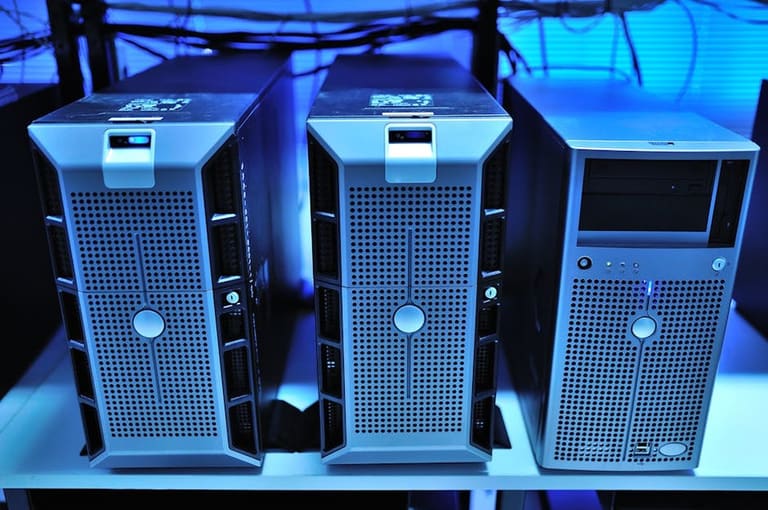
Server ਚੋਣ – headstart price ਤੋਂ ਵੱਧ – total TCO/ownership lags recognize ਕਰਨੀ ਚਾਹੀਦੀ। Windows Server & Linux Server TCO detail ਵਿਚ count ਕਰੋ ਤੇ real calculation ਕਰੀਏ। Windows Server high license price, but low maintenance/staff kharch; Linux Server free/open-source, but higher technical staff/support kharch ਹੋ ਸਕਦੇ।
ਮੁਕਾਬਲੇ ਦੀ ਤਬਲਾ:
| ਲਾਗਤ Item | ਵਿੰਡੋਜ਼ ਸਰਵਰ | Linux ਸਰਵਰ |
|---|---|---|
| License | High | Low/Free |
| Hardware | ਦਰਮਿਆਨਾ | ਦਰਮਿਆਨਾ |
| Software | ਦਰਮਿਆਨਾ | Low/Free |
| Management | Low/Medium | Medium/High |
TCO estimate ਲਈ ਇਨ੍ਹਾਂ steps follow ਕਰੋ — custom need ਵਾਲੀ planning ਆਵਸ਼ਕ, ਪਰ ਹੇਠਾਂ ਦਿੱਤਾ list universal guide:
TCO ਹਿਸਾਬ: Main Steps
- Need ਪਤਾ ਕਰੋ: ਕੀ apps ਚਲਾਉਣੀਆਂ, user count, server specs ਦੀ ਲੋੜ?
- Hardware ਲਾਗਤ: Server, Storage, Network hardware ਦਾ quotes/nakl ਕਰੋ।
- Software ਲਾਗਤ: OS, DBMS, security software license calculate ਕਰੋ।
- Management/Maintenance: Staff salary, support contracts, training/agreed fee count ਕਰੋ।
- Energy/Cooling: Server running/power + cooling system kharch count ਕਰੋ।
- Downtime/Crisis cost: Productivity loss, emergency repairs ਦਾ kharch evaluate ਕਰੋ।
Cloud-based server (AWS, Azure, Google Cloud) TCO optimisation ਲਈ consider ਕਰੋ — initial hardware investment ਘੱਟ, only-used-resource basis payment; small/midsize businesses ਲਈ extra benefit。
ਸ਼ੁਰੂ ਵਿਚ ਮੁਲਾਂਕਣ – ਬਹੁਤ ਜਰੂਰੀ
Starting assessment crucial: workload, growth potential, technical skills ਦਾ truthfully ਅੰਦਾਜ਼ਾ + server matching – otherwise, wrong server choice ਲਾਗਤ ਦੀ ਕੱਤੜੀ ਤੇ inefficiency ਲੈ ਆਉਂਦੀ।
Server ਜਲਦੀ-ਫ਼ੈਸਲਾ ਨਹੀਂ, ਬਲਕਿ business-strategy decision ਹੈ। TCO correct calculation ਕਰਕੇ ਲੰਮ੍ਹੇ ਸਮੇਂ ਬਚਤ ਪੂਰੀ ਕਰ ਸਕਦੇ!
ਕਿਹੜਾ Server ਤੁਹਾਡੀ ਲੋੜ ਪੂਰੀ ਕਰੇ?
Server platform ਚੋਣ business success ਲਈ ਮੁੱਖ: Windows Server ਅਤੇ Linux Server ਦੋਨੋਂ ਚੰਗੇ, ਪਰ need-budget-tech skills ਨੂੰ ਸਿਰ 'ਤੇ ਰੱਖੋ। ਕੋਈ server ਦੇ ਸੜਾਵਲ ਬਹਿਸ਼ਤ, workload/scenario, compatibility/deployment ਦੀ detail ਵਿਚ ਜਾਣੋ।
Below table – workload-wise ਵਰਗੀ ਚੋਣ ਦੀ ਆਪਣੇ ਵਿਆਪਾਰ ਦੀ ਲੋੜ ਲਈ ਹਦਾਇਤ:
| Use-case | ਵਿੰਡੋਜ਼ ਸਰਵਰ | Linux ਸਰਵਰ |
|---|---|---|
| .NET apps | Recommended | Supported (Mono) |
| Web Hosting (PHP/Python/Ruby) | Supported | Best Fit |
| DB Server (MS SQL) | Best Fit | Supported (MySQL, PostgreSQL) |
| File/Print Service | Easy | Supported (Samba) |
| Custom Apps | Depends | Depends |
Windows Server Microsoft ecosystem, software compatibility ਲਈ super fit; Linux Server open-source, community ecosystem, tools-utilities abundance/freedom ਨਾਲ best for tech-heavy workloads।
Security: Windows Server strict policy/fixed path, Linux Server flexible/custom security। ਲੋੜ/risks ਲਈ fit analysis ਕਰੋ।
Windows Server: ਫਾਇਦੇ
Microsoft ecosystem compatibility, easy GUI, vast software support – Windows Server best for .NET apps/MS SQL/easy user/app management, Active Directory, centralized authentication/security policy.
Linux Server: ਫਾਇਦੇ
Open-source, low cost, flexibility, community support, customization; best fit for web hosting, cloud infra, big data processing – strong reputation for security/stability.
Server platform ਚੋਣ – need-budget-skilled team, custom workload + future plan match, technical ecosystem/deployment choices (Microsoft vs open-source)।
Linux Server: ਚੁਣਨ ਲਈ 5 ਵਜ੍ਹਾ
Linux Server, Windows Server instability/maintenance/technical/training/upgrade/compatibility ਲਾਗਤ 'ਤੇ curvature/flexibility, pricing, security, customisation ਲਈ lead ਕਰਦੀ।
Linux Server open-source — free usage/distribution; community developer teams rapid patch/upgrades, customization, stability, reliability extra level।
Linux Server vs Windows Server – advantages/disadvantages summary:
| ਫ਼ੀਚਰ | Advantages | Disadvantages |
|---|---|---|
| Cost | Usually free/low license fee | Commercial support paid |
| Security | Fast patches/updates (open source) | Wrong configs = security risk |
| Customization | High customization | Technical skill needed |
| ਪ੍ਰਦਰਸ਼ਨ | Low hardware needs/high efficiency | Some apps/windows-only |
Linux flexibility: distribution-wise customization; only needed components, resource optimization.
Linux Server ਦੇ ਫਾਇਦੇ:
- Cost-effective: License free/low fee
- Security: Continuous update / quick patch
- Flexibility: Deployment/OS/components as per need
- Performance: Light-weight, resource optimized
- Reliability: Long uptime/stable operation
Linux Server open-source security – community patch/rapid update – high security/low risk, robust for business critical deployment.
ਸਾਰ: ਕਿਹੜੀ platform ਚੁਣੀਏ?
Windows Server ਜਾਂ Linux Server – selection team-need-budget-custom apps/skills/deployment ਸਾਰੇ ਪੈਲੂ ਚਾਸਟੇ। Linux Server initial cost low/free – enterprise distro paid – but technical know-how/high-skill needed; Windows Server high start-price, but easy management/support GUI, lesser technical depth needed – sometimes long-term TCO low for non-technical teams।
| Criteria | ਵਿੰਡੋਜ਼ ਸਰਵਰ | Linux ਸਰਵਰ |
|---|---|---|
| Initial Cost | Higher | Lower |
| Licensing | Paid | Free/low (distro) |
| Management | Easy (GUI) | Expert needed (CLI) |
| Compatibility | Full with MS ecosystem | Wide with open-source |
Team skill: Windows Server better for GUI-savvy/support-easy teams; Linux Server for open-source/CLI/technical-heavy teams/deployment. App workload – Windows-centric or open-source-centric? Security — both can be secured — but risk & deployment security level needed.
ਜਾਂਚ ਲਈ ਤਜਰਬਾ / ਸਲਾਹ:
- Business/custom workload match-do analysis
- Costing: initial/license/management/maintenance compare
- Team skill/experience verify
- Deployment workload – Windows only or Linux fit?
- Security/risk profile analysis
- Pilot migration/testing (if unsure)
Har choice ਨੂੰ deep analysis ਨਾਲ ਪ੍ਰਕਟ ਕਰੋ; ਜੇ ਲੋੜਾ technical, team skills, workload, compatibility, & budget match ਕਰਦਾ, ਤਾ best-fit ਲੈਣ ਲਈ deep TCO analysis ਕਰੋ।
ਇਕੱਠਾ ਨਤੀਜਾ: TCO ਵਿਸ਼ਲੇਸ਼ਣ ਕਿਉਂ ਜਰੂਰੀ?
Windows Server vs Linux Server TCO ਵਿਸ਼ਲੇਸ਼ਣ: price alone misleading — hardware/software/license/management/power/downtime/security/future upgrade/scaleable each factor long-term impact।
| Criteria | ਵਿੰਡੋਜ਼ ਸਰਵਰ | Linux ਸਰਵਰ |
|---|---|---|
| Initial Investment | License fee high | Mostly free, commercial distro paid |
| Long-term cost | License renewal/hardware needs | Low license, flexible hardware |
| Management | GUI, skilled staff, easy | CLI, expert required |
| Security | Regular update/patches | Open-source, community patches |
Windows Server initial kharch high — business fit (user-friendly, compatibility) but license renewal/hardware push TCO up। Linux Server flexibility/open-source, scaling, community support — but expert management needed; some app compatibility missing।
ਐਕਸ਼ਨ-ਯੋਗ ਕਦਮ:
- Business workload, need analysis
- TCO detail estimate for both platforms
- Hardware/software/personnel/deployment kharch ਤੋਲੇ
- Trial/virtual deployment ịnvestigate
- Migration/upgrade/scale/security/future needs, cost-benefit analysis
Server ਚੋਣ – long-term business/tech fit — detailed analysis required; TCO ਗਣਨਾ ਵਿਚ ਚੁਣਵੀਂ/ਕੁੱਲ ਸਿੱਟਾ business save long-term।
ਜੋੜ: own research/experts consult; scenario/future change/deployment risk factor ਵੀ ਖਿਆਲ ਵਿੱਚ ਰੱਖੋ।
ਸਰਵਰ ਚੋਣ business success ਦੀ ਮੁਲ-ਕੁੰਜ ਹੈ; correct TCO planning ਨਾਲ long-term kharch optimise & performance ensure ਕਰ ਸਕਦੇ!
ਅਕਸਰ ਪੁੱਛੇ ਜਾ ਰਹੇ ਸਵਾਲ
TCO analysis ਵਿੱਚ ਕਿਹੜੀ ਲਾਗਤ consider ਕਰਨੀ?
Hardware/Software license, installation/training, power, maintenance, support, staff (training/deployment), security, downtime/crisis kharch — fully detailed TCO analysis ਲਈ ਸਾਰੇ line-items count ਕਰੋ।
Windows Server licensing models – ਕਿਹੜਾ fit?
Windows Server: Core-based (physical core count) ਜਾਂ Server+CAL (Client Access License per user/device); choice depends on server deployment (user/device/core count); high user count/active deployment ਲਈ core-based bargain may fit.
Linux servers – cost advantage ਕਿਵੇਂ ਮਿਲਦੀ?
Open-source distribution free; license fee/weaker hardware run; community support/wide software pool – high cost effectiveness.
Security costing (Windows vs Linux): ਕਿਵੇਂ compare ਕਰੀਏ?
Windows Server: anti-virus/security software/license fee; Linux Server: updates/firewall config/expert skill/deployment; cost depends on security tools, staff skill/risk/deployment workload।
Cloud servers (AWS/Azure/GCP): TCO 'ਤੇ ਅਸਰ?
Cloud eliminates hardware investment; flexible pay-as-you-use pricing; but long-term use/support, transfer fee, backup/security extra TCO; deployment needs/future growth scenario consider ਕਰੋ।
Server choice: performance/deployment – TCO 'ਤੇ ਕਿਵੇਂ ਅਸਰ ਕਰਦਾ?
High-performance server: heavy hardware/energy/maintenance/resource — high cost; underpowered server: productivity loss, downtime; balance workload/performance/cost.
Windows Server – Linux ਤੋਂ ਵਧੀਆ ਕਿਉਂ?
Windows Server – Microsoft integration, Active Directory, .NET workflow, better GUI/usability; enterprise applications/deployment; but license/hardware/support cost. Evaluate by business fit, workload/deployment, cost-benefit.
Scalability – future TCO 'ਤੇ ਅਸਰ?
Scalable infrastructure – workload upsizes, resource utilization optimization, avoid unnecessary hardware investment, future saving; vertical/horizontal scaling; cloud servers best scalability.