 Afrikaans
 Azərbaycan
 Bosanski
 Čeština
 Dansk
Dansk Deutsch
 English
 Español
 Filipino
 Français
 Hrvatski
 Indonesia
 Italiano
 Magyar
 Melayu
 Nederlands
 Norsk
Norsk Oʻzbek
 Polski
 Português
 Română
 Slovenčina
 Slovenščina
 Suomi
Suomi Svenska
 Tiếng Việt
 Türkçe
 Ελληνικά
 Беларуская
 Български
 Русский
 Српски
 Українська
 עברית
עברית اردو
اردو العربية
 پښتو
پښتو فارسی
فارسی አማርኛ
አማርኛ मराठी
मराठी বাংলা
বাংলা தமிழ்
தமிழ் ไทย
ไทย မြန်မာ
 한국어
한국어 中文
中文 日本語
日本語

ਇਸ ਬਲੌਗ ਵਿੱਚ, ਐਂਡਰਾਇਡ ਅਤੇ iOS ਡਿਵਾਈਸਾਂ ਲਈ Progressive Web App (PWA) ਬਨਾਉਣ ਦੀਆਂ ਬੁਨਿਆਦੀਆਂ, ਤਕਨਕੀ ਚੁਣੌਤੀਆਂ ਅਤੇ ਵਧੀਆ ਐਪ ਡਿਜ਼ਾਈਨ ਸੋਚਾਂ ਵਿਖਾਈਆਂ ਗਈਆਂ ਹਨ। PWA ਆਖਰ ਹੈ ਕੀ, ਇਹ ਲੋਕਾਂ ਲਈ ਕਿਹੜੇ ਫਾਇਦੇ ਲੈ ਕੇ ਆਉਂਦੇ ਹਨ? Mobile developer ਲਈ PWA ਦੀ ਮਹੱਤਾ ਅਤੇ ਵਾਧੂ ਪਾਲੇ ਵੀ ਚਰਚਾ ਕੀਤੀ ਗਈ ਹੈ। ਖ਼ਾਸ ਕਰਕੇ Android atmosphere ਵਿੱਚ PWA ਨਾਲ ਤੁਹਾਡੀ ਕਾਰੋਬਾਰੀ goals ਨੂੰ ਪੂਰਾ ਕਰਨਾ, iOS ਉੱਤੇ PWA ਸਿਰਜਣ ਵਿੱਚ ਆਉਣ ਵਾਲੀਆਂ ਉਲਝਣਾਂ ਅਤੇ ਛੁੱਟੀਆਂ ਦੇ ਹੱਲ ਵੀ ਜਾਣਨਾ ਮਿਲੇਗਾ। User interaction ਨੂੰ ਵਧਾਉਣ ਦੀਆਂ techniques, ਵੱਖ-ਵੱਖ devices ਤੇ PWA performance measure ਕਰਨ ਦੇ ਟੀਕਣੀਕਾਂ ਅਤੇ industry ਦੀਆਂ ਸਫਲ PWA ਕੈਸ-ਸਟਡੀਆਂ ਵੀ ਸ਼ਾਮਲ ਹਨ। ਆਖਰ, developer ਲਈ ਔਜ਼ਾਰ, resources ਅਤੇ PWA technology ਦਾ ਭਵਿੱਖ ਵਿਸਥਾਰ ਨਾਲ explain ਕੀਤਾ ਗਿਆ ਹੈ।
Android ਅਤੇ iOS ਲਈ PWA ਡਿਵੈਲਪਮੈਂਟ ਦੀ ਬੁਨਿਆਦ
ਆਜ ਦੇ mobile app ecosystem ਵਿੱਚ, Android ਅਤੇ iOS ਲਈ native app ਨੂੰ PWA ਦੇ alternatives ਤੋਂ compare ਕਰਨ ਦੀ ਵਧੇਰੇ ਮੰਗ ਬਣ ਗਈ ਹੈ। PWA — web technologies ਨਾਲ ਬਣੀ ਵੈੱਬ ਐਪ — native app ਨਾਲ experience ਲਈ web ਦਾ ਵਰਤਾਉ ਕਰਦੇ ਹਨ। ਇਹ development cost ਸੱਚ-ਮੁਚ ਘੱਟ ਕਰਦੇ, scale vaddi audience ਲਈ ਹੋ ਸਕਦੇ ਹਨ। PWA ਬਣਾਉਣ ਵਿੱਚ, device compatibility ਅਤੇ user experience ਤੇ focus main ਰਹਿਦਾ।
PWA ਨਵੇਂ web standard ਤੇ modern technologies ਤੇ based ਹੁੰਦੇ। Service Worker, offline capability, push notifications ਤੇ Web App Manifest, app ਨੂੰ home screen ਤੇ installable ਕਰਦੇ ਹਨ। Manifest, icon, meta-data define ਕਰਦੈ; Service Worker ਆ background ਵਿਚ processes ਚਲਾਉਣ ਅਤੇ notifications enable ਕਰਦਾ। PWA ਨੂੰ attractive ਬਣਾਉਣ ਲਈ, compare-table ਚ PWA versus native app ਦੇ core points ਵੇਖੋ।
| ਫੀਚਰ | ਪੀਡਬਲਯੂਏ | Native App |
|---|---|---|
| Development Cost | ਘੱਟ | ਵਧੀਕ |
| Platform Dependency | ਕੋਈ ਨਹੀਂ (Web-based) | ਹਾਂ (Android, iOS) |
| Updates | Automatic | Manual (App Store, Google Play) |
| Accessibility | URL/Retailer | App Stores |
PWA Development Steps:
- Planning & Requirements: App ਦਾ ਮਕਸਦ, audience ਤੇ features define ਕਰੋ।
- Web App Manifest: Manifest file ਬਣਾਉ, app name, icon ਅਤੇ meta info ਸ਼ਾਮਲ ਕਰੋ।
- Service Worker Integration: Offline support, notifications ਲਈ service worker code add ਕਰੋ।
- Responsive Design: Devices ਵਰਗੀਆਂ screens compatibility ਲਈ UI optimize ਕਰੋ।
- HTTPS Implement: Security ਲਈ HTTPS enable ਕਰੋ।
- Testing & Optimization: Vakh-vakh devices ਤੇ browsers ਤੇ check ਕਰੋ, speed optimize।
PWA development ਦੀ process ਵਿੱਚ user experience ਨੂੰ ਹਮੇਸ਼ਾ improve ਕਰਨਾ crucial point ਹੈ। User feedback, usability, speed optimization ਤੁਸੀਂ ਧਿਆਨ ਵਿੱਚ ਰੱਖੋ। PWA SEO friendly ਵੀ ਹੁੰਦੇ, web search ਵਿੱਚ rank ਵਧਾਉਣ ਤੇ extra organic traffic ਲਈ helpful। Summary: Android ਅਤੇ iOS ਉੱਤੇ PWA ਡਿਵੈਲਪਮੈਂਟ, scalable mobile app strategy ਵਿਚ consider ਕਰਨ ਜੋਗਾ option ਹੈ।
PWA ਕਿਉਂ? ਫ਼ਾਇਦੇ ਅਤੇ ਲਾਭ
Progressive Web App (PWA) development, Android ਅਤੇ iOS ਲਈ mobile-first ਦੁਨੀਆ ਵਿਚ ਵਧੀਆ ਮਹੱਤਾ ਰੱਖਦਾ। PWA web technology ਨਾਲ ਬਣੇ app ਹਨ, ਜੋ browser 'ਚ native app ਵੀਂ experience enable ਕਰਦੇ।
PWA Vs traditional web site: fast loading, offline support, push notifications — ਇਹ ਇਨ੍ਹਾਂ main features ਹਨ। User engagement direct ਵਧਾਉਣ, app discoverability, access ਜਿਆਦਾ ਹੁੰਦੀ। Store ਨਾ ਚਾਹੀਦਾ, web ਤੇ direct access।
| Feature | ਪੀਡਬਲਯੂਏ | Native App |
|---|---|---|
| Development Cost | Low | High |
| Update | Automatic | Manual (User) |
| Accessibility | Web | App Store |
| Offline Work | Possible | Possible |
PWA ਦੇ ਲਾਭ:
- Better Performance: Service Worker, caching ਨਾਲ fast apps experience enable ਕਰੀ।
- Offline Access: Internet without ਵੀ app feature run ਕਰੇ।
- Low Data Use: Jaldi load, mobile user ਲਈ low data requirement।
- SEO Benefit: Web site ਵਾਂਗ search indexable, organic traffic ਵਧਾਵੇ।
- Instant Notification: Immediate feedback, alerts, news reachable।
- Easy Install: Browser ਤੇ install, app store requirement ਨਾ ਹੋਵੇ।
Single code-base ਨਾਲ Android ਅਤੇ iOS ਲਈ app ਬਨਾਉਣ, time save ਕਰਦੀ, resources efficient use ਕਰੇ। ਖਾਸ ਕਰਕੇ startups ਤੇ ਛੋਟੇ businesses ਲਈ cost-effective solution।
ਜਥੇAndroid ਅਤੇ iOS ਲਈ PWA development, better user experience, wider reach, cheap development, convenient maintenance — ਇਹ app strategy ਵਿਚ must-have tool ਬਣ ਜਾਂਦੇ।
PWA ਬਣਾਉਣ ਸਮੇਂ ਧਿਆਨ ਵਾਲੇ ਪੈਲੂ
PWA development process, Android ਅਤੇ iOS platforms ਤੇ successful app creation ਲਈ thoughtful planning, correct execution ਮੰਗਦਾ। User Experience (UX), speed, security, SEO — ਹਰ point relevant।
| Criteria | Explain | Significance |
|---|---|---|
| User Experience | Simple, intuitive app design | High |
| ਪ੍ਰਦਰਸ਼ਨ | Fast load, smooth animation | High |
| Security | HTTPS use, data safety | High |
| ਐਸਈਓ | Easy searchability | ਦਰਮਿਆਨਾ |
App code clean & efficient, graphic optimization, caching strategy, responsive UI — inna techniques ਨਾਲ app performance improve ਕਰਦੇ। Different device screens compatibility mandatory।
- Special Tips
- HTTPS connection for security
- Service Worker for offline functionality
- Manifest file for app identity
- Responsive design for devices
- Continuous testing
- User feedback incorporate
Security ਨੂੰ ਨਜ਼ਰ ਦੁਆਉ, HTTPS enabled, user data secure, malicious attacks protection — main developer responsibility।
SEO ਲਿਆ app title, meta description, sitemap & content updates — crawler-friendly, visibility increase। Android ਅਤੇ iOS ਲਈ PWA development — learning, optimizing, improving — feedback-driven, tech-updated tool adoption success ਖੋਲਦਾ।
Android ਅਤੇ PWA: Target ਤੁਹਾਨੂੰ ਮਿਲਦੇ ਕਿਵੇਂ?
Android + PWA ਨਵੇਂ digital world ਵਿਚ ਕਾਰੋਬਾਰ ਅਤੇ developer ਲਈ powerful combination। Android ਦੇ user-base, PWA ਦੀ flexibility — business reach ਵਧੀਕ, developer effort cut।
Single code-base logic ਨਾਲ web ਤੇ mobile apps ਵਾਂਗ deploy ਹੋ ਸਕਦੇ। Android device 'ਤੇ home-screen, offline mode, push notifications possible। User engagement direct improve ਹੁੰਦੀ।
| Feature | Android App | ਪੀਡਬਲਯੂਏ |
|---|---|---|
| Dev Cost | High | Low |
| Update Process | Complex | Instant/Easy |
| Offline | Yes | Yes |
| Platform Reach | Android Only | Wide (Web Browsers) |
PWA ਦੀ Android ecosystem integration developer ਲਈ ਉਖਾ process ਨਹੀਂ। Google Play Store 'ਚ PWA show ਕਰ ਸਕਦੇ, SEO benefit ਨਾਲ search result 'ਚ rank vadda।
- Wider audience access
- Cost saving
- Quick development cycle
- Easy updates
- SEO advantage
Android ਐਪ ਪ੍ਰਦਰਸ਼ਨ (Performance)
Performance optimize ਕਰਨੀ user happiness, app success ਲਈ key point। Fast load, smooth animation, low resources use — always optimize, regular check ਲਾਜ਼ਮੀ।
User Experience (UX)
UX is app success ਦਾ root। User-friendly interface, quick interaction, happy engagement, repeat visits — PWA ਦੇ ਬਹੁਤ ਸੁਧਰੇ UX features: fast load, offline access, push notifications।
Android+PWA mix — scaling, rapid development, top engagement, quick updates, single-base management, all-platform reach।
iOS ਲਈ PWA ਬਣਾਉਣ ਦੀਆਂ ਚੁਣੌਤੀਆਂ
PWA development Android ਤੇ iOS ਵਿਚ ਵੱਖਰੇ challenges ਲਿਆਉਂਦੇ। iOS, PWA features ਦੀ support limited ਰੱਖਦਾ। Developer ਲਈ iOS ਉੱਤੇ PWA full power ਮਿਲਣਾ possible ਨਹੀਂ।
iOS 'ਚ service worker, caching mechanism support restricted। Service workers, push notifications, offline — full support ਨਹੀਂ। Android ਦੇ ਮੁਕਾਬਲੇ ਵਿੱਚ functionality ਘੱਟ।
| Feature | Android Support | iOS Support |
|---|---|---|
| Service Worker | Full | Partial |
| Background Sync | Yes | Limited |
| Push Notification | Full | Safari Only |
| Home Screen Add | Easy | Extra Steps |
iOS 'ਚ home-screen add process complex, Safari browser required, Sharing menu through install — user ਦੇ ਕੁਛ extra steps demand।
- ਕਠਿਨਾਈ ਅੰਕ
- Limited service worker support
- Background sync problem
- Push notification only Safari browser
- Home screen add complex process
- Manifest incomplete support
- Safari special quirks
iOS 'ਚ hardware access (GPS, camera, sensors) limited। PWA hardware-heavy features user experience ਨੂੰ affect ਕਰਦੇ। Developer alternate solutions/ fallback use ਕਰੇ।
ਮਹੱਤਵਪੂਰਨ ਚੁਣੌਤੀ
Safari browser quirks — iOS ਉੱਤੇ PWA behavior different, features disabled, inconsistent render. Developer Safari specifics ਤੇ consistently optimize ਕਰੇ।
iOS ਉੱਤੇ PWA creation extra attention, technical detailing demand ਕਰਦੀ। Platform restrictions, Safari quirks ਸਮਝ ਕੇ, optimize, app experience best possible ਬਣਾਓ।
PWA ਨਾਲ User Engagement ਵਧਾਉਣ ਦੀਆਂ ਤਕਨੀਕਾਂ
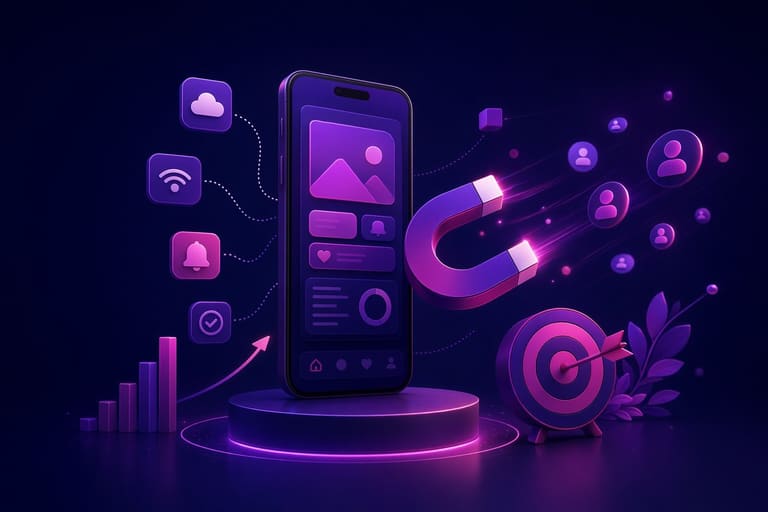
PWA, mobile app advantages ਨੂੰ web technology ਨਾਲ mix ਕਰਕੇ, user engagement powerfully boost ਕਰਦੇ ਹਨ। Android ਅਤੇ iOS devices 'ਤੇ PWA engagement tactics — discoverability, usability ਤੇ user interest direct affect ਕਰਦੇ। Goal: User ਵਾਰੀ-ਵਾਰੀ app ਤੇ visit ਕਰੇ, repeat usage ਉੱਤੇ dependability ਬਣੀ ਰਹੇ।
Push Notifications (instant alerts), latest contents, offers ਜਾਂ reminders — user ਨੂੰ app ਵੱਲ ਵਾਪਸ ਆਉਣ ਲਈ entice ਕਰਦੇ। Over-notification avoid ਕਰੋ, value-driven alerts, personalization ਲਿਆਉ। Otherwise user block or uninstall ਕਰ ਸਕਦਾ।
| Strategy | Explain | Potential Benefit |
|---|---|---|
| Push Notifications | Personal content & reminders | Interaction increase, conversion rate boost |
| Offline Access | Without network also app usable | Improve experience, increase retention |
| Fast Loading | Quick UI load | Lower bounce rate, user satisfaction |
| Add-to-Home | Quick shortcut for easy access | Visibility & accessibility improve |
Engagement boost ਲਈ speed critical। Slow apps, users desert quickly। Image compression/ optimization, media minimalism — implement karo। Offline capability — Mobile user dependability increase ਕਰਦੀ।
- Interaction Steps
- Personal, valuable push notifications
- Speed optimization
- Offline feature support karo
- User-friendly interface, intuitive navigation
- Add-to-home-screen easy karo
- User feedback implement karo, regular update
Clean, simple, intuitive UI — critical for engagement. Confusing UI — user churn. Regular feedback & update cycle — keep app fresh, user loyalty maintain.
ਵੱਖ-ਵੱਖ Devices ਤੇ PWA Performance Measure ਕਰਨ ਦੇ ਤਰੀਕੇ
PWA performance, user experience main driver। Android ਅਤੇ iOS devices ਤੇ app performance analyse, optimization process define ਕਰਣੀ। Metrics: Loading speed, First Meaningful Paint (FMP), Time to Interactive (TTI), memory use, CPU load, network request efficiency।
Google Lighthouse, WebPageTest, Chrome DevTools, PageSpeed Insights, GTmetrix, New Relic — performance measurement tools nest।
- Testing Tools
- Google Lighthouse
- WebPageTest
- Chrome DevTools
- PageSpeed Insights
- GTmetrix
- New Relic
PWA cross-device test developer ਨੂੰ compatibility, speed, resource efficiency, platform-specific bugs ਸ਼ਾਮਿਲ ਕਰਨ ਤੇ optimize ਕਰਣ ਵਿਚ help ਕਰਦੇ।
| Metric | Explain | Ideal Value |
|---|---|---|
| Load Time | Full app load duration | 3 sec or less |
| First Meaningful Paint | Main content render speed | 1 sec or less |
| TTI | User interaction response time | 5 sec or less |
| Memory | RAM used by app | Low as possible |
Regular performance tests, bugs fix, optimization — user satisfaction direct affect। Multi-platform testing, device-specific optimization necessary।
ਕਾਮਯਾਬ PWA case-studies
PWA — combines web site scalability with app functionality — seamless experience। Android & iOS 'ਚ brand engagement ਜਿਆਦਾ, conversion rate increase। Successful PWA examples: Fast load, offline, app-like UI, push notification — main.
| PWA Feature | Advantage | Example App |
|---|---|---|
| Fast Load | User satisfaction, bounce reduce | Tinder PWA |
| Offline Support | Network out also content access | Starbucks PWA |
| App-like Experience | Engagement boost | Pinterest PWA |
| Push Notification | Feedback & return guarantee | Uber PWA |
PWA ਸਿਰਫ਼ big names ਹੀ ਨਹੀਂ — small/medium businesses, startups ਲਈ gold opportunity। Lower dev cost & wide audience reach, better engagement — business growth।
- Inspiring Examples
- Tinder: fastest swipe-based experience
- Starbucks: offline orders support, next-level convenience
- Pinterest: smooth animations, instant load
- Uber: lightweight, fast access
- Forbes: low data use, quick news updates
Success mantra: User-centric, regular updates, fast speed, intuitive navigation।
ਦੁਨੀਆ-ਪਸੰਦ PWA ਮਿਸਾਲਾਂ
Global brands: Twitter Lite PWA, data saver, instant load; Forbes PWA, ad optimization, seamless reading।
ਸਥਾਨਕ ਕਾਮਯਾਬੀ ਕਹਾਣੀਆਂ
ਚੋਟੀ-ਦੇ-Turkish e-commerce startups ਨੇ PWA adoption ਨਾਲ mobile conversion rate double ਹਾਸਲ ਕੀਤਾ। Local fashion retailer “Stil Sahibi”, PWA adoption ਨਾਲ traffic 50% ਵਧਿਆ, customer satisfaction jump। ਇਨਾਂ local examples industry leader prove ਕਰਦੇ।
PWA Developer ਲਈ Tools ਤੇ Resources
PWA development ਲਈ developer community ਨੇ Android ਅਤੇ iOS tools & resources build ਕੀਤੇ। Time-saving, error-minimization, performance-improve, efficient code production. Modern toolkit selection crucial.
Testing, analysis tools: Lighthouse, Chrome DevTools, WebPageTest — app compatibility, performance report।
- Developer Tools
- Google Lighthouse
- Chrome DevTools
- WebPageTest
- PWABuilder
- Workbox
- Webpack
Tool-table:
| Tool | Explain | Usage |
|---|---|---|
| Google Lighthouse | Measure app quality | Performance, accessibility, SEO, PWA compliance audit |
| Chrome DevTools | Browser debugging toolkit | Error tracing, network logs, performance profile |
| WebPageTest | Load speed checker | Region/device based performance test |
| PWABuilder | Convert web to PWA | Manifest, service worker maker |
Service worker — offline, notification, performance booster। Workbox — complex service-worker scenarios easy management। JavaScript frameworks (React, Angular, Vue), Webpack, Parcel — rapid development enable।
Community & forum support: Stack Overflow, Reddit, Google Developers, MDN docs — doubts resolve, best practices update। In-depth docs, stepwise guides, peer discussion, tech support optimise process, overcome hurdles।
Android ਅਤੇ iOS ਲਈ PWA ਦੇ ਭਵਿੱਖ ਦੀ ਰਾਹ
PWA–mobile app field ਵਿੱਚ fast adoption। Android ਅਤੇ iOS devs/brands ਲਈ significant benefits। Web technology evolution, user expectation change — PWA feature-set, performance, UX boost।
| Feature | Current | Future |
|---|---|---|
| ਪ੍ਰਦਰਸ਼ਨ | Fast load, basic offline | Advanced optimization, deep caching |
| User Experience | Near-native, notifications | Animated UI, VR/AR, interactions |
| Platform Integration | Limited device access | Full hardware access, deep system connection |
| Dev Ease | Web tech logic, cross-platform | Better tools/libraries, even simpler process |
Future: PWA–native app difference minimal, in some context PWA replace native, especially for cost-effective, scalable businesses। Android, iOS — PWA support vadda, rapid expansion expect।
- Future Guideline:
- Adopt latest web standards
- Continuous performance optimization
- Regular feedback-driven update
- Strengthen offline work
- Push notification, engagement technique adopt
- Accessibility compliance design
Next-gen tools/resources adoption, AI/ML integration, personalized UX, advanced function PWA boost। Mobile app dev field 'ਚ PWA role expand ਹੋਣ ਹੀ ਹੋਣ।
Android ਅਤੇ iOS ਲਈ PWA ਦਾ future bright–tech evolution, user demand vadda–strategic adoption, vigilant dev approach, business success guarantee।
ਸਵਾਲ ਜਿਹੜੇ ਵਧੇਰੇ ਪੁੱਛੇ ਗਏ
PWA, native app ਨਾਲ ਮੁਕਾਬਲੇ ਕੀ benefits ਲਿਆਉਂਦੇ, ਕਿਉਂ choose ਕਰੀਏ?
PWA ਨਾਲ app ਤੇ ਵਿਅਕਤੀ direct web access ਕਰ ਸਕਦਾ, download/storage need ਨਾ ਹੋਵੇ। Dev cycle fast, SEO friendly, cost-effective, big audience reach possible।
PWA development, ਕਿਹੜੀਆਂ key points ਧਿਆਨ ਵਿੱਚ ਰੱਖਣੀਆਂ? Crucial mistakes avoid ਕਿਵੇਂ?
Responsive UI, offline, HTTPS, manifest file mandatory। Performance optimization, push signals, update cycle, accessibility standards — overall experience boost।
Android & iOS ਉੱਤੇ PWA behavior ਵੱਖਰਾ ਕਿਵੇਂ? Problems & fixes?
iOS restrictive: push, fullscreen mode limits, Safari quirks। Platform-specific testing, code tweak, adaptive UI — must।
PWA interaction ਵਧਾਉਣ ਲਈ ਕੀ techniques use ਕਰੀਏ? Repeat usage enable ਕਰਣ ਲਈ?
Push alerts, offline content, quick load, intuitive design, feedback-driven update routine, social sharing, targeted promotion।
Multi-device performance measure, ਕਿਨੀਆਂ key metrics consider ਕੀਤੀਆਂ?
Lighthouse, PageSpeed Insights etc. — Loading, FCP, LCP, TTI, Input Delay, CLS – optimize karo।
Successful PWA example, main success factor?
Twitter Lite: low data, instant load, offline support, push-based engagement।
PWA development ਲਈ best tools/resources? Free/paid options?
Google Workbox, Lighthouse, Chrome DevTools, Webpack (free); MDN docs, Google Developers; Paid: commercial PWA builder, consulting।
PWA technology future, next-gen innovations?
Web standards evolution, WebAssembly, WebGPU, progressive APIs support; advanced, high-performance PWA possible; wider platform compatibility, user-level customization uptake।