 Afrikaans
 Azərbaycan
 Bosanski
 Čeština
 Dansk
Dansk Deutsch
 English
 Español
 Filipino
 Français
 Hrvatski
 Indonesia
 Italiano
 Magyar
 Melayu
 Nederlands
 Norsk
Norsk Oʻzbek
 Polski
 Português
 Română
 Slovenčina
 Slovenščina
 Suomi
Suomi Svenska
 Tiếng Việt
 Türkçe
 Ελληνικά
 Беларуская
 Български
 Русский
 Српски
 Українська
 עברית
עברית اردو
اردو العربية
 پښتو
پښتو فارسی
فارسی አማርኛ
አማርኛ मराठी
मराठी বাংলা
বাংলা தமிழ்
தமிழ் ไทย
ไทย မြန်မာ
 한국어
한국어 中文
中文 日本語
日本語

ਇਹ ਬਲੌਗ ਪੋਸਟ CMS Made Simple — ਇੱਕ ਆਸਾਨ ਤੇ ਸਿੱਧਾ-ਸਾਦਾ ਇੰਸਾਨੀ ਸਮਝ ਲਈ ਬਣਿਆ ਹੋਇਆ, ਓਪਨ-ਸੋਰਸ Content Management System (CMS) — ਦੀ ਪੂਰੀ ਜਾਣਕਾਰੀ ਦਿੰਦੀ ਹੈ। ਵਿਸਥਾਰ ਵਿਚ CMS Made Simple ਕੀ ਹੈ, ਇਸ ਦੀਆਂ ਖਾਸੀਅਤਾਂ, ਕਿਵੇਂ ਲਾਭਦਾਇਕ ਹੈ, ਤੇ ਕਿੰਨਾ ਜਰੂਰੀ ਕਾਫੀਕਰਨ ਕਰਨਾ ਚਾਹੀਦਾ, ਇਹ ਸਭ ਵਰਣਨ ਮਿਲਦੇ ਹਨ। ਫਿਰ, ਹਰ ਐਪ-ਐਪ ਕਦਮ ਤੇ ਪਸੰਦ-ਮੁਤਾਬਕ ਕੌਂਫਿਗਰੇਸ਼ਨ ਇਹ ਇਲੇਸਟਰਟਿਵ ਤਰੀਕੇ ਨਾਲ ਦੱਸਿਆ ਗਿਆ। ਨਾਲ ਹੀ, ਕਿਵੇਂ ਮੁਨਾਸਬ ਥੀਮਾਂ ਅਤੇ ਏਕਲੰਟੀ (plugins/extensions) ਲਾ ਕੇ CMS Made Simple ਨੂੰ ਹੋਰ ਸਮਰੱਥ/ਜਾਰੀ ਕਰ ਸਕਦੇ, ਸੁਰੱਖਿਆ ਉਪਾਅ, ਆਮ ਗਲਤੀਆਂ ਤੇ ਉਹਨਾਂ ਦੇ ਹੱਲ, ਸਾਰੇ ਪ੍ਰੈਕਟੀਕਲ ਟਿਪਸ ਵੀ ਮਿਲਦੇ ਹਨ। ਆਖ਼ਿਰ ਤੇ, ਸਫਲਤਾਵਾਂ ਲਈ ਖਾਸ-ਖਾਸ ਮੋੜ ਵੀ ਦਿੱਤੇ, ਤਾਂਕਿ ਪੂਰਾ ਤੇ ਵਿਸਥਾਰਕ ਗਾਈਡ ਪੰਜਾਬੀ ਵਾਚਕਾਂ ਨੂੰ ਮਿਲੇ।
CMS Made Simple: ਕੀ ਹੈ?
CMS Made Simple ਓਪਨ-ਸੋਰਸ Content Management System (CMS) ਹੈ, ਜੋ ਖਾਸਤੋਰ ਤੇ ਛੋਟੀਆਂ ਤੇ ਮੱਧਮ ਦਰਜੇ ਦੀਆਂ ਵੈਬਸਾਈਟਾਂ ਲਈ ਸੁਧਾਰਿਆ ਗਿਆ। ਵਧੀਆ ਆਸਾਨ ਵੱਧ UI, ਤੇ ਲਚਕੀਲੇ ਫੰਕਸ਼ਨ ਮਿਲਦੇ, ਤਾਂਕਿ ਟੈਕਨਿਕਲ ਨੋਲੇਜ ਘੱਟ ਹੋਣ 'ਤੇ ਵੀ ਬੰਦਿਆਂ ਲਈ ਵੈਬ-ਸਾਈਟ ਬਣਾਉਣਾ-ਚਲਾਉਣਾ ਆਸਾਨ ਹੋਵੇ। ਡਿਵੈਲਪਰਾਂ ਲਈ ਭੀ ਇਹ ਚੰਗਾ ਹੈ — ਇਵੇਂ ਕਸਟਮਾਈਜ਼ ਕਰ ਲੈਣ ਭਰਪੂਰ ਆਸਾਨੀਆਂ।
| ਖਾਸੀਅਤ | ਵਿਸ਼ਲੇਸ਼ਣ | ਫ਼ਾਇਦੇ |
|---|---|---|
| ਓਪਨ-ਸੋਰਸ | ਫ੍ਰੀ ਉਪਲਬਧ, ਜਿਵੇਂ ਚਾਹੋ ਵਧਾ ਸਕਦੇ। | ਲਾਗਤ ਘੱਟ, ਤੇ ਕਾਫਿਗਰੇਸ਼ਨ ਪ੍ਰਸਾਦ। |
| ਯੂਜ਼ਰ-ਫਰੇਂਡਲੀ UI | ਇੰਟਰਫੇਸ ਆਸਾਨ, Panel ਸਿੱਖਣਾ ਤੇ ਵਰਤਣਾ ਆਸਾਨ। | ਨਵਾਂ ਯੂਜ਼ਰ — ਚੰਗਾ ਤਜਰਬਾ! |
| ਮੋਡੀਊਲਰ ਸੁੰਤਰ | Plugins/Theme ਉੱਤੇ ਆਸਾਨੀ ਨਾਲ ਵਧੋ। | ਸਾਈਟ ਦੇ ਕੁਰਾਇਰੇ ਮੁਤਾਬਕ ਵਧਾਓ। |
| SEO-ਫ਼ਰੇਂਡਲੀ | Search Engine ਲਈ built-in ਟੂਲ ਹਨ। | Site Google/Bing ਦੀ search ਵਿੱਚ ਉੱਚ ਰਹੇ। |
CMS Made Simple ਦੀਆਂ ਮੁੱਖ ਖਾਸੀਅਤਾਂ
- Template Management: ਲੁਕ-ਫ਼ੀਲ ਤੇ ਵਰਤਨ ਵਾਲੀ ਸ਼ੈਲੀਆਂ ਆਸਾਨੀ ਨਾਲ ਤਬਦੀਲ ਕਰੋ।
- Content Management: ਪੇਜ, ਖ਼ਬਰਾਂ, ਹੋਰ ਸਮੱਗਰੀ ਬਣਾਓ/ਸੰਵਾਰੋ ਆਸਾਨੀੀ ਨਾਲ।
- User Management: ਵੱਖ-ਵੱਖ ਦਾਇਰਾ ਵਾਲੇ ਯੂਜਰ ਬਣਾਓ; ਪ੍ਰਬੰਧਨ ਤੇ ਸੁਰੱਖਿਆ ਵਧਾਓ।
- Extension Support: Plugins/Eklenti ਨਾਲ ਵੈਬਸਾਈਟ ਨੂੰ ਹੋਰ ਚਲੂ ਬਣਾਓ।
- SEO Tools: Meta Tag, URL ਦਾ ਸੈਟਅੱਪ ਵਧੀਆ।
- Multilingual: ਵੱਖ-ਵੱਖ ਭਾਸ਼ਾਵਾਂ ਅਨੁਸਾਰ ਵੈਬਸਾਈਟ ਚਲਾਓ।
CMS Made Simple ਪੰਜਾਬੀ ਵੈੱਬ-ਮਾਲਕਾਂ ਦੀ ਪਸੰਦ ਹੈ — ਜਿੰਦ-ਕੋਡਰਾਂ, ਜਿਉਂ beginners, ਕੰਨਵੀਂ ਪਸੰਦ (fast setup, easy management)। ਹੋਰ ਮੁਕਾਬਲੇ ਵਾਲੇ platforms ਨਾਲ ਸਰਲ ਵਿਕਲਪ!
CMS Made Simple ਆਪਣੀ ਲਚਕੀਲੀ ਬਣਤਰ, UI ਤੇ plugins/themes ਦੀਆਂ ਮੁਲਾਵਤੀਆਂ ਕਾਰਨ newbies ਵੀ, pro developers ਵੀ ਚੰਗਾ ਇੰਤਜ਼ਾਮ ਲੈ ਸਕਦੇ। ਵੈਬ-ਸਾਈਟ ਇਤੇਰਾ ਕਰਨ ਲਈ ਮਜ਼ਬੂਤ tool।
CMS Made Simple ਦੀਆਂ ਲਾਭਵੰਤੀਆਂ
CMS Made Simple ਫਿਰ ਨਹੀ, ਛੋਟੀ/ਮੱਧਮ ਵਿਉਂ ਵੈਬਸਾਈਟਾਂ ਵਾਸਤੇ ਆਸਾਨ, ਆਸਰਦਾਰ, ਤੇ ਸੁਚੱਜੀ ਿਮਸ ਆਉਂਦੀ Content Management System ਹੈ। ਦੇਖਣ-ਬੜਾ ਆਸਾਨ, ਕੌਂਫਿਗ੍ਰੇਬਲ, ਤੇ ਵੱਧ plugins/themes ਹੀ ਲਾਭਵੰਤੀ।
ਹੋਰ CMSs ਭਲੇ, CMS Made Simple beginners ਲਈ ਵੀ, advanced ਡਿਵੈਲਪਰਾਂ ਲਈ, ਸਰਲ ਤੇ ਜਾਚੀਂ ਬਣੇ ਵਿਕਲਪ। ਕਿੱਤੇ ਹਮੇਸ਼ਾ update ਰਹੇ ਤੇ security-focused platform, ਤਾਂਕਿ site attack ਤੋਂ Safe।
- CMS Made Simple ਲਈ key ਫ਼ਾਇਦੇ
- ਸਿੱਖਣ ਦੇ ਬਲਨ ਨੁਕਤਾ ਤੇ ਕੰਮ ਆਉਣ ਵਾਲਾ ਇੰਟਰਫੇਸ
- Custom Templates/Designs ਨਾਲ ਆਪਣੇ ਮੁਤਾਬਕ look
- Modules ਨਾਲ Features ਵਧਾਉਣ ਦੀ ਆਸਾਨੀ
- ਫ੍ਰੀ: ਲਾਇਸੈਂਸ/ਲਾਗਤ ਨਾ, open-source
- ਵੀਰ ਸੰਗਤ: Community/doc ਹਮੇਸ਼ਾ help
- SEO-optimized: Google/Bing rank ਵੱਧੀ
ਸੋਧੇ ਨਾਲ, CMS Made Simple ਹੋਰ ਹਿਸਾਬ ਨਾਲ compare:
| ਖਾਸੀਅਤ | CMS Made Simple | WordPress | ਜੂਮਲਾ |
|---|---|---|---|
| Ease of Use | ਹਾਈ | ਮੀਡ | ਮੀਡ |
| Customisation | ਮੀਡ | ਹਾਈ | ਹਾਈ |
| Extensions | ਮੀਡ | Very High | ਹਾਈ |
| Security | ਹਾਈ | ਮੀਡ | ਮੀਡ |
ਫਿਰ beginners, fast-setup/ਸਰਲ-ਚਲਾਉਣ ਵਾਲਾ solution — CMS Made Simple ਇੱਕ ਖਾਸ Platform ਹੈ। ਹਮੇਸ਼ਾ plugins/modules ਤੇ ਤੇਜ਼ community help te upgrade best practice. Support issues ਦਾ solution ਤੇ ਵਿਦਿਆ ਸੰਵਾਰੋ।
CMS Made Simple UI, flexibility, plugins/themes integration ਕਰਕੇ beginner, SMEs, ਤੇ professional developer ਲਈ ideal — security, usability, customisation ਰਾਹੀਂ ਵੈਬਸਾਈਟ ਦੀ ਹਰ ਲੋੜ ਕੁਰਾਈਰੇ।
ਇੰਸਟਾਲੇਸ਼ਨ ਲਈ ਲਾਜ਼ਮੀ ਚੀਜ਼ਾ
CMS Made Simple install ਕਰਨ ਤੋਂ ਪਹਿਲਾਂ, ਹਮੇਸ਼ਾ check ਕਰੋ ਕਿ server ਤੇ OS, version ਜਾਂ ਅਨੁਕੂਲ ਸਮਾਰਥਾਂ meet ਕਰਦੇ ਕਿ ਨਹੀਂ। ਇੰੰਜ, ਇੰਸਟਾਲੇਸ਼ਨ smooth, ਤੇ long-term performance best ਰਹੇ।
PHP version check ਕੇ ਲੋੜ ਹੀ ਨਹੀਂ — PHP updateਰ ਰਹੀ ਹੋਣੀ, safest/best। Recommended PHP (+ required PHP extensions: GD, MySQLi, Curl, XML) — ਨਹੀਂ ਤਾਂ function errors ਆ ਜਾਉ।
ਇੰਸਟਾਲੇਸ਼ਨ Steps
- Server compatibility: PHP, MySQL, ਤੇ required PHP extensions check ਕਰੋ।
- Download CMS Made Simple: Official site ਤੋਂ latest version download ਕਰੋ।
- Upload files to server: Download ਕੀਤੇ files FTP/ਟੂਲਜ਼ ਰਾਹੀਂ server ਤੇ upload।
- Installer run: Browser ਤੇ install folder ਉੱਤੇ ਜੀਂ — installer start ਕਰੋ।
- DB Info: Database name, user, password, server address ਆਕਿੜੋ।
- Admin account: Username, Email, strong password ਵਰਗਾ admin account ਬਣਾਓ।
ਹੁਣ database ਦੀ ਲੋੜ — CMS Made Simple Data/store/admin ਲਈ MySQL ਜਾਂ MariaDB recommend। Database info (address, name, user, password) installer ਤੇ accura ਤੇਲੋ।
| ਲੋੜ | ਵਿਸ਼ਲੇਸ਼ਣ | Recommended |
|---|---|---|
| PHP Version | CMS functionality ਲਈ PHP | PHP 7.4+ |
| Database | Data Store | MySQL 5.6+/MariaDB 10.1+ |
| PHP Extensions | GD, Curl, XML, MySQLi | GD, MySQLi, Curl, XML |
| ਵੈੱਬ ਸਰਵਰ | Apache/Nginx | Apache/Nginx |
Server 'ਤੇ disk space ਅਤੇ RAM ਪੂਰਾ ਹੋਣਾ ਆਸਾਨ install, quick operation ਲਈ ਜ਼ਰੂਰੀ। ਤਾਂਕਿ media (images/videos) ਤੇ plugins ਉਹਤਾਂ ਸ਼ਕਤੀ।
ਜੇਕਰ requirement ਪੂਰੀ — then confidently install shuru ਕਰੋ। If stuck, CMS Made Simple Forum ਜਾਂ your host provider help ਲੈ ਸਕਦੇ।
CMS Made Simple ਇੰਸਟਾਲੇਸ਼ਨ ਕਦਮ
CMS Made Simple ਸ਼ੈਲੀ ਮਸ਼ਹੂਰ ਹੋਰ CMSs ਵਰਗੀ ਹੈ, ਪਰ UI-ਸਰਲਤਾ/short-steps ਨਾਲ beginners friendly ਹੈ। Server compatibility (PHP, MySQL, PHP extensions) accura check ਕਰਦੇ ਹੋਏ, stepwise install te configure।
Start ਤੋਂ ਪਹਿਲਾਂ DB name, user, password note down — ਕਿਉਂਕਿ installer ਤੇ ਲੋੜ। Files download ਕਰਕੇ FTP ਤੇ upload, install-ready ਹੋ।
| ਜਾਣਕਾਰੀ | ਵਿਸ਼ਲੇਸ਼ਣ | Example |
|---|---|---|
| DB Name | Used database | cmsmadesimple_db |
| DB User | Access user | cmsmadesimple_user |
| Password | User password | StrongPwd123 |
| Server Address | DB host | localhost |
Installਜੇਸ਼ਨ detail:
- Upload files: Files FTP/other tool ਨਾਲ web folder ਉੱਤੇ upload।
- Installer run: Browser 'ਤੇ install path ਆਕੇ start.
- License Accept: Read License, Accept.
- Requirement Check: Installer checks system compatibility.
- DB info: Correct info fill.
- Admin account: Username/password set.
- Complete: Installer steps follow, complete setup.
Completed install, admin panel login, general settings, timezone/dil, theme select/configure — all setup start ਕਰੋ।
ਸਰਵਰ ਸੈਟਅੱਪ
Server Settings ਦੀ ਵੀ ਕਿਸੇ CMS Made Simple Setup ਤੇ PHP version support/check ਕਰਨਾ, required PHP extensions enabled/installed। File/folder permissions (chmod 755/777) properly set — security best practice।
ਫਾਈਲ ਸੈਟਅੱਪ
File configuration ਤੇ config.php the main place — required settings, path, DB info, mail, etc. .htaccess through SEO-friendly URLs/redirects/permissions — correct configuration ਨਾਲ site performance ਬਿਹਤਰ।
ਬੁਨਿਆਦੀ ਕੌਂਫਿਗਰੇਸ਼ਨ ਕਿਵੇਂ?
Install ਹੋ ਜਾਵੇ, ਤੇ CMS Made Simple ਨੂੰ customise/configure (site title, default language, theme, SEO, security) — start karo। ਇਹ ਕਰਕੇ site visible, searchable, safe ਹੋ ਸਕਦੀ।
| ਸੈਟਅੱਪ | ਵਿਸ਼ਲੇਸ਼ਣ | Recommended |
|---|---|---|
| Site Title | Browser Tab/Search name | Business/site Name |
| Default Language | Site primary language | Punjabi (pa_IN) |
| Theme | Visual style | Default or customised theme |
| URL Structure | SEO-friendly | /slug-title |
SEO better ਲਈ URLs meaningful/keyword-rich, security strongly configure (strong password, backup, updates)।
- Site Title/slogan set
- Default language — Punjabi
- Timezone — IST (India)
- SEO-URL structure enable
- Security: Strong password, regular backup
- Essentials module/plugin activate
ਸੈਟਅੱਪ ਹਮੇਸ਼ਾ review/update — because needs change! Initial strong start — long-term success.
ਯੂਜਰ ਸੈਟਅੱਪ
User setup — admin, editor, guest, custom roles assign; restricted permissions. Minimising mistakes/security risk.
ਥੀਮ ਕਸਟਮਾਈਜ਼
Theme customise — CMS Made Simple themes flexibility. Logo, color, fonts, custom CSS, responsive design (device-friendly)। Uniqueness/branding/customisation.
CMS Made Simple ਵਿੱਚ ਥੀਮਾਂ
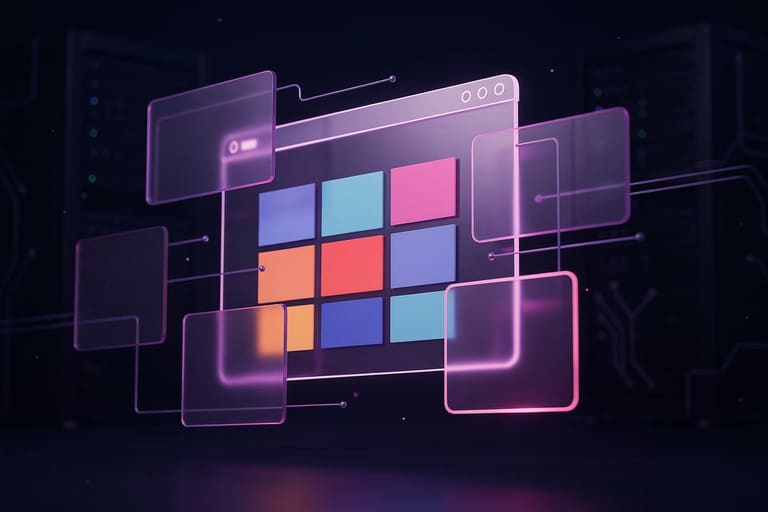
CMS Made Simple ਵਿੱਚ ਅਨੇਕ theme options: design/look/style/page structure/fonts/colors/customisation।
Theme system easy/extendable/customised: Download free/premium, or self-develop themes. Themesotud files, CSS, images: edit/customise — fully personalised look.
Suggested Punjabi Themes
- CleanBlog: Minimal blog theme
- Magazine Pro: News/Magazine sites
- Corporate Plus: Professional/Business look
- SimpleCorp: Business branding
- Photo Gallery: Portfolio
- eCommerce Shop: Online selling
Theme select: site purpose/audience, responsive/mobile-tablet-device friendly। Theme management: easy upload/activate/modify।
| Theme Name | Explained | Use-case |
|---|---|---|
| CleanBlog | Minimal blog, readable | Blogger/Content Creator |
| Corporate Plus | Professional/modern | Companies/Agencies |
| eCommerce Shop | Best for online stores | Shop/Ecommerce |
| Magazine Pro | News/Magazine layout | News/Publisher |
CMS Made Simple community — Free/Premium themes, active help/forums. Theme select/customise: usability/branding/user-engagement.
ਇਕਸਟੈਂਸ਼ਨ ਨਾਲ CMS Made Simple ਸੰਵਾਰੋ
Plugins/extensions powering CMS Made Simple — contact forms, gallery, SEO, e-commerce, interactivity, analytics, etc. Through plugins custom-made site possible.
| Plugin Name | ਫਾਇਦਾ | Features |
|---|---|---|
| CGCalendar | Event management/calendar | Event create/manage/calendar view |
| News | News/announcement | Create, categorize, archive articles |
| FormBuilder | Custom forms | Fields/validation/email sending |
| Gallery | Image gallery | Album, upload, display modes |
Plugins: contact forms, galleries, blogs, ecommerce, SEO, search, file-management, and more. Plugin selection ਪੰਜਾਬੀ ਏਲਾਕਾ ਦੀ ਲੋੜ ਕੇ ਲਾਕੀ ਹੈ।
Useful Plugins
- News: News/announcement
- FormBuilder: Contact forms/survey
- Gallery: Photo/video galleries
- CGCalendar: Event calendar
- Search: Site search
- FileManager: File upload/manage
Admin panel — Extension menu — search/install/update easily. Plugins trustworthy/hamesha update ਕਰਨ। Performance affect ਨਾ ਕਰਣ ਵਾਲਾ number install।
Plugin docs read, configure, optimise site as per need. Plugins = best usability, custom-ਕਾਰਜਸ਼ੀਲਤਾ, interaction. Right plugins = very successful Punjabi site.
CMS Made Simple ਸੁਰੱਖਿਆ ਟਿਪਸ
Site security critical — attack/hack/data loss ਤੋਂ protection. Security continuous process: frequent review, updates/install, logs.
Security Essentials
- Updates: CMS Made Simple/plugin — hamesha latest version
- Strong Passwords: Admin/user — difficult to guess — upper/lower/numbers/symbols
- 2FA (Two-factor authentication): Admin account — if supported
- Security Extensions: Firewalls/plugins
- Database Backup: automatic/manual, safely stored
- SSL Certificate: Always use HTTPS
User roles/permissions: only required access, minimise risks user mistake/breach. Editor should not get admin rights.
Frequent scan for vulnerabilities, audit logs, add firewall (WAF). Regular check activity. Security = ongoing process/never ignore.
ਆਮ ਗਲਤੀਆਂ ਤੇ ਹੱਲ
CMS Made Simple install/use — very common mistakes, specially beginners. Errors during install/configure/content management — easy solutions explained below.
| Mistake | ਕਾਰਨ | Solution |
|---|---|---|
| Wrong DB Info | DB name/user/password mistake | Check/correct info or panel |
| File Permissions | No write permission — install fails | Check via FTP — chmod 755/777 |
| Theme Conflict | Old theme/version mismatch | Check compatibility, update theme |
| Plugin Conflict | Plugin clash/version error | Disable one-by-one, find/fix culprit |
DB mistakes — check carefully, file permission mistakes — fix via FTP. Theme/plugin compatibility — verify before install. Regular backup/security/SEO configs crucial.
- Pre-install — check requirements
- Note DB info; fill correctly
- File permissions — setup
- Theme/plugin compatibility — verify
- Backup — schedule
- Security — updates/check/implement
SEO config miss/poor — meta/title/url not optimal, search rank drops. Security miss — always strong password/firewall/updates.
Content mistakes — unoptimised images/irregular posts — site slow/interest lost. Always optimise images/posts. Backup always; restore if crisis.
CMS Made Simple ਨਾਲ ਕਾਮਯਾਬੀ: ਨਤੀਜਾ
CMS Made Simple — flexible, easy, powerful. Install/configure/theme/plugin — best Punjabi hosting. Follow stepwise guide for successful website/admin/control.
| ਖਾਸੀਅਤ | ਵਿਸ਼ਲੇਸ਼ਣ | ਅਹਮ ਮੁੱਦੇ |
|---|---|---|
| Ease of Use | Simple UI — no technical skill | Newbies-friendly |
| Flexibility | Customisable — themes/plugins | Personalised site |
| Security | Regular updates/backup/settings | Safe/data loss prevented |
| ਐਸਈਓ | Optimized for search/ranking | Organic traffic boost |
Regular backup, updates, SEO config, plugins, community docs, mobile compatibility — critical for Punjabi web success.
- Backup — avoid data loss
- Update security — avoid hack/problem
- SEO work — high search ranking
- Community — forums/help
- Theme/plugin — careful selection
- Mobile responsive — wider audience
CMS Made Simple — tool; use properly = success. Constant learning/updating — site growth. Punjabi hosting ਤੇ wishing you best!
Fully leverage CMS Made Simple — right strategy = definite results!
ਪ੍ਰਸ਼ਨ-ਉੱਤਰ
CMS Made Simple ਹੋਰ CMSs ਨਾਲੋਂ ਵੱਖਰਾ ਕਿਉਂ?
CMS Made Simple beginners/small-medium site ਲਈ – ਸਵਿਤ, ਆਸਾਨ, plugins/themes, UI, fast setup, low hosting demand।
CMS Made Simple DB ਕੋਣ-ਕਿਹੜਾ?
MySQL/MariaDB supported, install during select, docs/steps official page ਉੱਤੇ।
Site look ਕਿਉਂ change ਕਰੀਏ?
Themes upload/customise, panel ਤੋਂ; look, fonts, colors, layout change, usability/brand.
Plugins ਕੀ?
FormBuilder, SEO, gallery, search, e-commerce, contact, announcements — panel install/configure ਕਰੀਏ।
Security ਕਿਵੇਂ?
Updates, strong passwords, remove unused plugins/extensions, firewall/security plugins; correct file permissions. Backup.
Common mistakes?
DB info mistake, file permission, theme compat, plugin clash. Read error, check DB/file/themes/plugins one-by-one. Help: Community/forums.
SEO — ਕੀ?
SEO URLs, meta, title, sitemap. SEO plugins, content optimisation/search rank promo. SEO configs/strategy ਤੇ best practise panel।
CMS Made Simple ਸਿੱਖਣ ਲਈ ਕਿੱਥੇ?
Official docs/user guide/developer docs — forums/blogs/videos — community support/privacy policy/read/practice.